


 Video Converter Ultimate
 Skärminspelare
 Video reparation
 Säker nedladdning
Få de ultimata procedurerna för hur man konverterar NEF till JPG
När vi tar foton vill vi alltid bevara livets minnesvärda ögonblick i bästa möjliga bildkvalitet. Det är därför människor köper utmärkta kameror som ger fantastiska resultat. Du kan dock uppnå bästa kvalitet genom att spara råbilden. Men detta kan också medföra många problem. NEF står för Nikon Electronic Format. Nikon, en av de mest populära kameratillverkarna, använder råbildsformat. Ibland kan du inte visa filerna på en dator. Det krävs ett professionellt program, som ofta är dyrt och svårt att använda. I en sådan situation är den bästa lösningen att konvertera NEF-filerna till ett universellt bildformat, som JPG. Detta formats flexibilitet gör att du kan visa foton på nästan alla enheter. Samtidigt kan det spara utrymme på lagringsminnet. Om du vill konvertera dina filer till en JPG-fil, läs den här guiden och lär dig de bästa NEF till JPG-omvandlarna du kan använda.

Del 1. NEF vs JPG
| Filformat | NEF | JPG / JPEG |
| Filnamnstillägg | .nef | .jpg / .jpeg |
| Fullständiga namn | Nikon elektroniskt format | Förenade Fotografers Expert Grupp |
| Utvecklad av | Nikon | Förenade Fotografers Expert Grupp |
| Beskrivning | Nikon Raw Image-filer är kända som NEF filer. Precis som andra RAW-bildfiler sparar NEF-filer all information som kameran spelade in innan bearbetningen. Den innehåller metadata som kamera- och linsmodeller. NEF-bilder erbjuder otroligt hög bildkvalitet. | Joint Photographic Experts Group skapade JPG format i slutet av 1980. Det inkluderar även lagring av bilder på digitalkameror och andra reproduktionsverktyg. Den förlorade komprimeringsmetoden som JPEG-filer använder för upp till 24-bitars färg och mer bildlagring. |
| Kompression | Förlorad | Förlorad |
| Tillhörande program/webbläsare | Adobe Lightroom IrfanView Graphic Viewer Adobe Photoshop ViewNX 2 Pics.io | IrfanView Graphic Viewer Photos Program Paint Adobe Photoshop Google Chrome Internet Explorer Microsoft Edge Mozilla Firefox |
Del 2. Hur man konverterar NEF till JPG på webben
Hur man konverterar NEF till JPG på Safeimageconverter
Använd Safeimageconverter för att snabbt konvertera online från JPF till NEF-bildformat. Med detta enkla onlineredskap kan du enkelt ändra filformatet. Bildomvandlaren är gratis, webbaserad och kräver ingen installation, så du kan använda den så ofta du vill utan kostnad. Du behöver bara ladda upp originalfilen till detta verktyg för att få en konverterad bildfil i NEF-format. Verktyget är också mycket praktiskt och hjälper oss att spara viktig tid. Vi kan snabbt och enkelt konvertera från jpg till NEF-format. Du kan konvertera filerna direkt i webbläsaren. När du konverterar bildfiler dyker det dock upp många störande annonser på skärmen. Dessutom finns det tillfällen då onlinetjänsten visar felmeddelanden efter konverteringsprocessen. En internetanslutning rekommenderas också när du använder detta onlineverktyg.
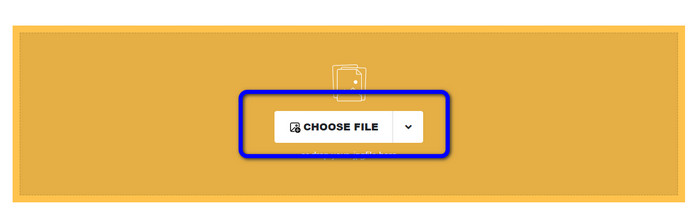
Steg 1. Gå till Safeimageconverter-webbplatsen. Klicka sedan på knappen Choose File för att ladda upp den NEF-fil du vill konvertera.
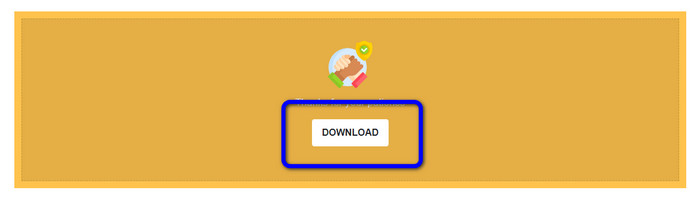
Steg 2. Efter uppladdning kommer bildomvandlaren automatiskt att konvertera bildfilen. När konverteringen är klar klickar du på knappen Download. På så sätt kan du spara den konverterade bilden på din dator.
Del 3. Praktisk metod för att konvertera NEF till JPG på Mac och Windows
Om du föredrar att använda Windows eller Mac för att konvertera NEF till JPG, använd Photoshop. Adobe Photoshop är inte bara bra för att redigera bilder. Det är också pålitligt när det gäller att konvertera olika filer, inklusive NEF. Dessutom kan du batchkonvertera NEF till JPG i Photoshop. Programmet har också en snabb konverteringsprocess, vilket gör det perfekt för alla användare. Dessutom kan det offline-baserade programmet bevara kvaliteten på dina bilder. På så sätt säkerställs att fotot fortfarande får en tillfredsställande kvalitet efter att filerna har konverterats. Men Adobe Photoshop är inte 100% gratis. Du måste köpa en prenumerationsplan för att kunna använda programmet. Det erbjuder bara en kostnadsfri testversion i 7 dagar. Dessutom är installationsprocessen ganska komplicerad.
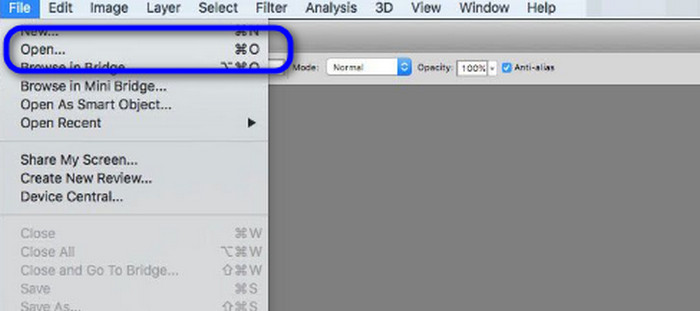
Steg 1. Ladda ner Adobe Photoshop på din dator. När du har installerat programmet startar du det för att se gränssnittet. Gå sedan till menyn File och välj Open för att infoga NEF-bildfilen.
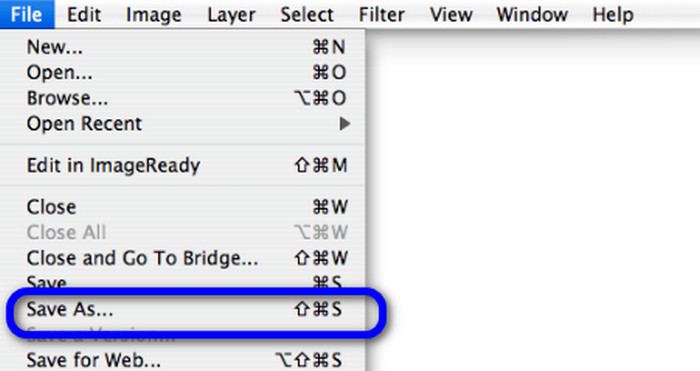
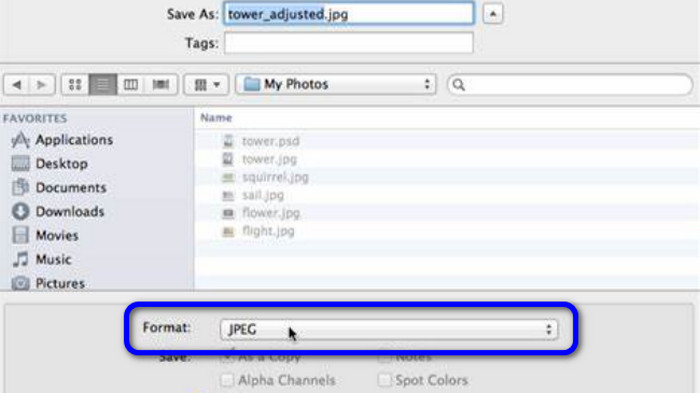
Steg 2. När du har infogat NEF-bilden i gränssnittet går du återigen till menyn File och väljer alternativet Save as.
Steg 3. Välj sedan JPG i formatlistan och klicka på Save.
Del 4. Rekommenderad bildkonverterare
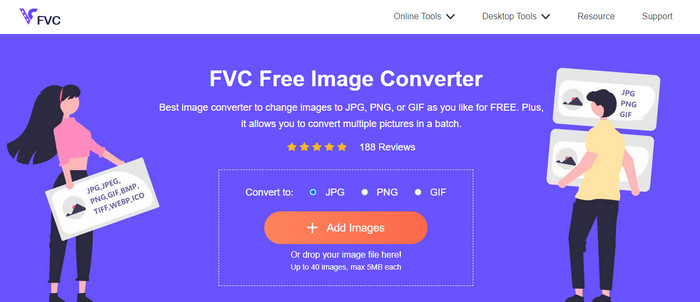
I den här delen, om du letar efter en annan bildomvandlare för att konvertera andra bildformat online, ger FVC Free Image Converter den bästa lösningen för dig. Denna online-bildomvandlare kan enkelt konvertera olika format. FVC Free Image Converter stöder JPG, PNG, GIF, BMP, TIFF och mer. Du kan också komma åt bildomvandlaren i olika webbläsare, såsom Google, Explorer, Edge, Firefox och fler. Dessutom kan du slutföra konverteringsprocessen på bara några sekunder, vilket gör den praktisk för alla användare. Du kan också ladda upp flera bilder i detta onlineverktyg. Med dess batchkonverteringsfunktion kan du ladda upp upp till 40 bilder samtidigt. När du laddar ner de konverterade bilderna kan du dessutom ladda ner dem med ett enda klick.
Del 5. Vanliga frågor om att konvertera NEF till JPG
1. Är det möjligt att konvertera JPG till NEF?
Tyvärr kan du inte konvertera en JPG-fil till NEF. Detta beror på att NEF är en riktig bild tagen med en Nikon-kamera. NEF-formatet används när en fotograf använder en Nikon-kamera och laddar upp digitala filer.
2. Hur öppnar man en NEF fil?
Du kan enkelt öppna NEF-filen om du har rätt codec på din Windows. Men om du inte kan öppna NEF-filen behöver du hjälp av nedladdningsbara program. Du kan använda Microsoft Camera Codec Pack, Adobe Photoshop, Irfan View, GIMP och mer.
3. Varför ska du konvertera från NEF till JPG?
Det är viktigt att konvertera NEF till JPG eftersom vissa program och bildredigerare inte stöder NEF-filer. Dessutom har NEF en stor filstorlek som förbrukar för mycket lagringsutrymme på enheten. Så det bästa valet är att vända NEF-filen till JPG.
Slutsats
NEF-filer kan ge dig bilder av hög kvalitet. Men vissa webbläsare och program stöder inte filen, vilket är frustrerande. Som tur är gav den här artikeln en utmärkt lösning för att konvertera NEF till JPG. Dessutom presenterade artikeln en annan online-bildomvandlare du kan använda för att konvertera andra bildformat, nämligen FVC Free Image Converter. Du kan använda denna onlineomvandlare för att konvertera olika bildformat.
-
 4 pålitliga metoder för att enkelt konvertera JFIF till JPG
 Den här guideposten kommer att berätta allt om att konvertera JFIF till JPG online och offline. Om du vill lära dig de mest effektiva metoderna, läs detta inlägg omedelbart!
-
 Hur man konverterar GIF till JPG utan att förlora kvalitet
 Läs och få de mest effektiva metoderna för att konvertera GIF till JPG professionellt. Du kommer att lära dig att konvertera bildfiler med guiden för perfekta bildkonverterare
-
 Lätt att följa procedurer för att konvertera bilder till vektor
 Här är några av de anmärkningsvärda sätten att vektorisera en bild. Dessutom får du tillräckligt med kunskap om bildkonverteraren du kan använda.
