


 Video Converter Ultimate
 Skärminspelare
 Video reparation
 Säker nedladdning
Bäst av 7: Effektiv ljudomvandlare M4A till WAV du inte bör missa
När det gäller kompatibilitet orsakar M4A-format inga problem. Men om du är mycket noggrann med låtarna du spelar upp eller ljudet du spelar in, är M4A-formatet inte det bästa alternativet. Därför kan du använda ett förlustfritt containerformat som WAV-containern för att lösa detta problem. För att göra det behöver du ett pålitligt program. För att spara tid på att leta efter verktyg för att konvertera M4A till WAV-programvara, stanna kvar i den här artikeln medan vi noggrant går igenom dem.

Del 1: M4A till WAV Converter för Windows och Mac
1. Video Converter Ultimate
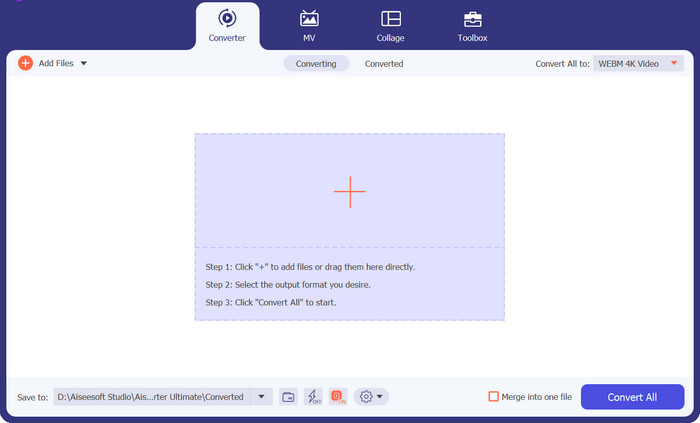
Rekommenderad användare: Den här plattformen passar bäst för nybörjare, genomsnittsanvändare och professionella användare.
Kompatibel plattform: Windows- och Mac-enheter
Vi börjar förstås med den ultimata lösningen för att konvertera M4A till WAV-programvara. Video Converter Ultimate är en professionell konverterare utrustad med GPU-accelerationsteknik. Detta innebär att programmet kan konvertera snabbare även när du arbetar med stora mängder och stora mediefiler. Dessutom är det känt för sin batchkonverteringsfunktion som låter dig omvandla en hel mapp med M4A-filer till WAV i en och samma omgång. Utöver detta erbjuder programmet mer än 1000 video- och ljudformat som täcker dina behov av formatkonvertering.
Gratis nedladdningFör Windows 7 eller senareSäker nedladdning
Gratis nedladdningFör MacOS 10.7 eller senareSäker nedladdning
Detta gillar vi bäst:
Användarvänligt gränssnitt: Det här verktyget fungerar utmärkt även för nybörjare. Dess användargränssnitt är enkelt men stilrent, vilket gör det lätt att hitta rätt.
Omfattande verktygslåda: Video Converter Ultimate är inte bara ett fantastiskt val för att konvertera M4A till WAV-programvara. Det går längre genom att ge användarna fler praktiska verktyg som GIF-skapare, videoförbättrare, sammanslagning och videoredigerare.
Förhandsgranskning i realtid: Programmet kan visa dig resultatet i realtid i sin förhandsgranskningspanel medan du gör fan-klipp av dina filer. På så sätt ser du direkt vad ditt material behöver för ytterligare förbättring.
Nackdel:
Begränsad testversion: Video Converter Ultimate låter dig njuta av några av sina bästa funktioner i testversionen. För att få tillgång till alla funktioner måste du teckna en prenumeration.
2. TalkHelper Video Converter
Rekommenderad användare: Nybörjare till genomsnittsanvändare
Kompatibel plattform: Windows
Konvertering av hög kvalitet är bara en av fördelarna du får med TalkHelper Video Converter. Detta M4A-omvandlare till WAV-alternativ använder en flerkärnig processor för att påskynda konverteringsprocessen av dina filer. Dessutom erbjuder detta program video- och enhetsspecifika format som Nokia, Xbox, Blackberry, Samsung, spelkonsoler och mer.
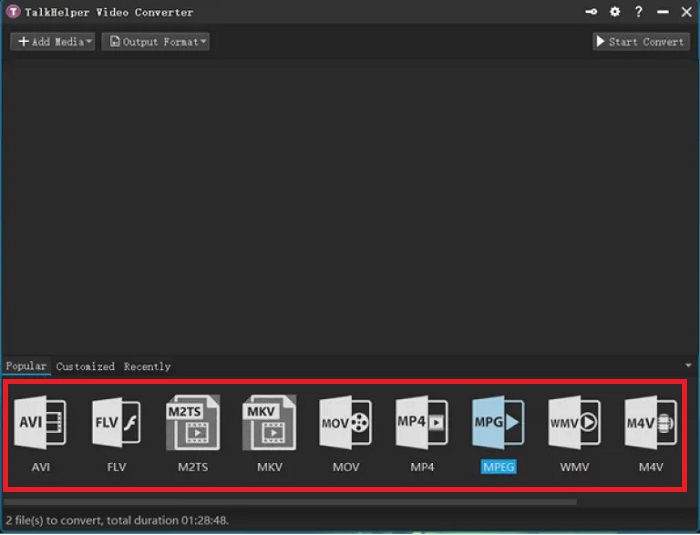
Detta gillar vi bäst:
Snabb konverteringshastighet: TalkHelper Video Converter fördubblar konverteringshastigheten jämfört med konkurrenterna.
Batchkonvertering: Det här verktyget låter dig konvertera ett helt bibliotek med filer samtidigt genom att helt enkelt ladda upp en mapp eller lägga till fler filer under pågående konvertering.
Nackdel:
Föråldrat gränssnitt: Jämfört med andra program vi har recenserat ser TalkHelper Video Converters gränssnitt enkelt ut och ligger något efter i design.
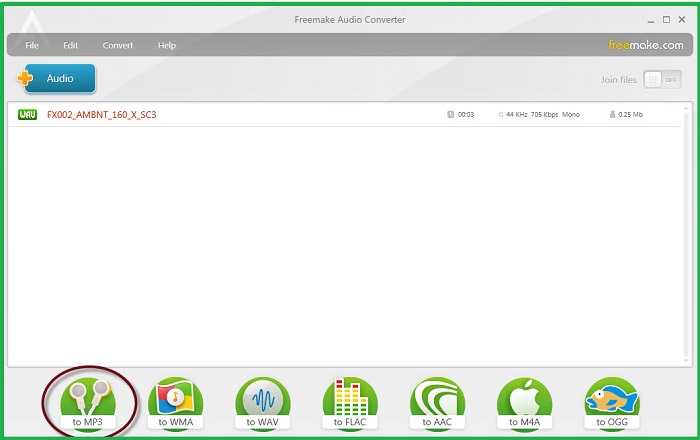
3. Freemake Free Audio Converter
Rekommenderad användare: Nybörjare till proffs
Kompatibel plattform: Windows-enheter
Med över 73 miljoner användare över hela världen, här är Freemake Audio Converter. Som namnet antyder är det här verktyget helt gratis för alla att använda. Denna offline m4a till wav-omvandlarlösning lovar en raket-snabb konvertering tack vare dess integration av GPU-accelerationsteknik. Dessutom älskar vi hur dess kompatibilitet körs fram till versionen av Windows Vista.
Detta gillar vi bäst:
Ljudkonvertering med hög kvalitet: Det här programmet låter användare justera utdatakvaliteten för sina filer från standard upp till 320 kbps.
Snabb delning på internet: Efter att du konverterat dina M4A-filer till WAV kan du spara dem på Google Drive eller ladda upp dem till dina sociala mediekonton.
Nackdel:
Begränsade ljudformat: Freemake Audio Converter listar endast 50+ ljudformat.
Del 2. M4A till WAV Converter Online
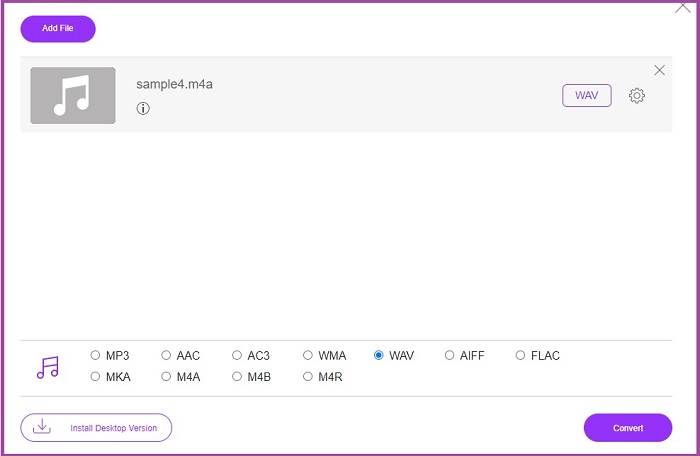
1. Gratis Audio Converter
Rekommenderad användare: Nybörjare till genomsnittsanvändare
Kompatibel plattform: Windows OS
Om du är rädd att förlora kvaliteten på din ljudfil finns en onlinelösning för att hjälpa dig. Free Audio Converter låter dig uppleva en fantastisk konverteringsprocess utan några begränsningar för uppladdningsstorlek. Dessutom kräver denna kostnadsfria M4A till WAV-konverterare varken inloggning eller registrering.
Detta gillar vi bäst:
Inga vattenstämplar: Till skillnad från vissa onlineprogram är det ganska förvånande att hitta en onlineljudkonverterare som denna som inte lämnar några varumärkesvattenstämplar på dina värdefulla filer.
Integritetsskydd: Free Audio Converter garanterar att dina filer raderas när du lämnar programmet efter avslutad konvertering.
Nackdel:
Internetanslutning krävs: Du kan använda verktyget på vilken enhet som helst men bör ha en stabil anslutning, annars kommer konverteringen inte att lyckas.
Ej tillgänglig batchkonvertering: Programmet kan endast konvertera M4A-filer individuellt.
Del 3. M4A till WAV Converter App för Android och iOS
1. All Audio Converter
Rekommenderad användare: Genomsnittsanvändare
Kompatibel plattform: Android och iOS
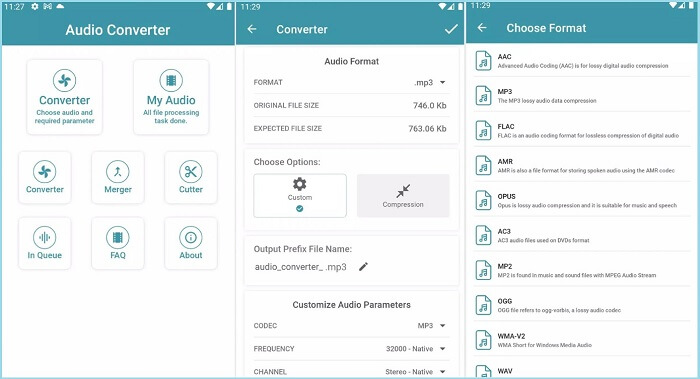
All Audio Converter, släppt av Highdea Apps Studio, är ett pålitligt verktyg för att omvandla dina M4A-filer till WAV. Förutom att vara en gratis M4A till WAV-omvandlare, erbjuder detta program ytterligare tre inbyggda verktyg. Med sammanslagningen kan du sy mer än två ljudfiler i en eller trimma en fil med hjälp av skärverktyget. Å andra sidan, om du vill minimera storleken på en fil kan du fritt njuta av kompressorn.
Detta gillar vi bäst:
Inbyggd spelare: Efter att du konverterat M4A-ljudfiler kan du lyssna direkt på det nya formatet genom att helt enkelt trycka på uppspelningsknappen i själva programmet.
Säker data: Detta verktyg är engagerat i att ge dataskydd åt sina användare genom krypteringsprocesser.
Nackdel:
Ingen metadata-redigerare: Till skillnad från andra mobila ljudkonverterare har det här programmet ingen metadata-redigerare där du kan fylla i nödvändig information om en låt eller fil.
2. Audio Editor och Music Editor
Rekommenderad användare: Genomsnittliga användare till proffs
Kompatibel plattform: Android och iOS
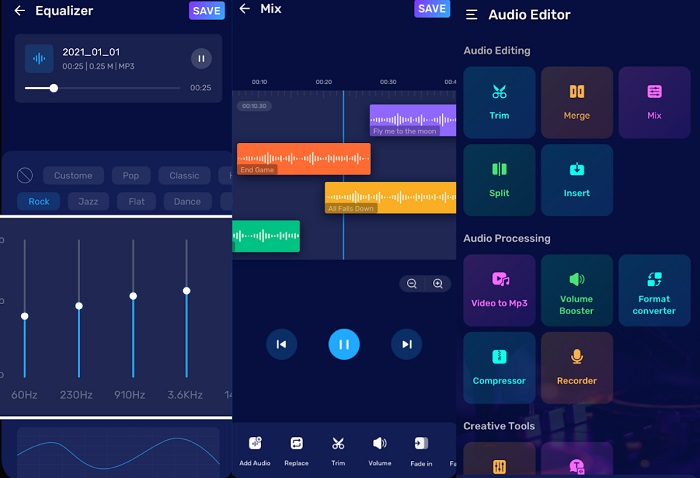
Om du letar efter en symbol för effektivitet kräver Audio Editor och Music Editor ingen introduktion. Denna konvertera M4A till WAV-appen är inte en mer ljudkonverterare utan kan också utföra avancerade ljudredigeringsaktiviteter för alla dina behov. Det låter dig blanda ljud för att skapa en vackert skräddarsydd presentation. Dessutom låter den dig spela in röst eller ljud och gå direkt till den inbyggda ljudredigeraren för att eliminera oönskat brus i bakgrunden.
Detta gillar vi bäst:
Anpassningsbara ljudparametrar: Med programmet kan du anpassa filens ljudbitrater innan du konverterar den till ett annat format. Detta ger dig kontroll över din utdatakvalitet.
Text-till-ljud-funktion: Audio Editor and Music Editor har ett kreativt verktyg som låter dig omvandla skriven text till en ljudfil. Den här funktionen sparar tid när du ska göra röstinspelningar.
Nackdel:
Kostsam prenumeration: Om du vill låsa upp appens avancerade verktyg måste du uppgradera till pro-versionen.
Vidare läsning:
WAV-spelare – Topp 5 WAV-spelarappar för Android, iPhone, PC och Mac
Ta reda på hur du konverterar MP3 till WAV-format
Del 4. Jämför M4A till WAV Converter i en tabell
Behöver du mer vägledning? Ta en titt på den här snabba översikten av de andra detaljerna du inte bör missa om omvandlarna som nämns här.
| Pris | Pris | Catered Format | |
| Video Converter Ultimate | $49.95/ Livstid | 30x snabbare | Ljud och video |
| TalkHelper Video Converter | $29.95/ Livstid | 50x snabbare | Ljud och video |
| Freemake Free Audio Converter | Fri | Vanligt | Endast ljud |
| Gratis ljudkonverterare online | Fri | Vanligt | Ljud och video |
| All Audio Converter | Köp inom appen | Vanligt | Endast ljud |
| Audio Editor och Music Editor | Köp inom appen | 30× snabbare | Endast ljud |
Del 5. Vanliga frågor om hur man konverterar M4A till WAV
Är M4A bra som WAV?
M4A-format är vanligtvis lägre i kvalitet jämfört med WAV-filer. Eftersom M4a-filer redan är komprimerade, reduceras vissa detaljer om din fil. Å andra sidan är WAV-filbehållare okomprimerade, vilket ger dig högkvalitativt innehåll.
Vad är fördelen med att använda M4A?
M4A-filer är lämpliga för fildelning över internet. Till skillnad från förlustfria format som WAV är M4A-storlekarna relativt små. Dessutom behöver du inte oroa dig för uppspelningsproblem eftersom M4A är mycket kompatibel med alla mediaspelare.
Kan jag komprimera WAV och behålla dess kvalitet?
Så länge du använder förlustfria omvandlare behöver du inte oroa dig för att förlora kvaliteten på dina WAV-filer. Å andra sidan kan du konvertera WAV till andra förlustfria format som FLAC.
Vilket är det bästa ljudformatet?
Hittills anses WAV-formatet vara överlägset på grund av dess dynamiska och bitdjup.
Är M4A ett format av låg kvalitet?
M4A-formatet är ganska likt MP3. När det gäller kvalitet är M4A-filer ganska lämpliga för användning.
Slutsats
I den här korta genomgången kan du nu växla fram och tillbaka mellan M4A- och WAV-filer när som helst. Med dessa M4A till WAV-konverterare har du obegränsade möjligheter att använda vilken enhet som helst. Men om du behöver maximera alla dina ljudredigeringsaktiviteter rekommenderar vi starkt att du använder en dator och Video Converter Ultimate.
-
 Hur konverterar du M4A till MP3 med 4 gratis ljudomvandlare
 Kan du inte spela M4A och behöver konvertera den till MP3? Finns det något gratis sätt att konvertera M4A till MP3 online? Det här inlägget delar 4 gratis sätt att hjälpa dig konvertera M4A till MP3 med iTunes, online och professionella ljudomvandlare.
-
 Guide för att konvertera WMA till WAV för oklanderlig ljudkvalitet
 Upptäck det enkla sättet att konvertera WMA till WAV och upplev överlägsen ljudkvalitet, förbättrad klarhet och uppslukande lyssningsglädje.
-
 Topp 5 bästa FLAC till M4A-omvandlare 2025 (alla plattformar)
 I det här inlägget kommer du att fyllas med nya idéer om var du ska springa för att konvertera FLAC till M4A online och offline.
