


 Skärminspelare
 Video reparation
 Säker nedladdning
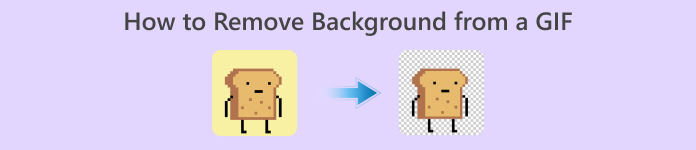
Hur man tar bort bakgrund från GIF-filer med hjälp av effektiva program
GIF är en förkortning för Graphics Interchange Format och används i stor utsträckning i nätkommunikation, till exempel när man skickar meddelanden eller till och med kommenterar ett inlägg. Att ta bort bakgrund från GIF:ar eller bilder kan vara svårt om du inte har programvara som är gjord för just den typen av uppgift! På grund av GIF:ens popularitet blir allt fler användare nyfikna på hur man redigerar och skapar sina egna GIF:ar. Som tur är har vi samlat pålitliga och lättanvända onlinetjänster som kan hjälpa användare att ta bort bakgrunden från GIF:ar.
Rekommenderas: FVC Free Background Remover
FVC Free Background Remover är ett användbart verktyg när det gäller att ta bort bakgrunden från dina bilder. Det använder AI för att markera och känna igen personen på fotot. Dessutom finns verktyget tillgängligt för både Windows och Mac. Sammantaget är det ett smidigt och pålitligt verktyg som du kan använda när som helst och var som helst.
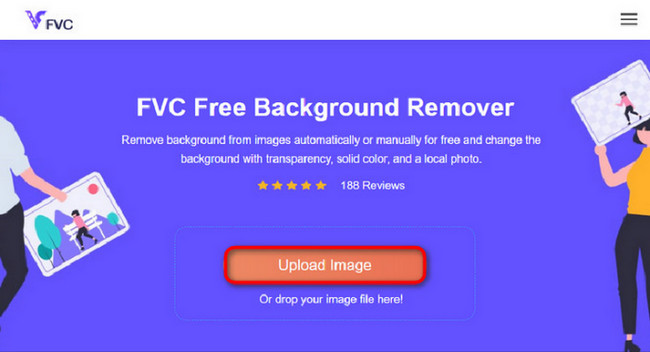
Steg 1. Ladda upp bild/GIF
Det första steget är att öppna webbläsaren på din dator. När du har öppnat onlinetjänsten får du direkt alternativet att ladda upp din bild. Klicka på Upload Image för att lägga till den GIF du vill ta bort bakgrunden från.
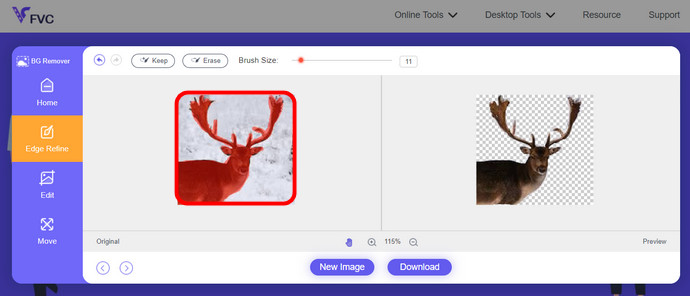
Steg 2. Redigera bild
Efter uppladdningen får du nu ta bort eventuella oprecisa höjdpunkter från AI-igenkänningen. Klicka och dra bara med musen och gör det som du vill.
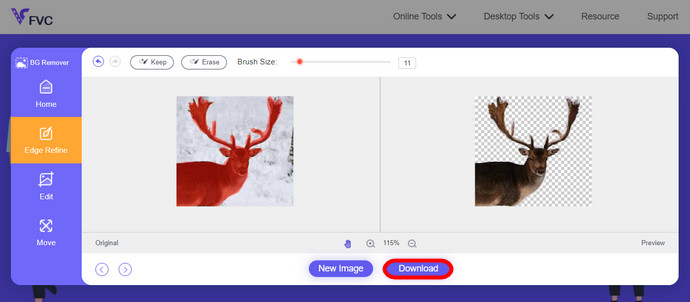
Steg 3. Ladda ner redigerad bild
Avslutningsvis klickar du på knappen Download. Du har nu lyckats ta bort bakgrunden från din bild.
Del 1. Ta bort GIF-bakgrund med EZGIF.com
Denna online-mjukvara är en programvara för redigering och konvertering av foto/gif. Det kan redigera och konvertera GIF, PNG, WEBP, IMG och många fler format. Här kan du redigera din GIF med redigeringsprogram som följer med programvaran.
Steg 1. Gå in på sidan
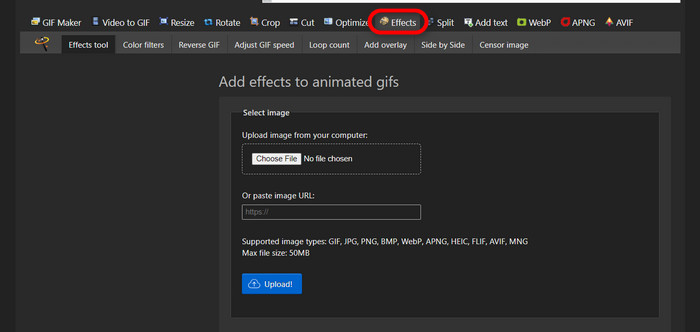
För att använda detta onlineverktyg öppnar du webbläsaren och skriver in länken. Du får omedelbart olika alternativ beroende på dina behov. Den här sidan ger dig möjlighet att ta bort bakgrunden från din GIF. Klicka på Effects för att börja.
Steg 2. Välj och ladda upp en bild/GIF
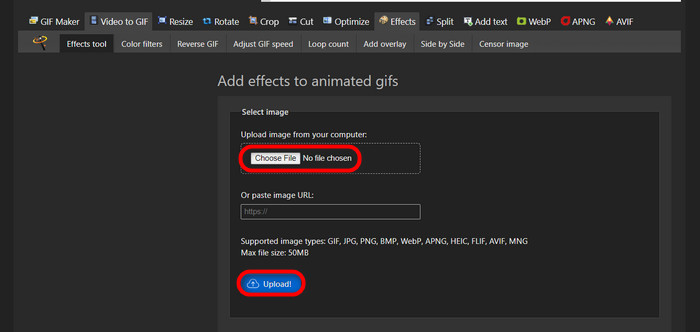
Välj nu den fil du vill ladda upp. Klicka på Choose Files, leta upp filen i din valda mapp och klicka på Upload för att ladda upp den valda filen.
Steg 3. Redigera bild
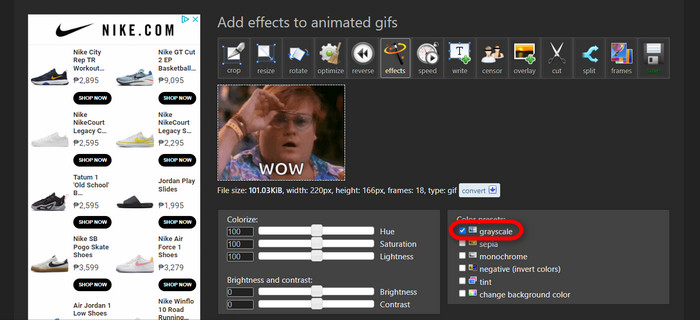
Efter uppladdningen är du nära att kunna ta bort bakgrunden från din GIF eller göra bakgrunden på din GIF svart. Klicka nu på grayscale för att göra din bakgrund mörk.
Steg 4. Förhandsgranska och konvertera bild/GIF
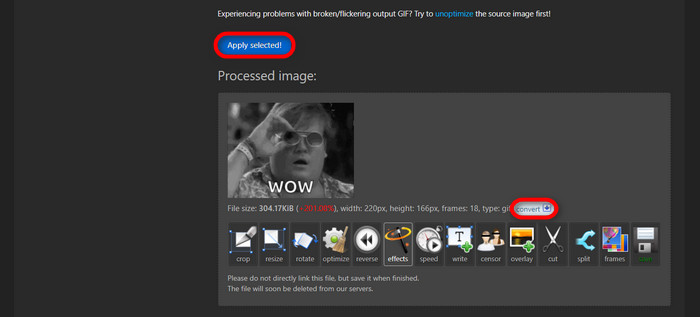
Efter att du har lagt på effekter, ändrat storlek och beskurit din nya GIF, klickar du på Apply Selected, så får du en förhandsvisning av din redigerade GIF. Klicka sedan på knappen convert för att ladda ner din fil.
Del 2. Gör en GIF utan någon bakgrund i Remove.bg
Den här webbplatsen är också utformad för att ta bort bakgrund från alla bilder. Här ger det dig möjlighet att fortfarande redigera ditt automatiskt borttagna bakgrundsfoto. Den drivs med en skicklig AI som kan känna igen huvudmotivet och ta bort bakgrunden felfritt.
Steg 1. Ladda upp bild/GIF
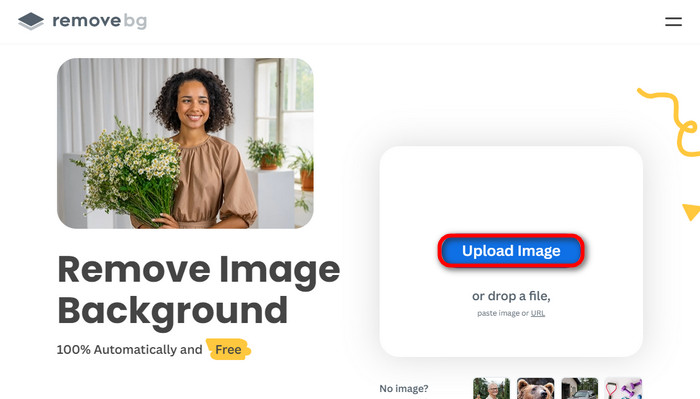
Vi börjar med att ladda upp vår bild. Öppna onlinetjänsten i din webbläsare när du är på sidan. Klicka sedan på Upload Image.
Steg 2. Granska och redigera bild
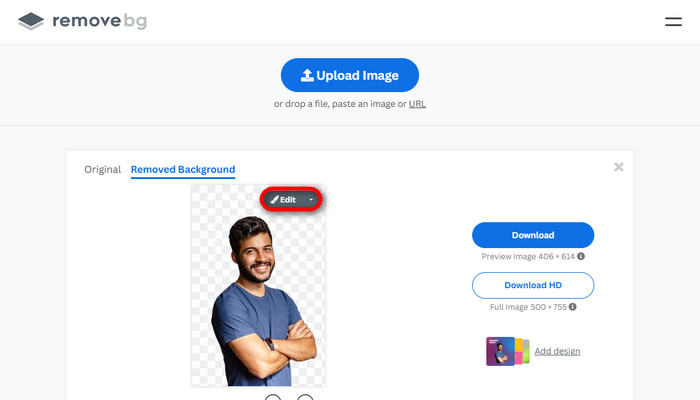
När din bild är uppladdad ska bakgrunden redan ha tagits bort automatiskt, men du kan fortfarande redigera din bild. Du kan se originalbilden genom att klicka på knappen Original bredvid knappen Removed Background. Användare kan enkelt lägga till en svart bakgrund i sin bild med den här programvaran.
Steg 3. Ladda ner redigerad bild
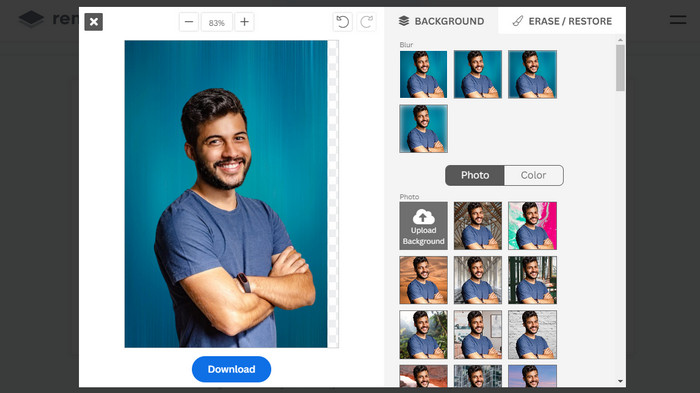
I det här skedet är du klar med redigeringen och kan nu ladda ner din bild. Klicka bara på knappen Download under din bild.
Del 3. Använd GIFmagic i GIF-bakgrundsborttagning
I GIFmagic, specialeffekter, lägga till text, animera och många fler! Dessa är alla möjliga med detta onlineprogram. GIF:er är lätta att arbeta med när det kommer till redigering i denna programvara!
Steg 1. Ladda upp bild/GIF
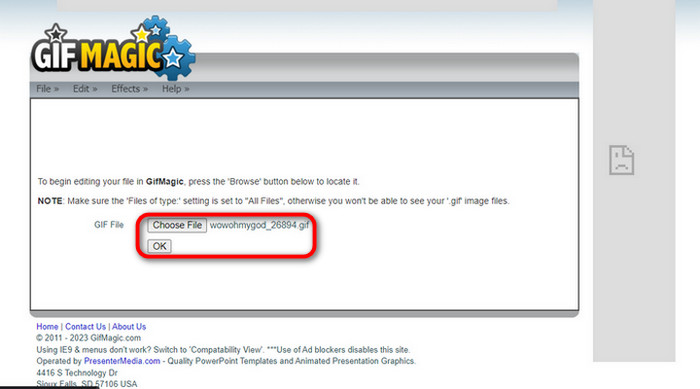
När du är inloggad låter sidan dig ladda upp den valda filen till programmet. Du kan ladda upp .gif- eller .img-filer som är användbara för andra användare. För att välja din fil klickar du på Upload, och när du har valt din fil klickar du på knappen OK.
Steg 2. Redigera bild
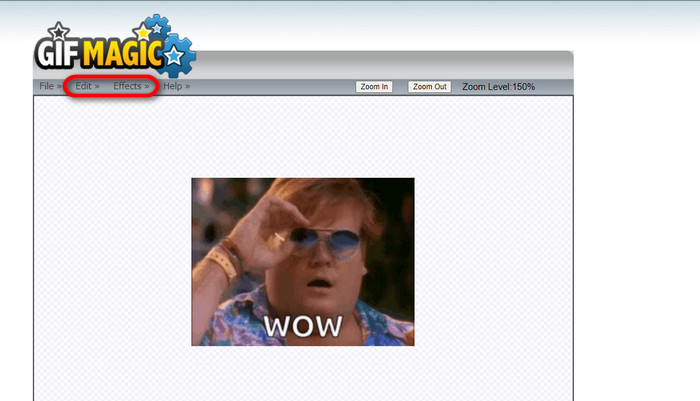
När du hamnar på sidan ser du knapparna Edit och Effects bredvid knappen File. Din fil kan redigeras i den här delen, så släpp loss din kreativitet och ha kul med redigeringen.
Steg 3. Ladda ner redigerad GIF
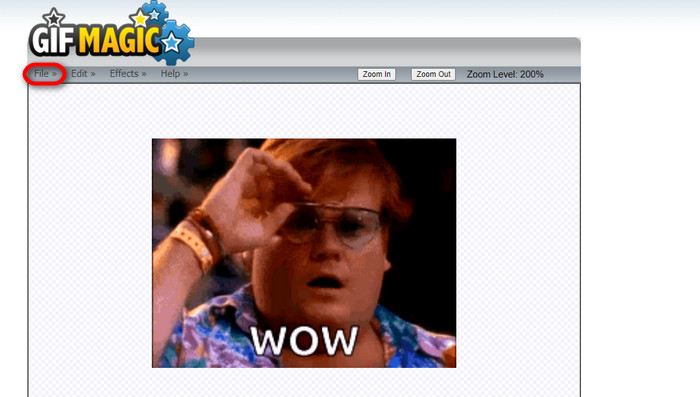
När du har gjort bakgrunden i din GIF genomskinlig klickar du bara på knappen File och sedan på Save. Klart! Filen är sparad och nedladdad.
Del 4. Gör GIF-bakgrunden transparent med LunaPic
LunaPic är ett gratis onlineverktyg som kan ta bort bakgrunds-GIFs online. Den kan bedöma och redigera PNG, GIF, JPG, JPEG och många fler typer av bilder. Det är en välgrundad programvara som används för redigering på många plattformar.
Steg 1. Ladda upp bild/GIF
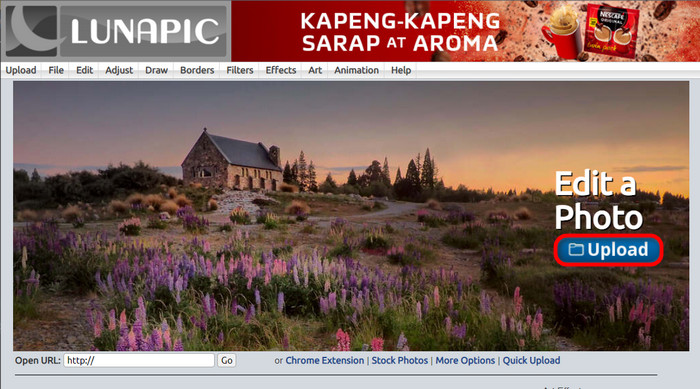
Efter att du gått in på sidan i din standardwebbläsare eller en valfri webbläsare laddar du upp din .img- eller .gif-fil till sidan. Klicka bara på knappen Upload.
Steg 2. Redigera bild/GIF
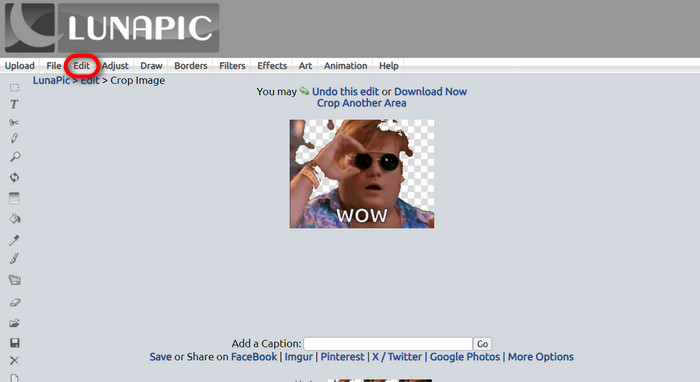
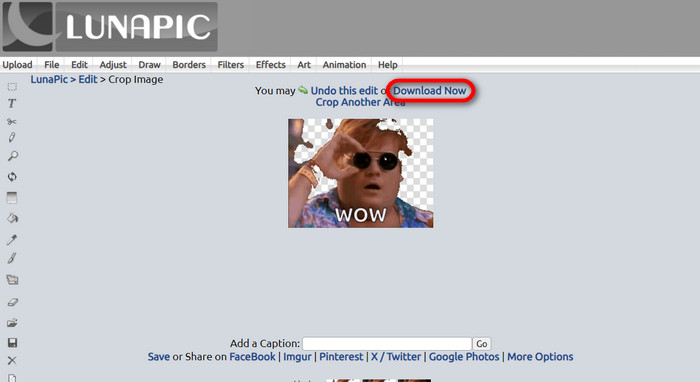
Därefter kan du redigera din fil och göra GIF-bakgrunden genomskinlig genom att klicka på Edit och sedan verktygsknappen Crop Image. Börja beskära bakgrundsbilden.
Steg 3. Ladda ner redigerad GIF
Efter att ha beskurit bakgrunden, eller om du försökte göra en GIF med vit bakgrund, kan du nu klicka på knappen Download now! för att spara din redigerade fil!
Vidare läsning:
4 bästa sätten att ta bort vattenstämpeln från en GIF [online och offline]
Avslöjar de bästa verktygen för GIF på dator, online och mobil

Video Converter Ultimate
345+ nedladdningar- Njut av att titta på dina videor utan de där irriterande vattenstämplarna som blockerar ditt innehåll.
- Producera videor av bra kvalitet som har hög upplösning för bättre visning.
- Låt dig ta bort alla vattenstämplar från vilken typ av video som helst.
- Ge dig otaliga format att konvertera din fil till.
Gratis nedladdningFör Windows 7 eller senareSäker nedladdning
Gratis nedladdningFör MacOS 10.7 eller senareSäker nedladdning
Del 5. Vanliga frågor om att ta bort bakgrund
Kan jag konvertera en animerad PNG till en GIF?
Ja, det är möjligt att konvertera PNG till GIF. Det finns dock flera typer av data som kan konverteras till flera format så länge du har rätt program.
Kan jag ändra färgen på min GIF-bakgrund efter att ha tagit bort den?
Absolut, det finns många program som erbjuder den typen av funktioner. Prova FVC Background Remover för enkel borttagning av bakgrunder.
Kan jag göra en GIF-bakgrund transparent i färg?
Nej, färg har inte den typen av förmåga. Men du kan leta efter andra program som erbjuder den typen av jobb.
Vad är en animerad GIF med transparens?
En animerad GIF med transparens är en bild som bara visar en viss del av bilden när den väl placerats på en viss webbplats. Den kan ha flera bilder som visas om den placeras på en annan webbplats.
Tillåter GIF transparens?
Ja, men inte helt transparent. Den stöder endast 1-bitars transparens.
Slutsats
Det finns numera en stor betydelse och efterfrågan på program som kan redigera GIF:ar, som de som nämns ovan. Att beskära, redigera, lägga lager och radera är nu möjligt med bara några få klick. Användare förnyar sig och hittar på saker som ingen tidigare har gjort, som att skapa en GIF med vit bakgrund. Den här typen av användare är anledningen till att kraftfulla program som dessa har skapats, som FVC Background Remover.
-
 Välj den bästa GIF Cropper online och offline för att beskära GIFs [2023]
 Att välja det bästa beskärningsverktyget är ett måste medan den här funktionen på GIF-tillverkare är tillgänglig. Så vad är ditt bästa val för att beskära filer och hur man använder det?
-
 Lär dig fyra sätt att skapa GIF från bilder [Online & Offline]
 Vill du veta hur man skapar GIF-filer från kompilering av dina bilder? Klicka sedan på den här länken och läs följande exempel
-
 Loop GIF med den bästa animerade GIF Looper på Windows och Mac
 Vill du veta hemligheten för den bästa loop-GIF och göra en? I så fall är du på rätt plats. Lär dig hur du skapar en loop med den bästa tillgängliga loopern.
