


 Video Converter Ultimate
 Skärminspelare
 Video reparation
 Säker nedladdning
Topp 4 gratis sätt att konvertera MTS till MOV
Jag har tagit några videor med min Sony-videokamera som exporterade MTS-filer. Jag märker att MTS inte kan stödjas av min mediaspelare och iMovie. Jag använder en Mac och vill redigera dessa inspelade MTS-videor. Någon hjälp? Finns det något enkelt sätt, särskilt gratis sätt att konvertera MTS till MOV?
MTS is a high-definition video format which widely used by Sony and Panasonic camcorders, as the file extension of AVCHD (Advanced Video Coding High Definition). After recording video with your digital camera, you are more likely get a MTS file. It carries 720p/1080i HD and can provide a higher video quality. However, MTS is not a popular format which can be supported by most media players or editors.

When you have the need to edit MTS in iMovie or play it with media player, you should convert MTS to MOV or MP4 for the better compatibility. Here in this post, we will show you 4 free MTS converters to help you convert MTS to MOV with ease.
Del 1. Bästa gratis sättet att konvertera MTS till MOV utan kvalitetsförlust
There are a large number of MTS converting tools offered on the internet that can help you convert MTS to MOV with high quality. Here at the first part, we like to recommend the best free MTS to MOV converting software, Free MTS Converter for you.
Den är speciellt utformad för att hantera alla typer av omvandlingar. Den är kompatibel med nästan alla video- och ljudformat som MP4, MOV, MKV, MTS, AVI, FLV, WMV, MP3, AAC, FLAC och mer. Du kan ladda ner den gratis och ta följande guide för att konvertera MTS till MOV gratis.
Free DownloadFor Windows 7 or laterSecure Download
Free DownloadFor MacOS 10.7 or laterSecure Download
Steg 1. Först måste du installera och köra den här gratis MTS till MOV-omvandlaren på din dator. Det erbjuder både Windows- och Mac-versioner som du kan ladda ner.
Step 2. Click Add File(s) to import the MTS file(s) you want to convert. You are allowed to convert one or more MTS files at a time.
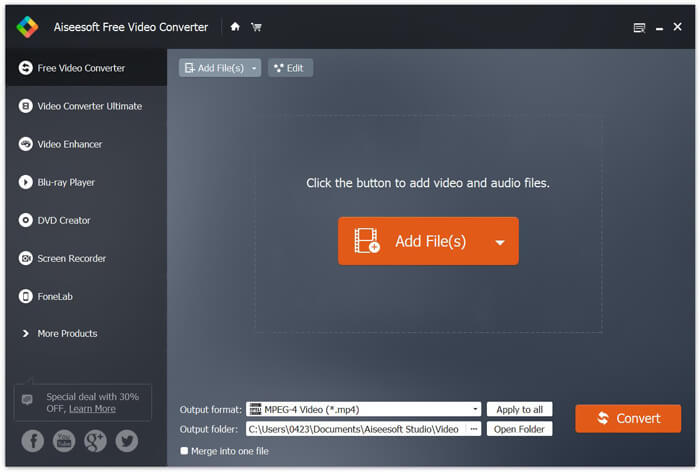
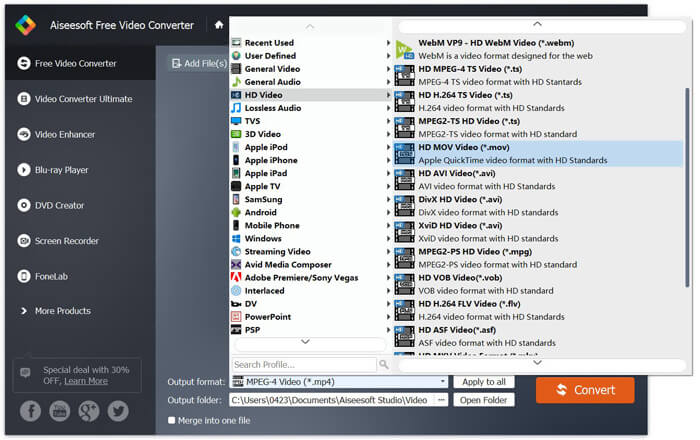
Step 3. Select MOV as your target format from the list of Output format. Then click on Convert button to start the conversion from MTS to MOV.
Som du kan se ovan, har denna gratis MTS till MOV-omvandlare också några grundläggande redigeringsfunktioner. Innan den slutliga konverteringen kan du använda dem för att anpassa din MTS-fil. Jämfört med onlinekonverterare kan den här gratisvideoomvandlaren ge dig snabbare konverteringshastighet och högre videokvalitet. Det är därför vi gör det till vår första rekommendation.
Del 2. Gratis online-omvandlare hjälper dig att enkelt konvertera videor
When you Google how to convert MTS to MOV, you can get many free online converter results. Here we introduce you with an easy-to-use free online MTS to MOV converter, FVC Free Online Video Converter. Without installing any softwares, you can convert any popular video formats to MP4, AVI, MOV, etc. for free. And you don’t need to worry anything because the conversion is safe and stable. No data will lose during the conversion process.
Step 1. Open the link above and click the Add Files to Convert button. Before converting, please download FVC launcher and install it. It only takes a few seconds.

Step 2. After installing and updating the launcher, just pick the video you want to convert. Then choose the format you need and press Convert.

Step 3. Open the link above and click the Add Files to Convert button. Before converting, please download FVC launcher and install it. It only takes a few seconds.
Del 3. Hur man konverterar MTS till MOV gratis online med ZAMZAR
ZAMZAR är en av de mest populära programvarorna för videokonvertering online som kan hjälpa dig att gratis konvertera MTS till MOV. Den är utformad med kortfattat gränssnitt och enkel konverteringsfunktion. Du kan ta följande guide för att göra MTS-videokonvertering.
Steg 1. Öppna din webbläsare och navigera till den officiella webbplatsen för ZAMZAR. Här kan du direkt gå till https://www.zamzar.com/convert/mts-to-mov/ sidan. Här får du direkt konvertera MTS till MOV utan att göra andra inställningar.
Steg 2. Klicka på knappen Lägg till filer för att ladda MTS-filen du vill konvertera. Du kan dra och släppa för uppladdning av MTS-filen. En sak du borde veta är att den här gratis MTS-omvandlaren online bara låter dig konvertera en MTS-fil mindre än 150 MB.
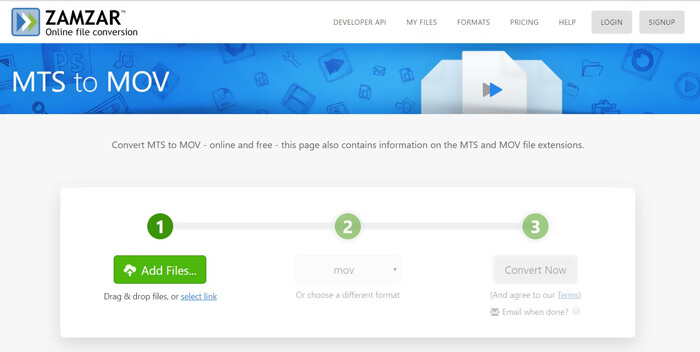
Step 3. After uploading, you can click the Convert Now button to start converting MTS to MOV free online.
Del 4. Online sätt att konvertera MTS till MOV med FreeConvert
FreeConvert is another popular online video converter which has the capability to make the MTS to MOV video conversion free. This free MTS to MOV converter highly supports MTS and M2TS. It enables you to upload a MTS file up to 1GB. What’s more, it allows you to upload 20 MTS files at a time for converting. Now you can follow the steps below to convert your MTS to MOV.
Step 1. First, you need to go to FreeConvert.com on your browser. Here you can directly go to https://www.freeconvert.com/mts-to-mov for the conversion.
Step 2. Click the big blue Choose MTS Files to upload the MTS file you want to convert to MOV. At it mentioned above, here you are allowed to upload one or more MTS files for the conversion.
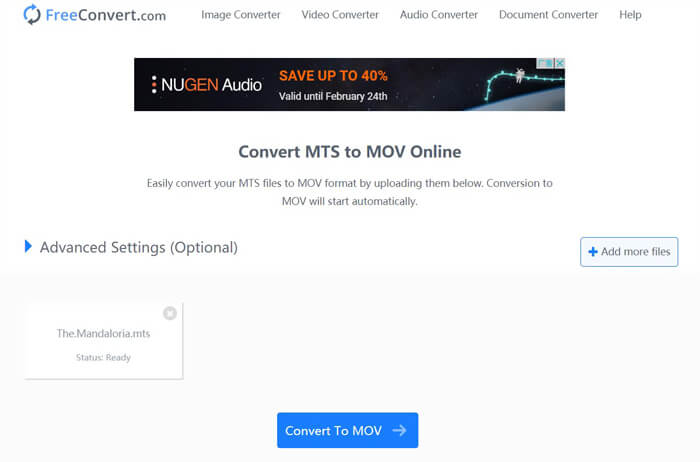
Step 3. Click Convert To MOV button to start the uploading and converting process. After that, you need to click the Download button to save the converted file on your computer.
When you choose free online converters to convert MTS to MOV, you need to take a relatively long time for the uploading and converting. So you’d better convert a small-size MTS file with online converting software. If you want to convert a large MTS or M2TS video, you should rely on the highly-recommended Free Video Converter.
-
 6 enkla sätt att konvertera TS till AVI / MKV / MOV / WMV på Windows / Mac
 Vill du snabbt konvertera TS-filer till AVI / MKV / MOV / WMV? Den här artikeln visar online- och offlinevideoomvandlare med komplett guide. Kanske kan du få den bästa gratis TS-omvandlaren här.
-
 MOV VS MP4 - Vilken är bättre
 MOV VS MP4, vilken är bättre? Det här inlägget berättar skillnaden mellan MP4 och MOV, så att du kan få det bättre valet att använda för dina videofiler.
-
 Hur man går med i MOV (QuickTime) -filer gratis
 Det kan vara svårt för nybörjare att gå med i flera MOV-videoklipp. Så finns det ett enkelt och snabbt sätt att kombinera MOV-filer? Om det finns, hur ska man använda det? Det här inlägget hjälper dig att få dessa svar.
