


 Video Converter Ultimate
 Skärminspelare
 Video reparation
 Säker nedladdning
Lista över tillgängliga verktyg och plattformar på webben för 3GP röst-/videoinspelare
En ISO-standardiserad container som är känd för sitt lilla format och som lämpar sig mycket väl för att överföra data över 3G-nät och liknande. Vissa avancerade 3GP-samtalsinspelare använder detta som sitt standardbaserade format. Med tiden hjälpte 3GP-formatets tillkomst oss att titta på stora filer i våra smartphones även med långsam internetanslutning. De flesta användare använder den här filtypen eftersom den stöder video-, ljud- och textformat. På så sätt vill användare fortfarande spela in 3GP‑videor eller spara en 3GP‑ljudfil i ett nytt format, till exempel MP3. I det fallet blir en 3GP videoinspelare eller 3GP röstinspelare ett oumbärligt verktyg. Så fortsätt i samma anda och gå vidare till detaljerna nedan.

Del 1. Bästa 3GP-inspelare online för att fånga 3GP-videor gratis
FVC Free Screen Recorder
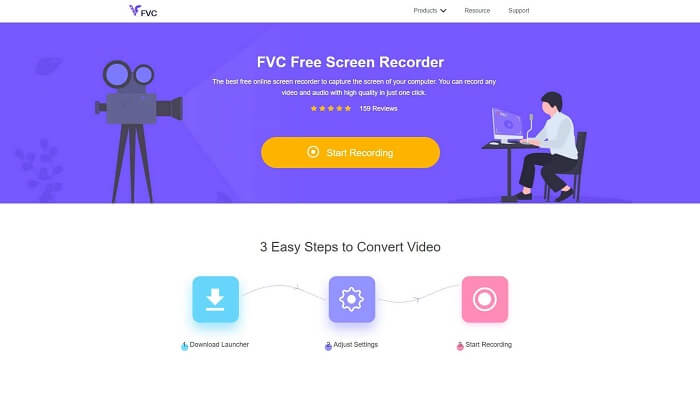
Ett verktyg som passar bäst för användare som inte vill ladda ner några filer och har en stabil uppkoppling för att göra inspelningen. Om du är en sådan användare är detta den bästa kostnadsfria skärminspelaren online utvecklad av FVC, nämligen FVC Free Screen Recorder. Ett verktyg som låter dig spela in alla händelser på skärmen på din dator. Om du vill spela in spel, affärsmöten, diskussioner och liknande är detta det bästa valet. För mer detaljerad information och steg, läs noggrant och följ instruktionerna som anges.
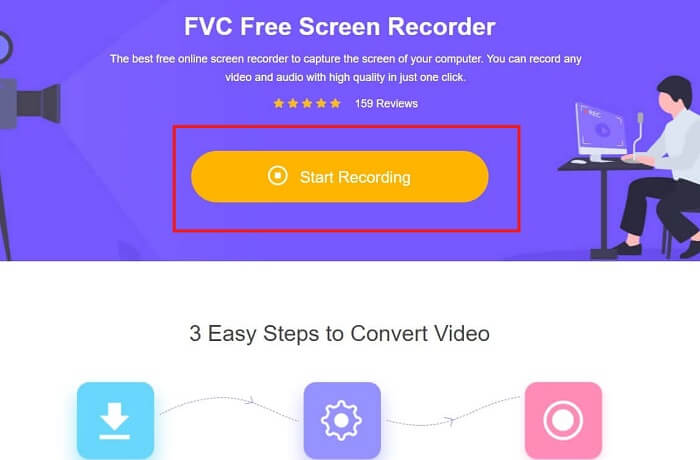
Steg 1. Klicka på denna länk för att gå till webbplatsens huvudgränssnitt. Klicka på Start Recording och starta verktyget.
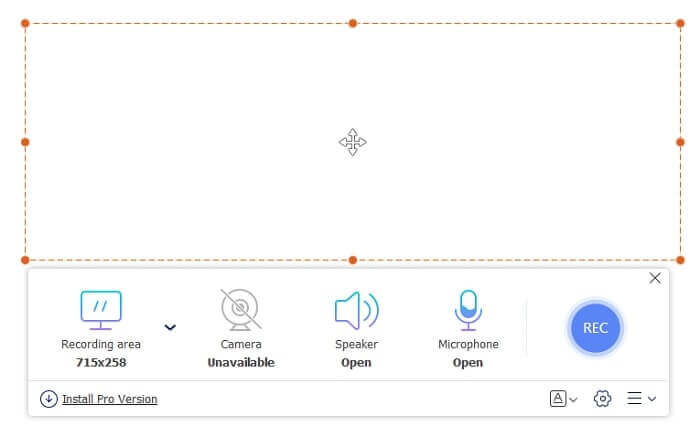
Steg 2. Om verktyget redan är öppet kommer du att se ett flytande fönster som ser ut så här.
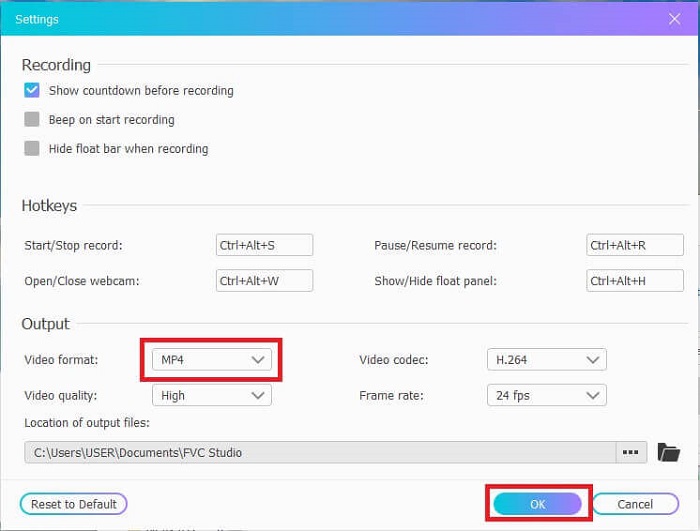
Steg 3. Tryck på Settings för att justera formatet och andra inställningar du vill ha, klicka sedan på OK för att spara.
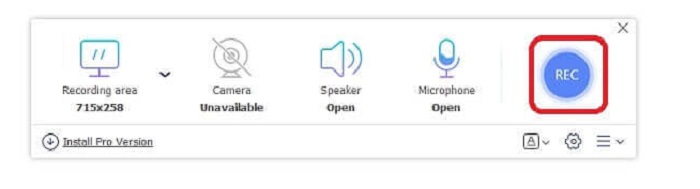
Steg 4. I den flytande verktygsraden kan du justera ramstorleken eller klicka på Full Screen för fullskärmsvisning. Bredvid ramstorleken finns Webcam för att lägga till ditt ansikte under inspelningen, Speaker för systemljudet och slutligen Mic för att lägga till din röst. När du är redo att börja, klicka på den diskformade knappen för att starta inspelningen.
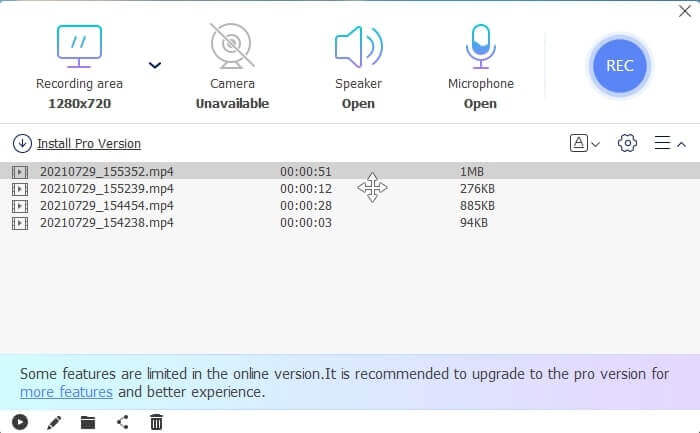
Steg 5. När inspelningen är klar klickar du på den lilla fyrkantiga knappen. En History-lista visas under den flytande verktygsraden, ordnad från senaste till äldsta.
Fördelar
- Bästa online gratisverktyg som är tillgängligt för alla plattformar.
- Till skillnad från alla andra onlineverktyg är det lätt att använda och inga annonser dyker plötsligt upp under inspelning.
- För att registrera dig behövde du använda verktyget.
Nackdelar
- Internetberoende, det fungerar inte utan internetanslutning eller data.
- Den har ingen funktion för låsning av skärmen. Det är endast tillgängligt i premiumversionen av verktyget.
Del 2. Andra populära 3GP-video- och röstinspelare för Windows och Mac
1. FVC -skärminspelare
Har du någonsin hört talas om en av de bästa skärminspelare som valts av användaren över hela världen? Om det inte är det är detta för dig. FVC-skärminspelare Denna skärminspelare är tillgänglig på alla olika kända plattformar. De vanligaste problemen du kan stöta på med den andra skärminspelaren, vissa Android-röstinspelare 3gp ingen ljudutgång. När du använder verktyget kommer du aldrig att stöta på den här typen av problem så länge du inte stänger av högtalaren för systemljudet och mikrofonen för att lägga till din röst. Om du vill veta hur du använder detta mångsidiga verktyg, läs sedan noggrant och följ instruktionerna nedan.
Steg 1. Ladda ner verktyget. Välj mellan de två operativsystemen du använder. Installera verktyget och justera sedan Preferences enligt dina önskemål, klicka på Finish för att fortsätta.
Gratis nedladdningFör Windows 7 eller senareSäker nedladdning
Gratis nedladdningFör MacOS 10.7 eller senareSäker nedladdning
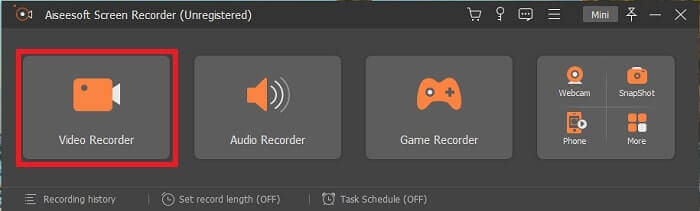
Steg 2. Efter installationen kommer en flytande verktygsrad som denna att dyka upp på skärmen. Detta visar att appen du använder redan körs via programmet. Klicka på Video Recorder.
Steg 3.Efter att du klickat, justera visningen till fullskärm eller välj ett område. Tryck på System Sound för att lägga till datorns ljud. De andra alternativen beror på om du vill använda dem eller inte. Du kan också lägga till ditt ansikte och din röst genom att slå på Webcam och Microphone.
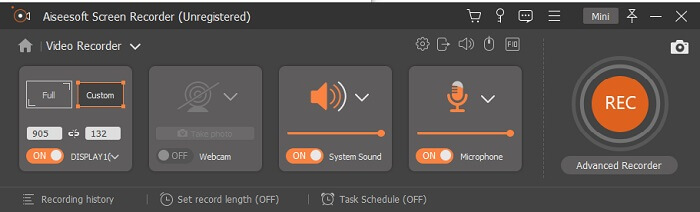
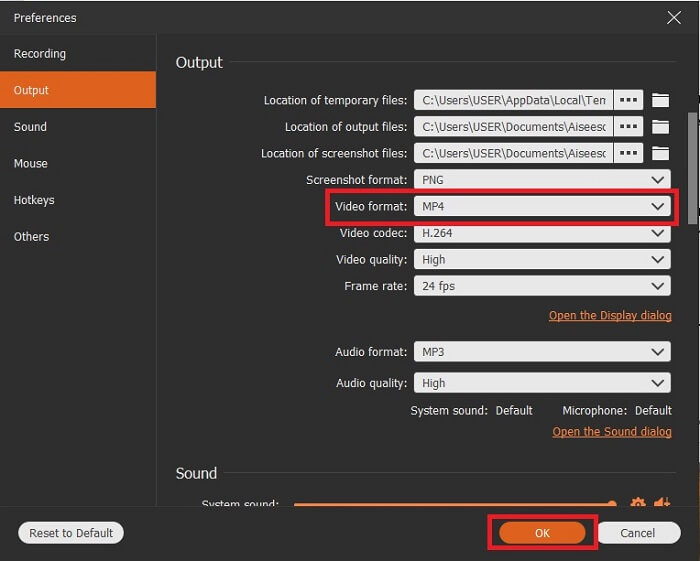
Steg 4. Innan du startar, klicka på kugghjulsikonen och justera inställningarna vid behov, klicka sedan på OK för att spara inställningarna. När allt är förberett klickar du på den rundade knappen för att starta inspelningen.
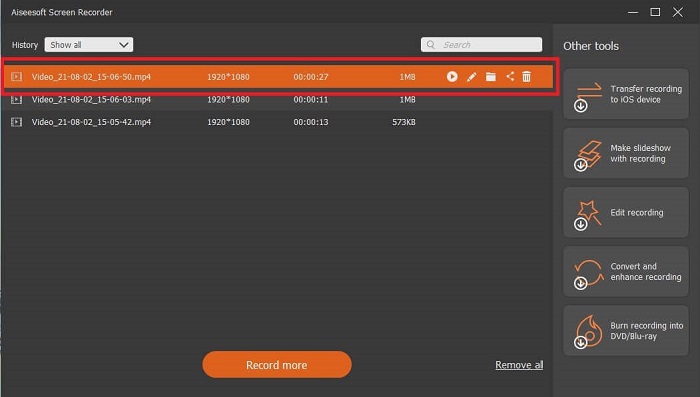
Steg 5. Om du vill avsluta inspelningen klickar du på den lilla fyrkantiga knappen i verktygsraden för att Stop. Klicka på Save och välj var du vill spara den. Sedan visas en lista på skärmen. Den är ordnad från senaste till äldsta. Klicka på den första videon överst för att titta på videon igen.
Fördelar
- Det är inte internetberoende. Spela in så mycket du vill, när som helst och var som helst.
- Det är användarvänligt och det bästa valet för nybörjare som vill ha en professionell produktion eller för proffs som letar efter en lättanvänd skärminspelare.
- Den har denna unika funktion, låsskärmen.
Nackdelar
- Pay-to-use verktyg och ändå använder användare det fortfarande.
- Det kräver 2,4 MB av ditt lagringsutrymme för att laddas ner.
2. ScreenFlow
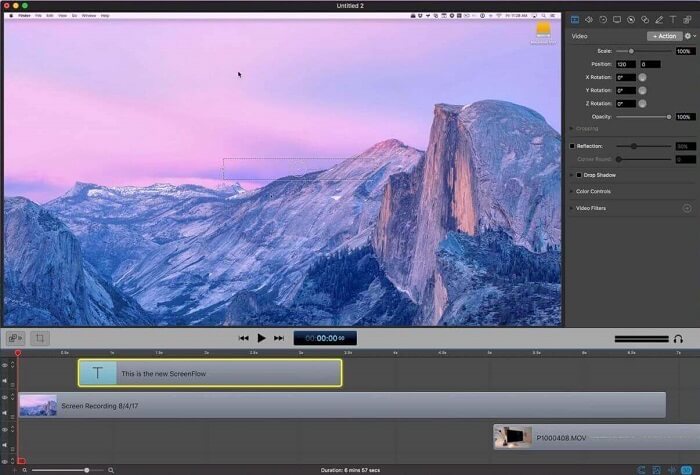
Ett annat bästa verktyg för Mac-användare. Screenflow är ett verktyg som anses vara det bästa skärminspelningsverktyget i Mac-operativsystemet. Det är ett betal-för-användningsverktyg. Så om du tror att det här verktyget är billigt är svaret inte det. Detta verktyg kostar nästan över gränsen en skärminspelning kan erbjuda. Det kan erbjuda vad andra betalda skärminspelare kan erbjuda. Och av någon anledning föredrar Mac-användare detta som sin personliga skärminspelare.
Fördelar
- Enkelt att använda verktyg som är tillgängligt för mac.
- Uppdaterat verktyg.
- Inga problem med skadlig programvara.
Nackdelar
- Endast tillgänglig på Mac.
- Det kan bli lika dyrt som ditt val.
3. Fraps
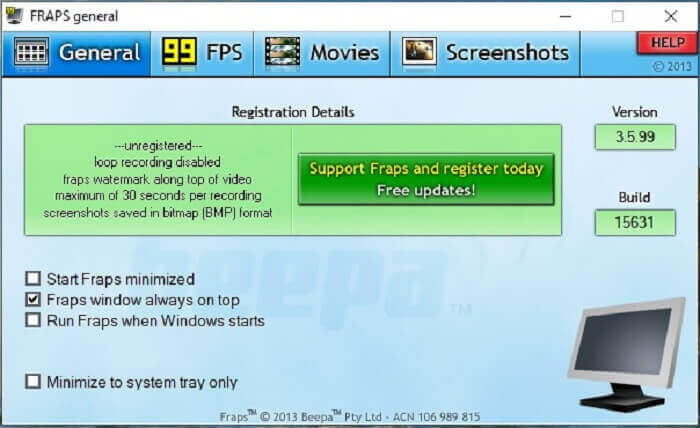
Precis som det andra verktyget kan Fraps enkelt placeras bland de 10 bästa skärminspelningarna. Det här verktyget gör din skärminspelning så enkel som möjligt. På grund av dess on-point instruktion av verktyget. Men det här verktyget finns inte i uppdateringen. På grund av de färre uppdateringarna som getts till verktyget blev dess popularitet mindre och mindre men ändå föredrar vissa användare det som det är.
Fördelar
- Ett unikt verktyg som stöder AVI-filformat.
- Användarvänligt gränssnitt med detaljerad instruktion.
- Stöder upplösningar upp till 7680x4800.
Nackdelar
- Gränssnittet är tråkigt att titta på.
- På grund av AVI-filformatet. Om du spelar in 20 minuters video skulle det ta upp till nästan 4 gib lagringsutrymme. Inte det bästa valet för långa inspelningar.
Del 3. Jämförelsestabell
| Funktioner | FVC Free Screen Recorder | FVC -skärminspelare | Skärmflöde | Fraps |
| Video/ljudskärminspelning |  | | | |
| Kommentera | | | | |
| Malware Safe | | | | |
| Hårdvaruacceleration |  | | | |
| Inlåsningsskärm | | | | |
| Filstorlek | Några kbps för startprogrammet | 2,1 mb | 85,3 mb | 2,4 mb |
| Tillgängligt operativsystem | I alla plattformar | I alla plattformar | Mac OS | Windows XP, 2003, Vista och Windows 7 |
| Prisklass | En gratis onlineinspelare med öppen källkod | För 1 månad: $25.00 För ett år: $31.20 För livstidslicens: $55.20 | SCREENFLOW(Volymrabattpriser): $149 SCREENFLOW Super Pak: $209 SCREENFLOWSuper Pak + Premium Support: $239 | Det är gratis, men du kan också registrera dig för $37 |
Del 4. Vanliga frågor om 3GP-inspelare
Varför kan jag inte spela upp mitt 3GP-mediafilformat på min mediaspelare?
Kanske beror det på att din mediaspelare inte stöder den här typen av codec. Om du vill titta på din 3GP-fil kan du använda FVC Free Video Player. Denna mediaspelare är gratis och stöder olika video- och ljudformat. Så länge du har internet kan du även skaffa premiumversionen med fler alternativ och funktioner än gratisversionen. Eller så kan du läsa Best 3GP Players för att hitta den du vill ha.
Hur sparar jag en .3gp-ljudfil från en Android-röstinspelare till mp3?
Använd en konverterare som kan konvertera 3GP till MP3. Ett bra exempel är FVC Free Online Video Converter. Den kan konvertera mer än 200+ mediefilformat som är tillgängliga på alla plattformar.
Är det möjligt att slå samman olika 3GP-filer i en mediautgång?
Ja, det är möjligt med hjälp av FVC Free Online Merger. Detta onlineverktyg gör det möjligt att slå ihop 2 eller fler 3GP-filer till en. Det är ännu ett utmärkt verktyg som utvecklats av FVC. Klicka på mergern för att fortsätta.
Slutsats
Vi drar slutsatsen att de flesta av användarna fortfarande gör inspelningen för olika typer av ändamål. Oavsett om de använder den som inspelare för montage, affärsmöten, lärares diskussion och många fler. Men ändå, oavsett anledningen till att du spelar in eller vilket format du än vill ska vara resultatet av den slutliga produkten. Alla inspelare kan göra jobbet som du kan begära.
Men med alla olika inspelare på nätet och i den här listan kanske du fortfarande undrar vilken som passar dig bäst. Innan du får en idé om vad du ska välja måste du tänka igenom det ordentligt. Om din skärminspelare kan klara de krav du har idag och kanske i framtiden. FVC Screen Recorder är det bästa verktyget för dig. Till skillnad från andra verktyg som listas här är detta så unikt att det kan skapa ett utrymme mellan sig och alla andra skärminspelare på nätet. Ändå är det alltid enkelt att använda och levererar den bästa prestanda som både nybörjare och proffs kan önska sig. Så vad väntar du på? Nöj dig inte med en gratis eller en dyr variant när du kan köpa en billig version som kan göra mer än detta verktyg.
-
 4 bästa gratis webbinspelningsinspelare för att fånga skärmvideo
 Letar du efter det bästa sättet att spela in aktiviteter på skärmen på ditt skrivbord utan att betala ett öre? Här är de 4 mest använda gratis webbinspelningsinspelarna.
-
 The Unbiased Cinch Review Audio Recorder och det bästa alternativet
 Cinch Audio Recorder är det bästa sättet att ladda ner musik från strömmande webbplatser. Lär dig bara mer om den opartiska granskningen och det bästa alternativet från artikeln.
-
 Topp 5 bästa mus- och tangentbordsinspelare för Windows och Mac
 Här är de fem bästa mus- och tangentbordsprogrammeringsprogrammen som kan spara musrörelser och tangentbordsklick och upprepa händelserna.
