


 Video Converter Ultimate
 Skärminspelare
 Video reparation
 Säker nedladdning
Hur man konverterar RMVB-videofiler till FLV på Windows och Mac
Enligt vår forskning finns det över hundra videoformat på marknaden. De är utvecklade för olika ändamål. RMVB är till exempel perfekt för att distribuera filmer på internet eftersom filstorleken är liten men kvaliteten är överlägsen. Anime- och asiatiska filmstudior föredrar att leverera videor i detta format. Det stöds dock inte i någon större utsträckning av videospelare eller mobila enheter. Därför kommer den här artikeln att dela med sig av de bästa RMVB till FLV-konverterarna.

Del 1: Bästa RMVB till FLV Converter för PC
FVC Free FLV Converter är en av de bästa RMVB till FLV‑konverterarna för PC. Den gör att du kan konvertera RMVB‑filmer till FLV‑format utan kvalitetsförlust. Ännu viktigare är att konverteraren är helt gratis utan några begränsningar.
Huvudfunktioner hos den bästa RMVB till FLV‑konverteraren
- 1. Batchkonvertera RMVB till FLV snabbt.
- 2. Producera högkvalitativa videor efter konvertering.
- 3. Ingen betalning, registrering, vattenstämpel eller annan gräns.
Gratis nedladdningFör Windows 7 eller senareSäker nedladdning
Gratis nedladdningFör MacOS 10.7 eller senareSäker nedladdning
Hur konverterar jag RMVB till FLV på PC
Steg 1: Öppna RMVB-filer
Starta den bästa RMVB till FLV‑konverteraren efter att du har installerat den på din PC. Klicka på knappen Add File(s) i huvudgränssnittet för att lägga till RMVB‑filerna. Därefter kan du titta på filmerna med den inbyggda mediaspelaren.

Steg 2: Ställ in FLV som utdataformat
Klicka på och fäll ut alternativet Output format längst ned och välj FLV från listan General Video. Klicka på ikonen Gear om du vill ändra upplösning och andra alternativ.

Steg 3: Konvertera RMVB till FLV
Klicka sedan på knappen Open Folder och välj en specifik katalog för att spara resultatet. Klicka till sist på knappen Convert för att omedelbart starta konverteringen från RMVB till FLV.

Del 2: Topp 3 RMVB till FLV-omvandlare online
Topp 1: FVC Free Online Video Converter
FVC Free Online Video Converter är en av de bästa RMVB till FLV‑konverterarna online. Den är gratis att använda utan filstorleksbegränsning. Dessutom är batchkonverteringsfunktionen praktisk om du har många RMVB‑filmer.
Huvudfunktioner hos den bästa RMVB till FLV‑konverteraren online
- 1. Konvertera RMVB till FLV online gratis.
- 2. Lätt att använda.
- 3. Stöd batch konvertering.
Hur du konverterar RMVB till FLV online
Steg 1: Öppna https://www.free-videoconverter.net/free-online-video-converter/ i en webbläsare. Klicka på Add Files to Convert för att ladda ner startprogrammet.
Ladda ner Skrivbordsversionen för att konvertera filer i batch.
Steg 2: Tryck på knappen Add File och ladda upp de RMVB‑filer som du vill konvertera. Välj sedan FLV längst ned.

Steg 3: Klicka på knappen Convert och vänta tills processen är klar. Ladda sedan ner FLV‑filerna.
Topp 2: CloudConvert
CloudConvert är en molnbaserad filkonverteringsapp. Det låter dig bearbeta RMVB-filer upp till 1 GB per omvandling gratis. Dessutom kan du ladda upp videor från en mängd olika källor, som Google Drive.
Huvudfunktioner hos CloudConvert RMVB till FLV‑konverterare
- 1. Konvertera RMVB från dator eller online.
- 2. Ge grundläggande anpassade alternativ.
- 3. Trimma video medan du konverterar.
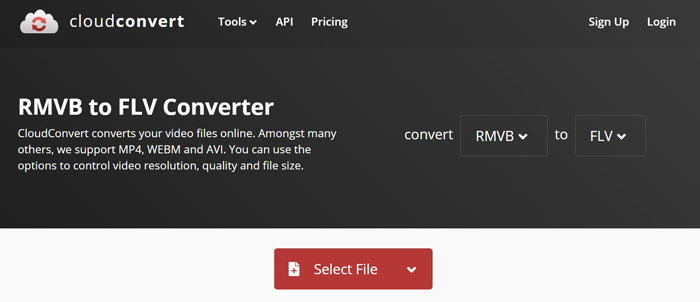
Hur du konverterar RMVB till FLV online
Steg 1: Öppna https://cloudconvert.com/rmvb-to-flv i din webbläsare. Klicka på knappen Select File för att ladda upp RMVB‑filer.
Steg 2: Klicka på knappen Convert efter att videon har laddats upp.
Steg 3: När det är klart, ladda ner FLV‑filerna.
Topp 3: FreeConvert
FreeConvert liknar CloudConvert. Det är också en webb-RMVB till FLV-omvandlare. Den maximala filstorleken är 1 GB som standard, men du kan registrera dig med din personliga e-post eller betala för planer för att få mer kapacitet.
Huvudfunktioner hos FreeConvert RMVB till FLV‑konverterare
- 1. Konvertera RMVB till FLV online.
- 2. Ange avancerade inställningar.
- 3. Ta bort videor efter konvertering.
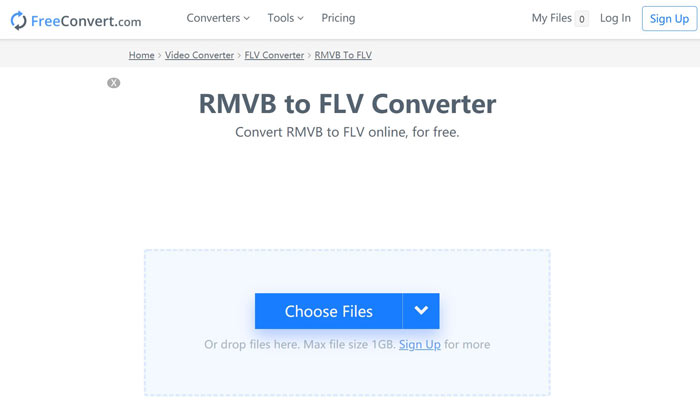
Hur du konverterar RMVB till FLV med FreeConvert
Steg 1: Öppna en webbläsare och besök https://www.freeconvert.com/rmvb-to-flv.
Steg 2: Klicka på knappen Choose Files och ladda upp RMVB‑filer från din dator.
Steg 3: När du uppmanas till det klickar du på knappen Convert To FLV. Ladda sedan ner FLV‑filerna efter konverteringen.
RMVB kontra FLV
RMVB, en nyare variant av standardformatet Real Media (.RM), är ett Real Media-videofilformat komprimerat med en variabel bithastighet. Det är ett populärt format för asiatiska filmer och anime. RMVB-filer är mindre i storlek och har lägre bithastigheter men bättre kvalitet.
Adobe Flash Player använde FLV för att leverera videoinnehåll som filmer och TV-program. Numera utvecklar Adobe inte längre spelaren och rekommenderar användare avinstallera den av säkerhetsskäl. Du kan dock fortfarande använda FLV-formatet på många icke-Adobe/Macromedia-program.
Del 3: Vanliga frågor om RMVB till FLV Converter
Vad är RMVB-filformat?
RMVB är Real Media Video komprimerad av en variabel bithastighet. Den är optimerad för innehållet i videor. RMVB är en nyare variant av standardformatet Real Media.
Kan Windows Media Player öppna RMVB-filer?
Även om den senaste versionen av WMP har inkluderat många codecs kan RMVB inte öppnas i Windows Media Player. Du måste konvertera RMVB till MP4 eller andra populära videoformat. Alternativt kan du använda RMVB‑spelare för att öppna dina RMVB‑filer.
Kan VLC konvertera RMVB-filer?
Ja, VLC kan öppna och konvertera RMVB-filer, men det tar lång tid att slutföra jobbet. Dessutom är utskriftskvaliteten dålig.
Slutsats
Nu bör du lära dig åtminstone de fyra bästa RMVB till FLV-omvandlarna för Windows och Mac. Webvideoomvandlarapparna är ett bekvämt sätt att förvandla RMVB-filer till FLV-format utan installation. FVC Free FLV Converter är dock mer stabil och ger bättre utskriftskvalitet. Fler frågor? Lämna gärna ett meddelande nedan.
-
 MP4 till FLV | Topp 3 gratis omvandlare (online / Mac / Windows)
 Det här inlägget är den detaljerade guiden till MP4 till FLV-konvertering. Du kan ta de tre bästa gratisomvandlarna för att enkelt byta MP4 till FLV online, på Windows eller Mac-dator.
-
 Vad är VOB -fil och hur man gör VOB -fil till GIF gratis
 Vill du veta mer om VOB-filer och hur man delar dem efter att ha rippats? eller Varför behöver du konvertera VOB till GIF? Läs sedan den här artikeln noggrant.
-
 2 enkla metoder för att komprimera FLV-videor för snabb uppladdning
 Om du inte laddar upp FLV-videor, eller det tar tid att dela filerna, kan du lära dig mer information om två enkla sätt att komprimera FLV-videor från artikeln.

