


 Video Converter Ultimate
 Skärminspelare
 Video reparation
Bästa MPG till GIF-omvandlare för att konvertera MPG till GIF [kostnadsfri och premiumversion]
Det bästa sättet att uttrycka dina känslor för dina nära och kära är att skapa ett meningsfullt budskap. Men vill du veta vad som är mycket bättre att uttrycka på ett annat sätt? Du kan använda en GIF. Kallas även Graphics Interchange Format, det här är bilderna du skickar men de uppgraderas. Dessa rörliga bilder skapas för att helt enkelt uttrycka dina känslor gentemot någon direkt eller indirekt. Visste du att de flesta meddelandeprogrammen stöder både GIF och vår inbyggda messenger? Men i vissa gamla versioner av telefonen ger den inte detta format. Även om GIF är kul, kommer inte hela tiden att ge dig de känslor du vill uttrycka.
Så, du är här för att ta reda på det bästa sättet att ändra ditt format från MPG till GIF. Visst är det spännande att skapa din egen GIF? I stället för att leta efter vad du borde använda, varför inte prova att skapa din egen GIF genom att ge den din personliga touch? Det bästa sättet att ta reda på hur man gör är att läsa den här artikeln, eftersom den ger tillräckligt med information, steg och verktyg för jobbet. Så utan att gå som katten kring het gröt går vi vidare till artikelns viktiga detaljer. Fortsätt läsa för att lära dig mer om dessa listor med konverterare.

Del 1. 4 Bästa verktyget för att konvertera MPG till GIF -format PC eller Mac
1. FVC Video Converter Ultimate
Om du vill dela ett roligt budskap utan att skriva för många detaljer, så kommer det här verktyget att hjälpa dig. Det här verktyget låter dig konvertera mpg till animerad gif och det utvecklades av FVC. FVC Video Converter Ultimate gör det möjligt för användaren att konvertera alla typer av format till ett uppspelningsbart format som du vill använda. Kanske undrar du varför du ska välja just det här verktyget. Finns det något speciellt med det? Ja, det här verktyget är mångsidigt. Det kan vara din mest pålitliga rippare, musikvideotillverkare, collageverktyg och mycket mer. Det betyder helt enkelt att det här verktyget kan göra mer än vad något annat verktyg kan erbjuda. En annan fantastisk funktion är dess ultrasnabba konvertering, som konverterar din video på nolltid med hjälp av det här verktyget. För att lära dig hur du använder det ska du följa dessa steg noggrant så att du kan få en lyckad konvertering till din önskade formatkvalitet.
Steg 1. Installera verktyget på din PC eller Mac. Följ instruktionerna efter installationen och klicka på Slutför för att starta verktyget.
Gratis nedladdningFör Windows 7 eller senareSäker nedladdning
Gratis nedladdningFör MacOS 10.7 eller senareSäker nedladdning
Steg 2. Efter hela installationsprocessen visas ett mini-gränssnitt som detta på din skärm.
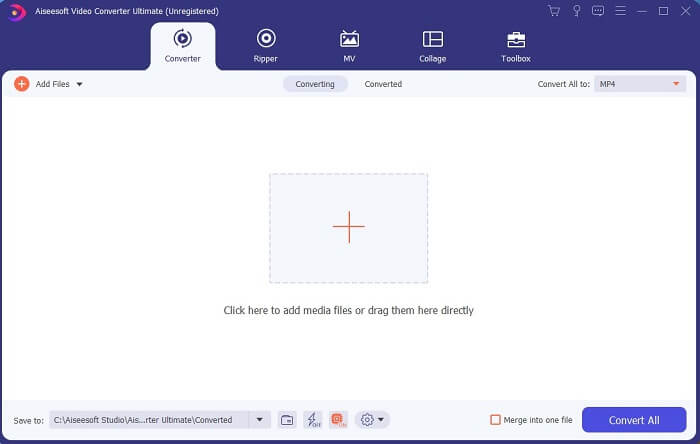
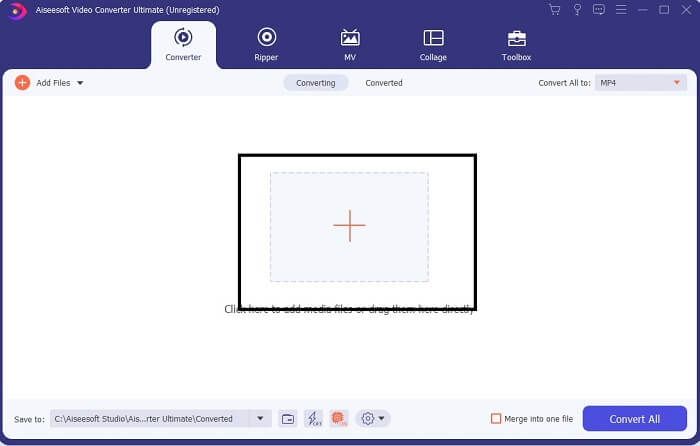
Steg 3. Klicka på plustecknet för att lägga till filen och klicka på Öppna för att starta konverteringen, eller så kan du helt enkelt dra och släppa videofilen i verktyget. Videons storlek spelar ingen som helst roll.
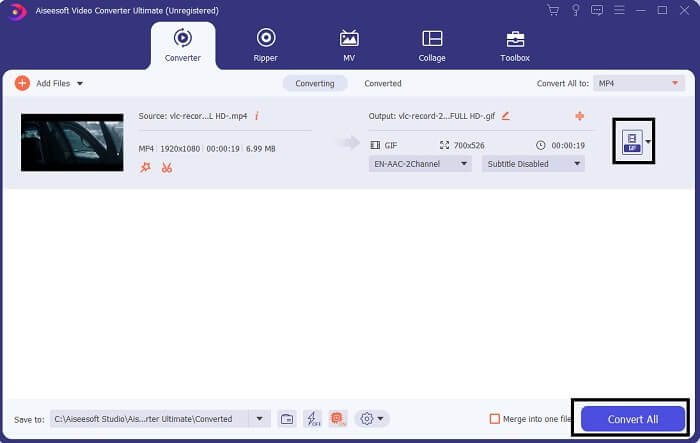
Steg 4. Klicka på rullgardinsknappen uppe till höger i gränssnittet, scrolla ned och klicka på GIF-formatet. Välj den upplösning du vill ha; det kan vara Stor, Medium eller Liten. Om allt är redo klickar du på Convert All för att starta konverteringen.
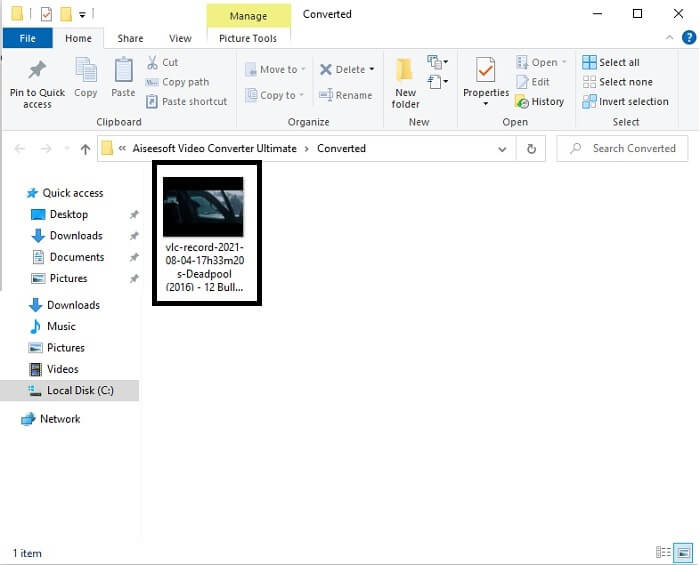
Steg 5. Efter konverteringen öppnas en filhanterare och visar ditt slutliga resultat, och nu kan du njuta av din GIF. Men du kan också konvertera en .gif-fil till .mpg-format i samma steg, men genom att byta format.
2. FVC Free Online Video Converter
Kanske du tänker, tänk om du inte har pengar kan jag fortfarande uppleva samma konvertering som den första? Svaret är ett stort fett JA. FVC ger alltid den bästa upplevelsen för sina kunder som inte har pengar och även för dem som vill prova sitt verktyg. Även om det här verktyget bara gör enkel konvertering så förvänta dig inte för mycket som premiumversionen kan ge. Och det kan inte konvertera flera video- och ljudformat på ett snabbare sätt.
Men konverteringsprocessen den erbjuder är mycket bättre än både andra premiumkonverterare och gratis konverterare. FVC Free Online Video Converter finns här för att rädda din dag. Som namnet antyder är det ett kostnadsfritt onlineverktyg som låter dig konvertera upp till maxnivå. Till skillnad från många andra konverterare har det här verktyget varken annonser eller skadlig kod, ingen registrering, ingen inloggning och kräver ingen personlig information innan du använder det. Om du letar efter en enkel konverterare är detta rätt verktyg för dig. Följ dessa steg för att förstå hur verktyget fungerar som en konverterare.
Steg 1. Gå till den officiella webbplatsen genom att klicka på denna länk.
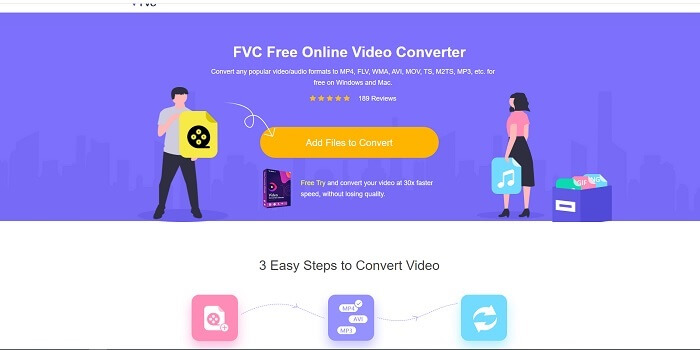
Steg 2. Webbsidan ska se ut så här. Klicka sedan på Add Files to Convert för att starta detta onlineverktyg.
Ladda ner Skrivbordsversionen för att konvertera filer i batch.
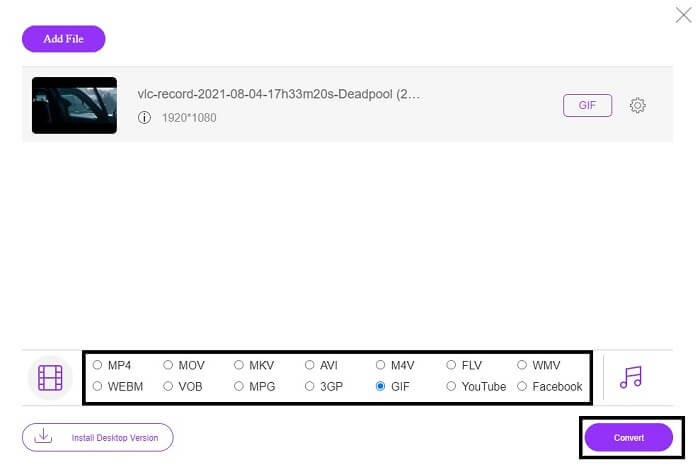
Steg 3. Välj den video du vill konvertera. Efter att du valt video väljer du filformatet GIF. Som extra information kan du också välja andra video- och ljudformat, du kan kolla in dem senare om du vill.
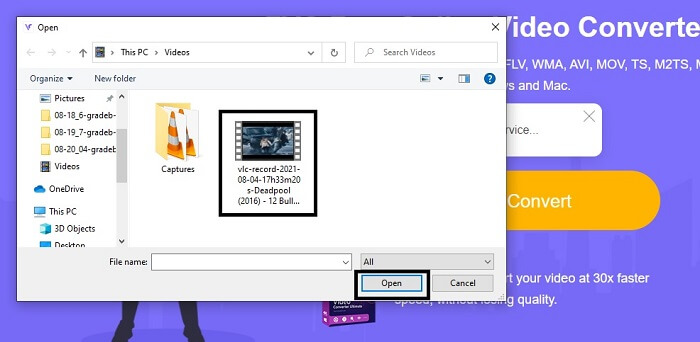
Steg 4. Välj var du vill spara det slutliga resultatet. När allt är klart klickar du på Convert för att starta konverteringen. Det tar bara några sekunder att slutföra den.
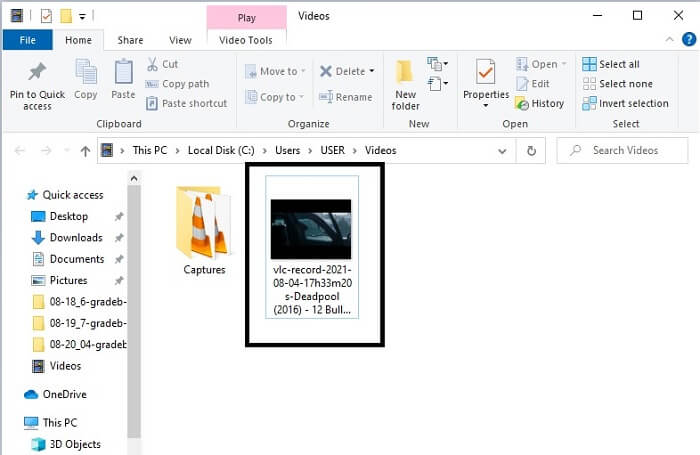
Steg 5. För att kontrollera din lyckade konvertering kan du hitta din konverterade GIF-fil i din filhanterare eller Utforskaren. Klicka på den och njut.
3. VLC Media Player
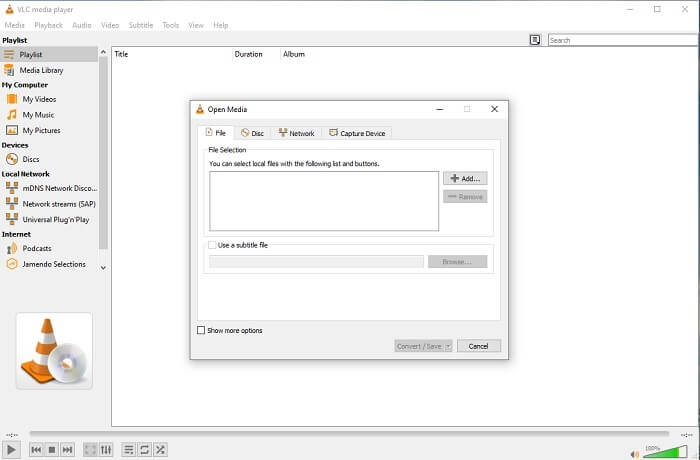
Detta verktyg är känt för att vara en av de mest kraftfulla mediaspelarna. Men visste du att VLC-spelaren också kan konvertera MPG till GIF? Men formaten den erbjuder är mycket begränsade till endast välkända format. Trots att den är känd som den bästa mediaspelaren är dess konverteringsfunktion inte det bästa valet för dig. Så om du vill ha en bättre konverterare bör du välja onlineverktyget ovan i stället för det här verktyget. Men om du vill titta på videon ska VLC Media Player vara ditt val, eftersom det andra verktyget inte kan fungera som videospelare då dess huvudsyfte är konvertering.
4. Zamzar
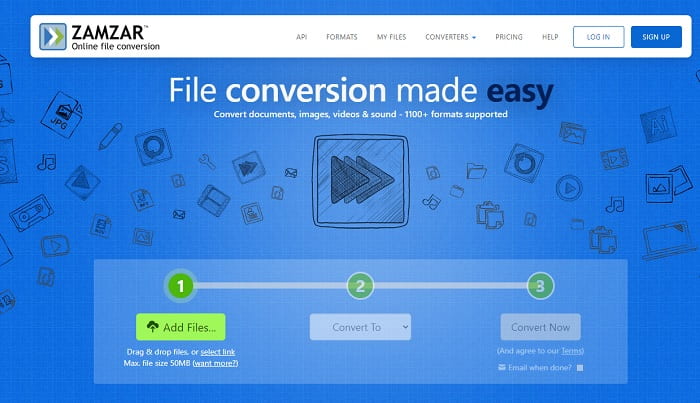
Ett annat onlineverktyg som ger en bra konvertering är Zamzar. Liksom alla andra onlinekonverterare delar de samma gränssnitt, och det ger också on-point-instruktioner om hur man konverterar det. Men processen att konvertera och ladda ner är annorlunda. Även om den kostnadsfria versionen, kan du bara konvertera högst 50 MB filstorlek. För när du har konverterat videon måste du gå till fasen att ladda ner den. Det är mycket krångel för dem som lämnar sin konvertering och bara väntar på att produkten ska spelas.
Del 2. Jämförelsediagram
| Verktygsfunktion (er) | FVC Video Converter Ultimate | FVC gratis online -omvandlare | VLC mediaspelare | Zamzar |
| Omvandlare |  | | | |
| Redigeringsverktyg | |  | | |
| Kraftfull omvandlare | | | | |
| Registrering behövs | | | | |
| Plattformar | Skrivbordsbaserad app | Webbaserad app | Skrivbordsbaserad app | Webbaserad app |
| Prisklass | $25.00 1 månad/1 PC $55.20 Engångsköp för 1 PC $119.00 Livstid 5 PC | Det är ett gratis onlineverktyg | Det är ett gratis onlineverktyg | Gratis onlineverktyg Men det ger också en månatlig premie. För de grundläggande: $9 För proffsen: $16 För företag: $25 |
MPG kontra GIF
Tillverkad av MPEG (Moving Picture Experts Group), är MPG ett vanligt digitalt videoformat för att lagra video-, ljud- och metadatainformation. Det är ganska användbart när du skapar filmer för delning på Internet. Dessa filer i MPG innehåller vanligtvis MPEG-1 eller MPEG-2 video/ljudkomprimering.
GIF är ett vanligt bildformat för webbgrafik. Förutom att spara små bilder och bilder som innehåller text, kan GIF även innehålla och visa grundläggande animationer på webbplatser. Det är ett förlustfritt format och GIF-komprimeringen försämrar inte bildens skärpa.
Del 3. Vanliga frågor om MPG till GIF
Finns det ett sätt att använda Photoshop och konvertera video till en GIF?
Ja, du kan konvertera MPG till GIF med Photoshop. Men inte bara MPG-filformatet, du kan också välja andra format och de kan konverteras till GIF. En annan specialfunktion är att du dessutom kan förbättra GIF-bilden. Klicka här för att få veta hur du konverterar MP4 till GIF.
Vilket är det bästa skärminspelningsverktyget för att spela in GIF -filer?
Det bästa skärminspelningsverktyget du kan använda för det jobbet är FVC Screen Recorder. Det här verktyget är inte bara bäst för att spela in videor. Det har också en inbyggd ljudinspelare och spelinspelare för en mycket bättre spelupplevelse. Det här verktyget kräver dock betalning innan du kan använda det. Bli inte ledsen, för det finns också ett onlineverktyg som kan göra inspelningen.
Varför skapades GIF?
Det skapades för att visa en bild samtidigt som man sparar lagringsutrymme. Skaparen av GIF är Steve Wilhite, en amerikansk datavetare, med hjälp av teknikjätten CompuServe i slutet av 1987. Klicka här för att lära dig mer om GIF:ar.
Slutsats
Äntligen, nu när du vet hur du gör en GIF på dig själv är det bättre att prova och njuta. Bara genom att använda det här enkla verktyget kan du göra skillnad. Istället för att söka på webben är du nu en certifierad GIF -tillverkare. Du kan också uttrycka dina känslor på ditt eget sätt med din personliga touch och expertis som utvecklats bara genom att läsa den här artikeln. Hoppas du kan njuta av livet för en bättre GIF du skapar och dela din bästa GIF till världen.
-
 [Guide] Hur man konverterar M4V -videor till animerade GIF -filer på Windows/Mac
 Om du vill skapa animerade GIF -filer från dina favorit M4V -videor kan du lära dig om två enkla och effektiva sätt att konvertera M4V -videor till GIF med anpassade inställningar.
-
 WebM till GIF - 3 gratis WebM till GIF -omvandlare för att skapa dina egna GIF -filer
 Är WebM en GIF? Hur gör man en video till en GIF? Finns det någon gratis WebM till GIF -omvandlare? Det här inlägget delar 3 gratis sätt att hjälpa dig att konvertera WebM till GIF.
-
 Hur man konverterar MKV -videor till animerade GIF -filer utan Photoshop/FFmpeg
 När du har laddat ner och tittat på MKV -filmer på din dator kanske du vill dela några underbara stunder med vänner eller på Internet som GIF -filer. I den här artikeln kan du lära dig om de 2 enklaste sätten att konvertera MKV till GIF.

