


 Video Converter Ultimate
 Skärminspelare
 Video reparation
Topp 3 idealiska omvandlare för att konvertera VOB-fil till GIF-format
VOB-filer är filer som oftast syns på DVD-skivorna, som kan innehålla nästan all data som navigering, meny, undertext, video, ljud etc. Det här formatet kan också enkelt lagra uppspelningsprogram och ändå är det svårt att spara dem på ditt skrivbord. För att enkelt och effektivt dela några av videohöjdpunkterna om formatet för VOB till andra sociala medieplattformar. Det finaste formatet du kan använda är GIF-formatet, även om detta format inte stöder en ljudfil är det ändå det bästa formatet att dela över hela världen. Så, för att ha mer uppfattning om vad vi pratar om, låt oss fortsätta med verktyget som du kan använda för att konvertera en VOB-fil till GIF så att du kan titta på den och dela den till världen.

Del 1. 3 olika metoder för hur man gör VOB-fil till GIF
Metod 1. Använd skrivbordsprogramvara – FVC Free Video Converter
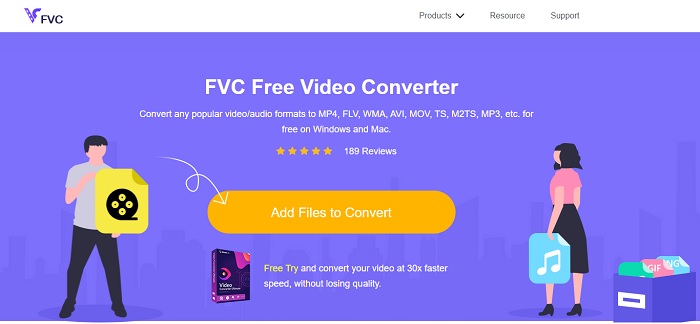
Den bästa onlinekonverteraren som utvecklats för att konvertera VOB-fil till GIF av FVC, FVC Free Video Converter. Även om detta verktyg är gratis saknas fortfarande några få format, men de vanligaste formaten finns här. Dessutom kan du ändra bithastighet, bildfrekvens (fps) och upplösning på videofilen i detta webbverktyg. Men viktiga redigeringsfunktioner som att förbättra video och ljud, skapa GIF-bilder eller förstärka ljudet finns inte här. Däremot går konverteringen mycket snabbare än med fConvert och webbsidan för detta verktyg har inga irriterande annonser. För att ta reda på hur detta verktyg fungerar måste du alltså följa stegen nedan och lära dig använda det bästa onlineverktyget du kan använda gratis.
Steg för hur du använder FVC Free Video Converter för att konvertera online
Steg 1. Klicka på hyperlänken ovan som leder till huvudsidan för FVC Free Video Converter
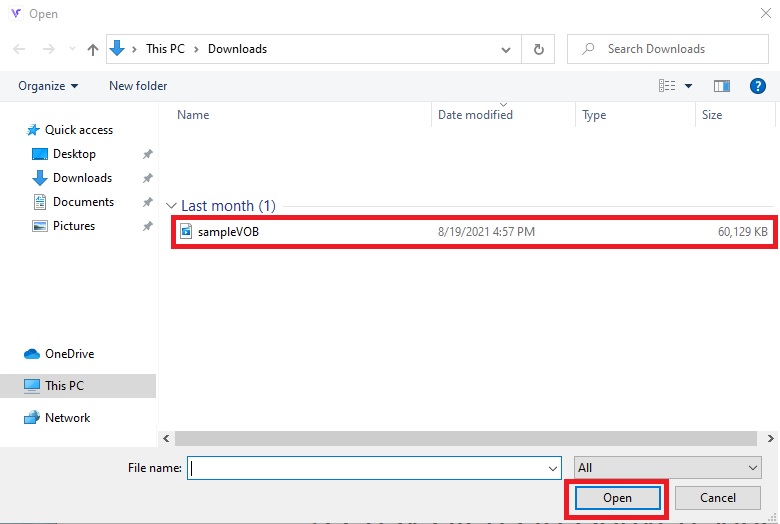
Steg 2. Klicka på Add Files to Convert, leta upp VOB-filen och klicka på open.
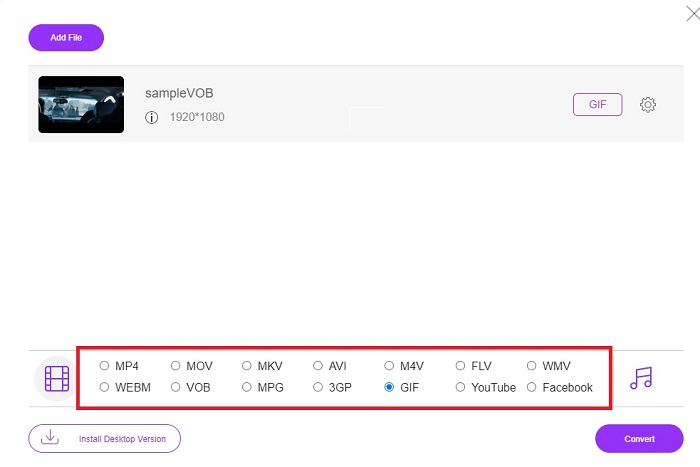
Steg 3. Välj det format du vill att slutresultatet ska ha längst ned och klicka på det.
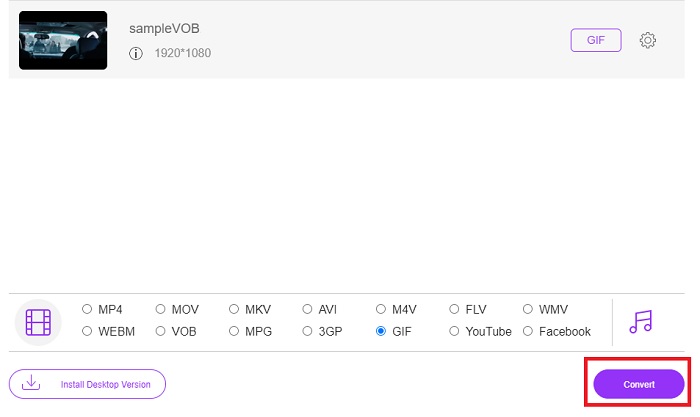
Steg 4. För att starta konverteringen klickar du på Convert.
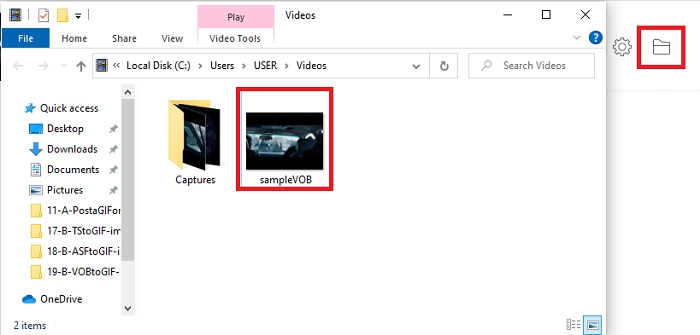
Steg 5. För att hitta den konverterade VOB-filen du nyss skapade, klicka på den mapp-liknande knappen för att öppna den mapp där den konverterade filen finns.
Metod 2. Använd Freeware – FVC Free Video to GIF Maker
Om onlineverktyget är imponerande, lär dig då hur man konverterar en .vob-fil till GIF med hjälp av FVC Free Video to GIF Maker. Om konverteringen är ditt problem, låt oss då lösa det med hjälp av detta kostnadsfria nedladdningsbara verktyg. Det stöder fler format än det kostnadsfria onlineverktyget och har också grundläggande redigeringsfunktioner. Men detta verktyg har inte de avancerade redigeringsfunktioner som det ultimata konverteringsprogrammet från FVC kan erbjuda dig. Förutom det ultimata konverteringsprogrammet kan du ändå använda detta, eftersom det är ett av de bästa verktygen för säker och effektiv konvertering. Dessutom är det mycket snabbare än något webbaserat verktyg du kan använda online. Så om du vill ha en snabbare och effektiv konvertering, följ stegen nedan.
Steg för hur du använder FVC Free Video to GIF Maker för att konvertera offline
Steg 1. Ladda ner FVC Free Video to GIF Maker på din PC- eller Mac-enhet. Ändra sedan inställningarna och klicka på Slutför efter installationen för att spara ändringarna.
Gratis nedladdningFör Windows 7 eller senareSäker nedladdning
Gratis nedladdningFör macOS 10.7 eller senareSäker nedladdning
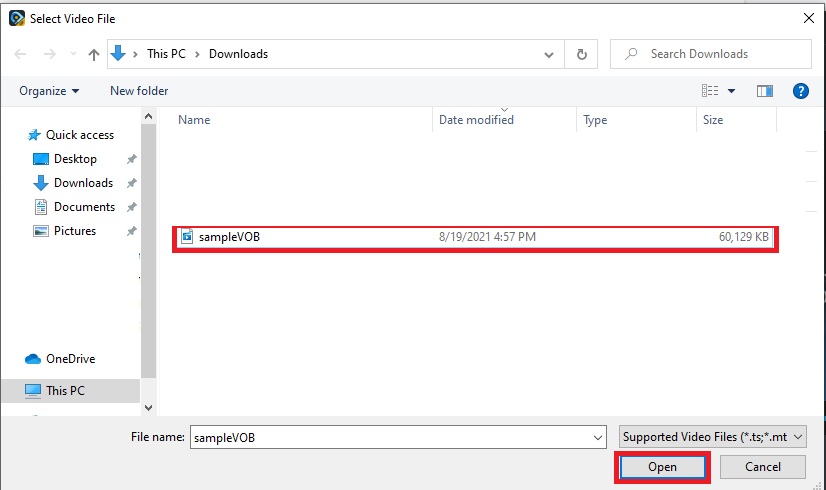
Steg 2. För att lägga in filer i gränssnittet klickar du på knappen Add File uppe till vänster i gränssnittet. Klicka sedan på open för att lägga till VOB-filen i huvudgränssnittet.
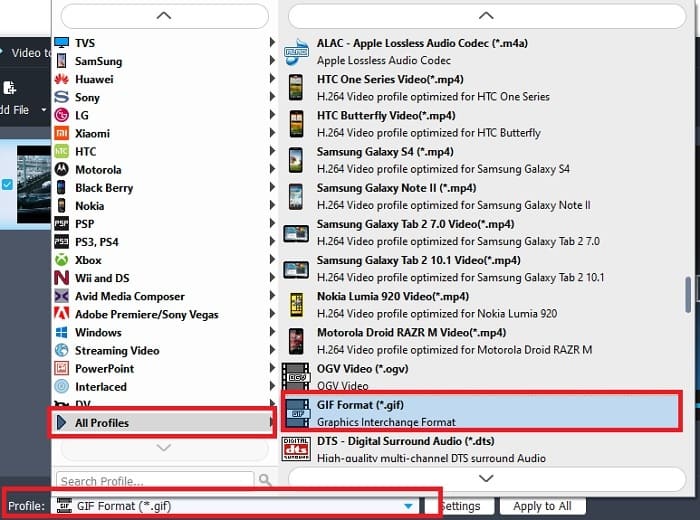
Steg 3. Ändra format genom att klicka på Profile och bestäm vilket slutformat du vill ha.
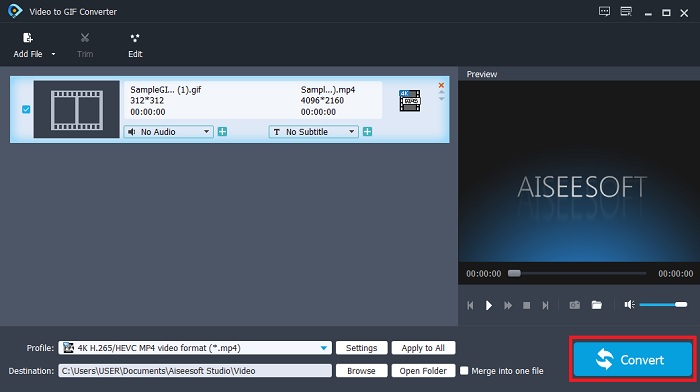
Steg 4. Starta konverteringen av VOB-filer genom att trycka på knappen Convert.
Steg 5. Leta upp filen i din filhanterare och spela upp den konverterade VOB-filen du skapade tidigare.
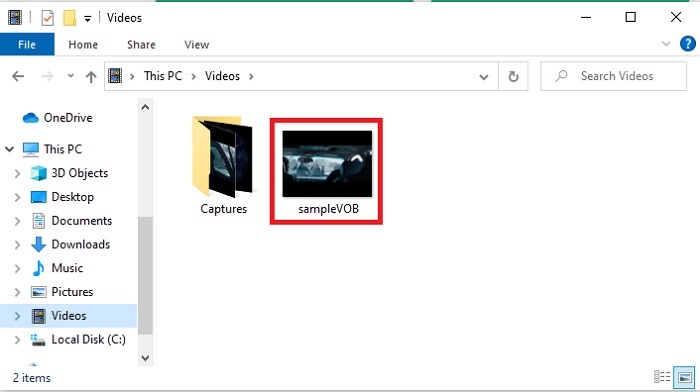
Metod 3. Använd ett onlineverktyg – fConvert
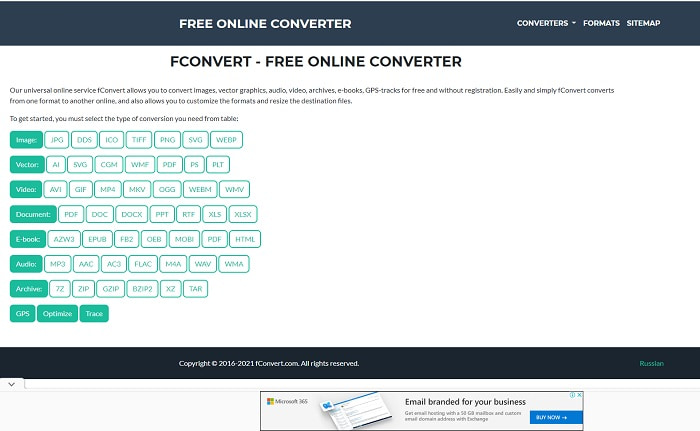
Ett annat onlineverktyg du kan använda för att konvertera VOB-filer är fConvert. Detta webbverktyg låter användaren konvertera valfritt mediafilformat till en nyare version som kan användas. Men webbplatsen har en del irriterande annonser. Även om annonserna är hanterbara är de på huvudsidan störande. Även om fConvert stöder nästan alla typer av konverteringar du kan göra, är antalet format ändå färre än i FVC Free Video Converter. Dessutom, när du startar konverteringen finns det ännu fler annonser än på själva webbplatsen, så var försiktig så att du inte hamnar på en annan webbplats.
Steg 1. Öppna din sökmotor och leta upp verktygets officiella webbplats.
Steg 2. Välj den konverteringsprocess du vill genomföra.
Steg 3. Lägg sedan till filen som ska konverteras och vänta tills det är klart.
Del 2. Vanliga frågor om VOB till GIF-konvertering
Vad är en VOB-fil?
VOB kan innehålla multiplex strömdata till DVD-skivor och för det mesta är detta format också krypterat. Med det sagt kan VOB-filer inte lätt rippas till DVD-skivorna på grund av begränsningen som detta format ger. Om du tvingar rippa .vob-filen finns det en chans att resultatet har en hel del förlorad data eller om du har turen är chansen att bli rippad på rätt sätt mycket liten. Men du kan ladda ner VOB-filer över internet men du kan inte spela upp dem på dina telefoner eller stationära datorer om du inte har rätt fil. Det finns en chans att ett meddelande som den här filen inte stöds eller att den här filen är krypterad kommer att visas på din skärm.
Var kan jag spela upp min VOB-fil utan att konvertera den?
Att konvertera filen är en bra lösning på problemet. Men om du inte vill bry dig om att konvertera den kan du ändå spela upp den här. Denna mediaspelare tillhandahålls också av FVC för att spela upp alla ospelbara format du har stött på. Blu-ray Player är en av lösningarna för att spela upp ospelbara VOB-filer utan att använda annan programvara. För att ladda ner detta verktyg klickar du på länken nedan. Ladda ner Blu-ray Player till PC Ladda ner Blu-ray Player till Mac
Vilket är bättre: VOB eller MP4?
Om vi skulle lagra filen på DVD- eller CD-skivor är det mer idealiskt att använda VOB-filer än MP4. Eftersom den här filen är mycket mindre vilket innebär att du kan lagra mer utan att förlora kvaliteten. Men om du vill lagra den på din telefon eller skrivbord, så är MP4 mycket bättre än VOB-fil. För att konvertera MP4 till VOB, eller vice versa, kan du dra fördel av videokonverteringsverktyget, som FVC Free Video Converter för att uppnå formatkonverteringen.
Kommer kvaliteten på den att gå förlorad efter att ha konverterat VOB?
Detta är bara möjligt om du använder fel konverteringsprogram. Även om konvertering kan verka enkelt, är det svårare än du tror att välja rätt konverterare. Om du vill uppleva en enastående konvertering måste du ladda ner FVC Video Converter Ultimate och testa det själv. Ladda ner FVC Video Converter Ultimate till PC Ladda ner FVC Video Converter Ultimate till Mac
Slutsats
För att avsluta diskussionen, om du upplever de ospelbara VOB-filerna igen måste du överväga att konvertera dem till ett spelbart format. Även om FVC Video Converter Ultimate inte nämns här, är konverteringsprocessen detta verktyg snabb, enkel, effektiv och effektiv till skillnad från andra. För att utforska verktyget måste du ladda ner det till din PC eller Mac just nu.
-
 [2 lösningar] Hur man enkelt konverterar SWF till GIF -filer gratis
 När du inte exporterar GIF-format via Flash-programvara kan du först försöka spara filerna i SWF-format. Sedan kan du lära dig två enkla sätt att konvertera SWF till GIF-filer från den här artikeln.
-
 [2 Lösningar] Hur man konverterar WMV-videor till GIF-filer gratis
 Om du vill klippa de underbara delarna av WMV-videorna och göra GIF-filer från dem, kan du lära dig om 2 enkla metoder för att överföra WMV-videor till GIFs i den här artikeln
-
 MOV till GIF - Hur konverterar man MOV till animerad GIF på Mac, PC och gratis online
 Vad är en GIF? Hur konverterar jag video till GIF? Hur ändrar jag MOV till animerad GIF online? Det här inlägget berättar 3 sätt att konvertera MOV till GIF online, på Mac/PC.
