


 Video Converter Ultimate
 Skärminspelare
 Video reparation
 Säker nedladdning
Hur man konverterar BMP till PNG och JPGU med online- och offlinekonverterare
Bitmap- eller BMP-format är inte optimalt för färgbilder med övertoningar eller gradienter. Du ser inte lika många foton i detta format numera. Tekniskt sett är BMP ett föråldrat format med nästan ingen komprimering. Därför, om du vill öppna BMP‑bilder utan begränsningar, behöver du konvertera BMP till vanliga bildformat. Du kan konvertera mellan flera bildformat på många olika sätt. Vi går igenom de enklaste och mest lättbegripliga metoderna i den här artikeln. Så om du vill veta hur du konverterar BMP till JPG eller PNG-bildformat, läs vidare. Vi kommer att presentera utmärkta bildkonverterare som kan hjälpa dig.

Del 1. BMP vs. JPG vs. PNG
| Filformat | BMP | JPG | PNG |
| Filnamnstillägg | .bmp | .jpg | .png |
| Utvecklad av | Microsoft | Förenade Fotografers Expert Grupp | PNG Development Group |
| Beskrivning | A BMP fil är en förkortning för bitmap och uttalas bump. Microsoft skapade BMP-filformatet för sitt Windows-operativsystem. Det är för att hålla upplösningen på digitala bilder på olika skärmar och prylar. Både färg och svartvita tvådimensionella fotografier kan lagras. BMP-filer är inte längre bara kompatibla med Windows-baserade enheter i modern tid. De är nu kompatibla med ett stort antal Mac- och Android-enheter. | De JPG bildfilformatet är det mest effektiva för bildkomprimering. Användare använder JPG-filer i stor utsträckning. Det kallas även JPEG- eller JPG-filer. Joint Experts Group är det fullständiga namnet på JPEG. Dessutom har majoriteten av bitmappsbilder filtillägget.jpg. Det primära målet är att göra filerna mindre i storlek. Eftersom JPG är ett förlustformat, har överdriven komprimering en inverkan på kvaliteten på bilderna. | Bärbar nätverksgrafik, en PNG förlängning för rasterfamiljen, som utför förlustfri komprimering. Det utvecklades för att ersätta GIF, Graphics Interchange Format, och är inte patenterat. De kan baseras på en palett och vanligtvis gråskalebilder som erbjuder transparens. PNG är förlustfri komprimering. Det innebär att det håller information, detaljer och kvalitet. |
Del 2. Onlinemetoder för att konvertera BMP till JPG/PNG
Konvertera BMP till JPG/PNG med FVC Free Image Converter
För att konvertera BMP till JPG gratis online kan du använda FVC Free Image Converter. Detta onlineverktyg har det allra enklaste förfarandet för att konvertera BMP till PNG eller JPG. Tack vare det intuitiva gränssnittet kan både avancerade och ovana användare använda den här konverteraren. Du kan konvertera bilder i bara tre steg. Dessutom kan du ladda upp bilder i olika filformat. Den stöder indataformat som PNG, JPG, BMP, GIF, TIFF och fler. Dessutom stöder FVC bildfilkonverterare batchkonvertering. Den låter dig konvertera många bilder på en gång. Detta är mycket mer effektivt och praktiskt än andra bildkonverterare på marknaden. Det är bekvämt för alla användare eftersom du kan konvertera 40 bildfiler samtidigt.
FVC Free Image Converter garanterar en bild av hög kvalitet. Efter konverteringen kommer bilden fortfarande att se ut som originalet. Dessutom kommer du inte att se störande annonser på din skärm, även om det är en bildkonverterare online. På så sätt kan du fokusera mer på att konvertera dina bilder. Denna omvandlare är tillgänglig i nästan alla webbläsare. Det inkluderar Chrome, Safari, Edge, Firefox och mer. Du kan följa de enkla stegen nedan för att konvertera BMP till JPG- och PNG-format.
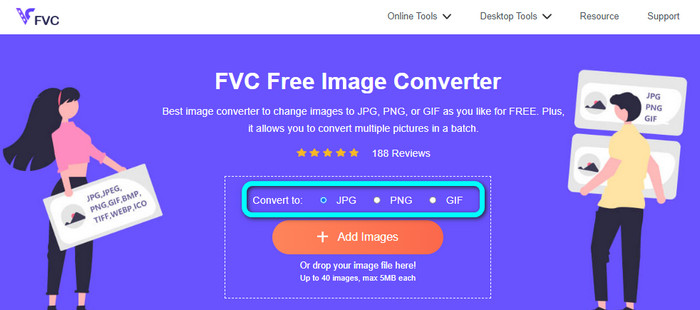
Steg 1: Gå till din webbläsare och besök webbplatsen FVC Free Image Converter. Leta upp alternativet Convert to och välj det format du vill ha. Du kan klicka på JPG eller PNG.
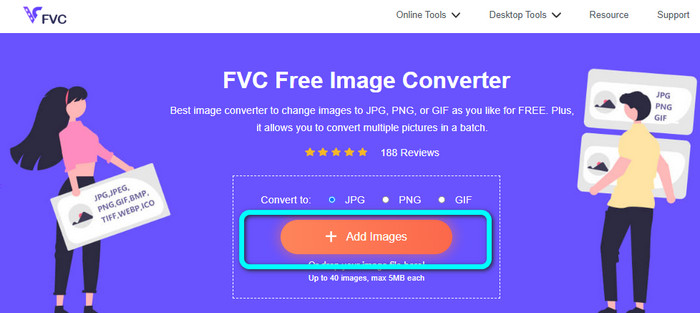
Steg 2: Lägg till BMP‑bilden genom att klicka på knappen Add Images. Din dators filer visas på skärmen. Välj den BMP‑bildfil du vill konvertera.
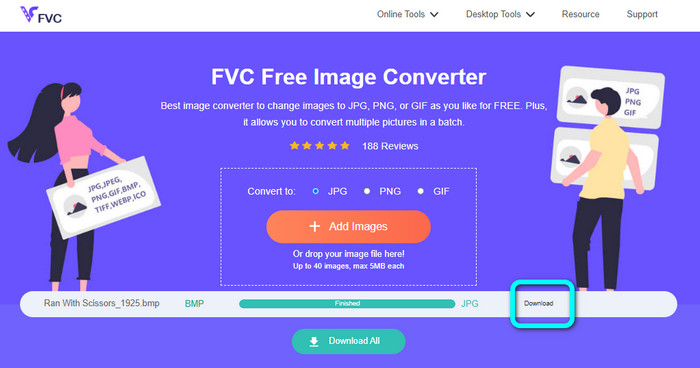
Steg 3: Efter uppladdningen konverteras bilden automatiskt. Så för ditt sista steg, klicka på knappen Download för att spara bilden på datorn.
Konvertera BMP till JPG/PNG med Convertio
Convertio är ett annat onlineverktyg för att konvertera BMP till JPG eller PNG. Det är en filkonverterare som låter dig konvertera olika format. Det inkluderar BMP, JPG, PNG, GIF, SVG och fler. Med hjälp av detta verktyg är det enkelt att konvertera flera bilder. Det erbjuder också batchkonvertering. På så sätt kan du konvertera BMP till JPG i omgångar för att spara mer tid. Dessutom garanterar Convertio din integritet. Efter att dina bilder har konverterats raderas dina data automatiskt efter 24 timmar. Du kan dessutom komma åt den här konverteraren i olika webbläsare. Du kan använda den i Google, Mozilla, Edge osv.
Convertio har dock nackdelar. Du kan bara ladda upp en bild upp till 100 MB. Om du vill ha en obegränsad filstorlek att ladda upp, köp en prenumerationsplan. Du behöver också en internetanslutning för att använda denna omvandlare.
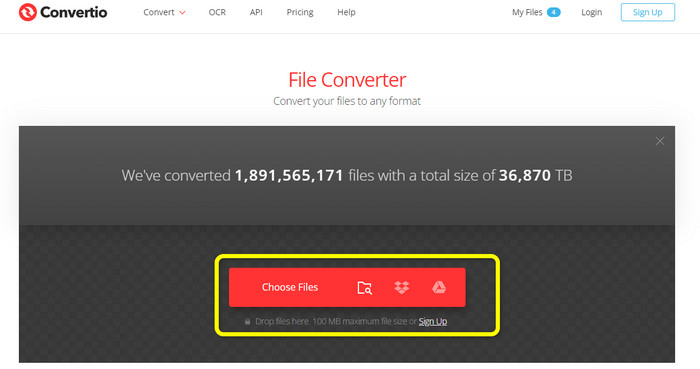
Steg 1: Besök webbplatsen Convertio. Klicka på knappen Choose Files för att lägga till BMP‑bildfilen.
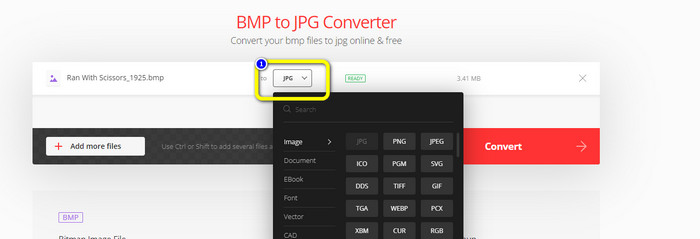
Steg 2: Välj JPG- eller PNG‑filformat från formatalternativen. Om du vill lägga till fler bilder klickar du på knappen Add more files.
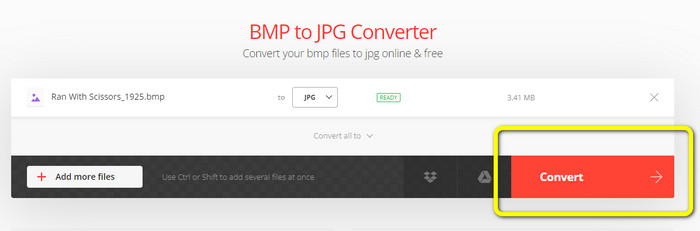
Steg 3: När du har valt önskat filformat klickar du på knappen Convert. Vänta på konverteringsprocessen och ladda sedan ned bilderna till din dator.
Del 3. Offlinemetoder för att konvertera BMP till JPG/PNG
Du kan också använda Video Converter Ultimate för att konvertera BMP till JPG. Denna offline‑konverterare har en lättförståelig metod för konvertering. Den har också ett intuitivt gränssnitt, vilket gör den lämplig för alla användare, särskilt nybörjare. Video Converter Ultimate erbjuder batchkonvertering. Det innebär att du kan konvertera flera bilder samtidigt. Den erbjuder också snabb konvertering. Med denna funktion kan du omvandla många filer på kort tid. Dessutom stöder den olika bildformat. Det inkluderar JPG, BMP, PNG, GIF, TIFF och fler. Förutom att konvertera kan du även ändra din bils kvalitet via utdata‑inställningarna. På så sätt kan du justera bildkvaliteten efter dina önskemål. Utöver detta kan du använda den här nedladdningsbara konverteraren både på Mac‑ och Windows‑datorer. Följ instruktionerna nedan för att konvertera din BMP‑fil till JPG- eller PNG‑format.
Steg 1: Ladda ned Video Converter Ultimate på din Mac eller Windows‑dator. Starta programmet efter installationen. Vi tillhandahåller också konverteraren genom att du klickar på knappen Download nedan.
Gratis nedladdningFör Windows 7 eller senareSäker nedladdning
Gratis nedladdningFör MacOS 10.7 eller senareSäker nedladdning
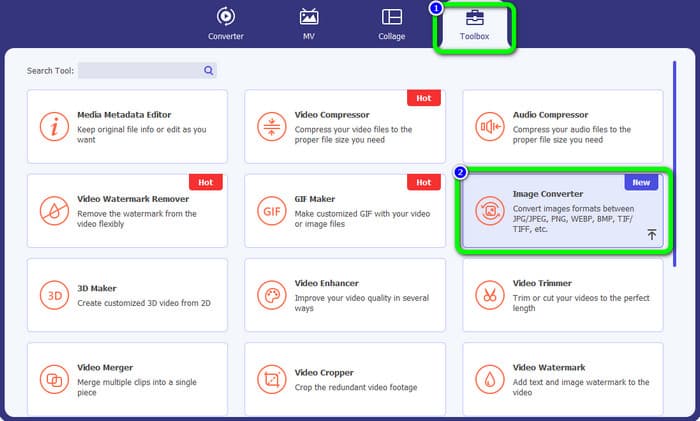
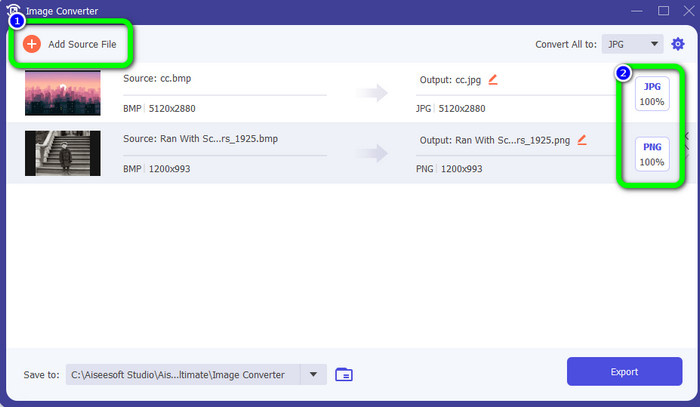
Steg 2: Gå till panelen Toolbox och välj verktyget Image Converter. Ett nytt fönster visas.
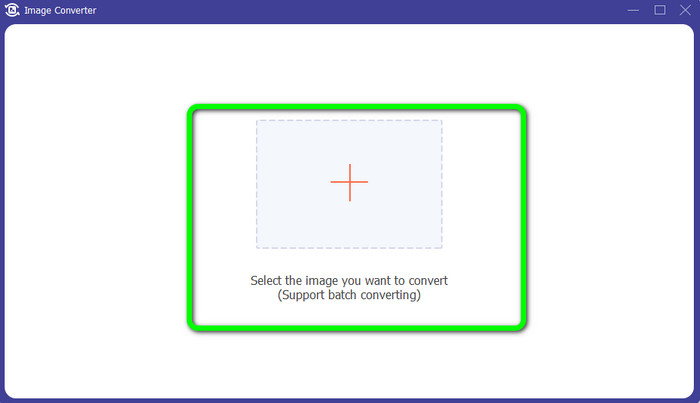
Steg 3: Klicka på Plus-symbolen. Välj sedan den BMP‑bild du vill konvertera från din mapp.
Steg 4: Klicka på knappen Add Source File för att lägga till fler filer. Gå sedan till formatalternativen för att välja önskat utdataformat. Du kan välja formaten PNG och JPG.
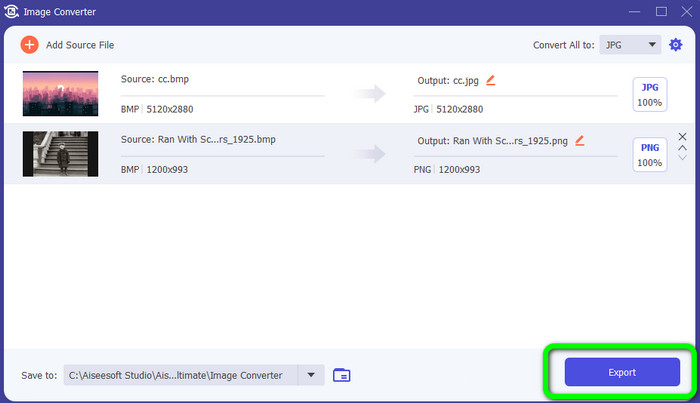
Steg 5: För sista steget klickar du på knappen Export. Vänta på konverteringsprocessen. Öppna sedan dina konverterade bilder från mappen.
Del 4. Vanliga frågor om att konvertera BMP till JPG/PNG
1. Hur batchkonverterar man BMP till PNG?
Om du vill göra en batchkonvertering använder du FVC Free Image Converter. Börja med att välja PNG‑format från alternativet Convert to. Klicka sedan helt enkelt på knappen Add Images. Du kan lägga till flera bildfiler. Den låter dig ladda upp upp till 40 bilder samtidigt. Efter uppladdningen konverterar verktyget dina bildfiler automatiskt. För att avsluta processen klickar du sedan på knappen Download All för att spara dem på din dator.
2. Kan en BMP-fil animeras?
Tyvärr inte. Animation är ofta inte kompatibel med BMP-filer. Istället för att använda Flash, tänk på att använda filformatet GIF. Det kan göra korta, enkla animationer som kan delas och sparas.
3. Vilken är större, en BMP-fil eller JPEG-fil?
En BMP blir större med jämförbara bilder. Men en BMP kan bara vara så stor som 4GB på grund av storleksbegränsningar. Storleken på en JPEG är obegränsad. Till exempel finns vissa satellitbilder tillgängliga i JPEG-format.
Slutsats
Eftersom en BMP‑fil har en större filstorlek är det nödvändigt att konvertera dem till andra format som JPG och PNG. Du kan vara nöjd, eftersom den här artikeln gav utmärkta metoder för att konvertera BMP till JPG och PNG-format. Men om du föredrar ett enkelt och gratis sätt att konvertera bilder, använd FVC Free Image Converter.
-
 Fullskaliga sätt att konvertera JPG till PNG online och offline
 Letar du efter användbara metoder för att konvertera JPG till PNG-filformat? Den här guideposten har svaret du behöver. För att upptäcka dessa metoder, läs artikeln
-
 Konvertera JPEG till JPG effektivt [Fem metoder listade]
 Kom och få de mest enkla handledningarna om att konvertera JPEG till JPG-bildfilformat. Klicka på det här guideinlägget och börja lära dig dina föredragna metoder
-
 Topp 5 ledande handledningar för att snabbt konvertera PNG till JPG
 Om du behöver konvertera din PNG-fil till JPG-format kan du lära dig de bästa sätten här. Du kommer också att lära dig skillnaden mellan PNG- och JPG-filformat
