


 Video Converter Ultimate
 Skärminspelare
 Video reparation
 Säker nedladdning
Topp 10 mest enastående Photo Resizer-applikationer för datorer
Många människor har svårt att hitta ett verktyg för att ändra storlek på sina bilder eftersom vissa verktyg påverkar kvaliteten när de skalas om. Dessutom vill många fotoredigerare ändra storlek på sina bilder för att förbättra kvaliteten eller spara utrymme på sina enheter. Men att ändra storlek på foton kan vara knepigt eftersom det kan påverka kvaliteten. Det finns dock också programvaror som du kan använda för att ändra storlek på dina bilder samtidigt som kvaliteten bibehålls. Så om du letar efter de bästa apparna för att ändra storlek på foton, har vi listat dem här. Läs det här inlägget för att ta del av de sju mest anmärkningsvärda och kraftfulla verktygen för att ändra storlek på foton.

Del 1. Mest enastående Online Photo Resizers
En onlinefotoförändring för att ändra storlek på din bild är en fördel om du vill spara utrymme på din enhet. Onlineapplikationer kräver inte att du laddar ner något eftersom du i slutändan kan använda dem i din webbläsare. Dessutom är många onlineapplikationer gratis att använda och är helt säkra. Läs därför det här avsnittet noggrant för att känna till de fyra bästa bildförändringarna online.
FVC Free Image Upscaler
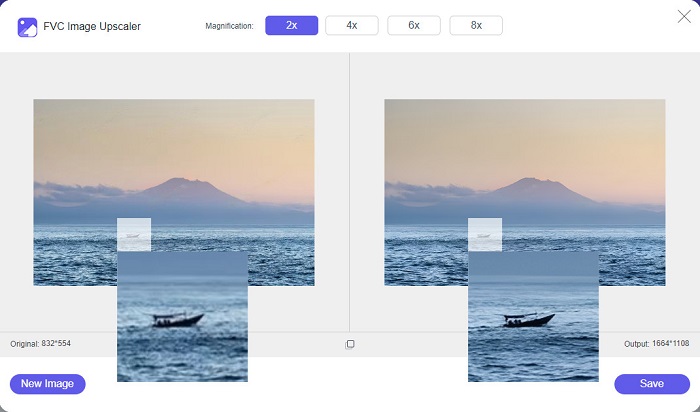
FVC Free Image Upscaler är den bästa bildförminskaren online som låter dig ändra storlek på din bild utan kvalitetsförlust. Du kan till och med förstora din bild 2x, 4x, 6x och 8x. Dessutom stöder den de vanligaste bildformaten, såsom PNG, JPG, JPEG och BMP. Den har också ett användarvänligt gränssnitt tack vare sin enkla utformning. Och om du vill ändra storlek på din bild utan att förlora kvalitet är FVC Free Image Upscaler verktyget för dig. Vidare använder den AI‑teknik (artificiell intelligens) som automatiskt upptäcker de lågupplösta delarna av din bild och förbättrar dem snabbt. Och till skillnad från andra webbprogram innehåller den inga annonser som kan distrahera dig.
Fördelar
- Det är gratis och säkert att använda.
- Den har en snabb uppladdningsprocess.
- Du kan förhandsgranska din utdata innan du sparar den.
- Tillgänglig på alla webbläsare, som Google, Firefox och Safari.
Nackdelar
- Det är ett internetberoende verktyg.
icons8.com
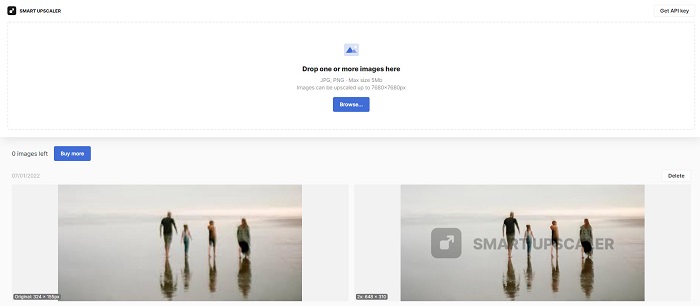
icons8.com är ytterligare en bildförminskare online som du kan använda om du vill ändra storlek på din bild. icons8.com hjälper dig att uppnå den storlek du önskar för din bild. Dessutom, om du vill förbättra kvaliteten på din bild, är den här tjänsten vad du letar efter. Den har en bild‑upscaler som hjälper dig att förbättra bildkvaliteten. Du kan dessutom använda den kostnadsfritt, utan några prenumerationer. Och om du undrar om den är säker att använda, är svaret ja. Du kan använda den här tjänsten utan att oroa dig för säkerheten kring dina data. När du ändrar storlek på en bild med detta verktyg lämnar det dock en vattenstämpel på bilden.
Fördelar
- Den har ett lättanvänt programvarugränssnitt.
- Den stöder de vanligaste filformaten.
- Det kan enkelt förbättra din bild.
Nackdelar
- Lämna en vattenstämpel på din bild när du ändrar storlek på den.
Zyro.com
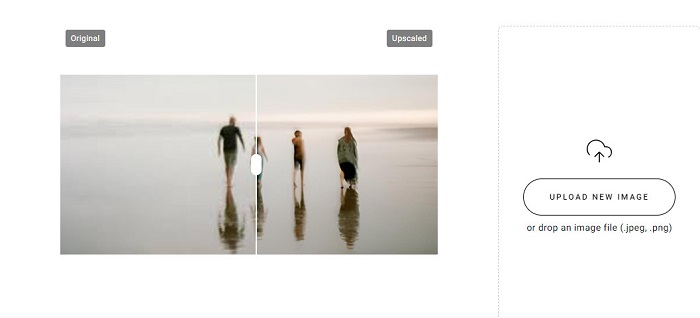
Ett annat webbaserat program du kan använda för att ändra storlek på din bild är Zyro.com. Om du vill ändra storlek på din bild för att förbättra kvaliteten är Zyro.com verktyget du söker. Dessutom använder detta kostnadsfria verktyg för bildförminskning AI‑teknik som automatiskt förbättrar bildkvaliteten. Du behöver inte heller oroa dig för filerna du laddar upp, eftersom det stöder vanliga bildformat som PNG, JPG och JPEG. Vidare är det tillgängligt i nästan alla webbläsare, inklusive Google Chrome och Safari.
Fördelar
- Det är ett nybörjarvänligt verktyg.
- Det är gratis och säkert att använda.
- Den innehåller inga annonser.
Nackdelar
- Den har en långsam uppladdningsprocess.
Upscale.media
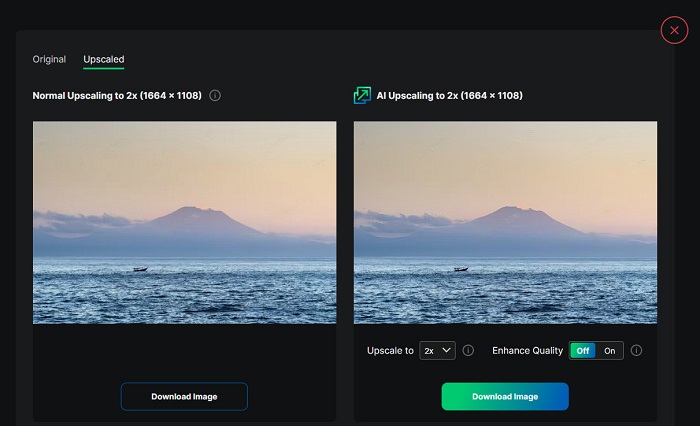
Om du letar efter ett verktyg för att förbättra eller ändra storlek på din bild kan du vilja använda Upscale.media. Detta onlineverktyg använder också AI‑teknik, vilket gör det smidigt för många att ändra storlek på sina bilder. Dessutom stöder det de vanligaste bildformaten, såsom JPEG, JPG, WebP, PNG och andra. Det imponerande med denna tjänst är att den har ett läge där du kan förbättra din bild så att den får bättre kvalitet. Och trots att det är en webbaserad app innehåller den inga annonser som kan distrahera dig medan du ändrar storlek på din bild.
Fördelar
- Den stöder en mängd olika format.
- Den har ett snabbt bearbetningsgränssnitt.
- Det låter dig se förhandsgranskningen av din produktion.
Nackdelar
- Du kommer att ha en långsam uppladdningsprocess när internet är långsamt.
ImageResizer.com
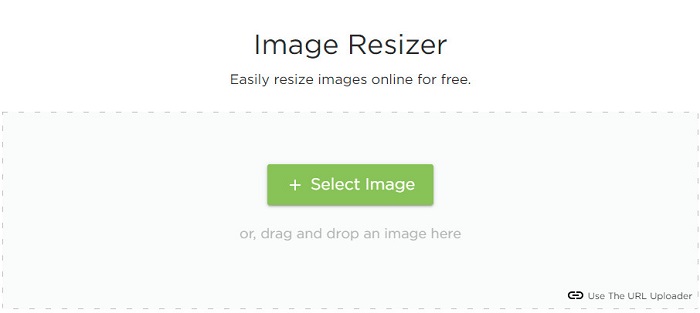
ImageResizer.com är också en av de bästa webbaserade pixelförminskarna för foton som låter dig ändra storlek på vilken bild som helst. Genom att justera pixlarna i din bild kan du minska dess filstorlek. Dessutom stöder den i stort sett alla bildformat, såsom JPG, PNG och WebP. Även om det är ett onlineverktyg har det en snabb process för att ändra storlek. Dessutom är det gratis att använda och garanterat säkert att komma åt.
Fördelar
- Fungerar på nästan alla webbläsare.
- Det är ett användarvänligt verktyg.
Nackdelar
- Den innehåller annonser.
Del 2. Mest kraftfulla Offline Photo Resizers
Även om fotoförändringar online är väldigt praktiska, eftersom de sparar utrymme på din enhet, ger offlineverktyg också fantastiska resultat och fördelar. En av fördelarna med att använda en offlinebildförändring är att de är säkra att använda och inte kräver att du har tillgång till internet. Dessutom är de flesta offlineapplikationer snabba. Så vi sökte efter de mest använda offlinebildändringarna och valde de bästa bland dem. Nedan listas de fem bästa offlinefotoförändringarna för din dator.
Ändra storlek på XN
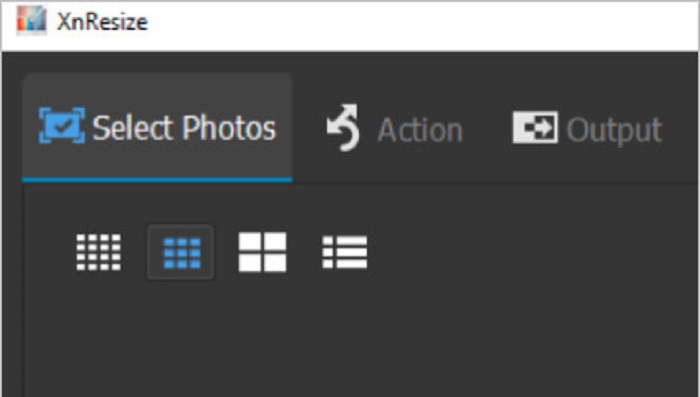
XN Resize är en snabb bildförminskningsprogramvara som kan laddas ner till din Windows‑dator. Denna bildförminskare hjälper dig om du vill minska eller förbättra kvaliteten på din bild. Många människor vill numera ladda upp sina bilder på olika sociala medieplattformar. Men för att kunna ladda upp bilder får filstorleken inte överstiga plattformarnas begränsningar. XN Resize är därför ett verktyg som hjälper dig att ändra storlek på dina bilder så att de får en mindre filstorlek, vilket gör att du kan ladda upp dem på olika plattformar. Nackdelen med detta verktyg är att det bara stöder ett fåtal filformat och saknar redigeringsfunktioner. Ändå kan du med XN Resize justera bildens höjd och bredd efter dina önskemål.
Fördelar
- Du kan justera din bildorientering.
- Den har en funktion för att rotera din bild.
- Den har ett lättanvänt gränssnitt.
Nackdelar
- Den har begränsade funktioner att använda.
FastStone Photo Resizer
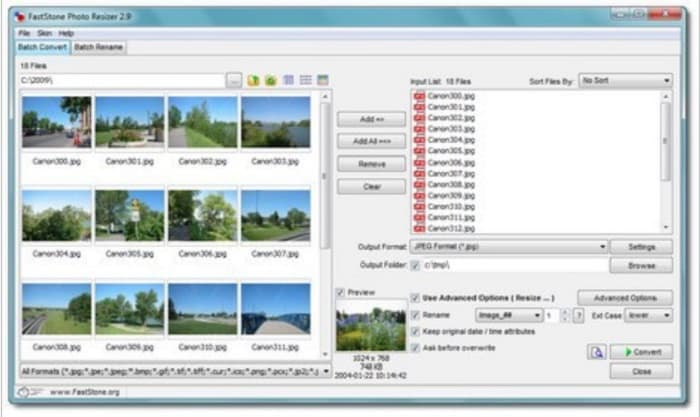
FastStone Photo Resizer är inte bara en app för att ta skärmdumpar. Den har också en funktion där du kan ändra storlek på din bild. Dessutom, efter att du tagit skärmdumpar, visar den många redigeringsfunktioner du kan använda, bland annat funktionen för att ändra storlek. FastStone kan vara det mest lämpliga verktyget för dig om du vill använda en kostnadsfri och säker bildförminskare. Dessutom kan du med detta program byta namn på dina bilder och spara dem snabbt på din enhet. Det som är ännu mer fantastiskt med FastStone Photo Resizer är funktionerna där du kan konvertera, beskära, rotera och lägga till text i dina bilder.
Fördelar
- Stöder mapp- eller icke-mappstruktur.
- Den har dra och släpp-funktioner.
- Det finns att ladda ner på Windows PC.
Nackdelar
- Efter testversionen måste du köpa appen.
Högkvalitativ Photo Resizer
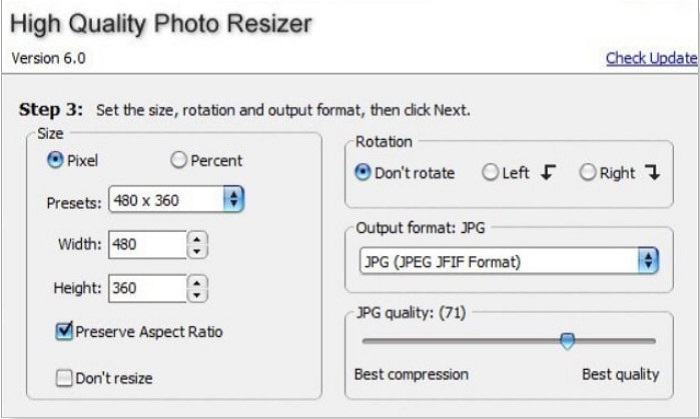
Appen High Quality Photo Resizer kan vara lösningen om du vill ändra storlek på dina foton snabbt. Med den här appen kan du ange storlek, rotera och till och med ställa in utdataformatet för ditt foto. Dessutom kan du justera bildens pixelstorlek efter dina önskemål. Du kan också välja mellan bästa komprimering och bästa kvalitet. När du väljer bästa komprimering får du en liten filstorlek men inte högsta kvalitet. Å andra sidan, om du väljer bästa kvalitet, får du en bild med hög kvalitet men större filstorlek. Dessutom har den ett användarvänligt gränssnitt tack vare sina lättnavigerade funktioner.
Fördelar
- Den stöder olika bildformat, som BMP, GIF, JPG, JPEG och PNG.
- Det är gratis att ladda ner.
Nackdelar
- Den innehåller inga redigeringsfunktioner.
Cesium
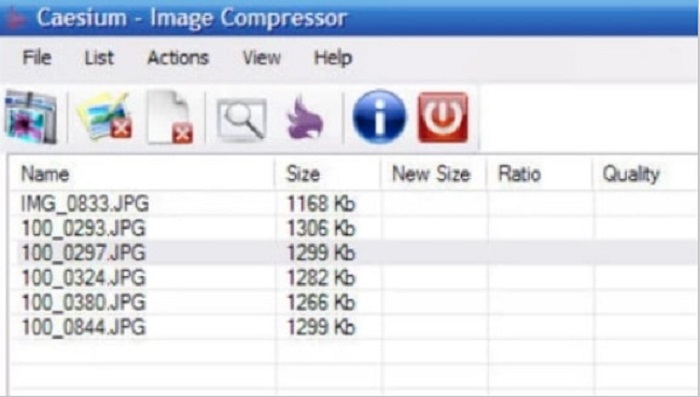
Caesium hör också till de bästa fotoförminskarna för PC. Caesium är känt för sin enkelhet och effektiva bearbetning. Många yrkesverksamma använder populära redigeringsprogram för att komprimera sina bilder eller minska deras filstorlek. Dessutom kan du förhandsgranska ditt bildresultat i realtid för att se skillnaden jämfört med originalet. En av fördelarna med detta program är att det kan bearbeta flera bilder samtidigt utan att förstöra bildkvaliteten. Utöver detta stöder det de vanligaste bildformaten, som JPEG‑ och PNG‑format. Och visste du? Caesium är gratis att använda och kräver ingen prenumeration.
Fördelar
- Den har ett enkelt användargränssnitt.
- Gör att du enkelt kan exportera dina bilder.
- Du kan förhandsgranska din bild innan du sparar den.
- Nedladdningsbar på alla crossmedia-plattformar, som Windows, Mac och Linux.
Nackdelar
- Det har ibland en långsam nedladdningsprocess.
FILEminimizer bilder
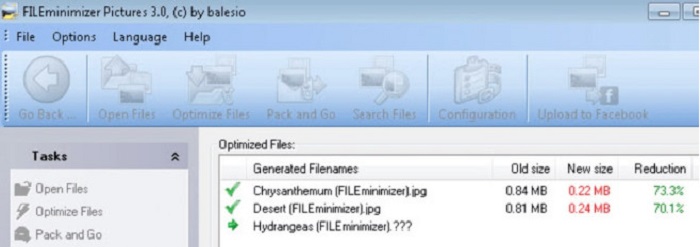
Letar du efter ett program som hjälper dig att minska storleken på dina bilder? FILEminimizer Pictures kan vara svaret på ditt problem. Denna offline‑applikation gör det möjligt att minska bildstorleken med upp till 98 % med hjälp av sin inbyggda teknik för filoptimering. Dessutom sparar detta verktyg din bild i dess ursprungliga format och kan exportera filer snabbt. Och eftersom det är en app för att ändra storlek på foton, minskar den filstorleken genom att sänka bildens upplösning. Så räkna med att kvaliteten också minskar när du ändrar storlek på din bild.
Dessutom erbjuder den fyra olika komprimeringsprocesser, komprimeringar i batcher, möjligheten att tillämpa förlustfri komprimering och mer. Även om det inte är gratis att använda applikationen har den fortfarande en gratis provperiod som du kan använda. Därför, om du letar efter en batch-fotoförändring, kan du överväga att använda det här verktyget.
Fördelar
- Den stöder olika format, som JPG, BMP, GIF och PNG.
- Du kan exportera bilder till din e-post.
- Den har en snabb storleksändringsprocess.
Nackdelar
- Efter den kostnadsfria provperioden måste du uppgradera genom att köpa appen.
Relaterat till:
Bästa apparna för att ändra bildstorlek online, offline, på Android och iPhone
De 7 bästa online- och offlineverktygen för att förstora foton
Del 3. Vanliga frågor om Photo Resizers
Finns det en app för att ändra storlek på bilder på iPhone?
Image Size är en app för iPhone som du kan ladda ner gratis. Den här appen är bland de bästa apparna för att ändra storlek på foton för iPhone.
Kan jag komprimera en bild utan att förlora kvalitet?
För att minska storleken på din bild måste du justera dens upplösning och pixel. Så när du komprimerar en bild, förvänta dig att den har en lägre kvalitet.
Finns det en Kapwing Photo Resizer?
Lyckligtvis kan du använda Kapwing för att ändra storlek på din bild. Kapwing photo resizer låter dig beskära, krympa eller zooma en bild.
Slutsats
De verktyg för att ändra storlek på foton som listas ovan är de bästa online‑ och offlineapparna för att ändra storlek på bilder. Alla har sina unika funktioner, så se till att du väljer det som passar dig bäst. Men om du vill använda en gratis och fantastisk bildförminskare är FVC Free Image Upscaler verktyget för dig.
relaterade artiklar
-
 Gör iPhone-fotoupplösning bättre med de bästa förbättrarna
 Vill du behöva förbättra iPhone-fotoupplösningen? Tja, i den här artikeln tar vi upp de bästa verktygen du kan använda och andra knep du måste känna till!
-
 Restaurering av gamla foton online och offline [enkla steg]
 Vill du återställa ett gammalt foto? Med dessa verktyg kommer du att känna till den gamla fotorestaureringsprocessen. Läs det här inlägget för att lära dig de mest enkla metoderna.
-
 Top 7 Pixels Enhancer för alla webbläsare du måste använda
 Om du vill veta de bästa pixelförstärkarna att använda, bör du kolla in det här inlägget. Den här artikeln listar de sju bästa fotopixelförstärkarna för alla webbläsare.
