


 Video Converter Ultimate
 Skärminspelare
 Video reparation
 Säker nedladdning
Uppskala bilden till 4k med den hetaste uppskalaren på marknaden
Att skala upp en bild till 4K har blivit efterfrågat i många typer av programvara, både professionella och enklare. Användare tror att en högre upplösning som 4K gör deras bild mer detaljrik, skarp, klar och bättre. Du kan dock verkligen dra nytta av 4K-bilder om du använder dem för utomhusreklam, utskrift av högkvalitativa banderoller, visning på stora digitala skärmar, de flesta digitala filmproduktioner och mer. Syftet med PPI eller bildupplösning är att återge ett exakt antal pixlar beroende på bildens bredd och höjd. Vill du veta hur du gör om ditt foto till 3840 x 2160? Eller föredrar du DCI 4K, som är 4069 x 2160? Den här artikeln innehåller informationen du behöver för att uppnå UHD-upplösningen som kallas 4K.

Del 1. Hur man uppskalar en bild till 4k gratis med den bästa lösningen [webbtjänst]
FVC Free Image Upscaler är den mest lättanvända 4K-bilduppskalaren du kan använda för att få 4K-upplösning. Detta verktyg skalar inte bara upp din bild, det justerar även PPI på ditt foto så att det matchar den upplösning du väljer. Det är en uppskalare, vilket innebär att bilden du laddar upp här aldrig kommer att dras ut eller tappa kvalitet, tack vare den avancerade AI-teknik som FVC använder. Behöver du en genomgång av hur du använder det? Följ i så fall de fullständiga stegen vi anger nedan och börja skala upp den bild du vill.
Steg 1. Klicka på den här länken för att öppna verktyget i en ny flik. Du skickas då vidare till det officiella verktyget du ska använda för att ändra uppskalningen på den bild du vill.
Steg 2. Klicka på Upload Photo för att lägga till den JPG-, JPEG-, PNG-, GIF-, BMP- eller SVG-fil du vill skala upp till 4K-upplösning.
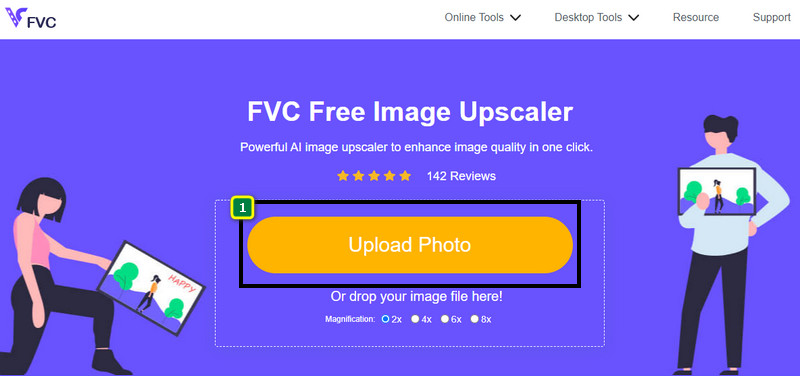
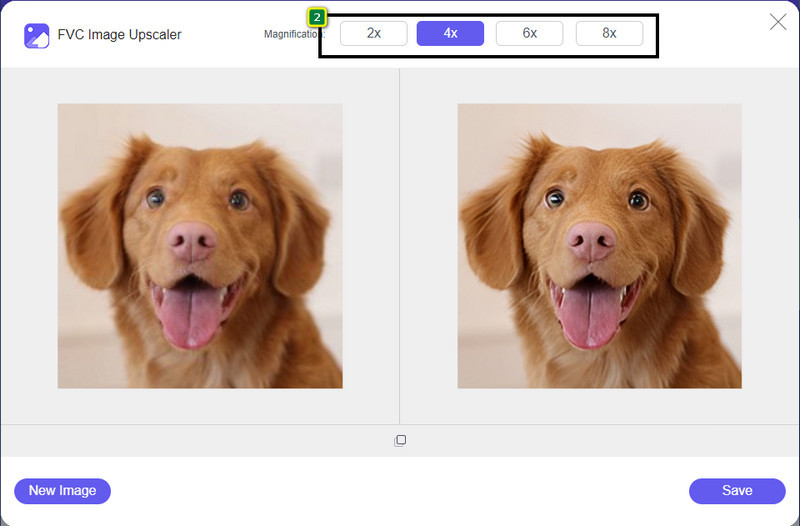
Steg 3. Efter det kommer bilden du laddar upp att läsas in i verktyget. Välj sedan något av alternativen 2x, 4x, 6x eller 8x ovanför för att uppnå 4K-upplösning.
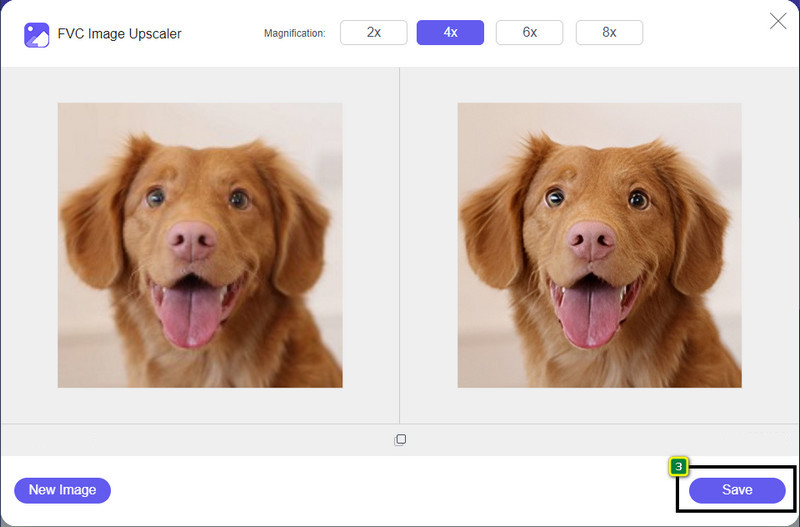
Steg 4. För att exportera 4K-bilden du har förbättrat här, klicka på knappen Save; den sparas då automatiskt i din mapp.
Del 2. Hur man uppskalar bilden till 4k offline på Windows Default Graphic Editor [Gratis]
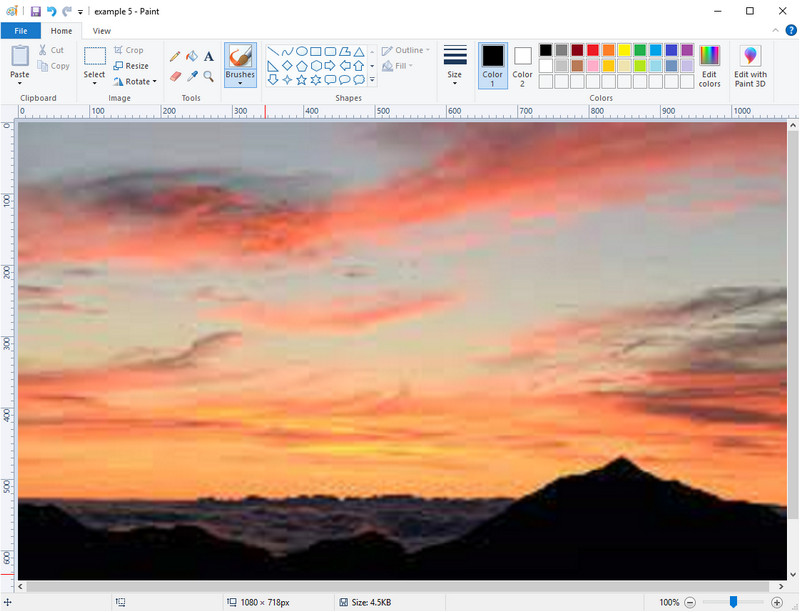
Paint är en standardgrafikredigerare som du kan använda i Windows för att skala upp en bild till 4K genom att ändra dess dimensioner. Programvaran har blivit populär bland många Windows-användare på grund av vad man kan göra i den. Du kan börja med en tom duk och måla på den som på en vanlig duk, men digitalt. Den har en låsfunktion så att när du justerar bildens höjd följer bredden med, eller tvärtom. Du kan också använda procenttal för att finjustera bildens dimensioner.
Även om du kan använda det här verktyget som din redigerare, är det fortfarande otillräckligt inom andra redigeringsområden. Till exempel stöder den inte gråskaleläge. Så, om du vill använda det här verktyget, följ stegen vi lägger till.
Steg 1. Klicka på Windows-ikonen på skärmen och skriv in verktygets namn, Paint.
Steg 2. När du har öppnat det klickar du på File och sedan Open och lägger till bildfilen du vill skala upp här. Du kan också dra och släppa bilden i verktyget om du vill.
Steg 3. Gå till alternativet Resize och klicka på Pixel. Ändra måttet på höjd eller bredd till standard för 4K.
Det är bättre om du ändrar en enda mätning; det spelar ingen roll om det är en höjd eller bredd och kryssa alltid för huvudbildförhållandet för att det ska passa. Vissa bilder sträcks ut om du ändrar storleken på dem till 4k.
Steg 4. Klicka därefter på knappen Save för att ladda ned bilden du har skalat upp här.
Del 3. Hur man uppskalar en bild till 4k med professionell programvara på Windows och Mac [Betalt]
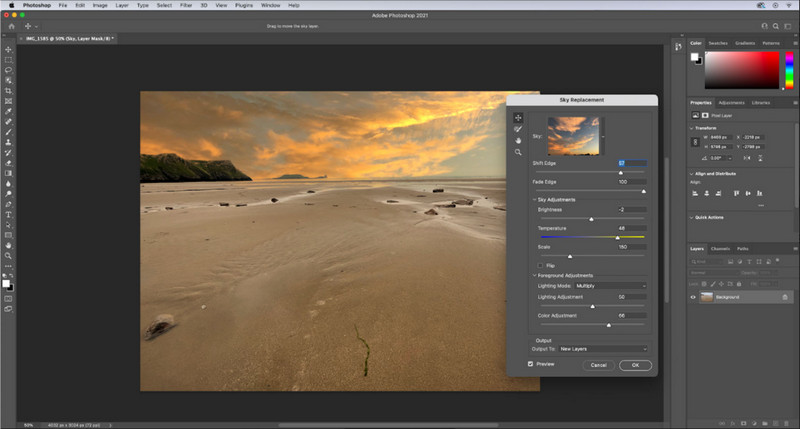
Adobe Photoshop låter användaren uppleva en ny nivå av bildredigering och uppskalning, men här fokuserar vi mer i detalj på dess uppskalningsfunktion. Det råder ingen tvekan om att det är ett expertval av programvara tack vare hur kraftfullt det är för bildredigering. Dessutom skapar detta verktyg ny PPI-data för bilden när du skalar upp den här, med hjälp av algoritmen som tillämpas på din fil. Du kan ändra upplösningen till 4K utan att bilden blir utdragen eller pixlig.
Du måste dock köpa planen om du redan har använt den kostnadsfria provperioden som den här appen tillhandahåller. Även om du kommer att behöva betala, är den övergripande programvaran utmärkt för att användas av professionella redaktörer och redaktörer på mellannivå. För nybörjare kan du lära dig hur du skalar upp bilden till 4k med instruktionerna nedan.
Steg 1. Ladda ned den officiella versionen av programvaran från Adobe, men om du redan har appen kan du öppna den direkt för att börja använda den.
Steg 2. För att ladda upp bilden du vill skala upp klickar du på File och sedan Open, så visas en mapp på skärmen. Välj bildfilens namn och tryck på Open för att ladda upp bilden.
Steg 3. I den övre menyraden klickar du på alternativet Image och väljer Image Size.
Steg 4. En dialogruta visas där du kan justera måtten för bildens höjd, bredd och upplösning.
För ett jämnare resultat behöver du markera rutan Resample och klicka på rullgardinsmenyn. I stället för att välja Automatic klickar du på Bicubic Enlargement, eftersom det är en metod som ger ett bättre resultat vid bildförstoring. Klicka på OK för att spara de justeringar du har gjort.
Steg 5. För att ladda ned bilden du har skalat upp till 4K klickar du på File och går till Save.
Relaterat:
Enkel guide: Så lägger du snabbt till en vattenstämpel i en video i Photoshop
Förbättra bildkvaliteten med dessa snabba och enkla metoder
Del 4. Vanliga frågor om hur man uppskalar bild till 4k
Finns det begränsningar för uppskalning av bilder till 4k?
Det finns begränsningar du måste följa. Till exempel, om din bildskärm bara kan bearbeta 1080p, är det bättre att använda standardstorleken 1080p istället för 4k eftersom uppskalningen du lägger till inte kommer att gälla.
Blir min bild bättre efter uppskalning till 4k?
Förvänta dig inte att ett mirakel ska hända, men du kommer att se att det kommer att bli ett resultat om du öppnar bilden till rätt skärm, som till exempel 4k-TV:erna.
Varför blir mina bilder suddiga efter att ha sett dem på 4k-TV?
Bilder tenderar att sträckas ut när dimensionen och PPI inte uppfyller digital-tv-standarden du använder, särskilt 4k. Du förhindrar detta om du skalar upp bilden till en 4k-upplösning med applikationen vi lägger till här.
Slutsats
I allmänhet behöver du en 4k-bilduppskalare för att justera bilden till en 4k-upplösning. Du kan enkelt göra det med verktygen vi lägger till här och handledningen. Du kan börja använda onlinetjänsten för att skala upp den bild du vill ha, och du kommer att bli förvånad över resultatet.
-
 Restaurering av gamla foton online och offline [enkla steg]
 Vill du återställa ett gammalt foto? Med dessa verktyg kommer du att känna till den gamla fotorestaureringsprocessen. Läs det här inlägget för att lära dig de mest enkla metoderna.
-
 Top 7 Pixels Enhancer för alla webbläsare du måste använda
 Om du vill veta de bästa pixelförstärkarna att använda, bör du kolla in det här inlägget. Den här artikeln listar de sju bästa fotopixelförstärkarna för alla webbläsare.
-
 Bästa Photo Resizer-appen online, offline, Android och iPhone
 Vilka är de bästa apparna för fotoförändring? Klicka på sidan för att lära dig de fem mest kraftfulla apparna för fotoförändring som du kan använda för att förbättra eller ändra storlek på din fil.
