


 Video Converter Ultimate
 Skärminspelare
 Video reparation
Vilken är den bästa omvandlaren att använda för att konvertera MP3 till WAV
MP3 är det välkända ljudformatet över hela världen. Det är faktiskt standardformatet för att spara och spela in ljudfiler. Även om det här formatet används av många finns det ändå många andra format som ger högre ljudkvalitet än MP3, som till exempel WAV. Så om du vill veta hur man konverterar MP3 till WAV för att njuta av musik eller inspelningar du har gjort, måste du hänga med i svängarna, för det kan bli en lång resa – så utan vidare dröjsmål, låt oss starta loppet.

Del 1. Hur man konverterar MP3 till WAV på Windows och Mac med detaljerade steg
1. FVC Video Converter Ultimate
Vill du veta hur man konverterar MP3 till WAV på Mac och PC med hög ljudkvalitet? Då är FVC Video Converter Ultimate verktyget för dig. Det är dessutom snabbt i konverteringen, som en SSC Tuatara, och säkert också. Konvertera så många filer du vill samtidigt, eftersom det inte finns någon gräns för hur många mediafiler som kan konverteras här. Dessutom kan du använda det här verktyget för att skapa musikvideor, collage och andra funktioner. Så om du vill veta hur du använder det följer du dessa steg och påbörjar konverteringsprocessen.
Steg 1. Välj mellan PC eller Mac och klicka sedan på nedladdningsknappen. Installera verktyget och följ installationsguiden, klicka sedan på Slutför för att spara ändringarna.
Gratis nedladdningFör Windows 7 eller senareSäker nedladdning
Gratis nedladdningFör MacOS 10.7 eller senareSäker nedladdning
Steg 2. Efter installationen klickar du på Add Files för att lägga till den MP3‑fil du vill konvertera. Om du har fler än två ljudfiler är det enklare att dra och släppa dem i gränssnittet.
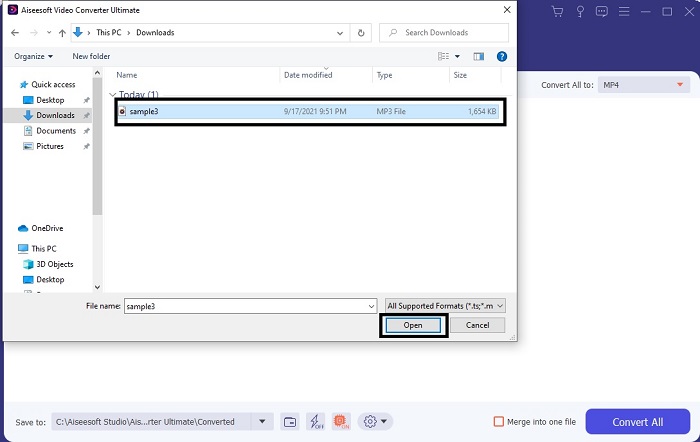
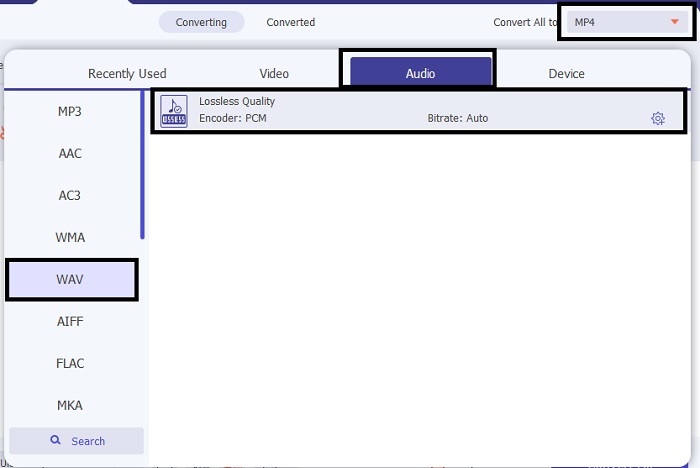
Steg 3. Ändra från MP3 till WAV eller till något annat ljudformat du vill ha i undermenyn.
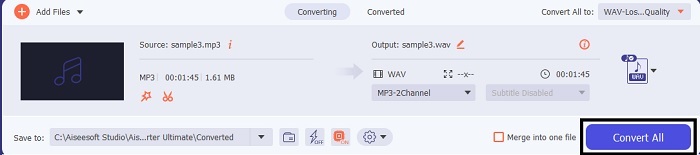
Steg 4. När allt är inställt klickar du på Convert All för att starta konverteringen.
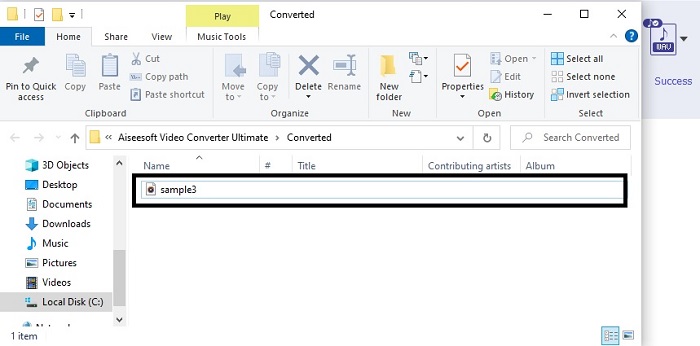
Steg 5. När konverteringen är klar öppnas en filhanterare automatiskt på skärmen. Klicka på den konverterade ljudfilen och njut av att lyssna på den nya versionen. Om ljudet är lite lågt för dig går du dessutom till verktygsfältet och letar upp Audio Booster för tydligare och bättre ljud.
2. iTunes
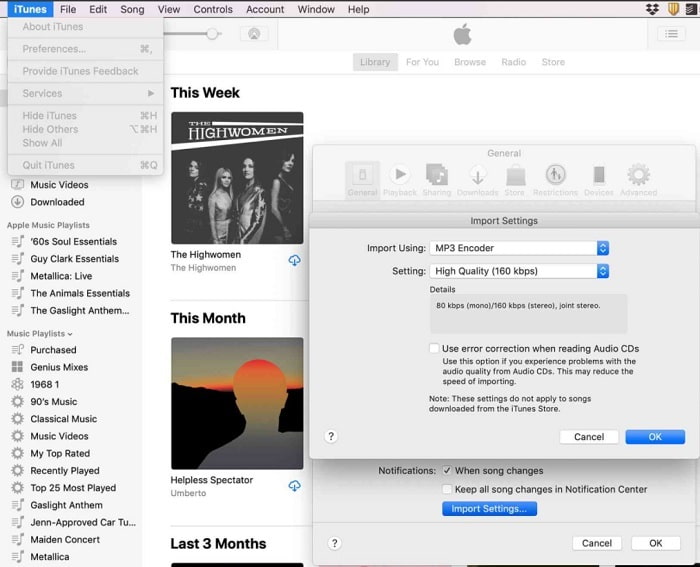
iTunes används i stor utsträckning för att spela musik på Mac och iOS‑produkter. Men visste du att du kan konvertera MP3 till WAV i iTunes? Svaret är ja. Spela upp och konvertera – allt finns i detta verktyg, men det kan inte användas på Android och Windows eftersom det är Apples standardmediaspelare på deras produkter. Så om du inte har en Apple‑produkt kan du ändå göra konverteringen med hjälp av FVC Video Converter Ultimate. Men om du har en sådan är det självklart att använda iTunes och följa stegen nedan.
Steg 1. Öppna programvaran på din enhet.
Steg 2. Välj den MP3‑fil du vill konvertera.
Steg 3. Klicka sedan på Convert och vänta tills processen är klar.
Del 2. Topp 5 bästa gratis online MP3 till WAV-konverterare på webben
1. FVC Free Audio Converter
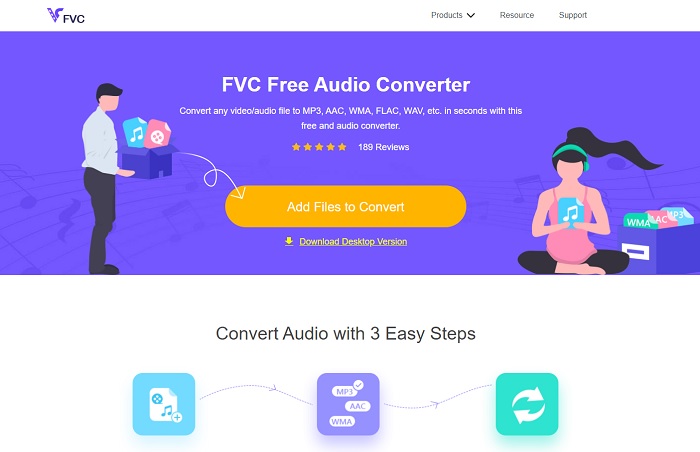
FVC Free Audio Converter är den bästa MP3 till WAV‑konverteraren online. Den har nämligen samma mindre funktioner som FVC Video Converter Ultimate kan erbjuda. Så förvänta dig inget sämre när du använder det här verktyget, även om de viktigaste premiumfunktionerna inte finns här eftersom det är kostnadsfritt. Om du vill prova kan du klicka på hyperlänken som är till för dig. Så innan något annat, låt oss börja med hur man använder denna webbaserade konverterare.
Steg 1. För att komma åt verktyget måste du klicka på denna länk.
Steg 2. Klicka på Add Files to Convert för att starta verktyget.
Ladda ner Skrivbordsversionen för att konvertera filer i batch.
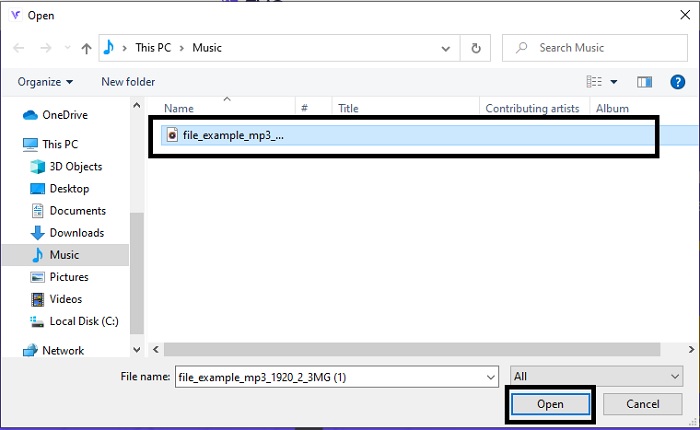
Steg 3. När verktyget har startats väljer du den MP3‑fil du vill konvertera och klickar på open.
Steg 4. Välj format nedan och klicka sedan på Convert för att starta processen.
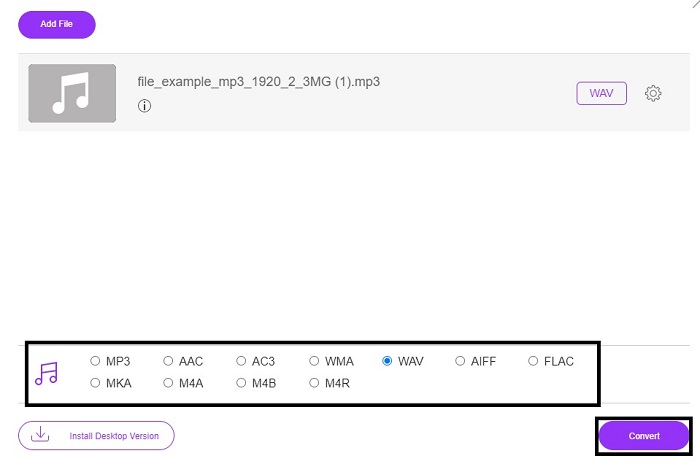
Steg 5. Det tar bara några minuter och när konverteringen är klar klickar du på mappen för att hitta filen du just har konverterat.
2. Molnkonvertering
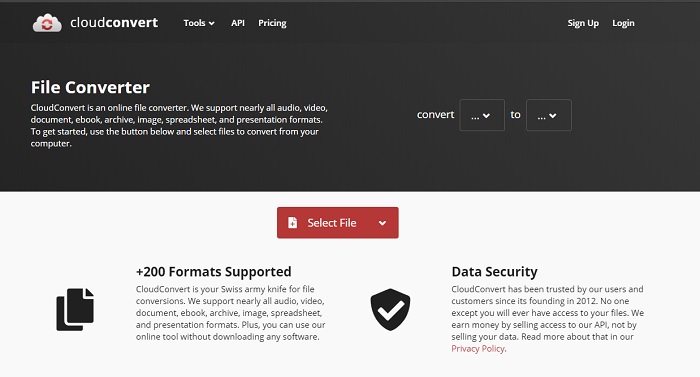
Ett annat verktyg du kan använda på webben är Cloud Convert för att omvandla filer till ett nytt format. Det är ett av de bästa på marknaden när det gäller konvertering, men du kan inte justera eller ändra bitrate, bildfrekvens (fps) eller codecs. Om du däremot vill konvertera textfiler till ett nytt format är detta verktyg ett måste att prova.
3. Convertio
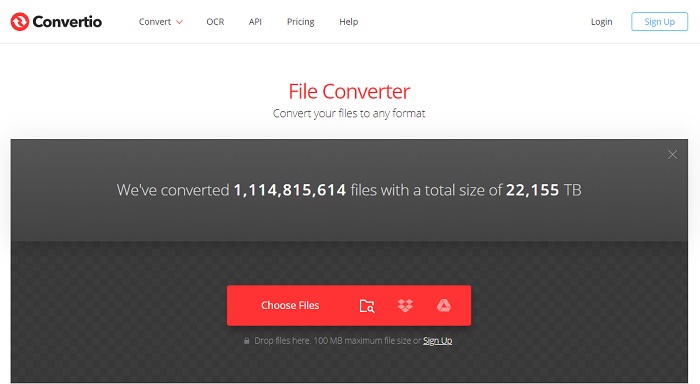
Precis som Cloud Convert är Convertio också skapat för att vara kostnadsfritt. När det gäller konvertering erbjuder det dessutom kraftfull komprimering och konvertering. Det här verktyget används av många för att konvertera, tack vare sina tydliga instruktioner och sin enkelhet. Även om du kan använda verktyget på webben har huvudsajten många annonser i gränssnittet, vilket kan vara lite irriterande – särskilt om du inte vill bli störd under konverteringen.
4. Online-konvertera
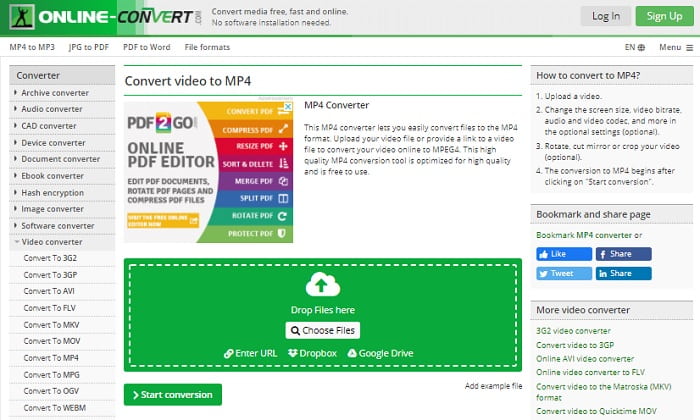
Det här verktyget har mycket att erbjuda när det gäller konvertering och är dessutom mycket informativt. Online-Convert ger avancerade funktioner där du kan ändra bitrate, upplösning och kanaler. Om du är ny på konvertering kan detta verktyg dock kännas lite överväldigande. Dessutom, när du laddar upp filen i webbgränssnittet måste du vänta på att den bearbetas. Och inte nog med det – det finns en gräns på 100 MB per konvertering, så om du vill konvertera fler filer måste du köpa premiumversionen för att även ta bort annonserna.
5. 123 Apps- Audio Converter
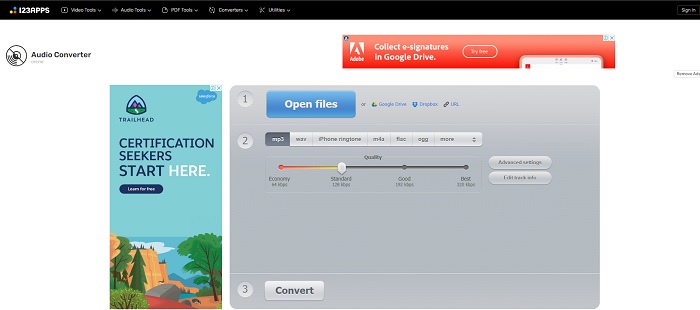
I det här webbverktyget kan du konvertera effektivt och smidigt. Även om det bara stöder tre ljudformat är 123 Apps - Audio Converter ett av de enklaste verktygen. Du öppnar bara verktyget, lägger in filen, väljer format och konverterar – lika enkelt som det låter. Men nackdelen med detta verktyg är att det finns rapporter om att ljudkvaliteten har blivit sämre efter konverteringen.
Del 3. Jämförelsediagram över omvandlarna på listan
Lär dig skillnaderna mellan varje verktyg och låt oss jämföra dem därefter.
| Funktioner | FVC Video Converter Ultimate | iTunes | FVC Free Audio Converter | Molnkonvertering | Convertio | Online-Konvertera | 123 appar - Audio Converter |
| Ljudkonverterare |  | | | | | | |
| Redigeringsfunktioner | |  | | | | | |
| Ändra bithastighet, fps, upplösning eller liknande | | | | | | | |
| Program som stöds | Desktopbaserat verktyg | Standard skrivbordsbaserat verktyg | Webbaserat verktyg | Webbaserat verktyg | Webbaserat verktyg | Webbaserat verktyg | Webbaserat verktyg |
| Operativsystem som stöds | Tillgänglig i alla operativsystem | Endast Apples produkt som stöds | Tillgänglig i alla operativsystem | Tillgänglig i alla operativsystem | Tillgänglig i alla operativsystem | Tillgänglig i alla operativsystem | Tillgänglig i alla operativsystem |
| Prisklass | För 1 månad: $25.00 För ett år: $31.20 För livstidslicens: $55.20 | Så här tar du bort annonser: $10 per månad $15 i månaden för en familj på sex $5 per månad för studenter | Gratis | Gratis | Gratis | För ytterligare 8 GB: Månadsprenumeration $70 USD faktureras månadsvis Årlig prenumeration $672 USD | Gratis |
MP3 kontra WAV
MP3-formatet släpptes 1993 av Moving Picture Experts Group (MPEG). Det var standarden för att lagra musik eftersom den kunde komprimera ljud till en mycket mindre storlek än andra okomprimerade format. Det används fortfarande i stor utsträckning nuförtiden, särskilt för att distribuera ljud online.
WAV, även känt som WAVE-formatet, är baserat på Resource Interchange File Format (RIFF). Det utvecklades av Microsoft och IBM tillsammans i början av 1990-talet. Det är ett alternativ för att spara rått, okomprimerat ljud i Microsoft Windows. Således spelas WAV-filer oftare på Windows-datorer.
Del 4. Vanliga frågor om MP3 till WAV
Vad är meningen med WAV?
WAV betyder vågformsljudfiler; det är ett okomprimerat förlustfritt format.
Vilken är större i filstorlek? MP3 eller WAV?
Även om båda formaten lagrar ljudfiler är WAV mycket större än MP3. I vissa fall kan det vara upp till 15 gånger större än MP3 eftersom det är okomprimerat. Du kan klicka här för att lära dig hur du konverterar WAV till MP3.
Var kan jag spela in WAV?
För att spela in måste du använda det främsta verktyget på webben. Särskilt eftersom detta format är okomprimerat måste du vara noggrann så att du inte förlorar data under inspelningen. Med det sagt är FVC Screen Recorder den överlägsna WAV‑inspelaren. Den kan spela in och även redigera så att ditt resultat blir bättre både visuellt och ljudmässigt. För att få veta mer måste du ladda ner programvaran till din hårddisk.
Slutsats
När loppet börjar gå mot sitt slut står det nu klart för oss att det bara finns en vinnare. Bara genom att skaffa detta verktyg kommer du att känna dig som världens kung när det gäller inspelning. FVC Video Converter Ultimate gör det mesta av jobbet som andra inspelningsprogram inte klarar. Om du har problem med att spela in video, ljud eller spel ska du ta kommandot genom att välja rätt kort. Satsa allt på FVC Video Converter Ultimate och få en enkel seger på vägen.
Gratis nedladdningFör Windows 7 eller senareSäker nedladdning
Gratis nedladdningFör MacOS 10.7 eller senareSäker nedladdning
-
 Hur man gratis konverterar MP4 till WAV på skrivbordet eller online [2021]
 Försöker du hårt att konvertera MP4 till WAV? Vet du inte vilken omvandlare som kan hjälpa dig med det perfekt utan att betala ett öre? Läs det här inlägget så kommer alla dina frågor att besvaras.
-
 WAV Player - Topp 5 WAV Player-appar för Android, iPhone, PC och Mac
 Hur spelar jag WAV-filer på en Android-telefon? Vilken spelare kan spela WAV? Det här inlägget delar 5 bästa gratis WAV-spelare för Android, iPhone, Mac och PC.
-
 FLV till WAV - Konvertera FLV till WAV online gratis och på Mac / PC
 Hur konverterar jag en FLV-fil? Kan VLC konvertera YouTube FLV till WAV? Det här inlägget berättar om 3 gratis sätt att konvertera FLV till WAV utan kvalitetsförlust.

