


 Video Converter Ultimate
 Skärminspelare
 Video reparation
 Säker nedladdning
Hur konverterar du MP4 till OGG Free & Online
MP4 är en digital multimedia-behållare som lagrar video, ljud och undertexter. OGG är ett gratis och öppet containerformat för effektiv streaming och filkomprimering. Ibland måste du konvertera MP4 till OGG-format för att spela på vissa ljudspelare. Detta inlägg delar 3 gratis MP4 till OGG-omvandlare för att konvertera MP4 till OGG utan krångel.

Del 1. Professionellt sätt att konvertera MP4 till OGG gratis
Om du vill hitta den bästa MP4 till OGG‑konverteraren kan du prova FVC Free FLV to MP4 Converter. Det är en kostnadsfri och lättanvänd videokonverterare för Windows och Mac. Du kan enkelt konvertera olika videoformat som MP4, FLV, MOV, MKV, MTS, M2TS osv. till OGG. Dessutom erbjuder den redigeringsfunktioner för att lägga till teman samt justera upphovsman, tid och leverantör i början/slutet av videon.

- Konvertera videor i MP4, MKV, AVI, MOV, MP3, AAC, AIFF, etc. till OGG.
- Exportera OGG-videor och förlustfri ljudfil från MP4-fil med ett klick.
- Låt användare redigera leverantör, titel, författare, tid och lägga till tema.
- Batchkonvertera MP4 till OGG för att spela på vissa bärbara ljudspelare.
Gratis nedladdningFör Windows 7 eller senareSäker nedladdning
Gratis nedladdningFör MacOS 10.7 eller senareSäker nedladdning
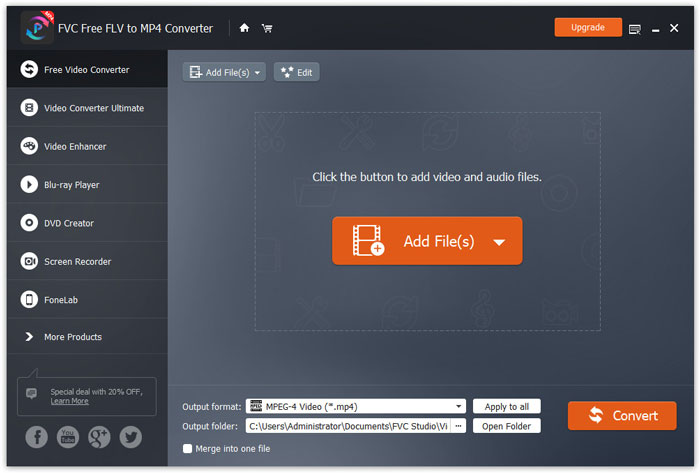
Steg 1. Efter nedladdning installerar och startar du FVC Free FLV to MP4 Converter på din Windows- eller Mac-dator. Klicka på knappen Add Files för att ladda in MP4-filer från din dator. Om du vill konvertera flera MP4-filer samtidigt laddar du bara upp dem alla.
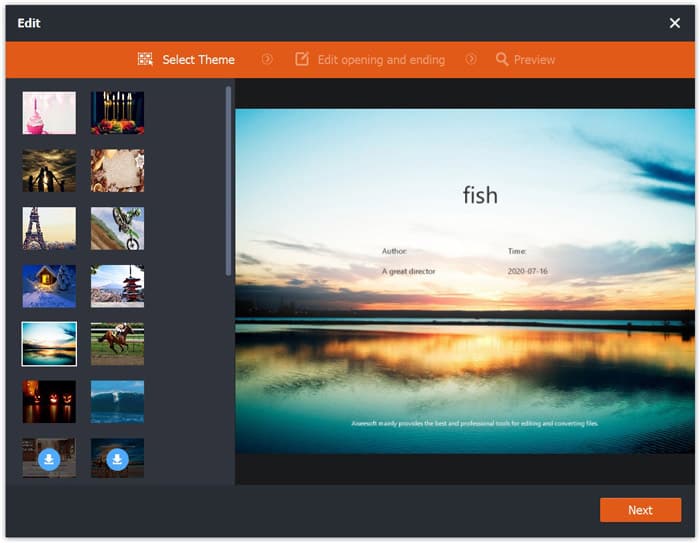
Steg 2. Klicka på din MP4‑fil och klicka på knappen Edit. Du kan lägga till ett tema till din MP4‑fil och redigera inlednings- och avslutningsdelen. Klicka sedan på Next för att förhandsgranska och spara ändringarna.
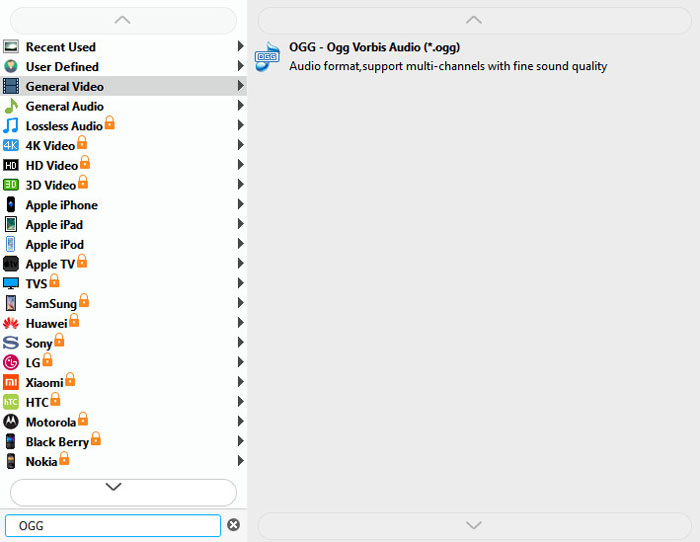
Steg 3. Klicka på rullgardinsmenyn Output format längst ned och sök efter OGG-formatet i listan. Du kan välja OGG - Ogg Vorbis Audio (*.ogg) som utdataformat.
Steg 4. Bläddra fram målmappen på din dator och klicka på knappen Convert för att börja konvertera MP4 till OGG.
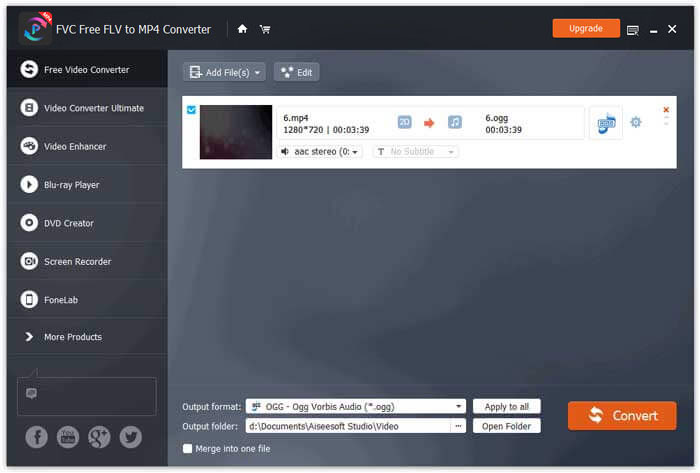
Med FVC Free FLV to MP4 Converter kan du också slå ihop flera MP4-filer till en.
Del 2. Så här ändrar du MP4 till OGG Online
Jämfört med en stationär omvandlare är det en tidsbesparande metod att använda en online-omvandlare för att konvertera MP4 till OGG. Det finns många online MP4 till OGG-omvandlare du kan välja. I den här delen kommer vi att dela 2 MP4 till OGG-omvandlare för att omvandla dina MP4-filer till OGG online gratis.
1. Zamzar
Zamzar är en multifunktionell online-plattform för videokonverterare, ljudkonverterare, bildkonverterare och eBook-omvandlare. Med Zamzar kan du enkelt konvertera MP4 till en mängd andra format som OGG. Här är enkla steg för att konvertera MP4 till OGG med Zamzar online.
Steg 1. Gå till www.zamzar.com/convert/mp4-to-ogg/ och klicka på knappen Add Files för att ladda upp dina MP4-filer.
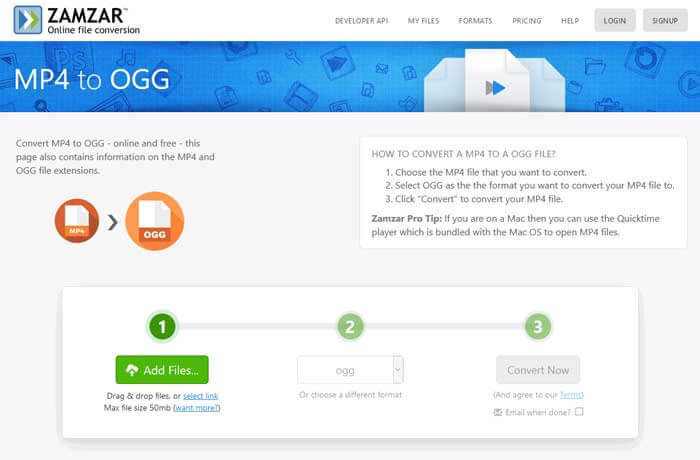
Steg 2. Standardutdataformatet är redan inställt på ogg. Klicka på knappen Convert Now för att börja konvertera MP4 till OGG.
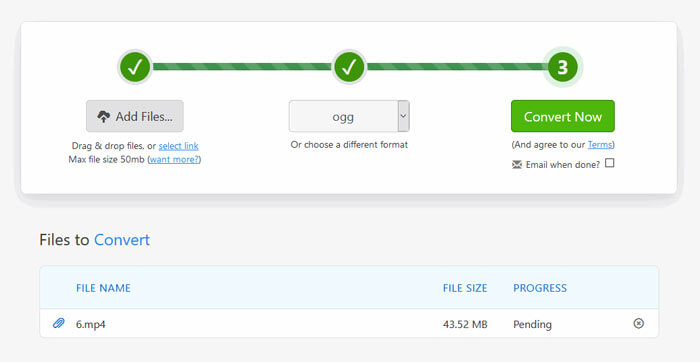
Steg 3. Därefter hoppar sidan vidare. Du kan klicka på knappen Download för att spara den konverterade OGG-filen på din dator.
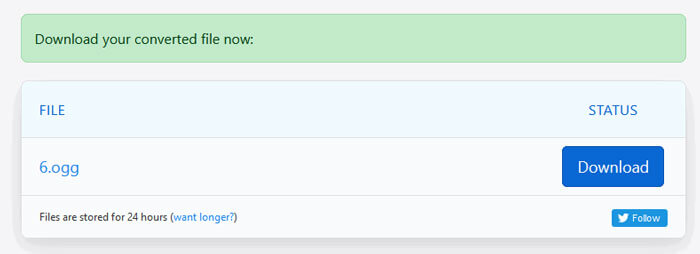
När du konverterar en MP4-fil med stor filstorlek kan konverteringen fastna när du använder Zamzar. Du behöver då uppdatera sidan och konvertera igen. Om du vill ha en smidig konvertering kan FVC Free FLV to MP4 Converter hjälpa dig mycket. (Se fler MP4-spelare här)
2. Convertio
Convertio är ett enkelt verktyg för att konvertera dokument, bilder, kalkylark, e-bok, ljud- och videofiler. Med hjälp av Convertio kan MP4-filerna konverteras till MP3 med utmärkt noggrannhet. Följ stegen nedan för att exportera OGG från MP4 med Convertio.
Steg 1. Gå till Convertio MP4 to OGG Converter (convertio.co/mp4-ogg/). Klicka på knappen Choose Files för att ladda upp dina MP4-filer. Du kan också lägga till MP4-filer från Dropbox, Google Drive eller klistra in webbadressen.
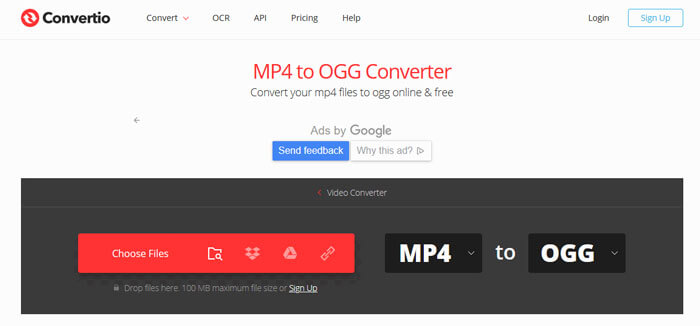
Steg 2. Välj OGG från rullgardinsikonen och klicka sedan på kugghjulsikonen för att ställa in codec, kvalitet, ljudkanaler, frekvens och volym. Du kan klippa MP4-filen till den del du vill ha.
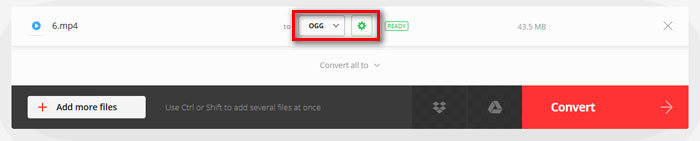
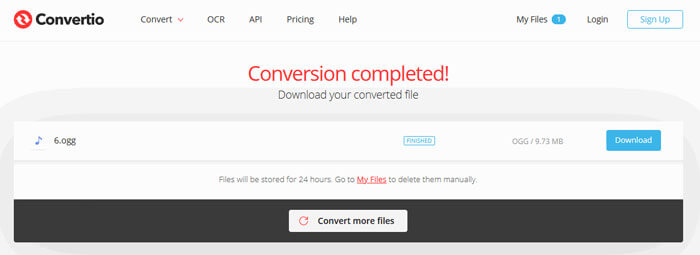
Steg 3. När allt är inställt klickar du på knappen Convert för att konvertera MP4 till OGG. Efter konverteringen klickar du på knappen Download för att spara den konverterade OGG-filen på din dator.
Del 3. Vanliga frågor om konvertering av MP4 till OGG
1. Vad är OGG-videoformat?
OGG är ett gratis och öppet containerformat som kan innehålla musik, video, text som undertexter och metadata.
2. Vilken spelare kan spela OGG-fil?
Det finns många bärbara spelare som kan spela OGG-filer som VLC, Windows Media Player, Adobe Audition, Audials, MPlayer och mer.
3. Hur konverterar jag MP4 till MP3?
Med hjälp av FVC Free Online Video Converter kan du enkelt konvertera MP4 till MP3 online. Gå till denna onlinetjänst och klicka på knappen Add Files to Convert för att installera startprogrammet. Välj sedan MP4-filerna från datorn och markera MP3 som utdataformat. Klicka på knappen Convert för att konvertera MP4 till MP3.
Slutsats
Vi introducerade främst 3 MP4 till OGG-konverterare för att konvertera MP4 till OGG-filer online och offline. Med skrivbordet FVC Free FLV to MP4 Converter kan du enkelt exportera OGG-filen med öppen källkod från MP4. Tveka inte att lämna en kommentar om du har bättre lösningar.
-
 WebM till MP4 | Konvertera WebM till MP4 gratis
 Hur tittar jag på WebM-filer utan webbläsare? Du måste konvertera WebM till MP4. Här är topp 10 gratis WebM till MP4-omvandlare för att ändra WebM till MP4 online och på Mac och Windows-dator.
-
 MP4 till FLV | Topp 3 gratis omvandlare
 Det här inlägget är den detaljerade guiden till MP4 till FLV-konvertering. Du kan ta de tre bästa gratisomvandlarna för att enkelt byta MP4 till FLV online, på Windows eller Mac-dator.
-
 Topp 6 sätt att kombinera MP4-filer på Windows / Mac / Online
 Vill du slå samman dina råa MP4-filer till ditt projekt? Detta inlägg samlar de 6 bästa sätten att hjälpa dig att enkelt kombinera MP4-videor på Windows, Mac och online.
