


 Video Converter Ultimate
 Skärminspelare
 Video reparation
 Säker nedladdning
Topp 5 GIF-spelare för dator, Android och iPhone
Animerade GIF-bilder kan förmedla mer information än statiska bilder. Letar du efter en bra GIF‑spelare för att visa alla typer av GIF-filer på din iPhone, iPad, Android-telefon eller dator?
Du kan enkelt ta emot och skicka olika roliga GIF-bilder i sociala appar. Men efter att du har sparat GIF-filer på din enhet kan vissa av dem inte öppnas direkt i standardmediaspelaren du använder. Därför kanske du undrar om du bör skaffa en GIF‑spelare för uppspelning av GIF-bilder.

Du kan visa GIF-filer direkt i den sociala appen. Men i vissa fall kan du inte öppna dem igen med spelaren på din dator eller bärbara Android/iOS-enhet. Med tanke på ditt behov har vi gjort en lista över 5 animerade GIF‑spelare att välja mellan. Oavsett om du letar efter en GIF-spelare för Android, iPhone eller dator kan du hitta en lämplig spelare.
Del 1. Bästa GIF-spelare för Mac och Windows - FVC gratis videospelare
FVC Free Video Player är ett populärt kostnadsfritt verktyg för uppspelning av mediafiler som kan hjälpa dig att spela upp alla GIF-filer på både Windows 10/8/7/XP-datorer och Mac. Den här kostnadsfria GIF-spelaren är en typ av onlinebaserad programvara för uppspelning som hjälper dig att öppna alla typer av video- och ljudfiler. Du måste installera en liten startfil för GIF-uppspelning första gången. Den är kompatibel med många vanliga webbläsare, bland annat Chrome, Safari, IE, Firefox och fler.
Gratis nedladdningFör Windows 7 eller senareSäker nedladdning
Gratis nedladdningFör MacOS 10.7 eller senareSäker nedladdning
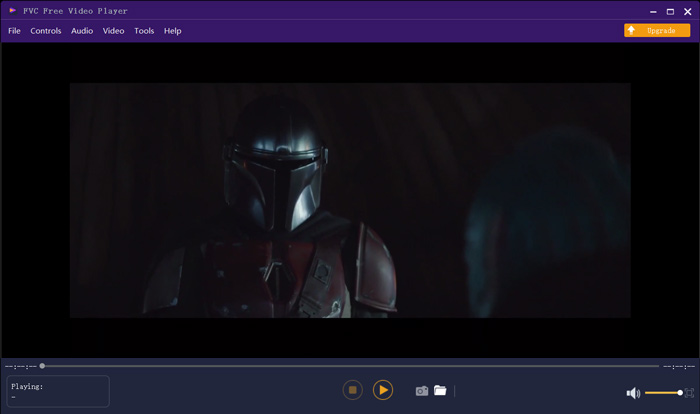
Mer än bara en gratis GIF-spelare stöder den starkt alla populära video- och ljudformat som MP4, MOV, FLV, AVI, WMV, VOB, MP3, AAC, ALAC, M4A, WAV, FLAC och mer. Det finns ingen filstorleksgräns för GIF-uppspelning. Det kan ge dig en fantastisk visuell upplevelse. Dessutom stöder den den avancerade DTS-HD och Dolby TrueHD ljudkodningstekniken som kan erbjuda en fantastisk ljudeffekt.
Del 2. GIF Player App för Android - OmniGIF
OmniGIF är ett verktyg för att spela upp GIF-bilder som främst är utvecklat för Android-användare. Om du vill öppna GIF-filer på en Android-telefon kan du använda det. Mer än bara en GIF-spelare fungerar OmniGIF också som en GIF-skapare och GIF-redigerare. Det låter dig enkelt hantera dina GIF-filer, videoklipp och foton. För GIF-uppspelningen på din Android-enhet kan du snabba upp eller sakta ner uppspelningen, spela framåt och bakåt, spela bildruta för bildruta och göra fler åtgärder efter behov.
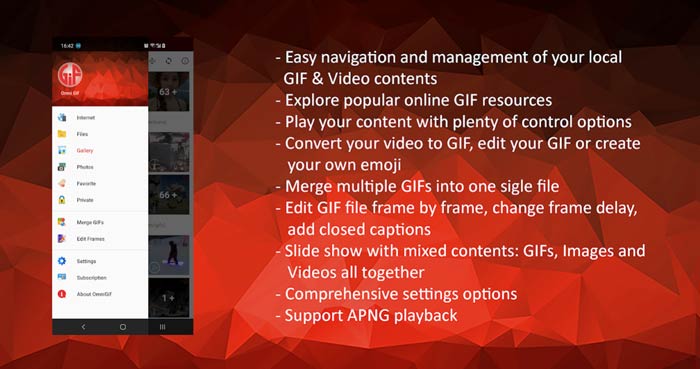
Med denna Android GIF-spelarapp kan du dölja några privata filer i hemlighet. Det ger dig också kraftfull GIF-redigering och skapande av funktioner. Dessutom ger OmniGIF en fantastisk delningsfunktion för att snabbt dela dina GIF-filer, videoklipp eller foton till Facebook, Instagram, Twitter, Messenger, Line, WhatsApp, Gmail och mer.
Del 3. GIF Player App för iPhone och iPad - GIF Viewer
GIF Viewer är en app för GIF-uppspelning för iOS-användare. Du kan gratis installera denna GIF-spelarapp från App Store på din iPhone eller iPad. Den kan enkelt spela upp, organisera och dela de GIF-filer som lagras i appen Bilder. Den här iOS-GIF-spelarappen låter dig också lägga till och visa GIF-animationer från andra källor.
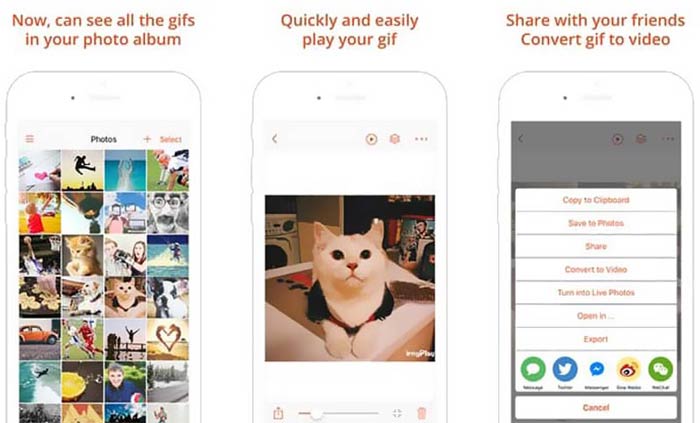
GIF Viewer kan spela upp alla typer av GIF-filer från lokal lagring, urklipp, iCloud Drive, Dropbox och kopierade Twitter-länkar. Dessutom kan den här GIF-spelaren hjälpa dig att konvertera GIF till video för bättre uppspelning på dina enheter.
Del 4. GIF Player för Mac och Windows PC - QuickTime Player
QuickTime Player är standardmediaspelaren för Mac. Den kan fungera som en GIF-spelare så att du kan öppna och visa GIF-filer på Mac. Om du använder en Mac kan du öppna en GIF-fil direkt med den här förinstallerade mediaspelaren. Den har också en Windows-version så att du kan spela upp GIF-filer på en Windows-dator.
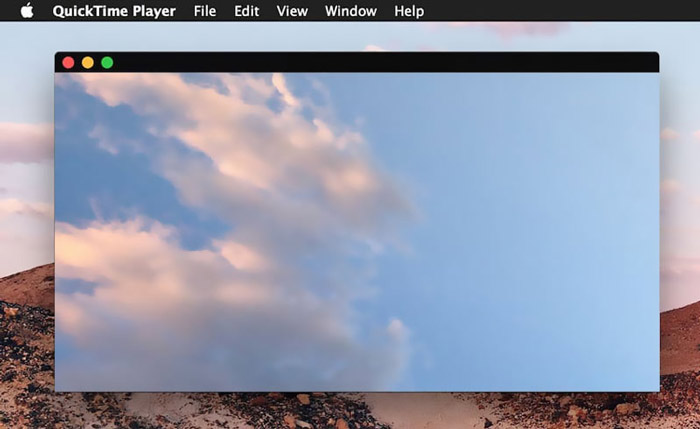
Som spelare kan QuickTime endast stödja vissa ofta använda video- och ljudformat, till exempel MP4, MOV, M4V, AAC, M4A, MP3 och mer. Den är utformad med några grundläggande redigerings- och inspelningsfunktioner. Du kan lita på den här GIF-spelaren för att fånga din skärm och redigera filen.
Del 5. Gratis online GIF-spelare - OnlineImageTools
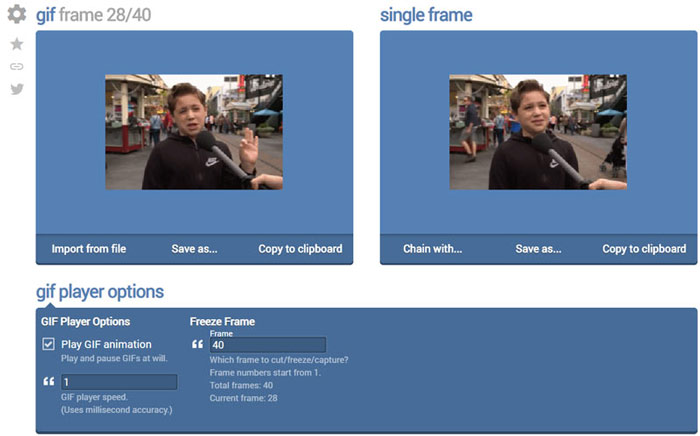
OnlineImageTools är ett webbaserat verktyg för uppspelning av GIF-filer som gör att du kan visa GIF-bilder på både Mac och Windows-datorer. Du behöver inte installera några insticksmoduler eller andra filer för GIF-uppspelning. Den här kostnadsfria webbläsarbaserade spelaren för GIF-animationer låter dig öppna din GIF-fil direkt online. För GIF-uppspelningen kan du spela upp en GIF-fil bildruta för bildruta.
Del 6. Vanliga frågor för GIF Player
Fråga 1. Hur sparar jag GIF på iPhone?
När du vill spara en GIF-fil på din iPhone kan du hålla GIF intryckt tills uppmaningen visas. Sedan kan du välja alternativet Spara bild för att spara det i appen Foton.
Fråga 2. Hur konverterar man gratis video till GIF?
För att skapa en GIF-fil från video kan du använda det populära verktyget Free Online Video Converter. Det låter dig konvertera valfritt videoklipp till GIF utan krångel.
Fråga 3. Kan VLC spela GIF?
Nej. VLC mediaspelare kan bara öppna en GIF-fil som en statisk bild.
Slutsats
Oavsett om du letar efter en GIF‑spelare för dator eller mobiltelefon kan du hitta en som passar bland de 5 rekommenderade verktygen för uppspelning av GIF-bilder ovan. Lämna ett meddelande till oss om du fortfarande har några frågor om GIF-spelare eller uppspelning av GIF-bilder.
-
 Handledning för att komprimera GIF och minska filstorleken med hög kvalitet
 Här är två enkla sätt att komprimera GIF på din dator eller mobiltelefon. Du kan använda FVC Free Online Video Compressor och Photoshop minska GIF-filstorleken i olika aspekter.
-
 Topp 10 FLV-spelare för Windows, Mac, iOS och Android 2021
 FLV-spelare hjälper dig enkelt att komma åt dina FLV-filer på din Windows-, Mac-, Android-, iOS-enhet. Kolla in de bästa FLV-filspelarna du kan ladda ner just nu.
-
 Topp 8 SWF File Player för att spela Flash-videofiler på Windows och Mac
 När du vill njuta av SWF-filmer och spel på PC och Mac kan du lära dig mer om de utmärkta funktionerna hos de 8 bästa SWF-filspelarna från artikeln.
