


 Video Converter Ultimate
 Skärminspelare
 Video reparation
Vad betyder AVI och hur man spelar det på stationära och mobila enheter
Ett av de kända okomprimerade formaten är AVI. Det används oftast för synkroniserad uppspelning av video och ljud. Om du vill veta mer om AVI ska du fortsätta läsa. Syftet med den här artikeln är att ta reda på vad AVI är och vilken mediaspelare som stöder den här typen av fil. Läs vidare nedan för att få fler idéer om formatet och tillgängliga mediaspelare.

Del 1. Vad är en AVI-fil
AVI introducerades på marknaden i slutet av 1992 av Microsoft. Förkortningen AVI står för Audio Video Interleave. Det är en av de mest populära filbehållarna tack vare sin enkelhet och kompatibilitet på olika plattformar. Så om du vill spela in eller ladda ner en video eller ett ljud i AVI-format kan du räkna med att filen blir stor, eftersom den är okomprimerad. För att få en bättre uppfattning följer här några av för- och nackdelarna med formatet.
Fördelar
- Det är en multifunktionell filbehållare som kan innehålla vilken fil som helst.
- Ofta använt format för alla kortfilmer, kampanjer och reklam. På grund av kvaliteten det ger.
- Kvalitets AVI-butikerna är exceptionella.
- Du behöver inte en specifik hårdvara eller programvara bara för att spela AVI-filer eftersom det är obegränsat.
- Komprimera AVI-filerna enkelt eftersom det stöder olika codecs som DivX, XviD, MPEG-1, MPEG-4 och mer.
Nackdelar
- Om du komprimerar AVI-filen över gränsen finns det en chans att din 4k-, HD- eller 1080-fil kommer att minska kvaliteten.
- AVI:er är inte komprimerade så förvänta dig en stor filstorlek om du använder den här typen av format.
- Om du använder codecs via online för att komprimera AVI kom ihåg att samma codecs måste installeras på din enhet. Att installera codec är väldigt enkelt men det är lite läskigt att välja codec eftersom vissa är opålitliga och osäkra. Så var försiktig om du laddar ner en.
Nu när du vet vad formatet handlar om är det dags att ta reda på hur man spelar upp AVI-filer på din dator. Alla verktyg som nämns nedan är bland de bästa mediaspelarna du redan kan ha stött på – eller kommer att stöta på – när du söker på webben. Varje AVI‑spelare har en beskrivning och steg-för-steg‑anvisningar, så läs noggrant för att se vilken som passar dig bäst.
Del 2. Hur man spelar AVI-filer på Mac och Windows Media Player
1. FVC gratis videospelare
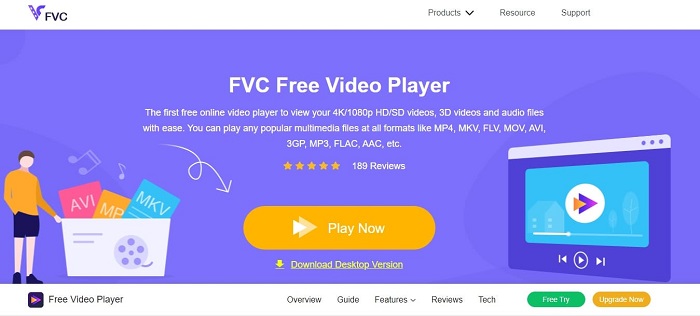
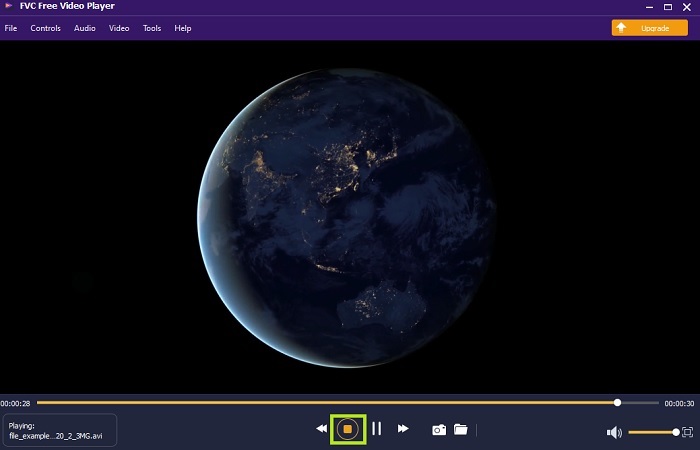
Använd den här FVC Free Video Player för att titta på valfritt videoformat via internet. Till skillnad från andra mediaspelare som nämns nedan kräver det här verktyget inga extra filer för att fungera. Så om du har en internetanslutning kan du titta när som helst och var som helst. Dessutom erbjuder den hög kvalitet och har aldrig problem med buggar när den spelar AVI-filer. Kom dock ihåg att om din internetanslutning avbryts kommer verktyget att behöva ladda eller pausa en stund. Detta är mycket vanligt eftersom det är beroende av internet. Du kan även spela DVD-skivor här om du vill. Du behöver inte längre fråga dig själv hur man öppnar AVI-filer för att kunna titta på dem, så länge du följer stegen nedan som tagits fram just för dig.
Steg 1. Klicka på den här hyperlänken för att gå till huvudsidan för AVI‑videospelaren.
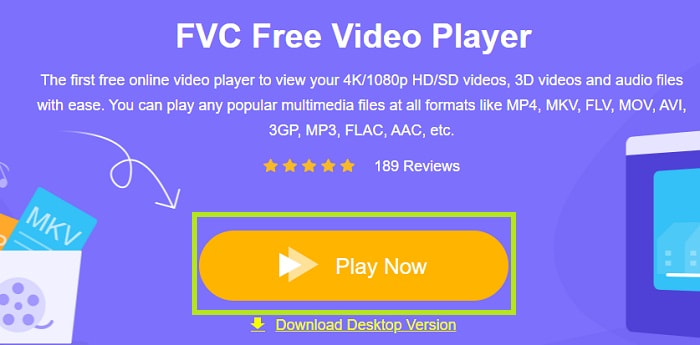
Steg 2. Klicka på Play Now för att starta den webbaserade AVI‑spelaren.
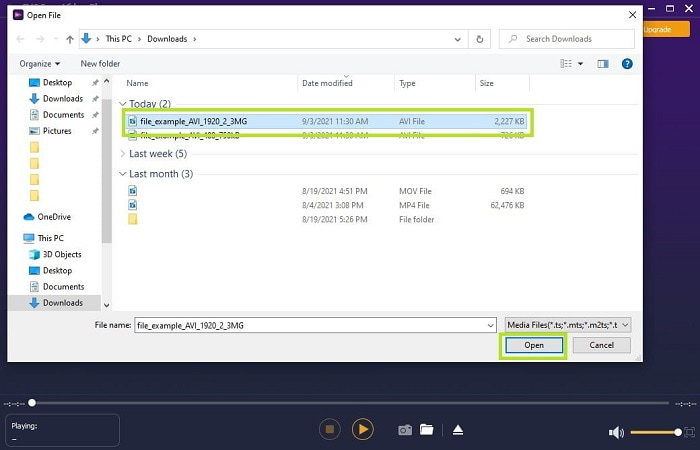
Steg 3. Klicka sedan på Open File och välj den AVI‑video du vill titta på. När du har valt filen klickar du på Open.
Steg 4. Vänta en kort stund tills AVI‑videon börjar spelas upp – voila, nu rullar den. I gränssnittet kan du dessutom ta skärmdumpar gratis medan du tittar, om du vill.
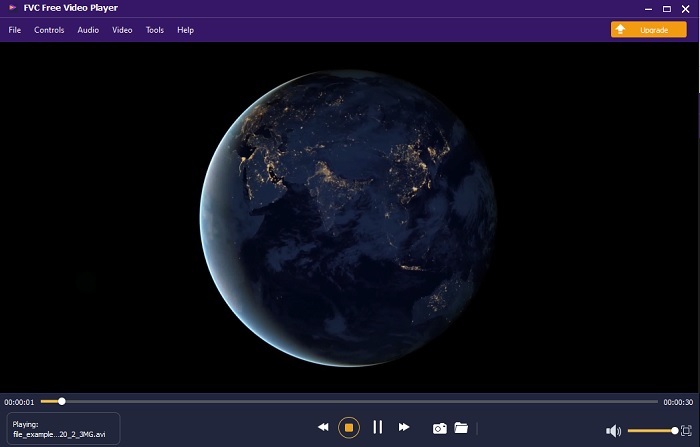
Steg 5. Och om du vill avsluta videon klickar du bara på fyrkantsknappen för att stoppa uppspelningen. Upprepa samma steg om du vill spela upp en annan AVI‑video eller något annat format.
Fördelar
- Ingen extra fil behövs för att starta verktyget.
- Det är mer effektivt än de andra verktygen nedan.
- Det ger 3D-vibbar om du tittar på en 4k-video.
Nackdelar
- Internetberoende så om du inte har internet kan du inte komma åt detta.
- Vissa viktiga funktioner på premium är inte synliga här.
2. Windows Media Player
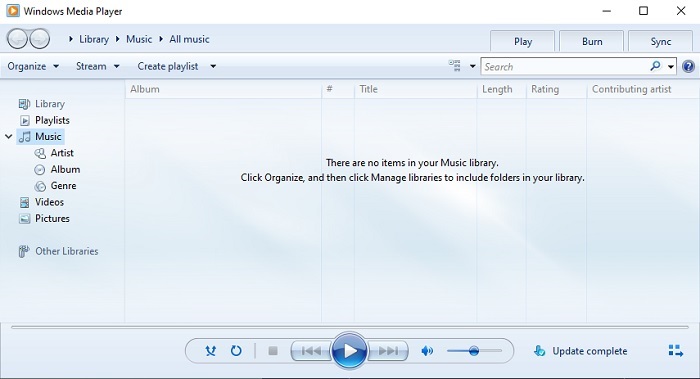
Om du vill veta hur man spelar AVI-filer i Windows 10 kan du använda den inbyggda mediaspelaren som utvecklats av Microsoft för Windows‑användare. I vissa fall behöver du dock ladda ner en extra kodek bara för att kunna spela AVI i den här spelaren. Det kan vara lite omständligt – och ibland irriterande – eftersom det kan vara svårt att hitta rätt kodek. Räkna med lite trial and error i sådana fall, och att du ibland råkar ladda ner fel kodekar. Men du behöver inte oroa dig, för det är väldigt enkelt att ladda ner kodekar till din dator.
Fördelar
- Inbyggd mediaspelare för Windows.
- Stöder nästan alla format.
- Lätt att använda.
Nackdelar
- I vissa fall måste du ladda ner ytterligare codec som det här verktyget inte stöder.
- Ger inte streaming över långsamma DSL-anslutningar.
3. VLC Media Player
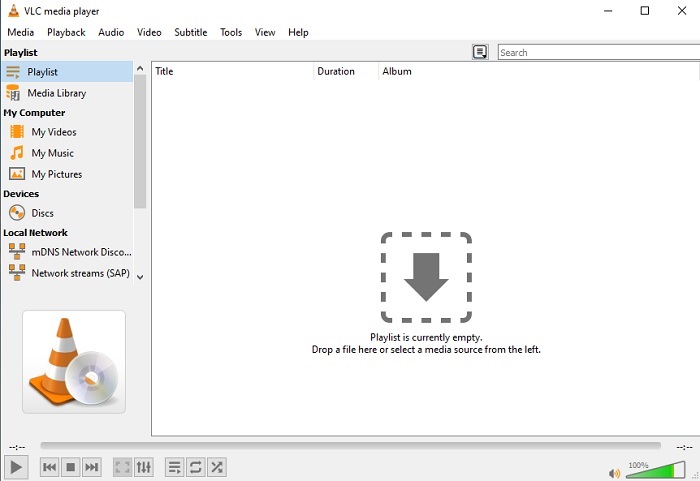
Den här mediaspelaren kräver inga extra kodekar för att ladda ner och spela AVI. Om du undrar hur man kör en AVI-fil utan krångel kan VLC Media Player vara svaret. Den här spelaren hjälper miljontals användare världen över att spela upp sina mediafiler genom att de helt enkelt öppnar filen och spelar upp den här. Trots att miljontals användare litar på verktyget finns det vissa buggar, och några filtyper stöds inte av programmet. Du kan räkna med enstaka fel, men det sker bara då och då.
Fördelar
- En av de bästa mediespelarna för alla plattformar.
- Den kan spela upp video även om den ännu inte är färdig att laddas ner. Men inte hela videon.
- Flexibel i alla format.
Nackdelar
- För det mesta finns det några mindre buggar som du kan stöta på när du använder VLC.
- Det har också svårt att spela vissa videoformat på grund av codecs.
Del 3. Hur man tittar på AVI-filer på iPhone
Mediaspelarna ovan kan inte användas direkt på dina mobila enheter. Men det finns ett sätt att spela AVI på iPhone eller iPod. Dessutom vet vi att AVI‑filer är stora. Om du överför dem till din telefon kommer de att ta upp mycket lagringsutrymme. I stället för att föra över den råa AVI‑filen bör du konvertera den till ett nytt format som kan spelas upp utan att tappa kvalitet. Konvertera AVI till ett lämpligt format med hjälp av Video Converter Ultimate. För mer information om hur du konverterar, gå till den här länken.
Del 4. Vanliga frågor om AVI
Vilket är bättre, AVI eller MP4?
AVI har bättre kvalitet men är okomprimerat, medan MP4‑filer tar mindre plats men ändå håller god kvalitet. Om du vill veta mer om skillnaderna och vilket format som är bäst bör du klicka på AVI vs MP4.
Hur konverterar man AVI till MP4?
Att konvertera är det bästa sättet att minska filstorleken och byta till ett annat format. Och det bästa sättet att konvertera AVI till MP4 finns beskrivet här i artikeln. Den går igenom steg för steg hur du konverterar och vilka olika verktyg du kan använda.
Kan QuickTime spela AVI?
Även om QuickTime mediaspelare stöder olika format, finns det några problem att spela AVI på Mac standardspelare. På grund av den proprietära Microsoft har. Så för att veta vad som är det bästa alternativet för QuickTime måste du läsa den här artikeln och välja vilket som är det bästa alternativet.
Vad händer om filen AVI inte öppnas?
Det finns några anledningar till att AVI-filer inte öppnas. För det första beror det på att filen är ofullständig, förutom att på grund av att den är okomprimerad kan någon fil gå förlorad. För det andra, AVI-formatet stöds inte på din lokala eller tredjeparts mediaspelare. För det tredje, betrakta den som död, särskilt om du komprimerar den för mycket att den kan förvandlas till en ospelbar. Slutligen är codec fel, så om du komprimerar AVI med olika codec samtidigt är detta problem vanligt.
Slutsats
Sammanfattningsvis används AVI av många användare över hela webben. Men själva filen är okomprimerad, så du bör vara beredd på att behöva mycket lagringsutrymme om du spelar in, laddar ner eller överför AVI‑filer. Från och med nu behöver du inte längre fråga vad är AVI-format, tack vare informationen ovan och tipsen om var du kan spela upp det. Använd gärna FVC Free Video Player, eftersom det är open source och kan nås av alla med internetanslutning. Du kan också välja premiumversionen av verktyget, som stöder fler format än gratisversionen och dessutom har många fler funktioner. Om du vill prova den klickar du på nedladdningsknappen för att installera den på din dator.
-
 Topp 5 bästa Windows Media Player -alternativ för Android -mobiler
 Eftersom du inte kan ladda ner Windows Media Player för Android bör du läsa den här artikeln och lära dig om de 5 bästa alternativen till Windows Media Player.
-
 Topp 5 bästa videospelare för iPhone du inte bör missa 2025
 För att spela upp videor i alla format och få en bättre tittarupplevelse på din iPhone, bör du läsa den här artikeln och lära dig om de bästa 5 videospelarna för iPhone 12/11/X/8/7/6.
-
 Exceptionell guide om hur man spelar MOV -filer på Android -mobila enheter
 Har du ett problem varför dina MOV -filer inte spelas upp på din Android mediaspelare? Läs sedan den här artikeln, den ger dig två olika metoder för att fixa MOV -filer och göra dem spelbara.
