


 Video Converter Ultimate
 Skärminspelare
 Video reparation
Konvertera MPEG till AVI med 5 tillgängliga MPEG till AVI Video Converter
MPEG är ett av de bästa formaten du kanske redan har stött på, eftersom det lagrar filer för video och ljud. Dessutom är det inte bara en behållare, utan använder även komprimeringarna MPEG‑1 och MPEG‑2. MPEG‑1 och MPEG‑2 är dock gamla format som tidigare brukade lagras på Blu‑ray‑skivor. Nu ska vi därför förklara hur du kan förbättra detta genom att konvertera formatet till AVI. I listan nedan presenterar vi olika verktyg du kan använda för att konvertera MPEG till AVI och går djupare in på detaljer om MPEG och AVI.
Del 1. Kort förklaring om MPEG- och AVI-filformat
MPEG och AVI är ett av de förstklassiga formaten du kan använda för att lagra en mediefil. Även om de är bra, finns det fortfarande några anledningar till varför du behöver använda MPEG till AVI videoomvandlare. Men för tillfället kommer vi att förklara mycket detaljer om de två formaten och ha en idé om MPEG och AVI.
Som tidigare nämnts är MPEG inte bara en behållare, utan den har också en inbyggd kompressor. I grund och botten är det ett filformat med dubbla syften. Det här formatet är också det mest använda formatet på Blu-ray på grund av kvaliteten och komprimeringen det ger. Dessutom är MPEG-formatet klassificerat i 6 men vi kommer att diskutera de två vanligaste och det är MPEG-1 och MPEG-2. Dessutom är MPEG-1 den första generationen MPEG. Detta format lagrar standardbaserad upplösning men jämfört med upplösningen för det andra formatet är MPEG-1 mycket lägre. Även om MPEG-2 erbjuder mycket bättre kvalitet än MPEG-1 fungerar den dock bäst på Blu-ray och DVD-skivor. Det här formatet används också oftast av TV-stationen för att överföra och spela upp en video.
Men AVI skiljer sig mycket från MPEG eftersom det är okomprimerat. Kvaliteten detta format ger är dessutom hög, eftersom det inte komprimerar filen det innehåller. Även om formatet tar mycket plats får det ändå stort stöd på alla plattformar jämfört med MPEG‑filer.
Del 2. 2 av den bästa konverteraren som används för att konvertera MPEG till AVI-format offline
1. FVC Video Converter Ultimate
Om du letar efter en mångsidig MPEG‑till‑AVI‑konverterare och nedladdare är FVC Video Converter Ultimate rätt verktyg. Detta verktyg får redan en hög placering i den här artikeln på grund av de funktioner och den enkelhet det erbjuder. Trots att det är lätt att använda kan du uppnå det fenomenala resultat du alltid har velat ha. Till skillnad från många andra konverterare lägger denna programvara dessutom ribban mycket högt. Så om du vill nå fullständig framgång före, under och efter din konvertering är detta ett måste. Nu går vi vidare till steg‑för‑steg‑guiden för hur du använder FVC Video Converter Ultimate.
Steg 1. För att ladda ned verktyget till din dator klickar du på knappen nedan. Installera det när nedladdningen är klar, gör en snabb grundinställning och klicka på Start Now.
Gratis nedladdningFör Windows 7 eller senareSäker nedladdning
Gratis nedladdningFör MacOS 10.7 eller senareSäker nedladdning
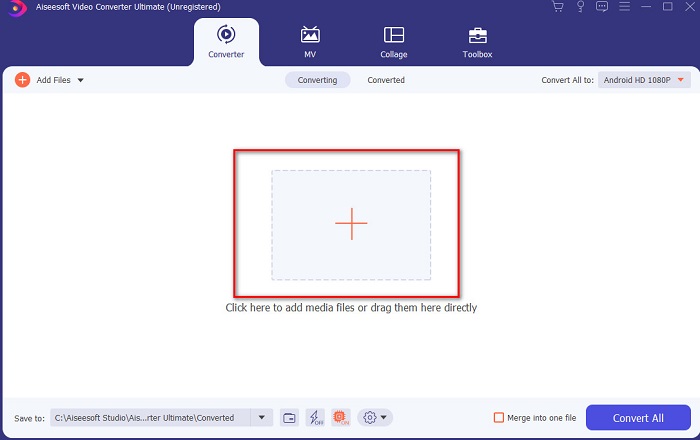
Steg 2. Programmets gränssnitt ska se ut så här; klicka sedan på plustecknet i mitten. En mapp visas på skärmen, välj MPEG‑videofilen du vill konvertera och klicka på Open.
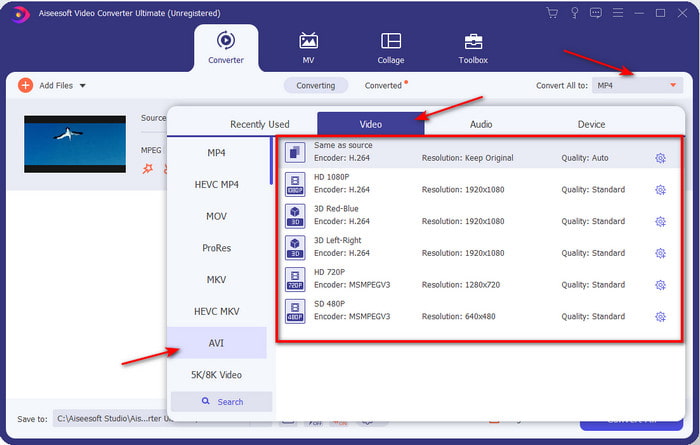
Steg 3. När filen finns i gränssnittet klickar du på Convert All to: och letar upp formatet AVI.
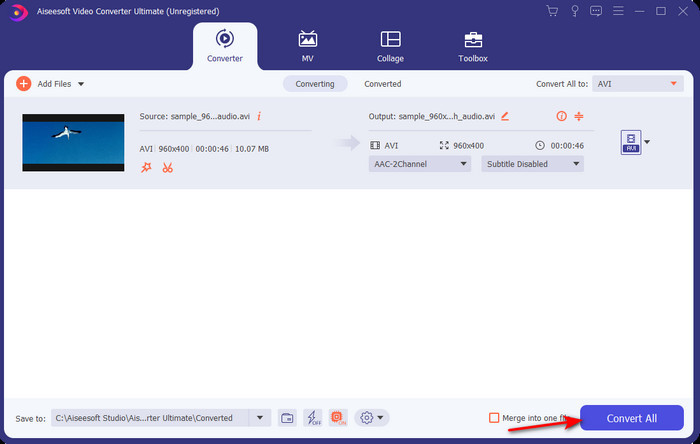
Steg 4. För att nu starta konverteringen av MPEG‑4‑filmer till AVI‑format trycker du på Convert All.
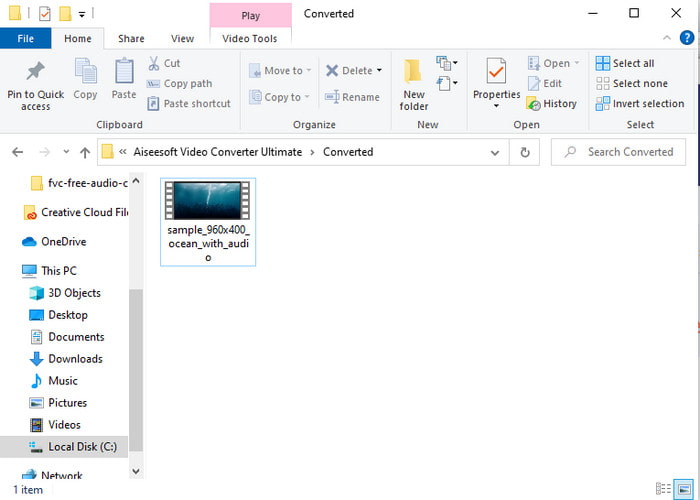
Steg 5. Nedladdningen av filen tar bara några minuter, och när det är klart visas en mapp med den konverterade filen. Klicka nu på filen för att titta på din nykonverterade MPEG‑fil.
2. FFmpeg
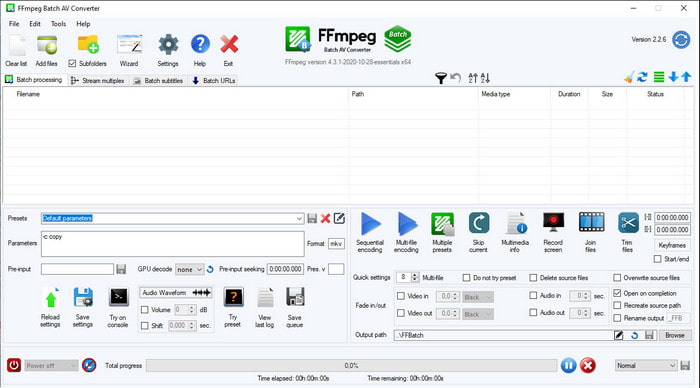
Ett annat program som finns med i den här listan är FFmpeg. Om du letar efter öppen källkod är detta ett av alternativen du kan hitta på webben. Programmets gränssnitt är dock svårt att förstå, särskilt för både nybörjare och mer erfarna användare. Själva konverteringsprocessen är däremot generellt mycket bra och ger hög kvalitet, precis som andra konverterare. Om du vill konvertera MPEG till AVI med FFmpeg följer du stegen nedan, som vi har gjort enkla att förstå.
Steg 1. Ladda ned FFmpeg till din dator och skapa en ny mapp, packa sedan upp filen i den.
Steg 2. Sök efter CDM i Windows och öppna det.
Steg 3. Leta upp filen via kommandotolken, skriv sedan in denna kod ffmpeg -i input.mpeg -vn -ar 44100 -ac 2 -b:a 192k output.avi och tryck på Enter på tangentbordet för att starta processen.
Del 3. 3 av den bästa konverteraren som används för att konvertera MPEG till AVI-format online
3. FVC Free Video Converter
Om du letar efter den bästa kostnadsfria MPEG‑till‑AVI‑konverteraren online är FVC Free Video Converter det webbaserade verktyg som passar dig. Det beror på hur enkelt gränssnittet på onlinetjänsten är. Dessutom är en stor fördel med detta onlineverktyg att du enkelt kan komma åt det via din favoritwebbläsare. Dessutom finns det inga begränsningar för konverteringen, vilket innebär att du kan konvertera vilket format du vill när som helst. Däremot kan du inte göra batchkonvertering här, till skillnad från i FVC Video Converter Ultimate. Om du vill prova detta onlineverktyg följer du stegen nedan.
Steg 1. För att gå till huvudsidan för FVC‑konverteraren måste du först klicka på denna länk.
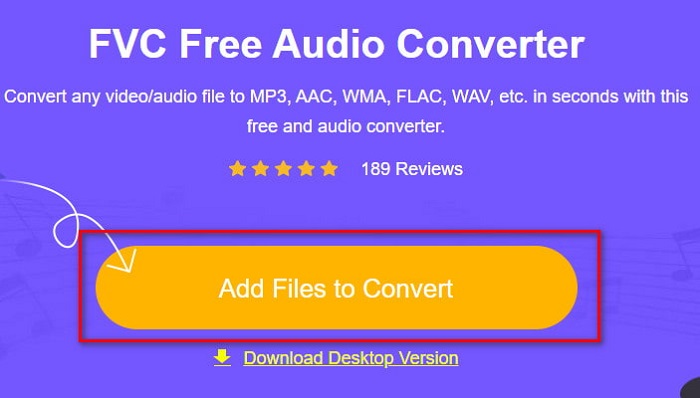
Steg 2. Klicka på Add Files to Convert, då startar onlinetjänsten och en mapp visas. Leta upp filen och klicka på Open.
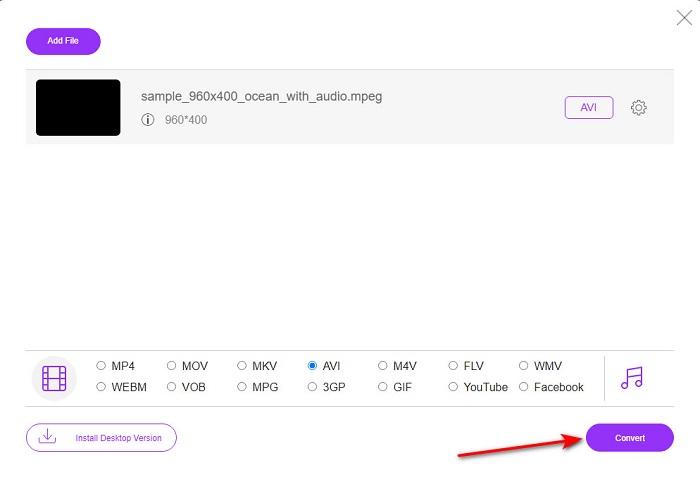
Steg 3. När webbaserade verktyget har startat väljer du formatet som visas i detta avsnitt.
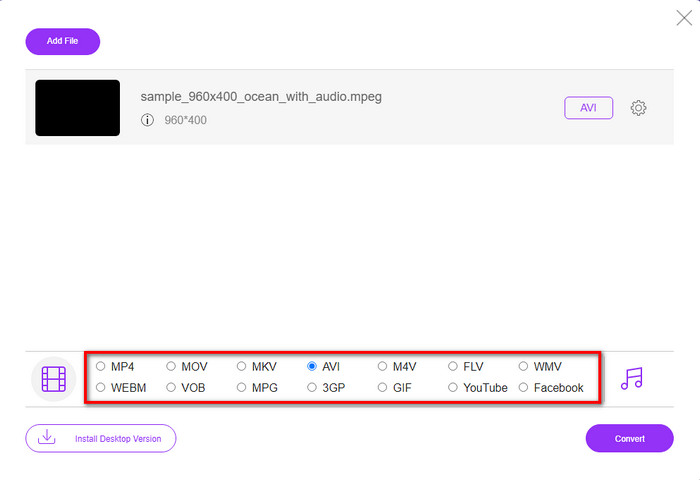
Steg 4. När du har valt format är det dags att konvertera genom att klicka på knappen Convert.
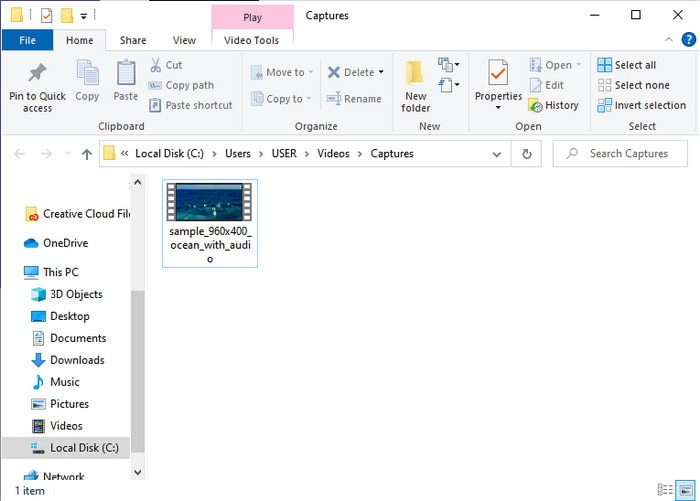
Steg 5. Vänta en kort stund tills processen startar. När den är klar visas en mapp med den konverterade filen du just har skapat.
4. Freeconvert.com
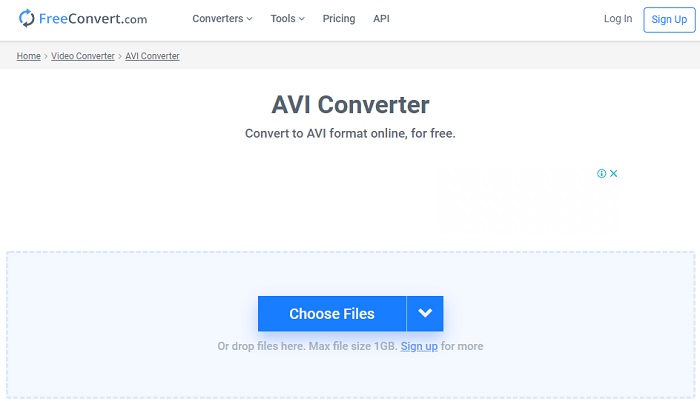
Precis som onlinetjänsten ovan är detta ett annat webbaserat verktyg du kan använda, Freeconvert.com. Detta verktyg har redan blivit populärt bland användare på nätet. Många användare berömmer det för hur enkelt det är att använda och för dess övriga funktioner. Men om du väljer detta verktyg finns en tydlig nackdel: antalet format som stöds är begränsat. En annan nackdel är att konverteringsprocessen här är något långsammare än väntat. Om du vill veta hur du använder denna onlinekonverterare följer du stegen nedan.
Steg 1. Sök efter webbplatsen freeconvert.com på nätet. Klicka sedan på AVI under Video Converters.
Steg 2. Tryck på Choose File och leta upp MPEG‑filen i mappen som visas. När du har valt filen klickar du på Convert To AVI.
Steg 3. Vänta tills uppladdningen är klar och klicka sedan på Download AVI för att spara filen.
Del 4. Vanliga frågor om MPEG till AVI-konvertering
Försvinner kvaliteten på att konvertera MPEG?
Tja, det beror på vilket format du kommer att göra om det till. Så om du vänder din MPEG till GIF kan du förvänta dig en drastisk förändring eftersom den stöder en mindre färgkombination än det andra formatet. Men om du använder ett annat format än GIF, förvänta dig ingen förlust.
Är MPEG förlustfri eller förlustfri?
MPEG stöder förlustkomprimering så om du använder det här formatet kan du förvänta dig en mindre filstorlek även om du har lång video och ljud.
Är MPEG ett bra format?
Innan var det ett av de bästa formaten du kan använda för att lagra data på dina DVD-skivor. Men i denna era är MPEG inte det bästa valet för att lagra data. Men om du vill lagra den på DVD-skivor, CD-skivor eller Blu-ray och överföra dem mycket snabbare, måste detta vara ett val.
Slutsats
För att sammanfatta det, all online- och offlineprogramvara som presenteras här är bra att användas för att konvertera formatet. Det finns dock ett verktyg som bevisar att du enkelt kan uppnå en fenomenal konvertering med FVC Video Converter Ultimate. Faktum är att vi kan förklara det inom 3 ord och det är lätt att använda, effektivt och säkert också. Så om du vill uppnå storhet, ladda ner det här verktyget just nu och prova det.
-
 Hur konverterar du MPEG till MP4-filer gratis på Windows, Mac, online
 Läs och få 3 gratis sätt att konvertera MPEG till MP4-filer på din dator. Du kan använda videokonverterare online och stationärt för att enkelt vända MPEG till MP4-format.
-
 [2021] Bästa verktyg och enkla sätt att konvertera MPEG till MP3
 Den här artikeln talar främst om hur du kan konvertera dina MPEG-videor till MP3 med hjälp av de mest pålitliga verktygen på listan.
-
 Handledning för att konvertera MP4 till AVI-filer med 7 gratis videokonverterare
 Vill du få alla gratis sätt att konvertera AVI till MP4-video? Du bör inte missa den här artikeln. Här är 7 sätt att konvertera AVI-filer till MP4 gratis på Windows, Mac, iPhone, Android och online.
