


 Video Converter Ultimate
 Skärminspelare
 Video reparation
Bästa gratis MPEG till MKV-omvandlare du aldrig bör missa
MPEG är en av de vanligaste kodarna för mediainnehåll som ger videor av hög kvalitet. Även om det är en standardiserad videokomprimering måste du ändå konvertera din MPEG till ett nytt format som MKV för att göra den brett stödd. I det fallet gör vi det enklare för dig att hitta det perfekta verktyget genom att handplocka konverterare som bara levererar lyckade resultat för dig. Så om du nu vill veta vilka dessa fem kostnadsfria MPEG till MKV‑konverterare är, som finns tillgängliga på alla plattformar, bör du spänna fast säkerhetsbältet och läsa vidare i nästa avsnitt.

Del 1. Topp 5 MPEG till MKV Converter på Windows/Mac/Online/Mobiltelefoner
Topp 1. FVC Video Converter Ultimate (Windows & Mac)
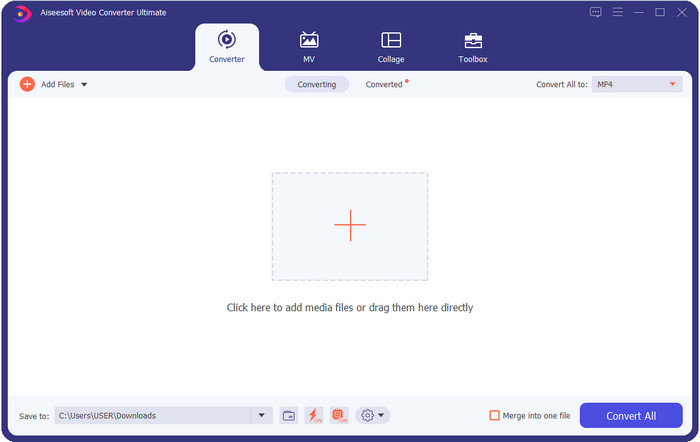
FVC Video Converter Ultimate erbjuder en komplett konverteringsprocess för alla förlustfria eller förlustkomprimerade mediakonverteringar du kan behöva. Den här konverteraren ger ett professionellt resultat men är ändå lättillgänglig för nybörjare eller för dem som inte är tekniskt lagda, så om du väljer den här konverteraren kan du räkna med att den är problemfri. Dessutom är den känd för att kunna konvertera över 200 format till en ny version, men den kan också fungera som din användarvänliga redigerare – även för mer avancerad redigering som videoförbättring, ljudförstärkning, färgkorrigering med mera; säg vad du behöver, så kan det här verktyget utföra det. Vill du dessutom använda den här konverteraren för att konvertera MPEG till MKV, läser du handledningen i nästa del.
Fördelar
- Konvertera flera MPEG till MP4, MKV, AVI, MOV, WMV eller andra format avslappnat.
- Redigeringsfunktioner är tillgängliga för att göra din video imponerande.
- Ultrasnabb konvertering stöds här för en blixtsnabb konvertering.
- Tillgänglig på alla plattformar som Windows och macOS.
Nackdelar
- Köp verktyget innan du kan använda det.
Topp 2. TalkHelper Video Converter (Windows)
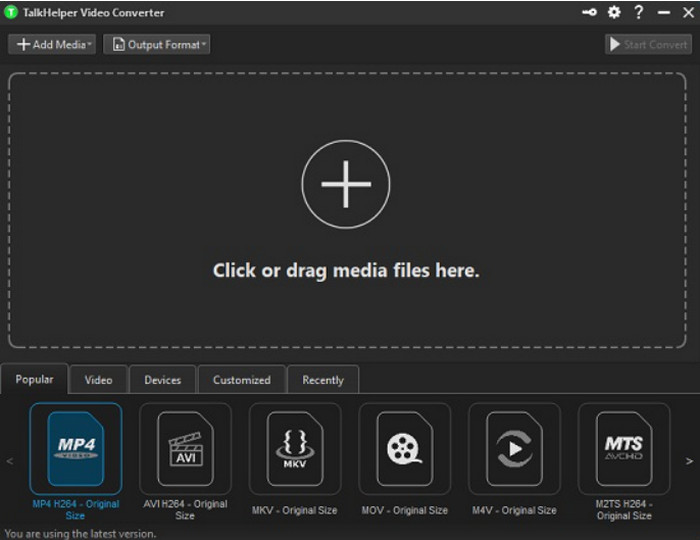
En annan kostnadsfri MPEG till MKV‑konverterare du kan använda är TalkHelper Video Converter. Den här konverteraren gör det möjligt för användare att konvertera MPEG till de format som stöds i listan, såsom MP4, MKV, AVI, MOV och WMV. Om du dessutom använder Windows Vista/8/8.1/10 kan du enkelt ladda ner verktyget; om din Windows‑version inte är någon av dessa kan du däremot inte använda det, och om du är Mac‑användare kan du inte heller ladda ner det. Även om verktyget skiljer sig en hel del från det ultimata verktyget högst upp är det värt att nämna tack vare hur bra det fungerar som konverterare.
Fördelar
- Den stöder flera konverteringar på MPEG till MKV.
- Tillåter att justera video och ställa in specifik videokvalitet.
- Tillgänglig på Windows Vista/8/8.1/10.
Nackdelar
- Begränsad till endast Windows.
- Köp behövs.
Topp 3. iConv - Video & PDF Converter (iOS)
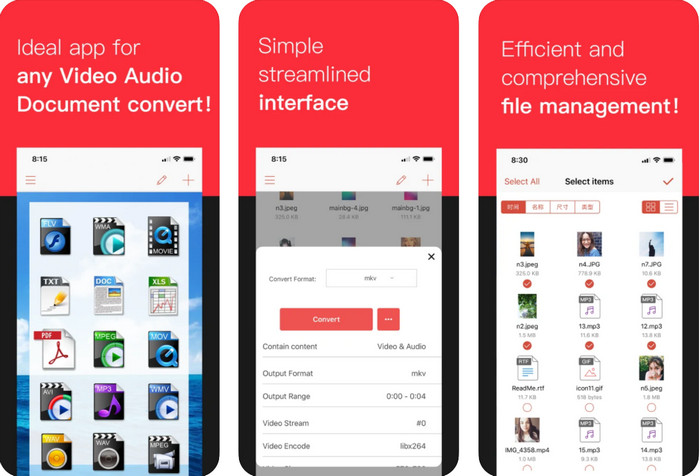
Om du letar efter en kostnadsfri MPEG till MKV‑konverterare att ladda ner på iOS, presenterar vi iConv. Det här verktyget är främst till för att konvertera videoformat till ett nytt format inom räckhåll för iOS‑användare. Dessutom kan den här iOS‑konverteraren även konvertera bilder, PDF, ljud osv. Den fungerar också lika bra på både iPhone och iPad, med samma funktioner inkluderade. Användare som redan har provat den här konverteraren säger dock att verktyget kraschar för det mesta. Så om du laddar ner och använder den ska du räkna med vissa krascher eller buggar, vilket är mycket vanligt i mobilappar.
Fördelar
- Konvertera din MPEG till MKV enkelt med denna iOS-baserade omvandlare.
- Lätt att använda.
- Redigera videor enkelt.
Nackdelar
- Buggar och krascher händer fortfarande efter uppdateringen.
- Annonser finns överallt om du inte köpte verktyget.
Topp 4. Videokonverterare, Kompressor MP4, 3GP, MKV, MOV, AVI (Android)
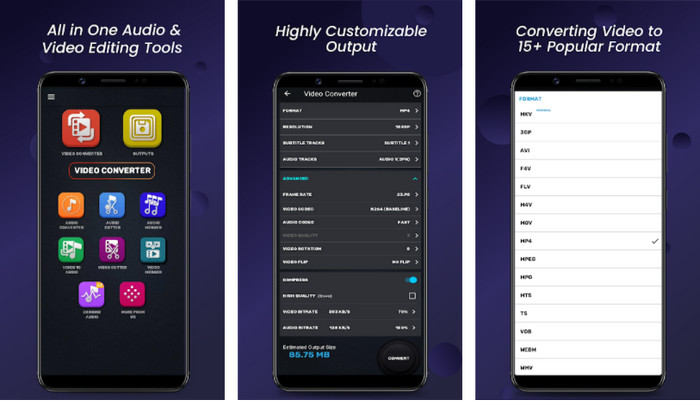
Du behöver inte oroa dig om du är Android‑användare, eftersom vi också presenterar en MPEG till MKV‑konverterare som är gratis att ladda ner i Play Store. Video Converter, Compressor MP4, 3GP, MKV, MOV, and AVI kan konvertera dina MPEG‑filer på dina Android‑telefoner när du än behöver det. Till skillnad från andra konverteringsappar vi använder på Android har vi upptäckt att den här appen är helt annorlunda när det gäller hur den hanterar konverteringsprocessen. Den stöder också ett mycket brett utbud av format som du kan välja och ladda upp. Dessutom kan du göra grundläggande komprimering, justera bildfrekvens (FPS) och ändra upplösning om du behöver det. Trots alla dessa funktioner måste du dock räkna med att vänta länge eftersom konverteringsprocessen tar tid.
Fördelar
- Effektiv för att konvertera din MPEG till MKV på din Android.
- Pålitlig och intuitiv.
- Gratis att ladda ner.
Nackdelar
- Processen att konvertera filen tar mycket tid.
- Annonser dödar appen om du inte köpte den.
Topp 5. FVC Free Video Converter Online
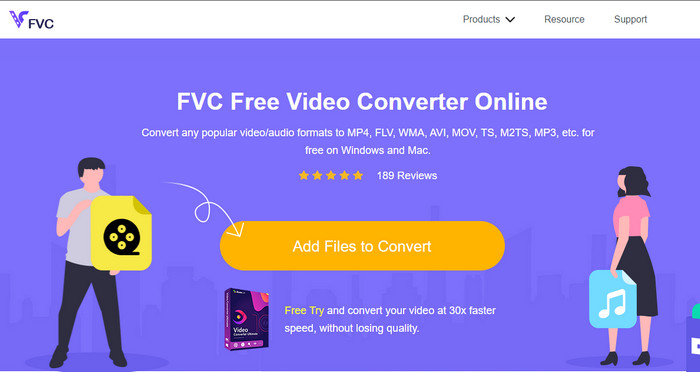
FVC Free Video Converter Online kan konvertera MPEG till MKV online utan att du behöver ladda ner någon konverterare till din hårddisk. Med den här konverteraren kan du konvertera ditt format utan begränsningar och gratis, utifrån dina behov. Den här onlinekonverteraren kan enkelt koda de flesta format vilken dag som helst. Däremot kan den inte utföra batchkonvertering för att konvertera flera format på en gång. Dessutom är den beroende av internet, vilket innebär att konverteringsprocessen beror på hur snabbt ditt internet är. Ändå har det här verktyget redan hjälpt miljontals internetanvändare med deras konverteringsproblem, och kanske blir du nästa.
Fördelar
- Konvertera video enkelt på webben med denna omvandlare.
- Att ladda ner det är inte nödvändigt.
- Tillgängligt på alla plattformar för att hjälpa dig med ditt konverteringsproblem.
Nackdelar
- Behöver internetuppkoppling för att fungera.
- Den stöder ett begränsat format som du kan välja på.
Del 2. Hur man konverterar MPEG till MKV med Video Converter Ultimate
Följande detaljer kommer att vara stegen för att framgångsrikt använda det ultimata verktyget som en gratis MPEG till MKV-omvandlare.
Steg 1. Klicka på nedladdningsknappen nedan för att ladda ner konverteraren till din dator. Följ därefter installationsprocessen och starta programmet.
Gratis nedladdningFör Windows 7 eller senareSäker nedladdning
Gratis nedladdningFör MacOS 10.7 eller senareSäker nedladdning
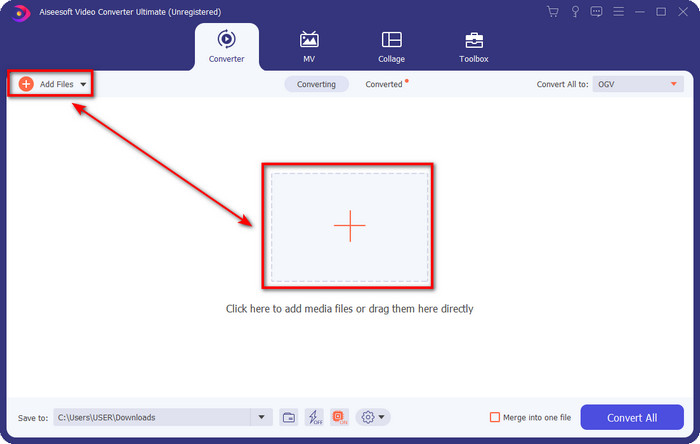
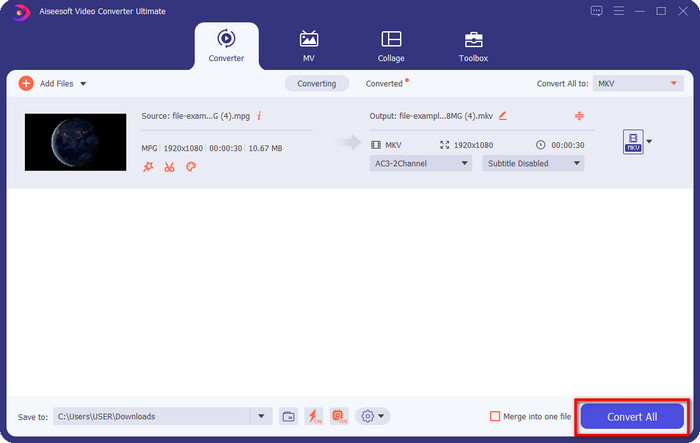
Steg 2. Efter att du har startat konverteraren kan du nu ladda upp .mpeg‑ eller .mpg‑filen här genom att klicka på Add File eller +-knappen. Leta upp filen i mappen som visas på skärmen och tryck på Open för att gå vidare till nästa steg.
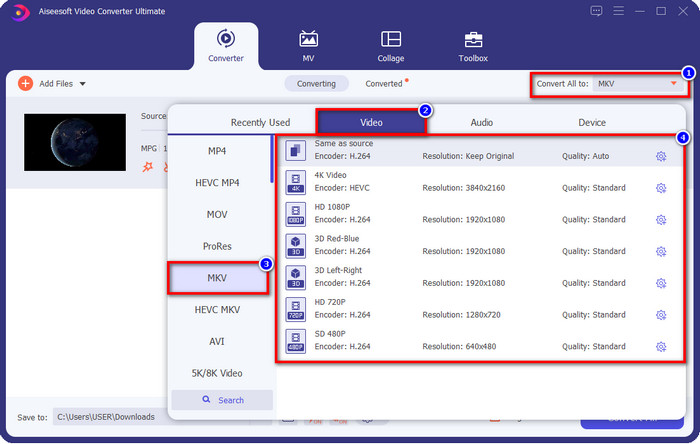
Steg 3. För att ändra format klickar du på Convert All to uppe till höger i gränssnittet. Under alternativen väljer du MKV-formatet utifrån dina önskemål. Det finns flera alternativ och olika videokvalitet, kodare och mer.
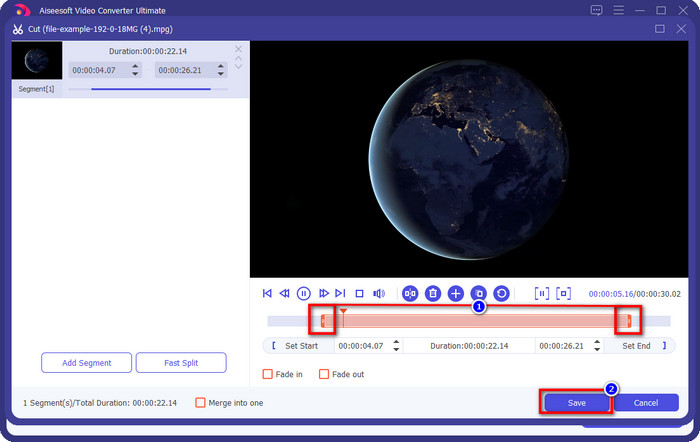
Valfritt. Om du behöver klippa bort onödiga delar i din video klickar du på knappen som ser ut som en sax. Justera videons längd genom att dra i play‑huvudet. När du är nöjd med ändringarna klickar du på Save.
Steg 4. Nu är du i det sista steget där du ska konvertera filen genom att klicka på Convert All. Filen blir klar direkt; du har nu omvandlat din .mpeg till .mkv med dessa steg.
Del 3. Jämförelsestabell
| Funktioner | FVC Video Converter Ultimate | TalkHelper Video Converter | iConv – Video & PDF Converter | Videokonverterare, Kompressor MP4, 3GP, MKV, MOV, AVI | FVC gratis videokonverterare online |
| Konvertera MPEG till MKV effektivt |  | | | | |
| Batchkonvertering | | | |  | |
| Redigeringsfunktioner | | | | | |
| Ultrasnabb konvertering | | | | | |
| Plattformsbaserad | Skrivbordsbaserad | Endast Windows-baserad | iOS-baserad | Android-baserad | Web-baserat |
Del 4. Vanliga frågor om MPEG till MKV-konvertering
Vad är fördelen med MPEG?
MPEG gör vår överföring, nedladdning, streaming online snabbare än vad andra videoformat kan ge. Dessutom använder detta videoformat MPEG-1 och MPEG-2 för att komprimera videoformatet, men dess kvalitet förblir densamma, vilket betyder att det inte kommer att påverkas. Så om du behöver ett bra videoformat för att distribuera filmer är MPEG ett val.
Vilket är bättre, MPEG eller MKV?
När det gäller formatens prestanda är de båda utmärkta. Men om du vill innehålla flera innehåll och element i en fil, så har MKV en stark färg på detta område. Filstorleken är dock enorm på grund av innehållet och komponenterna. Anta att du vill ha ett mindre filformat för att överföra video, då hjälper MPEG dig. Även om den kan innehålla metadata är den inte så detaljerad som MKV.
Varför är min MPEG-fil så stor?
Det finns många orsaker till att din MPEG‑fil är stor; en av anledningarna är att videons längd är relativt lång. Det förklarar varför dina MPEG‑filer är stora; även om MPEG använder en kodare måste du ändå komprimera filen om du vill spara utrymme på lagringen eller skicka den snabbare. Vill du veta hur man komprimerar MPEG? Klicka och läs den här artikeln.
Slutsats
Den här artikeln täcker dig om du vill eller behöver konvertera MPEG till MKV. Vi har testat alla konverterare för att säkerställa att de fungerar perfekt. Men om vi jämför dessa fem verktyg kan vi se att FVC Video Converter Ultimate presterar bättre. Så om du nu vill ge din konvertering en professionell touch är det ultimata verktyget det rätta valet enligt de detaljer vi gav ovan. Behöver du veta mer om det ultimata verktyget? Eller vill du testa det själv? I så fall är nedladdning det enda sättet att se om det fungerar så som vårt omdöme beskriver.
-
 [2021] Bästa verktyg och enkla sätt att konvertera MPEG till MP3
 Den här artikeln talar främst om hur du kan konvertera dina MPEG-videor till MP3 med hjälp av de mest pålitliga verktygen på listan.
-
 De 5 bästa valen för att konvertera MPEG till AVI-format [Online & Offline]
 Har du svårt att leta efter en konverterare för MPEG? Försök sedan att läsa den här artikeln när vi lär oss hur du ändrar MPEG till AVI-format med detaljerade steg.
-
 Topp 3 bästa teknikerna för hur man konverterar MPEG till FLV på PC och Mac
 Behöver du konvertera MPEG-filer till FLV-format? Om så är fallet, läs den här artikeln för att förstå hur du konverterar filen och vilka konverterare du kan använda.
