


 Video Converter Ultimate
 Skärminspelare
 Video reparation
 Säker nedladdning
Komplett handledning om hur du tar bort Weibo-vattenstämpeln du behöver veta
Weibo är en känd social medieplattform som används för att dela, sprida och få information som Twitter som du ofta kan använda i Kina. Du kan också lägga upp och ladda ner miniatyrer, foton och videor här. Det kommer dock att finnas en vattenstämpel när du exporterar den. Många användare vill ta bort det eftersom det stör innehållets visuella utseende.
Trots att det finns tusentals verktyg för att ta bort vattenstämplar kan få av dem verkligen hantera borttagningen på ett effektivt sätt. Om du inte gillar vattenstämpeln på det visuella material du laddar ner, har den här artikeln samlat de bästa verktygen att använda. Vi har testat dem för att bevisa att de fungerar bra i praktiken när det gäller att ta bort vattenstämplar. För att lära dig hur du tar bort Weibo-vattenstämpeln behöver du bara fortsätta läsa den här artikeln.

Del 1. Hur man tar bort vattenstämpel från Weibo-video med den ultimata vattenstämpelborttagaren
Weibo-vattenstämpeln kan vara ett problem i andra verktyg eftersom de flesta lämnar kvar en suddig rest där vattenstämpeln satt. Men om du använder FVC Video Converter Ultimate blir det inga sådana märken kvar. Oavsett hur stor eller liten vattenstämpeln är kan det här verktyget radera den effektivt utan några spår. Därför kan du njuta av videon du exporterar från Weibo. Med andra ord är det busenkelt att ta bort vattenstämpeln med hjälp av det här verktyget.
Dessutom kan du också använda det här verktyget för andra saker, som att klippa, slå samman, komprimera, trimma, skapa GIF:er och mer. Och om du vill lägga till en vattenstämpel på din video så att ingen kan stjäla den från dig kan du använda den här programvaran för att göra det. Det är allt-i-ett-programvaran som behövs på ditt skrivbord. Vill du veta hur man tar bort vattenstämpeln från Weibo-videon? Du kan följa de efterföljande stegen när vi förklarar hur du gör det steg för steg.
Gratis nedladdningFör Windows 7 eller senareSäker nedladdning
Gratis nedladdningFör MacOS 10.7 eller senareSäker nedladdning
': Innan du följer de efterföljande stegen, se till att du exporterade Weibo-videon som du vill ta bort vattenstämpeln på så att du enkelt kan hitta den i mappen.
Steg 1. Först måste du ladda ner programvaran till din dator och välja version beroende på operativsystem. När programvaran har installerats följer du WinRAR-installationsguiden som visas på skärmen, klickar på Start Now för att starta den och går vidare.
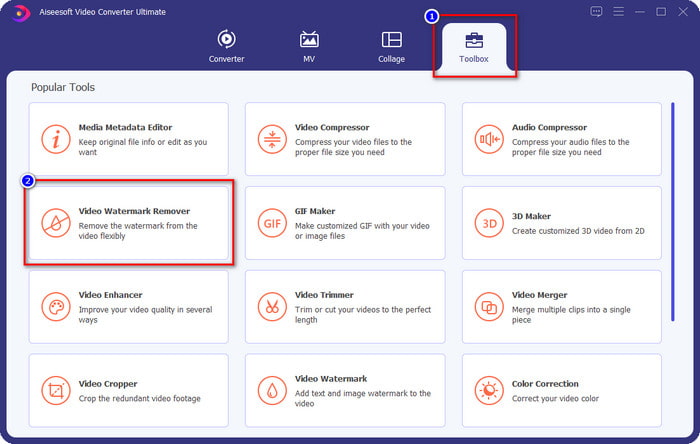
Steg 2. Gå till avsnittet Toolbox och leta efter Video Watermark Remover; klicka på den.
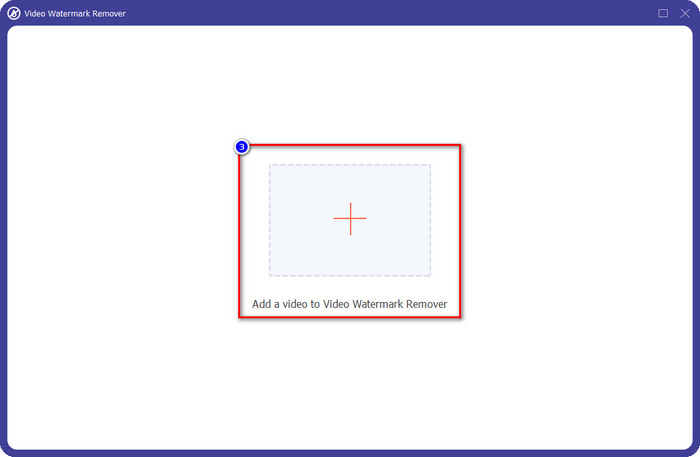
Steg 3. Klicka på +-knappen och leta upp Weibo-videon med vattenstämpel som du laddade ner tidigare i mappen, klicka på filen och tryck på Open för att ladda upp den.
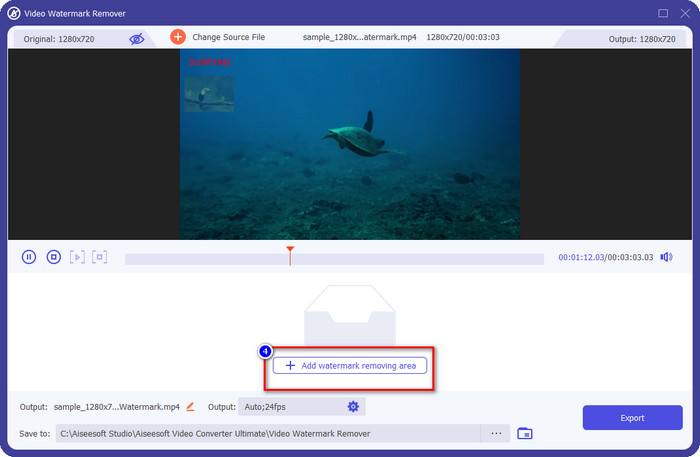
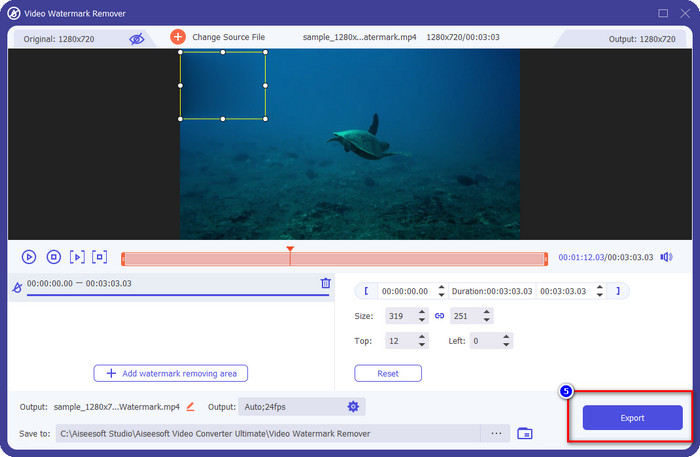
Steg 4. I det nya fönstret som visas klickar du på Add Watermark Removing Area för att gå vidare med att ta bort vattenstämpeln.
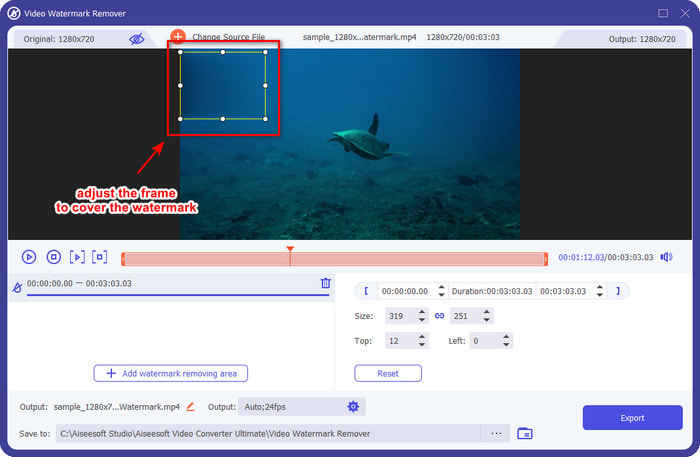
Steg 5. Dra och håll markeringsrutan så att den täcker vattenstämpeln; du kan också förstora eller förminska den efter behov och se till att vattenstämpeln är helt täckt innan du exporterar.
Steg 6. När du har placerat markeringsrutan över vattenstämpeln klickar du på Export för att ta bort vattenstämpeln på videon du laddat upp. Du behöver inte vänta länge eftersom den stöder en supersnabb process; efter några sekunder har du Weibo-videon utan vattenstämpel.
Del 2. Hur man tar bort vattenstämpel från Weibo Photo med den kostnadsfria versionen på webben
Hur sparar man Weibo-bilder utan vattenstämpel? Du kan inte spara en bild utan vattenstämpel om den exporteras från Weibo. Men du kan använda FVC Free Watermark Remover för att ta bort vattenstämpeln på bilder. Det är ett komplett verktyg för att radera vattenstämplar på bilder. När det gäller funktionalitet kan vi säga att det här verktyget är långt bättre än andra vattenstämpelborttagare du hittar på webben. Så om du vill ta bort vattenstämpeln från en bild är detta förstahandsvalet du bör prova. Även om det kan ta bort vattenstämplar på bilder klarar det inte att ta bort dem på videor, vilket det avancerade programmet kan göra åt dig.
Ändå är det gratis att använda, och dess webbgränssnitt är rent, så du kommer inte ens att se några annonser som kan störa dig. Vill du veta hur man använder detta webbverktyg? Följ sedan stegen nedan för att prova det själv.
Notera: Samma som videon, se till att ladda ner Weibo-bilden du vill ha och se till att du placerar den på en synlig och lättåtkomlig mapp.
Steg 1. För att använda vattenstämpleborttagaren på webben klickar du på den här länken för att öppna den.
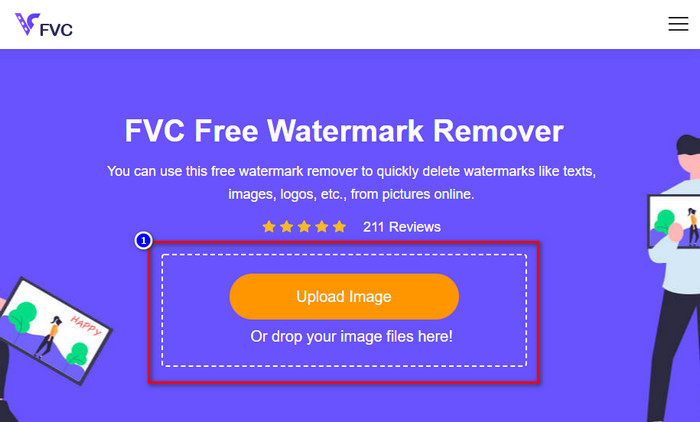
Steg 2. På webbsidan klickar du på Upload Image, därefter visas en mapp på skärmen, leta upp bilden och tryck på Open för att ladda upp den.
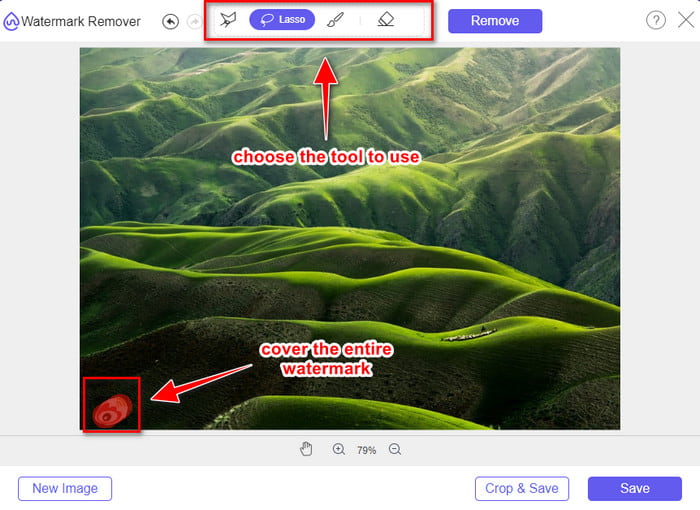
Steg 3. Du kan markera vattenstämpeln här för att ta bort den och se till att varje del av vattenstämpeln ligger inom det område du markerar.
Steg 4. Tryck på Remove för att radera vattenstämpeln på din bild.
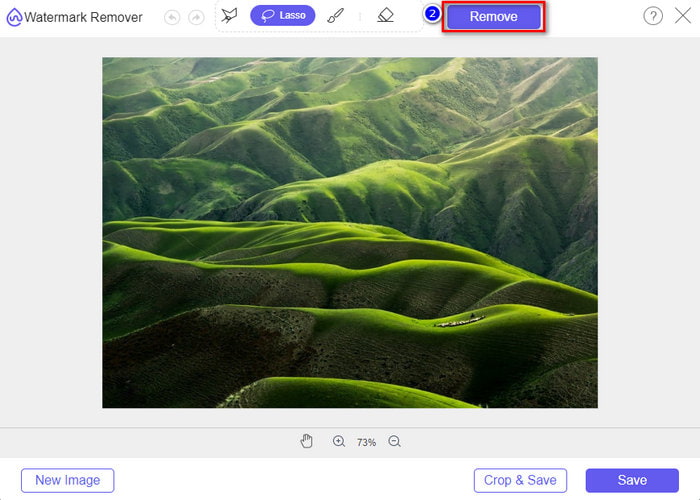
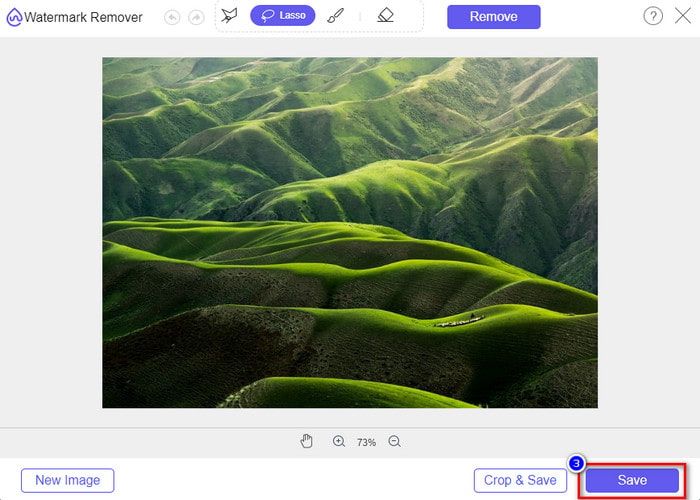
Steg 5. När du har tagit bort vattenstämpeln på Weibo-bilden klickar du på Save för att ladda ner Weibo-bilden utan vattenstämpel.
Relaterat:
Hur man tar bort TikTok-vattenstämpel
Hur man lägger till vattenstämpel i video
Del 3. Vanliga frågor om hur man tar bort Weibo Watermark
Varför blev Weibo-vattenstämpeln suddig efter att ha exporterat den?
Vissa verktyg suddar ut vattenstämpeln så att den inte kan ses på de visuella medier som de har exporterat på Weibo. Men inte alla verktyg gör vattenstämplar suddiga; vissa tar bort vattenstämpeln på det visuella mediet utan några spår. Så om du vill ta bort vattenstämpeln på Weibo utan att göra den suddiga, måste du känna till verktyget vi nämner ovan för att hjälpa dig ta bort det.
Kan jag dölja Weibo-logotypen på den exporterade filen?
Jo det kan du. På detta sätt kommer du inte att se Weibos vattenstämpel på filen. Men att manipulera med det skulle täcka vissa delar av filen, så istället för att hjälpa dig kan det göra filen värre. Så en vattenstämpelborttagare behövs för att radera filens vattenstämpel.
Har alla exporterade filer på Weibo en vattenstämpel?
Att exportera vilken typ av fil som helst på denna mikrobloggplattform lämnar ett märke. Oavsett vad det är, läggs vattenstämplar till i filen. Ändå kan du ta bort det med verktyget som vi nämnde tidigare i den här artikeln.
Slutsats
Imponerande, eller hur? FVC har verktygen du behöver för att direkt ta bort Weibo-vattenstämplar på både video och bilder. Även om du saknar erfarenhet eller inte är ett proffs på den här typen av redigering är det fullt möjligt att redigera med de nämnda verktygen. Så om du vill ta bort en vattenstämpel på en bild, oavsett om den kommer från Weibo eller inte, är FVC Free Watermark Remover det enda verktyg du behöver. Men för videor och GIF-filer måste du använda en professionell, lättanvänd och prisvärd programvara, som FVC Video Converter Ultimate. Vad väntar du på? Ta bort vattenstämpeln på ditt visuella material och njut av det utan några som helst märken.
-
 Bästa sättet hur man lägger till vattenstämpel till en video i Photoshop på Windows och Mac
 Vill du veta hur man lägger till en vattenstämpel i en video i Photoshop? I så fall kommer den här artikeln att ge dig det eller två du behöver veta.
-
 3 bästa lösningarna för hur man enkelt tar bort vattenstämpel från videor
 Vill du ta bort den irriterande vattenstämpeln på videon? Med den här bloggen kan du lära dig olika idéer om att ta bort vattenstämpeln på en video.
-
 4 bästa sätten att ta bort vattenstämpeln från GIF [Online & Offline]
 Behöver du ta bort vattenstämpel från GIF? Med verktyget i den här artikeln kommer du att lära dig de olika stilarna med olika vattenstämpelborttagare som finns på din plattform.
