


 Video Converter Ultimate
 Skärminspelare
 Video reparation
Den senaste online- och offlineprogramvaran du kan använda för att enkelt vända MP4-videor
De flesta gånger när vi försöker spela upp vår video baklänges skapar vi roliga reaktioner som får oss att tro att det är vi själva. Eftersom den spelas upp baklänges skapar effekten något nytt för våra ögon. Så om du vill veta effektiva sätt att spela upp MP4‑videor baklänges är den här artikeln ett måste att läsa. Eftersom den visar olika programvaror, både online och offline, kan du använda dem för att skapa många baklängesvideor på ett enkelt sätt. Så utan ytterligare dröjsmål presenterar vi dem för dig en efter en.

Del 1. Hur man vänder en MP4-video (offline)
Det fenomenala verktyget på hela webben är Video Converter Ultimate. Det här verktyget har redan hjälpt miljontals användare som har svårt att spela upp MP4 baklänges. Till skillnad från alla andra verktyg på den här listan kan du använda programmet även om du inte har internetuppkoppling. Dessutom kan verktyget importera och exportera omedelbart – innan du hinner blinka är videon redan omvänd. En annan fantastisk egenskap hos det här verktyget är att det har alla avancerade funktioner du kan tänkas vilja använda. Låt oss nu gå vidare till stegen för hur du effektivt spelar upp videon baklänges.
Steg för hur man vänder videor på Video Converter Ultimate
Steg 1. Först behöver du ladda ner verktyget till din hårddisk. Installera det sedan och följ installationsguiden.
Gratis nedladdningFör Windows 7 eller senareSäker nedladdning
Gratis nedladdningFör MacOS 10.7 eller senareSäker nedladdning
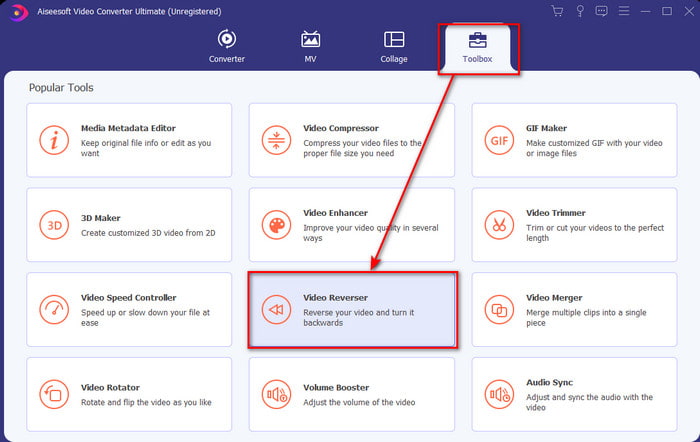
Steg 2. Starta programvaran, klicka på Verktygslåda och välj Video Reverser.
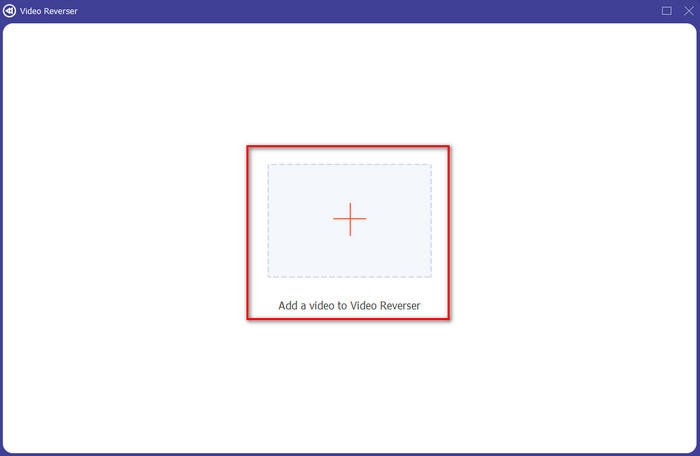
Steg 3. Lägg sedan till MP4-filen genom att klicka på plustecknet och välja från datorns mapp. Klicka sedan på Öppna för att lägga in .mp4-filen i gränssnittet.
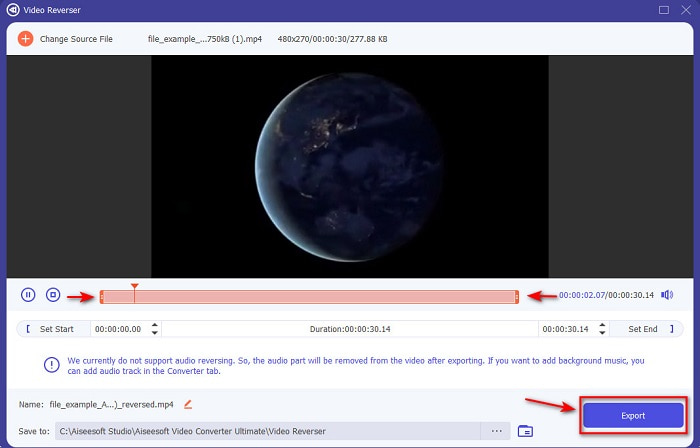
Steg 4. Justera nu playback in och out för att ändra videons längd. Klicka på Exportera för att fortsätta.
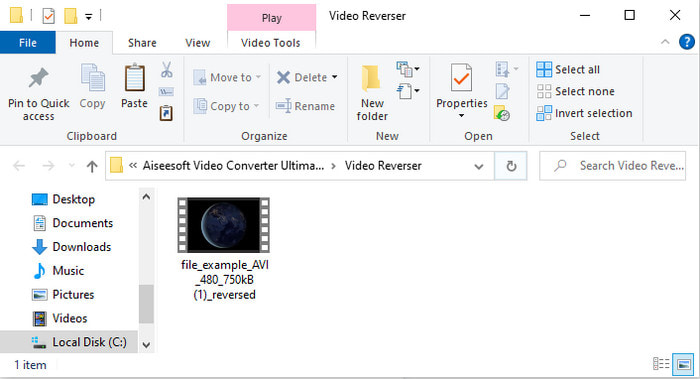
Steg 5. När exporten är klar klickar du på filen i mappen för att spela upp den omvända filen och se var den är sparad.
Del 2. Hur man vänder en MP4-video (online)
1. FileConverto
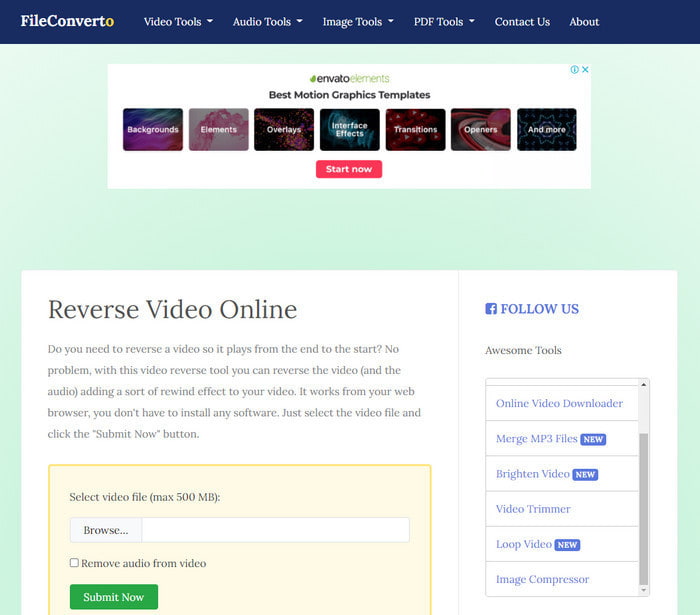
Det onlineverktyg för att spela upp MP4-videor baklänges som heter FileConverto har många webbaserade funktioner du kan använda för att göra din video extra speciell. Prestandan hos detta webbverktyg är bra för dem som inte vill ladda ner någon programvara. Webgränssnittet är dock lite tråkigt att titta på, uppladdningen tar lång tid och det stöder inte alla videoformat. Dessutom kan du stöta på vissa buggar och popup-sidor när du försöker vända videon. Även om det har många kända problem är det ändå bra att använda.
Fördelar
- Programvaran är lätt att komma åt och den har många grundläggande redigeringsfunktioner som du behöver.
- Mycket användarvänlig att även en användare som inte upplever backning kan göra det här.
- Det begränsar din konvertering till 500mb vilket är bra.
Nackdelar
- Att importera filer här och exportera går mycket långsammare än förväntat.
- Den har bara många annonser i webbverktyget som kan irritera dig. Och när du har klickat på en webbverktygsfunktion kommer en annons att visa att du måste klicka på den igen.
- Det stöder inte alla videoformat.
2. Välj Från
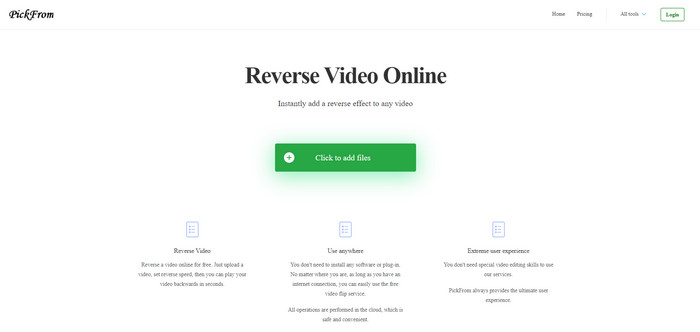
PickFrom har ett bättre gränssnitt än FileConverto om vi jämför dem. Det beror på att det har en minimalistisk design och färgkombinationen vitt och cyan gör det mycket tilltalande. Men texterna är lite tunna och svåra att läsa. Om du inte har perfekt syn kan du tycka att verktyget är svårt att läsa. Dessutom, när du ska spela upp MP4‑videor baklänges här är alternativen skrivna på förenklad kinesiska. Så det är lite svårt att förstå, men själva importen av filer går snabbare än i FileConverto.
Fördelar
- Den har ett mycket bättre webbgränssnitt jämfört med FileConverto.
- Inga annonser på den övre delen av webbplatsen men om du scrollar ner finns det en massa irriterande annonser.
- Stöder många grundläggande redigeringsfunktioner.
Nackdelar
- Verktygsinställningarna är skrivna på kinesiska vilket är svårt att förstå om du inte kan hur man talar kinesiska.
- När du klickar på startknappen svarar verktyget inte och exportprocessen tar mycket tid.
- Det minskar kvaliteten på den exporterade videon.
3. Media.io
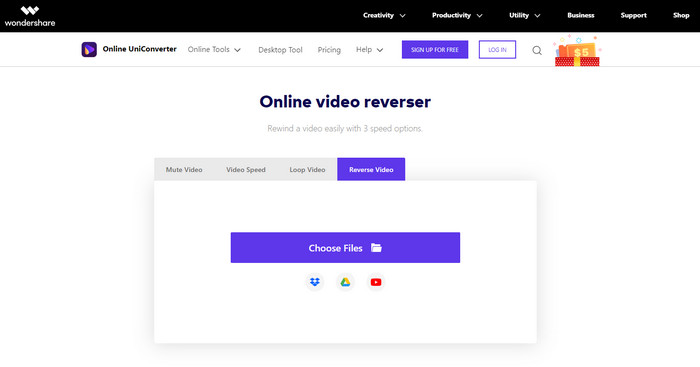
Media.io har tre olika hastighetsalternativ för uppspelning baklänges: x 0,5, x 1, x 2. Du kan i princip vända videon och spela upp MP4 baklänges med hjälp av dess omvändningsfunktion. Även om verktyget ser bra ut finns det fortfarande vissa problem du kan stöta på när du använder Media.io. Till exempel, när du ska exportera filen kommer du först att bli ombedd att logga in innan du kan exportera. Dessutom kan du bara göra 10 baklängesvideor här med begränsad filstorlek.
Fördelar
- Verktygsgränssnittet är bra och attraktivt.
- Du kan ändra det slutliga utdataformatet för den omvända videon om du vill ha eller behålla originalformatet.
- Du kan stänga av eller stänga av ljudet för videon.
Nackdelar
- Webbplatsen kommer att be dig att registrera dig innan du kan exportera vilket innebär att du låter dem skicka meddelanden via e-post.
- Baksidan av x 2 är mindre långsam än x 2 av de andra verktygen.
- Verktyget begränsar tillgängligheten för webbverktyget. Du kan till exempel inte vända mer än 10 filer per dag och det har en maxgräns för filstorleken.
Del 3. Vanliga frågor om vändning av MP4
Sänker den kvaliteten efter att ha vänt om videon?
Att vända en video på verktyget bör inte sänka kvaliteten på videon du vill vända. Det finns dock en hel del mjukvara som gör att videokvaliteten blir lägre. Men det finns vissa fall där du ställer in kvaliteten på det lågt och inte högt.
Hur lägger jag till ljud på min omvända fil?
De flesta program som listas här stöder inte heller omvändning av ljud, men du kan gå till den här länken och lära dig hur du lägger till ljud.
Hur kan jag slå ihop min omvända video på iPhone?
Det finns många olika sätt att slå ihop videor på iPhone på ett effektivt sätt. Genom att läsa den här artikeln får du lära dig 4 olika sätt att slå ihop videor på iPhone.
Slutsats
Sammanfattningsvis, nu när vi vet hur man vänder en MP4-fil med hjälp av de här olika verktygen kan du välja ett av dem. Dessutom ger inte alla som nämns i den här artikeln ett fantastiskt slutresultat på videon, till skillnad från Video Converter Ultimate. Så om du vill bli imponerad av det här verktyget är det ett måste att ladda ner det först. Du behöver nämligen inte läsa en tjock manual för att förstå hur det fungerar som helhet.
Gratis nedladdningFör Windows 7 eller senareSäker nedladdning
Gratis nedladdningFör MacOS 10.7 eller senareSäker nedladdning
-
 [2021 Uppdaterad] 9 bästa GIF-redigerare för PC, Mac, iOS och Android
 Behöver du lägga till en personlig touch på din GIF så att den kan bli mer uttrycksfull? Fortsätt läsa den här artikeln för att veta hur man redigerar och det bästa verktyget för jobbet.
-
 Guide för hur man reparerar videor som inte spelas upp på Android -telefoner
 Vill du veta vad som är anledningarna till att videor på din Android -enhet inte kan spelas upp? Och i så fall, finns det några sätt att lösa problemet på egen hand? Fortsätt läsa för att veta mer.
-
 Detaljerad guide om hur man spelar MKV-filer på PS4 [Uppdaterad 2021]
 Genom att läsa den här artikeln kommer du att lära dig några sätt på hur man spelar MKV på PS4 och hur man konverterar videofilen om videon inte skulle vilja' spela.
