


 Video Converter Ultimate
 Skärminspelare
 Video reparation
5 bästa verktygen du kan använda för att snabba upp videor smidigt på alla plattformar
Att snabba upp videor är väldigt användbart, särskilt om du vill titta på en video i ett snabbare tempo än normalt. Dessutom, om du vill snabba upp en video minskar det videons längd och kan till och med göra filstorleken mindre än den vanliga råvideofilen. Att snabba upp en video har dock sina nackdelar, till exempel om hastigheten är för hög kan videon inte spelas upp. För att undvika detta problem presenterar vi olika verktyg som du kan välja mellan. Alla påståenden du kommer att läsa nedan bygger enbart på fakta och har redan testats innan vi skrev den här artikeln. Låt oss nu utforska de olika verktygen nedan för att ta reda på vilken programvara som är bäst på Windows, Mac och Linux.

Del 1. 3 Bästa programvaran för att snabba upp en video på Windows
1. Video Converter Ultimate
Om ditt problem är att snabba upp eller sakta ner en video så finns det en lösning: Video Converter Ultimate. Den här programvaran är redo att göra din video ännu snabbare än tidigare eller sakta ner den om du vill. Dessutom kommer kvaliteten på resultatet du exporterar inte att försämras eller sänkas till en mycket lägre kvalitet. Så om du lägger in en 1080- eller 4K UHD-video här kan du räkna med att kvaliteten inte förändras även om du ändrar hastigheten. Och om du nu vill veta hur man snabbspolar en video med Video Converter Ultimate följer du stegen nedan. Dessutom kan du inte förhandsgranska 4x- och 8x-hastighet här, men du kan ändå uppnå den hastigheten efter export utan att förstöra kvaliteten.
Steg för hur man gör videon snabbare med hjälp av Video Converter Ultimate:
Steg 1. Först och främst behöver du klicka på nedladdningsknappen nedan för att välja om det ska vara till PC eller Mac. Installera det sedan och ändra installationens inställningar om du vill, och klicka därefter på Slutför för att spara ändringarna.
Gratis nedladdningFör Windows 7 eller senareSäker nedladdning
Gratis nedladdningFör MacOS 10.7 eller senareSäker nedladdning
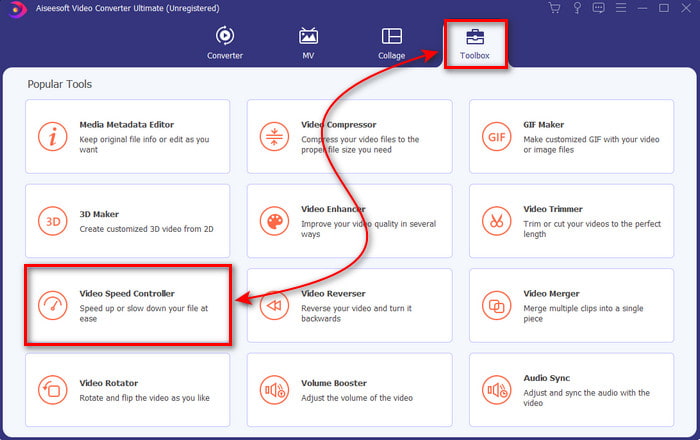
Steg 2. Gå till Verktygslåda och leta upp Video Speed Controller och klicka sedan på den.
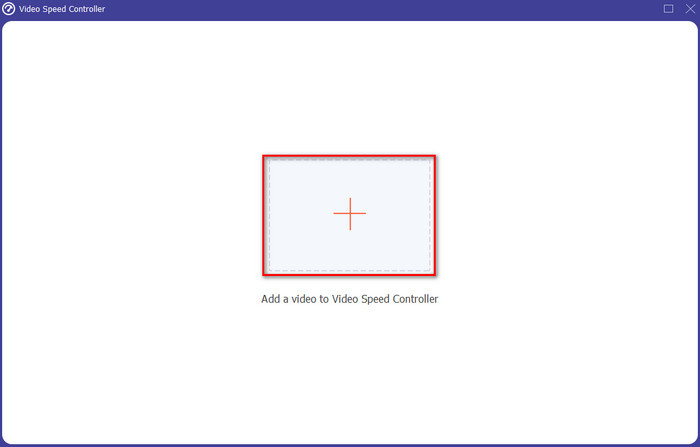
Steg 3. Klicka på +-symbolen för att lägga till den videofil du vill snabba upp och klicka på Öppna för att fortsätta.
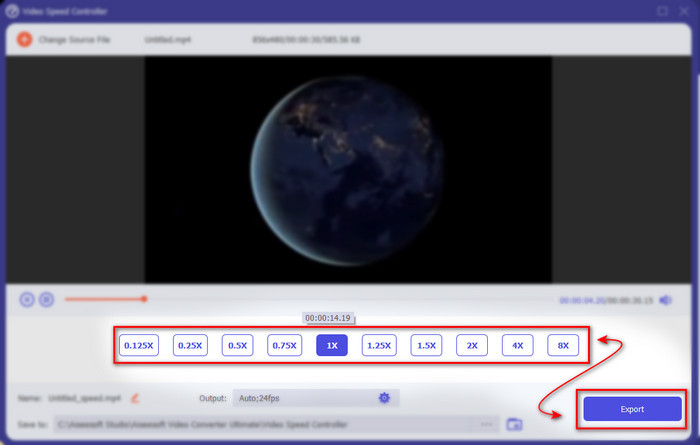
Steg 4. Välj på gränssnittet det hastighetsalternativ du vill ha, om du vill sakta ner eller snabba upp videon. Förhandsvisningar är bara tillgängliga upp till 2x. För att spara videon du har snabbat upp klickar du på knappen Exportera.
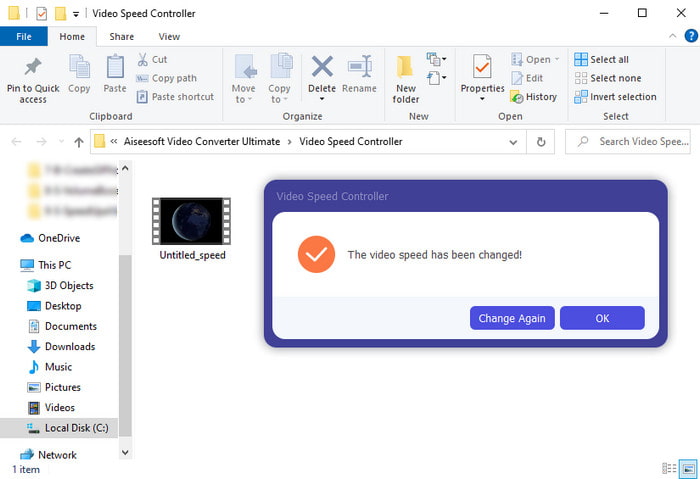
Steg 5. Vänta några minuter på att exporten ska bli klar. När videofilen är färdig visas en mapp med den uppsnabbade videon. Klicka på videon för att titta på den uppsnabbade versionen av din video.
Fördelar
- Avancerade och futuristiska redigeringsfunktioner presenteras redan i Video Converter Ultimate.
- Verktyget är enkelt att använda men resultatet av det är imponerande.
- Verktygsgränssnittet är redan mer imponerande än de andra verktygen som presenteras här.
Nackdelar
- Det är betalt men inte så dyrt.
- Innan du kan använda det här verktyget måste du ladda ner det först.
2. Adobe Premiere Pro
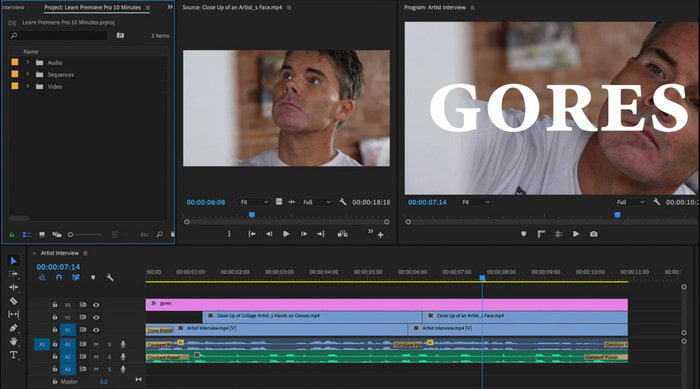
Adobe Premiere Pro är en av de bästa videoredigerarna du kan använda. Det här Adobe-verktyget är ett av de mest populära eftersom du kan göra nästan vad du vill när du redigerar och skapar en professionell video. Men verktyget är mycket dyrare än Video Converter Ultimate och det är inte heller särskilt användarvänligt. Istället för att börja redigera direkt när du startar programmet måste du söka efter hur man snabbspolar video i Premiere. Dessutom är inlärningskurvan för det här verktyget mer komplicerad än väntat eftersom du behöver titta på YouTube-videor om hur man använder det samt läsa manualer om verktyget.
Fördelar
- Ett av de bästa verktygen som har använts av proffsen.
- Verktyget kan göra tung videoredigering.
- Gränssnittet ser mer elegant och snyggare ut än ett annat verktyg.
Nackdelar
- Adobe Premier Pro är bokstavligen överprissatt.
- Inlärningskurvan för detta verktyg kommer att ta lite tid innan du kan använda det fullt ut.
3.FFmpeg
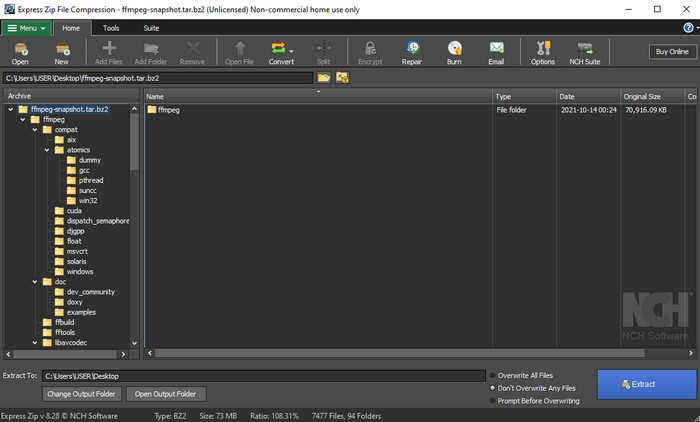
FFmpeg är ett av de verktyg som är känt som det ledande multimediaramverket. Det här verktyget är i princip en schweizisk armékniv för att hantera video, ljud, strömmar och andra multimediafiler du behöver. Även om verktyget är mångsidigt finns det vissa förbättringar som programvaran behöver. Till exempel behöver gränssnittet i FFmpeg förenklas. Precis som Adobe Premiere är det här verktyget svårt för nybörjare att hantera på grund av det överväldigande gränssnittet. Sammantaget kan du snabba upp video i FFmpeg om du lär dig hur man använder verktyget. Om du lägger ner mycket tid på att lära dig detta verktyg kommer det troligen att löna sig, men det är ett långsiktigt projekt.
Fördelar
- Det är ett mjukvaruprojekt med öppen källkod.
- Den stöder en mängd olika codecs.
- Bra val för alla professionella som vill ha en effektiv redigeringsfunktion.
Nackdelar
- Inte det bästa valet för nybörjare att utföra själva.
- Den stöder ett litet utbud av tvärplattformar.
- Gränssnittet för det är enormt att hanteras av icke-proffs.
Del 2. 2 av den bästa Mac-programvaran för att snabba upp en video
1.QuickTime Player
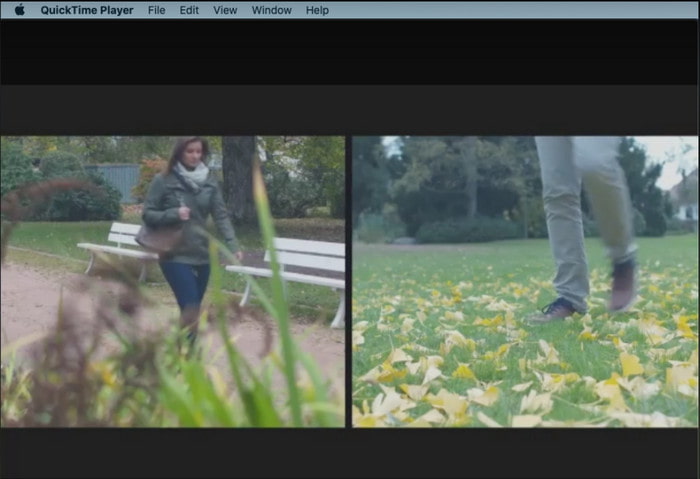
Att lära sig hur man snabbspolar video i QuickTime är busenkelt. Du behöver inte ladda ner verktyget eftersom det redan är förinstallerat på varje Mac-dator. Vi vet att QuickTime Player är gjort av Apple Inc. för att användas som en inbyggd mediaspelare för alla Mac-användare. Även om verktyget har inbyggd upp- och nerspelning av hastighet måste du göra det manuellt, vilket innebär lite extra arbete för dig. Men det övergripande gränssnittet är mycket snyggare jämfört med VLC, även om QuickTime bara finns till Apple-produkter och det inte finns någon QuickTime Player för Windows.
Fördelar
- Du behöver inte ladda ner verktyget eftersom det redan är förinstallerat.
- Internetanslutning behövs inte om du vill använda verktyget.
- Titta och vidarebefordra det enkelt med hjälp av detta verktyg.
Nackdelar
- Det finns inga tillgängliga Windows-versioner av detta verktyg.
- Gör hastigheten upp och ner manuellt.
- Det stöder inte ett storskaligt mediaformat.
2.Öppet skott
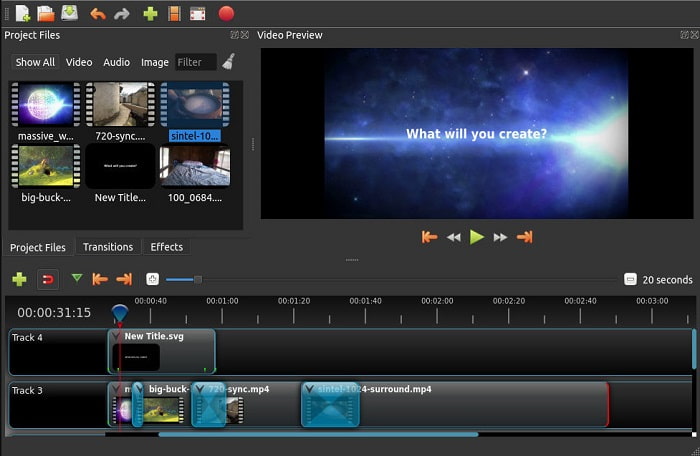
Open Shot är en av de bästa videoredigeringsprogrammen du kan använda, särskilt på Mac. Även om verktyget också stöds i Windows är Mac-versionen bäst. Dessutom kan du med Open Shot effektivt snabba upp video med hjälp av den här programvaran. Verktyget är dessutom gratis att använda för dem som inte känner sig bekväma med avancerade och komplicerade verktyg. I grunden erbjuder det här programmet några grundläggande redigeringsfunktioner som du kan tänkas vilja använda. Vissa funktioner behöver dock läggas till eller uppdateras.
Fördelar
- Den har möjlighet att spara din slutliga videoutgång till andra format du gillar.
- Videor kan enkelt redigeras med hjälp av dess tillgängliga verktygsfunktioner.
- Den kommer med mycket intuitiva instruktioner för nybörjare att följa. Så om du vill lära dig hur man gör snabba upp video Windows 10, Mac eller Linux detta är ett utmärkt val.
Nackdelar
- Inte det bästa valet för användare som vill ha en otrolig utgång eftersom den saknar några av de avancerade funktionerna.
- Ibland kraschar verktyget på grund av mängden redigering du gör eller ibland på grund av okända orsaker.
- Inte det bästa valet för en proffs som vill ha det bästa.
Del 3. Vanliga frågor om hur man snabbar upp en video för Windows och Mac
Kan jag snabba upp ett avsnitt på mina videor?
Absolut ja. Du kan klippa ut ett videoklipp och snabba upp det och sedan slå ihop det med en annan video för att göra en helt ny video i uppsnabbat läge. Till exempel, om du har en AVI-video du vill snabba upp kan du följa stegen ovan och när du är klar kan du slå ihop den med den bästa AVI-sammanfogaren i den här länken.
Vilken hastighet passar dig bäst; 2x, 4x eller 8x?
Om du tittar på en film blir det svårt att hänga med om du snabbar upp videon till 4x eller mer eftersom videon då blir så snabb att det mänskliga ögat inte hinner med. Det är därför idealiskt att spela upp en film i 2x hastighet om du vill titta snabbare men ändå utan problem kunna följa med. Genom att klicka på den här länken kommer du till en ny artikel och får lära dig hur man snabbar upp video till 2x hastighet.
Hur saktar man ner snabbspolningsvideohandledningen?
Om videon du laddar ner eller konverterar är för snabb kan du titta på den i slowmotion med 5 bästa slowmotion-videospelarna. Gå alltså direkt till den här artikeln för att få veta hur du saktar ner videor.
Slutsats
Avslutningsvis är det nu lättare för oss att förstå att du enkelt kan snabba upp videorna med hjälp av verktyget som presenteras ovan. Alla verktyg kan öka hastigheten på videor eller sakta ner den. Dessutom finns det ett verktyg som bevisar att det inte kan ha en fördröjd video även om du ökar hastigheten på videor. Och det verktyget är den fenomenala redigeraren Video Converter Ultimate, den här programvaran är lätt att använda, det bästa valet för proffs och nybörjare, den har många avancerade funktioner du kan välja mellan och mer. Så nöj dig inte med ett okej verktyg om du kan ha det bästa, som Video Converter Ultimate.
-
 Windows Media Player spelar inte MP4? 5 effektiva sätt att fixa det
 Det gick inte att spela MP4 i Windows Media Player? Läs mer om orsakerna och de ultimata lösningarna för att spela MP4 i Windows Media Player på Windows 10-datorn.
-
 [Detaljerad guide] Hur man åtgärdar Google Drive-video som inte spelas upp på datorn
 Videor på Google Drive spelas inte upp med felet "Det uppstod ett problem med att spela upp den här videon". Det kan orsakas av själva Google Drive eller kromproblemen. Den här artikeln kommer att presentera 6 lösningar i detalj.
-
 Så här fixar du Windows Media Player som inte fungerar med videor eller ljud
 Windows Media Player fungerar plötsligt inte med eller utan någon felprompt? Det kan bero på många orsaker, och det finns fyra metoder för att lösa detta problem i den här artikeln.
