


 Video Converter Ultimate
 Skärminspelare
 Video reparation
[Komplett recension] Vilka är de bästa videometadataredigerarna på skrivbordet
Videometadata kan hjälpa dig på många sätt; ett utmärkt exempel är att ordna dina filer efter tid och datum, författare, filstorlek och mycket mer – i grunden för att skapa struktur. Även om metadata finns i alla mediafiler behöver vi ibland redigera dem av särskilda skäl. Att välja vilket program du ska använda kan dock vara svårt, eftersom det finns en mängd metadataredigerare på marknaden. För att lätta lite på din börda hjälper vi dig därför att gå igenom olika redigerare för dina data som du kan hitta på marknaden och som enbart fokuserar på hög kvalitet. Alla detaljer och verktyg har granskats noggrant för att kunna ge dig en ärlig recension av varje programvara. Låt oss fördjupa oss i mer information om de fem bästa videometadata‑redigerarna som du kan lita på.

Del 1. 5 av de bästa videometadataredigerarna tillgängliga på skrivbordet offline
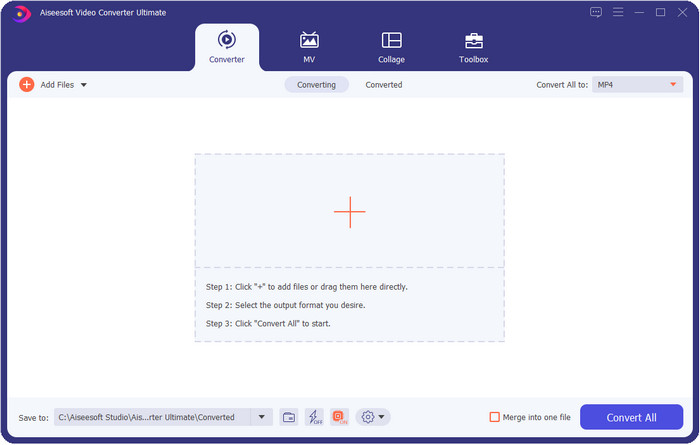
Video Converter Ultimate [rekommenderas]
Gratis nedladdningFör Windows 7 eller senareSäker nedladdning
Gratis nedladdningFör MacOS 10.7 eller senareSäker nedladdning
Kompatibelt operativsystem: Windows, Mac och Linux
Video Converter Ultimate är den bästa videometadata‑redigeraren för att visa, ta bort och redigera metadata i din fil. Den här metadataredigeraren är inte en vanlig enkel redigerare, utan ett komplett paket med funktioner som du snabbt kan lära dig. Med det här verktyget kan du lägga till många fantastiska uppgifter i dina metadata, som kommentarer, omslagsbild, årtal, genre om det är musik och mycket mer på mindre än en sekund. Vill du veta vad som imponerar mest på oss med verktyget? Till skillnad från annan programvara skapas ingen kopia av filen du har redigerat, vilket sparar lagringsutrymme. När du använder det här verktyget skapar filen du laddar upp alltså ingen dubblett, utan den metadata du lägger till tillämpas direkt på samma fil – det är utrymmeseffektivt. Dessutom, om du behöver ett allt‑i‑ett‑verktyg, är detta det perfekta valet för alla som behöver en metadata‑visare på Mac och Windows.
Fördelar
- Den stöder flera format som du kan ladda upp på, såsom MP4, MKV, AVI, FLV, MP3 och andra 1000+ mediaformat för att enkelt ändra eller ta bort metadata.
- Det tillåter alla användare att ha en lättsam upplevelse när det gäller redigering av metadata.
- Det är det bästa valet för Windows- och Mac-användare att ladda ner denna metadataredigerare på sin enhet.
- Ta enkelt bort metadata för flera filer med några få klick.
Nackdelar
- Att köpa verktyget och ladda ner det är viktigt, men det kommer att vara värt vartenda öre och datorenhet.
ExifTool
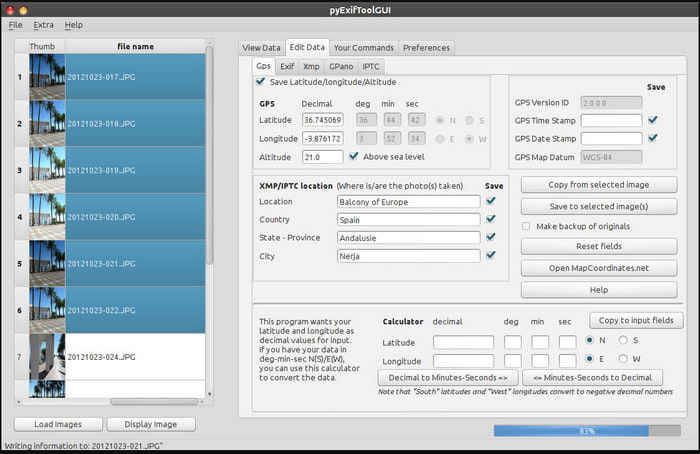
Kompatibelt operativsystem: Windows, Mac och Unix
ExifTool är en välkänd videometadata‑redigerare för Windows, Mac och Unix som du enkelt kan använda gratis. Den stöder flera video‑ och bildformat för att ändra eller ta bort metadata. Dessutom kan du med det här verktyget redigera flera metadata i olika filer samtidigt. Till skillnad från andra redigerare på den här listan är det mycket som pågår i detta verktyg; om du är ny på att redigera metadata behöver du därför lite tid för att sätta dig in i det.
Fördelar
- Gratis att ladda ner.
- Det kan enkelt redigera och visa metadata.
Nackdelar
- Gränssnitt och alternativ är förvirrande att använda.
Metadata++
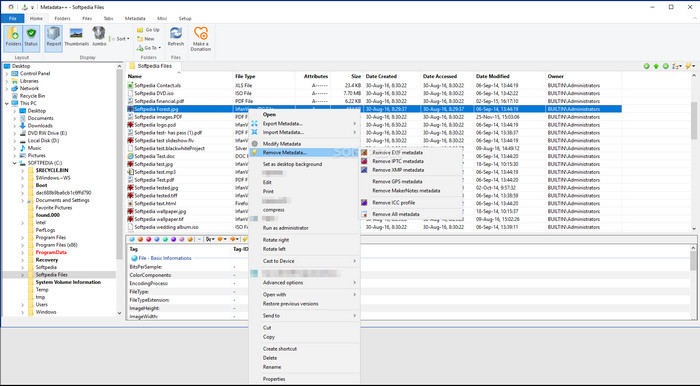
Kompatibelt operativsystem: Windows
Om du vill förlita dig på en öppen källkods‑videometadata‑redigerare för Windows kan du använda Metadata++. Det här verktyget hjälper dig att snabbt lägga till eller ta bort metadata i filen genom att använda snabbtangenter, så att du slipper använda musen så mycket. Redigeraren är dock inte lika kraftfull som de andra på den här listan, men du kan ändå lita på det här verktyget om du vill använda det.
Fördelar
- Snabbtangenter är tillgängliga för den snabba processen att redigera metadata.
- Lägg enkelt till metadata på filer som inte har gjort det.
- Gratis att ladda ner på Windows.
Nackdelar
- GUI är föråldrat.
- För många funktioner måste förstås innan du kan använda dem.
MyMeta
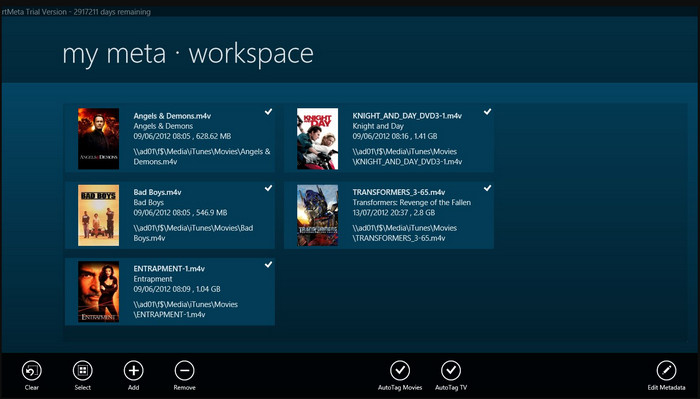
Kompatibelt operativsystem: Windows
MyMeta är en videometadata‑redigerare där du omedelbart kan redigera MP4, M4V och MOV. Verktyget har en funktion som automatiskt skapar metadata och omslag baserat på resultat från internet. Du kan också använda det här verktyget för att tagga filer enligt informationen. Även om verktyget är bra är formaten det stöder endast MP4, M4V och MOV.
Fördelar
- Lätt att använda.
- Autotaggen låter dig kopiera metadata för en viss fil inom några få klick.
- Snyggt GUI.
Nackdelar
- Den stöder bara MP4, M4V och MOV. Så om du försöker ladda upp ett annat format här, stöds det inte.
- Vissa funktioner passar inte användarens krav.
VLC Media Player
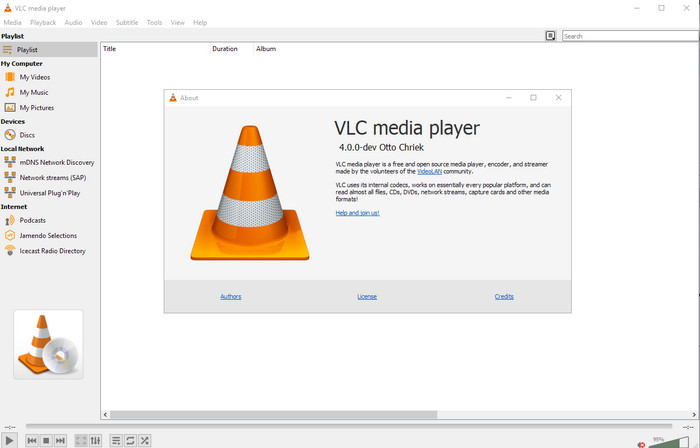
Kompatibelt operativsystem: Windows, Mac, Linux
VLC Media Player är gjort för uppspelning av mediafiler, men du kan också använda den här videometadata‑redigeraren med öppen källkod för att redigera filens metadata. Som sagt kan den spela upp ett brett urval av format med olika codecs på i stort sett alla plattformar du kan komma på, eftersom det är en förstklassig mediaspelare. Även om den kan spela upp många olika filformat är formaten som stöds för redigering av metadata begränsade och inte lika omfattande som i de andra verktygen som nämns.
Fördelar
- Metadataredigerare med öppen källkod att ladda ner.
- Användarvänlig.
- Finns i alla operativsystem.
Nackdelar
- Den stöder genomsnittsformat att ladda upp på.
- Verktygets GUI är föråldrat.
Del 2. Jämförelsediagram om Video Metadata Editor
| Funktioner | Video Converter Ultimate [rekommenderas] | ExifTool | Metadata++ | MyMeta | VLC Media Player |
| Lägg till och ta bort metadata |  | | | | |
| Användarvänlig | | | | | |
| Stöder breda format | |  | | | |
| Bästa valet för nybörjare | | | | | |
| Redigera batchmetadata | | | | | |
Del 3. Hur man lägger till, tar bort och redigerar metadata med hjälp av den mycket rekommenderade metadataredigeraren
Om du har valt att använda Video Converter Ultimate som din videometadata‑redigerare föreslår vi att du följer stegen nedan. Utan vidare dröjsmål, låt oss hålla tempot uppe och börja använda det här ultimata verktyget för denna ultimata uppgift.
Steg 1. Ladda ned verktyget genom att klicka på nedladdningsknappen nedan; välj om du använder Windows eller Mac. När nedladdningen är klar klickar du på filen för att installera den direkt och startar programmet när allt är klart.
Gratis nedladdningFör Windows 7 eller senareSäker nedladdning
Gratis nedladdningFör MacOS 10.7 eller senareSäker nedladdning
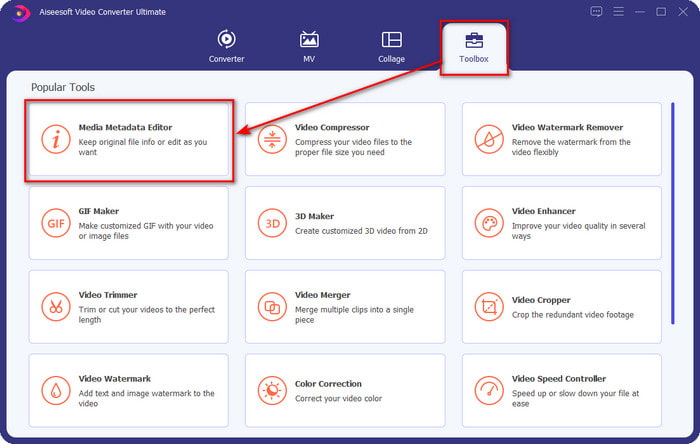
Steg 2. När du har startat verktyget klickar du på avsnittet Toolbox och letar där efter Media Metadata Editor. Klicka på den innan du går vidare till nästa steg.
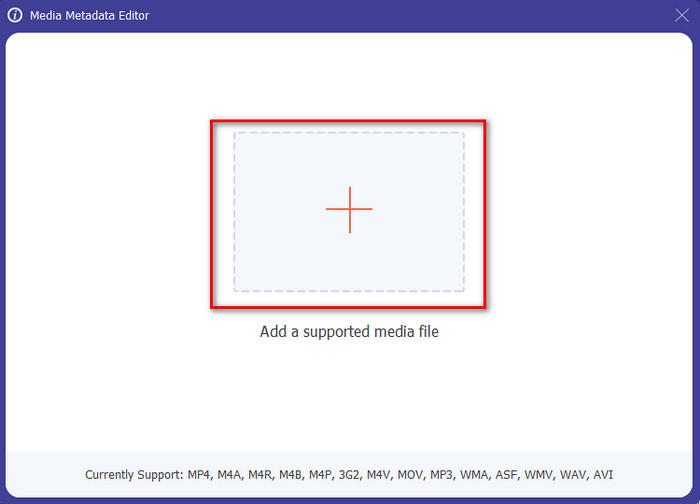
Steg 3. Lägg in filen genom att klicka på +-ikonen; en mapp visas då på skärmen. Välj den mediefil du vill redigera metadata i och tryck på Öppna.
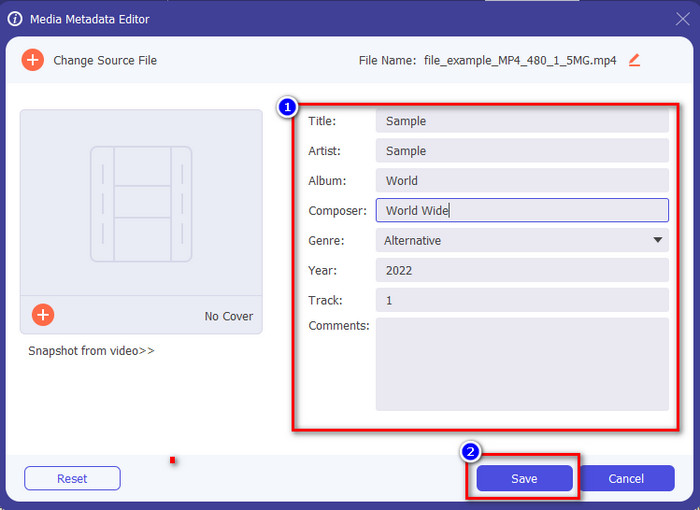
Steg 4. I det nya fönster som visas på skärmen kan du nu redigera, ta bort och lägga till metadata i de textboxar som visas. När du är nöjd med metadatan klickar du på Spara för att tillämpa metadatan på filen. Lätt som en plätt, eller hur? Det är vad det här ultimata verktyget kan göra.
Del 4. Vanliga frågor om Video Metadata Editor
Kan jag se metadata online?
Ja, du kan använda FVC Free Video Converter Online för att visa metadata i en video online; följ stegen nedan för att se hur du gör. Först klickar du på länken för att öppna en ny flik i webbläsaren; länken tar dig automatiskt till den officiella webbplatsen för FVC Converter Online. Klicka sedan på Add Files to Convert; om det är första gången du använder tjänsten måste du ladda ned startprogrammet och klicka på filen för att installera den. Klicka på knappen igen, och den här gången visas en datormapp; välj filen vars metadata du vill visa och tryck på Öppna för att fortsätta. Ett nytt fönster visas på skärmen; klicka på i‑ikonen så kan du nu se metadatan i videon.
Vilka är delarna av metadata?
Metadata omfattar olika typer av information om mediefilen: upphovspersonens namn, komposition, plats, inställningar, enhet som användes, datum, tid, genre om det är musik, bild och mycket mer. Oftast beror dock metadata på vad filen handlar om; om filen är en ljudbok skiljer den sig från en videofil.
Är ID3 ett urval av metadata?
ID3 är en metadatabehållare som syns på MP3-mediafiler; i princip på ljudfiler.
Slutsats
Programvaran vi presenterar i den här artikeln kan hjälpa dig att visa, redigera, lägga till eller ta bort videons metadata, även om du inte har så mycket kunskap om metadata. Nu när du känner till de fem bästa redigerarna på marknaden är det dags att välja vilket verktyg du ska förlita dig på för den här uppgiften. Om du känner dig osäker rekommenderar vi att du använder Video Converter Ultimate av många skäl. Till skillnad från de andra verktygen kan den här programvaran utföra uppgiften på bara några sekunder. Om du fortfarande inte tror på vad vi säger bör du ladda ned verktyget, prova det själv och se vad mer det har att erbjuda.
-
 4 av de bästa metadatavisarna online och offline [Uppdaterad 2025]
 Kan jag kontrollera metadata för min fil? Ja, det kan du, med hjälp av det här inlägget kommer vi att presentera de olika metadatavisare du kan använda.
-
 Topp 5 metadataextraktorer tillgängliga online och offline [2025]
 Du kan hitta flera metadataextraktorer på marknaden, men idag väljer vi bara de fem mest utvalda taggextraktorerna enligt publiken.
-
 7 populära musiketikettredigerare på Windows, Mac och mobila enheter
 Musiktaggar är populära att använda för att arrangera musiken i ditt bibliotek enligt data inuti. Vad händer om du vill ändra det? Läs detaljerna nedan för att veta mer.
