


 Video Converter Ultimate
 บันทึกหน้าจอ
 ซ่อมวิดีโอ
 ดาวน์โหลดอย่างปลอดภัย
Photo Blemish Removers คุณต้องใช้เพื่อให้มีผิวเนียนเรียบบนรูปภาพ
คุณเคยไปเที่ยวข้างนอก ไปเที่ยว หรือแค่วันธรรมดาๆ เพื่อเซลฟี่ไหม? พวกเราส่วนใหญ่พร้อมที่จะไปถ่ายรูปตัวเองและโพสต์บนเว็บเพื่อให้ชาวเน็ตหลายล้านคนเห็น บางครั้งเราขาดความมั่นใจหากเรามีรอยตำหนิ การสลายตัวของผิวหนังเป็นเรื่องปกติโดยเฉพาะอย่างยิ่งสำหรับวัยรุ่น คุณไม่จำเป็นต้องอายที่จะแสดงให้โลกเห็นเพราะคุณไม่ได้อยู่คนเดียว เห็นได้ชัดว่าการซื้อผลิตภัณฑ์ความงามและเครื่องสำอางที่มีตราสินค้าจะต้องเสียค่าใช้จ่ายหลายร้อยดอลลาร์เป็นอย่างน้อยเพื่อทำให้เราดูดีขึ้น
แทนที่จะเสียเงินซื้อเครื่องสำอาง ลองใช้ฟิลเตอร์เพื่อลบจุดด่างพร้อยดูไหม? เงยหน้าขึ้น! เพราะวันนี้เราจะมาแนะนำ ตัวลบจุดด่างพร้อยบนรูปถ่าย ตัวท็อปที่คุณสามารถใช้ได้ทั้งบนเว็บ เดสก์ท็อป และบนมือถือเลยทีเดียว.

ส่วนที่ 1 Photo Blemish Remover ที่ดีที่สุดที่คุณต้องมีในปี 2022 [ออนไลน์และออฟไลน์]
หากต้องการฟื้นความมั่นใจที่สูญเสียไป คุณสามารถพึ่งพาโปรแกรมแก้ไขรูปภาพเพื่อลบตำหนิบนรูปภาพที่คุณต้องการโพสต์ เราขอใช้ซอฟต์แวร์ 5 อันดับแรกที่สามารถช่วยคุณในการทำให้ภาพถ่ายของคุณสวยงามยิ่งขึ้น
FVC ฟรี Watermark Remover
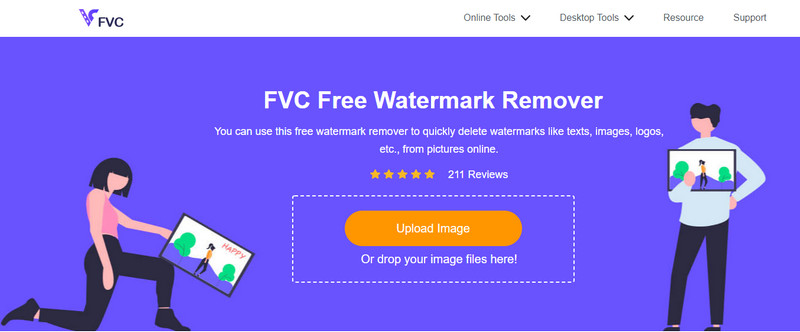
อันดับแรกในรายการของเราคือเครื่องมือที่ดีที่สุดสำหรับลบลายน้ำบนรูปภาพ แต่ในขณะเดียวกันก็สามารถลบจุดด่างพร้อยบนรูปของคุณได้ด้วย นั่นคือ FVC Free Watermark Remover ด้วยเครื่องมือนี้ คุณจะได้ผลลัพธ์ทันทีหลังจากลบจุดด่างพร้อยออกจากภาพของคุณ ถึงแม้จะมีคู่แข่งให้เลือกใช้ แต่ในด้านการลบวัตถุและจุดด่างพร้อยแล้ว เครื่องมือนี้ถือว่ามีประสิทธิภาพเหนือกว่าตัวอื่น ๆ การเปลี่ยนภาพที่มีรอยตำหนิให้กลายเป็นผิวเนียนละเอียดคือจุดเด่นของเครื่องมือนี้ นอกจากนี้ คุณไม่จำเป็นต้องเป็นมืออาชีพก็ใช้งานออนไลน์นี้ได้ เพราะมันใช้งานง่ายและมีอินเทอร์เฟซที่เข้าใจไม่ยาก ทุกคนจึงสามารถใช้ได้.
สมมติว่าคุณต้องการใช้ผลิตภัณฑ์กำจัดฝ้าภาพถ่ายออนไลน์ ในกรณีดังกล่าว คุณสามารถคลิกชื่อ อัปโหลดไฟล์ ไฮไลต์จุดบกพร่อง ลบออก และบันทึกได้อย่างง่ายดาย
ข้อดี
- ไม่จำเป็นต้องดาวน์โหลดเครื่องมือนี้
- ความเร็วในการลบวัตถุและตำหนินั้นเหนือกว่า
- มันใช้งานได้สำหรับทุกคนที่ต้องการลองใช้แอพนี้..
- ใช้ Lasso, Polygonal หรือ Brush เพื่อเน้นจุดด่างที่คุณต้องการลบออก
- เข้าถึงได้บน OS ต่างๆ โดยไม่ต้องมีข้อกำหนดของระบบ
จุดด้อย
- คุณจะต้องเชื่อมต่ออินเทอร์เน็ตเพื่อใช้งาน
- ฟีเจอร์พรีเมียมอื่นๆ สำหรับการแก้ไขรูปภาพไม่พร้อมใช้งาน
- ทำหน้าที่เดียวในการขจัดตำหนิที่เน้น
Adobe Photoshop
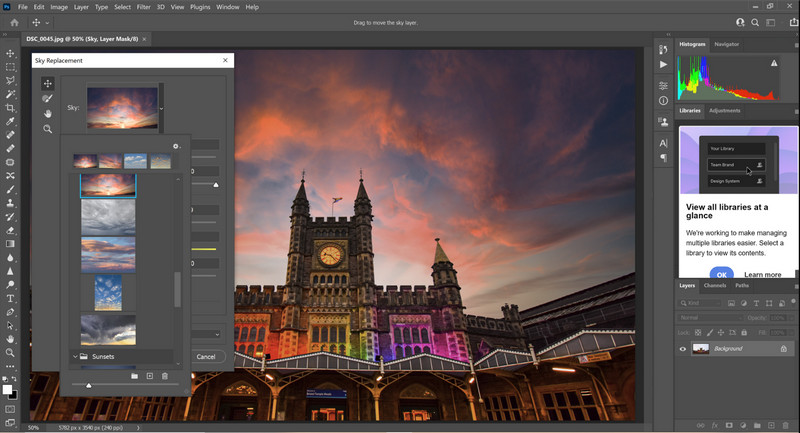
Adobe Photoshop เป็นเครื่องมือลบจุดด่างพร้อยในรูปที่อัดแน่นด้วยฟีเจอร์มากมาย สามารถดาวน์โหลดได้บนหลายแพลตฟอร์ม หลายคนรู้ดีว่าเครื่องมือนี้ช่วยปรับแต่งความสวยงามของรูปภาพได้อย่างง่ายดาย มืออาชีพส่วนใหญ่ชื่นชอบการใช้โปรแกรมนี้เพื่อสร้างผลงานที่ยอดเยี่ยมด้วยฟีเจอร์และฟังก์ชันอันทรงพลังที่คุณจะหาไม่ได้จากโปรแกรมแต่งรูปอื่น ๆ ในท้องตลาด อย่างไรก็ตาม ซอฟต์แวร์นี้ค่อนข้างใช้งานยากเพราะมีรายละเอียดทางเทคนิคมาก หากคุณเป็นมือใหม่และต้องการใช้ คุณจำเป็นต้องใช้เวลาเรียนรู้และทำความคุ้นเคยกับเครื่องมือ แต่เมื่อใช้คล่องแล้วก็คุ้มค่ากับเวลาที่ลงทุนไป.
ข้อดี
- มันเป็นตัวแก้ไขข้อตกลงแพ็คเกจที่สมบูรณ์และคุณสามารถดาวน์โหลดได้
- รองรับปลั๊กอินเพิ่มเติมเพื่อให้การแก้ไขของคุณดีขึ้น
- มีขนาดกะทัดรัดกว่าโปรแกรมแก้ไขภาพอื่นๆ ที่คุณเห็นในตลาด
- รองรับการทดลองใช้ฟรี
จุดด้อย
- การซื้อเครื่องมือนี้อาจมีราคาแพง
- มันมีข้อกำหนดของระบบ
- มันไม่ตอบสนองบนอุปกรณ์ระดับล่าง
Adobe Lightroom
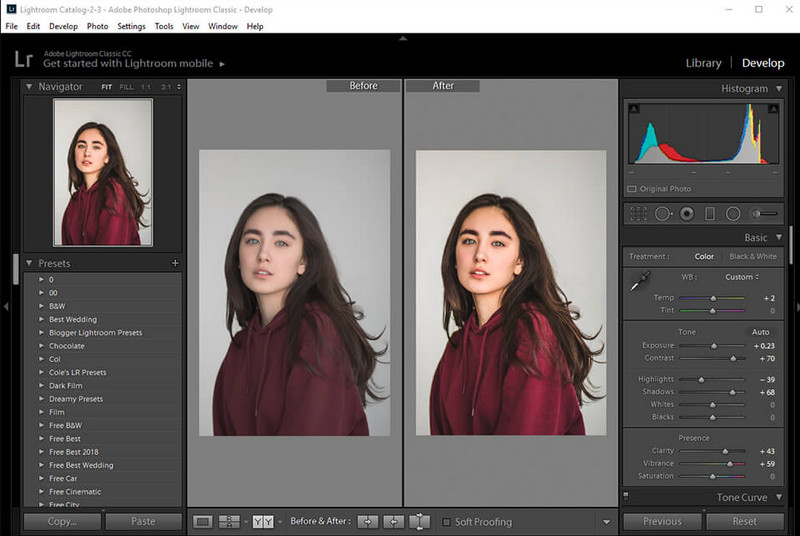
หากคุณต้องการวิธีลบจุดด่างพร้อยที่ใช้ง่ายกว่า Photoshop คุณควรลองใช้โปรแกรมตระกูลภาพของ Adobe อีกตัวหนึ่ง นั่นคือ Adobe Lightroom ซึ่งเป็นโปรแกรม แต่งรูปเพื่อลบจุดด่างพร้อย ที่มีน้ำหนักเบาเมื่อเทียบกับ Adobe Photoshop แม้เครื่องมือนี้จะไม่อัดแน่นเท่า Photoshop แต่ความเชี่ยวชาญด้านการลบจุดด่างพร้อยยังคงอยู่ในระดับแนวหน้า ด้วยซอฟต์แวร์นี้ คุณจะสามารถจัดการการตั้งค่าและตัวเลือกต่าง ๆ ของภาพได้มากขึ้นเพื่อทำให้ภาพดูดีกว่าไฟล์ดิบ นอกจากปรับแต่งรูปแล้ว คุณยังสามารถจัดระเบียบรูปภาพของคุณได้ด้วย หากคุณซื้อโปรแกรมนี้ คุณจะได้ฟีเจอร์ที่ผสานรวมอยู่ในซอฟต์แวร์เดียวบนอุปกรณ์ของคุณ.
ข้อดี
- การเรียนรู้วิธีใช้จะตรงไปตรงมามากกว่าการเรียนรู้ Photoshop
- เป็นโปรแกรมแก้ไขรูปภาพน้ำหนักเบาที่คุณสามารถดาวน์โหลดได้บนอุปกรณ์ของคุณ
- รองรับพรีเซ็ตขนาดใหญ่ที่ไม่มีใน Photoshop
- รองรับการทดลองใช้ฟรี
จุดด้อย
- แอพอาจมีราคาแพงหากคุณมีประโยชน์
- คุณจะต้องปฏิบัติตามข้อกำหนดของระบบที่เข้มงวด
piZap
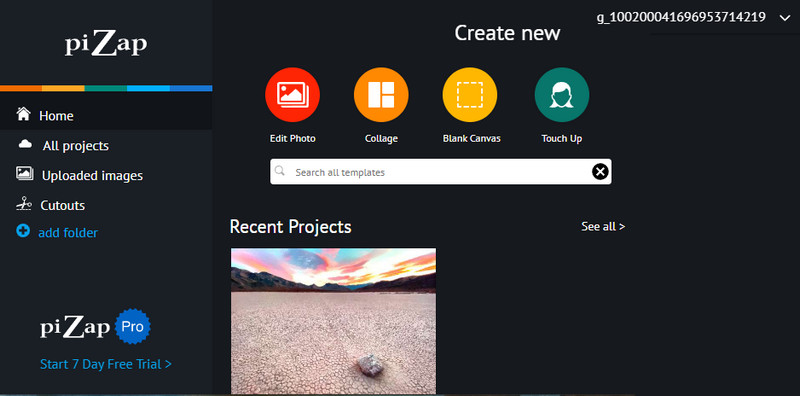
Pizap เป็นโปรแกรมแต่งรูปออนไลน์อีกตัวที่ช่วยลบจุดด่างพร้อยและแก้ปัญหารูปภาพของคุณได้ เครื่องมือนี้สามารถเปลี่ยนรูปที่มีจุดด่างพร้อยให้กลายเป็นผิวเนียนสวยด้วยฟีเจอร์ต่าง ๆ ของมัน เครื่องมือออนไลน์นี้อัดแน่นด้วยฟีเจอร์มากมายที่ช่วยแปลงภาพของคุณให้ดีขึ้นทันทีที่อัปโหลดเข้ามา ทุกสิ่งที่คุณต้องใช้ในการแต่งรูปมีพร้อมที่นี่ ตั้งแต่การปรับพื้นฐาน ฟิลเตอร์ กราฟิก สติกเกอร์ และอื่น ๆ ก่อนใช้งาน คุณต้องสร้างบัญชีหรือเข้าสู่ระบบด้วยบัญชีที่มีอยู่แล้ว นอกจากนี้ ขณะใช้งานจะมีโฆษณา และคุณจะไม่สามารถส่งออกรูปภาพคุณภาพสูงได้หากไม่ได้ซื้อเวอร์ชันโปร.
ข้อดี
- คุณสามารถสร้างสรรค์ได้ตามที่คุณต้องการ
- ค่าที่ตั้งไว้ล่วงหน้าหลายค่าที่คุณสามารถใช้เพื่อปรับภาพ
- สามารถเข้าถึงได้ฟรี
จุดด้อย
- ตัวกรองอื่นๆ ไม่มีในเวอร์ชันฟรี สมัครสมาชิกหรือทดลองใช้งาน 7 วันจะได้ผล
- เวอร์ชันฟรีไม่รองรับการส่งออกรูปภาพคุณภาพสูง
ส่วนที่ 2 Best Photo Blemish Remover สำหรับ iPhone และ Android คุณต้องดาวน์โหลด
Face Blemish Remover- Smooth Sking & Beautify Face สำหรับ Android
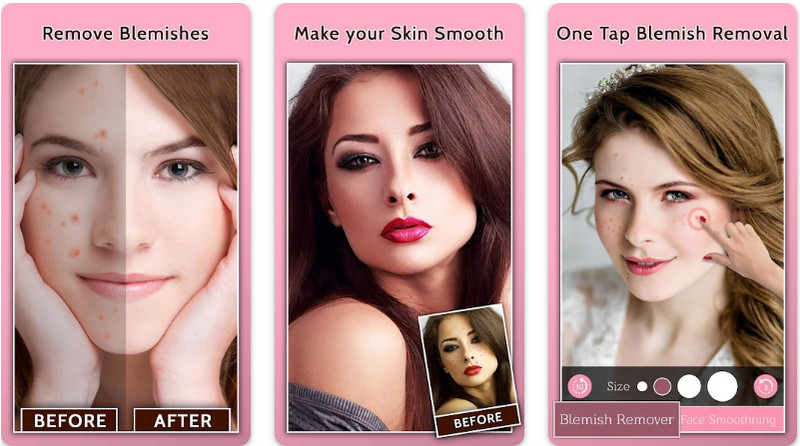
Face Blemish Remover เป็นแอปฟรีสำหรับลบจุดด่างพร้อยในรูปที่คุณสามารถดาวน์โหลดได้บน Android ด้วยแอปนี้คุณสามารถมีผิวสวยเนียนได้ด้วยการปรับเพียงไม่กี่ขั้นตอน หากคุณตัดสินใจใช้แอปนี้ คุณจะได้รูปที่ไม่มีจุดด่างพร้อยและสิว นอกจากนี้ คุณยังสามารถปรับให้หน้าดูสวยและผิวเนียนเหมือนไอดอลของคุณด้วยฟิลเตอร์ต่าง ๆ อย่างไรก็ตาม ก่อนจะใช้ฟีเจอร์อื่น ๆ คุณจำเป็นต้องซื้อภายในแอป และจะมีโฆษณาหากคุณไม่ได้จ่ายเพื่อเอาโฆษณาออก ถึงอย่างนั้นก็ตาม นี่ก็เป็นแอปที่ยอดเยี่ยมซึ่งช่วยให้คุณดูสวยขึ้นได้ภายในไม่ถึงหนึ่งนาที.
ข้อดี
- ดาวน์โหลดฟรีบนอุปกรณ์ Android เพื่อลบตำหนิบนรูปภาพ
- มีฟิลเตอร์แต่งหน้าเพิ่มเติมที่นี่
- เพิ่มตัวกรองที่คุณเลือกเพื่อลบตำหนิโดยอัตโนมัติ
จุดด้อย
- โฆษณากำลังรบกวนแอพนี้
- ต้องซื้อคุณสมบัติเต็มและรุ่นพรีเมี่ยม
ตัวแก้ไขฝ้า Pimple Remover 4+ สำหรับ iOS
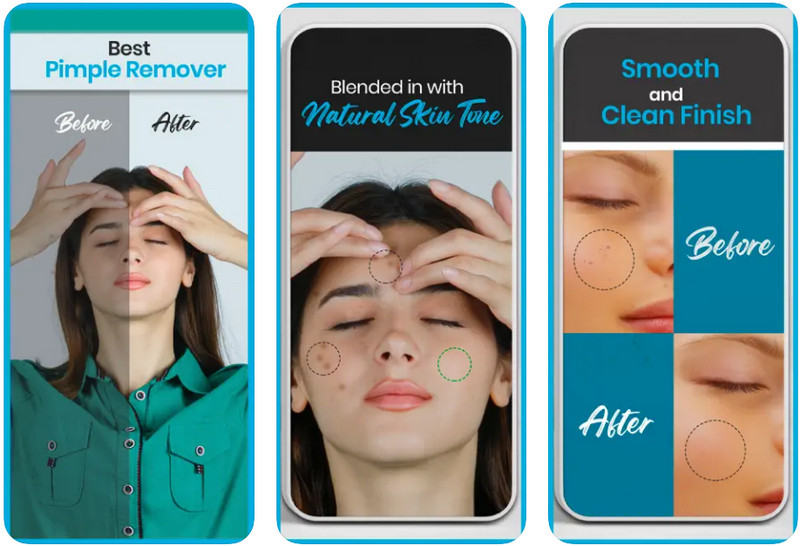
Blemish Editor Pimple Remover 4+ สามารถลบจุดด่างพร้อยบนรูปถ่ายใน iPhone ได้ฟรี แอปนี้รองรับฟีเจอร์แก้ไขรูปภาพหลากหลายที่คุณสามารถใช้และประยุกต์กับรูปของคุณได้ แอปนี้ทำงานได้อย่างมีประสิทธิภาพในการลบจุดด่างพร้อยบนภาพ ทำให้ภาพดูเนียนและสวยขึ้น อินเทอร์เฟซของแอปใช้งานง่ายและทำงานได้ผลดี แม้ว่าเครื่องมือนี้จะใช้งานง่าย แต่ฟีเจอร์ค่อนข้างจำกัด นอกจากการลบจุดด่างพร้อยแล้ว แอปนี้แทบไม่มีฟังก์ชันอื่นเพิ่มเติม.
ข้อดี
- GUI ที่เรียบง่ายและเป็นมิตรกับผู้ใช้
- ดาวน์โหลดฟรีโดยไม่ต้องซื้อในแอพ
- ให้ผิวของคุณเรียบเนียนขึ้นด้วยแผ่นกรองที่รองรับ
จุดด้อย
- ฟีเจอร์ที่จำกัดสำหรับการแก้ไขภาพ
- ไม่พร้อมใช้งานบน iPad
อ่านเพิ่มเติม:
วิธีลบลายน้ำ B612 ออกจากรูปภาพของคุณ
วิธีลบลายน้ำ WOW Slider ได้ฟรี
ส่วนที่ 3 คำถามที่พบบ่อยเกี่ยวกับ Photo Blemish Removers
แอพที่ดีที่สุดที่ฉันสามารถใช้ลบสิวออนไลน์คืออะไร?
FVC Free Watermark Remover เป็นน้ำยากำจัดฝ้าที่เหมาะสมที่สุดที่สามารถช่วยคุณลบรอยตำหนิบนภาพของคุณและให้ผลลัพธ์ทันที หากคุณต้องการข้อมูลเพิ่มเติมเกี่ยวกับเรื่องนี้ด้วย อ่านตอนที่ 1
ฉันจำเป็นต้องลบรอยตำหนิบนรูปภาพหรือไม่?
บางคนจะรู้สึกมั่นใจหากพวกเขาลบตำหนิบนรูปภาพและโพสต์ไว้บนเว็บ ดังนั้น หากคุณต้องการลบตำหนิบนรูปภาพของคุณ คุณสามารถใช้แอพที่เราเพิ่มด้านบนนี้
วิธีที่ดีที่สุดในการลบรอยด่างคืออะไร?
คุณสามารถสั่งยาหรือปรึกษาแพทย์เพื่อทราบยาที่คุณอาจต้องใช้แทนการอ้างถึงมากเกินไปบนอินเทอร์เน็ต หรือถ้าคุณไม่ต้องการ คุณสามารถใช้ผลิตภัณฑ์กำจัดฝ้าที่เราเพิ่มในบทความนี้ อ่านอย่างละเอียดเพื่อค้นหาเครื่องมือที่เหมาะกับความต้องการของคุณ
สรุป
ความมั่นใจคือสิ่งที่คุณต้องการมากที่สุด! ตอนนี้คุณรู้แล้วว่าผลิตภัณฑ์ลบรอยด่างดำชนิดใดที่คุณใช้ได้บ้าง คราวนี้ก็ให้เลือก เราหวังว่าการตรวจสอบที่เราทำในแต่ละส่วนจะช่วยให้คุณทราบว่าเครื่องมือใดจะเหมาะกับความต้องการของคุณในการแก้ไข หากบทความนี้ช่วยให้คุณทราบว่ามีเครื่องมือใดบ้าง โปรดให้คะแนนเราด้านล่าง
-
 วิธีแปลงรูปภาพความละเอียดต่ำเป็นรูปภาพความละเอียดสูงออนไลน์
 หากคุณต้องการเรียนรู้วิธีแปลงรูปภาพความละเอียดต่ำเป็นรูปภาพความละเอียดสูงทางออนไลน์ บทความนี้เหมาะสำหรับคุณ อ่านทั้งหมดเพื่อเรียนรู้วิธีการ
-
 วิธีง่ายๆในการลบลายน้ำ Shootproof
 ลบลายน้ำ Shootproof โดยทำตามวิธีการง่าย ๆ เหล่านี้ ใช้น้ำยาลบลายน้ำที่น่าทึ่งเหล่านี้เพื่อลบลายน้ำ Shootproof ออกจากภาพของคุณได้อย่างง่ายดาย
-
 วิธีลบลายน้ำ Bandicam อย่างง่ายดาย [3 วิธีที่มีประสิทธิภาพ]
 จะลบลายน้ำ Bandicam ได้อย่างไร? ด้วยเครื่องมือ เราเพิ่มที่นี่ คุณจะรู้วิธีจัดการกับมันอย่างมีประสิทธิภาพ!
