


 Video Converter Ultimate
 บันทึกหน้าจอ
 ซ่อมวิดีโอ
 ดาวน์โหลดอย่างปลอดภัย
แอปพลิเคชั่น Resizer ภาพถ่ายที่โดดเด่นที่สุด 10 อันดับแรกสำหรับคอมพิวเตอร์
หลายคนประสบปัญหาในการหาเครื่องมือย่อ–ขยายรูปภาพ เพราะบางเครื่องมือทำให้คุณภาพของรูปภาพลดลง นอกจากนี้ ผู้ใช้โปรแกรมแต่งภาพจำนวนมากต้องการย่อขนาดรูปภาพเพื่อเพิ่มคุณภาพหรือประหยัดพื้นที่จัดเก็บในอุปกรณ์ของตน อย่างไรก็ตาม การย่อขนาดรูปภาพอาจซับซ้อนเพราะอาจกระทบต่อคุณภาพของภาพได้เช่นกัน แต่ก็ยังมีซอฟต์แวร์หลายตัวที่ช่วยให้คุณย่อขนาดรูปภาพได้โดยยังคงคุณภาพไว้ ดังนั้น หากคุณกำลังมองหาแอปย่อรูปที่ดีที่สุด เราได้รวบรวมรายชื่อมาให้แล้ว อ่านบทความนี้เพื่อทำความรู้จักกับ ตัวปรับขนาดรูปภาพ ที่โดดเด่นและทรงพลังที่สุด 7 ตัว.

ส่วนที่ 1 ตัวปรับขนาดรูปภาพออนไลน์ที่โดดเด่นที่สุด
ตัวปรับขนาดรูปภาพออนไลน์เพื่อปรับขนาดรูปภาพของคุณค่อนข้างเป็นประโยชน์หากคุณต้องการประหยัดพื้นที่บนอุปกรณ์ของคุณ แอปพลิเคชันออนไลน์จะไม่ต้องการให้คุณดาวน์โหลดอะไรเลย เพราะท้ายที่สุดแล้ว คุณสามารถใช้มันบนเบราว์เซอร์ของคุณได้ นอกจากนี้ แอปพลิเคชันออนไลน์จำนวนมากยังใช้งานได้ฟรีและปลอดภัยอย่างสมบูรณ์ ดังนั้น อ่านส่วนนี้อย่างถี่ถ้วนเพื่อทราบสี่อันดับแรกของตัวปรับขนาดรูปภาพออนไลน์ที่ดีที่สุด
FVC ฟรี Image Upscaler
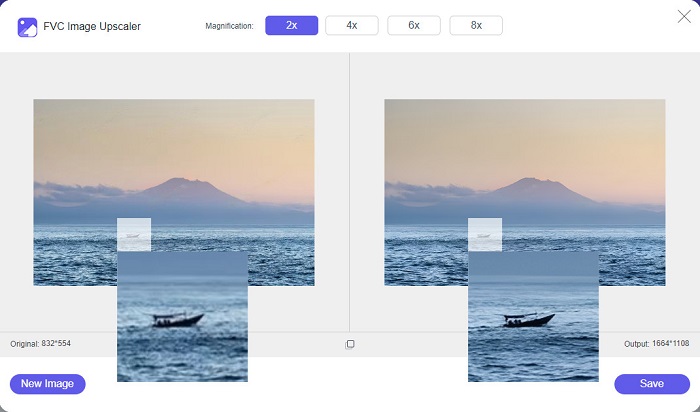
FVC Free Image Upscaler เป็นเว็บย่อรูปออนไลน์ที่ดีที่สุดตัวหนึ่ง ที่ช่วยให้คุณย่อขนาดรูปภาพได้โดยไม่สูญเสียคุณภาพ ยิ่งไปกว่านั้น คุณยังสามารถขยายภาพได้ถึง 2x, 4x, 6x และ 8x นอกจากนี้ยังรองรับไฟล์ภาพยอดนิยม เช่น PNG, JPG, JPEG และ BMP อีกทั้งยังใช้งานง่ายเพราะมีอินเทอร์เฟซที่เรียบง่าย และหากคุณต้องการย่อขนาดรูปโดยไม่ให้คุณภาพลดลง FVC Free Image Upscaler คือเครื่องมือที่เหมาะกับคุณ นอกจากนี้ยังใช้เทคโนโลยี AI (ปัญญาประดิษฐ์) ที่ตรวจจับส่วนที่มีคุณภาพต่ำของภาพได้อัตโนมัติและปรับปรุงให้ดีขึ้นอย่างรวดเร็ว และที่ต่างจากโปรแกรมออนไลน์อื่น ๆ คือไม่มีโฆษณามารบกวนสายตาระหว่างการใช้งาน.
ข้อดี
- ใช้งานได้ฟรีและปลอดภัย
- มีกระบวนการอัปโหลดที่รวดเร็ว
- คุณสามารถดูตัวอย่างผลลัพธ์ของคุณก่อนที่จะบันทึก
- เข้าถึงได้ในทุกเว็บเบราว์เซอร์ เช่น Google, Firefox และ Safari
จุดด้อย
- เป็นเครื่องมือที่ใช้อินเทอร์เน็ต
icons8.com
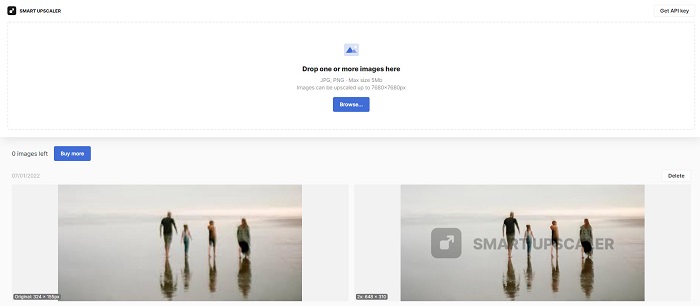
icons8.com เป็นอีกหนึ่งเครื่องมือย่อรูปออนไลน์ที่คุณสามารถใช้ได้หากต้องการย่อขนาดภาพ icons8.com จะช่วยให้คุณได้ขนาดภาพตามที่ต้องการ นอกจากนี้ หากคุณต้องการปรับปรุงคุณภาพของรูปภาพ แอปพลิเคชันนี้ก็ตอบโจทย์ เพราะมีฟีเจอร์ขยายภาพ (image upscaler) ที่ช่วยเพิ่มคุณภาพของรูปได้ อีกทั้งยังใช้งานได้ฟรีโดยไม่ต้องสมัครสมาชิก และหากสงสัยว่าใช้งานปลอดภัยหรือไม่ คำตอบคือปลอดภัย คุณสามารถใช้แอปพลิเคชันนี้ได้โดยไม่ต้องกังวลเรื่องความปลอดภัยของข้อมูล อย่างไรก็ตาม เมื่อคุณย่อขนาดภาพด้วยเครื่องมือนี้ จะมีลายน้ำติดอยู่บนภาพของคุณ.
ข้อดี
- มีอินเทอร์เฟซซอฟต์แวร์ที่ใช้งานง่าย
- รองรับรูปแบบไฟล์ที่พบบ่อยที่สุด
- สามารถปรับปรุงภาพของคุณได้อย่างง่ายดาย
จุดด้อย
- ทิ้งลายน้ำบนรูปภาพของคุณเมื่อคุณปรับขนาด
Zyro.com
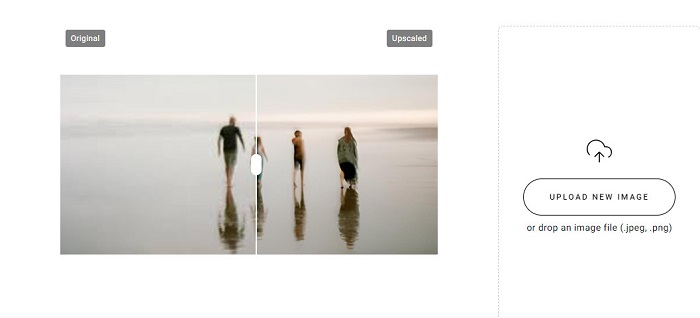
Zyro.com เป็นแอปออนไลน์อีกตัวที่คุณสามารถใช้สำหรับย่อขนาดรูปภาพได้ หากคุณต้องการย่อรูปภาพเพื่อปรับปรุงคุณภาพ Zyro.com คือเครื่องมือที่คุณกำลังมองหา นอกจากนี้ เครื่องมือย่อรูปฟรีนี้ยังใช้เทคโนโลยี AI ที่ช่วยปรับคุณภาพของภาพให้ดีขึ้นโดยอัตโนมัติ คุณไม่ต้องกังวลกับไฟล์ที่อัปโหลด เพราะรองรับไฟล์ภาพมาตรฐานอย่าง PNG, JPG และ JPEG อีกทั้งยังสามารถใช้งานผ่านเว็บเบราว์เซอร์เกือบทุกตัว รวมถึง Google และ Safari.
ข้อดี
- เป็นเครื่องมือที่เป็นมิตรกับผู้เริ่มต้น
- ใช้งานได้ฟรีและปลอดภัย
- ไม่มีโฆษณาใด ๆ
จุดด้อย
- มีกระบวนการอัปโหลดช้า
Upscale.media
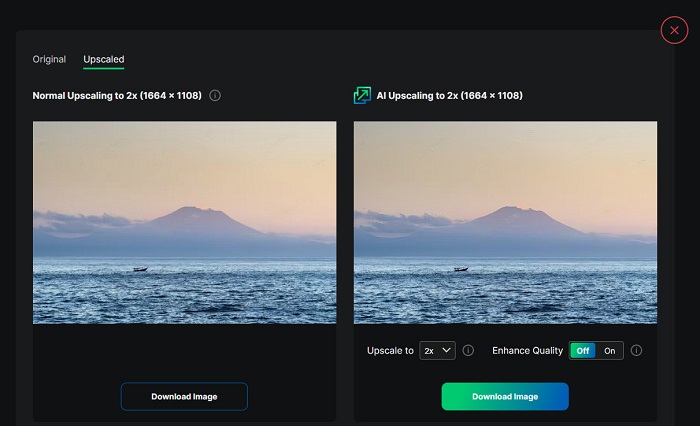
หากคุณกำลังมองหาเครื่องมือเพื่อปรับปรุงหรือย่อขนาดรูปภาพ Upscale.media ก็เป็นตัวเลือกที่น่าสนใจ เครื่องมือออนไลน์นี้ใช้เทคโนโลยี AI เช่นกัน ทำให้ผู้ใช้จำนวนมากสะดวกในการย่อขนาดรูปภาพ นอกจากนี้ยังรองรับไฟล์ภาพมาตรฐานอย่าง JPEG, JPG, WebP, PNG และอื่น ๆ จุดเด่นคือมีตัวเลือกสำหรับปรับปรุงภาพให้มีคุณภาพดีขึ้น และถึงแม้จะเป็นเว็บแอป แต่ก็ไม่มีโฆษณามากวนใจขณะคุณกำลังย่อขนาดรูปภาพ.
ข้อดี
- รองรับรูปแบบที่หลากหลาย
- มีอินเทอร์เฟซการประมวลผลที่รวดเร็ว
- ช่วยให้คุณสามารถดูตัวอย่างผลงานของคุณได้
จุดด้อย
- คุณจะมีกระบวนการอัปโหลดช้าเมื่ออินเทอร์เน็ตช้า
ImageResizer.com
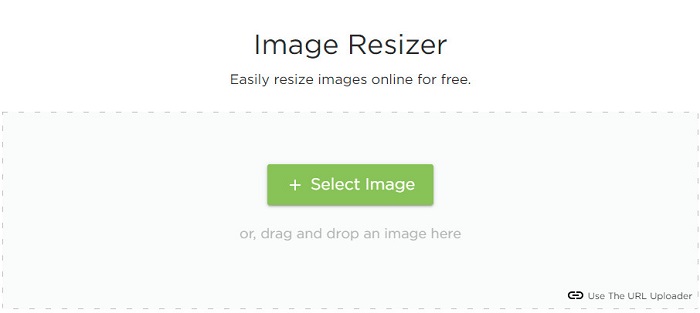
ImageResizer.com ก็เป็นหนึ่งในตัวปรับขนาดพิกเซลรูปภาพออนไลน์ที่ดีที่สุด ที่ช่วยให้คุณย่อขนาดรูปได้ทุกประเภท โดยการปรับจำนวนพิกเซลของภาพ คุณสามารถลดขนาดไฟล์รูปภาพลงได้ นอกจากนี้ยังรองรับไฟล์ภาพเกือบทุกชนิด เช่น JPG, PNG และ WebP แม้จะเป็นเครื่องมือออนไลน์แต่ก็มีขั้นตอนการย่อขนาดที่รวดเร็ว อีกทั้งยังใช้งานได้ฟรีและรับประกันความปลอดภัยในการเข้าถึง.
ข้อดี
- ใช้งานได้กับเว็บเบราว์เซอร์เกือบทั้งหมด
- เป็นเครื่องมือที่ใช้งานง่าย
จุดด้อย
- มันมีโฆษณา
ส่วนที่ 2 Resizers รูปภาพออฟไลน์ที่มีศักยภาพมากที่สุด
แม้ว่าโปรแกรมปรับขนาดรูปภาพออนไลน์จะสะดวกมาก เนื่องจากช่วยประหยัดพื้นที่บนอุปกรณ์ของคุณ เครื่องมือออฟไลน์ยังให้ผลลัพธ์และข้อดีที่ยอดเยี่ยมอีกด้วย ข้อดีอย่างหนึ่งของการใช้ตัวปรับขนาดรูปภาพแบบออฟไลน์คือใช้งานได้อย่างปลอดภัยและไม่ต้องการให้คุณเข้าถึงอินเทอร์เน็ต นอกจากนี้ แอปพลิเคชันออฟไลน์ส่วนใหญ่จะประมวลผลอย่างรวดเร็ว ดังนั้นเราจึงค้นหาตัวปรับขนาดรูปภาพออฟไลน์ที่ใช้มากที่สุดและเลือกสิ่งที่ดีที่สุดจากพวกเขา รายการด้านล่างนี้เป็นเครื่องปรับขนาดภาพออฟไลน์ที่ดีที่สุด 5 อันดับแรกสำหรับคอมพิวเตอร์ของคุณ
ปรับขนาด XN
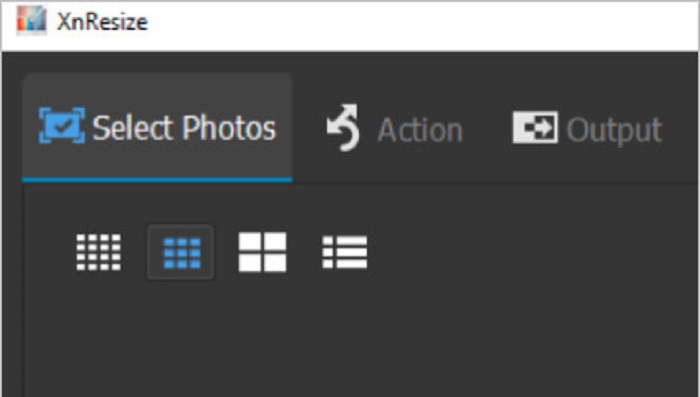
XN Resize เป็นซอฟต์แวร์ย่อรูปที่ประมวลผลได้รวดเร็ว สามารถดาวน์โหลดมาติดตั้งบนพีซี Windows ของคุณ โปรแกรมย่อรูปนี้จะช่วยคุณได้ทั้งการลดขนาดและการปรับปรุงคุณภาพของรูปภาพ ผู้คนจำนวนมากในปัจจุบันต้องการอัปโหลดรูปภาพลงบนแพลตฟอร์มโซเชียลมีเดียต่าง ๆ แต่ในการอัปโหลดรูป ขนาดไฟล์ต้องไม่เกินข้อกำหนดของแต่ละแพลตฟอร์ม ดังนั้น XN Resize จึงเป็นเครื่องมือที่จะช่วยย่อขนาดไฟล์รูปให้เล็กลง เพื่อให้คุณอัปโหลดลงแพลตฟอร์มต่าง ๆ ได้ ข้อเสียคือรองรับรูปแบบไฟล์ไม่มากนักและไม่มีฟีเจอร์แก้ไขภาพอื่น ๆ อย่างไรก็ตาม ด้วย XN Resize คุณสามารถปรับความกว้างและความสูงของรูปภาพได้ตามต้องการ.
ข้อดี
- คุณสามารถปรับการวางแนวของภาพได้
- มีคุณสมบัติในการหมุนภาพของคุณ
- มีอินเทอร์เฟซที่ใช้งานง่าย
จุดด้อย
- มีคุณสมบัติจำกัดในการใช้งาน
FastStone Photo Resizer
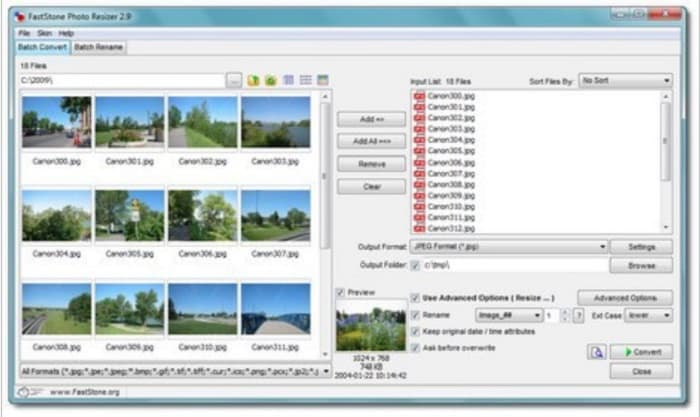
FastStone Photo Resizer ไม่ได้เป็นเพียงแอปสำหรับจับภาพหน้าจอเท่านั้น แต่ยังมีฟีเจอร์ย่อขนาดรูปภาพให้ใช้งานอีกด้วย หลังจากจับภาพหน้าจอแล้ว โปรแกรมจะแสดงฟีเจอร์แก้ไขมากมายให้คุณเลือกใช้ หนึ่งในนั้นคือฟีเจอร์ย่อขนาดรูป หากคุณต้องการใช้โปรแกรมย่อรูปที่ฟรีและปลอดภัย FastStone อาจเป็นตัวเลือกที่เหมาะกับคุณ นอกจากนี้คุณยังสามารถเปลี่ยนชื่อไฟล์ภาพและบันทึกลงอุปกรณ์ได้อย่างรวดเร็ว ที่น่าประทับใจอีกอย่างของ FastStone Photo Resizer คือฟีเจอร์อื่น ๆ เช่น แปลงไฟล์ ตัดครอป หมุนภาพ และใส่ข้อความลงบนรูปได้.
ข้อดี
- รองรับโครงสร้างโฟลเดอร์หรือที่ไม่ใช่โฟลเดอร์
- มีฟังก์ชันลากและวาง
- สามารถดาวน์โหลดได้บนพีซีที่ใช้ Windows
จุดด้อย
- หลังจากเวอร์ชันทดลองใช้งาน คุณต้องซื้อแอป
ตัวปรับขนาดรูปภาพคุณภาพสูง
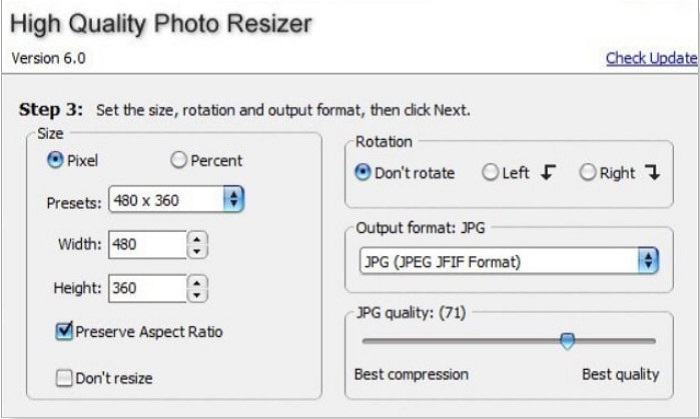
แอป High Quality Photo Resizer อาจเป็นคำตอบหากคุณต้องการย่อขนาดรูปภาพอย่างรวดเร็ว ด้วยแอปนี้ คุณสามารถกำหนดขนาด หมุนภาพ และเลือกกำหนดรูปแบบไฟล์ปลายทางของรูปได้ นอกจากนี้ยังสามารถปรับจำนวนพิกเซลของภาพตามที่คุณต้องการ อีกทั้งยังให้คุณเลือกระหว่าง “การบีบอัดที่ดีที่สุด” หรือ “คุณภาพที่ดีที่สุด” หากเลือกระดับการบีบอัดที่ดีที่สุด ไฟล์จะมีขนาดเล็กแต่คุณภาพไม่สูงมาก ในทางกลับกัน หากเลือกคุณภาพที่ดีที่สุด คุณจะได้ภาพที่มีคุณภาพสูงแต่ขนาดไฟล์ใหญ่ขึ้น นอกจากนี้ยังมีอินเทอร์เฟซที่ใช้งานง่ายเพราะฟังก์ชันต่าง ๆ ถูกออกแบบมาให้เข้าใจได้ไม่ยาก.
ข้อดี
- รองรับรูปแบบภาพต่างๆ เช่น BMP, GIF, JPG, JPEG และ PNG
- ดาวน์โหลดฟรี
จุดด้อย
- ไม่มีคุณสมบัติการแก้ไขใด ๆ
ซีเซียม
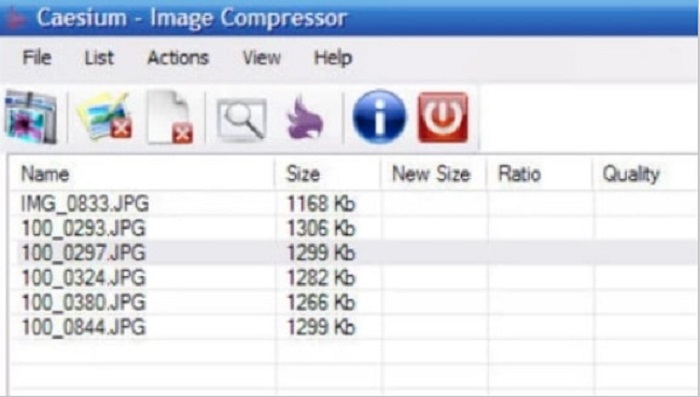
Caesium ก็เป็นหนึ่งในโปรแกรมย่อรูปสำหรับพีซีที่ดีที่สุดเช่นกัน Caesium มีชื่อเสียงด้านการใช้งานง่ายและการประมวลผลที่มีประสิทธิภาพ ผู้เชี่ยวชาญจำนวนมากใช้ซอฟต์แวร์ยอดนิยมตัวนี้เพื่อบีบอัดหรือลดขนาดรูปภาพ นอกจากนี้คุณยังสามารถพรีวิวผลลัพธ์ของภาพแบบเรียลไทม์เพื่อเปรียบเทียบกับภาพต้นฉบับได้ ข้อดีอีกอย่างคือสามารถประมวลผลภาพหลายไฟล์พร้อมกันได้โดยไม่ทำให้คุณภาพของภาพเสียหาย อีกทั้งยังรองรับไฟล์ภาพมาตรฐานอย่าง JPEG และ PNG และที่สำคัญ Caesium ใช้งานได้ฟรีโดยไม่ต้องสมัครสมาชิก.
ข้อดี
- มีส่วนต่อประสานผู้ใช้ที่เรียบง่าย
- ช่วยให้คุณสามารถส่งออกภาพของคุณได้อย่างง่ายดาย
- คุณสามารถดูตัวอย่างภาพของคุณก่อนที่จะบันทึก
- ดาวน์โหลดบนแพลตฟอร์มข้ามสื่อทั้งหมด เช่น Windows, Mac และ Linux
จุดด้อย
- บางครั้งมีกระบวนการดาวน์โหลดที่ช้า
FILEminimizer รูปภาพ
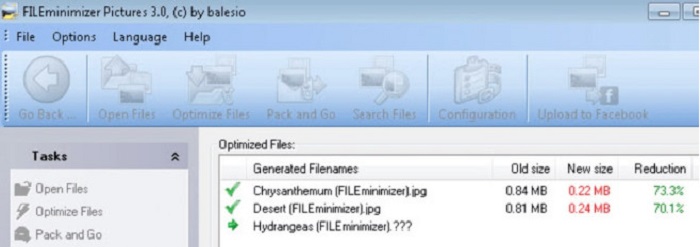
กำลังมองหาโปรแกรมที่จะช่วยลดขนาดรูปภาพของคุณอยู่หรือไม่? FILEminimizer Pictures อาจเป็นคำตอบ แอปออฟไลน์ตัวนี้ช่วยลดขนาดไฟล์รูปภาพได้สูงสุดถึง 98% ด้วยเทคโนโลยีปรับปรุงไฟล์ในตัว นอกจากนี้เครื่องมือนี้ยังบันทึกรูปภาพในรูปแบบไฟล์เดิมและส่งออกไฟล์ได้อย่างรวดเร็ว และในฐานะแอปย่อรูป มันจะลดขนาดไฟล์รูปภาพด้วยการลดความละเอียดของภาพ ดังนั้นควรคาดหวังไว้ว่าเมื่อย่อขนาดภาพแล้ว คุณภาพของภาพก็จะลดลงด้วย.
นอกจากนี้ยังมีกระบวนการบีบอัดที่แตกต่างกันสี่แบบ บีบอัดเป็นแบทช์ สิ่งอำนวยความสะดวกในการใช้การบีบอัดแบบไม่สูญเสียข้อมูล และอื่นๆ แม้ว่าแอปพลิเคชันจะไม่ฟรี แต่ก็ยังมีการทดลองใช้ฟรีที่คุณสามารถใช้ได้ ดังนั้น หากคุณกำลังค้นหาโปรแกรมแก้ไขภาพถ่ายแบบกลุ่ม คุณอาจพิจารณาใช้เครื่องมือนี้
ข้อดี
- รองรับรูปแบบต่างๆ เช่น JPG, BMP, GIF และ PNG
- คุณสามารถส่งออกรูปภาพไปยังอีเมลของคุณได้
- มีกระบวนการปรับขนาดที่รวดเร็ว
จุดด้อย
- หลังจากทดลองใช้ฟรีแล้ว คุณต้องอัปเกรดโดยการซื้อแอป
ที่เกี่ยวข้อง:
แอปปรับขนาดรูปภาพที่ดีที่สุด ทั้งออนไลน์ ออฟไลน์ Android และ iPhone
7 อันดับตัวขยายรูปภาพออนไลน์และออฟไลน์ที่ดีที่สุด
ส่วนที่ 3 คำถามที่พบบ่อยเกี่ยวกับ Photo Resizers
มีแอพสำหรับปรับขนาดรูปภาพบน iPhone หรือไม่?
Image Size เป็นแอพสำหรับ iPhone ที่คุณสามารถดาวน์โหลดได้ฟรี แอพนี้เป็นหนึ่งในแอพปรับขนาดรูปภาพที่ดีที่สุดสำหรับ iPhone
ฉันสามารถบีบอัดรูปภาพโดยไม่สูญเสียคุณภาพได้หรือไม่
การลดขนาดรูปภาพจำเป็นต้องปรับความละเอียดและพิกเซลของรูปภาพ ดังนั้น เมื่อคุณบีบอัดรูปภาพ ให้คาดหวังว่ารูปภาพนั้นจะมีคุณภาพต่ำกว่า
มี Kapwing Photo Resizer หรือไม่?
โชคดีที่คุณสามารถใช้ Kapwing เพื่อปรับขนาดภาพของคุณได้ Kapwing photo resizer ช่วยให้คุณสามารถครอบตัด ย่อ หรือซูมภาพได้
สรุป
บรรดาตัวปรับขนาดรูปภาพที่กล่าวมาข้างต้น ถือเป็นแอปย่อรูปทั้งแบบออนไลน์และออฟไลน์ที่ดีที่สุด แต่ละตัวมีฟีเจอร์เฉพาะตัวแตกต่างกันไป ดังนั้นควรเลือกให้เหมาะกับการใช้งานของคุณ แต่หากคุณต้องการใช้ตัวปรับขนาดรูปที่ฟรีและยอดเยี่ยม FVC Free Image Upscaler คือเครื่องมือที่เหมาะที่สุดสำหรับคุณ.
บทความที่เกี่ยวข้อง
-
 ทำให้ความละเอียดภาพถ่ายของ iPhone ดีขึ้นด้วยเครื่องมือเพิ่มประสิทธิภาพสูงสุด
 คุณต้องการปรับปรุงความละเอียดภาพถ่ายของ iPhone หรือไม่? ในบทความนี้เราจะพูดถึงเครื่องมือที่ดีที่สุดที่คุณสามารถใช้ได้และลูกเล่นอื่นๆ ที่คุณต้องรู้!
-
 การฟื้นฟูรูปภาพแบบเก่าทั้งแบบออนไลน์และออฟไลน์ [ขั้นตอนง่าย ๆ ]
 ต้องการคืนค่ารูปภาพเก่าหรือไม่ ด้วยเครื่องมือเหล่านี้ คุณจะทราบขั้นตอนการกู้คืนภาพถ่ายแบบเก่า อ่านโพสต์นี้เพื่อเรียนรู้วิธีที่ตรงไปตรงมาที่สุด
-
 ตัวเพิ่มประสิทธิภาพพิกเซล 7 อันดับแรกสำหรับเว็บเบราว์เซอร์ทั้งหมดที่คุณต้องใช้
 หากคุณต้องการทราบเครื่องมือเพิ่มประสิทธิภาพพิกเซลที่ดีที่สุด คุณควรตรวจสอบโพสต์นี้ บทความนี้แสดงรายการเครื่องมือเพิ่มประสิทธิภาพพิกเซลภาพถ่ายที่ดีที่สุดเจ็ดรายการสำหรับเว็บเบราว์เซอร์ทั้งหมด
