


 Video Converter Ultimate
 บันทึกหน้าจอ
 ซ่อมวิดีโอ
วิธีแปลง AVI เป็น MP3 ด้วยบทช่วยสอนฟรีด้านล่าง
ดังที่กล่าวไว้ ไฟล์ AVI จะเก็บคุณภาพที่ดีที่สุดสำหรับวิดีโอและเสียงที่คุณต้องการ น่าเสียดายที่ส่วนที่ไม่ดีของสิ่งนี้คือขนาดไฟล์ที่ใหญ่ ทุกๆ 3-4 นาทีของไฟล์มีเดียที่จัดเก็บไว้ในนั้น ขนาดไฟล์จะเพิ่มขึ้นได้ถึง 3-4 กิกะไบต์ ซึ่งล้นหลามในฐานะผู้ใช้รูปแบบ AVI ก่อนที่คุณจะเริ่มรู้สึกเศร้าหรือหงุดหงิด ตอนนี้มีวิธีจัดเก็บเสียง AVI ที่มีคุณภาพไว้ในคอมพิวเตอร์ของคุณแล้ว โดยไม่สูญเสียคุณภาพของมันและนั่นก็คือการแปลง หากคุณต้องการทราบวิธีการแปลง AVI เป็น MP3 คุณมาถูกทางแล้ว เนื่องจากเราจะมาพูดถึงวิธีการแปลงและตัวแปลงอื่น ๆ ที่คุณสามารถใช้เพื่อสร้างเสียง MP3 คุณภาพสูงได้คืออะไร หากคุณอ่านบทความนี้ต่อไป คุณจะเข้าใจกระบวนการแปลงที่เราพูดถึง

ส่วนที่ 1 วิธีการแปลง AVI เป็น MP3 Online
1. ตัวแปลง MP3 ฟรี FVC
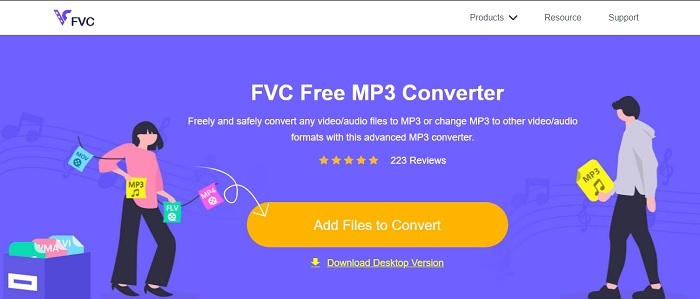
หากคุณต้องการรู้ว่าเครื่องมือออนไลน์ตัวไหนคือตัวแปลง AVI เป็น MP3 แบบฟรีที่ดีที่สุด นี่แหละคือคำตอบ นำเสนอโดย FVC เป็นตัวอย่างประสบการณ์ของตัวแปลงขั้นสุดยอดอย่าง FVC Free MP3 Converter เครื่องมือออนไลน์ตัวนี้ให้ข้อได้เปรียบกับคุณมากที่สุดเมื่อมองถึงการแปลงไฟล์ หากเราจัดอันดับทุกเครื่องมือที่นี่ ตัวนี้ก็ยังคงอยู่อันดับหนึ่ง ไม่เพียงเท่านั้น ที่ให้การบีบอัดไฟล์ที่ปลอดภัย ยังแปลงไฟล์ได้อย่างรวดเร็วอีกด้วย อยากรู้ไหมว่ากระบวนการแปลงไฟล์เร็วแค่ไหน? ถ้าอย่างนั้นให้ทำตามขั้นตอนด้านล่าง แล้วลองทดสอบด้วยตัวคุณเองเพื่อพิสูจน์ให้เห็นกับตา.
ขั้นตอนที่ 1 คลิกที่ลิงก์เพื่อไปยังหน้าเว็บหลักของเครื่องมือ.
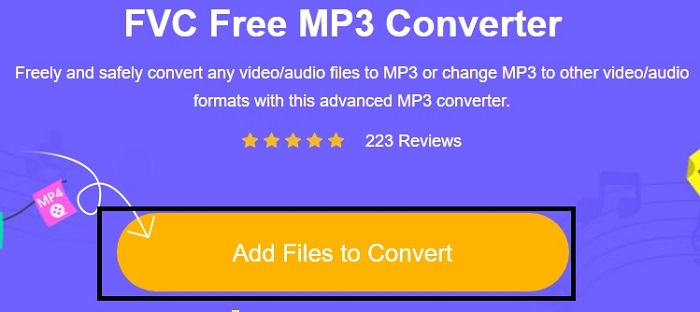
ขั้นตอนที่ 2 กดปุ่ม Add Files to Convert แล้วคลิก Allow เพื่อเปิดใช้งานเครื่องมือ.
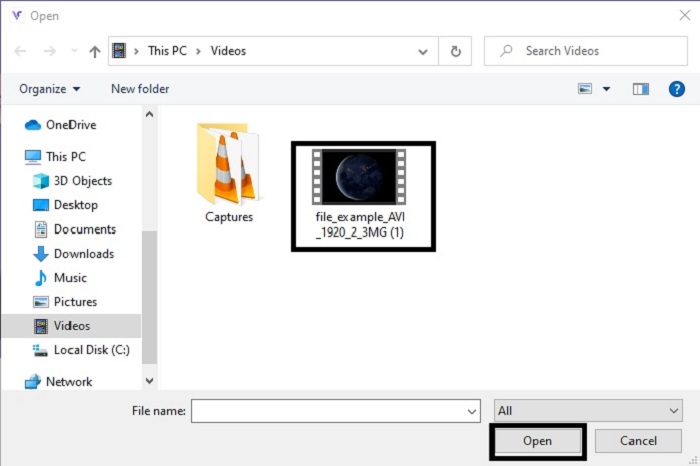
ขั้นตอนที่ 3 เลือกไฟล์ที่คุณต้องการแปลง เมื่อตัดสินใจได้แล้วให้คลิก Open เพื่อดำเนินการต่อ.
ขั้นตอนที่ 4 เปลี่ยนไฟล์ AVI ให้เป็นรูปแบบเสียง MP3 หรือจะเลือกเป็นรูปแบบอื่นตามที่คุณต้องการก็ได้.
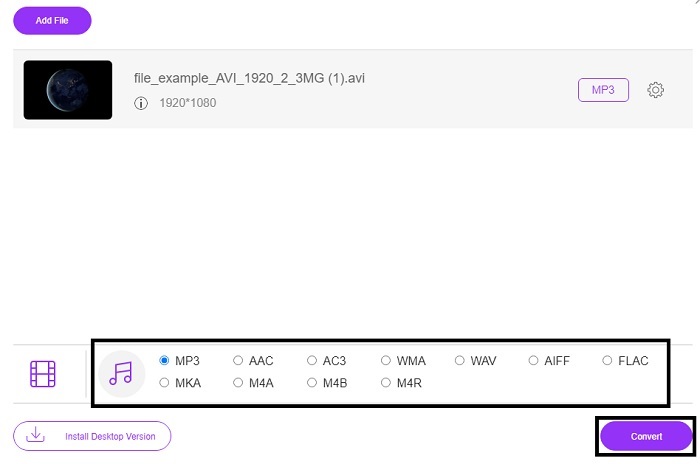
ขั้นตอนที่ 5 เพื่อเริ่มกระบวนการ ให้คลิก Convert แล้วรอเพียงไม่กี่นาทีให้เสร็จ หลังจากเสร็จแล้วคุณสามารถไปตรวจดูไฟล์ในโฟลเดอร์ของคุณภายหลังได้.
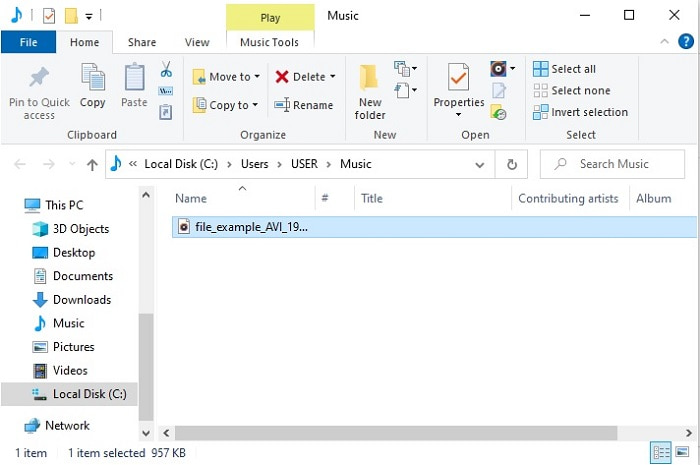
2. Convertio
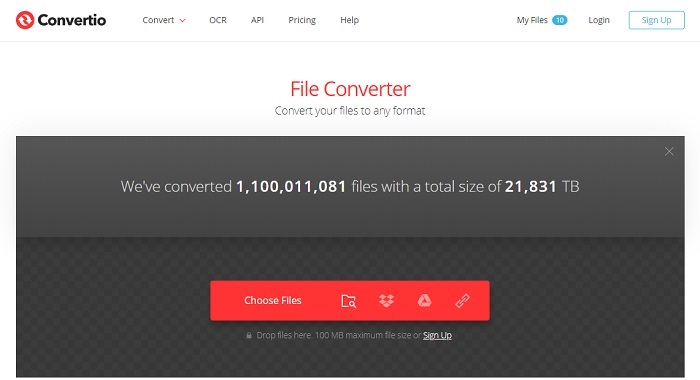
หากพูดถึงวิธีแปลง AVI เป็น MP3 บน Mac แบบฟรี แล้วล่ะก็ Convertio คือผู้ช่วยกู้สถานการณ์ เครื่องมือนี้ให้การบีบอัดและการแปลงไฟล์ที่มีคุณภาพบน Windows ด้วยเช่นกัน แตกต่างจาก FVC Free MP3 Converter ตรงที่เครื่องมือนี้รองรับการแปลงเอกสาร eBook เวกเตอร์ และอื่น ๆ แต่คุณไม่สามารถปรับบิตเรต fps และตัวแปลงสัญญาณ (codec) ได้เหมือนกับเครื่องมือแรก แม้ว่ากระบวนการแปลงที่นี่จะรวดเร็วและมีประสิทธิภาพ แต่เครื่องมือแรกด้านบนก็ยังเหนือกว่าอยู่ดี อย่างไรก็ตาม เครื่องมือนี้ก็ยังน่าลองใช้เพราะใช้งานง่ายและเป็นมิตรต่อผู้ใช้มาก จึงเหมาะทั้งมือใหม่และมือโปร.
ขั้นตอนที่ 1 ไปที่เว็บไซต์ Convertio.
ขั้นตอนที่ 2 เลือกไฟล์ที่คุณต้องการแปลงแล้วอัปโหลดขึ้นไป.
ขั้นตอนที่ 3 เลือกรูปแบบ MP3 แล้วคลิก Convert เพื่อเริ่มต้น.
3. ซัมซาร์
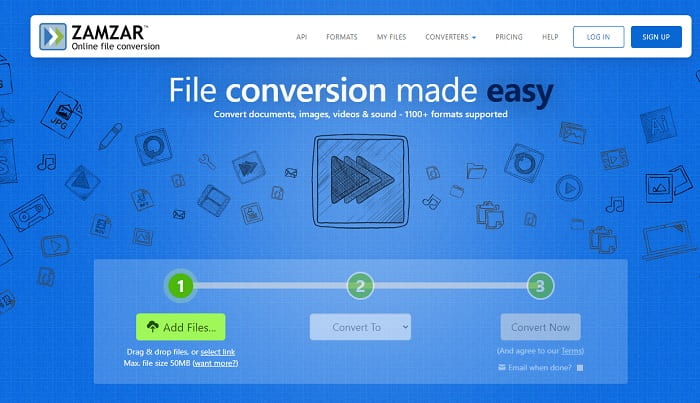
ใช้ Zamzar หากคุณต้องการแปลงไฟล์ AVI เป็น MP3 ออนไลน์ นอกจากนี้ เครื่องมือนี้ยังให้ตัวแปลงที่เรียบง่ายแต่คลาสสิกในแบบที่คุณอาจเคยใช้หรือเคยลองมาแล้ว แต่ข้อเสียคือ รูปแบบไฟล์ทั้งหมด ไม่ว่าจะเป็นเสียง รูปภาพ วิดีโอ หรือประเภทอื่น ๆ จะถูกรวมอยู่ในปุ่มดรอปดาวน์เพียงปุ่มเดียว ทำให้การหาฟอร์แมตที่คุณต้องการค่อนข้างยุ่งยากเล็กน้อย แต่ก็ยังถือว่าจัดการได้ โปรดจำไว้ว่าเครื่องมือนี้รองรับขนาดไฟล์เพียง 50 MB ต่อหนึ่งกระบวนการแปลงเท่านั้น อยากรู้ไหมว่าจะใช้ Zamzar อย่างไร? ถ้าอย่างนั้นให้ทำตามขั้นตอนด้านล่างนี้.
ขั้นตอนที่ 1 ค้นหาเว็บเพจอย่างเป็นทางการของ Zamzar คลิกเพิ่มไฟล์ (Add file) เพื่อเลือกไฟล์ที่คุณต้องการแปลง.
ขั้นตอนที่ 2 เลือกรูปแบบไฟล์ปลายทางที่คุณต้องการในเมนูย่อยของ Convert to.
ขั้นตอนที่ 3 คลิก Convert now เพื่อเริ่มกระบวนการ.
ส่วนที่ 2 AVI เป็น MP3 Converter ที่ดีที่สุดบนพีซีและ Mac
เมื่อกล่าวมาทั้งหมดเกี่ยวกับคุณสมบัติอันยอดเยี่ยมของซอฟต์แวร์แปลง AVI เป็น MP3 ออนไลน์แล้ว FVC Video Converter Ultimate ก็ยังคงเป็นราชาแห่งการแปลงไฟล์บนโลกอินเทอร์เน็ต คุณเคยสงสัยไหมว่าการแปลงไฟล์สามารถยกระดับขึ้นไปได้อีกขั้น? พูดให้ชัดกว่านั้นก็คือ ด้วยการใช้โปรแกรมนี้เป็นตัวแปลงส่วนตัวของคุณ คุณสามารถทำอะไรได้มากกว่าการแปลงไฟล์ธรรมดา ๆ.
ตรงกันข้ามกับเครื่องมือออนไลน์ด้านบน ซอฟต์แวร์นี้ไม่เพียงแต่เชี่ยวชาญในการแปลงเท่านั้น แต่ยังรวมถึงการตัดแต่ง เพิ่มประสิทธิภาพ ตัวเพิ่มระดับเสียง เป็นต้น แทนที่จะใช้เครื่องมือแรกด้านบน ทำไมคุณไม่ลองใช้เครื่องมือนี้ดูล่ะ ด้วยเหตุนี้ เราจะดำเนินการแปลงไฟล์ AVI ของคุณให้สมบูรณ์แบบและทำให้ชีวิตเป็นไฟล์รูปแบบ MP3 ทำตามขั้นตอนด้านล่างเพื่อทำความเข้าใจกระบวนการแปลงเครื่องมือนี้อย่างลึกซึ้งยิ่งขึ้น
ขั้นตอนที่ 1 ดาวน์โหลดเครื่องมือเวอร์ชัน Ultimate อย่างเป็นทางการของ FVC โดยคลิกปุ่มดาวน์โหลด ทำตามขั้นตอนการติดตั้งจนเสร็จ แล้วคลิก Finish เพื่อบันทึกการตั้งค่า.
ดาวน์โหลดฟรีสำหรับ Windows 7 หรือใหม่กว่าดาวน์โหลดอย่างปลอดภัย
ดาวน์โหลดฟรีสำหรับ MacOS 10.7 หรือใหม่กว่าดาวน์โหลดอย่างปลอดภัย
ขั้นตอนที่ 2 หลังจากทุกอย่างเรียบร้อยแล้ว ซอฟต์แวร์จะเปิดขึ้นอัตโนมัติบนหน้าจอของคุณ นี่คือหน้าตาของโปรแกรม.
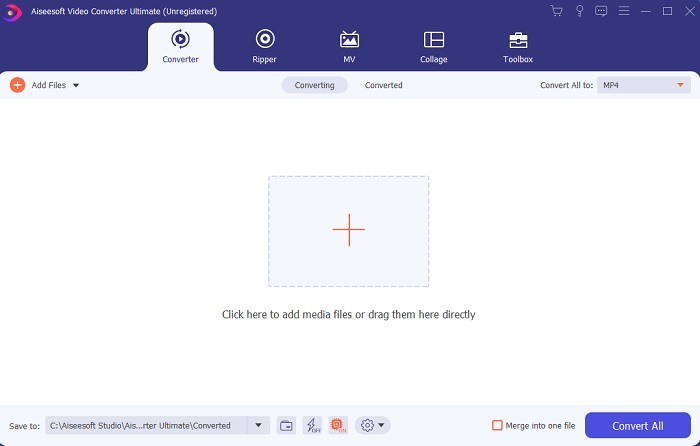
ขั้นตอนที่ 3 ในอินเทอร์เฟซหลัก ตอนนี้คุณต้องเลือกไฟล์ AVI ที่ต้องการแปลง โดยคลิกปุ่ม Add Files ข้อมูลเพิ่มเติม หากมีไฟล์จำนวนมาก คุณสามารถลากแล้วปล่อยลงในโปรแกรมได้เลย.
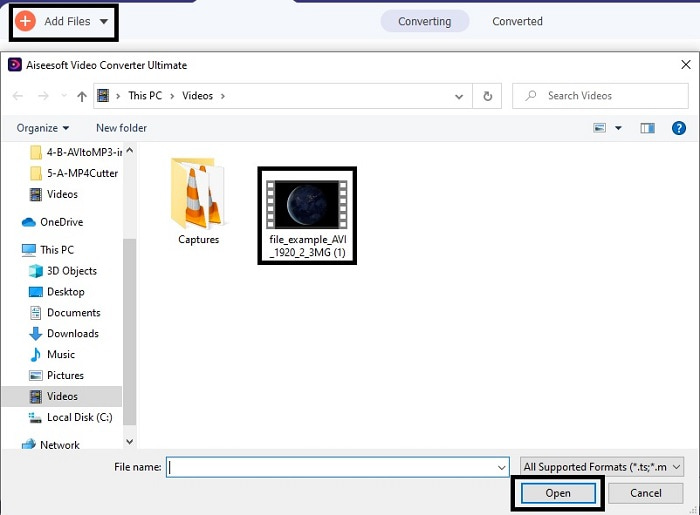
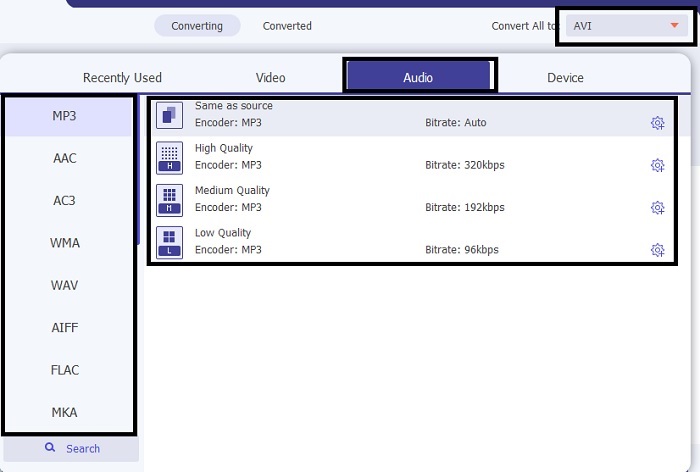
ขั้นตอนที่ 4 ที่มุมขวาบน คุณจะเห็น เมนูย่อย ขนาดเล็ก ให้คลิก จากนั้นเลือกรูปแบบ MP3 หรือรูปแบบเสียง/วิดีโออื่นใดที่คุณต้องการ หลังจากเลือกแล้วให้คลิก Convert All เพื่อเริ่มกระบวนการ ซึ่งจะเริ่มขึ้นในไม่ช้า.
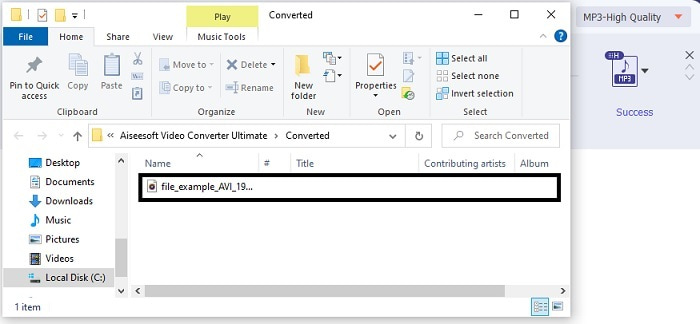
ขั้นตอนที่ 5 ใช้เวลาเพียงไม่กี่วินาทีในการแปลง และหลังจากเสร็จแล้ว จะมีตัวจัดการไฟล์เปิดขึ้นบนหน้าจอของคุณทันที คลิกไฟล์ที่แปลงเสร็จเพื่อฟัง และหากคุณต้องการปรับแต่งเสียงเพิ่มเติม ก็สามารถเข้าไปที่แถบเครื่องมือได้ในภายหลัง.
นอกจากนี้ เครื่องมือนี้ยังสามารถแปลงไฟล์ WMV เป็น MP3 หรือ MOV เป็น MP3 ได้อีกด้วย.
ส่วนที่ 3 คำถามที่พบบ่อยเกี่ยวกับ AVI เป็น MP3
MP3 คืออะไร?
MP3 เก็บรูปแบบเสียงคุณภาพสูง เป็นที่นิยมอย่างมากในปัจจุบันเพราะเป็นรูปแบบเสียงที่ใช้กันมากที่สุด ตัวอย่างที่ดีที่สุดของ MP3 ได้แก่ เพลง การบันทึก และอื่นๆ อีกมากมาย
MP3 สูญเสียหรือสูญเสียหรือไม่?
MP3 เป็นตัวอย่างของการบีบอัดข้อมูลแบบสูญเสียข้อมูล ซึ่งดีมากในการจัดเก็บข้อมูลเสียงเมื่อเทียบกับไฟล์อื่นที่ไม่มีการบีบอัดเช่น AVI ที่กล่าวถึงก่อนหน้านี้
MP3 สามารถเก็บไฟล์วิดีโอได้หรือไม่?
คำตอบคือ ไม่ใช่ MP3 มีไว้สำหรับเก็บไฟล์เสียงเท่านั้น แต่คุณสามารถเพิ่มไฟล์วิดีโอในเวอร์ชันปรับปรุงของ MP3 ซึ่งเป็น MP4 หรือที่เรียกว่ารูปแบบมัลติมีเดียสากล คลิกที่นี่เพื่อทราบความแตกต่างระหว่าง MP3 และ MP4
สรุป
ตอนนี้ชัดเจนขึ้น แทนที่จะมีรูปแบบเสียง AVI จะเป็นการดีกว่าที่จะแปลงเป็นไฟล์ MP3 รายการด้านบนพูดถึงวิธีการแปลงและตัวเลือกอื่นๆ ที่เหมาะกับความต้องการของคุณมีอะไรบ้าง แต่ถึงกระนั้น FVC Video Converter Ultimate ก็ยังมีคุณสมบัติดังกล่าวอยู่ บางทีคุณอาจกำลังคิดว่าคุณแค่ต้องการตัวแปลงธรรมดาๆ ที่ไม่มีฟีเจอร์แก้ไขซึ่งก็ไม่เป็นไร แต่ในระยะยาว คุณจะรู้สึกว่ามีบางอย่างขาดหายไปซึ่งคุณไม่พบในตัวแปลงในรายการ แทนที่จะรอให้สิ่งนี้เกิดขึ้น ทำไมคุณไม่ลองใช้สิ่งนี้และเตรียมพร้อมสำหรับอนาคต ดังนั้น เพื่อรักษาความปลอดภัยให้กับการแปลงในอนาคตของคุณ คุณต้องได้รับเครื่องมือขั้นสูงสุดเพื่อเตรียมพร้อม
-
 4 100% วิธีการทำงานเพื่อแปลงไฟล์วิดีโอ FLV เป็นรูปแบบ MP3
 จะแปลงไฟล์ FLV เป็นไฟล์ MP3 ได้อย่างไร? สิ่งที่คุณต้องทำคืออ่านบทความนี้อย่างละเอียดค้นหาวิธีที่คุณชื่นชอบและทำตามคำแนะนำทีละขั้นตอนเพื่อให้ได้สิ่งที่คุณต้องการ
-
 4 วิธียอดนิยมในการแปลง OGG เป็น MP3 โดยไม่สูญเสียคุณภาพ
 จะแปลงไฟล์ OGG ของคุณเป็นรูปแบบ MP3 สำหรับฟังบนคอมพิวเตอร์หรืออุปกรณ์มือถือได้อย่างไร? เราจะแบ่งปัน 5 วิธีที่ง่ายที่สุดในการทำบนเดสก์ท็อปหรือออนไลน์
-
 วิธีการแปลง M4A เป็น MP3 พร้อมตัวแปลงเสียงฟรี 4 ตัว
 ไม่สามารถเล่น M4A และจำเป็นต้องแปลงเป็น MP3 หรือไม่ มีวิธีฟรีในการแปลง M4A เป็น MP3 ออนไลน์หรือไม่ โพสต์นี้แบ่งปัน 4 วิธีฟรีเพื่อช่วยคุณแปลง M4A เป็น MP3 ด้วย iTunes ตัวแปลงเสียงออนไลน์และแบบมืออาชีพ
