


 Video Converter Ultimate
 บันทึกหน้าจอ
 ซ่อมวิดีโอ
 ดาวน์โหลดอย่างปลอดภัย
อะไรคือการแทนที่ QuickTime ที่ดีที่สุดในซอฟต์แวร์ทั้งหมด (ฟรีและจ่ายเงิน)
QuickTime Player เป็นโปรแกรมเล่นสื่อภายในเครื่องของระบบ Mac ถือเป็นโปรแกรมเล่นสื่อฟรีที่ดีที่สุดของ Apple ก็ว่าได้ แต่โปรแกรมนี้ไม่สามารถใช้งานได้บนระบบปฏิบัติการอื่น เช่น Windows OS เป็นต้น ดังนั้นผู้ใช้ Mac หลายคนจึงลำบากใจว่าจะเลือกใช้ โปรแกรมทดแทน QuickTime Player ตัวไหนจึงจะดีที่สุด โดยไม่ต้องอ้อมค้อม บทความนี้จะให้ข้อมูลหลักฐานเพียงพอเกี่ยวกับเครื่องมือต่าง ๆ เหล่านี้ และบอกด้วยว่ามีตัวเลือกอื่นใดบ้างที่คุณควรใช้เพื่อรับชมวิดีโอได้อย่างมีประสิทธิภาพไม่แพ้ QuickTime อ่านบทความนี้ต่อไปเพื่อทำความรู้จักกับโปรแกรมเล่นสื่อต่าง ๆ เหล่านี้ให้มากขึ้น.

ส่วนที่ 1 ออนไลน์ทดแทน QuickTime ที่ดีที่สุด
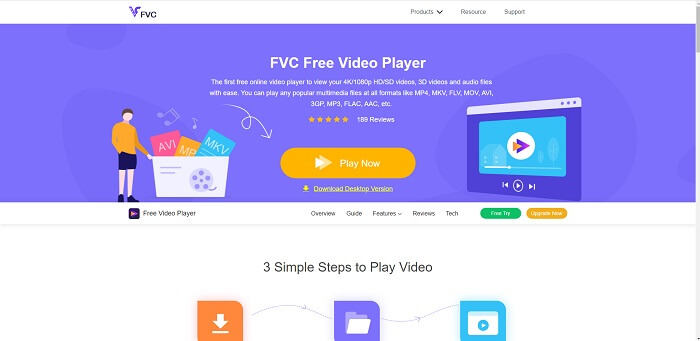
หากคุณกำลังมองหา ตัวเลือกทดแทน QuickTime Player แบบออนไลน์ที่ดีที่สุด นี่คือคำตอบสำหรับคุณ โดยไม่ต้องสมัครสมาชิก ไม่ต้องล็อกอิน และไม่ต้องเสียค่าใช้จ่าย จุดเด่นที่ยอดเยี่ยมอีกอย่างคือคุณสามารถใช้งานได้ทุกที่ทุกเวลาผ่านการเชื่อมต่ออินเทอร์เน็ต โดยไม่ต้องมาคอยตอบคำถามยืนยันว่า 'คุณไม่ใช่หุ่นยนต์' หรือคลิกเลือกรูปฝาครอบดับเพลิง รถยนต์ รถบัส ทางม้าลาย ฯลฯ FVC Free Video Player พร้อมแล้วที่จะพลิกประสบการณ์การดูวิดีโอและฟังเสียงโปรดของคุณบนออนไลน์ มันเหมือน QuickTime Player แต่ใช้งานผ่านเว็บ ไม่ต้องดาวน์โหลด และไม่ต้องกังวล เพราะปลอดมัลแวร์แน่นอน.
ข้อดี
- เครื่องมือทดแทน QuickTime ออนไลน์ที่คุณสามารถเข้าถึงได้ผ่านเว็บ
- เครื่องบันทึกตัวเลือกที่ดีที่สุดบนเว็บ นอกจากนี้ คุณไม่จำเป็นต้องดาวน์โหลดเครื่องมือ เพียงแค่เปิด วาง และดู
- ปลอดภัยจากมัลแวร์ ไม่มีโฆษณาบนเว็บและขณะเล่น
จุดด้อย
- ขึ้นอยู่กับอินเทอร์เน็ต
- หากอินเทอร์เน็ตไม่เสถียร คุณจะไม่สามารถรับชมไฟล์ได้
ส่วนที่ 2 ทางเลือก Prime Elite QuickTime Player สำหรับ Mac และ Windows 10
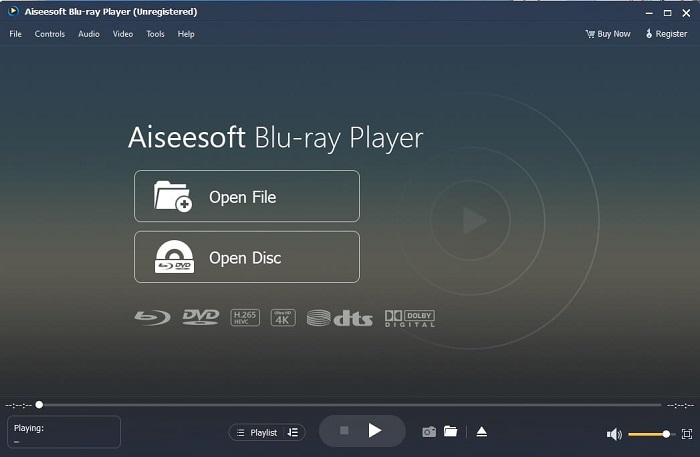
ถ้าเครื่องมือออนไลน์ฟรีให้คุณรับชมและฟังไฟล์วิดีโอ–เสียงโปรดได้ในคุณภาพที่ดีอยู่แล้ว เครื่องมือนี้จะยกระดับทุกอย่างไปอีกขั้น หากคุณกำลังตามหาสมบัติที่ถูกซ่อนไว้มานาน ตอนนี้ถึงเวลาบอกคุณได้แล้วว่าการค้นหานั้นสิ้นสุดลง เพราะวันนี้คุณได้พบมันแล้ว เครื่องมือนี้คือ ทางเลือก QuickTime Player ที่ดีที่สุดสำหรับ Windows 10 และ Mac เนื่องจากทำงานได้ดีกว่าและรองรับไฟล์ได้มากกว่าหลายฟอร์แมต Blu-ray Player คือสมบัติที่สาบสูญ หากคุณกำลังมองหาโปรแกรมเล่นสื่อที่ให้ประสิทธิภาพยอดเยี่ยมในการดูและฟังวิดีโอหรือเพลงโปรด อีกทั้งมีความเชื่อกันว่า “ทุกสมบัติที่ได้มาต้องมีราคาที่ต้องจ่าย” หลายคนเลยคิดว่ามันต้องแพงมาก เพราะบอกไว้ว่าดีกว่า QuickTime เองเสียอีก แต่ต้องบอกให้รู้ไว้เลยว่าไม่ใช่แบบนั้น ตรงไปตรงมา เครื่องมือนี้เหนือกว่าซอฟต์แวร์เล่นมีเดียอื่น ๆ ที่คุณจะพบได้ในบทความนี้หรือบนเว็บเสียอีก เป็นโปรแกรมเล่นสื่อที่ควรลองอย่างยิ่ง หากคุณต้องการคุณภาพระดับดีที่สุด ราวกับกำลังชมจากโรงภาพยนตร์.
ดาวน์โหลดฟรีสำหรับ Windows 7 หรือใหม่กว่าดาวน์โหลดอย่างปลอดภัย
ดาวน์โหลดฟรีสำหรับ MacOS 10.7 หรือใหม่กว่าดาวน์โหลดอย่างปลอดภัย
ข้อดี
- เครื่องเล่นมีเดีย S-class
- ทำงานได้ดีโดยไม่ต้องเชื่อมต่ออินเทอร์เน็ต
- รองรับทุกแพลตฟอร์มที่คุณรู้จักและไม่รู้จัก ด้วยคุณภาพภาพและเสียงที่มากขึ้น
จุดด้อย
- ต้องดาวน์โหลดบนพีซีหรือ Mac ของคุณ
- คุณจะเสียค่าใช้จ่าย $36.00
ส่วนที่ 3 ทางเลือก QuickTime Player ที่เป็นประโยชน์อื่น ๆ 4 รายการ
รายการด้านล่างคือตัวอย่างที่คุณอาจต้องการใช้หรือพบผ่านเว็บ หากคุณกำลังค้นหา QuickTime ทดแทน เพราะก่อนหน้านั้น QuickTime เป็นเครื่องเล่นสื่อเริ่มต้นสำหรับ Mac OS อ่านทางเลือกอื่นสำหรับโปรแกรมเล่น QuickTime สำหรับ Mac และ Windows ที่คุณอาจใช้ในการดูวิดีโอหากแพลตฟอร์มของคุณไม่รองรับ QuickTime
1. VLC Media Player
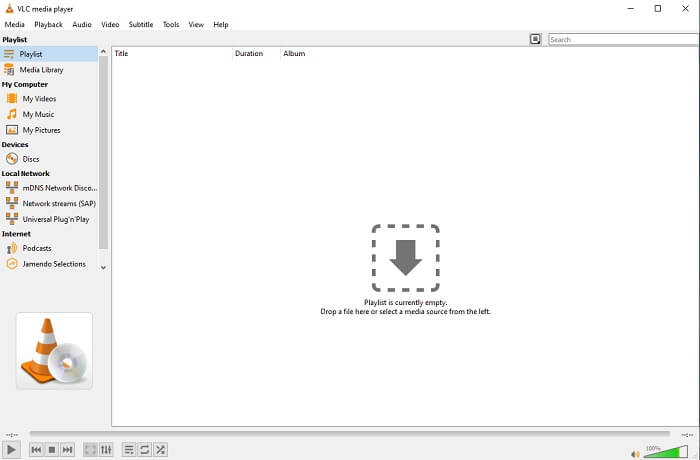
เครื่องมือนี้สร้างชื่อเป็นเครื่องเล่นสื่อที่ดีที่สุดในเว็บทั้งหมด เนื่องจากการเข้าถึงได้ง่าย ผู้ใช้ส่วนใหญ่จึงใช้ตัวเลือกนี้เป็นตัวเลือกแรก นอกจากนี้ยังสามารถเล่น DVD, VCD, CD และอื่นๆ ได้โดยไม่ต้องเพิ่มตัวแปลงสัญญาณอีกต่อไป เพื่อให้ง่าย มันเป็นผู้เล่นระดับ A ที่รวดเร็ว
ข้อดี
- หนึ่งในเครื่องเล่นสื่อที่ดีที่สุด
- อินเตอร์เฟซที่เรียบง่าย
- ต้องดาวน์โหลดเครื่องมือออฟไลน์
จุดด้อย
- บางรูปแบบไม่สามารถเล่นได้
- คุณจะพบข้อบกพร่องบางอย่างที่ยังไม่ได้รับการแก้ไข
2. ผู้เล่น KM

โปรแกรมทดแทน QuickTime สำหรับ Windows และ Mac ที่ให้คุณเล่นไฟล์ได้หลากหลายฟอร์แมตด้วยคุณภาพสูง แตกต่างจาก VLC Media Player ตรงที่ไฟล์ WMV สามารถเล่นได้สบาย ๆ บน KM Player นอกจากนี้ยังรองรับการเล่นวิดีโอแบบ 3D และทำการตัดต่อบางอย่างได้ด้วย.
ข้อดี
- เครื่องเล่นสื่อที่ใช้กันมากที่สุด
- ขึ้นชื่อเรื่องการเร่งความเร็วด้วยฮาร์ดแวร์
- การเล่นวิดีโอ 3 มิติ
จุดด้อย
- มันเป็นสปายแวร์/แอดแวร์
- มันสามารถทำให้ระบบของคุณช้าลงเนื่องจากการติดตั้งที่หลีกเลี่ยงไม่ได้จะทำให้ ดังนั้นโปรดใช้ความระมัดระวังหากคุณต้องการดาวน์โหลดซอฟต์แวร์นี้
3. MPlayer
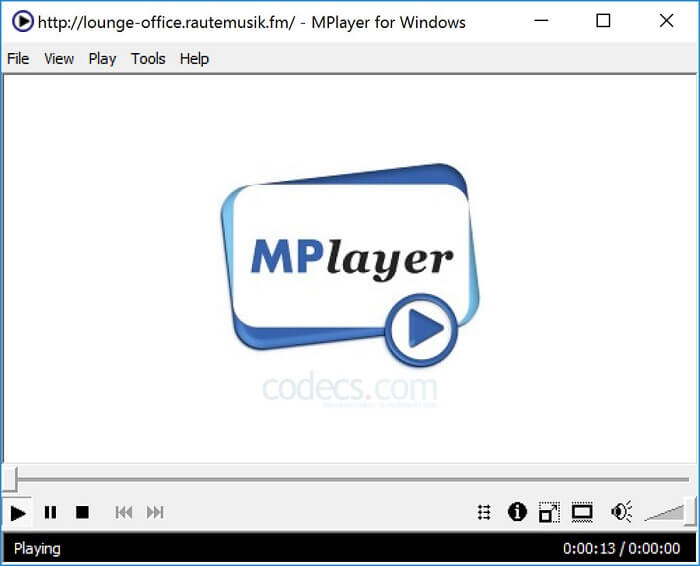
เครื่องมือนี้อนุญาตให้ผู้ใช้ทำงานด้วยหน้าต่างแยกสองส่วน เช่น หน้าต่างวิดีโอถูกแยกออกจากอินเทอร์เฟซหลัก MPlayer สามารถเล่นไฟล์ได้หลากหลายฟอร์แมต และยังรองรับเป็นพิเศษสำหรับไฟล์ที่บันทึกผ่าน Ffmpeg.
ข้อดี
- เครื่องมือเฉพาะจุด
- ไม่จำเป็นต้องใช้ตัวแปลงสัญญาณเพิ่มเติม
- ปุ่มลัด.
จุดด้อย
- ในบางกรณี ไฟล์ที่คุณเล่นไปยังโปรแกรมเล่นสื่ออื่นสามารถเล่นได้ แต่ถ้าคุณใช้ไฟล์นี้ มีความเป็นไปได้ที่ไฟล์นั้นจะไม่เล่น มันยังไม่ทราบสาเหตุ
- ขาดการเล่นไดเรกทอรี
4. Perian
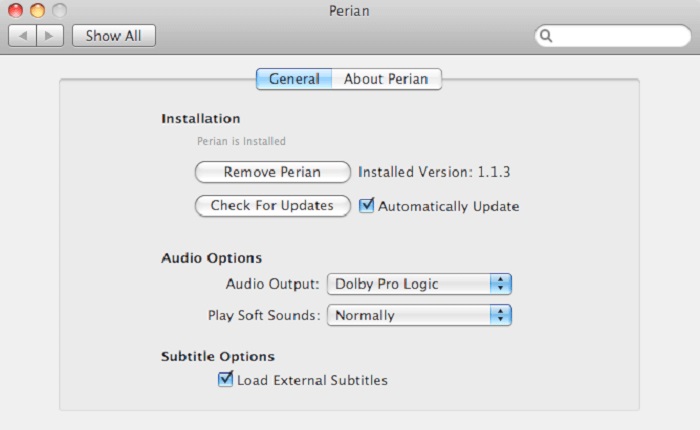
หากคุณใช้ QuickTime เวอร์ชันเก่าและอยากรู้ว่ายังมีตัวเลือกอื่นอะไรบ้าง นี่คือตัวช่วยของคุณ Perian ได้รับการขนานนามว่าเป็นมีดพกสารพัดประโยชน์สำหรับระบบปฏิบัติการ Mac หาก QuickTime เวอร์ชันเก่าไม่สามารถเล่นฟอร์แมตที่คุณต้องการได้ คุณสามารถใช้ตัวนี้ช่วย เพราะมันทำให้ QuickTime Player เล่นไฟล์ได้มากฟอร์แมตยิ่งขึ้น.
ข้อดี
- ยังคงทำงานแม้ใน QuickTime ที่ล้าสมัย
- รองรับการเล่น QuickTime เวอร์ชันเก่ามากขึ้น
- ยังคงรองรับรูปแบบคำบรรยาย SSA และ SRT จาก QuickTime
จุดด้อย
- จะใช้ไม่ได้กับ QuickTime 10 เวอร์ชันใหม่
- หากคุณใช้ QuickTime เวอร์ชันตั้งแต่ปี 2012 ก็ไม่จำเป็นต้องใช้ เนื่องจาก QuickTime สามารถให้สิ่งที่เครื่องมือนี้สามารถให้ได้มากยิ่งขึ้น
ส่วนที่ 4 คำถามที่พบบ่อยเกี่ยวกับ QuickTime Player
ฉันจะทำอะไรได้บ้างนอกจากการเล่นวิดีโอบน QuickTime
QuickTime ยังมีฟีเจอร์อื่น ๆ เช่นการบันทึกหน้าจอ การตัดต่อและตัดแต่งวิดีโอ การจัดเรียงใหม่ หมุนภาพ และยังสามารถแชร์วิดีโอและรูปภาพได้อีกด้วย.
QuickTime มีเวอร์ชันโปรหรือไม่
ใช่ มันมีเวอร์ชันโปรด้วย ตามปกติแล้ว เวอร์ชันโปรจะมีคุณสมบัติมากกว่าเวอร์ชันฟรี
มีรูปแบบไฟล์ที่ไม่สามารถเล่นได้หากคุณใช้ QuickTime
ในบางกรณีไฟล์ MOV และ MP4 อาจเล่นไม่ได้เนื่องจากตัวโค้เดกมีความซับซ้อน ปัญหานี้มักพบเมื่อคุณใช้ QuickTime เวอร์ชันเก่า ดังนั้นวิธีแก้ปัญหาที่ดีที่สุดคือการแปลงไฟล์ MOV ให้เป็น MP4.
สรุป
ตอนนี้คุณได้รู้แล้วว่ามีเครื่องมืออะไรบ้างที่ใช้แทนโปรแกรมเล่นสื่ออย่าง QuickTime ได้ อย่างที่กล่าวไว้ก่อนหน้านี้ เครื่องมือแต่ละตัวมีความถนัด จุดร่วม และจุดที่แตกต่างจากโปรแกรมเล่นสื่อตัวอื่นชัดเจน แต่สิ่งที่ชัดเจนยิ่งกว่าคือ ตัวทดแทน QuickTime Player ที่ดีที่สุด หรือพูดให้เฉพาะเจาะจงก็คือเครื่องมือที่สามารถเอาชนะ QuickTime ได้ คือ Blu-ray Player นั่นเอง มันเหนือกว่า QuickTime Player ในทุกด้าน โดยเฉพาะในเรื่องความพร้อมใช้งานและอื่น ๆ แต่คุณอาจยังสงสัยว่าทำไมต้องซื้อเครื่องมือนี้ เหตุผลเดียวคือมันเหนือกว่าซอฟต์แวร์อื่น ๆ ที่คุณอาจพบได้บนอินเทอร์เน็ตหรือในบทความอื่น ๆ แล้วคุณจะรออะไรอยู่? ดูวิดีโอให้สุดแบบมืออาชีพด้วยโปรแกรมนี้เป็นเครื่องเล่นมีเดียคู่ใจของคุณเลย.
-
 เครื่องเล่นวิดีโอ HD 1080p ที่ดีที่สุดสำหรับ Windows/Mac/iOS/Android ในปี 2025 ฟีดความคิดเห็น
 หากคุณกำลังมองหาเครื่องเล่นวิดีโอเพื่อรับชมวิดีโอความละเอียดสูง 1080p บนคอมพิวเตอร์ของคุณ ให้ตรวจสอบตัวเลือกเครื่องเล่นวิดีโอ HD 1080p ที่ดีที่สุดสำหรับ Mac, Windows PC, iOS และ Android
-
 5 วิธีการทำงานเพื่อแก้ไข QuickTime ไม่สามารถเปิดไฟล์ MOV ความคิดเห็น Feed
 รูปแบบ MOV ส่วนใหญ่สร้างขึ้นสำหรับการเล่นใน QuickTime Player อย่างไรก็ตาม บางครั้งคุณอาจพบว่าพวกเขาไม่เล่นด้วย เรียนรู้วิธีแก้ไข QuickTime จะไม่เล่นไฟล์ MOV จากโพสต์นี้
-
 วิธีการแปลงไฟล์ MKV เพื่อเล่นบน PS3 อย่างราบรื่น
 ต้องการเล่นวิดีโอ MKV บน PS3 ของคุณหรือไม่ อย่างไรก็ตาม PS3 ไม่สามารถเล่นไฟล์ MKV ได้โดยตรง บทความนี้จะแสดงวิธีการแปลงวิดีโอ MKV เป็นรูปแบบวิดีโอที่รองรับ PS3 เพื่อเล่นบน PS3 โดยไม่ต้องยุ่งยาก
