


 Video Converter Ultimate
 บันทึกหน้าจอ
 ซ่อมวิดีโอ
 ดาวน์โหลดอย่างปลอดภัย
5 เครื่องเล่น WAV ฟรีที่ดีที่สุดสำหรับ Android, iOS และคอมพิวเตอร์
WAV ย่อมาจาก Waveform Audio File Format เป็นมาตรฐานไฟล์เสียงที่พัฒนาโดย Microsoft และ IBM เป็นรูปแบบเสียงแบบไม่บีบอัดหรือแบบไม่สูญเสียข้อมูล คุณกำลังกังวลเกี่ยวกับการเปิดไฟล์ WAV บนโทรศัพท์ Android, iPhone, iPad หรือคอมพิวเตอร์อยู่หรือไม่?
โดยทั่วไปแล้ว คุณสามารถเปิดไฟล์ WAV บนคอมพิวเตอร์ได้ง่าย ๆ ด้วย Windows Media Player หรือ QuickTime Player อย่างไรก็ตาม เนื่องจากขาดชุดตัวแปลงสัญญาณ (codec pack) ที่ถูกต้องหรือด้วยสาเหตุอื่น ๆ คุณอาจพบปัญหาเล่นไฟล์ WAV ไม่ได้ ในกรณีนั้น คุณจำเป็นต้องมี เครื่องเล่น WAV ที่ดีมาช่วยให้คุณเล่นไฟล์เสียงได้.

ในโพสต์นี้ เราจะพูดถึงเรื่อง เครื่องเล่น WAV สำหรับอุปกรณ์ Android และ iOS เป็นหลัก นอกจากนี้ เรายังอยากแนะนำเครื่องเล่น WAV สำหรับ Windows PC และ Mac เผื่อในกรณีที่คุณเจอปัญหาเล่นไฟล์ WAV ไม่ได้.
ส่วนที่ 1 แอพ WAV Player 5 อันดับแรกสำหรับ Android และ iPhone
รูปแบบ WAV สามารถรองรับได้ทั้งในอุปกรณ์ Android และ iOS ดังนั้นไม่ว่าคุณจะใช้โทรศัพท์ iPhone, iPad หรือ Android คุณต้องมีแอปเครื่องเล่น WAV เพื่อเล่นไฟล์เสียงแบบไม่สูญเสียข้อมูล ในส่วนแรกเราต้องการสร้างรายชื่อแอพเล่นไฟล์ WAV ที่ดีที่สุด 5 รายการให้คุณเลือก บางแอปมีทั้งแอป Android และ iOS ให้คุณใช้ คุณสามารถตรวจสอบคุณสมบัติหลักของเครื่องเล่น WAV แต่ละเครื่องจากนั้นเลือกเครื่องเล่นที่คุณต้องการ
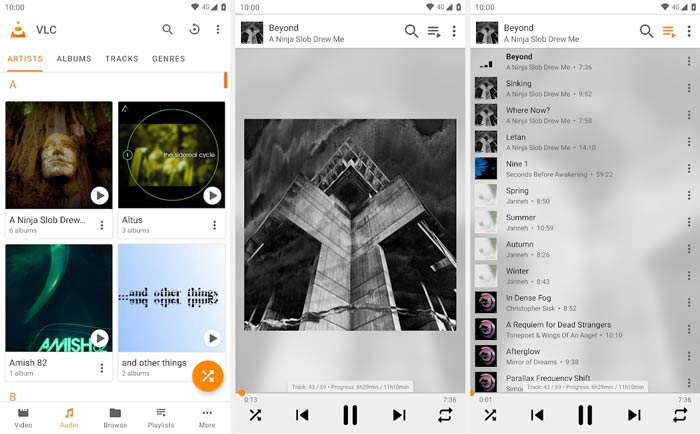
1. เครื่องเล่นสื่อ VLC
โปรแกรมเล่นไฟล์ WAV แบบโอเพนซอร์สสำหรับ Android, iPhone, PC และ Mac
คุณสมบัติเด่น
1. รองรับรูปแบบเสียงที่ใช้บ่อยเช่น WAV, MP3, AAC, AC3, WMA, FLAC, ALAC, ATRAC 3, TrueAudio, APE, Real Audio, AMR, MIDI, LPCM, Raw Audio และอื่น ๆ
2. เล่นวิดีโอ 4K, HD และ SD ทุกประเภทใน MP4, MKV, MOV, FLV, AVI ฯลฯ
3. เพิ่มเสียงได้ถึง 125% และเพิ่มเสียงวิดีโอได้ถึง 200%
4. นำเสนอคุณสมบัติที่มีประโยชน์อื่น ๆ เช่นการแปลงแก้ไขและบันทึก
5. ทำงานเป็นเครื่องเล่น WAV สำหรับอุปกรณ์ Android และ iOS และคอมพิวเตอร์
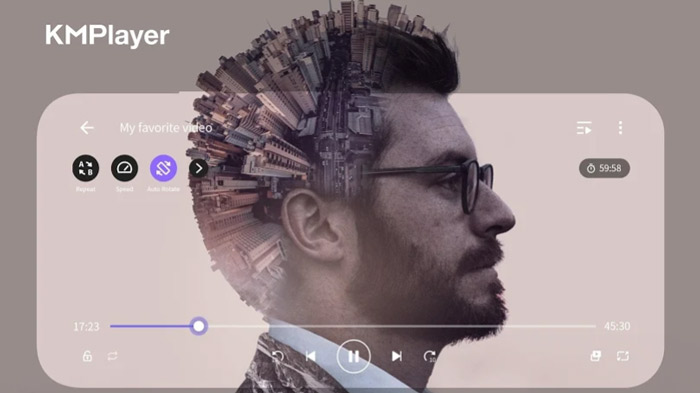
2. KMPlayer
เครื่องเล่น WAV ฟรีสำหรับ Android, iOS, Windows และ Mac
คุณสมบัติเด่น
1. เล่นไฟล์เสียงทุกประเภทใน WAV, MP3, AAC, MP2, OGG และอื่น ๆ
2. รองรับการเล่นวิดีโอความละเอียดสูง 4K, 8K, UHD, Full HD
3. ปรับปรุงคุณภาพของวิดีโอด้วยการควบคุมความอิ่มตัว, การควบคุมแกมมา, ตัวกรองระดับสีเทา, การควบคุมระดับอัตโนมัติและอื่น ๆ
4. ฟังก์ชั่นควบคุมความเร็วในการเล่นสูงสุด 0.25 - 4 ครั้ง
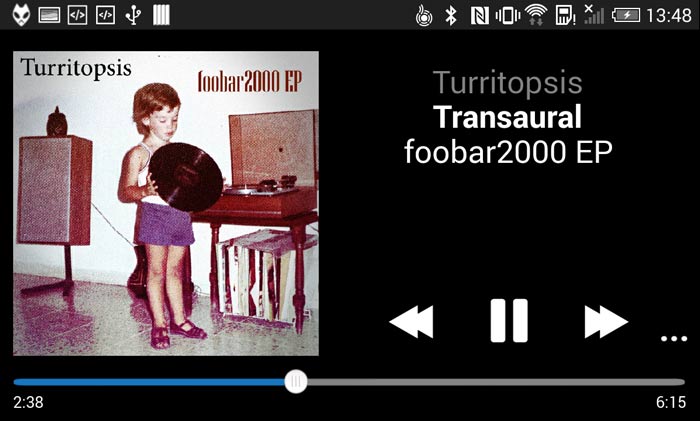
3. foobar2000
แอพเครื่องเล่น WAV สำหรับ Android, iOS, Windows และ macOS
คุณสมบัติเด่น
1. รองรับรูปแบบเสียงเช่น MP3, AAC, Vorbis, Opus, FLAC, WavPack, WAV, AIFF เป็นต้น
2. รองรับการเล่นเพลงแบบไม่มีช่องว่างและ ReplayGain เต็มรูปแบบ
3. เล่นและดาวน์โหลดเพลงจากเซิร์ฟเวอร์สื่อ UPnP
4. ริปซีดีเพลงและแปลงไฟล์รูปแบบเสียงที่รองรับทั้งหมด
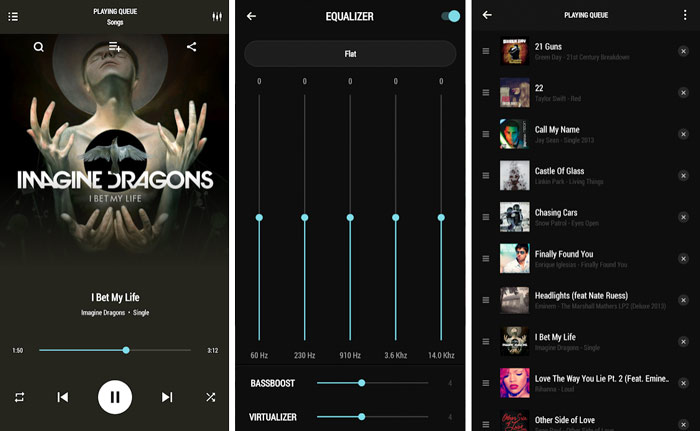
4. เครื่องเล่นเพลง PowerAudio ฟรี
เครื่องเล่น WAV ฟรีสำหรับ Android
คุณสมบัติเด่น
1. รองรับรูปแบบเสียงที่สำคัญทั้งหมดเช่น MP3, WAV, M4A, AAC, AMR, OGG เป็นต้น
2. เรียกดูเพลงทุกประเภทตามอัลบั้มศิลปินรายการโปรดหรือเพลย์ลิสต์
3. อีควอไลเซอร์พร้อมการตั้งค่าล่วงหน้าต่างๆและสร้างเพลย์ลิสต์ของคุณเอง
4. รองรับ BassBoost และ Virtualizer, Multi-select และ Custom Queue
5. จัดการและจัดเรียงเพลงตามชื่อหรือวันที่และตั้งเสียงเรียกเข้าโทรศัพท์
5. เครื่องเล่นเพลง Vox
เครื่องเล่น WAV สำหรับ iOS
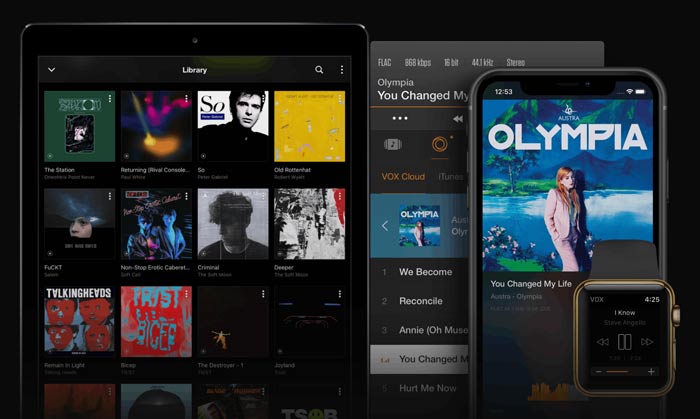
คุณสมบัติเด่น
1. เล่นรูปแบบเสียงทั้งหมดเช่น WAV, AAC, MP3, AC3, ALAC, M4A, FLAC และอื่น ๆ
2. รองรับเทคโนโลยี Bass ที่ได้รับการปรับปรุงและคุณสมบัติการแชร์ที่ทรงพลัง
3. เสนอ VOX Cloud Storage เพื่อซิงโครไนซ์ไลบรารีเพลงทั้งหมดจากอุปกรณ์ iOS ต่างๆ
4. อีควอไลเซอร์ในตัวพร้อมคะแนนที่ตั้งไว้ล่วงหน้าและลิงก์ไปยังบัญชี SoundCloud, LastFM และ Spotify ได้อย่างง่ายดาย
ส่วนที่ 2. เครื่องเล่น WAV ฟรีที่ดีที่สุดสำหรับ Windows 10/8/7 PC และ Mac
FVC Free Video Player เป็นหนึ่งในซอฟต์แวร์เล่นวิดีโอและเสียงที่ได้รับความนิยมมากที่สุด ซึ่งช่วยให้คุณเล่นไฟล์ WAV บนคอมพิวเตอร์ได้ด้วยคุณภาพเสียงสูง รองรับรูปแบบวิดีโอและเสียงที่ใช้กันบ่อยทั้งหมด เช่น WAV, MP3, AAC, M4A, ALAC, AC3, FLAC, APE, FLV, MP4, AVI, MKV, MOV และอื่น ๆ ในฐานะเครื่องเล่นเสียง WAV ออนไลน์ตัวหนึ่ง มันสามารถใช้งานร่วมกับเบราว์เซอร์ยอดนิยมได้ทุกตัว รวมถึง IE, Safari, Chrome และ Firefox.
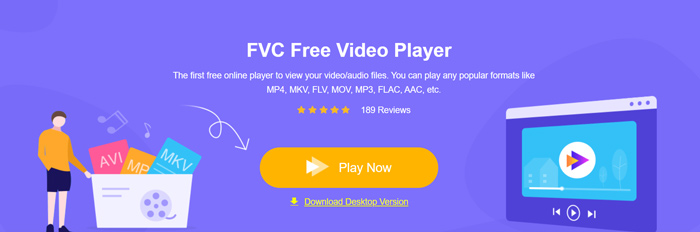
เมื่อคุณต้องการเล่นไฟล์ WAV บน Windows PC หรือ Mac คุณสามารถไปที่เว็บไซต์ทางการของโปรแกรมเล่นตัวนี้ จากนั้นคลิกปุ่ม Play Now เพื่อติดตั้งไฟล์ตัวเรียกใช้งานขนาดเล็กสำหรับการเล่นไฟล์เสียง WAV ได้ฟรี.
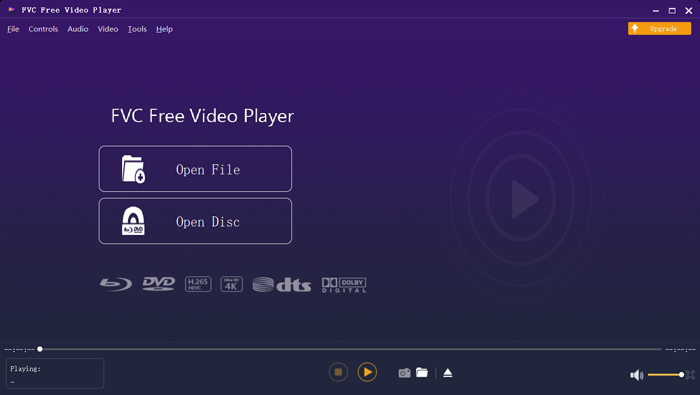
หลังจากนั้น หน้าต่างหลักของเครื่องเล่น WAV จะปรากฏบนหน้าจอ คุณสามารถคลิก Open File เพื่อเพิ่มไฟล์ WAV ที่คุณต้องการฟังได้.
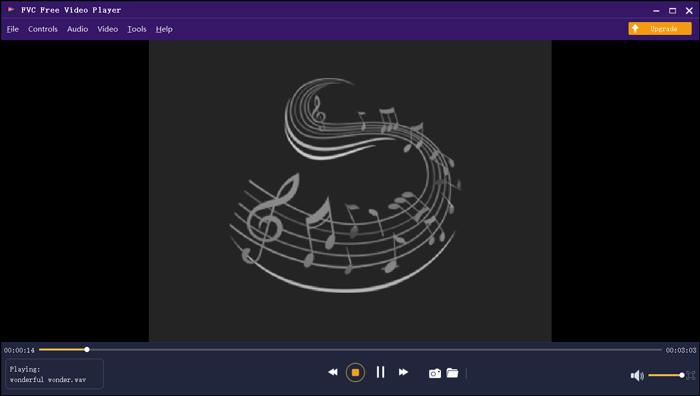
เพลง WAV ที่โหลดจะเล่นโดยอัตโนมัติ ด้วยการนำเทคโนโลยีถอดรหัสเสียงขั้นสูงมาใช้เช่น Dolby, DTS, AAC และ TrueHD คุณสามารถเพลิดเพลินกับเสียงเพลงด้วยคุณภาพเสียงที่ยอดเยี่ยม
ส่วนที่ 3 คำถามที่พบบ่อยของ WAV File Player
iPhone มีแอพเครื่องเล่น WAV ในตัวหรือไม่?
ไม่ใช่ อุปกรณ์ของ Apple ทั้งหมดรวมถึง iPhone, iPad และ iPod และซอฟต์แวร์เล่นมีเดียที่เกี่ยวข้องอย่าง QuickTime Player ไม่สามารถเล่นไฟล์ WAV ได้โดยตรง
WAV เป็นรูปแบบไฟล์เสียงมาตรฐานของอุปกรณ์ Apple คุณสามารถเปิดไฟล์ WAV ได้โดยตรงด้วยแอป Music บน iPhone ของคุณ.
วิธีการแปลง WAV เป็น MP3 ฟรี
หากต้องการแปลง WAV เป็น MP3 ฟรี คุณสามารถใช้ซอฟต์แวร์แปลงไฟล์เสียงยอดนิยมอย่าง Free Online Audio Converter ได้ มันสามารถแปลงไฟล์เสียงจาก WAV เป็น MP3 หรือเป็นรูปแบบเสียงอื่น ๆ ที่คุณต้องการได้อย่างง่ายดาย.
WAV มีข้อเสียอะไรบ้าง?
ข้อเสียใหญ่อย่างหนึ่งของ WAV คือขนาดไฟล์ ในฐานะที่เป็นไฟล์เสียงที่ไม่มีการบีบอัดขนาดไฟล์ของไฟล์ WAV จึงค่อนข้างใหญ่ นั่นทำให้ WAV ใช้ไม่ได้กับอุปกรณ์พกพาและสตรีมมิ่ง ยิ่งไปกว่านั้นเมื่อเทียบกับ MP3 แล้วรูปแบบ WAV ยังไม่รองรับอุปกรณ์และเครื่องเล่นจำนวนมาก
สรุป
คุณกำลังมองหา เครื่องเล่น WAV สำหรับ Android, iPhone หรือคอมพิวเตอร์อยู่หรือไม่? เราได้รีวิวแอปเครื่องเล่น WAV ที่ยอดเยี่ยม 5 ตัวไว้ให้คุณเลือก คุณสามารถเลือกตัวที่ชอบได้ตามฟีเจอร์การใช้งาน.
-
 ฉันจะแปลง MP4 เป็น WAV ออนไลน์ฟรีได้อย่างไร
 พยายามอย่างยิ่งที่จะแปลง MP4 เป็น WAV หรือไม่? ไม่ทราบว่าตัวแปลงใดที่สามารถช่วยคุณได้อย่างสมบูรณ์แบบโดยไม่ต้องเสียเงิน? อ่านโพสต์นี้และคำถามทั้งหมดของคุณจะได้รับคำตอบ
-
 รีวิว 10 เครื่องเล่นเพลง MP3 ฟรีที่ดีที่สุด
 เครื่องเล่นเพลง MP3 ที่ดีที่สุดคืออะไร? ฉันจะใส่เพลงลงในเครื่องเล่น MP3 ได้อย่างไร? จะดาวน์โหลดเครื่องเล่นเพลง MP3 ได้อย่างไร? โพสต์นี้ให้รายละเอียดเกี่ยวกับเครื่องเล่น MP3 ฟรีที่ดีที่สุด 10 รายการสำหรับ Windows PC และ Mac
-
 8 เครื่องเล่น MOV ที่ดีที่สุดสำหรับ PC และ Mac เพื่อเล่นไฟล์วิดีโอ QuickTime MOV
 เพียงเรียนรู้เพิ่มเติมเกี่ยวกับเครื่องเล่น MOV ที่ดีที่สุด 8 ตัวที่มีให้ทั้ง Windows และ Mac คุณสามารถเลือกไฟล์ที่ต้องการและเหมาะสมเพื่อเล่นไฟล์ MOV ด้วยคุณภาพดั้งเดิม
