


 Video Converter Ultimate
 บันทึกหน้าจอ
 ซ่อมวิดีโอ
8 ตัวแปลงความละเอียดวิดีโอที่ดีที่สุดในการเปลี่ยนความละเอียดวิดีโอคืออะไร
ในด้านค่าพิกเซลตามความกว้างและความสูง ความละเอียดของวิดีโอมีบทบาทสำคัญอย่างมากต่อการเปลี่ยนขนาดของวิดีโอทุกไฟล์ที่คุณเล่น เว็บไซต์มัลติมีเดียแต่ละแห่งก็จะเล่นวิดีโอด้วยความละเอียดที่แตกต่างกัน ดังนั้นจึงมีบางครั้งที่คุณจำเป็นต้องแปลงความละเอียดวิดีโอให้เป็นความกว้างและความสูงเฉพาะ เพื่อช่วยให้คุณค้นหาตัวแปลงความละเอียดวิดีโอที่ดีที่สุด ลองสละเวลาไม่กี่นาทีเพื่อดูตัวแปลงความละเอียด 9 อันดับต้น ๆ ที่เราคัดสรรจากท้องตลาดมาให้คุณ.

ส่วนที่ 1 ซอฟต์แวร์แปลงความละเอียดวิดีโอ 3 อันดับแรกที่พร้อมใช้งานบน Windows & Mac
ด้านบน 1. FVC Video Converter Ultimate (Windows & Mac)
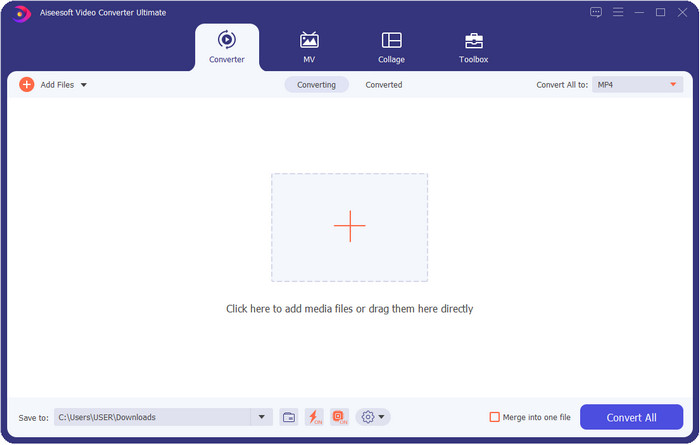
FVC Video Converter Ultimate เป็นโปรแกรมเพิ่มความละเอียดวิดีโอที่ดีที่สุดที่คุณสามารถใช้ปรับแต่งความละเอียดได้อย่างง่ายดายตามใจต้องการ ซอฟต์แวร์นี้สามารถยกระดับความละเอียดวิดีโอของคุณให้สูงสุดได้ถึง 4K หรือจะลดลงมาให้ต่ำได้ถึง 144px ด้วยเครื่องมือนี้ คุณสามารถเปลี่ยนพารามิเตอร์วิดีโอและตรวจสอบผลลัพธ์ได้ในหน้าพรีวิวก่อนส่งออก หากนั่นคือความละเอียดวิดีโอที่คุณต้องการ.
นอกจากนี้ หากคุณต้องการแปลงไฟล์ของคุณที่นี่ คุณสามารถเลือกความละเอียดวิดีโอชุดต่างๆ ที่เครื่องมือนี้มีให้อยู่แล้ว เพื่อสัมผัสกับวิธีง่ายๆ ในการเปลี่ยนความละเอียดของวิดีโอ นอกจากนั้น คุณยังสามารถสร้างความละเอียดวิดีโอที่ปรับแต่งได้เพื่อให้ตรงกับความต้องการวิดีโอของคุณ หากคุณต้องการแนวคิดเพิ่มเติมเกี่ยวกับเครื่องมือนี้ คุณสามารถอ่านคุณสมบัติหลักที่เครื่องมือนี้สามารถมอบให้คุณได้

FVC Video Converter Ultimate
5,689,200+ ดาวน์โหลด- แปลงวิดีโอของคุณเป็น MP4, MOV และอีกกว่า 200+ รายการด้วยความละเอียดสูงพิเศษ
- แปลงไฟล์วิดีโอต่าง ๆ ของคุณพร้อมกันในเวลาน้อยกว่าหนึ่งนาที
- ตรวจสอบความละเอียดของวิดีโอก่อนส่งออกไฟล์ในหน้าตัวอย่าง
- กล่องเครื่องมืออเนกประสงค์พร้อมช่วยคุณบีบอัด แก้ไขสี และอื่นๆ
- มีอยู่ในระบบปฏิบัติการทั้งหมดบนเดสก์ท็อป รวมทั้ง Windows และ Mac
ดาวน์โหลดฟรีสำหรับ Windows 7 หรือใหม่กว่าดาวน์โหลดอย่างปลอดภัย
ดาวน์โหลดฟรีสำหรับ MacOS 10.7 หรือใหม่กว่าดาวน์โหลดอย่างปลอดภัย
อันดับ 2. VLC (Windows, Mac & อุปกรณ์มือถือ)
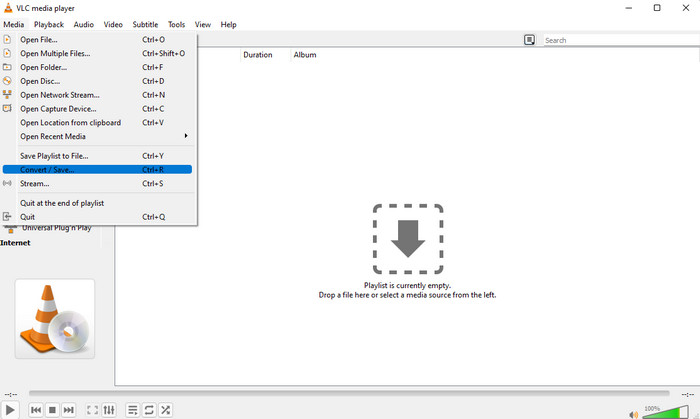
คุณสามารถใช้เครื่องเล่นวิดีโอที่ดีที่สุดบนเว็บเป็นตัวแปลงความละเอียดวิดีโอ MP4 ได้หากต้องการ VLC ไม่เพียงแต่ให้ผู้ใช้เล่นวิดีโอที่มีความละเอียดสูงเท่านั้น แต่ยังสามารถแปลงวิดีโอให้มีความละเอียดสูงได้อีกด้วย เครื่องมือนี้มีความสามารถในการแปลงวิดีโอ แต่ไม่มีประสิทธิภาพเท่ากับตัวแปลงวิดีโออื่นๆ ที่คุณสามารถดาวน์โหลดบนเดสก์ท็อปของคุณ แต่เครื่องมือนี้ควรค่าแก่การกล่าวถึงในรีวิวนี้เพราะสามารถดาวน์โหลดเพื่อเล่นและแปลงวิดีโอได้ฟรี
ข้อดีของการใช้ VLC:
◆ เป็นโปรแกรมเล่นและแปลงวิดีโออเนกประสงค์บน Windows, Mac และอุปกรณ์มือถืออื่นๆ
◆ ดาวน์โหลดฟรีและปลอดภัย
◆ ไม่มีประสิทธิภาพเท่ากับตัวแปลงอื่น แต่สามารถทำงานได้ถ้าคุณต้องการ
ด้านบน 3 Hamster Free Video Converter (Windows)
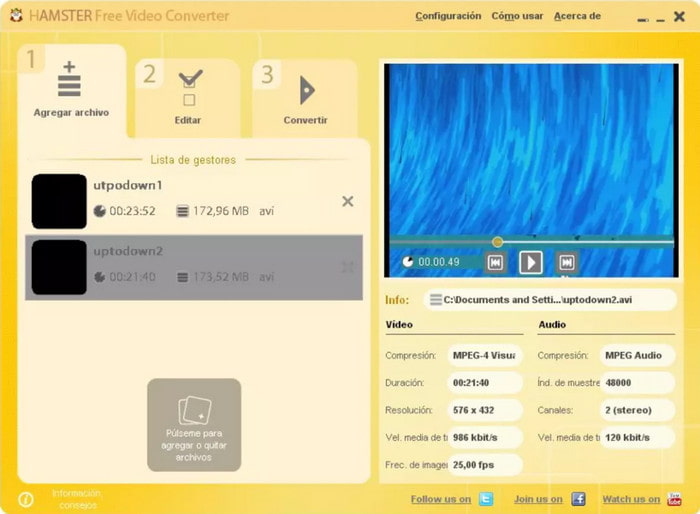
Hamster Free Video Converter สามารถช่วยคุณแปลงวิดีโอแทบทุกไฟล์ให้เป็นได้เกือบทุกฟอร์แมต พร้อมคงความละเอียดสูงไว้ได้ ตัวแปลงความละเอียดวิดีโอนี้สามารถดาวน์โหลดได้ฟรีบนระบบปฏิบัติการ Windows เพื่อช่วยผู้ใช้จัดการปัญหาเกี่ยวกับไฟล์วิดีโอของตน แม้ว่าเครื่องมือนี้จะใช้งานง่ายและฟรี แต่ส่วนติดต่อผู้ใช้ (GUI) ของซอฟต์แวร์ควรได้รับการอัปเดตเพราะหน้าตาดูไม่ค่อยเป็นโปรแกรมมืออาชีพนัก เช่น ควรเพิ่มสกินหรือธีมต่าง ๆ เพื่อให้ส่วนติดต่อผู้ใช้ดูดีขึ้น ถึงแม้จะมีจุดเล็กน้อยให้ติ แต่เรามั่นใจว่าโปรแกรมนี้จะช่วยคุณแปลงความละเอียดวิดีโอได้แน่นอน.
ข้อดีของการใช้ Hamster Free Video Converter:
◆ ตัวแปลงวิดีโอฟรีสำหรับดาวน์โหลดบนระบบปฏิบัติการ Windows
◆ มันใช้งานง่ายมากและคุณไม่จำเป็นต้องอ่านหรือดูบทช่วยสอนในการใช้งาน
◆ ตัวแปลงวิดีโอที่เรียบง่ายแต่ทรงพลัง
ส่วนที่ 2 ตัวแปลงความละเอียดวิดีโอ 3 อันดับแรกแบบออนไลน์และใช้งานฟรี
ด้านบน 4. ตัวแปลงวิดีโอ FVC ฟรีออนไลน์
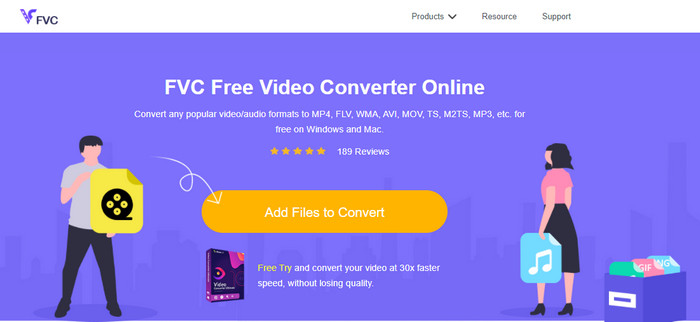
FVC Free Video Converter Online เป็นตัวแปลงความละเอียดวิดีโอจากความละเอียดสูงเป็นความละเอียดต่ำแบบออนไลน์อันดับต้น ๆ ที่คุณไว้ใจได้ หากคุณไม่ต้องการดาวน์โหลดโปรแกรม เครื่องมือนี้ไม่เพียงใช้งานง่าย แต่ยังฟรีและปลอดภัยอีกด้วย นอกจากนี้ยังรองรับความละเอียดวิดีโอหลากหลายรูปแบบ คุณสามารถเลือกได้ตั้งแต่ 1080px ลงไปจนต่ำกว่า 240px โดยไม่ต้องติดตั้งซอฟต์แวร์ลงในไดรฟ์คอมพิวเตอร์เพื่อเปลี่ยนความละเอียดวิดีโอผ่านเว็บทูลนี้ แม้ว่าเครื่องมือนี้จะพร้อมใช้งานทันที แต่ก็ยังไม่ดีเท่ากับเวอร์ชัน Ultimate ที่รองรับงานขนาดใหญ่ อย่างไรก็ดี หากคุณต้องการตัวแปลงที่ใช้งานได้แบบไม่จำกัดจำนวน ก็สามารถใช้เครื่องมือนี้ได้.
ข้อดีของการใช้ FVC Free Video Converter Online:
◆ ไม่จำเป็นต้องดาวน์โหลดเครื่องมือเว็บ และปลอดภัยในการใช้งาน
◆ คุณสามารถเข้าถึงเครื่องมือได้อย่างง่ายดายบนเว็บทุกที่ทุกเวลาด้วยการเชื่อมต่ออินเทอร์เน็ต
◆ รองรับความละเอียดวิดีโอสูงสุด 1080px ฟรี
ด้านบน 5. HD แปลง
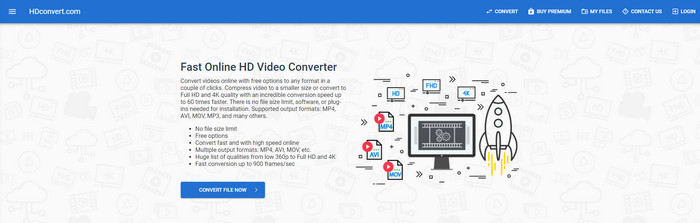
ตัวเพิ่มความละเอียดวิดีโอออนไลน์อีกตัวหนึ่งที่คุณสามารถใช้ได้คือ HD convert เครื่องมือนี้ก็รองรับชุดความละเอียดที่แตกต่างกันเช่นเดียวกับตัวแปลงออนไลน์ตัวแรกที่เราได้กล่าวถึง ด้วยการรองรับฟอร์แมตวิดีโอยอดนิยม คุณสามารถอัปโหลดไฟล์วิดีโอของคุณมาที่นี่เพื่อเพิ่มคุณภาพได้อย่างง่ายดาย อย่างไรก็ตาม คุณสามารถแปลงวิดีโอได้เพียงสูงสุด 720px เท่านั้นในเวอร์ชันฟรี อีกสิ่งหนึ่งที่เราไม่ค่อยชอบเกี่ยวกับเว็บทูลนี้ก็คือ หลังจากแปลงความละเอียดแล้ว วิดีโอของคุณจะมีลายน้ำติดอยู่เมื่อส่งออก แต่หากคุณไม่ซีเรียสกับลายน้ำและความละเอียด 720px คุณก็สามารถเปลี่ยนความละเอียดวิดีโอของคุณได้ฟรี.
ข้อดีของการใช้ HD convert:
◆ รองรับกระบวนการแปลงวิดีโอที่มีรายละเอียดมากขึ้น
◆ ความละเอียดของวิดีโอที่เครื่องมือเว็บนี้รองรับฟรีคือ 720px
◆ รองรับรูปแบบวิดีโอล่าสุดที่จะอัปโหลด
ด้านบน 6. 123 แอพ – ตัวแปลงวิดีโอ
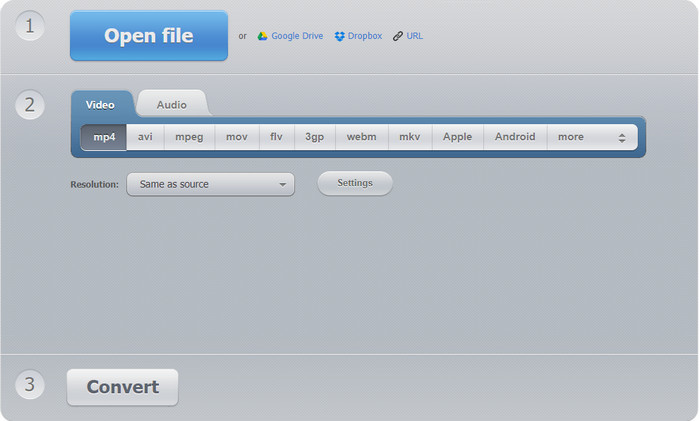
ตัวสุดท้ายในรายชื่อโปรแกรมเพิ่มความละเอียดวิดีโอแบบออนไลน์ที่คุณสามารถใช้ได้คือ 123 APPS – Video Converter เช่นเดียวกับ HD convert เว็บทูลนี้รองรับฟอร์แมตยอดนิยมสำหรับการนำเข้าและส่งออก แม้จะรองรับฟอร์แมตยอดนิยมเหมือนกัน แต่โดยรวมแล้วถือว่าดีกว่าตัวแปลงออนไลน์ตัวที่สอง เพราะรองรับความละเอียดได้สูงสุดถึง 1080px และต่ำสุดที่ 240px แม้เครื่องมือนี้จะให้ใช้งานฟรี แต่โฆษณาป๊อปอัปบนหน้าเว็บไซต์หลักอาจทำให้ประสบการณ์ใช้งานของคุณไม่น่าประทับใจนัก นอกจากนี้ ขั้นตอนการอัปโหลดและดาวน์โหลดยังขึ้นอยู่กับความเร็วอินเทอร์เน็ตของคุณ ดังนั้นคุณจำเป็นต้องใช้ความอดทนเล็กน้อยเพื่อเพิ่มความละเอียดวิดีโอของคุณฟรี ๆ.
ข้อดีของการใช้ 123 APPS – Video-converter:
◆ สามารถแปลงความละเอียดวิดีโอของคุณได้สูงสุด 1080 px สูงสุด
◆ แม้ว่าจะมีโฆษณาในเครื่องมือเว็บ แต่ก็ยังปลอดภัยในการเข้าถึง
◆ รองรับรูปแบบการส่งออกมากกว่าการแปลงแบบ Hd
ส่วนที่ 3 แอพตัวแปลงความละเอียดวิดีโอ 2 อันดับแรกให้ดาวน์โหลดบน iOS และ Android
ด้านบน 7. Video Converter (iOS)
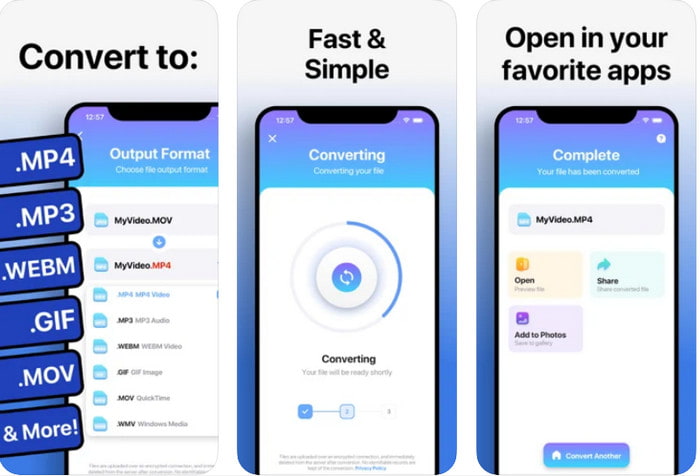
คุณสามารถใช้แอปเพิ่มความละเอียดวิดีโอนี้บน iOS เพื่อช่วยเปลี่ยนความละเอียดได้อย่างง่ายดาย The Video Converter มอบวิธีที่มีประสิทธิภาพมากในการเปลี่ยนฟอร์แมตและความละเอียดวิดีโอสำหรับผู้ใช้ iOS ทุกคน แอปนี้รองรับฟอร์แมตได้หลากหลายกว่าบางเว็บไซต์ ทำให้การอัปโหลดและดาวน์โหลดวิดีโอลงในไดรฟ์ iOS ทำได้สะดวก แม้ว่าเครื่องมือนี้จะดาวน์โหลดได้ฟรี แต่คุณไม่สามารถใช้งานแอปได้หากไม่ได้ซื้อหรือเปิดใช้เวอร์ชันพรีเมียม ดังนั้นก่อนเลือกตัวแปลงนี้ คุณต้องมีงบเพิ่มเล็กน้อยเพื่อจ่ายก่อนใช้งาน.
ข้อดีของการใช้ The Video Converter:
◆ สามารถดาวน์โหลดได้ฟรีบนอุปกรณ์ iOS ใดๆ แต่คุณจะต้องจ่ายเงินเมื่อคุณส่งออกไฟล์
◆ รองรับคุณสมบัติการแก้ไขประเภทต่างๆ และรูปแบบวิดีโอในระดับปานกลาง
◆ ความละเอียดของวิดีโอสูงถึง 1080px
ด้านบน 8. ตัวแปลงวิดีโอ, คอมเพรสเซอร์ MP4, 3GP, MKV, MOV, AVI (Android)
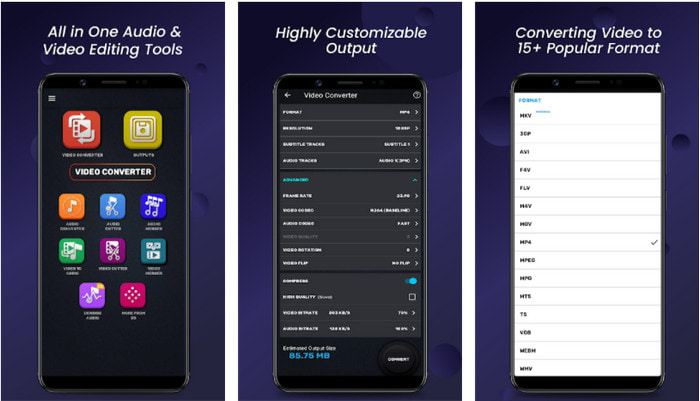
สำหรับผู้ใช้ Android คุณสามารถใช้ตัวแปลงความละเอียดวิดีโอที่ดาวน์โหลดฟรีจาก Play Store ได้ Video Converter, Compressor MP4, 3GP, MKV, MOV, AVI เป็นแอปที่ดีที่สุดที่เราพบใน Play Store ซึ่งมีตัวเลือกความละเอียดและฟอร์แมตให้เลือกหลากหลายสำหรับวิดีโอของคุณ เช่นเดียวกับตัวแปลงเวอร์ชัน Ultimate เครื่องมือนี้ยังรองรับฟีเจอร์อื่น ๆ เช่น การบีบอัด การเพิ่มคำบรรยาย และเพิ่มแทร็กเสียงลงในวิดีโอก่อนส่งออก ถึงแม้ว่าจะมีฟีเจอร์ที่ใกล้เคียงกับเครื่องมือ Ultimate แต่ประสิทธิภาพยังไม่ดีเท่า ในบางกรณี เครื่องมือนี้ก็ไม่สามารถแปลงความละเอียดวิดีโอได้อย่างมีประสิทธิภาพ.
ข้อดีของการใช้ Video Converter, Compressor MP4, 3GP, MKV, MOV, AVI:
◆ พร้อมใช้งานบนอุปกรณ์ Android ทั้งหมดเพื่อดาวน์โหลดเครื่องมือนี้ฟรี
◆ เป็นตัวแปลงวิดีโอ คอมเพรสเซอร์ แทร็กเสียง และตัวเพิ่มคำบรรยายที่ดีที่สุดบนอุปกรณ์มือถือ
◆ แม้ว่าจะมีโฆษณาป๊อปอัป แต่ก็ยังปลอดภัยที่จะใช้
ที่เกี่ยวข้อง:
ส่วนที่ 4 คำถามที่พบบ่อยเกี่ยวกับ Video Resolution Converters
ความละเอียดของวิดีโอและคุณภาพต่างกันอย่างไร
ความละเอียดและคุณภาพเป็นสิ่งจำเป็นสำหรับวิดีโอและรูปภาพในไฟล์สื่อภาพทุกไฟล์ แม้ว่าผู้ใช้บางคนจะพบว่าพวกเขาเหมือนกัน แต่ก็ไม่ใช่ เนื่องจากความละเอียดหมายถึงขนาดของไฟล์สื่อออปติคัล เราจึงสามารถวัดเป็นพิกเซลสำหรับความกว้างและความยาวได้ ในขณะที่คุณภาพใช้การแสดงภาพ ซึ่งหมายความว่าคุณภาพวิดีโอจะเน้นที่รายละเอียดของพิกเซลที่จัดเก็บไว้
ไหนดีกว่าสำหรับการเล่นวิดีโอออนไลน์? 720 หรือ 1080?
หากคุณกำลังเล่นวิดีโอบนเว็บ เราขอแนะนำให้ใช้ 720 แทน 1080 เพราะจะโหลดเร็วกว่ามากในขณะที่มีคุณภาพระดับ HD อย่างไรก็ตาม เราขอแนะนำให้ใช้ 1080 แทนหากคุณมีรายละเอียดมากกว่านี้ แต่ความละเอียดนี้ใช้เวลาโหลดมากกว่า 720 มาก
ความละเอียดวิดีโอสูงสุดคืออะไร?
คุณภาพสูงสุดคือ 8k UHD (7680 x 4320) แต่เราจะได้เห็นความละเอียดที่สูงขึ้นในไม่ช้า
สรุป
ตัวแปลงความละเอียดวิดีโอที่เรานำเสนอในการรีวิวนี้ผ่านการคัดกรองมาแล้วเพื่อให้เหลือเฉพาะตัวแปลงวิดีโอที่ดีที่สุดที่คุณสามารถใช้บนอุปกรณ์ของคุณ นอกจากนี้ ตัวแปลงแต่ละตัวก็มีจุดเด่นที่ช่วยให้ผู้ใช้สามารถแปลงความละเอียดวิดีโอให้สูงขึ้นหรือต่ำลงได้ แต่หากถามเราว่าควรเลือกตัวไหน คำตอบคงไม่พ้นตัวแปลงวิดีโอตัวท็อปในลิสต์นี้อย่าง FVC Video Converter Ultimate ที่ให้ความละเอียดวิดีโอได้สูงที่สุดเท่าที่จะเป็นไปได้โดยไม่ทำให้คุณภาพลดลง แม้ว่าเครื่องมือนี้จะต้องซื้อ แต่เราเชื่อว่าคุ้มค่าในทุกบาททุกสตางค์เมื่อคุณได้ใช้งานเวอร์ชันพรีเมียม แล้วตอนนี้คุณยังรออะไรอยู่? คลิกปุ่มดาวน์โหลดด้านบนเพื่อรับตัวแปลงเวอร์ชัน Ultimate ที่มีให้ใช้ทั้งบน Windows และ Mac.
-
 วิธีเพิ่มเสียงและเพลงลงในวิดีโอฟรีบนคอมพิวเตอร์ / โทรศัพท์ของคุณ
 บทความนี้แสดง 4 วิธีง่ายๆในการเพิ่มเสียงลงในวิดีโอฟรี ไม่ว่าคุณต้องการเพิ่มแทร็กเสียงใดลงในวิดีโอของคุณคุณสามารถรับผลลัพธ์ที่น่าพึงพอใจได้ที่นี่
-
 เปลี่ยน GIF เป็นรูปแบบวิดีโอ: แปลง GIF Memes เป็นวิดีโอ [2025]
 กำหนดวิธีการแปลง GIF เป็นรูปแบบวิดีโอด้วยความช่วยเหลือของเครื่องมือที่แสดงด้านล่าง เลือกข้อใดและเรียนรู้วิธีดำเนินการ เนื่องจากเรารวบรวมหลักฐานเพียงพอ
-
 แอพ GIF ที่ยอดเยี่ยมสำหรับวิดีโอสำหรับอุปกรณ์ Android และ iOS
 คุณรู้หรือไม่ว่าคุณสามารถแปลง GIF เป็นรูปแบบวิดีโอใดก็ได้ที่คุณต้องการโดยใช้โทรศัพท์ของคุณ เลือกแอพที่ดีที่สุดบน Android หรือ iOS ของคุณ
