


 Chuyển đổi video Ultimate
 Trình ghi màn hình
 Sửa chữa video
Cái nào là công cụ chuyển đổi tốt nhất để sử dụng trong việc chuyển đổi MP3 sang WAV
MP3 là định dạng âm thanh quen thuộc trên toàn thế giới. Thực tế, nó là định dạng mặc định để lưu và ghi lại các tệp âm thanh. Mặc dù định dạng này được rất nhiều người dùng, vẫn còn nhiều định dạng khác cho chất lượng âm thanh cao hơn MP3 như WAV. Vì vậy, nếu bạn muốn biết cách chuyển MP3 sang WAV để được thưởng thức âm nhạc hoặc bản ghi âm bạn đã thực hiện, thì bạn phải theo kịp tiến độ, vì đây có thể sẽ là một hành trình khá dài. Không dài dòng thêm nữa, hãy bắt đầu cuộc đua ngay bây giờ.

Phần 1. Làm thế nào để chuyển đổi MP3 sang WAV trên Windows và Mac với các bước chi tiết
1. FVC Video Converter Ultimate
Bạn có muốn biết cách chuyển MP3 sang WAV trên Mac và PC với chất lượng âm thanh cao không? Vậy thì FVC Video Converter Ultimate chính là lựa chọn bạn cần. Công cụ này cũng có tốc độ chuyển đổi nhanh như SSC Tuatara và còn rất an toàn. Hãy chuyển đổi bao nhiêu tệp tùy thích cùng lúc vì ở đây không giới hạn số lượng tệp đa phương tiện được chuyển đổi. Không chỉ vậy, bạn còn có thể dùng công cụ này để tạo MV, Collage và nhiều tính năng khác nữa. Nếu bạn muốn biết cách sử dụng thì hãy làm theo các bước dưới đây và bắt đầu quá trình chuyển đổi.
Bước 1. Chọn dùng trên PC hoặc Mac và nhấn nút tải xuống tương ứng. Cài đặt công cụ, làm theo hướng dẫn thiết lập rồi nhấn Finish để lưu lại các thay đổi.
Tải xuống miễn phí cho Windows 7 trở lên. Tải xuống an toàn.
Tải xuống miễn phí cho MacOS 10.7 trở lên. Tải xuống an toàn.
Bước 2. Sau khi cài đặt, nhấn Add Files để chèn tệp âm thanh MP3 bạn muốn chuyển đổi. Nếu có trên hai tệp âm thanh thì tốt hơn hết là kéo‑thả chúng trực tiếp vào giao diện.
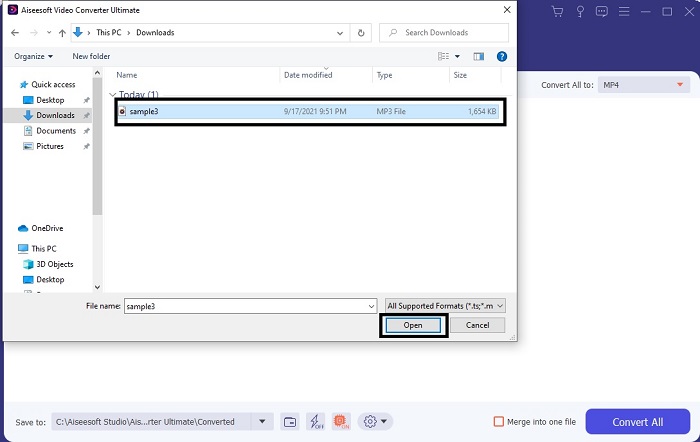
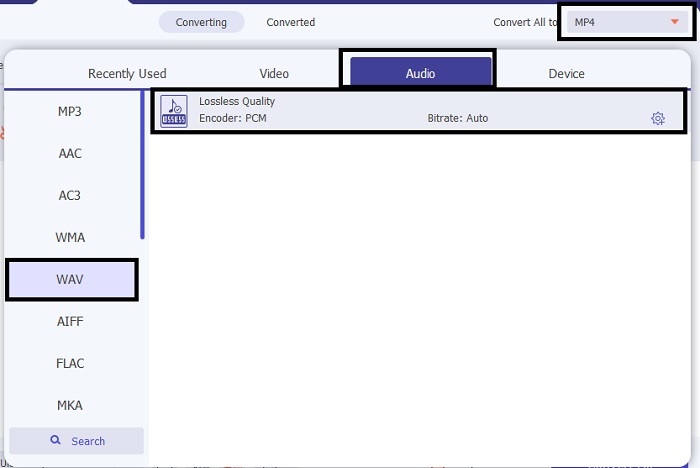
Bước 3. Đổi từ MP3 sang WAV hoặc bất kỳ định dạng âm thanh nào bạn muốn trong phần submenu.
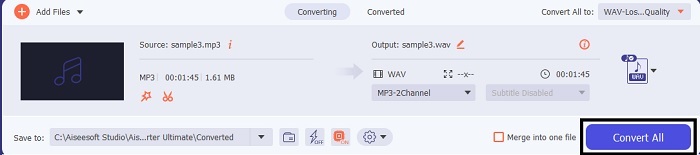
Bước 4. Khi mọi thứ đã sẵn sàng, nhấn Convert All để bắt đầu chuyển đổi.
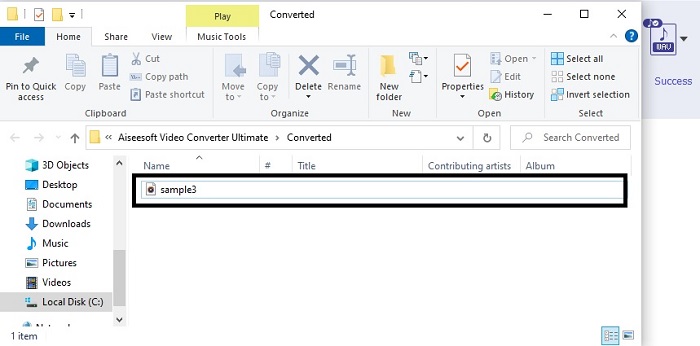
Bước 5. Sau khi chuyển đổi xong, trình quản lý tệp sẽ tự động mở trên màn hình của bạn. Nhấn vào tệp âm thanh đã được chuyển đổi và thưởng thức phiên bản mới của nó. Ngoài ra, nếu âm thanh hơi nhỏ so với bạn, hãy vào Thanh công cụ (Toolbar) và tìm Audio Booster để có âm thanh rõ ràng và tốt hơn.
2. iTunes
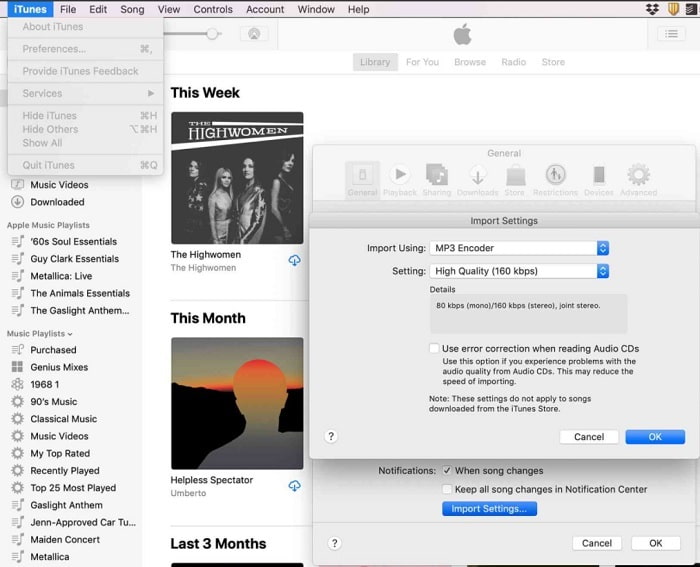
iTunes được sử dụng rộng rãi để phát nhạc trên các thiết bị Mac và iOS. Nhưng bạn có biết rằng bạn có thể chuyển MP3 sang WAV trên iTunes không? Câu trả lời là có. Phát và chuyển đổi đều có trong công cụ này, nhưng nó không thể truy cập được trên Android và Windows vì đây là trình phát đa phương tiện mặc định của Apple cho các sản phẩm của họ. Vì vậy, nếu bạn không có thiết bị Apple, bạn vẫn có thể thực hiện việc chuyển đổi với sự hỗ trợ của FVC Video Converter Ultimate. Còn nếu bạn có thiết bị Apple thì nhất định nên dùng iTunes và làm theo các bước dưới đây.
Bước 1. Mở phần mềm trên thiết bị của bạn.
Bước 2. Chọn tệp âm thanh MP3 bạn muốn chuyển đổi.
Bước 3. Sau đó nhấn Convert và chờ cho đến khi quá trình hoàn tất.
Phần 2. Top 5 bộ chuyển đổi MP3 sang WAV trực tuyến miễn phí tốt nhất trên web
1. FVC Free Audio Converter
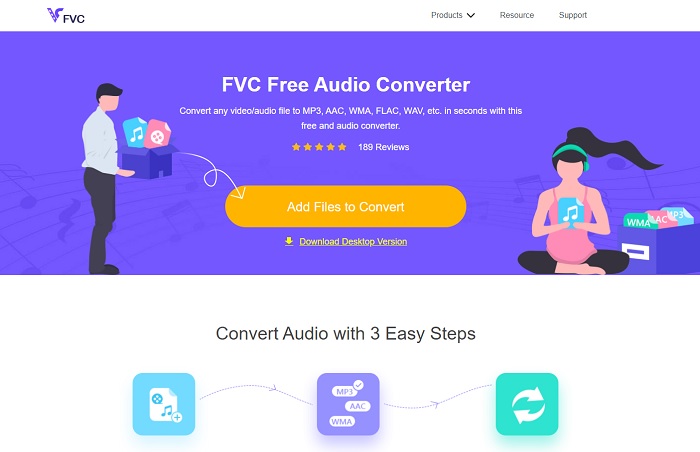
FVC Free Audio Converter là trình chuyển đổi MP3 sang WAV online tốt nhất. Bởi vì nó có cùng những tính năng nhỏ mà FVC Video Converter Ultimate có thể mang lại cho bạn. Vì vậy, hãy kỳ vọng trải nghiệm tương đương khi dùng công cụ này, mặc dù những tính năng cao cấp chính của bản trả phí không xuất hiện ở đây. Do nó hoàn toàn miễn phí, nếu bạn muốn dùng thử chỉ cần nhấp vào siêu liên kết được cung cấp riêng cho bạn. Vậy nên, trước khi đi sâu hơn, hãy bắt đầu tìm hiểu cách dùng trình chuyển đổi dựa trên web này.
Bước 1. Để truy cập công cụ, bạn cần nhấp vào liên kết này.
Bước 2. Nhấn Add Files to Convert để khởi chạy công cụ.
Tải xuống phiên bản dành cho máy tính để bàn để chuyển đổi tập tin hàng loạt.
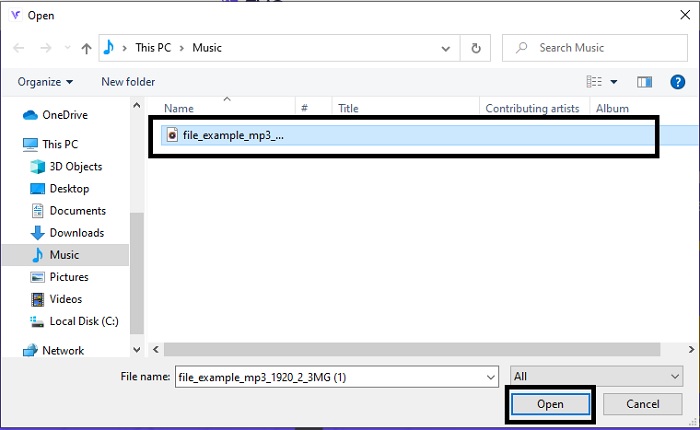
Bước 3. Sau khi khởi chạy, chọn tệp MP3 bạn muốn chuyển đổi và nhấn Open.
Bước 4. Chọn định dạng bên dưới rồi nhấn Convert để bắt đầu quá trình.
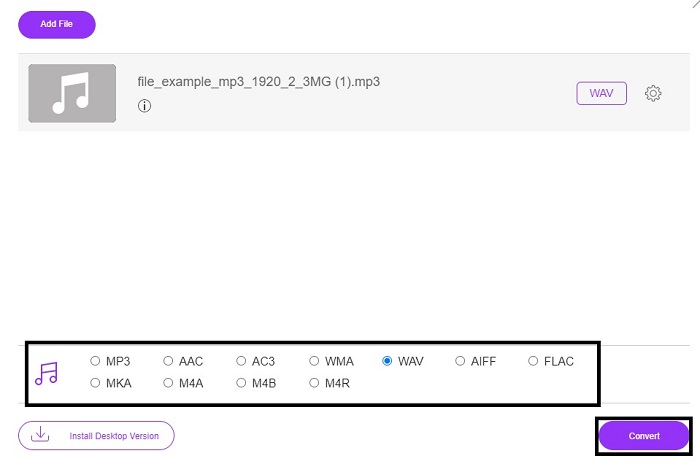
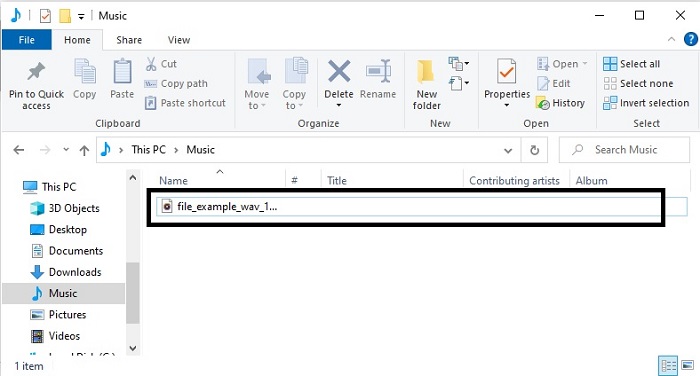
Bước 5. Quá trình chỉ mất vài phút và sau khi chuyển đổi xong, hãy nhấn vào biểu tượng folder để tìm tệp bạn vừa chuyển đổi.
2. Chuyển đổi đám mây
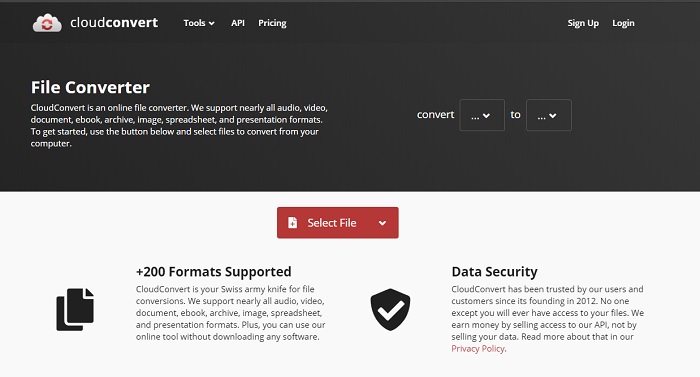
Một công cụ khác bạn có thể truy cập trên web là Cloud Convert để chuyển sang định dạng mới. Đây là một trong những công cụ tốt nhất trên thị trường khi nói đến chuyển đổi, nhưng bạn không thể điều chỉnh hoặc thay đổi bitrate, fps và codec. Tuy nhiên, nếu bạn muốn chuyển đổi các tệp văn bản sang định dạng mới thì đây là công cụ rất đáng thử.
3. Convertio
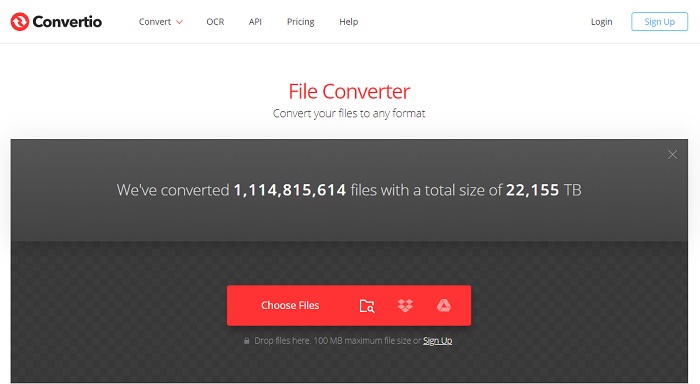
Cũng giống như Cloud Convert, Convertio được tạo ra để sử dụng miễn phí. Nói về chuyển đổi, nó cũng hỗ trợ nén và chuyển đổi rất mạnh mẽ. Công cụ này được nhiều người dùng lựa chọn vì hướng dẫn cụ thể, dễ hiểu và giao diện đơn giản. Tuy có thể truy cập trên web, nhưng trang chính lại chứa khá nhiều quảng cáo trên giao diện, điều này hơi gây khó chịu, nhất là khi bạn không muốn bị làm phiền trong lúc chuyển đổi.
4. Trực tuyến-Chuyển đổi
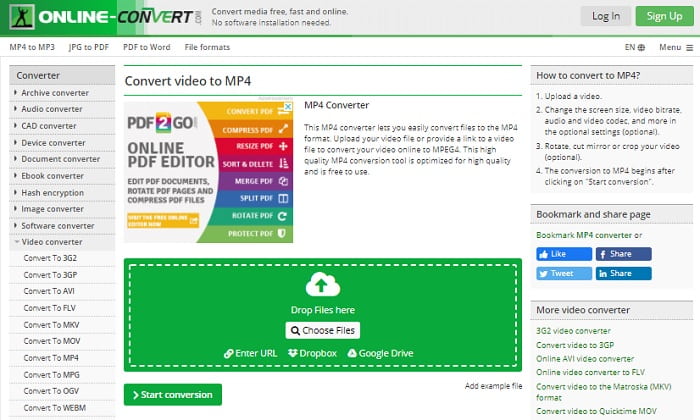
Công cụ này mang lại rất nhiều lựa chọn khi chuyển đổi và cũng cung cấp nhiều thông tin. Online-Convert có các tính năng nâng cao cho phép bạn chỉnh sửa bitrate, độ phân giải và số kênh. Nếu bạn là người mới trong việc chuyển đổi tệp, công cụ này có thể sẽ hơi khó dùng. Thêm vào đó, khi bạn tải tệp lên giao diện web, bạn phải chờ nó được xử lý. Không chỉ vậy, còn có giới hạn kích thước tệp là 100MB, nên nếu bạn muốn chuyển đổi số lượng tệp lớn thì phải mua bản cao cấp để gỡ bỏ quảng cáo và giới hạn.
5. 123 Ứng dụng- Chuyển đổi âm thanh
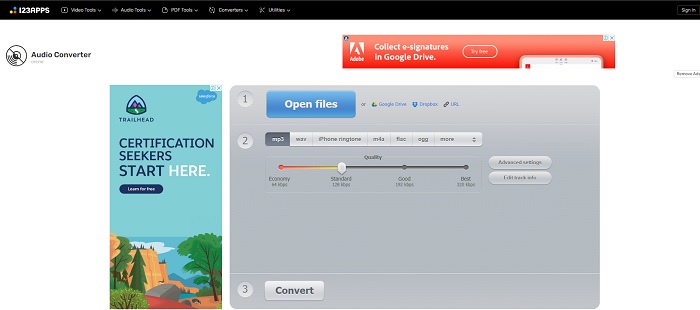
Với công cụ web này, bạn có thể chuyển đổi hiệu quả và nhanh gọn. Tuy vậy, nó chỉ hỗ trợ ba định dạng âm thanh. 123 Apps - Audio Converter là một trong những công cụ dễ dùng nhất. Bạn chỉ cần mở công cụ, chèn tệp, chọn định dạng và chuyển đổi, đơn giản như vậy. Nhưng điểm trừ là có một số báo cáo cho biết sau khi chuyển đổi, chất lượng âm thanh bị giảm.
Phần 3. Biểu đồ so sánh của những người chuyển đổi trong danh sách
Tìm hiểu sự khác biệt của từng công cụ và hãy so sánh chúng cho phù hợp.
| Đặc trưng | FVC Video Converter Ultimate | iTunes | FVC Free Audio Converter | Chuyển đổi đám mây | Convertio | Chuyển đổi trực tuyến | 123 Ứng dụng- Chuyển đổi âm thanh |
| Bộ chuyển đổi âm thanh |  | | | | | | |
| Các tính năng chỉnh sửa | |  | | | | | |
| Sửa đổi tốc độ bit, Fps, độ phân giải hoặc tương tự | | | | | | | |
| Chương trình được hỗ trợ | Công cụ dựa trên máy tính để bàn | Công cụ dựa trên máy tính để bàn mặc định | Công cụ dựa trên web | Công cụ dựa trên web | Công cụ dựa trên web | Công cụ dựa trên web | Công cụ dựa trên web |
| Hệ điều hành được hỗ trợ | Có sẵn trong tất cả hệ điều hành | Chỉ sản phẩm được hỗ trợ của Apple | Có sẵn trong tất cả hệ điều hành | Có sẵn trong tất cả hệ điều hành | Có sẵn trong tất cả hệ điều hành | Có sẵn trong tất cả hệ điều hành | Có sẵn trong tất cả hệ điều hành |
| Phạm vi giá | Trong 1 tháng: $25,00 Trong một năm: $31.20 Đối với giấy phép trọn đời: $55.20 | Để loại bỏ quảng cáo: $10 mỗi tháng $15 một tháng cho gia đình sáu người $5 mỗi tháng cho sinh viên | Miễn phí | Miễn phí | Miễn phí | Đối với 8gb bổ sung: Đăng ký hàng tháng $70 USD thanh toán hàng tháng Đăng ký hàng năm $672 USD | Miễn phí |
MP3 so với WAV
Định dạng MP3 được phát hành vào năm 1993 bởi Nhóm chuyên gia hình ảnh chuyển động (MPEG). Đây là tiêu chuẩn để lưu trữ nhạc vì nó có thể nén âm thanh ở kích thước nhỏ hơn nhiều so với các định dạng không nén khác. Nó vẫn được sử dụng rộng rãi ngày nay, đặc biệt là để phân phối âm thanh trực tuyến.
WAV, còn được gọi là định dạng WAVE, dựa trên Định dạng tệp trao đổi tài nguyên (RIFF). Nó được phát triển bởi Microsoft và IBM vào đầu những năm 1990. Đây là một tùy chọn để lưu âm thanh thô, không nén trong Microsoft Windows. Do đó, các tệp WAV thường được phát trên máy tính Windows.
Phần 4. Câu hỏi thường gặp về MP3 to WAV
Ý nghĩa của WAV là gì?
WAV có nghĩa là Tệp âm thanh dạng sóng; nó là một định dạng không nén không mất dữ liệu.
Kích thước tệp nào lớn hơn? MP3 hay WAV?
Mặc dù cả hai định dạng đều lưu trữ tệp âm thanh, WAV lớn hơn MP3 rất nhiều. Trong một số trường hợp, nó có thể lớn gấp 15 lần MP3 vì WAV là định dạng không nén. Bạn có thể nhấp vào đây để tìm hiểu cách chuyển WAV sang MP3.
Tôi có thể ghi WAV ở đâu?
Để ghi âm, bạn phải sử dụng công cụ tốt nhất hiện có trên web. Đặc biệt vì định dạng này không nén, bạn cần cẩn thận để không làm mất dữ liệu trong khi ghi. Vì vậy, FVC Screen Recorder là trình ghi WAV không đối thủ. Nó có thể ghi và chỉnh sửa để giúp bản ghi của bạn tốt hơn cả về hình ảnh lẫn âm thanh. Để biết thêm chi tiết, bạn cần tải phần mềm này về máy.
Phần kết luận
Khi cuộc đua đi đến hồi kết, giờ đây chúng ta có thể thấy rõ chỉ có một người chiến thắng. Chỉ cần sở hữu công cụ này, bạn sẽ cảm thấy mình như vị vua trong thế giới ghi âm. FVC Video Converter Ultimate làm được nhiều việc mà các trình ghi khác không thể. Nếu bạn gặp vấn đề khi ghi video, âm thanh hoặc gameplay, bạn sẽ nắm thế thượng phong khi chọn đúng công cụ. Hãy đặt niềm tin của bạn vào FVC Video Converter Ultimate và giành chiến thắng dễ dàng trên chặng đường phía trước.
Tải xuống miễn phí cho Windows 7 trở lên. Tải xuống an toàn.
Tải xuống miễn phí cho MacOS 10.7 trở lên. Tải xuống an toàn.
-
 Cách chuyển đổi miễn phí MP4 sang WAV trên Máy tính để bàn hoặc Trực tuyến [2021]
 Bạn đang cố gắng chuyển đổi MP4 sang WAV? Bạn không biết công cụ chuyển đổi nào có thể giúp bạn điều đó một cách hoàn hảo mà không phải trả một xu nào? Đọc bài đăng này và tất cả các câu hỏi của bạn sẽ được trả lời.
-
 WAV Player - 5 ứng dụng WAV Player hàng đầu cho Android, iPhone, PC và Mac
 Làm thế nào để phát tệp WAV trên điện thoại Android? Người chơi nào có thể chơi WAV? Bài đăng này chia sẻ 5 trình phát WAV miễn phí tốt nhất cho Android, iPhone, Mac và PC.
-
 FLV sang WAV - Chuyển đổi FLV sang WAV Trực tuyến miễn phí và trên Mac / PC
 Làm cách nào để chuyển đổi tệp FLV? VLC có thể chuyển đổi YouTube FLV sang WAV không? Bài đăng này cho biết 3 cách miễn phí để chuyển đổi FLV sang WAV mà không làm giảm chất lượng.

