


 Chuyển đổi video Ultimate
 Trình ghi màn hình
 Sửa chữa video
 Tải xuống an toàn
Top 5 loại nước tẩy trang Arnold Maya nổi bật nhất đáng thử
Arnold là một trình kết xuất đồ họa từ Autodesk. Trình kết xuất được sử dụng cho đồ họa, video và thậm chí cả âm thanh. Ngoài ra, Arnold là một ứng dụng kết xuất nâng cao mà bạn có thể sử dụng với VFX và kết xuất hoạt ảnh. Ngoài ra, nó tạo ra kết quả đầu ra chất lượng cao, khiến nó trở nên phổ biến đối với các biên tập viên chuyên nghiệp. Hơn nữa, nó có nhiều tính năng chỉnh sửa nâng cao mà bạn có thể sử dụng để tạo hoạt ảnh.
Arnold yêu cầu người dùng trả phí để sử dụng ứng dụng; đó là lý do nó để lại hình mờ trên ảnh của họ. Vì vậy, nhiều người đang tìm kiếm các công cụ xóa watermark có thể xóa hình mờ Arnold trên ảnh. Hãy đọc bài viết này để biết năm công cụ xóa watermark Arnold Maya nổi bật nhất.

Phần 1. Top 5 loại bỏ hình mờ Arnold nổi bật
Mặc dù bạn có thể tải xuống nhiều công cụ để xóa hình mờ Arnold khỏi hình ảnh của mình, nhưng không phải tất cả đều tạo ra kết quả rõ ràng, vì vậy chúng tôi đã tìm kiếm những công cụ xóa hình mờ được sử dụng nhiều nhất và chọn những công cụ tốt nhất trong số đó. Phần này giới thiệu cho bạn 5 chất tẩy mờ hình mờ Arnold tuyệt vời nhất hàng đầu.
Movavi
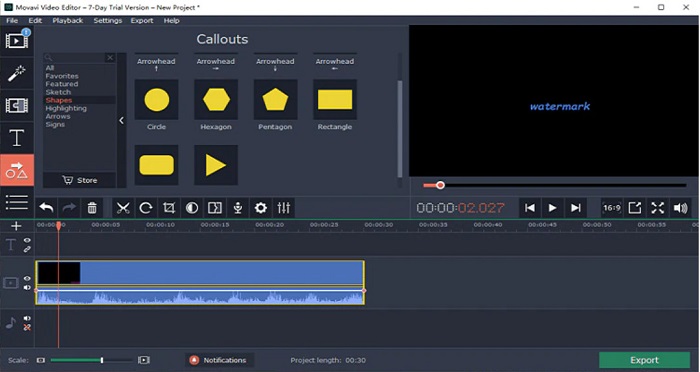
Movavi là một trình chỉnh sửa video thông dụng có thể giúp bạn xóa hình mờ Arnold khỏi ảnh. Ngoài ra, nó còn có tùy chọn cho phép bạn thêm watermark vào ảnh hoặc video. Hơn nữa, nó chứa nhiều tính năng chỉnh sửa mà bạn có thể sử dụng để nâng cao chất lượng hình ảnh. Tuy nhiên, bạn cần dùng công cụ chỉnh màu (color correction) để làm mờ hình mờ trên video. Đây cũng là một công cụ thân thiện với người dùng nhờ giao diện đơn giản.
Ưu điểm
- Nó có một quá trình xuất khẩu nhanh chóng.
- Có sẵn để tải xuống trên tất cả các nền tảng phương tiện, bao gồm Windows và Mac.
Nhược điểm
- Trước tiên, hãy mua phiên bản đầy đủ trước khi bạn có thể sử dụng tính năng xóa hình mờ.
- Nó có vấn đề về chính sách hoàn lại tiền.
Watermark Remover.io
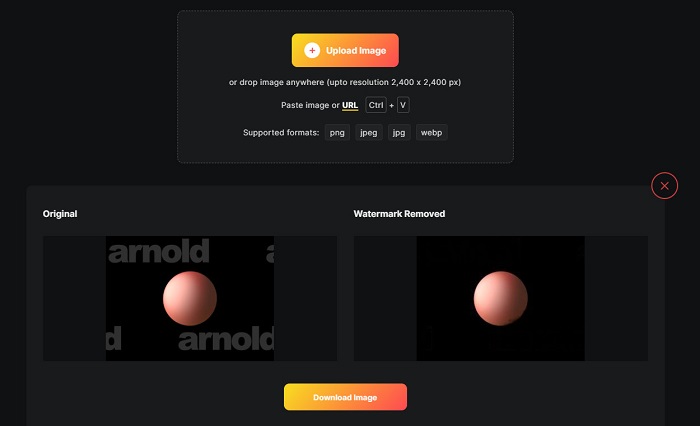
Nếu bạn muốn có bản render Maya Arnold không dính watermark, thì Watermark Remover.io có thể giúp bạn. Nhiều người mới bắt đầu cũng thích dùng công cụ này vì giao diện phần mềm dễ sử dụng. Thêm vào đó, Watermark Remover.io là công cụ trực tuyến, bạn có thể truy cập bằng mọi trình duyệt web như Google, Firefox và Safari. Nó cũng hoạt động trên Mac, Windows, iPhone và các thiết bị Android.
Ngoài ra, công cụ xóa hình mờ này cho phép bạn xóa mọi đối tượng không mong muốn trên ảnh của mình, chẳng hạn như biểu trưng, văn bản hoặc hình ảnh. Nhược điểm của ứng dụng trực tuyến này là bạn có thể gặp phải quá trình tải lên chậm vì nó là ứng dụng dựa trên web.
Ưu điểm
- Nó là miễn phí và dễ sử dụng.
- Nó hỗ trợ các định dạng hình ảnh phổ biến nhất, như PNG, JPEG, JPG và WEBP.
- Nó có một giao diện xử lý nhanh chóng.
- Nó có tính năng dự đoán khu vực.
Nhược điểm
- Nó là một công cụ phụ thuộc vào internet.
Loại bỏ hình mờ HitPaw
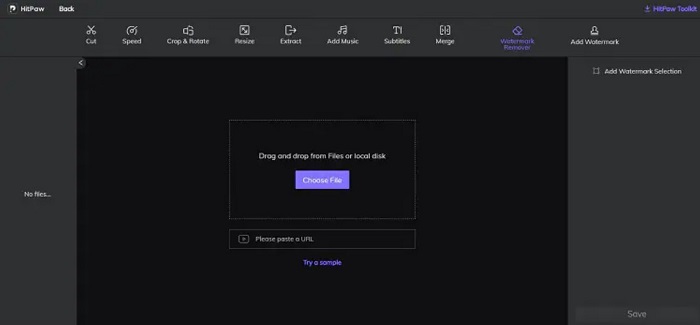
HitPaw là một trình xóa watermark khác cho phép bạn dễ dàng xóa hình mờ Arnold trên ảnh. Nó cho phép bạn chỉnh sửa và loại bỏ mọi watermark trên ảnh một cách chuyên nghiệp. Ngoài ra, nó có giao diện đơn giản, dễ sử dụng, nên bạn sẽ không gặp khó khăn khi dùng công cụ trực tuyến này. Nếu bạn có video Arnold, công cụ này xóa watermark đó rất hiệu quả. Ấn tượng hơn là nó có cả phiên bản online và offline. Tuy nhiên, phiên bản offline lại có giao diện phần mềm khó thao tác, gây khó khăn cho người mới. Dẫu vậy, vẫn có nhiều người dùng sử dụng công cụ này để xóa watermark.
Ưu điểm
- Nó có phiên bản trực tuyến và ngoại tuyến.
- Phiên bản trực tuyến của nó có thể truy cập được trên tất cả các trình duyệt web, như Google và Safari.
- Nó không để lại vết mờ trên vùng hình mờ.
Nhược điểm
- Bạn cần đăng ký trước khi có thể chỉnh sửa video hoặc ảnh của mình.
Inpaint
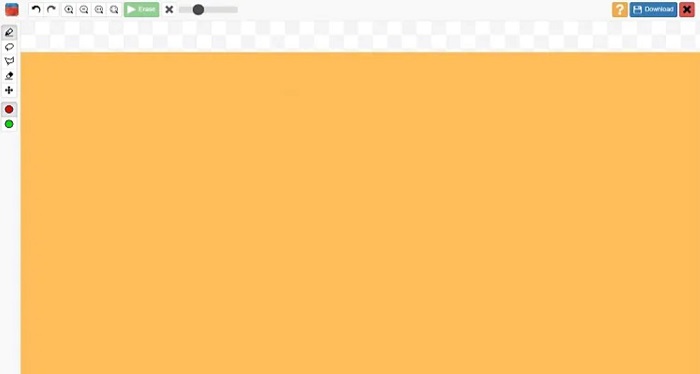
Inpaint là một trong những công cụ xóa watermark phổ biến nhất mà bạn có thể tải về trên Windows và Mac. Công cụ offline này hỗ trợ nhiều định dạng video và hình ảnh, như MP4, MKV, AVI, PNG, JPG, v.v. Nhiều người dùng thích công cụ này vì nó xóa các chi tiết không mong muốn trên ảnh hoặc video. Hơn nữa, nó có các tính năng chỉnh sửa khác mà bạn có thể dùng để cải thiện chất lượng ảnh hoặc video.
Ưu điểm
- Có thể tải xuống trên hầu hết các nền tảng phương tiện, bao gồm cả Windows và Mac.
- Nó xuất khẩu đầu ra được thực hiện một cách chuyên nghiệp.
Nhược điểm
- Nó có một giao diện phần mềm khó sử dụng.
- Nó đôi khi không thể loại bỏ các yếu tố phức tạp khỏi video hoặc hình ảnh của bạn.
Phần 2. Làm thế nào để loại bỏ hình mờ Arnold trong một cú nhấp chuột
Chúng tôi có công cụ được đề xuất nếu bạn muốn một cách đơn giản hơn để xóa hình mờ Arnold trên hình ảnh của mình. Đọc phần này bên dưới để tìm hiểu về công cụ này và cách xóa hình mờ bằng công cụ này.
FVC Video Converter Ultimate là công cụ tối ưu mà bạn có thể dùng để xóa mọi đối tượng không mong muốn trên ảnh. Nó hỗ trợ nhiều định dạng video như MP4, MKV, AVI, MOV, M4V và hơn 1000 định dạng khác. Với giao diện dễ sử dụng, nhiều người mới bắt đầu dùng công cụ này để xóa watermark trên video. Ngoài ra, nó còn có nhiều tính năng chỉnh sửa nâng cao mà bạn có thể dùng, như công cụ xóa watermark video, chỉnh màu, cắt video, và nhiều hơn nữa. Vì vậy, nếu bạn muốn sử dụng phần mềm này để xóa hình mờ Arnold, hãy làm theo hướng dẫn đơn giản dưới đây.
Cách xóa hình mờ Arnold bằng FVC Video Converter Ultimate:
Bước 1. Tải FVC Video Converter Ultimate về thiết bị của bạn bằng cách nhấp vào nút Tải xuống bên dưới.
Tải xuống miễn phí cho Windows 7 trở lên. Tải xuống an toàn.
Tải xuống miễn phí cho MacOS 10.7 trở lên. Tải xuống an toàn.
Bước 2. Vào bảng Toolbox trên giao diện chính của phần mềm và chọn Video Watermark Remover.
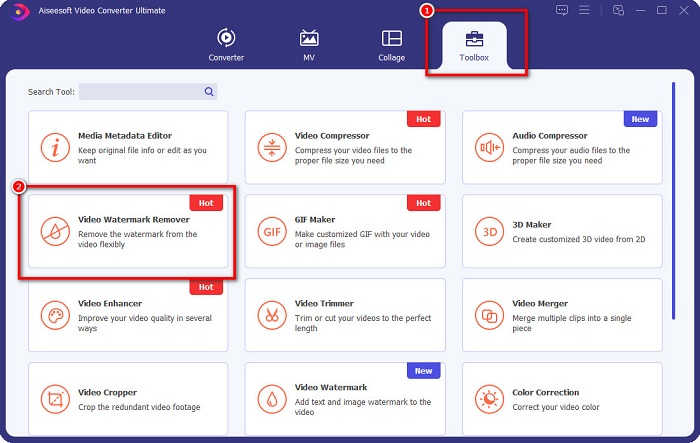
Bước 3. Tiếp theo, nhấp vào nút dấu + để tải lên video Arnold mà bạn muốn xóa watermark.
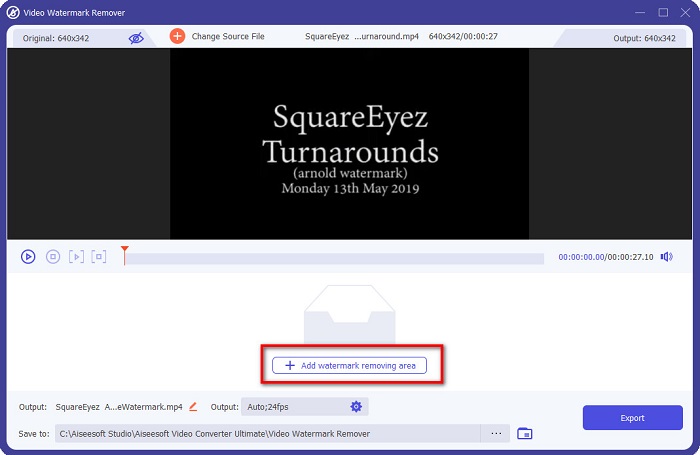
Bước 4. Sau đó, bạn sẽ thấy phần xem trước video của mình. Nhấp vào nút Add watermark removing area để thêm vùng xóa watermark.
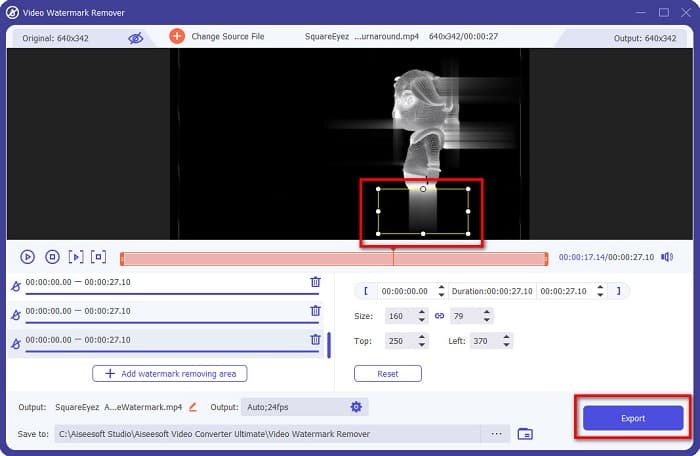
Bước 5. Đặt vùng xóa watermark trùng lên vùng có watermark trên video của bạn. Nếu trên video có hai hoặc nhiều watermark, hãy nhấp vào Add watermark removing area. Sau đó, nhấp nút Export khi bạn đã che hết tất cả watermark trên video. Ngoài ra, bạn cũng có thể dùng công cụ này để xóa watermark Dxtory.
Phần 3. Làm thế nào để loại bỏ hình mờ Arnold bằng cách sử dụng công cụ trình tự kết xuất
Watermark Arnold chỉ xuất hiện trên sản phẩm đã render nhưng không có bản quyền khi sử dụng Maya. Vì vậy, để xóa watermark, bạn cần thực hiện quy trình render sequence. Sau khi tạo xong hoạt họa, bạn cần điều chỉnh cài đặt render. Các cài đặt bao gồm định dạng ảnh, phần mở rộng khung hình hoặc hoạt họa, khung bắt đầu và kết thúc, preset, v.v. Sau khi điều chỉnh xong cài đặt render, hãy nhấp Render > Batch Render. Sau đó, tất cả hình ảnh sẽ có watermark.
Để xóa hình mờ Arnold, bạn cần render hoạt họa của mình. Vào Render Settings, và đảm bảo rằng bạn chọn đúng camera muốn render. Sau đó, nhấp vào Render Sequence. Tiếp theo, mở các hình ảnh lên và bạn sẽ thấy không còn watermark nào được gắn trên đó. Giờ bạn có thể dùng những hình này để tạo một đoạn hoạt họa.
Phần 4. Câu hỏi thường gặp về Arnold Watermark Removers
Bạn có thể kết xuất hàng loạt với Arnold không?
Đúng. Bạn có thể sử dụng trình kết xuất hàng loạt Maya để kết xuất khung trình tự. Bạn có thể thực hiện việc này bằng cách vào Maya bằng cách nhấp vào Render> Batch Render trên dòng lệnh.
Arnold có trong Maya không?
Trong cài đặt mặc định, Arnold cho Maya được bao gồm thông qua mtoa. mll plug in. Trong plug-in này, Arnold là trình kết xuất ưu tiên trong Maya.
Arnold giá bao nhiêu?
Đăng ký hàng năm là 380$, trong khi đăng ký hàng tháng là 50$ mỗi tháng.
Phần kết luận
Tất cả các công cụ xóa watermark Arnold Maya ở trên đều cho kết quả đầy hứa hẹn trong việc xóa watermark. Nhưng nếu bạn muốn dùng một phần mềm đa năng vừa có nhiều chức năng vừa có thể xóa watermark mà không làm giảm chất lượng, hãy tải ngay FVC Video Converter Ultimate.
-
 123rf Watermark Removers - Đánh giá kỹ lưỡng về các công cụ tối ưu
 Nếu bạn muốn biết những cách xóa hình mờ 123rf nổi bật nhất là gì, hãy đọc kỹ bài viết này. Bài viết này cung cấp một đánh giá chuyên sâu về các công cụ.
-
 Cách xóa DeviantArt Watermark trên Windows và Mac
 Bạn muốn tìm hiểu cách xóa hình mờ DeviantArt trên hình ảnh của mình? Sử dụng công cụ xóa hình mờ DeviantArt nổi bật nhất, bạn có thể dễ dàng xóa những hình mờ khó chịu đó.
-
 Cách xóa hình mờ Pond5 bằng các công cụ tối ưu
 Tìm hiểu cách xóa hình mờ Pond5 bằng cách làm theo các bước đơn giản dưới đây. Bạn có thể dễ dàng loại bỏ hình mờ Pond5 trên hình ảnh của mình bằng các công cụ ấn tượng này.
