


 Chuyển đổi video Ultimate
 Trình ghi màn hình
 Sửa chữa video
Tăng tốc video trên Android với các ứng dụng hữu ích trên Android [2025]
Ngày nay điện thoại là thiết bị công nghệ đa năng nhất mà chúng ta sử dụng hằng ngày. Thiết bị này giúp chúng ta liên lạc, ghi hình, chỉnh sửa những thứ như cắt khung, cắt ngắn, tăng tốc và nhiều hơn nữa ngay cả khi chúng ta không có nhiều thiết bị để thiết lập. Vì vậy hôm nay chúng ta sẽ tìm hiểu cách tăng tốc video trên Android với sự trợ giúp của một ứng dụng bên thứ ba mà bạn có thể tải xuống. Thêm thông tin là điện thoại Android của bạn không có sẵn tính năng tăng tốc video tích hợp để bạn xem video nhanh hơn. Vậy nên nếu bạn muốn có tính năng này thì hãy tiếp tục đọc bài viết, vì chúng tôi tổng hợp các ứng dụng khác nhau mà bạn có thể tin cậy.

Phần 1. Làm thế nào để tăng tốc độ video trên Android
1. FilmoraGo
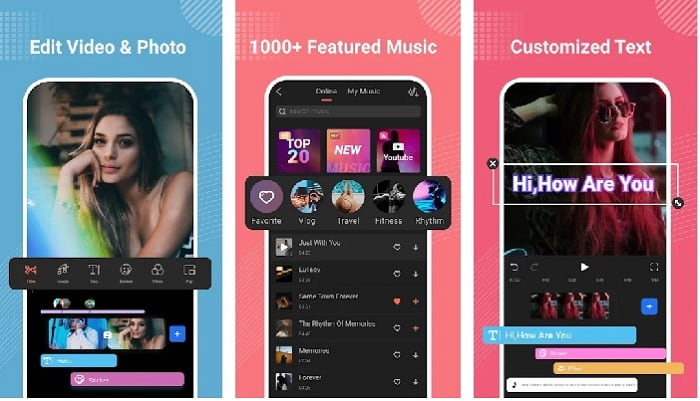
Filmora đã phát triển một ứng dụng có thể tải về cho Android để bạn trải nghiệm gần như đầy đủ các tính năng mà bản trên máy tính cung cấp. Filmora Go là một trong những trình biên tập video miễn phí tốt nhất mà bạn có thể dùng để tạo ra một video ấn tượng. Hơn nữa, công cụ này có đầy đủ các tính năng mà bạn có thể sẽ dùng đến ngay cả khi bạn không có kinh nghiệm chỉnh sửa video. Tuy nhiên, phiên bản miễn phí chỉ hỗ trợ một số tính năng mẫu cho bạn sử dụng. Chẳng hạn như tính năng tăng tốc video trên Android là miễn phí nhưng có giới hạn. Dù công cụ trông có vẻ hoàn hảo, vẫn có một số vấn đề mà người dùng muốn được giải quyết trong phần đánh giá ứng dụng.
Ưu điểm
- Đây là một trình chỉnh sửa video miễn phí nhưng mạnh mẽ mà bạn có thể sử dụng trên các thiết bị Android của mình.
- Công cụ nhận được một trong những đánh giá tốt nhất mà chúng tôi từng thấy và nó nhận được 4,6 sao.
- Công cụ này đã tạo dựng được danh tiếng là một trong những trình chỉnh sửa tốt nhất trên máy tính để bàn.
Nhược điểm
- Việc mất tập tin đôi khi xảy ra ở đây.
- Đôi khi việc xuất các tập tin bị lộn xộn ngay cả khi bạn chỉnh sửa nó.
- Hầu hết thời gian âm thanh và video không được đồng bộ hóa.
2. Siêu thời gian
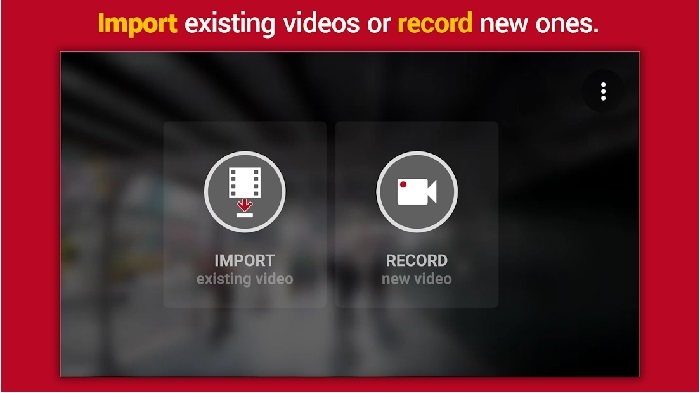
Hyper Timelapse là một trong những ứng dụng tăng tốc phát lại video trên Android mà bạn có thể tải miễn phí. Ứng dụng này đã đạt đánh giá 4,1 sao, con số khá tốt. Tuy nhiên, các bài đánh giá về ứng dụng lại rất khó đọc vì có nhiều lời phàn nàn. Khi chúng tôi thử dùng ứng dụng, giao diện không quá tệ, tính năng tăng tốc rất ổn nhưng khi xuất file thì ứng dụng bị treo. Sau đó chúng tôi thử quay time lapse thì kích thước tệp video tăng lên sau mỗi phút trôi qua. Về cơ bản, bạn không thể quay một video time lapse dài với ứng dụng này.
Ưu điểm
- Ứng dụng này rất đơn giản để sử dụng ngay cả khi bạn là người mới bắt đầu.
- Nó có tích hợp thời gian trôi đi.
- Giao diện của công cụ không ổn.
Nhược điểm
- Sự cố và lỗi vẫn đang xảy ra trong công cụ này.
- Nó không lưu kết quả cuối cùng bởi vì mỗi khi bạn làm điều đó, nó sẽ bị treo.
3. Bỏ qua nó
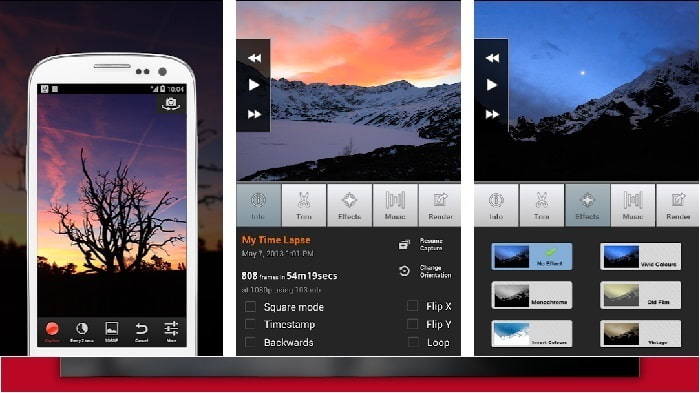
Nếu bạn đang tìm một ứng dụng để tăng tốc video trên Android thì hãy thử dùng Lapse It. Công cụ này là sự kết hợp của hai ứng dụng trên, vì bạn có thể quay time lapse, stop motion và có cả các tính năng chỉnh sửa. Mặc dù nghe có vẻ rất hay để dùng trên Android, ứng dụng này lại có xếp hạng thấp nhất trong bài viết này. Ứng dụng chỉ đạt 3,5 sao và nhiều bình luận đánh giá cho rằng ứng dụng này chẳng có ích gì. Một số bình luận khác lại nói đây từng là ứng dụng ưa thích của họ khi làm video ấn tượng, nhưng giờ đã có rất nhiều ứng dụng tốt hơn công cụ này.
Ưu điểm
- Nó có một tính năng độc đáo và mạnh mẽ mà rất nhiều người dùng thích sử dụng.
- Ứng dụng này có thể có kết xuất tốt nhất trên Android.
- Tùy chỉnh video có thể được thực hiện dễ dàng với sự trợ giúp của ứng dụng này trên Android.
Nhược điểm
- Công cụ đã thay đổi từ lớp S thành D vì sự cố và lỗi vẫn đang xảy ra ngay cả sau khi cập nhật xong.
- Hướng dẫn không rõ ràng về cách thực hiện nó.
- Trong mỗi đoạn kết thúc video luôn có một quảng cáo bật lên.
Phần 2. Muốn có bộ điều khiển tốc độ chuyên nghiệp hơn? Dùng thử Video Converter Ultimate!
Video Converter Ultimate là công cụ độc đáo nhất mà bạn nên dùng nếu muốn có một sản phẩm đầu ra tuyệt vời. Việc tăng tốc video ở đây có thể thực hiện rất dễ dàng với sự trợ giúp của công cụ này. Ngoài ra, các tính năng tổng thể của phần mềm này vượt trội hơn các công cụ trên Android. Tuy nhiên, phần mềm này không thể dùng trên thiết bị Android vì không được hỗ trợ. Dù vậy, khi sử dụng trên máy tính, bạn sẽ không gặp tình trạng treo, văng hay lỗi trong quá trình dùng công cụ. Vậy nên, nếu bạn muốn học cách tăng tốc video trên Android thì hãy làm theo các bước dưới đây.
Bước 1. Việc đầu tiên bạn cần làm là tải công cụ về. Sau khi tải xong hãy cài đặt, thực hiện thiết lập nhanh rồi nhấp Hoàn tất để tiếp tục.
Tải xuống miễn phí cho Windows 7 trở lên. Tải xuống an toàn.
Tải xuống miễn phí cho MacOS 10.7 trở lên. Tải xuống an toàn.
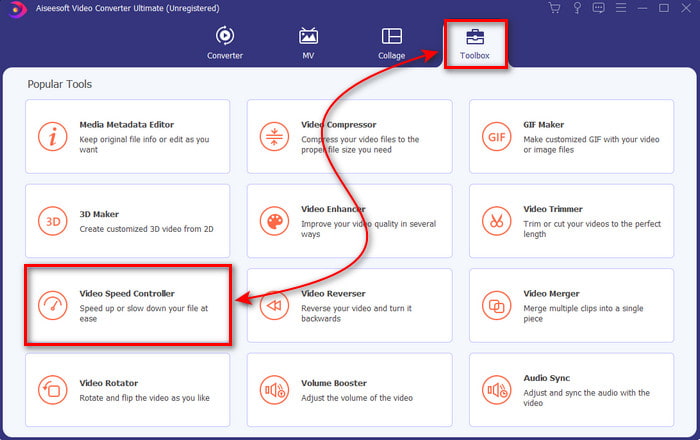
Bước 2. Tiếp theo, vào mục Hộp công cụ (Toolbox) và tìm Bộ điều khiển tốc độ video (Video Speed Controller), nhấp vào đó để mở.
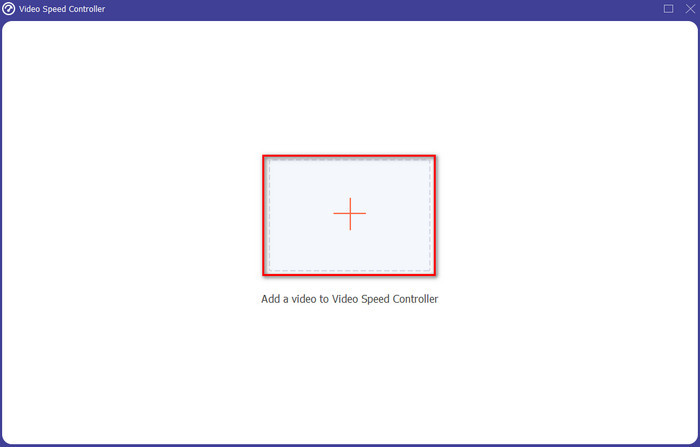
Bước 3. Giao diện mới sẽ xuất hiện, nhấp vào nút + để chèn tệp. Sau khi nhấp, một thư mục sẽ hiện ra, hãy chọn tệp bạn muốn tăng tốc rồi nhấp Open (Mở).
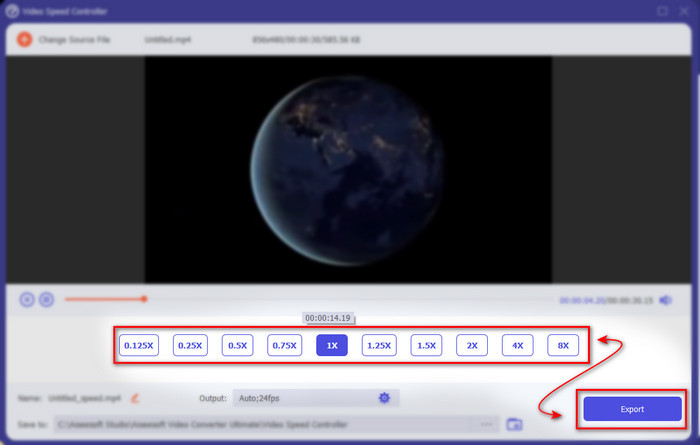
Bước 4. Một giao diện mới nữa sẽ hiện lên, sau đó chọn tốc độ bạn muốn trong các ô nhỏ này. Nếu bạn đã sẵn sàng xuất file đã được tăng tốc thì nhấp vào Export (Xuất).
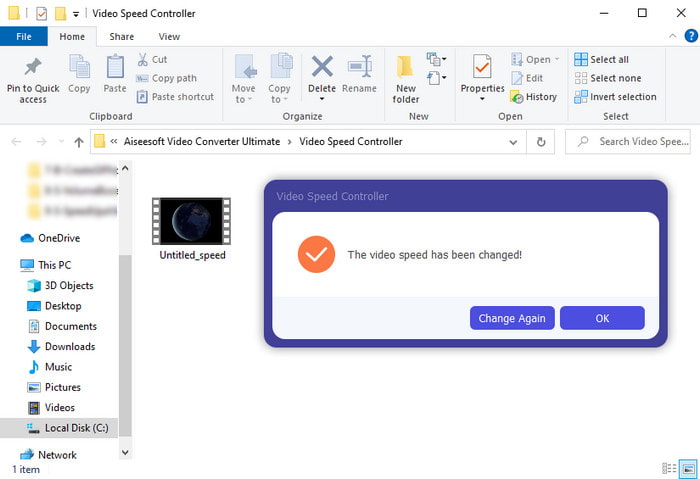
Bước 5. Chờ trong chốc lát, khi video xử lý xong sẽ có một thư mục hiện ra chứa file video đã được tăng tốc bạn vừa tạo. Nhấp vào tệp video để xem phiên bản đã tăng tốc.
Phần 3. Câu hỏi thường gặp về Tăng tốc video trên Android
Việc tăng tốc độ video của tôi có phá hủy chất lượng của nó không?
Nếu bạn định tăng tốc độ một video thì chất lượng của video không có gì thay đổi. Tuy nhiên, nếu ứng dụng bạn đang sử dụng không hỗ trợ đầu ra video chất lượng cao, thì đầu ra video sẽ tự động bị giảm bớt.
Tôi có thể xem video chuyển động chậm không?
Chắc chắn là có! Với sự trợ giúp của 5 trình phát video chuyển động chậm tốt nhất, hãy nhấp vào liên kết này để xem bài viết mới.
Tại sao tôi cần tăng tốc độ video của mình?
Có rất nhiều lý do khiến bạn cần phát video ở tốc độ 2x hoặc cao hơn. Vậy nên nếu bạn muốn tìm hiểu những lý do đó, hãy đọc bài viết này nói về video 2x là gì.
Phần kết luận
Tóm lại, tất cả các công cụ được giới thiệu ở đây đều rất hữu ích nếu bạn dùng điện thoại Android, tuy nhiên vẫn có một công cụ nổi bật hơn hẳn. Và công cụ tuyệt vời đó là Video Converter Ultimate vì khi dùng nó, bạn sẽ không bao giờ gặp lỗi hay vấn đề khó chịu. Nhưng phần mềm này không có trên điện thoại Android, nên nếu bạn muốn thử thì hãy tải ngay về máy tính để bàn. Để tận hưởng trọn vẹn mọi tính năng của phần mềm tuyệt vời này.
-
 Cách phát tệp MKV trên iPad 2025
 Làm thế nào để phát tệp MKV trên iPad 2? Tôi có thể chuyển đổi MKV sang MP4 để chơi trên iPad Pro / Air / 2 không? Bài đăng này chia sẻ 2 cách dễ dàng để chơi MKV trên iPad.
-
 [Đã giải quyết] VLC không phát DVD, cách khắc phục
 VLC có thể phát DVD không? Tại sao won & #039; t VLC phát DVD của tôi? Làm cách nào để tải VLC để phát DVD trên Windows 10? Bài đăng này chia sẻ 3 mẹo để khắc phục sự cố VLC không phát DVD.
-
 [Đã giải quyết] Phát tệp MP4 trên Chromebook 2025
 Bạn có thể phát video trên Chromebook không? Làm cách nào để phát tệp MP4 từ USB trên Chromebook? Bài đăng này chia sẻ 3 cách để chơi MP4 trên Chromebook.
