


 Chuyển đổi video Ultimate
 Trình ghi màn hình
 Sửa chữa video
Phân tích ngắn gọn về văn bản có sẵn trên ứng dụng video Windows / Mac / Android / iOS
Bảo vệ dự án của bạn là điều cần thiết, đặc biệt khi bạn đăng nó lên mạng để tránh việc người khác đánh cắp công sức của bạn. Tuy nhiên, không phải website nào cũng có thể giúp bạn tránh khỏi nguy cơ bị lấy cắp. Vì vậy, trước khi đăng dự án của mình lên web, tốt nhất bạn nên thêm watermark. Mặc dù watermark không phải lúc nào cũng bảo vệ được tác phẩm, nhưng có thể nói đây là một cách khác để tăng độ an toàn cho sản phẩm của bạn trước nguy cơ bị đánh cắp. Vì thế, bài viết này sẽ giới thiệu các công cụ bạn có thể dùng; hầu hết là miễn phí, nhưng một số cần mua để mở khóa toàn bộ tính năng. Ngay bây giờ, hãy cùng nhìn tổng quan về ứng dụng chèn chữ vào video trong năm 2022 này.

Phần 1. 3 trong số các ứng dụng văn bản hay nhất trên video mà bạn có thể tải xuống trên Windows và Mac
FVC Video Converter Ultimate
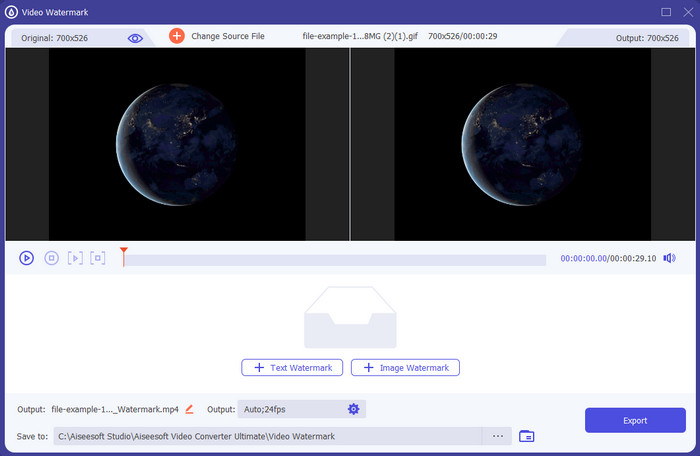
Chi phí: Có bản dùng thử miễn phí, giá bắt đầu từ $39.50 cho một năm, $55.20 trọn đời, và đối với 2–5 máy bản trọn đời là $119.00.
Nền tảng hỗ trợ: Windows và Mac.
Nếu bạn muốn một ứng dụng để thêm chữ vào video, bạn nên chọn công cụ được dùng nhiều nhất năm 2022 là FVC Video Converter Ultimate. Công cụ này hỗ trợ nhiều định dạng nên việc tải tệp video lên sẽ không gây khó khăn cho bạn; nếu cần, bạn cũng có thể đổi định dạng. Thoạt nhìn giao diện, công cụ này vừa gọn gàng vừa chuyên nghiệp. Mặc dù là công cụ chuyên nghiệp, người dùng ít hoặc chưa có kinh nghiệm vẫn có thể nhanh chóng học cách sử dụng. Độ khó khi làm quen không “gắt” như Adobe Photoshop.
Hơn nữa, công cụ này mang lại niềm tự hào với tên gọi là công cụ tối ưu vì nó có quy trình tải lên và tải xuống nhanh nhất, cho dù một, hai hay nhiều tệp. Mã hóa định dạng tệp mất dữ liệu hoặc không mất dữ liệu rất nhanh chóng và dễ dàng nếu bạn sử dụng công cụ này. Mặc dù công cụ này hơi đắt so với danh sách trình chỉnh sửa văn bản video, chúng tôi vẫn thấy công cụ này là dễ sử dụng nhất nhưng lại hiệu quả nhất.
Tải xuống miễn phí cho Windows 7 trở lên. Tải xuống an toàn.
Tải xuống miễn phí cho MacOS 10.7 trở lên. Tải xuống an toàn.
Adobe Photoshop
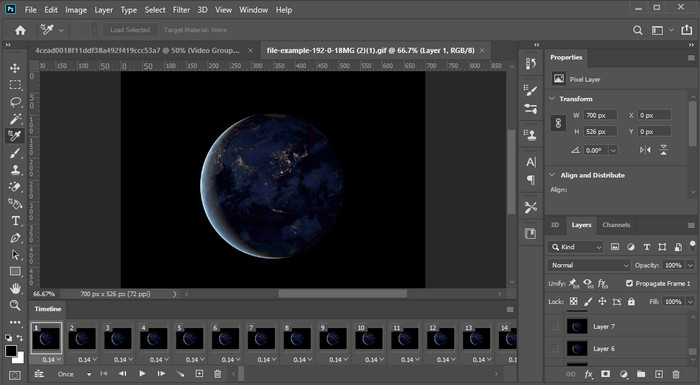
Chi phí: Miễn phí dùng thử 7 ngày và $20.99 mỗi tháng.
Nền tảng hỗ trợ: Windows, Mac và iPad.
Cần một công cụ chuyên nghiệp để đảm nhận công việc này? Adobe Photoshop chính là công cụ “pro” trong danh sách này. Giao diện đầy đủ tính năng và bộ công cụ phong phú khiến đây trở thành trình chỉnh sửa được dân chuyên ưu tiên tải về trên nền tảng của họ. Ngoài ra, công cụ này còn cung cấp các tính năng chỉnh sửa nâng cao giúp bạn làm cho chữ trên video trông đẹp mắt hơn bao giờ hết.
Tuy nhiên, công cụ này không phải là lựa chọn tốt nhất nếu bạn là người mới bắt đầu chỉnh sửa vì nó rất kỹ thuật nên ngay cả một số chuyên gia cũng cần đọc một số hướng dẫn về cách thực hiện một tác vụ cụ thể. Nhưng nếu bạn muốn sử dụng điều này, hãy thêm văn bản vào ứng dụng video; bạn có thể tải xuống trên trang web chính thức của Adobe.
iMovie
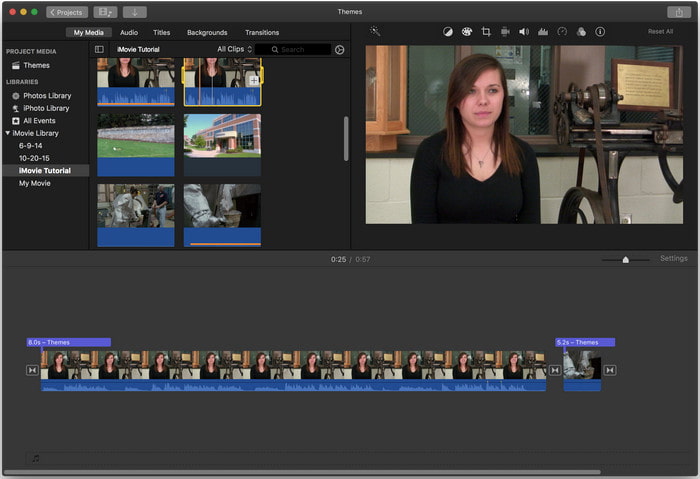
Chi phí: Miễn phí, được cài sẵn.
Nền tảng hỗ trợ: Mac và iOS.
Nếu bạn cần một công cụ miễn phí trên thiết bị Mac hoặc iOS để thêm watermark vào video, bạn có thể dùng iMovie để đảm nhận việc này. Công cụ này không thể tải về trên thiết bị Windows hay Android vì chỉ dành riêng cho thiết bị Apple. Dù hỗ trợ nền tảng hạn chế, nó vẫn được xem là một trong những trình chỉnh sửa watermark tốt nhất trên Mac và iOS. Đa số người mới bắt đầu sẽ thích dùng vì khả năng chỉnh sửa mạnh mẽ nhưng hoàn toàn miễn phí. Vậy nên, nếu bạn có Mac hoặc iOS, bạn nên thử ứng dụng chèn chữ lên video này trước để xem nó có đáp ứng nhu cầu của bạn hay không.
Phần 2. 3 Ứng dụng văn bản video tốt nhất có sẵn trên tất cả Android và iOS
Tất cả các công cụ được đề cập ở trên đều có sẵn trên Windows và Mac, trong khi một số hỗ trợ các thiết bị di động hạn chế. Điều gì sẽ xảy ra nếu bạn có thiết bị di động và muốn thêm văn bản làm hình mờ trên video? Bạn vẫn có thể làm điều đó? Bạn có thể thực hiện với công cụ mà chúng tôi trình bày dưới đây. Hãy đọc kỹ để biết liệu công cụ này có đáp ứng đủ nhu cầu của bạn hay không.
Trình chỉnh sửa video: Văn bản trên video
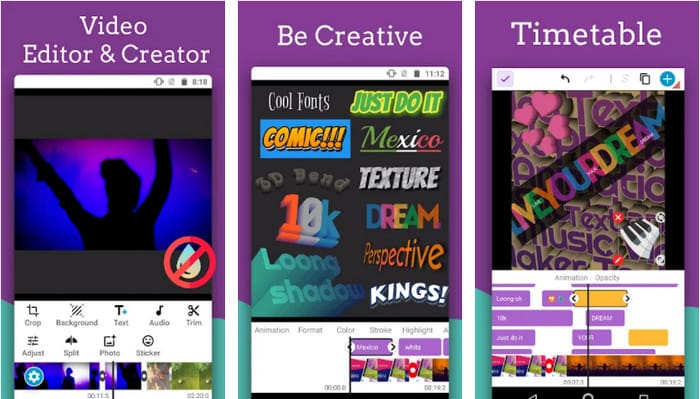
Chi phí: Miễn phí tải về.
Nền tảng hỗ trợ: Android.
Mặc dù có rất nhiều ứng dụng chèn chữ vào video miễn phí cho Android, chúng tôi vẫn thấy Video Editor: Text on Video nổi bật ở nhiều khía cạnh. Ứng dụng Android này cung cấp cho người dùng nhiều tính năng chỉnh sửa nâng cao để khiến video trở nên ấn tượng hơn. Nếu bạn muốn dùng nó để thêm watermark cho video, ứng dụng còn có hiệu ứng chữ động để bạn chèn chữ động vào video.
Mặc dù công cụ này được tải xuống miễn phí nhưng vẫn còn nhiều cải tiến và cần sửa trong công cụ này, như một số lỗi và trục trặc mà một số người dùng gặp phải. Ngoài ra, một số quảng cáo sẽ bật lên khi bạn mở ứng dụng trên điện thoại và sử dụng. Tuy nhiên, nhà phát triển vẫn tiếp tục cập nhật công cụ để trở thành trình chỉnh sửa video tốt nhất trên Android để phát huy hết tiềm năng của nó.
Vont - Văn bản trên Video 4+
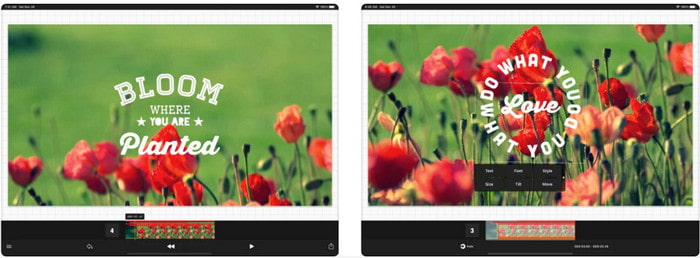
Chi phí: Miễn phí tải về, mua trong ứng dụng từ $2.99 đến $9.49.
Nền tảng hỗ trợ: iPhone, iPad và Android.
Vont - Text on Videos 4+ là một trong những ứng dụng tốt nhất để thêm chữ vào video trên mọi thiết bị di động. Ứng dụng này hỗ trợ cả thiết bị Android và iOS, nên việc nó nổi tiếng và được ưa chuộng trên cả hai nền tảng là điều dễ hiểu. Nhưng nếu so sánh về nơi ứng dụng hoạt động tốt hơn, có thể nói nó phù hợp với thiết bị iOS hơn vì hỗ trợ nhiều định dạng hơn và có các tính năng chỉnh sửa chi tiết hơn để bạn sử dụng.
Mặc dù công cụ này tốt hơn trên iOS, chúng ta vẫn có thể đồng ý rằng công cụ này rất tuyệt vời khi sử dụng ngay cả trên các thiết bị Android để thêm nhanh hình mờ trên một số video.
Văn bản trên video: Easy Vid Editor 4+
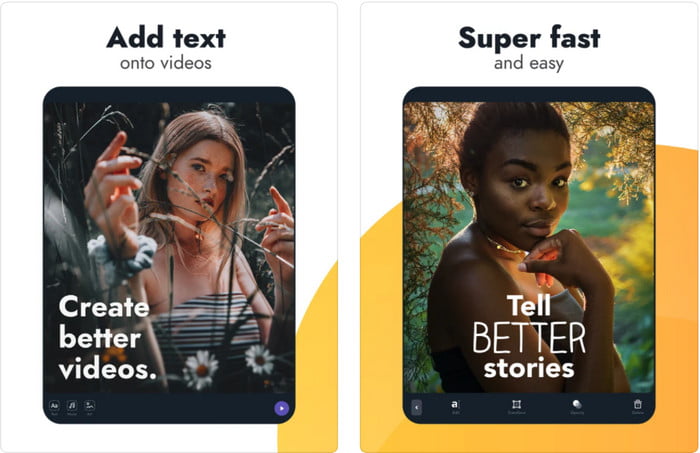
Chi phí: Miễn phí tải về, mua trong ứng dụng từ $1.99 đến $49.99.
Nền tảng hỗ trợ: iPhone và iPad.
Nếu bạn muốn biết đâu là ứng dụng chèn chữ lên video tốt nhất trên iOS, thì không thể phủ nhận đó chính là Text On Video: Easy Vid Editor 4+. Công cụ này hỗ trợ nhiều tính năng chỉnh sửa giúp bạn dễ dàng thêm watermark chữ vào video với các kiểu phông chữ khác nhau.
Giống như Photoshop, công cụ này thúc đẩy tính năng watermarking văn bản 3D để giúp bạn thao tác văn bản và đặt nó ở bất cứ đâu như thể nó ở trong khi bạn quay video hoặc chụp ảnh. Mặc dù chúng tôi coi nó là tốt nhất, chúng tôi vẫn nghĩ rằng nó không phải là công cụ chuyên nghiệp bạn sẽ cần nếu bạn muốn chỉnh sửa nhiều chi tiết mà một chuyên gia cần.
Có liên quan:
Thêm phụ đề vào video
Thêm watermark vào video
Phần 3. Câu hỏi thường gặp về Thêm ứng dụng hình mờ văn bản
Tải xuống ứng dụng hình mờ văn bản có an toàn không?
Sẽ an toàn nếu bạn đã tải xuống công cụ trên các trang web chính thức hoặc trình tải xuống. Nó sẽ không gây ra bất kỳ vấn đề gì nếu bạn tải xuống trên trang web chính thức. Tuy nhiên, không phải tất cả các trang web đều được bảo vệ, vì vậy bạn phải lưu ý tải xuống an toàn nhất để sử dụng công cụ trên hệ điều hành của mình để tránh mọi sự cố.
Ứng dụng hình mờ văn bản nào hoạt động tốt hơn, trên máy tính để bàn hay điện thoại?
Không nghi ngờ gì nữa, ứng dụng watermark văn bản trên máy tính để bàn hoạt động tốt hơn cho các tác vụ nặng vì máy tính để bàn có CPU cao hơn điện thoại. Nhưng nếu bạn muốn chỉnh sửa nửa trọng lượng, thì hình mờ văn bản trên điện thoại là lựa chọn phù hợp của bạn, vì bạn có thể mang nó đến bất cứ đâu và sử dụng bất cứ lúc nào mà không cần thiết lập máy tính để bàn.
Nó có lý tưởng để mua ứng dụng hình mờ văn bản không?
Nếu bạn đang có ngân sách eo hẹp, chúng tôi khuyên bạn nên sử dụng công cụ miễn phí, nhưng có một số hạn chế và mong đợi điều đó vì nó miễn phí. Nhưng nếu bạn muốn có các tính năng tốt nhất có sẵn trong phiên bản cao cấp, chúng tôi khuyên bạn nên mua hoặc đăng ký vì bạn không thể nhận được chúng với phiên bản miễn phí.
Phần kết luận
Bây giờ chúng ta đã phân tích xong các công cụ, đã đến lúc tải về ứng dụng phù hợp với bạn. Chúng tôi hy vọng bài viết này giúp bạn quyết định nên dùng công cụ nào, nhưng nếu bạn vẫn chưa chọn được, chúng tôi gợi ý bạn dùng FVC Video Converter Ultimate. Vì đây là công cụ “tất cả trong một” mà bạn có thể tải về trên Windows và Mac, và toàn bộ tính năng đều được thiết kế tốt để hỗ trợ từng tác vụ cụ thể. Do đó, không nghi ngờ gì, đây là ứng dụng tạo watermark chữ tốt nhất mà bạn có thể tải trong danh sách trên.
-
 Cách thêm âm thanh và nhạc vào video miễn phí trên máy tính / điện thoại của bạn
 Bài viết này chỉ ra 4 cách dễ dàng để thêm âm thanh vào video miễn phí. Bất kể bạn muốn thêm bản âm thanh nào vào video của mình, bạn đều có thể nhận được kết quả hài lòng tại đây.
-
 Chuyển đổi GIF sang định dạng Video: Chuyển đổi GIF Meme thành Video [2025]
 Xác định cách chuyển đổi GIF thành định dạng video với sự trợ giúp của các công cụ được liệt kê bên dưới. Chọn cái nào và tìm hiểu cách thực hiện, vì chúng tôi thu thập đủ bằng chứng về chúng.
-
 Ứng dụng GIF to video tuyệt vời cho thiết bị Android và iOS
 Bạn có biết rằng bạn có thể chuyển đổi GIF thành bất kỳ định dạng video nào mà bạn thích bằng điện thoại của mình không? Chọn các ứng dụng tốt nhất trên Android hoặc iOS của bạn.
