


 视频转换大师
 屏幕录影大师
 视频修复
视频修复确认将 TRP 转换为 AVI 的优秀方法 [2021]
以 MPEG-2 Part 1 传输格式存储的高清晰度视频文件被称为 TRP 文件。利用这类软件可以对数字视频和音频流进行复用(多路复用),并同步输出,同时还集成了纠错功能。TRP 是数字视频广播中经常听到的一个术语。TRP 文件通常包含 H.264 视频数据和 AC3 音频数据。它们可以通过多种视频播放应用程序进行查看和回放。面对这种对一些用户来说比较陌生的新视频格式,你也许会思考,如何将这种新文件转换成其他格式,比如TRP 转 AVI?继续阅读本文,我们将介绍可能帮助你解决当前问题的可行方案。

第 1 部分。 TRP 和 AVI 视频格式的详细介绍
TRP 文件格式是一种符合 MPEG-2 视频编码要求的数字视频文件类型。 .trp 文件扩展名用于 TRP 文件。或者,这些 TRP 文件被称为 MPEG-2 高清视频文件。此外,TRP 文件包含 A3C 编码的数字音频。这些 .trp 文件包括用于 DVD(数字视频广播)流的高分辨率传输协议。特定的机顶电视设备和数字录像机利用这些 TRP 文件来播放 DVD 内容。这些 .trp 文件可以在视频播放器和多媒体工具(例如视频 LAN 项目团队的 VLC 媒体播放器)的帮助下查看和播放。其他数字视频转换器和编辑工具可以创建、打开、编辑 TRP 文件并将其转换为其他标准数字视频格式。
然而,音频视频交错格式(AVI)可以将音频和视频信息以数字形式存储在 AVI 文件中,以便回放。所有微软 Windows 平台都内置支持 AVI 格式。扩展名 .avi 用于标识 AVI 文件。除 Windows 外,所有主流操作系统都支持 AVI 格式。使用各种编码器(如 DivX 或 XviD)制作的视频和音频文件,都可以存储在 AVI 文件容器中。这里,我们讨论了 AVI 文件格式的优点和缺点,并简要介绍了该格式的历史、结构及其转换方式。
第 2 部分。如何将 TRP 离线转换为 AVI
首先从离线将 TRP 转换为 AVI 开始,这款最佳工具在恢复和转换多种格式方面非常可靠。Video Converter Ultimate 能以最快的速度完成 TRP 到 AVI 的转换。此外,你还可以在上传文件之前更改视频的输出质量。此转换器还配备多种工具,能帮助你将视频文件提升到更高水准。由于它支持众多视频格式,你无需担心如何将不熟悉的视频格式转换为你想要的格式。既然你已经了解了这款优秀的转换器,接下来就可以学习下面给出的操作步骤:
步骤 1. 首先,点击下方的“Free Download(免费下载)”按钮开始下载流程。下载完成后,你可以根据需要选择 Windows 或 Mac 版本。然后在桌面上安装该软件,安装完成后运行程序,并点击“Start Now”(立即开始)以启动。
步骤 2. 启动已下载的应用程序。首次运行时,会弹出带有“Converter”(转换器)界面的窗口。你将在这里导入视频文件并开始转换。
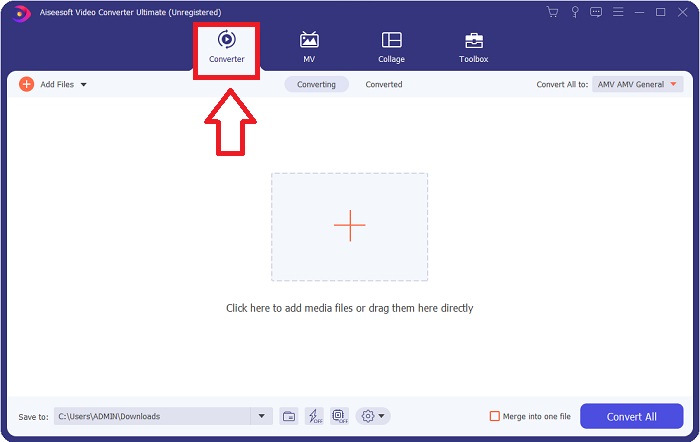
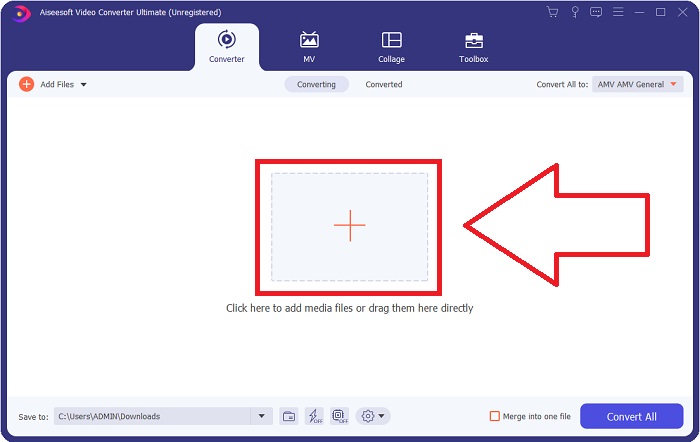
步骤 3. 通过拖拽视频文件到软件中,或点击 + 图标,将你的文件导入软件。
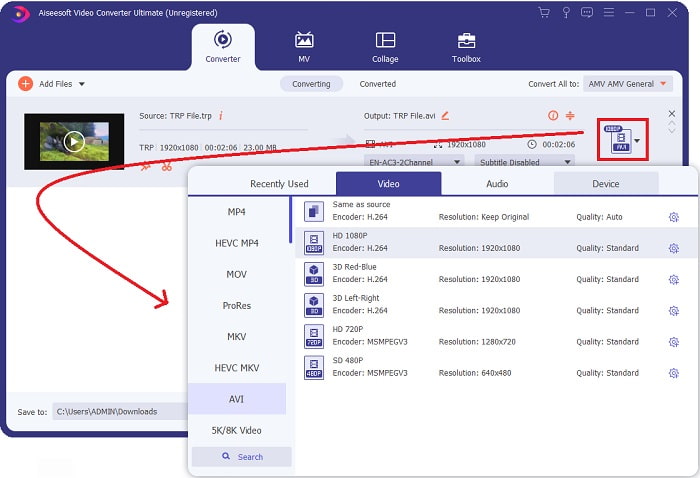
步骤 4: 在右上角点击全部转换为选项旁的向下箭头图标以打开面板。然后在视频类别列表中选择AVI 视频格式。如果你偏好的视频输出没有出现在列表中,可以调整质量设置以满足你的需求。点击齿轮图标即可修改显示分辨率、帧率,甚至音频质量。完成设置后,点击创建新配置按钮以保存你的更改。
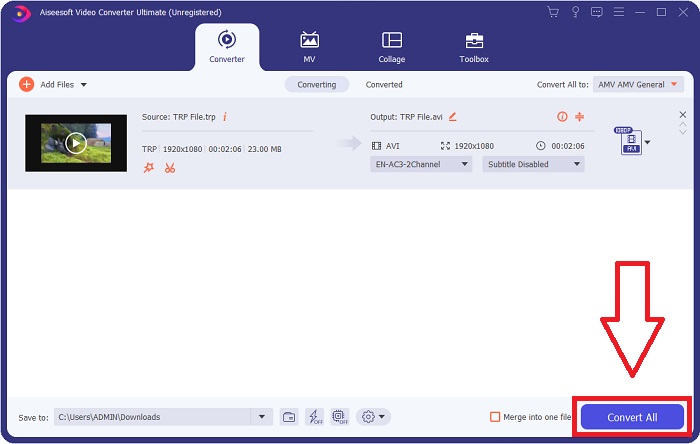
步骤 5. 当你完成视频编辑并确认可以转换时,点击“Convert All”(全部转换),开始将文件转换并保存到你的电脑中。
第 3 部分。如何将 TRP 在线转换为 AVI
如果你没有时间下载 Video Converter Ultimate,也可以使用该软件的在线版本。Free Video Converter Online 是你在互联网上可以访问的最佳在线网页工具之一,它可以快速转换多种格式。与其他在线转换器不同,此工具对可支持的格式几乎不做限制,因此推荐给一些初学者用户。想要进一步了解这个在线网页工具,可参考下面给出的操作步骤。
步骤 1. 点击此链接,前往 FVC 转换器的主网站。
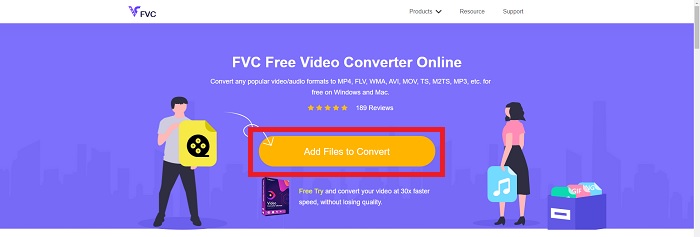
步骤 2. 如果你是第一次使用它,点击添加文件到转换按钮,为你的电脑下载启动器。下载完成后会自动启动。再次下载完成后,从文件夹中选择文件并点击打开。
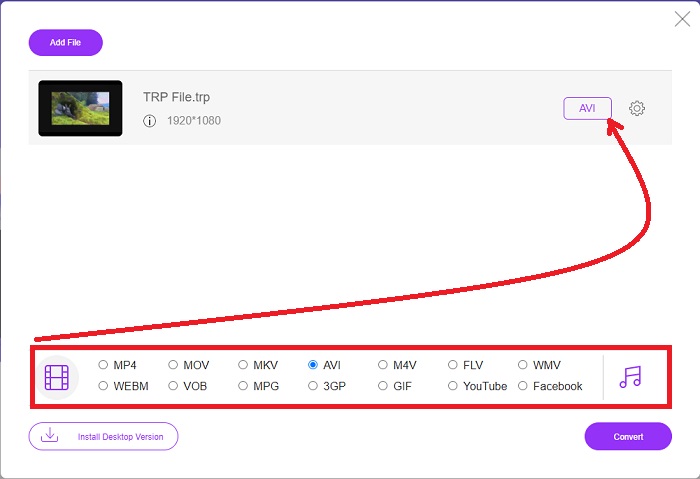
步骤 3. 在转换过程开始之前,点击下方的下拉菜单,选择 AVI 格式。
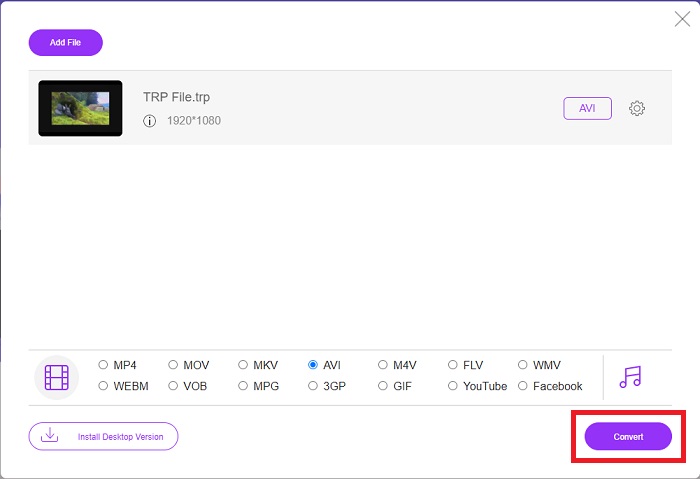
步骤 4. 选择完格式后,点击“Convert”(转换),开始将文件格式转换为另一种格式。
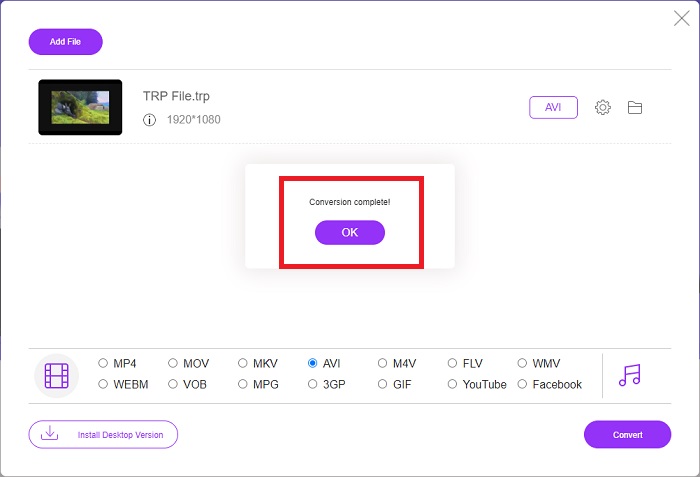
步骤 5. 几分钟后,一个包含已转换文件的文件夹窗口会弹出;只需点击其中的文件即可开始观看。
第 4 部分。 TRP 和 AVI 之间的比较
| 特点 | FVC Video Converter Ultimate | FVC免费视频转换 |
| 批量转换 |  |  |
| 硬件和转换加速 | | |
| 互联网连接 | | |
| 视频增强或编辑 | | |
| 支持的程序 | 基于网络的工具 | 基于桌面的工具 |
第 5 部分。有关 TRP 到 AVI 转换的常见问题解答
AVI有什么用?
AVI 是 Audio Video Interleaved(音频视频交错)的缩写。AVI 是一种音视频文件格式,用于以数字形式存储音频和视频信息以便回放,同时也用于存储视频信息。所有版本的微软 Windows 操作系统都默认支持 AVI 格式。AVI 文件的扩展名为 .avi。
AVI的缺点是什么?
压缩效率低以及在放大媒体播放器窗口时丢失纵横比,是 AVI 文件格式用户最常遇到的问题。可以将 AVI 文件转换为 MP4 文件。因此,如果你在处理 AVI 文件,就应该了解这样做的重要性。
TRP有什么好处?
频道 TRP 的受欢迎程度使企业可以根据受众的受欢迎程度来定位受众并衡量他们的投资回报。使用这种方法,广播公司可以在更受欢迎的节目播出时向广告商收取更优惠的费用。
结论
综上所述,我们了解到,在这些在线工具中,Video Converter Ultimate 是你最应该考虑使用的最佳转换器。由于其转换速度快、支持格式多,被认为是将 TRP 等不常见视频格式进行转换的推荐工具或软件。
-
 如何在Win / Mac上免费在线将TS转换为AVI / MKV / MOV / WMV
 想要将TS文件快速转换为AVI / MKV / MOV / WMV?本文介绍了在线和离线视频转换器以及完整的指南。也许您可以在这里获得最好的免费TS转换器。
-
 [免费在线] 在 Mac/Windows 计算机上将 MTS 转换为 AVI 的 7 种方法
 如何轻松将MTS转换为AVI?在本指南中,您将找到7种免费且简便的方法,可以在Windows或Mac上将MTS文件转换为AVI而不会造成质量损失。
-
 使用7个免费视频转换器将MP4转换为AVI文件的教程
 想要获得将 AVI 转换为 MP4 视频的所有免费方法吗?你不应该错过这篇文章。这里有 7 种在 Windows、Mac、iPhone、Android 和在线上免费将 AVI 文件转换为 MP4 的方法。
