


 视频转换大师
 屏幕录影大师
 视频修复
视频修复
 安全下载
安全下载如何在线和离线将MP4转换为3GP
MP4是一种流行的视频格式,可以在MP4播放器,手机和平板电脑上播放。我们从网站下载的电影通常保持MP4格式。但是某些手机仅支持播放3GP视频。本文将向您展示3个免费的MP4到3GP转换器,您可以轻松地将MP4转换到3GP。

第1部分。如何在Windows和Mac上将MP4转换为3GP
如果你想离线将 MP4 转换为 3GP,可以使用桌面版 MP4 转 3GP 转换器。FVC Free FLV to 3GP Converter 是一款适用于 Windows 和 Mac 的免费且易用的视频转换软件。它可以轻松将 FLV、MP4、MOV、MKV、MTS、M2TS 等多种视频格式转换为 3GP。此外,它还提供编辑功能,可在视频开头和结尾部分添加主题、调整作者、时间和提供者信息。

- 将MP4,MKV,AVI,MOV,MP3,AAC,AIFF等中的视频转换为3GP。
- 一键式从MP4文件导出3GP视频和无损音频文件。
- 允许用户编辑提供者,标题,作者,时间和添加主题。
- 将MP4批量转换为3GP,以便在某些手机上播放。
步骤 1: 在 Windows 或 Mac 上免费下载、安装并启动 FVC Free FLV to 3GP Converter。点击 Add Files(添加文件) 按钮,从电脑中导入 MP4 文件。你可以同时转换多个 MP4 文件。
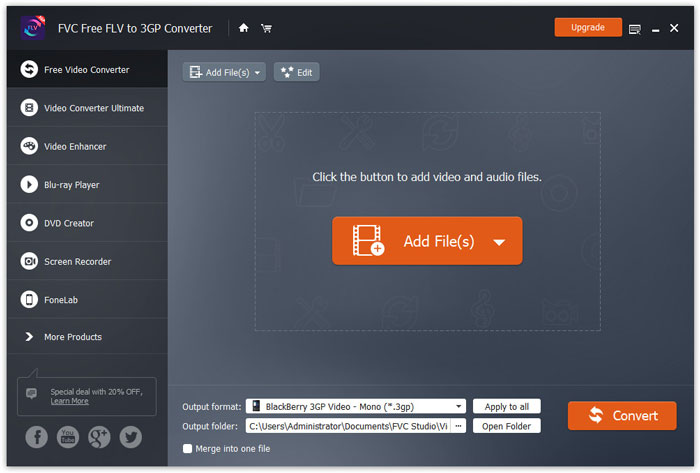
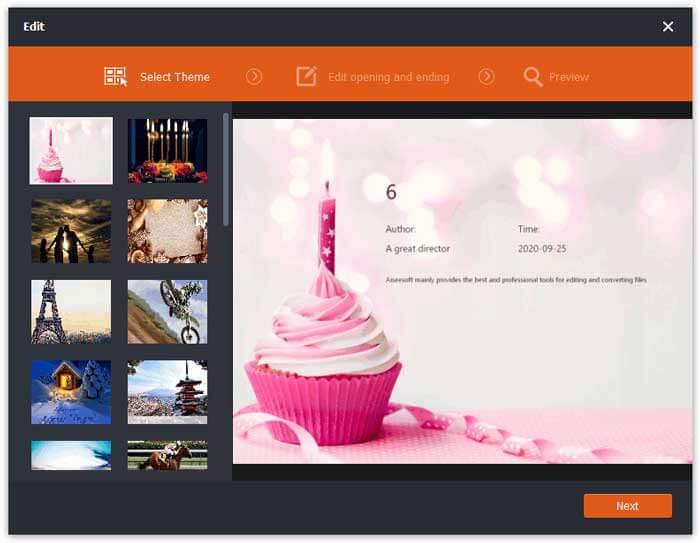
步骤 2: 点击你的 MP4 文件,然后点击 Edit(编辑) 按钮。你可以为 MP4 文件添加主题,并编辑开头和结尾的内容。然后点击 Next(下一步) 来预览并保存更改。
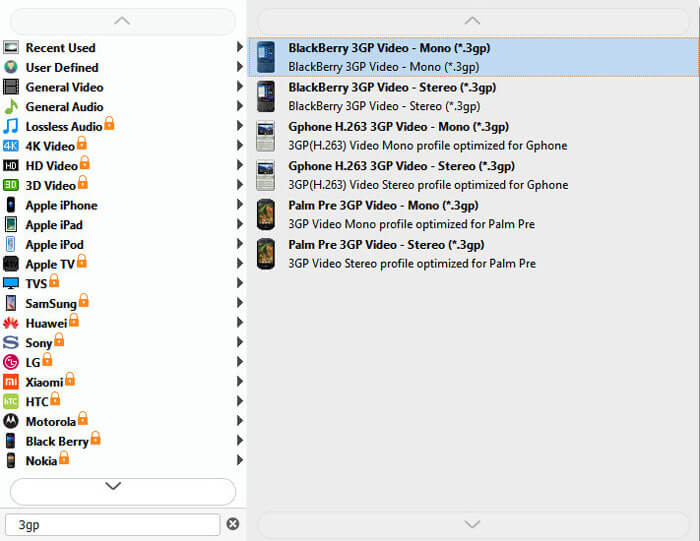
步骤 3: 在底部的 Output format(输出格式) 下拉列表中选择 3GP。你可以选择 BlackBerry 3GP Video - Mono(*.3gp)或其他你需要的选项。
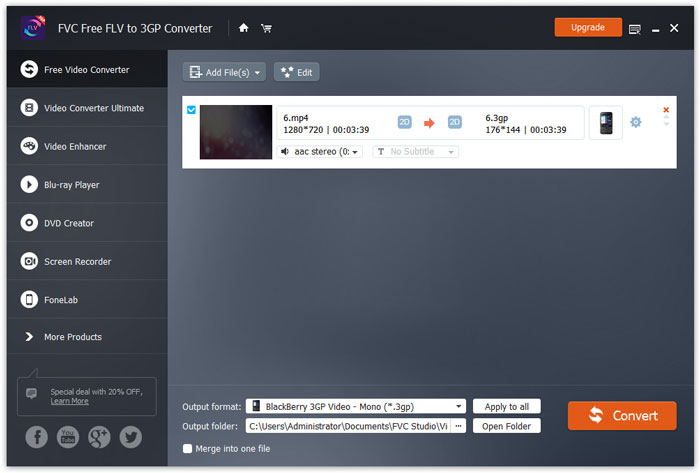
步骤 4: 最后,在电脑中浏览并选择输出文件夹,然后点击 Convert(转换)按钮,开始将 MP4 转换为 3GP。
第2部分。具有2个在线3GP转换器从MP4导出3GP
与安装台式机3GP转换器相比,使用基于Web的转换器将MP4转换为3GP更加容易。在本部分中,我们将共享2个在线3GP转换器,以帮助您轻松地将MP4转换为3GP。
1. FVC免费在线视频转换器
FVC Free Online Video Converter 是一个知名的视频转换平台,你可以在这里将常见的视频和音频格式转换为 3GP、MKV、MOV、WMV、AVI、MP3 等。
步骤 1: 进入 FVC Free Video Converter 的官方网站。点击 Add Files to Convert(添加待转换文件) 按钮,下载安装启动器。
下载桌面版以批量转换文件。

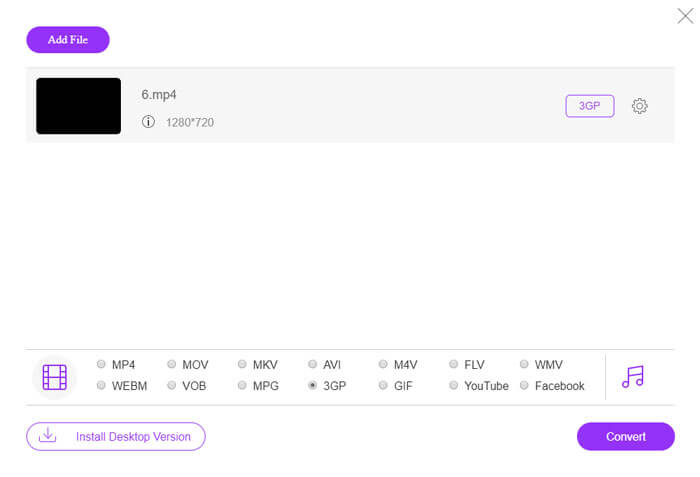
步骤 2: 从本地电脑中选择 MP4 文件。你可以点击齿轮图标来调整视频码率、采样率、帧率、分辨率和音量。

步骤 3: 在底部将输出格式设置为 3GP。然后点击 Convert(转换) 按钮开始将 MP4 转换为 3GP。你可以批量将多个 MP4 文件同时转换为 3GP。
2.扎姆扎尔
Zamzar是在线视频转换器,音频转换器,图像转换器和电子书转换器。使用Zamzar将MP4转换为多种其他格式非常方便。以下是将MP4转换为3GP的简单步骤。
步骤 1: 访问 zamzar.com/convert/mp4-to-3gp/,点击 Add Files(添加文件) 按钮上传你的 MP4 文件。
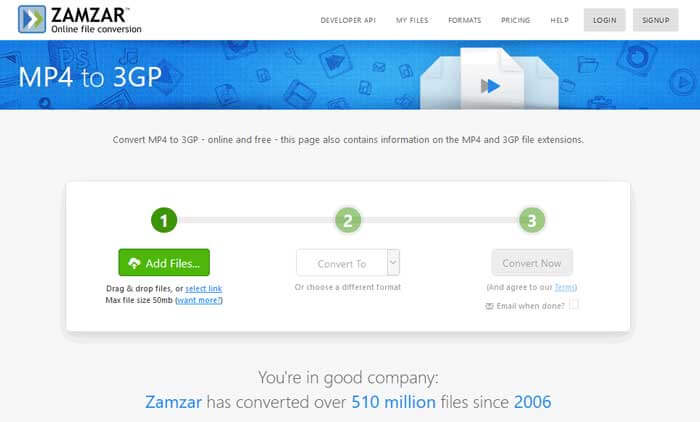
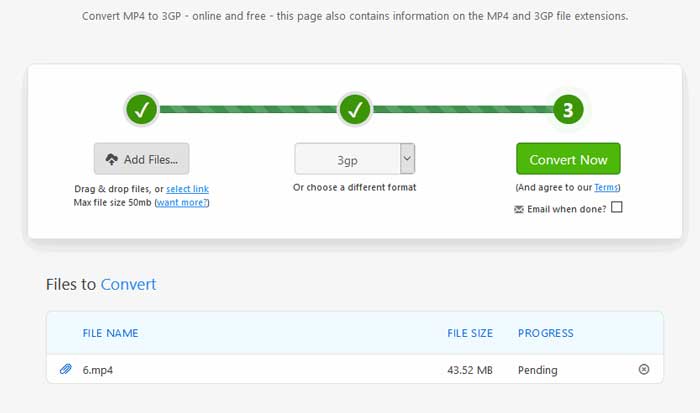
步骤 2: 你可以选择不同的输出格式。通常情况下,它会默认将输出格式设为 3GP。点击 Convert Now(立即转换) 按钮开始将 MP4 转换为 3GP。
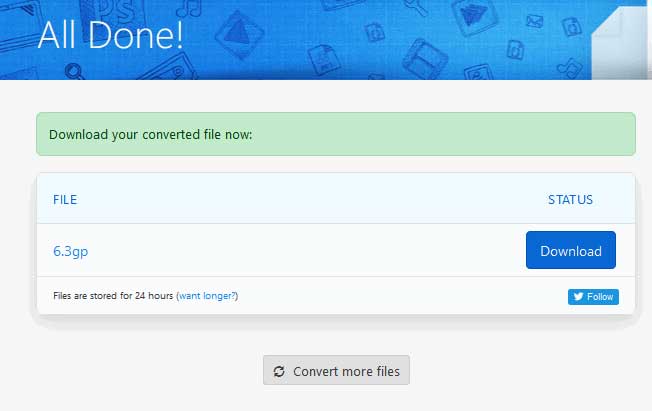
步骤 3: 然后页面会跳转到另一个界面。你可以点击 Download(下载) 按钮,将转换好的 3GP 文件保存到电脑中。
如果你的 MP4 文件体积很大怎么办?请查看这里的MP4 文件压缩方法。
MP4 与 3GP
第3部分。将MP4转换为3GP的常见问题解答
1. 3GP是否比MP4更好?
3GP 是为 3G 网络手机设计的格式。你可以在 QuickTime、VLC 和 RealPlayer 等播放器中播放 3GP 文件。MP4 的兼容性要比 3GP 高得多,被众多便携式多媒体播放器和智能手机广泛支持。
2.什么是3GP?
3GP是第三代定义的多媒体容器格式。它可以存储在3G手机上播放的视频和音频流,但也可以在某些2G或4G手机上播放。
3.如何将MP4转换为FLV?
借助 FVC Free Online Video Converter,你可以轻松在线将 MP4 转换为 FLV。访问该在线网站并点击 “Add Files to Convert(添加待转换文件)” 按钮安装启动器。然后从电脑中选择 MP4 文件,并勾选 FLV 作为输出格式。点击 Convert(转换)按钮即可将 MP4 转换为 FLV。
结论
我们主要讨论了在Windows和Mac上将MP4转换为3GP的3种方法。如果您更喜欢在线解决方案,则可以在线尝试FVC Free在线视频转换器或Zamzar。如果要编辑MP4文件以进一步完善,则可以改用Free FLV to 3GP Converter。如果您有更好的解决方案,请随时发表评论。
-
 快速将MP4转换为VOB的3种免费方法
 如何在Windows PC和Mac上将MP4转换为VOB?为了解决这个问题,本文将分享3种最好的方法来帮助您将MP4免费转换为VOB。
-
 免费|将MP4转换为WMV而不损失质量的3种最佳方法
 这篇文章分享了如何在Mac或Windows上将MP4视频转换为WMV格式。我们还将为您提供多种选择,包括桌面软件和基于Web的在线转换器。准备知道最好的MP4到WMV转换工具了吗?
-
 用图像将MP3转换为MP4的3种方法
 如何高质量地将MP3转换为MP4?这篇文章显示了3种有效和免费的方法,可以在Windows和Mac上使用图片将MP3转换为MP4。

