


 视频转换大师
 屏幕录影大师
 视频修复
视频修复
 安全下载
安全下载压缩AVI文件以获得较小的文件大小而不会降低质量
无论您要将AVI文件发送到电子邮件还是将AVI文件上传到网站,压缩AVI都非常重要。有许多可以缩小AVI文件的视频编辑器和压缩器。更具体地说,您可以转换视频格式,剪切不需要的视频剪辑或重置参数以使AVI视频更小。如果要保留AVI视频的格式和内容,可以使用视频压缩器重置视频设置。这是3种免费的压缩AVI文件的方式,而不会降低质量。只需阅读并关注。

第1部分:如何免费在线压缩AVI文件
市场上有太多在线视频压缩器,哪一种是您最好的在线AVI压缩器?对于大多数用户,您需要考虑一些重要因素。
1.完全免费,使用安全。
2.没有最大文件大小限制。
3.批量压缩AVI文件。
4.将GB上的大型AVI视频压缩为很小的文件。
5.更改AVI视频格式,分辨率和比特率以缩小视频大小。
幸运的是,你可以在FVC Free Video Compressor中获得以上所有功能。你可以在 Windows 和 Mac 电脑上免费在线压缩大型 AVI 文件,无需订阅或注册。其 30 倍的高速压缩使其比其他竞争对手压缩 AVI 更加迅速。下面一起来看看如何在线压缩 AVI 视频大小。
步骤 1: 打开这个免费的在线视频压缩工具。点击Add Files to Compress(添加文件进行压缩)来安装启动器。
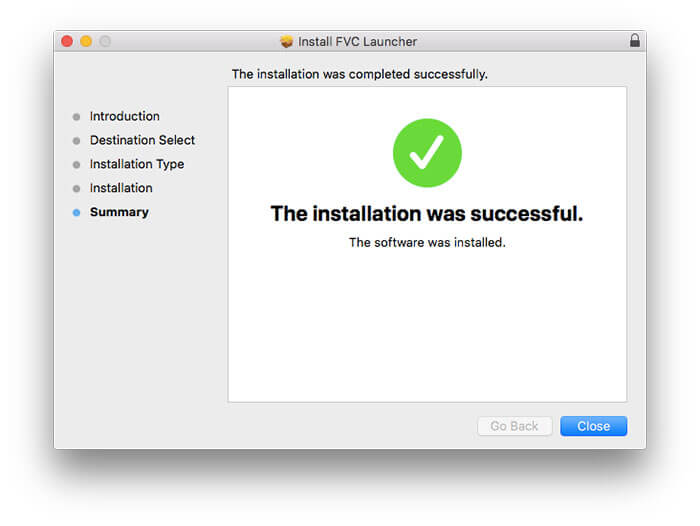
步骤 2: 浏览并添加你的 AVI 视频。你可以在接下来的 AVI 压缩中获得一个简单直观的操作界面。
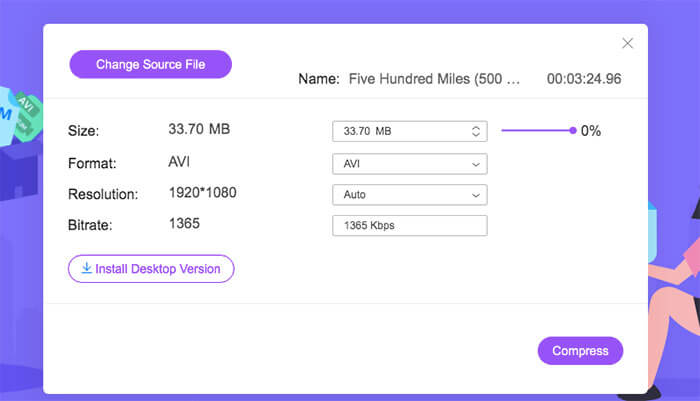
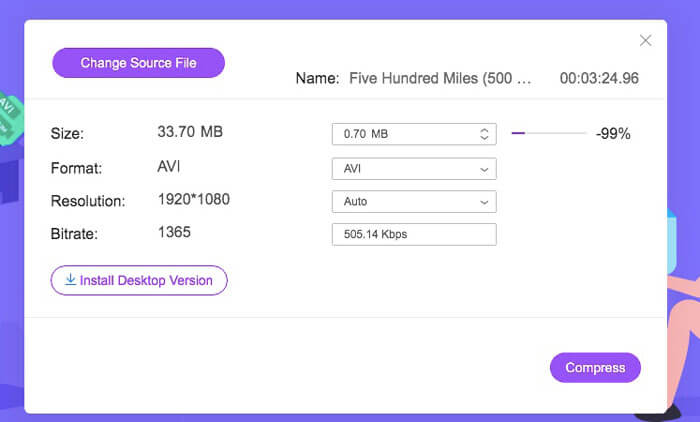
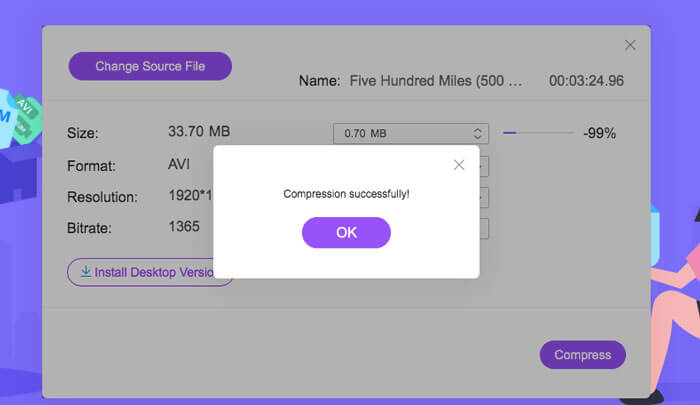
步骤 3: 在Size(大小)部分,你可以通过拖动旁边的滑块来减小 AVI 视频大小。或者,你也可以通过Upside 和Downside 箭头来指定压缩后 AVI 视频的具体大小。
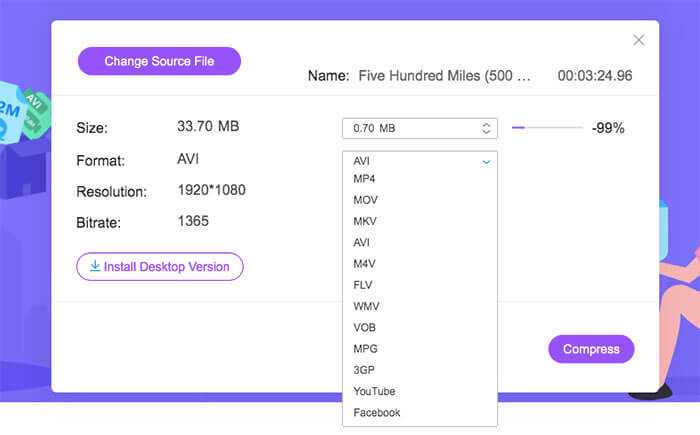
步骤 4: 展开Format(格式)列表。你可以将 AVI 压缩并转换为 MP4、MOV,甚至适配 YouTube 和 Facebook 的格式。随后,选择一个Resolution(分辨率)预设来进一步减小 AVI 文件大小。
步骤 5: 点击Compress(压缩)并设置输出文件夹。当Compression successfully(压缩成功)的通知弹出后,你就可以获得压缩后的 AVI 视频。
第2部分:如何在Windows上压缩AVI视频
要在Windows 10/8/7上免费压缩AVI视频,可以使用另一种选择。 Windows Movie Maker可以在Windows 10和更早版本上压缩AVI文件。请按照以下段落所示进行操作。
步骤 1: 打开 Windows Movie Maker。在Capture Video(捕获视频)下点击Import Video(导入视频)来添加你的 AVI 视频。
步骤 2: 选中已导入的 AVI 视频,然后将其拖放到下方的Timeline(时间轴)中。
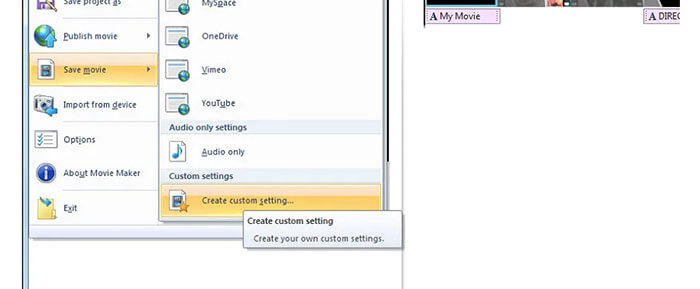
步骤 3: 点击Save Movie File(保存影片文件),并在File(文件)列表中选择create custom settings(创建自定义设置)。
步骤 4: 在Video settings(视频设置)下,你可以调整视频的宽度、高度、比特率和帧率,以减小该 AVI 视频的文件大小。
步骤 5: 点击Save(保存),即可在 Windows 上将 AVI 视频压缩为更小的文件。
第3部分:如何在Mac上压缩AVI视频文件
iMovie也可以是您的免费AVI视频压缩器软件。您可以使用iMovie在Mac上免费压缩.avi视频。此外,您还可以裁切黑色边缘和不需要的部分,以减少iMovie中的视频大小。 iMovie中有许多有用的视频编辑和压缩工具。
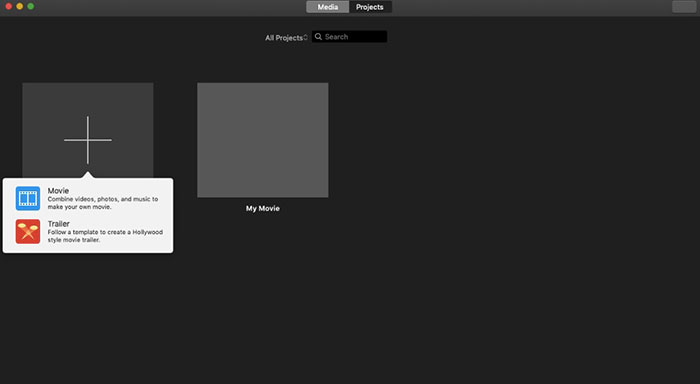
步骤 1: 运行 iMovie。在File(文件)下拉列表中选择New Movie(新建影片)。
步骤 2: 为要压缩的 AVI 视频文件创建一个新项目。
步骤 3: 点击顶部的Import(导入)。选择并将体积较大的 AVI 视频添加到 iMovie 中。
步骤 4: 展开File(文件)列表,选择Share(共享),然后点击 File…(文件)。在右上角点击Export(导出)图标,再选择File(文件)。
步骤 5: 若要减小 AVI 视频大小,你需要降低视频分辨率和画质档位。点击Next(下一步),然后点击Save(保存),即可获得压缩后的 AVI 文件。
第4部分:压缩AVI的常见问题解答
AVI为什么这么大?
您会发现.avi格式的文件往往比其他文件大。 AVI使用较少的压缩来存储视频和音频数据。或者,您可以将AVI视为无损视频格式。因此,AVI文件始终是大文件。
如何使用After Effects压缩AVI?
将你的 AVI 视频导入 After Effects。进入Composition(合成)菜单,选择Add to Adobe Media Encoder Queue(添加到 Adobe Media Encoder 队列)。在Media Encoder中,在渲染队列中找到你的项目文件。切换到右侧面板中的Video(视频)或Audio(音频)列表。更改视频/音频质量、比特率及其他参数。实际上,你可以在右下角查看预估文件大小。点击OK(确定)以保存更改,就能在 After Effects 中无损减小 AVI 文件大小。
可以将AVI压缩为MP4格式吗?
可以。你可以将 AVI 转换并压缩为 MP4,从而大幅减小视频体积。AVI 是无损视频格式,而 MP4 是有损视频格式。此外,你还可以通过调整视频参数来完成 AVI 文件压缩。
您可以使用上述工具免费在线和离线压缩AVI。没有视频长度或文件大小限制。您可以减小视频大小并直接压缩电子邮件,Twitter,Facebook等的AVI。顺便说一句,如果您需要批量压缩AVI文件,则使用FVC Free Video Compressor是最快的解决方案。您可以批量在线免费压缩大型AVI文件,速度提高30倍。它是100%免费的,所有用户均可安全使用。
-
 MKV vs MP4 – MKV和MP4之间的比较
 如何在MKV和MP4之间选择?哪种格式对视频质量更好?在本文中,我们将对MKV和MP4进行详细比较,以帮助您做出选择。
-
 如何将MP4视频压缩到较小的尺寸
 MP4视频太大,无法上传?是否要缩小视频尺寸?这是3种无限制地将MP4文件压缩为较小尺寸的有效方法。
-
 MP3 VS MP4:MP3和MP4之间没有什么区别
 MP3或MP4,哪个更好? MP3和MP4有什么区别?本文将比较您可以成像的MP3和MP4的各个方面。
