


 视频转换大师
 屏幕录影大师
 视频修复
视频修复
 安全下载
安全下载如何使用 3 种最佳解决方案快速取消图像像素化
图像去像素化 是你为那些已经变得马赛克化,或者被渲染成由细小方块组成的位图图像进行美化时所需要的解决方案。许多用户认为,修改、调整、改变和增强图像是件麻烦事;老实说,以前确实如此。但随着我们如今能够使用的先进技术,只要用对工具,这个任务就变得非常容易解决。
没有合适的工具来消除照片上的像素化?幸运的是,本文将为您带来我们发现的三个最好的软件,它们可以帮助您编辑照片的像素化,以及每个解决问题的教程。

第 1 部分。如何使用最佳选择照片编辑器在线对图像进行非像素化 [推荐]
FVC Free Image Upscaler 是一款全自动的在线工具,你可以用它免费在线为图像去像素化。你可以在任意可用的网页浏览器中打开它——无需下载安装任何启动器,一访问就能立即使用。尽管这是基于网页的软件,但它在图像去像素化方面的能力和性能,完全可媲美你在线或离线能用到的专业图像编辑器。也许你会觉得这个工具难上手,其实完全不会。如果你仍然不太信服,可以继续阅读或跟随下方给出的详细教程,了解如何轻松使用这款工具。
步骤 1: 你可以在设备上的任意网页浏览器中访问这个在线工具,方法是搜索它的名称,或直接点击此链接打开其官网主页。
步骤 2: 进入网页工具后,点击 Add Image 以上传像素化的图像。此时屏幕上会弹出文件夹窗口,你可以开始查找保存在本地磁盘中的图像,然后点击 Open 进行上传。
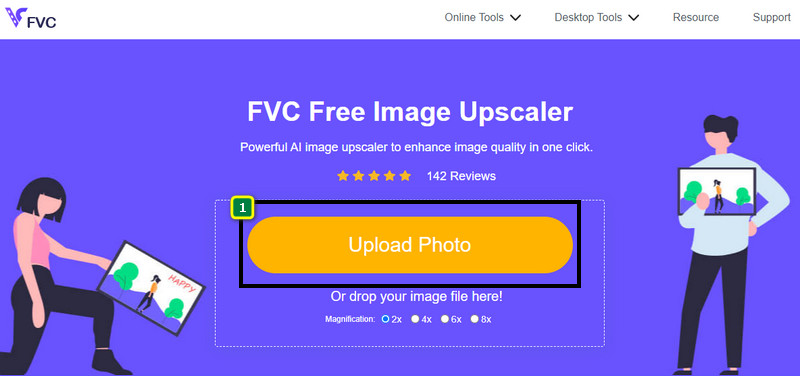
步骤 3: 接着,选择你想要应用到图像上的放大倍数选项,以平滑其外观,让图像不再呈现由细小方块组成的位图效果。
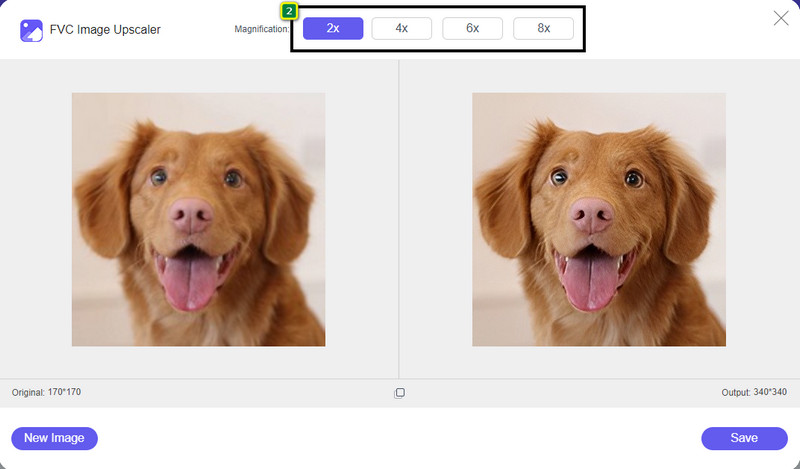
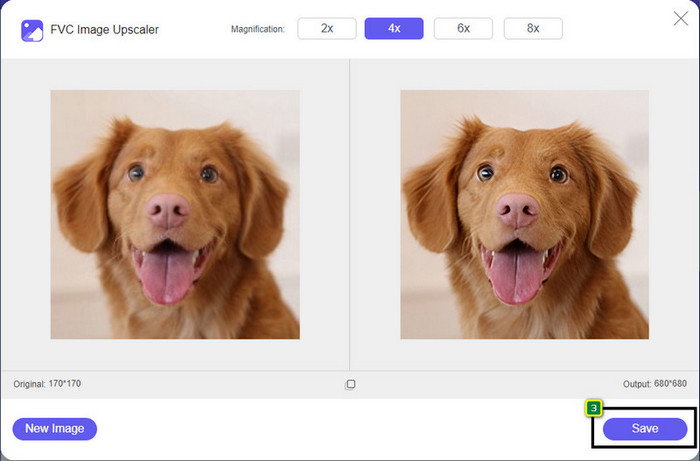
步骤 4: 就这么简单,点击 Save 将去像素化后的图像版本下载到你的本地磁盘。
第 2 部分。如何在 Windows 和 Mac 上使用 2 种方法离线取消像素化图像 [简单]
Pixbim - Windows 上的非像素化照片
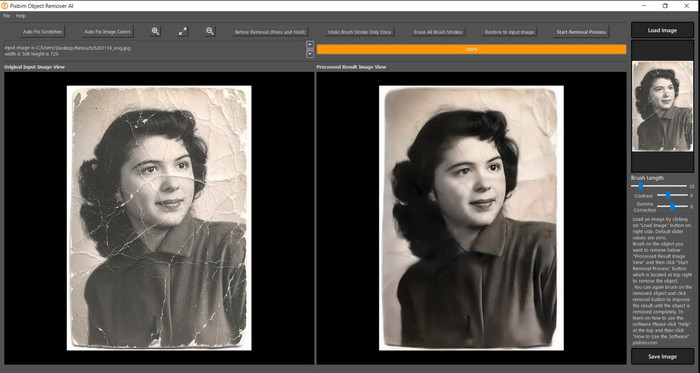
Pixbim 是一款功能强大且基于 AI 的图像去像素化软件,你可以将其下载到 Windows 电脑上来解决这类问题。这款编辑器之所以值得在本文中提及,是因为它能快速、高效地修复像素化图像。借助 AI,它会为你自动调整相关参数,因此使用这款软件时不会感觉复杂。由于其功能和特性较为强大,在免费试用期结束后,你需要购买许可证密钥才能继续使用,对很多想在电脑上长期使用它的用户来说,价格可能略显昂贵。
步骤 1: 当你下载完成该软件后,需要先将其启动,然后我们才能继续下一步操作。
步骤 2: 点击 Load Image 以添加你想在此处增强的像素化图像。
步骤 3: 之后,通过拖动 sliders(滑块),根据你想达到的效果来调整各项参数。
步骤 4: 完成图像调整后,立即保存结果并导出。
Movavi 照片编辑器 [Windows 和 Mac]
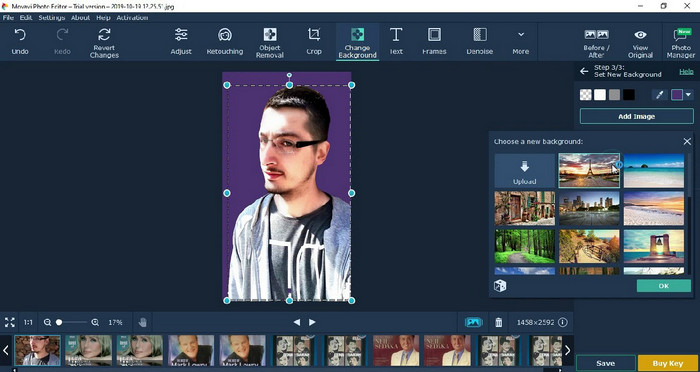
许多用户已经尝试使用 Movavi Photo Editor,因为它在图像编辑方面非常多才多艺。与 Pixbim 类似,它可以在 AI 神经网络的支持下恢复图像中丢失的像素。有了这款编辑器,你可以对图像外观进行基础及高级编辑,例如裁剪、旋转、添加滤镜、修复像素等。不过,如果你没有在桌面端购买其高级版,就无法完整使用所有这些功能。
它的价格与 Pixbim 几乎相似,这对许多人来说相当昂贵。但是,如果您有购买编辑器的预算,这可能就是您需要的。按照以下步骤了解如何使用此应用程序对图像进行非像素化处理。
步骤 1: 在 Windows 或 Mac OS 上下载该应用程序。
步骤 2: 启动软件,然后在此处上传你想去像素化的照片。
步骤 3: 上传图像后,点击 Magic Enhance,让 AI 自动对图像进行优化修改。
步骤 4: 导出图像,并欣赏最终效果。
第 3 部分。关于如何对图像进行 Upixelate 的常见问题解答
为什么导出的非像素图像上有水印?
当您使用该应用程序的免费试用版时,导出时可能会留下水印。因此,如果您想导出没有水印的图像,您可以购买应用程序的许可证或使用 FVC Free Image Upscaler,因为它不会在导出的图像上留下水印。
模糊和像素化有什么区别?
许多文章已经证明,由于某些因素,模糊和像素化并不相同。模糊的图像是您捕捉高速运动或使用摇晃的相机拍照的原因。像素化时,当您放大快照时,它会开始像素化,您会看到一个带有小方块的位图。
使图像像素化的因素是什么?
一些原因将图像变成像素;一个常见的原因是当您放大光栅图像时。光栅格式(例如 PNG、JPG、GIF 等)由小方块组成,这些小方块构成了存储在这些容器中的对象的外观。通常,当您放大图像时,您会看到一些称为像素的正方形,其中包含可直观呈现的颜色数据。对于许多编辑来说,这可能是一个问题,尤其是在发生像素化时。
如何修复图像噪点?
这也是你在拍照后可能遇到的另一个常见问题,而解决方法也在本文中就能找到。点击此链接,即可轻松阅读、学习并解决如何去除图像噪点。
结论
就这么简单,在这些优秀图像编辑器的帮助下,无论是可下载软件还是网页工具,你都可以轻松完成图像去像素化。这个问题已经迎刃而解!因此,如果你再次遇到像素化问题,完全可以依靠本文为你提供帮助。你所需要的最佳工具就在这里,随时待命,例如 FVC Free Image Upscaler。通过修复画面中的像素化问题,让它不再明显呈现在他人眼前,是最好的选择。只要使用这款在线图像编辑器,就可以和恼人的像素块说再见。
-
 7 种可用于增强和改善每张图像的图像升频器 [2022]
 您需要图像升频器吗?幸运的是,本文介绍了您可以在桌面上访问和下载的最佳软件。
-
 2022 年您必须使用的 5 种图像分辨率增强器 [最新精选]
 不知道应该使用哪种图像分辨率增强器?阅读本文,我们将回顾五种使用和增强图像分辨率的工具。
-
 提高移动设备图片分辨率的 4 个应用程序 [最佳选择]
 如果您想要达到 1080p、4k 等,您将需要应用程序来提高您的照片分辨率。使用下面的列表,您可以轻松完成!
