


 视频转换大师
 屏幕录影大师
 视频修复
视频修复
 安全下载
安全下载在Windows / Mac /在线上向视频添加任何音轨的4种免费方法
与纯文字相比,视频可以传达更多的信息。人们喜欢观看视频以进行教育或娱乐。因此,越来越多的人使用照相机甚至手机捕捉视频。要使视频更有趣,可以在视频中添加背景音乐和画外音。通过在视频中添加音频,您的视频会更加醒目。然后是一个问题,如何免费为视频添加音频?如果要为视频添加声音效果而没有水印或其他限制,可以按照以下段落所示进行操作。

第1部分:如何在Windows上向视频添加音频
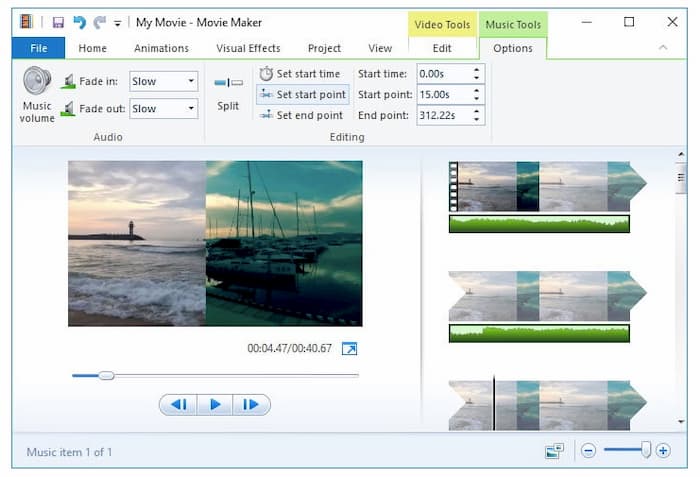
Windows Movie Maker自2017年以来已停产。但是,如果您以前安装过WMM,仍可以将其用作向视频软件添加音频的工具。让我们看看如何使用Windows Movie Maker叠加音频和视频。
步骤1. 运行 Windows Movie Maker。将视频拖放到主界面中。
步骤2. 点击编辑,然后选择视频音量。如有需要,可以调低原始音频的音量。
步骤3. 在主页界面中,选择添加音乐,然后点击从电脑添加音乐。导入你的音频文件。
步骤4. 在选项区域中设置音频效果,比如淡入、淡出等。
步骤5. 在主页区域点击保存影片,即可在 Windows 上将音频合并到视频中。
第2部分:如何在Mac上合并音频和视频
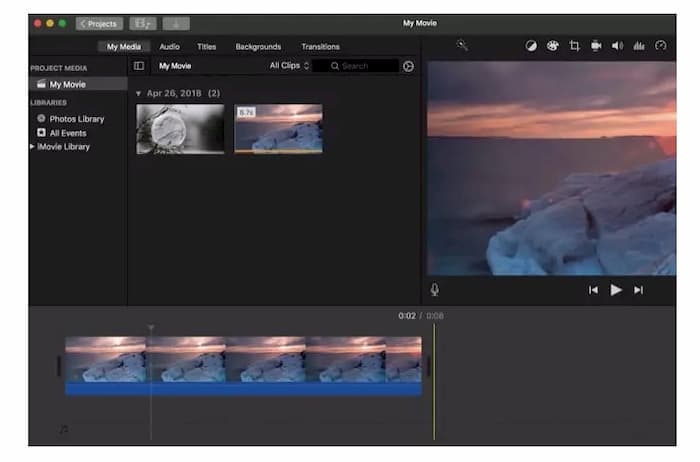
iMovie是Mac和iOS用户的流行视频编辑器。您可以免费在Mac上的视频中添加任何音频剪辑。还支持静音原始音频文件并将其替换为新的音频文件。与基本的视频编辑器相比,您不仅可以添加本地音频文件,还可以添加iTunes,Sound Effects和GarageBand中的音乐。因此,iMovie也是将音乐免费添加到视频中的不错选择。
步骤1. 打开 iMovie。在文件菜单中选择导入媒体。将视频文件添加到 iMovie 界面。
步骤2. 将该视频拖到 iMovie 项目时间轴中。右键点击该视频并选择分离音频,按需将视频静音。你可以在此将音频从视频中移除。
步骤3. 将所需的音频文件从 iMovie 的我的媒体中拖放到时间轴。添加的音轨会从视频开始处与之对齐。
步骤4. 对音频进行剪辑、调高/调低音量、前移/后移,并应用其他音频效果。你可以免费为视频添加音频,并获得较好的视听体验。
第3部分:如何免费为在线视频添加音频
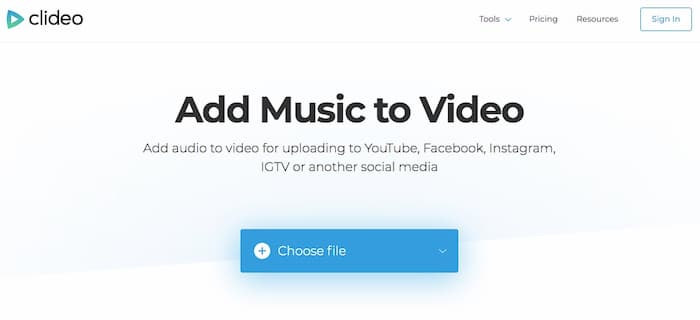
如果不需要其他音频编辑工具,则可以使用Clideo,Onlineconverter,Voice2v,Addaudiotovideo和许多其他在线工具将音频添加到在线视频中。以下教程介绍了如何使用Clideo在没有水印的情况下在线向视频添加音频。您也可以使用其他在线编辑器将音乐免费添加到视频中。
步骤1. 访问 Clideo 的Add Music to Video(为视频添加音乐)页面。
步骤2. 点击Choose file(选择文件),从本地磁盘、Google 云端硬盘、Dropbox 或在线 URL 导入视频文件。
步骤3. 选择Add audio(添加音频)。在视频加载完成后添加你的配乐。
步骤4. 调整音轨音量和视频原声音量。此外,你还可以使用音频剪辑和循环功能。
步骤5. 展开左下角的Format(格式)。将输出视频格式设置为 MP4 等。
步骤6. 选择Create(创建),即可在线免费为视频添加背景音乐。
第4部分:如何使用VLC Media Player合并音频和视频
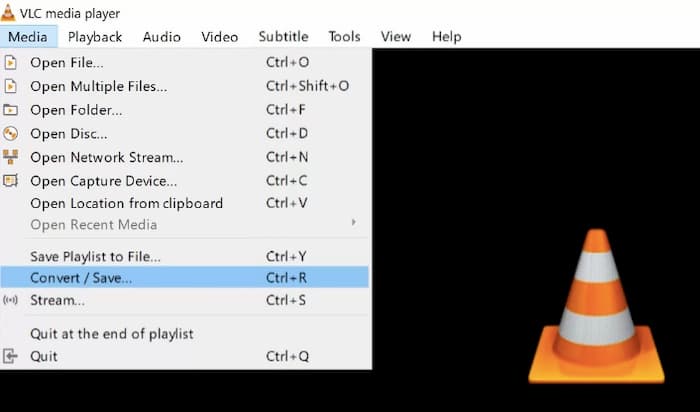
VLC可以帮助您在iPhone,Android,Windows和Mac上向视频添加音频。您也可以使用特定参数控制音频质量。因此,VLC可以成为您将音频添加到视频应用程序以免费将音乐添加到任何视频文件的方法。
步骤1. 打开 VLC。在媒体菜单中选择转换/保存。点击 + 导入视频。在转换/保存下拉列表中选择转换。
步骤2. 点击设置,然后依次选择配置和编辑所选配置。自由调整音频编码器,并可禁用或静音音频。
步骤3. 返回主界面。依次选择媒体和转换/保存。
步骤4. 点击 + 导入外部音轨。启用音频和保留原始音轨选项。
步骤5. 选择显示更多选项。打开同步播放另一媒体并选择额外媒体。
步骤6. 选择选择,然后点击转换/保存。最后,点击保存并开始,以替换并向视频中添加新的音频。
额外提示:免费工具可转换为MP4和MP3格式
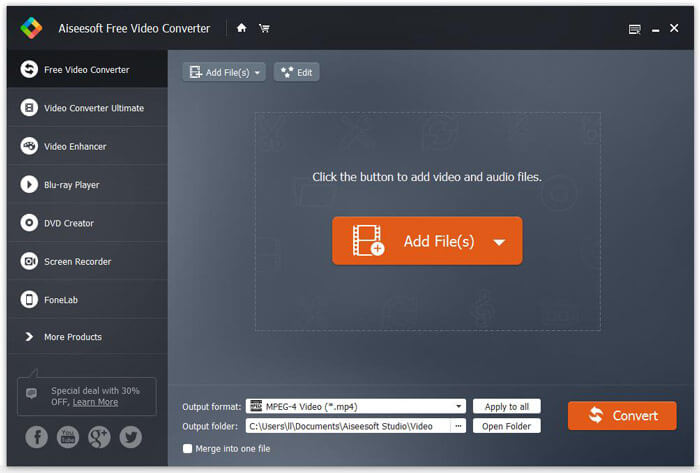
在某些情况下,由于格式不兼容,你可能需要转换视频和音频格式。但无需担心,你可以使用 Free FLV to MP3 Converter 将媒体文件转换为适合离线观看和进一步编辑的格式,操作简单便捷。
- 1.将视频和音频文件批量转换为4K / HD MP4,MKV,AVI,VOB,WMV和其他格式。 (寻找更多 高清视频转换器 这里)。
- 2.无需互联网连接。
- 3.没有数量或文件大小限制。
- 4.添加主题,合并视频剪辑并免费制作3D视频。
- 5.使用Windows 10/8/7 / Vista / XP。
- 6.没有恶意软件或捆绑软件。
向视频添加音频的常见问题解答
您可以向YouTube视频添加音频吗?
可以。先在下拉列表中选择YouTube Studio (beta)。在 YouTube 屏幕左下角选择创作者工作室(经典版)。选择目标视频,然后点击下方的音频。找到音轨并选择添加到视频。此外,你可以在向视频添加音频前调整音频饱和度。最后点击保存以确认并保存更改。
如何在iPhone上的视频中添加音频?
您可以使用iMovie for iOS应用程序在iPhone上免费向视频添加音频。或者还有其他可以将音频添加到视频的优秀应用程序,例如InShot,VivaVideo等。顺便说一句,您也可以使用在线视频编辑器将音乐和音轨添加到视频文件中。
如何将音频从一个视频添加到另一视频?
首先,您需要使用Audacity,Handbrake和其他视频转换器从视频中提取音频。在线和离线视频到音频转换器很多。以后,选择上述任何工具,将音轨插入视频。
现在,您可以将音频成功添加到计算机和手机上的视频中。所有这些视频编辑器和转换器都是免费且安全使用的。因此,您可以随时尝试使用这些工具在视频中添加音乐和音频。
-
 如何免费加入MOV(QuickTime)文件
 对于初学者来说,可能很难将多个MOV视频片段连接在一起。那么,有没有简单快捷的方法来组合MOV文件?如果有,那怎么用呢?这篇文章将帮助您获得这些答案。
-
 从50MB到5MB –如何在几秒钟内压缩MP4文件
 MP4视频太大,无法上传?是否要缩小视频尺寸?这是3种无限制地将MP4文件压缩为较小尺寸的有效方法。
-
 如何免费编辑和转换M2TS文件
 如何免费编辑M2TS文件?有什么办法可以转换M2TS文件?在本指南中,我们将向您展示最好的免费M2TS编辑器,以帮助您轻松地编辑和转换M2TS文件。
