视频转换大师 大盒

多合一视频工具箱,能够以超快的速度将视频/音频转换为 1000 多种格式。

免费下载

Login Security安全下载

免费下载

Login Security安全下载

如何使用 4 种解决方案优化 Web 图像 [快速]

Optimizing an image plays a vital role on the web, for it reduces the site's loading time. Based on recent studies, when images aren’t optimized well, almost half of the visitors leave the website immediately, costing less traffic and revenue. Learning how to do it is needed if you want to reduce buffering and establish a reliable website to increase traffic and have more income in return. Doing so is easy; with the help of the tutorial, we add on how to optimize the image for the web in the easiest way possible.

优化图像

第 1 部分。在不牺牲图像质量的情况下在线优化图像的最佳和免费方法

1. FVC 免费图像升频器

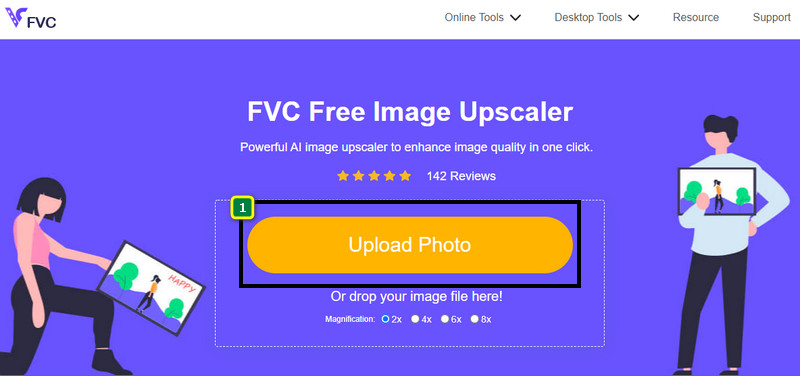
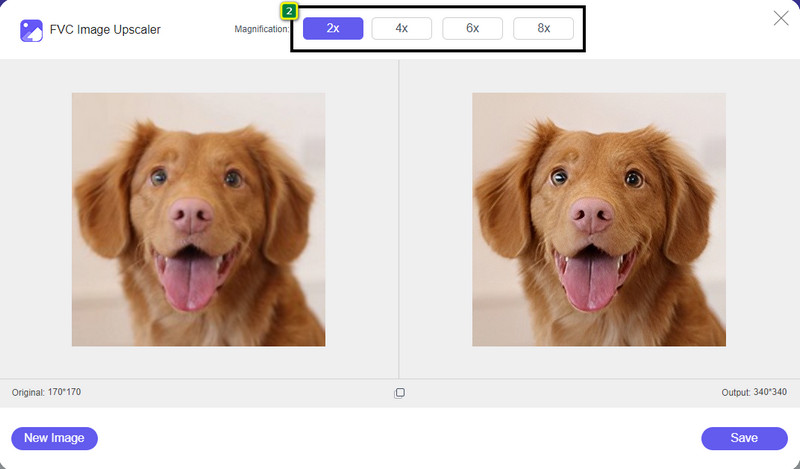
Are you looking for a way to optimize the dimension and aspect ratio of the image you want to use on the web? FVC Free Image Upscaler is a tool capable of optimizing images with the help of its powerful AI technology. This upscaler can change an image's size without compromising its detailed PPI so you won't experience any quality loss. Also, this online tool can fix blurry or pixelated images by tracing the imperfection on them. Before you export the image, there is a preview pane to compare the before and after. So, if you need to resize the image you have for the web, you can follow the steps we add next.

Step 1. Open the website by clicking this link.

Step 2. Press Upload Image to insert the picture you want to resize here.

添加图像以更改大小

Step 3. Choose the option you want to apply to your image to resize it.

选择调整大小放大

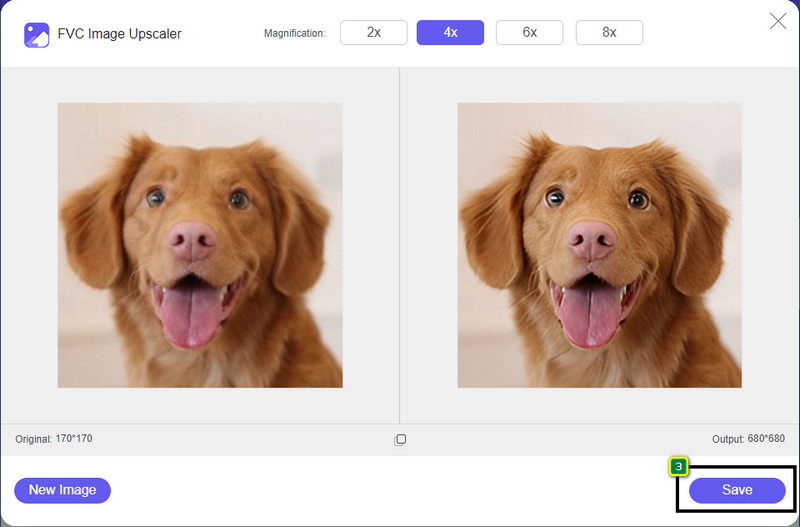
Step 4. Press Save to download the image you resized on your local drive.

下载调整大小的照片

2. FVC 免费图像压缩器

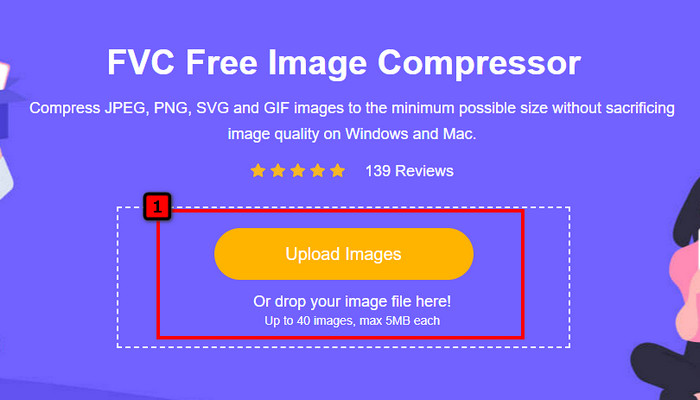
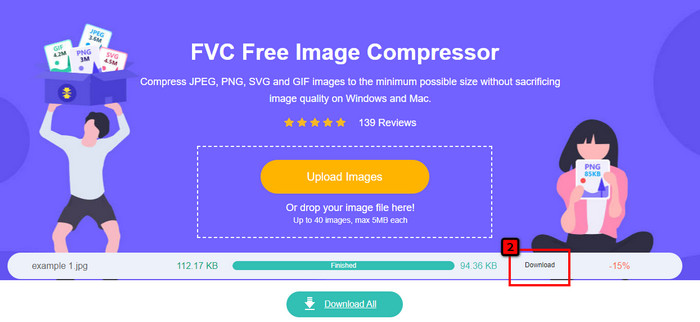
FVC Free Image Compressor allows anyone to optimize the image for the web by lowering its file size. It lets you compress popular formats used on different websites, such as PNG, JPG, SVG, BMP, etc., with less than 5MB each. With it, you can drop multiple images into an optimized size so that they will load better on the web. It is an AI technology tool that provides the best ratio compression you can’t achieve on another online compressor.

Step 1. Visit the tool's official website by searching its name, or you can click this link to access it on your web browser.

Step 2. Drag and drop the image file you want to upload here, or you can click Upload Images; a folder will show on your display, click the file you want to compress, and press Open. This compressor can downsize more than 40 images at the same time.

上传图片进行优化

Step 3. The tool will automatically squeeze the image's file size based on the AI algorithm. After that, click Download to export the compressed version of the image

优化图像文件大小

3. 小PNG

小PNG

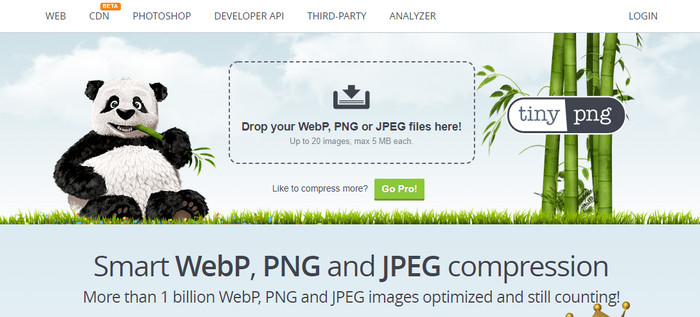
TinyPNG is a popular and reliable software you can use to optimize images online. It is a compressor that automatically downsizes the image up to 75% of the original size of the image. You can upload the images on your Dropbox if they aren’t in your local drive. You wouldn’t have trouble learning how to use this image compressor because of how simple the developer built this.

虽然使用方便,但这里支持的格式只有 PNG 和 JPG,没有其他格式。所以,如果你想压缩你拥有的 BMP、GIF、SVG 等文件,你不能在这里做,因为它不支持上述格式。不过,这很容易使用;您可以按照我们添加的步骤进行操作。

Step 1. Open your search engine, and find the official website of TinyPNG.

Step 2. Click the import icon to upload the image you want to be compressed; this tool is capable of processing 20 images at the same time.

Step 3. Wait for the compressing process, then click the Download button to save the compressed version of the image you upload here.

第 2 部分。使用 Windows 和 Mac 上的专业软件离线优化图像

Adobe Photoshop 调整器 FVC

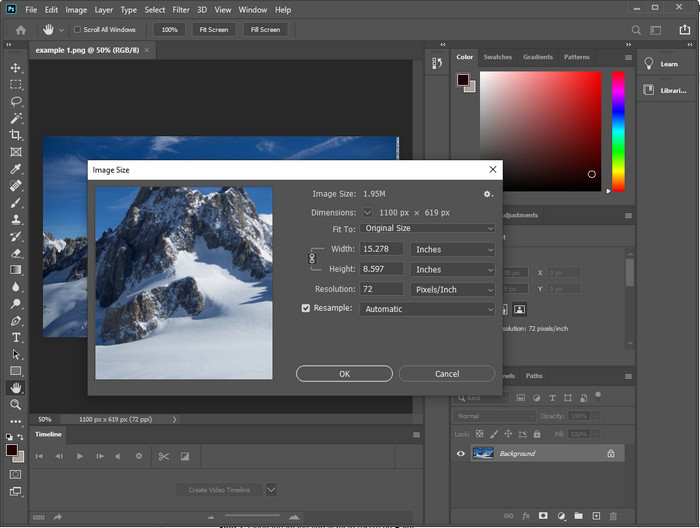
Photoshop is capable of doing both of the tasks we mentioned in the first part: photo resizing and downsizing. Though this tool isn’t made for that task, it can still do them as part of its additional advanced features. With it, you can start adding filters or editing the image based on your idea. The only limitation is your imagination and how difficult to use this software.

与我们提到的在线工具不同,一旦您将它下载到您的设备上,您就不需要互联网连接来使用该软件。但是,您需要购买软件才能使用它,所以如果您想了解如何在 Photoshop 上优化网络图像,我们在下面添加了一条指令,它允许您缩小和调整图像大小。

Step 1. Download and launch the software on your desktop to start using it.

Step 2. Upload the image you want to edit, then go to the Image menu and click the Image Size. Change the measurement based on your specification, then click OK to save the changes. If you don’t want to change the aspect ratio or dimension of the image, you better skip step 2.

Step 3. Hit the File menu and press Save as. A dialogue box will appear on your display. Choose the file size you want to achieve, then press OK to start exporting the image.

第 3 部分。有关如何优化 Web 图像的常见问题解答

网络上最好的图像格式是什么?

您最好使用带有 PNG 和 JPG 扩展名的图像,因为众所周知,这些格式在不同的网站上都得到了很好的优化。然而,有时您需要通过缩小或调整图像大小来优化它,这就是我们在此处添加的工具可以提供帮助的地方。

这在网络上带来了更多细节; PNG还是JPG?

两个光栅图像在网站上都表现良好;他们加载速度更快并优化网站。然而,这两种格式之间仍然存在差异,例如当您想在网络上使用不透明的纯摄影时,您的首选格式必须是 JPG 或 JPEG。但是,如果您想在 Web 上获得 1 位透明度的详细信息,PNG 可以为您提供帮助。

更改图像尺寸是否会使质量变差?

If you overcompress an image, it is possible to have bad quality, yet it is avoidable if you don’t overcompress it. Once you compress the image, it is better to reduce it by at least 45% to 70% so we can avoid quality loss. But, you can make use of an image enhancer to increase image quality.

结论

既然您知道如何优化您的形象,那么您最好这样做,以便获得更多访问并吸引大量关注。通过我们上面添加的教程,我们确信您可以轻松快速地完成它而不会影响质量。如果您需要调整大小或压缩,我们建议您使用我们在此处提供的 FVC 产品来解决问题,而无需下载任何安装程序。

优秀的

Rating: 4.9 / 5 (based on 196 votes)