


 屏幕录影大师
 视频修复
视频修复
 安全下载
安全下载如何使用有效的程序删除 GIF 中的背景
GIF is the short term for Graphics Interchange Format and is used widely in online communications, such as messaging someone or even commenting on a post. Removing background from GIFs or images can be hard unless you have software programs that are made to do that kind of task! Due to its popularity, more users are intrigued by how to edit and create their own GIFs. Luckily, we have gathered reliable and easy-to-use online software that could help users remove background from GIFs.

推荐:FVC 免费背景去除剂
FVC Free Background Remover is a useful utility when it comes to removing background from your pictures. It uses AI to trace out and recognize the person within the photo. Moreover, the tool is available on Windows/Mac. Overall, it is a convenient and reliable tool that you can use anytime and anywhere.
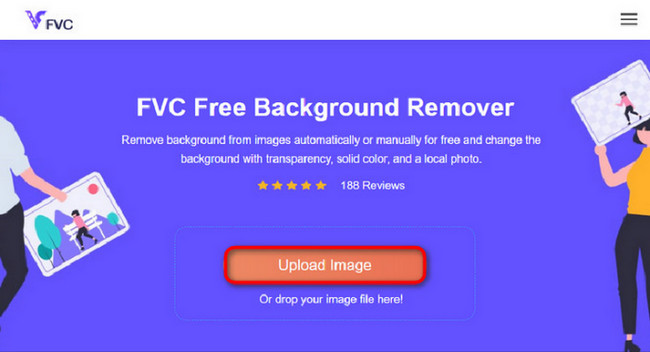
Step 1. Upload Image/GIF
The first step is to open the browser on your computer. Upon opening the online program, you are met with the option to upload your image. Click Upload Image to add the GIF you wish to remove the background from.
Step 2. Edit Image
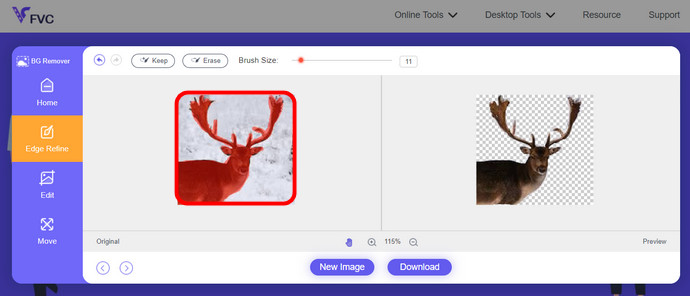
上传后,您现在可以删除人工智能识别中任何不精确的高光去除。只需单击并拖动鼠标,即可按照您的喜好进行操作。
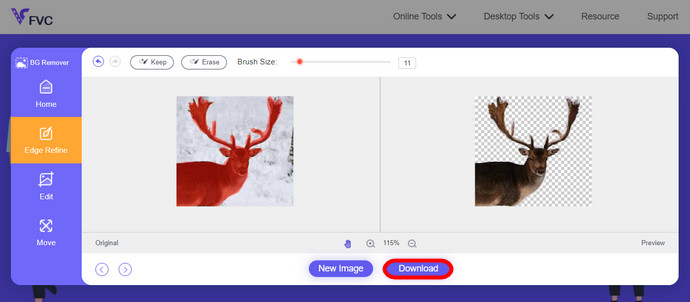
Step 3. Download Edited Image
Then finally, click the Download button. You now have successfully removed the background from your picture.
第 1 部分:使用 EZGIF.com 删除 GIF 背景
该在线软件是一款照片/gif 编辑和转换软件。它可以编辑和转换 GIF、PNG、WEBP、IMG 以及更多格式。在这里,您可以使用软件自带的编辑软件来编辑您的GIF。
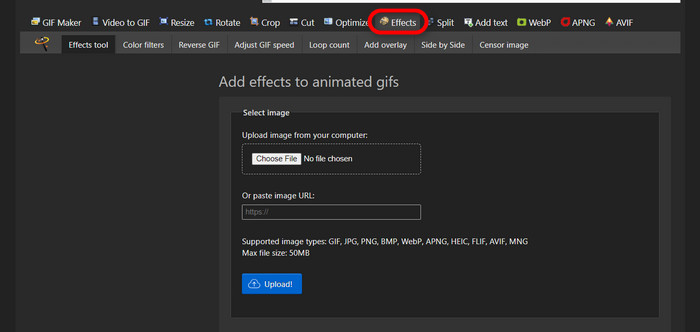
Step 1. Enter Site
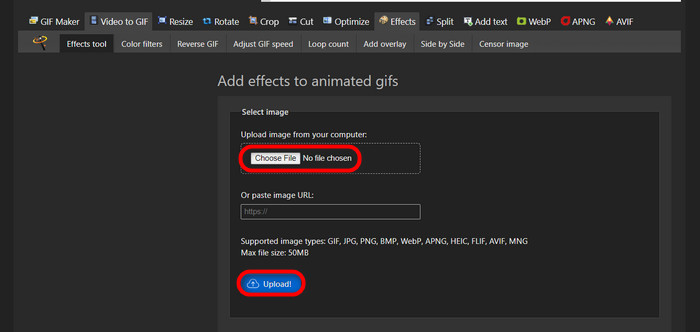
To use this online tool, launch your browser and enter the link. You are instantly given choices according to your needs. This site gives you the possibility of removing background from your GIF. Click Effects to start.
Step 2. Choose and Upload an Image/GIF
Now, choose your file of choice to upload. Click Choose Files, find it in your designated directory, and hit Upload to upload your chosen file.
Step 3. Edit Image
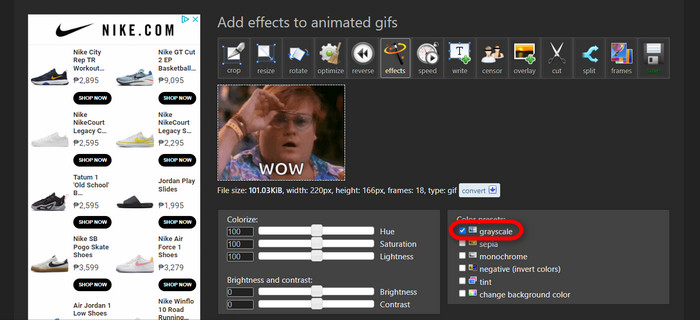
After uploading, you are nearing the process of removing the background from your GIF or making the background from your GIF black. Now, click grayscale to make your background dark.
Step 4. Preview and Convert Image/GIF
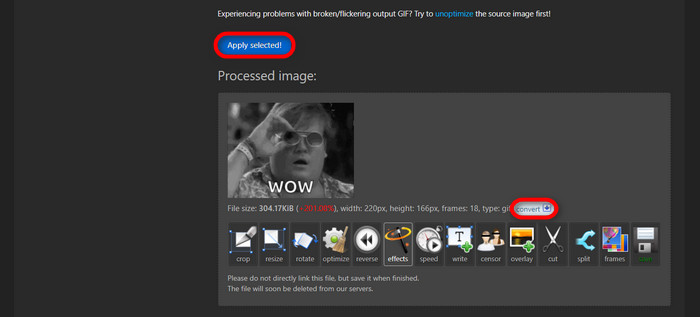
After putting effect, resizing, and cropping your new GIF, click Apply Selected, and it will show you a preview of your edited GIF. Then, click the convert button to download your file.
第2部分.在Remove.bg中制作没有任何背景的GIF
该网站还旨在删除任何照片中的任何背景。在这里,您可以选择仍然编辑自动删除的背景照片。它配备了熟练的人工智能,可以识别主要拍摄对象并完美地去除其背景。
Step 1. Upload Image/GIF
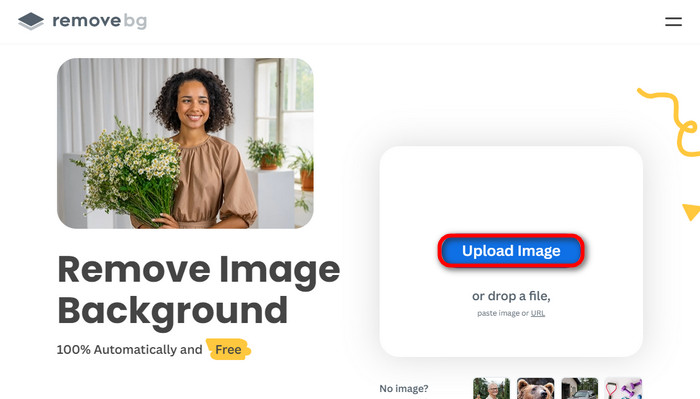
Let's start by uploading our image. Open the online software on your browser when you are on the page. Then, click Upload Image.
Step 2. Review and Edit Image
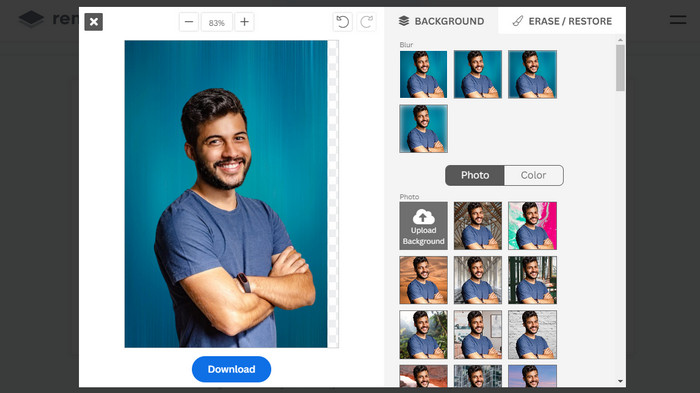
Once your image is uploaded, your photo should already have its background removed automatically, but you can still edit your photo. You can see the original photo by clicking the Original button next to the Removed Background button. Users can put a black background into their image seamlessly using this software.
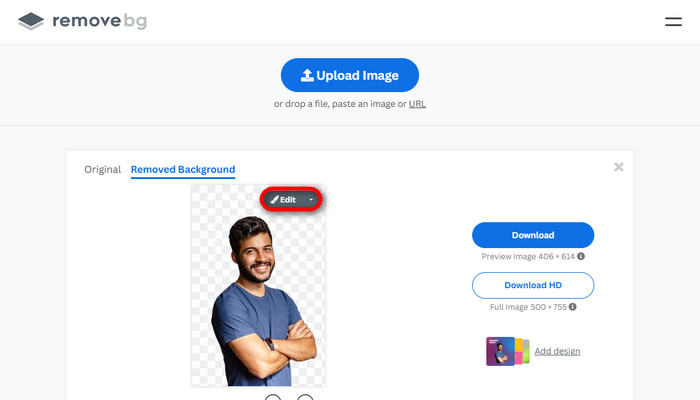
Step 3. Download Edited Image
In this part, you are now done with the editing, and you can now download your image photo. Just click the Download button below your photo.
第 3 部分:在 GIF 背景去除中使用 GIFMagic
在 GIFMagic 中,可以实现特效、添加文本、动画等等!使用这个在线程序,这些都是可能的。在此软件中编辑 GIF 很容易!
Step 1. Upload Image/GIF
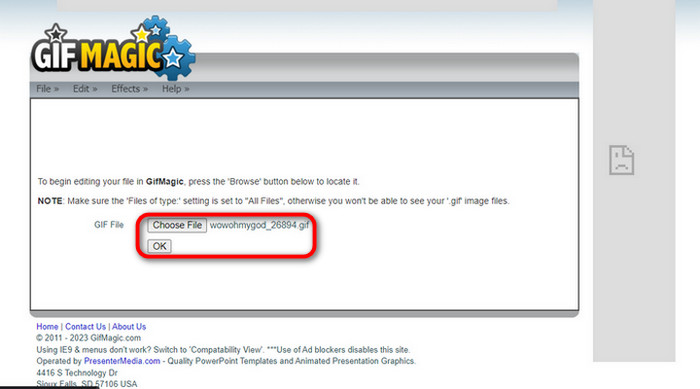
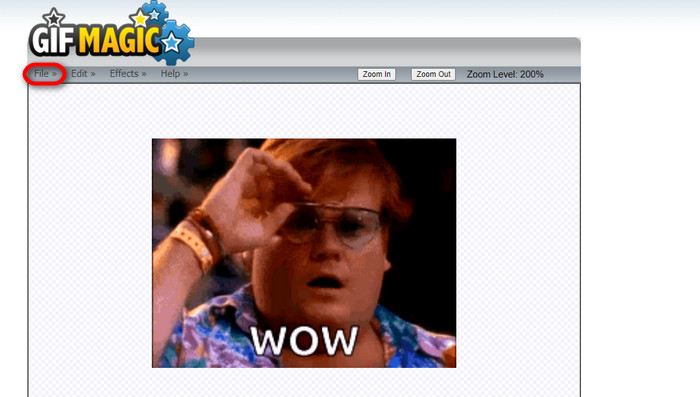
Upon logging in, the site allows you to upload your chosen file into the software. You can upload .gif or .img files that are useful to other users. To choose your file, click Upload, and after you have chosen your file, click the OK button.
Step 2. Edit Image
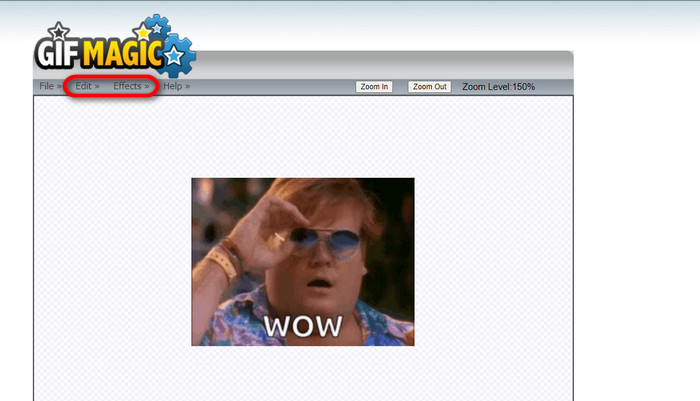
Once you land on the page, you will see the Edit and Effects buttons next to the File button. Your file can be edited in this section, so do your magic and enjoy editing.
Step 3. Download Edited GIF
After you have made your GIF a transparent background, just click the File button and click Save. Voila! Done and downloaded.
第 4 部分:使用 LunaPic 将 GIF 背景设为透明
LunaPic 是一款免费的在线工具,能够在线删除背景 GIF。它可以评估和编辑 PNG、GIF、JPG、JPEG 以及更多类型的图像。它是一款基础良好的软件,可用于在许多平台上进行编辑。
Step 1. Upload Image/GIF
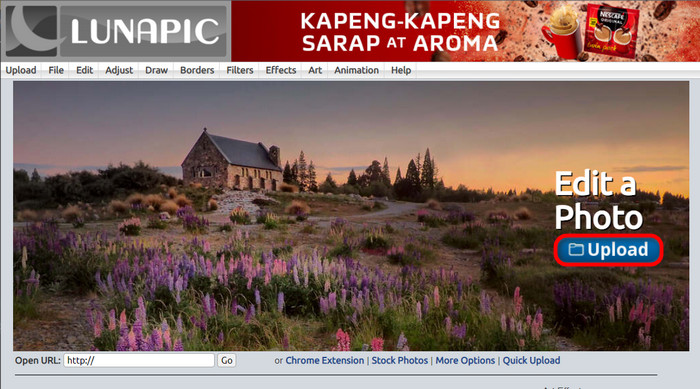
After entering the site in your default browser or any browser of your choice, upload your .img or .gif file to the site. Just click the Upload button.
Step 2. Edit Image/GIF
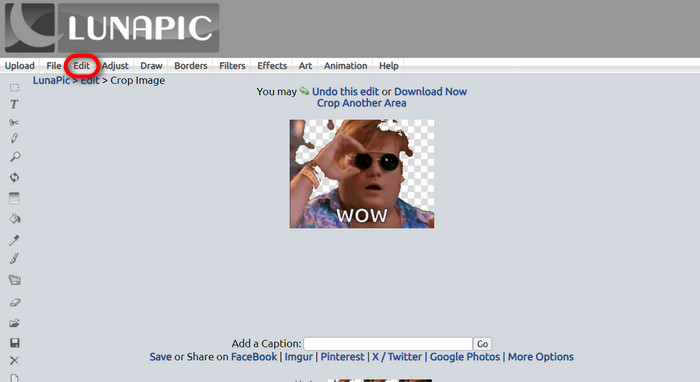
Then, you can edit your file and make the GIF background transparent by clicking the Edit then Crop Image tool button. Start cropping the background image.
Step 3. Download Edited GIF
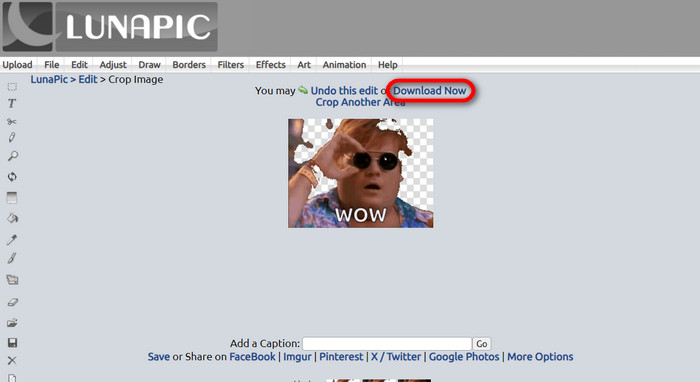
After cropping the background or if you tried to put a white background GIF, you can now click the Download now! button to save your edited file!
延伸阅读:
4 Greatest Ways to Remove the Watermark from GIF [Online & Offline]
Unveiling Top Tools for Desktop, Online, and Mobile Delights

视频转换大师
超过 345 次下载- 享受观看视频的乐趣,没有那些阻止您的内容的恼人水印。
- 制作高分辨率的优质视频,以获得更好的观看效果。
- 让您从任何类型的视频中删除任何水印。
- 为您提供无数种文件格式可供转换。
第 5 部分:有关删除背景的常见问题解答
我可以将动画 PNG 转换为 GIF 吗?
是的,可以将 PNG 转换为 GIF。但是,只要您有正确的程序,就可以将多种类型的数据转换为多种格式。
删除 GIF 背景后可以更改其颜色吗?
Absolutely, there are a lot of programs that offer that kind of work. Try FVC Background Remover for easy background removal.
我可以在 Paint 中将 GIF 背景设置为透明吗?
不,油漆不具备这种能力。但您可以寻找提供此类工作的其他计划。
什么是透明 GIF 动画?
具有透明度的动画 GIF 是指放置在某个网站上后仅显示图像的特定部分的图像。如果放入另一个网站,它可以显示多个图像。
GIF 允许透明度吗?
是的,但不完全透明。它仅支持 1 位透明度。
结论
There is now a big importance and demand for programs that can edit GIFs, such as the ones mentioned above. Cropping, editing, layering, and deleting are all possible with just a few clicks nowadays. Users are now innovating and thinking of things that nobody has ever done, like making a white background GIF. These kinds of users are why powerful programs such as these are created, like FVC Background Remover.
-
 选择最佳的在线和离线 GIF 裁剪器来裁剪 GIF [2023]
 选择最好的裁剪工具是必须的,而 GIF 制作者可以使用此功能。那么裁剪文件的最佳选择是什么以及如何使用它?
-
 了解如何从图像创建 GIF 的 4 种方法 [在线和离线]
 您想知道如何通过编辑图像来创建 GIF 吗?然后单击此链接并阅读以下示例
-
 在 Windows 和 Mac 上使用最佳动画 GIF Looper 循环 GIF
 想知道最佳循环 GIF 的秘密并制作一个吗?如果是这样,那么您来对地方了。了解如何使用可用的最佳循环器创建循环。
