


 视频转换大师
 屏幕录影大师
 视频修复
视频修复
 安全下载
安全下载免费的AVI记录器–将屏幕视频记录为AVI格式的4种最佳方法
当您想捕获计算机桌面上的内容并将其另存为高质量AVI视频时,最好的免费AVI记录器是什么? AVI是一个经常使用的文件,它使用各种编解码器(例如DivX和XviD)存储音频和视频。要出于某些商业目的共享屏幕录像,应首先选择免费的AVI屏幕录像机。本文确定并分享了排名前4位的免费AVI屏幕录像机。只需相应地找到最合适的工具即可。

第1部分:排名前4位的免费AVI屏幕录像机
顶部1:FVC免费屏幕录像机
FVC 免费屏幕录像机 是一款适用于 Windows 和 Mac 的优秀在线免费 AVI 屏幕录制工具。只需启动这款基于网页的屏幕录制器,即可将任意屏幕活动录制为 AVI 格式。它提供多种自定义选项来微调视频格式,例如视频编码器、帧率、视频质量等。
1.以AVI,MP4,WMV等格式录制屏幕视频。
2.制作无延迟的高质量屏幕录像。
3.免费,没有水印或长度限制。
4.与Chrome,Firefox,Safari等兼容。
如何免费在线录制屏幕为 AVI 格式
步骤 1: 当你需要录制高质量视频的屏幕内容时,打开浏览器并访问免费的 AVI 屏幕录制器。按下 Enter 键启动程序,点击 Start Recording(开始录制) 按钮,并根据提示获取启动器。

步骤 2: 点击 Recording area(录制区域) 菜单以选择录制全屏或自定义区域。启用 Speaker(系统声音) 菜单即可录制带声音的屏幕内容。当然,你也可以根据需要,通过 Camera(摄像头) 选项和 Microphone(麦克风) 选项添加旁白解说。
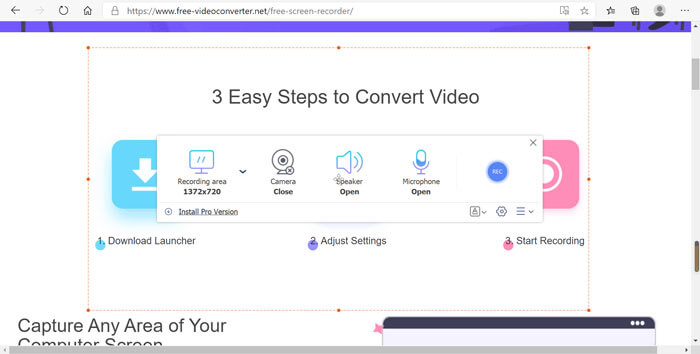
步骤 3: 点击右下角的 Settings(设置) 按钮,选择所需的 AVI 格式。你可以在其中调节视频格式、视频编码器、视频质量以及帧率。你还可以选择目标文件夹,将录制的视频以 AVI 格式保存下来。
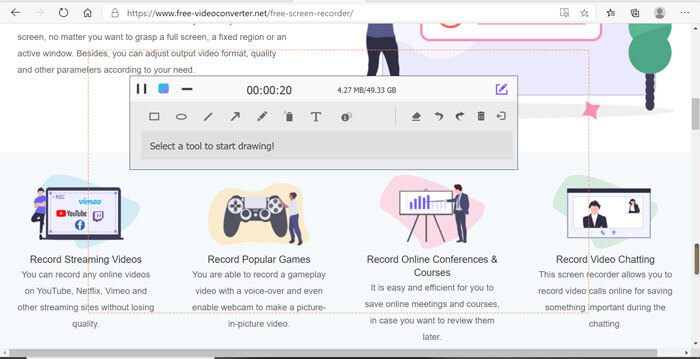
步骤 4: 倒计时结束后,点击 REC 按钮开始录制。当你点击 Stop(停止) 按钮时,将会显示录制历史记录。然后你可以下载、重命名、删除录制内容,或者直接分享到社交媒体网站。
前2名:CamStudio
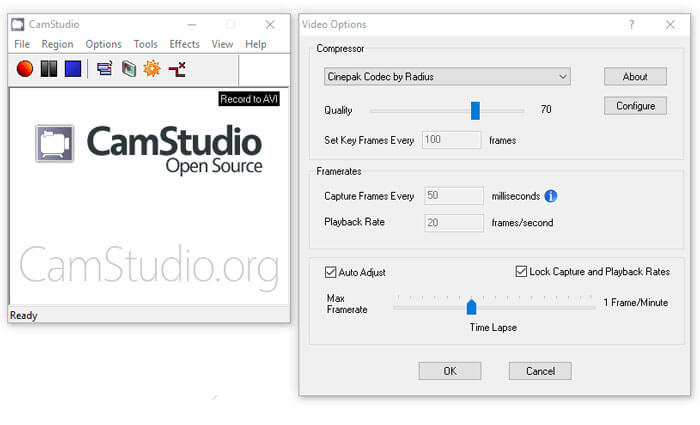
什么是CamStudio?它是面向PC用户的免费AVI屏幕录像机软件。当您想在桌面上录制某些内容(例如演示文稿,在线会议)时,请录制教程。 Camstudio应该是理想的方式。此外,它是免费下载的。
优点
- 1.开源,无需注册即可免费使用。
- 2.没有录制时间限制。
- 3.非常易于理解和使用。
- 4.高度可定制的选项很多。
- 5.产生高质量的输出。
缺点
- 1.安装程序可能包含其他软件,例如OpenCandy。
- 2.输出文件很大。
- 3.它只能将记录保存在AVI或SWF中。 (将SWF转换为MP4 这里)
- 4.这款免费的AVI记录器可以使用您CPU的大量资源。
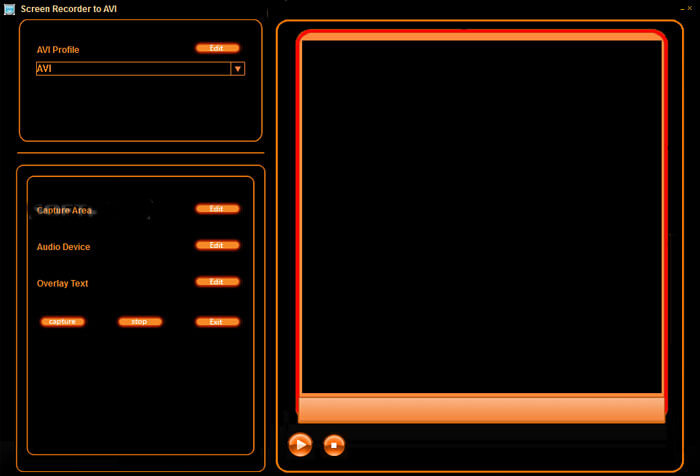
返回页首3:屏幕录像机转AVI
顾名思义,这款免费的AVI屏幕录像机可以捕获多监视器系统中的任何监视器屏幕以及音频,并将其另存为AVI视频。而且,它可以记录您的屏幕活动和鼠标移动。它嵌入了视频播放器和许多自定义选项。
优点
- 1.没有安装其他编解码器的要求。
- 2.集成了良好的用户界面,易于使用。
- 3.使用内置视频播放器预览屏幕录像。
- 4.在屏幕录制中添加文本或图像水印。
- 5.轻巧且工作平稳。
缺点
- 1.此免费的AVI记录器仅支持Windows XP / Vista / 7/8。
- 2. GUI很简单,仅集成了一些选项。
- 3.它缺少帮助手册或类似内容。
- 4.在运行期间显示广告。
前四名:首次亮相视频捕捉
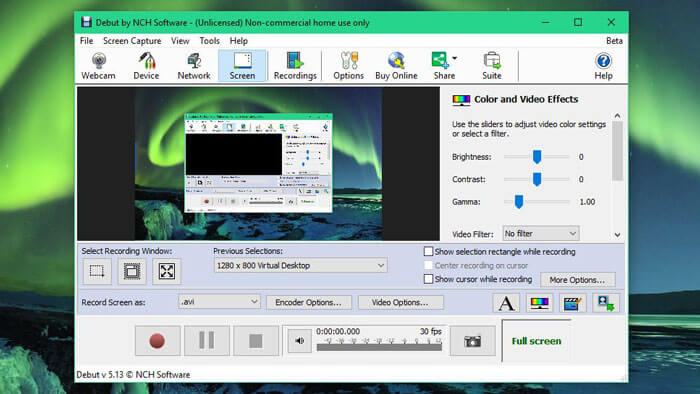
Debut Video Capture 既是一款 AVI 视频录制工具,也是 PC 端的屏幕录制软件。它同时提供专业版,但免费版已经足以用来录制屏幕并保存为 AVI 视频。它几乎可以从任何来源录制和捕获视频,例如电脑屏幕、网络摄像头,甚至是 VHS 磁带,然后将其保存为 AVI、FLV 和 WMV 格式。
优点
- 1.录制4:3或16:9视频。
- 2.在屏幕录制中添加文本标题或时间戳。
- 3.调整尺寸,分辨率和帧频。
- 4.在录制屏幕时突出显示鼠标。
- 5.支持定时录像。
缺点
- 1.界面看起来有些过时了。
- 2.对于初学者来说,学习配置非常困难。
- 3.缺少某些高级编辑功能。
- 4.它不适用于Mac。
第2部分:有关AVI屏幕录像机的常见问题解答
1.为什么要将屏幕视频捕获为AVI?
如上所述,AVI格式使用了一些无损视频编解码器,例如DivX和XviD。当您想要以原始质量录制屏幕视频时,AVI屏幕录像机是您应该考虑的不错的选择。
2.我可以将游戏栏用作Windows的默认AVI屏幕录像机吗?
否。当您想在Windows 10上录制屏幕视频时,游戏栏应该是最佳选择。但是视频保存为MP4文件,屏幕截图保存为PNG文件。
3.如何在VLC Media Player中录制AVI视频?
VLC 媒体播放器 提供了 Record(录制) 功能。你可以在流式播放在线视频的同时,通过点击“录制”按钮将其录下。但有时由于版权问题,它只会录到带音频的黑屏。当然,你也可以直接选择在线 AVI 屏幕录制器作为替代方案。
结论
基于上面的共享,您应该了解如何免费在AVI中录制屏幕。这篇文章列出了排名前4位的免费AVI屏幕录像机,可帮助您完成工作而无需花一分钱。 FVC Free Screen Recorder是捕获AVI格式视频的绝佳选择。
-
 免费/在线在Mac / Windows计算机上将MTS转换为AVI的7种方法
 如何轻松将MTS转换为AVI?在本指南中,您将找到7种免费且简便的方法,可以在Windows或Mac上将MTS文件转换为AVI而不会造成质量损失。
-
 使用7个免费视频转换器将MP4转换为AVI文件的教程
 想要获得所有免费的方式将AVI转换为MP4视频吗?您不应该错过这篇文章。这是在Windows,Mac,iPhone,Android和在线版本上免费将AVI文件转换为MP4的7种方法。
-
 在桌面和在线上不容错过的 6 款最佳 WAV 录音机
 我们在本文中分享的最好的 WAV 录音软件具有多种实用功能,可帮助您像专业人士一样捕捉音频和语音。
