


 视频转换大师
 屏幕录影大师
 视频修复
视频修复
 安全下载
安全下载将视频从 4K 缩小到 1080p 的终极指南
Today, we don’t just upscale videos to elevate our viewing experience. Some do the opposite, and that is downscaling their videos for a couple of reasons. Maybe because they want to reduce file sizes, make their videos more compatible with older devices, or simply streamline their editing process. Now, if you are looking for ways to downgrade your videos from 4K to 1080p, you’re in the right place. In this article, we will delve into 3 ways to help you seamlessly convert high-resolution videos into a more manageable format without sacrificing quality. Whether you're a content creator, filmmaker, or just someone looking to optimize their video library, we've got you covered. Let's dive in and simplify your video downscaling journey!

第 1 部分。为什么需要将视频从 4K 转换为 1080p
将视频从 4K 缩小到 1080p 很重要,原因如下:
Save storage space.
4K 视频占用的存储空间比 1080p 视频大得多。通过转换为 1080p,您可以释放设备或硬盘上的宝贵存储空间。
Improve device compatibility.
有些设备可能无法流畅播放或编辑 4K 视频。转换为 1080p 可确保与更广泛的设备兼容,包括旧电脑、智能手机和平板电脑。
Speed up the editing process.
编辑 4K 视频比编辑 1080p 视频更耗费资源和时间。转换为 1080p 可以加快编辑过程,实现更流畅的播放和更快的渲染时间。
Enhance playback smoothness.
低分辨率视频通常更容易流式传输和播放,不会出现缓冲或卡顿,尤其是在互联网连接速度较慢或功能较弱的设备上。
Optimize for online sharing.
许多在线平台和社交媒体网站会自动压缩和优化视频以供播放。将视频转换为 1080p 可确保其满足平台的要求并在共享期间保持质量。
第 2 部分。如何使用最佳视频转换器将 4K 转换为 1080p
您可以通过多种方式离线缩小视频尺寸,即使用视频转换器桌面软件。以下是您可以使用的工具:
FVC 免费 4K 转换器
FVC Free Video 4K Converter is a tool that offers a comprehensive solution for users looking to convert 4K to 1080p video resolution. With its versatile functionality, users can seamlessly transform high-resolution 4K videos into 1080p format, ensuring compatibility with popular devices and platforms. Additionally, the software maintains the quality of the original video during the conversion process, preserving visual clarity and detail. With its intuitive, easy-to-navigate interface and efficient performance, this tool simplifies the task of converting 4K videos to 1080p for various purposes.
Step 1. Download the FVC Free 4K Converter and install it on your device.
Free DownloadFor Windows 7 or laterSecure Download
Step 2. Run the tool and click Add Files.
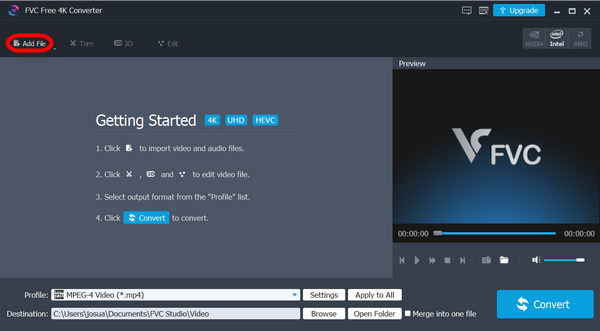
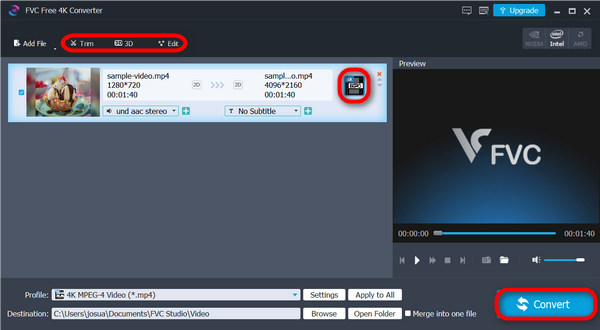
Step 3. Now, on the upper corner, you can use that to edit your videos, while on the right side, click the drop-down menu to select the upscaled result you want for your video. This time, you are going to downscale your video, so select 1080p. Once done, click the Convert button.
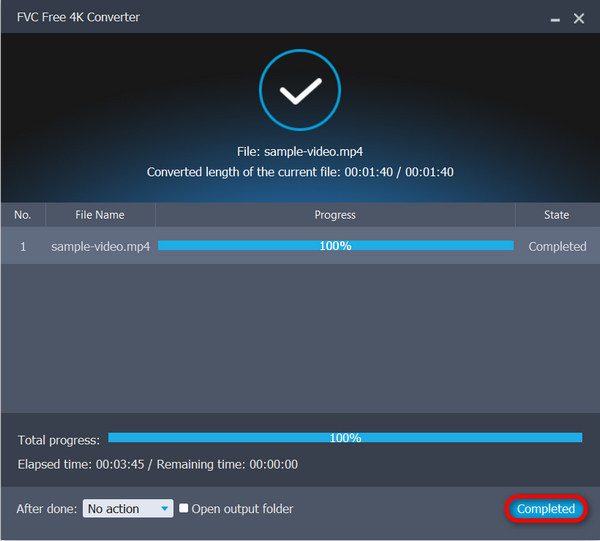
Step 4. After converting, it will tell you that the process is already completed. Just click Complete.
这款多功能工具不仅能让你升级视频,还能帮助你将视频从 4K 降级到 1080p。对于寻求双重目的的人来说,这是一款非常棒的工具。
FVC Video Converter Ultimate
FVC Video Converter Ultimate is another software solution that offers comprehensive video conversion capabilities, including downscaling from 4K to 1080p resolution. With its converter features, users can freely and easily convert 4k to 1080p videos by just simply choosing from plenty of preset output resolutions and formats in the tool.
Step 1. Download the FVC Video Converter Ultimate on your device.
Step 2. Click the Converter.
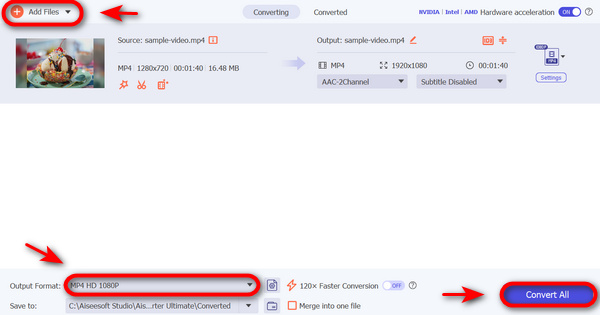
Step 3. To add the 4K video that you want to convert to 1080p, Click the Add Files button.

Step 4. Now, click the Output Format option, navigate to the Video tab, and choose the HD 1080p Video like 1080p MP4, 1080p MKV, 1080p AVI, 1080p, WMV, etc.
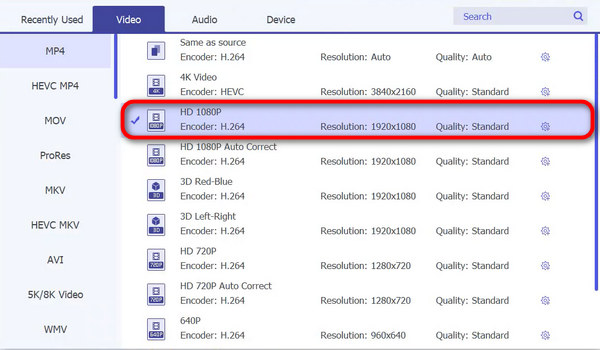
Step 5. If you’re done, click Convert.
使用 FVC Video Converter Ultimate,将 4K 视频转换为 1080p 确实快速而简单。
VLC媒体播放器
VLC Media Player 以其广泛的支持文件格式和播放功能而闻名。虽然这款工具主要以播放各种音频和视频格式的能力而闻名,但它也包括基本的视频转换功能,包括从 4K 到 1080p 分辨率的降级。虽然不如 FVC Free Video 4K Converter 或 FVC Video Converter Ultimate 等专用视频转换软件那么强大,但 VLC Media Player 为需要偶尔进行视频转换任务而无需安装其他软件的用户提供了一个方便的选择。
Step 1. First, Download the VLC Media Player on your device and Install it.
Step 2. Run the tool and go to the Media tab, then select Convert/Save.
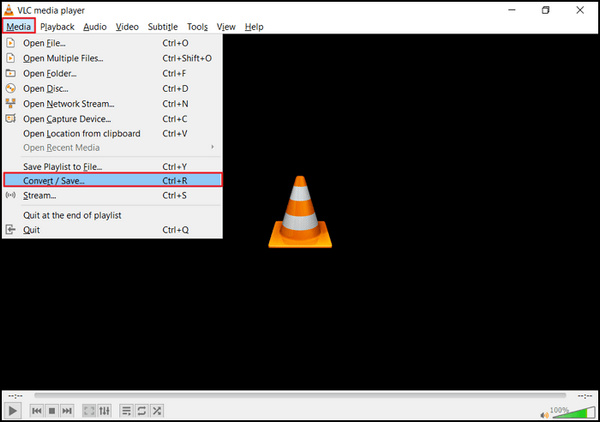
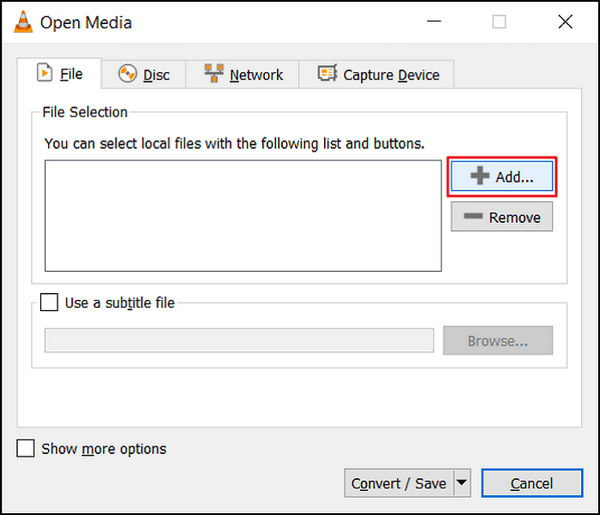
Step 3. Now, click the Add button to import the video that you want to downscale.
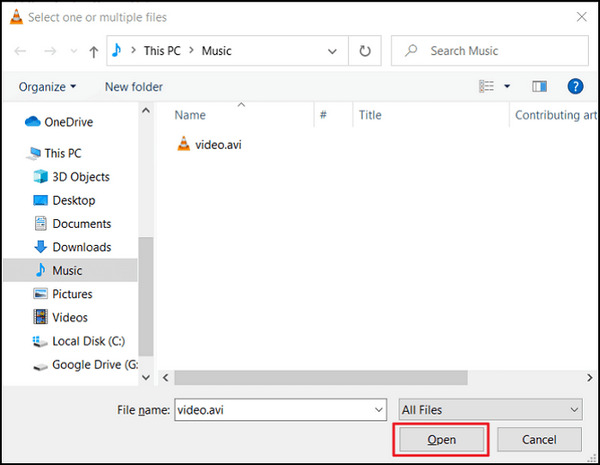
Step 4. Specify the file name and destination in the Convert box.
Step 5. Opt for Convert/Save and type in the Frame size the width of 1920p and 1080p for the height before you click the start. Remember, you are going to downscale your videos, so choose your preferred resolution.
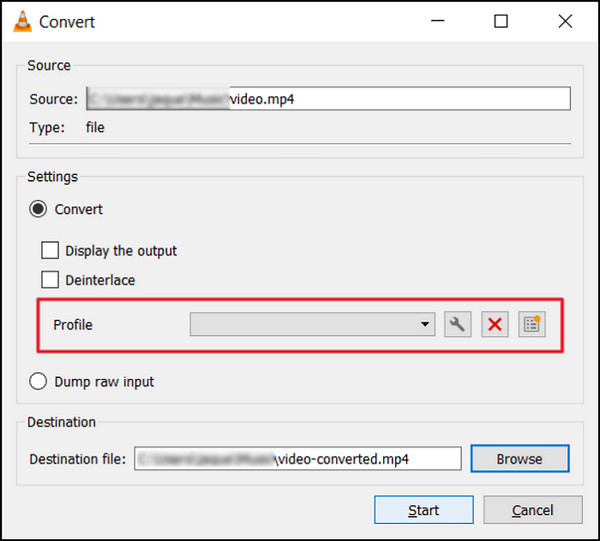
Step 6. Lastly, click Start to begin the conversion process.
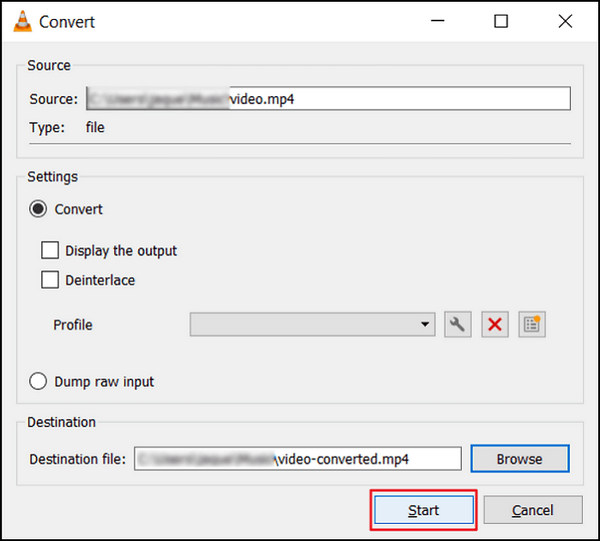
虽然 VLC 是一款很棒的工具,但它在将视频从 4K 降级到 1080p 方面有些不足,但它还是可以做到的。然而,与上述其他工具不同,VLC 还没有准备好处理复杂的视频来缩小它们的尺寸。
If you want more software like VLC, check it here.
第 3 部分。如何在线将 4K 转换为 1080p
同时,当您正在寻找在线将视频从 4K 缩小到 1080p 的方法时,HD Convert 最适合您。
HD Convert Video is an online HD video converter perfect for converting videos to different formats, including Full HD 1080p and 4K Ultra HD quality. It offers the feature to downscale videos from 4K to 1080p, reducing file sizes and enhancing compatibility.
Step 1. First, go to their official website.
Step 2. Click the Add Files button.
Step 3. Select the output format. Click on next, and choose 1080p as your output quality.
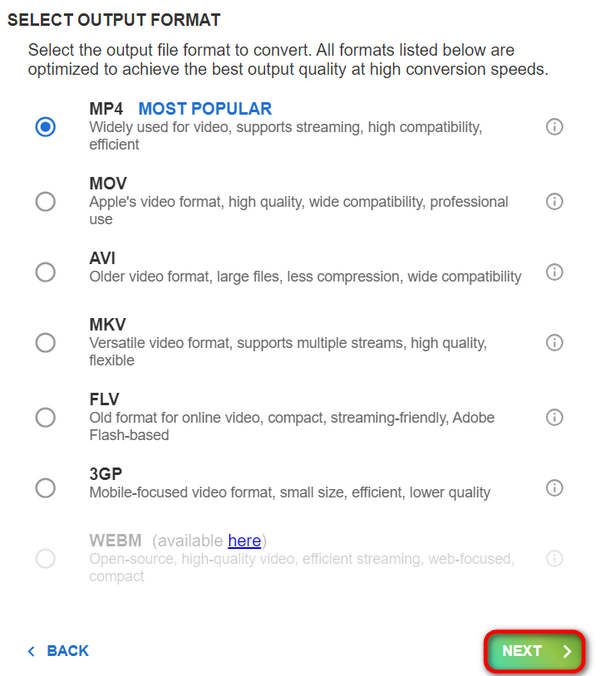
Step 4. Once set, click on Next to process the conversion.
帐户免费时,您无法降级到 1080p。您需要订阅他们的促销活动才能实现 4K 到 1080p 视频转换。
第 4 部分。关于将视频从 4K 缩小到 1080p 的常见问题
为什么我要将视频从 4K 缩小到 1080p?
从 4K 降级到 1080p 有多种好处,包括减小文件大小以便于存储和共享、提高与旧设备或平台的兼容性,以及通过减少处理能力来加快编辑过程。
与原始 4K 素材相比,缩小后的视频质量会下降吗?
虽然缩小后的视频分辨率会低于原始 4K 素材,但质量损失的程度在很大程度上取决于所使用的缩小方法和设置。通过仔细调整比特率和压缩设置等参数,可以在缩小过程中最大限度地减少质量损失。
我可以使用哪些工具或软件将视频从 4K 缩小到 1080p?
有各种工具和软件可用于缩小视频,从专用视频转换器(如 FVC Video Converter 和 HD Convert Video)到多媒体播放器(如 VLC Media Player),它们都具有缩小功能。HDconvert.com 等在线平台也提供将视频缩小到 1080p 分辨率的便捷选项。
结论
In conclusion, downscaling videos from 4K to 1080p offers practical advantages like saving storage space and improving compatibility. To experience these advantages, download FVC Video Converter Ultimate or try out FVC Free 4K Converter to upgrade your video experience now!
-
 适用于 Windows 的最佳免费视频转换器 2025 评测
 正在寻找视频转换器?不用再找了!我们列出了 10 款最佳工具,可免费将任何格式的视频转换为您想要的输出。
-
 适用于 Mac 的最佳免费视频转换器 [2025 年列表]
 使用我们为 Mac 挑选的 5 款免费视频转换器,找到最简单、最有效的视频转换方法。立即下载并开始转换!
-
 如何将 1080p 升级到 4K [在线和离线方式]
 想要让您的视频看起来像是用 4K 分辨率拍摄的吗?我们帮您实现!通过本分步指南了解如何将 1080p 升级到 4K。阅读更多内容!
