


 视频转换大师
 屏幕录影大师
 视频修复
视频修复
 安全下载
安全下载如何在计算机上合并 MPG 文件
When you try to rip a movie from DVD to computer, usually it will be saved in MPG format. Since the ripped movie are always separated into several short MPG clips, you may want to join several movie clips with MPG format into one to get the complete movie file. In this article, we will show you how to join MPG files in 2 ways.

第 1 部分。 如何使用 Video Converter Ultimate 加入 MPG 文件
要合并 MPG 电影并对其进行编辑,您可能需要专业的视频加入软件。 Video Converter Ultimate 是解决您问题的最佳方式。凭借强大的视频合并、转换和编辑功能,您可以随意加入许多 MPG 文件并在您的计算机上进行调整。
- 1. 一键加入和转换包括MPG文件在内的各种类型的视频格式。
- 2. 多种MPG视频编辑功能,包括修剪、分割旋转、添加水印和字幕。
- 3. 专用工具箱,为您提供 MPG 视频增强器以提升视频质量。
- 4. 添加主题和过滤器来装饰您的 mpg 影片剪辑
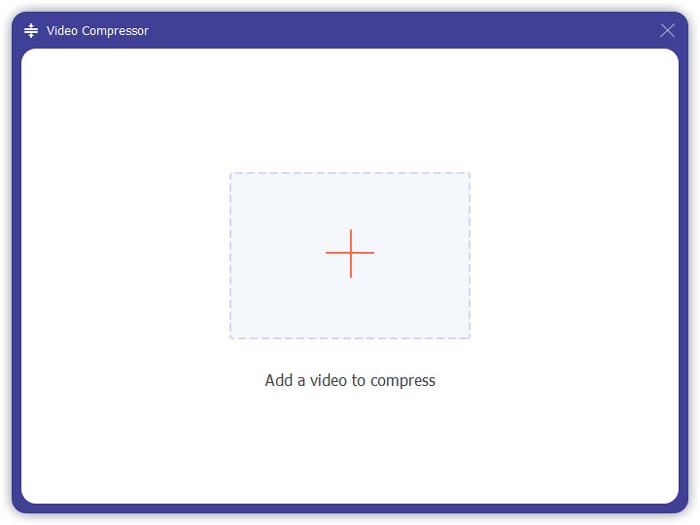
Step 1. Download and set up Video Converter Ultimate. Choose the Converter interface. Then you can add the MPG files you want to join by clicking the Add Files square at the center of the interface. You can also drag several MPG files into the square to add them. It supports you to add multiple MPG files and merge them into one.
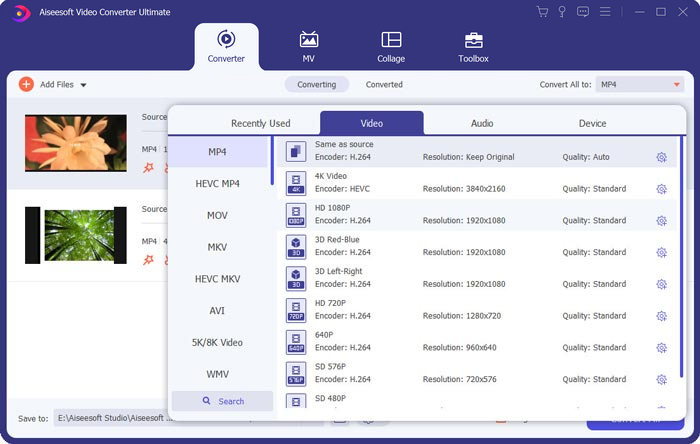
Step 2. Then choose the video format you want to output by clicking the Convert All to field on the right side. You can choose various types of formats in the menu including MP4, MOV, MKV, etc. You can manually adjust the parameters of the format by clicking the gear icon.
Step 3. To edit your videos, you can click the scissor icon to launch the editing interface. You can set the start and end times of your videos to trim them. The MPG videos on the left bar are listed in chronological order. If you want to change the sequence of the videos, you can drag them and put them in a different sequence. The video above will be played before the video below in the final merged video.
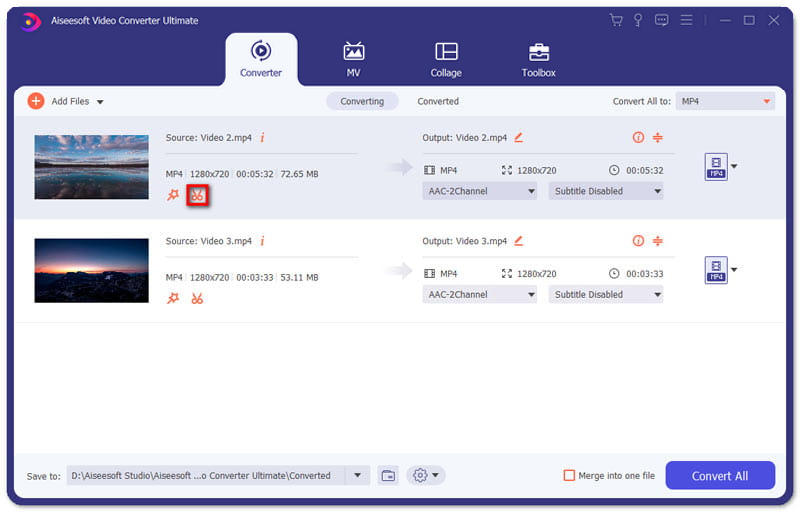
Step 4. When you finish the editing, you can merge them and export the final project. You should know that the videos will be merged in chronological order according to the sequence in the editing interface. To start merging, you should click the Merge into One File box and click the Convert All button. After finishing, you can find the joined video in the folder.
Then you can play the MPG files with the MPG MPEG player directly.
第 2 部分。 如何免费在线加入 MPG 文件
If you want to merge MPG files online for free, you can use Free Online Video Merger. The simple and well-designed interface is friendly to all the users.
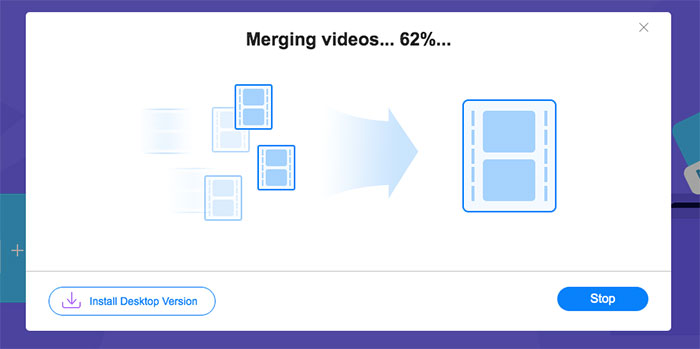
Step 1. Download the launcher and set up the merger. Then you can add MPG files by clicking the + in the interface. At the bottom of the screen, you can adjust the resolution and the format of the merged video in the menu. The sequence of the videos is in chronological order from left to right on the screen.
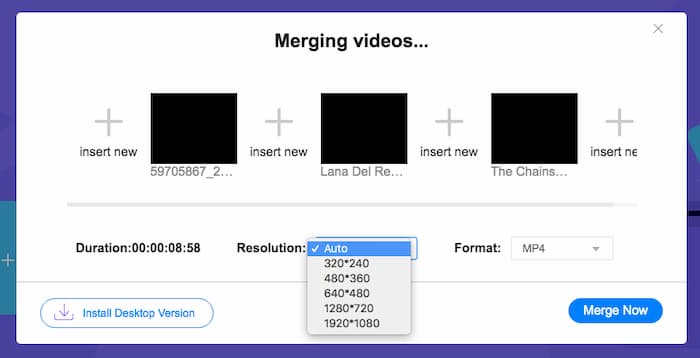
Step 2. To start the joining, you should click the Merge Now button. When the merging is finished, you can find the video in the default folder Download on your computer.
第 3 部分。 关于加入 MPG 文件的常见问题解答
1. 如何打开 MPG 视频文件?
通常,MPG 视频文件是 MPEG-1 和 MPEG-2 版本。 MPEG-1 兼容大多数主流媒体播放器,如 Windows Media Player 和 VLC Media Player。 MPEG-2 专为 DVD 视频而设计。您可以下载第三方 DVD 解码器来打开它。
2. 什么是 MPG 文件?
MPG 文件是一种广泛使用的视频文件,用于保存视频和音频数据。它可以在不损失质量的情况下以小尺寸保存和压缩大型音频和视频数据。它由运动图像专家组 (MPEG) 标准化。 MPG 用于在 Internet 上保存和分发电影。 MPG 文件以程序流容器格式保存为 PS 或 MPEG-PS。
3. 如何免费合并 MPG 视频文件?
互联网上有很多免费的视频加入工具。上面提到的免费在线视频合并是一款免费工具,界面简单明了,可以满足您的需求。
结论
When you want to join several MPG files into one, you need a professional video joiner. In this article, you can learn about how to use video joiners to realize your demand. If you have any questions about the video merging tools or want to know more about joining MPG files together, please leave your comment below.
-
 从 Sony X70 加入 MXF 视频的 2 种终极方法
 如果您从 Sony X70 中拍摄了一些 MXF 视频,那么加入 MXF 文件的最佳方法是什么?以下是将视频与高质量相结合的 2 种有效方法。
-
 两种压缩YouTube视频的方法
 YouTube视频太大且上传速度慢吗?只需通过在线和计算机两种方式将视频文件的大小压缩为YouTube较小的大小即可。
-
 GIF播放器-适用于Windows PC,Mac,Android和iPhone的5种最佳GIF播放器
 什么程序打开GIF文件?如何在Android上查看GIF? iPhone是否具有用于打开GIF的GIF播放器?此帖为您分享5个最佳GIF播放器。
