


 视频转换大师
 屏幕录影大师
 视频修复
视频修复
 安全下载
安全下载4 款适用于 Windows 和 Mac 计算机的无与伦比的 MTV 视频录像机
你有没有想过 MTV 是什么样的文件?你遇到过这个文件吗?大多数人可能不知道这个文件,因为它刚刚发布。这是为了在主要来自中国的便携式 MP4 播放器上播放视频。开发人员使用原始 465/555 显示系列,它描绘了较低的帧速率,从而导致较低的视频质量。可能是这种情况,许多人仍在使用这种格式,因为大多数音乐生成软件也在使用 .mtv。
相反,虽然 .mtv 文件扩展名可能是一个不错的替代选择,但仍然建议优先尝试其他文件格式,以获得最佳视频质量。这个工具与 MP4 类似,是仿照 MP4 制作的。那么,为什么要牺牲最佳体验呢?不过,如果你仍然希望将 .mtv 作为录制输出格式,我们也能满足你。继续往下阅读,我们在文章中列出了你可以在线使用的MTV 视频录制工具。

第 1 部分。 适用于 Windows 和 Mac 的顶级 MTV 录音机
FVC免费屏幕录像
在最佳 .mtv 录像机列表中领先的是 FVC 免费屏幕录像机。虽然这不会让您在 .mtv 文件上录制文件,但它会为您提供最佳输出。通过三个简单的步骤,您可以为您的班级或您的 YouTube 频道制作高质量的视频教程。在录制时,您实际上可以不受限制地添加形状、文本、箭头和线条。相应地,它可以录制视频而不会受到背景噪音的干扰,因为它会录制您 PC 的系统声音。可以看出,这是一个不错的选择。您还可以通过阅读以下步骤了解更多信息。
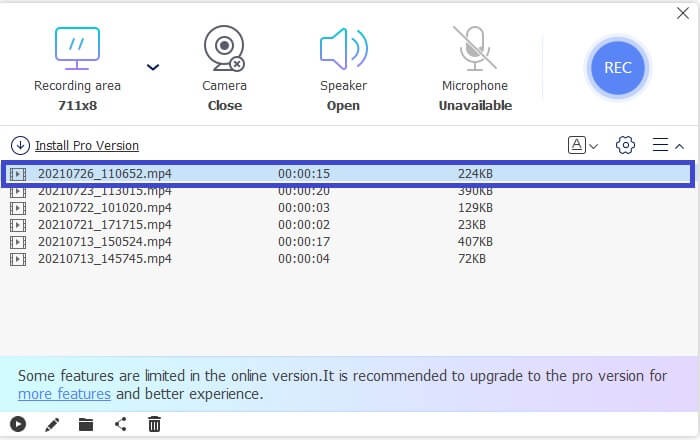
步骤 1. 你需要先激活启动器,在FVC Free Screen Recorder主页面中点击 Video Recorder。
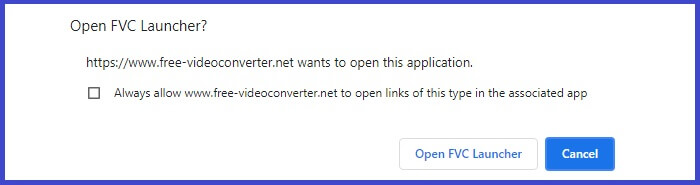
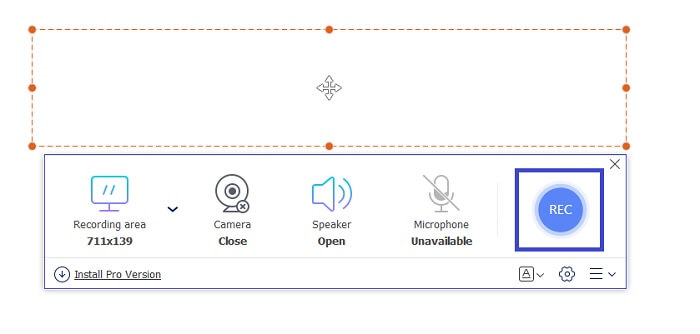
步骤 2. 接着,调整录制框,使其与要录制的视频大小一致。然后点击 REC 按钮开始录制。
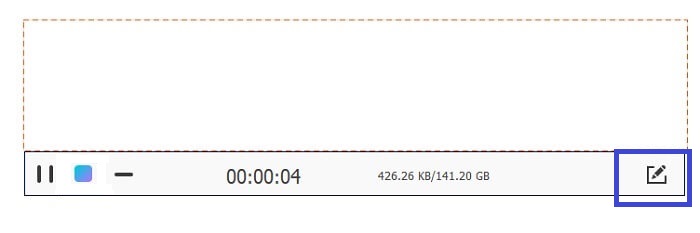
步骤 3. 录制过程中,点击 Pencil 图标,即可在录制时添加标注。
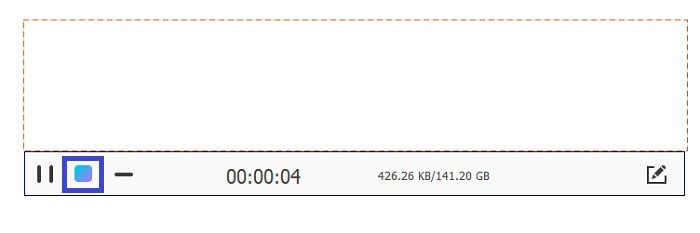
步骤 4. 完成录制后,点击蓝色的 Square 图标停止录制。
步骤 5. 在主界面中点击文件名称即可检查并播放已录制的视频。
优点
- 无需注册。
- 无限录音。
- 持续时间没有限制。
- 可调整的比特率和帧。
缺点
- 它仅支持 WMV 和 MP4 两种格式。
FVC 屏幕录像机
如果您正在寻找一种更灵活并且可以提供比免费工具所能做的更多的东西,让我们谈谈该工具的高级版。完美、无损和灵活是我们描述 FVC 屏幕录像机的方式。它与完美和细腻的屏幕录制配合使用,可让您以超高品质录制 MTV 视频。由于功能的原因,此工具将标准设置得更高一些。有很多,但一个值得注意的功能是窗口锁定功能,它允许您记录特定屏幕并继续您的繁忙工作而不会被打扰。是不是很神奇?使用此工具还有更多发现,您可以查看下面的优缺点列表。同时,您可以通过以下方式使用该应用程序。
步骤 1. 点击下方的下载按钮,下载并安装该应用程序。
步骤 2. 按照安装向导完成设置并启动应用。启动后,调整录制框以更改录制画面的比例。
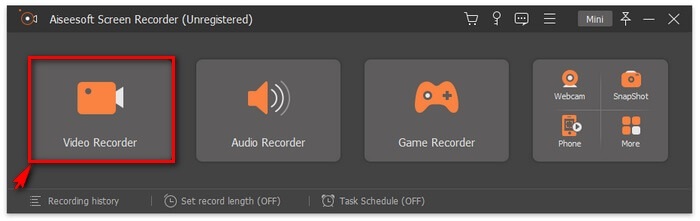
步骤 3. 要开始录制时,点击 REC 按钮即可开始录制。如果需要,你也可以在录制过程中添加标注。
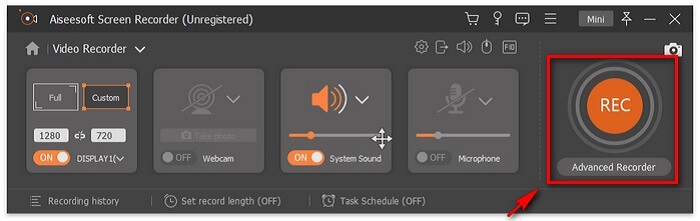
步骤 4. 录制完成后,点击红色的 Square 按钮结束录制。

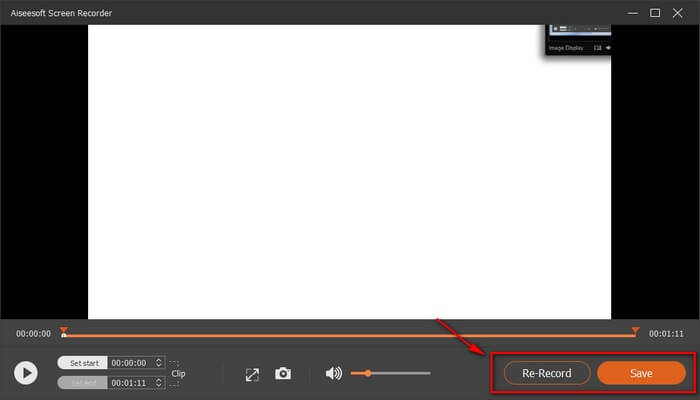
步骤 5. 若要保存录制内容,点击 Save,然后即可查看已保存的文件。
优点
- 支持加速以实现更好的流视频录制。
- 可调节比特率以达到最佳质量。
- 窗口锁定功能。
- 连续记录24小时!
缺点
- 该工具需要高级订阅。
班迪康
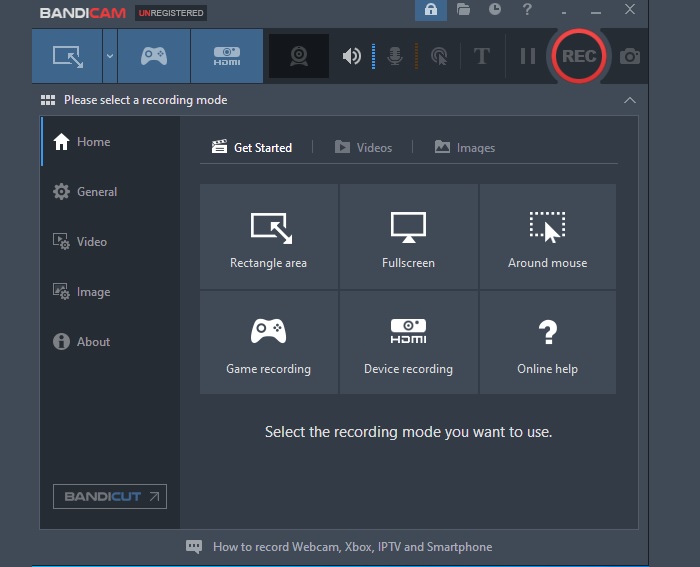
另一个致力于创建易于使用但完整的软件的软件是 Bandicam。他们引以为豪的两个最好的应用程序是 Bandicut Video Cutter 和 Bandicam Screen Recording。将此工具与 FVC Screen Recorder 进行比较,它们的可靠性水平相同。您可以制作高清质量的视频,不受限制地录制,并轻松进行实时注释。如果 FVC Screen Recorder 具有独特的功能,那么 Bandicam 也可以。录制时放大和缩小!是的,在录制时,您可以放大您认为必须强调的特定部分。相对而言,还有更多的发现。查看下面的列表并获得通知。
优点
- 支持放大和缩小。
- 无限录制,没有持续时间限制。
- 高清品质输出。
- 可以多任务(录制时注释)。
缺点
- 该工具是付费应用程序。
OBS工作室
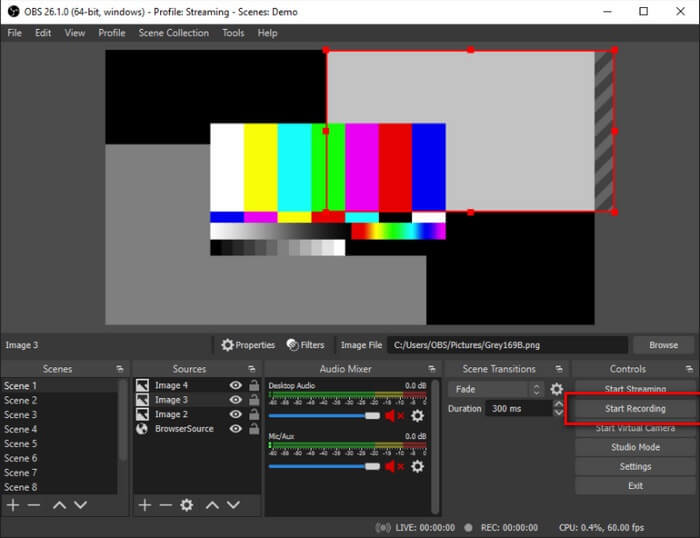
OBS 深受游戏玩家和直播主的欢迎,因其始终如一的性能而久负盛名。许多人发现这个工具在很多方面都非常有用。一个很好的例子是在实时进行直播的同时进行录制。除此之外,您还可以关联您的视频流网站帐户(如 YouTube 和 Twitch)来直接播放您的直播。总而言之,便利性和多任务处理只是他们登上榜首的部分原因。好吧,还有更多关于这个应用程序的信息。继续阅读以了解更多信息。
优点
- 支持基准测试。
- 它可以录制视频和音频。
- 流式传输时最高 1080p 的高清质量输出。
- 没有滞后。
缺点
- 工具界面有点压倒性。
延伸阅读
第 2 部分。 有关 MTV 录音机的常见问题解答
如何将 MTV 格式转换为 MP4?
若要转换 MTV 格式,请按照以下步骤操作:
1. 访问 https://www.free-videoconverter.net/free-online-video-converter/。
2. 启动转换器并上传 MTV 文件。
3. 将文件格式更改为你想要的输出格式。
4. 设置文件保存位置后,文件会自动下载。
我可以使用什么播放器打开 MTV 格式的文件?
你可以考虑使用以下播放器:
1. MTV Video Converter。
2. MPlayerX。
3. VLC Player。
4. MTV Video Converter。
5. FVC Free Video Player
MTV 和 MP4 有什么区别?
它们非常不同。 MP4 是一种压缩格式,包含高视频质量输出。同时,MTV 产生的质量较低。此外,与 MTV 相比,MP4 可以在许多视频播放器上播放。
第 3 部分。 比较图表
| 特征 | FVC免费屏幕录像 | FVC 屏幕录像机 | 班迪康 | OBS工作室 |
| 音频和视频录制 |  | | | |
| 视频编辑功能 | | | | |
| 锁定窗口功能 |  | | | |
| 注释特征 | | | | |
| 缩放功能 | | | | |
| 恶意软件安全 | | | | |
| 可调比特率和纵横比 | | | | |
| 实时流媒体录制 | | | | |
| 加速 | | | | |
| 基准测试 | | | | |
结论
综上所述,MTV可能是为了替代MP4而发展起来的,但它还是做不到MP4能做到的。如果在不久的将来继续改进,它就有可能超过其他格式。另外,不要忘记查看此列表中一些最好的 MTV 录音机。
-
 4个最佳的免费网络启动记录器,以捕获屏幕视频
 是否在寻找无需花一分钱就能在桌面上录制屏幕上活动的最佳方法?这是4种最常用的免费网络启动记录器。
-
 公正的Cinch评论录音机和最佳选择
 Cinch Audio Recorder是从流媒体网站下载音乐的最佳方法。只需从本文中了解有关公正评论和最佳替代方法的更多信息即可。
-
 适用于Windows和Mac的5大最佳鼠标和键盘记录器
 这是可以保存鼠标移动和键盘单击并重复事件的前五名最佳鼠标和键盘记录器程序。
