


 视频转换大师
 屏幕录影大师
 视频修复
视频修复
 安全下载
安全下载适用于 Windows 和 Mac 计算机的 7 大高质量音频 AAC 录音机
Advance Audio Coding or introduced as AAC file extension. It is a digital audio coding that represents lossless data compression. It is developed as an advanced version of MP3. This means it can administer better audio quality than MP3. Therefore, when recording AAC audio from different streaming sites or simply recording it on your computer, it is important that the audio recorder supports this kind of file format. Henceforth, this article is your guide on finding the best AAC recorder since there are a few that support it.

第 1 部分。 适用于 Windows 和 Mac 的 7 大 AAC 录音机
1. FVC 免费屏幕录像机
The first and by far the most accessible tool that you can find online is FVC Free Audio Recorder. It is a free online tool that you can access using a web browser and a stable internet connection. For this reason, many find this tool helpful. Above all the audio quality produced is seamless and flawless. The recording process is very easy to follow. On top of that, the audio produced by it is playable on almost all players. Furthermore, it is very practical that you do not need to pay for the service to use it. You do not need to worry about malware that can infect your PC too. It is guaranteed safe and protects your uploaded data. If you want to get started with the app, follow the guide written below for your convenience.
Step 1. Activate the launcher by clicking the Start Recording button from the webpage of FVC Free Audio Recorder.
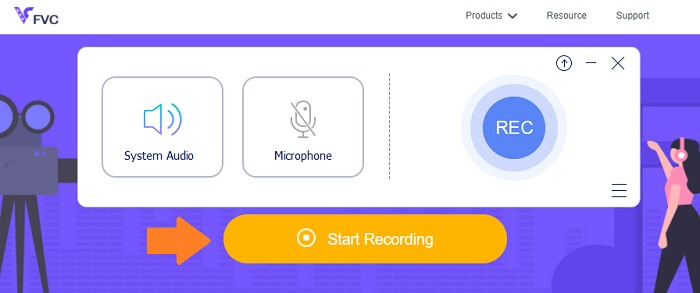
Step 2. Once the launcher appears, start recording by clicking the REC button.
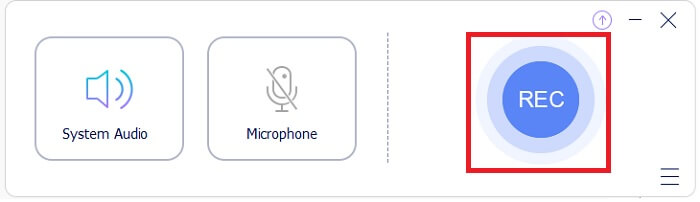
Step 3. To stop the recording by clicking the blue circle icon.
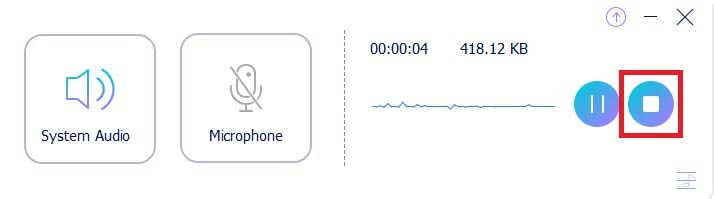
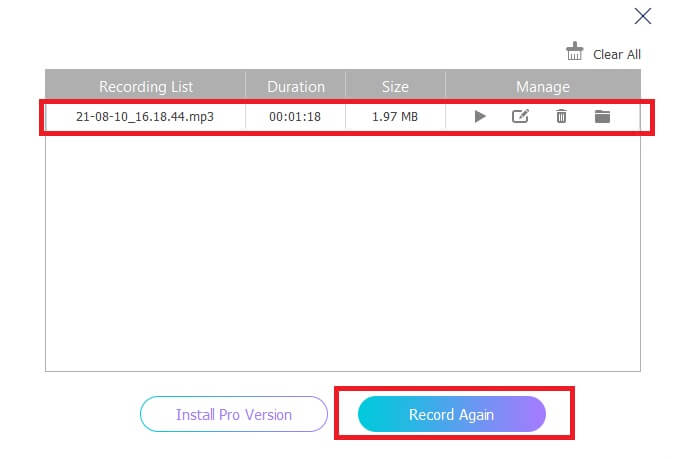
Step 4. After that, the file will be automatically saved on your PC. Check the list of recorded files on the main interface.
优点
- 可调整的纵横比。
- 可调节比特率以获得更好的音频质量输出。
- 它可以录制系统音频和屏幕。
缺点
- 它不支持视频或音频修剪。
2. FVC 屏幕录像机
列表旁边是 FVC Free Screen Recorder 的高级版本。它是一个桌面应用程序,您可以下载到您的 PC 上,而不必担心会影响您的 PC 的恶意软件。重要的是,几乎所有平台都支持它。独特的是,该工具的界面具有交互性和用户友好性。我可能会说,一个易于使用和理解的工具的真正定义。您不必是使用它的专家,即使是初学者也可以轻松掌握。
即使在更复杂的直播或游戏中,FVC Screen Recorder 也能非常有效地提供无缝录制。尤其是在捕获音频方面。此工具使用 AAC 编解码器来生成无缝录音。这意味着录制实时流将流畅且没有背景噪音。除了屏幕录制外,该软件还可以捕获网络摄像头视频并同时投射它们。更不用说,还有更多发现。同时,这里是有关如何使用此 AAC 录音机工具的详细指南。
Step 1. Download and install the app by using the button below.
Step 2.Follow the installation guide and complete the process. Now click the Audio Recorder button to see the floating bar for audio recording.
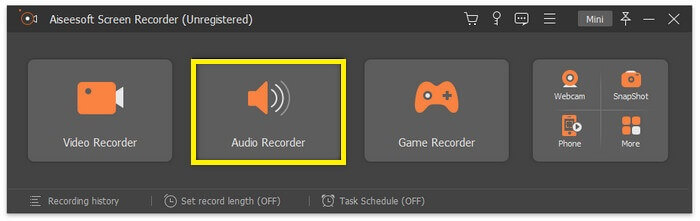
Step 3.Change the format by clicking the Gear icon then head to Output. Change the output to AAC, or other desired audio format. Now toggle on System Sound. Meanwhile, you can also turn on the Microphone option to add your voice if you need. Finally, the REC button starts recording.
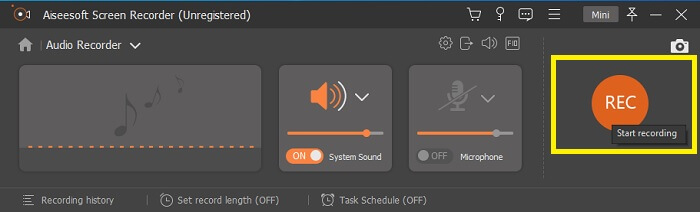
Step 4.Once done recording, click the red Square button. Once the recording is done, playback by clicking the file name below the interface.

优点
- 支持无缝记录加速。
- 窗口锁定功能可用于记录特定屏幕。
- 支持比特率和帧率。
- 可以单独录制音频。
缺点
- 不支持放大和缩小。
3. 手环
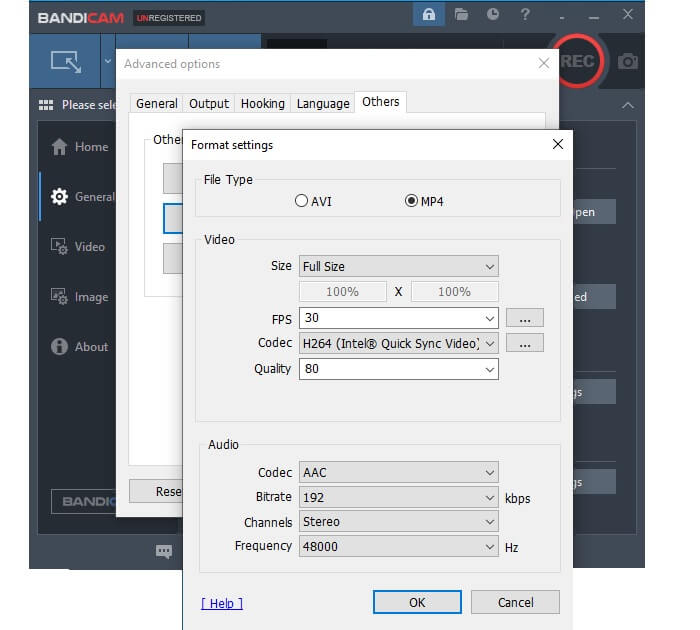
名单上第三个值得尝试的是 Bandicam。 Bandicam 因其是初学者的可靠工具而广为人知,从而为它的流行铺平了道路。该工具的界面非常简单明了。您可以立即选择要执行的操作,因为所有内容都在主页上。更重要的是,该工具支持音频的 AAC 输出和 192 kbps 的比特率。这足以在您的录音中产生高质量的声音。此外,这里还有一些令人印象深刻的工具功能。
优点
- 支持放大和缩小。
- 支持安排录制。
- 支持安排录制。
- 选择录制模式。
缺点
- 不支持窗口锁定。
- 录制时无法进行多任务处理。
- 无法单独录制音频。
4. OBS 工作室
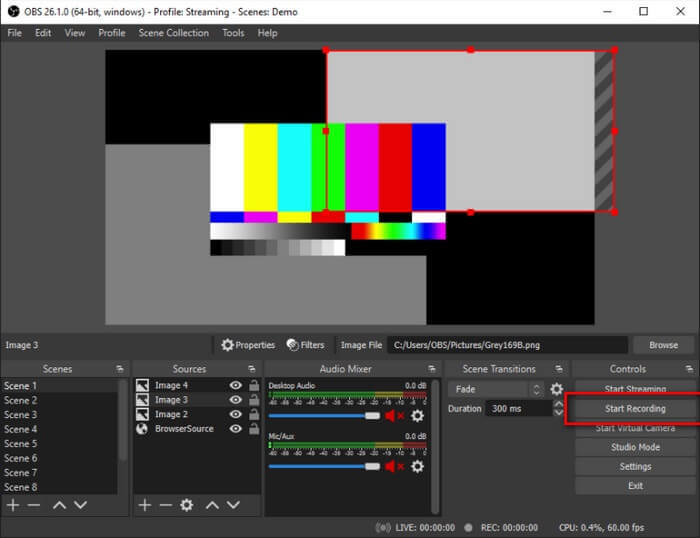
开放广播软件或也称为 OBS。它是开源和免费的流媒体和屏幕录制程序。 OBS 可在 Mac 和 Windows 计算机上使用。这支持可以与 YouTube、Twitch、Instagram 和 Facebook 等不同流媒体网站关联的 RTMP。此外,您可以在流式传输的同时进行录制。因此,它被添加为您考虑用作 AAC 录音机的工具之一。
优点
- 很容易记录和定位记录的文件。
- 您可以确定视频和音频输出与大多数播放器兼容。
- 可以在镜像时进行截屏。
缺点
- 调整编码以提高视频质量等会降低您的 PC 速度。
5. Screencast-O-Matic
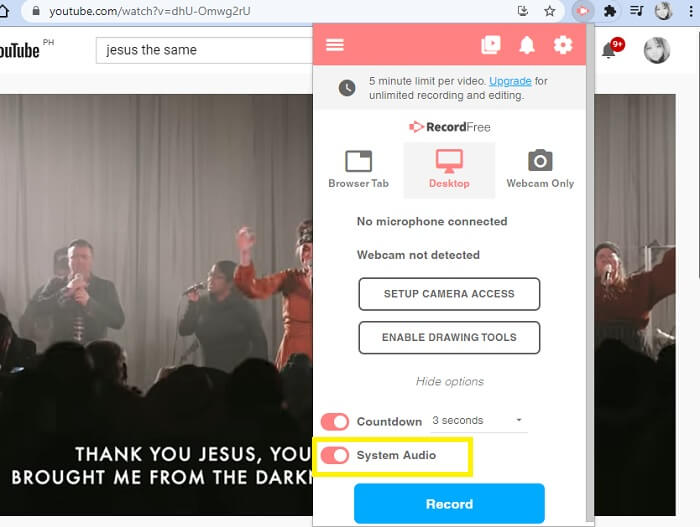
Screencast-O-Matic 是一个提供免费访问屏幕录制和视频编辑工具的网站。这里的工具主要由教育工作者、学生甚至专业人士使用。可以在此处轻松制作视频教程。除了屏幕和音频录制之外,您还可以使用站点的云托管在网络上进行屏幕捕获、托管和共享内容。此外,它们还提供录制音频的功能。更重要的是,您可以将其添加为 Chrome 上的扩展程序。
优点
- 它既可以在线访问,也可以下载。
- 免费应用程序的合理音频质量。
- 可用作流媒体工具,适用于视频教程。
缺点
- 您需要注册才能使用它。
- 它有一个漫长的注册过程。
- 无法单独录制音频。
6. 屏幕流
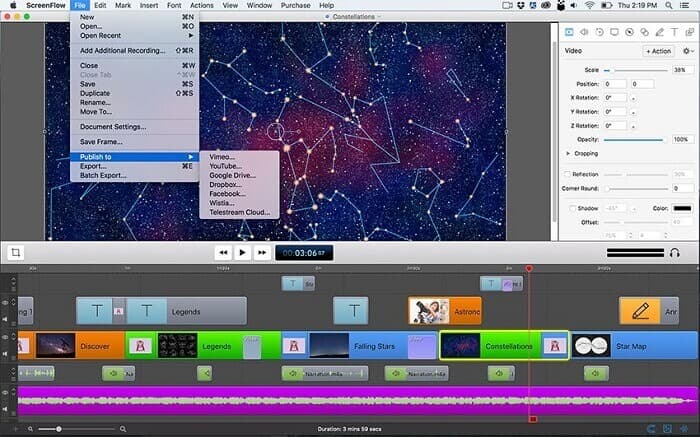
现在我们来看看最后三个 AAC 录音机工具。这次您将通过 Telestream 了解 ScreenFlow。它是一种工具,旨在帮助教育工作者、营销团队、视频博主等让他们的视频在网络上广为人知。人们喜欢该工具的一些最佳功能是文件共享功能、视频编辑、视频通话录音、屏幕捕获、内容库,最重要的是音频捕获功能。关于该工具还有更多内容有待发现。请参阅下面的列表以了解更多信息。
优点
- 可以进行多屏录制。
- 支持文本编辑。
- 支持视频管理。
- 直接上传到 YouTube。
缺点
- 在移动设备上不可用。
- 不支持访问控制。
7. Fraps
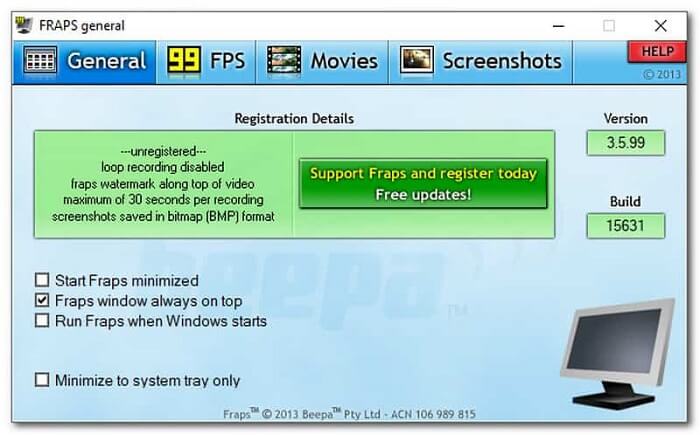
十多年来,Fraps 一直通过为初学者提供易于使用的屏幕录制工具来不断帮助人们。 Fraps 似乎是一个轻量级的工具,它承载了大联盟的功能,如基准测试功能、实时视频捕获、音频录制和可调整的 FPS。所有这些强大的功能都足以产生高质量的视频/音频记录。尽管开发人员停止更新该工具,但许多人仍然认为该工具值得使用。如果我们能尽快看到有关它的新更新,那就更好了。同时,这里还有一些其他有用的功能。
优点
- 可以单独录音。
- 支持视频录制的高清质量视频。
- 使用该工具时不需要自定义选项。
- 录制时将语音添加到系统声音中。
缺点
- 没有软件更新。
- 没有附加功能。
- 缺乏视频编辑功能。
本文中回顾的所有工具都是有用的,它们都是可靠的工具。尽管情况如此,但还是有一些工具非常突出。 FVC Screen Recorder(免费/付费)、OBS Studio和Screencast-O-Matic基于工具的更新频率和稳定性提高了预期。这三个工具在每次启动更新时都在改进工具功能和修复错误方面保持一致。更不用说这些都没有恶意软件感染。好吧,如果您正在考虑哪种工具对您有用,建议您选择这三个。
第 2 部分。 比较图表
| 特征 | FVC免费录音 | FVC 屏幕录像机 | 班迪康 | OBS工作室 | Screencast-O-Matic | 屏幕流 | 弗拉普斯 |
| 单独录音 |  | |  | | | | |
| 可调比特率 | | | | | | | |
| 支持 AAC | | | | | | | |
| 系统录音 | | | | | | | |
| 高音质 | | | | | | | |
| 设备平台 | 基于网络的 | 可下载的软件 | 可下载的软件 | 可下载的软件 | 可下载的基于网络的 | 可下载的软件 | 可下载的软件 |
第 3 部分。 关于 AAC 录音机的常见问题解答
为什么AAC有时不起作用?
You might encounter instances where the AAC file won't play on certain players. Not because it is broken but it is a limiting factor that is hindering it. It is possible because some audio codecs have a commercial license where you have to pay for it. Also, some companies choose to restrict or not support them. Here are some of the best music players you can try playing your AAC audio files.
AAC 是一个好的编解码器吗?
一般来说,是的!由于高分辨率播放,大多数 iPhone 用户将从中受益。但对于 Android 用户来说,情况就不同了。该格式被认为是一种耗电的编解码器,因此大多数 Android 设备可能会遇到不可靠的性能。
AAC 文件播放流畅,但没有音频输出。该怎么办?
通常原因是错误的音频编解码器。有时,如果环绕系统使用 AAC,您将无法通过 HDMI 或 SPDIF 听到音频。
结论
愿本文中回顾的工具列表能帮助您决定在录制 AAC 文件时使用哪种工具。您还可以参考创建的表格以轻松了解应用程序。您还可以参考文章中的常见问题解答以了解有关 AAC 文件格式的更多信息。
-
 最受欢迎的4种AVI屏幕录像机,可将屏幕视频捕获为AVI文件
 为了以高质量的 AVI 文件录制屏幕,本文在这篇文章中识别并分享了前 4 个免费的 AVI 屏幕录制器。了解更多详细信息以相应地找到所需的
-
 行动!屏幕录像机评论–缺点,优点及其最佳替代方案
 Action Screen Recorder 是捕捉游戏视频的理想游戏录制软件吗?只需从评论中了解更多详细信息,并从文章中了解其替代方案
-
 适用于计算机、iOS 和 Android 的 3 款最佳 Facebook 通话记录器
 当您想记录 Facebook 通话以保存有价值的东西时,有很多 Facebook 通话记录器可供选择。在这里,您可以了解 3 种为 PC、iOS 和 Android 录制 Facebook 视频通话的最佳工具。
