


 视频转换大师
 屏幕录影大师
 视频修复
视频修复
 安全下载
安全下载从语音备忘录制作铃声的综合指南
然而,许多开发者已经制作出了铃声制作软件。这意味着你可以自由地截取自己最喜欢歌曲的片段,或者录制自己的声音作为铃声。本文将向你解释如何将语音备忘录制作成铃声。我们希望你能在这里找到自己想要的答案。

第 1 部分。将语音备忘录设为铃声的最佳方法
如果你也在寻找一款功能全面的铃声制作工具,可以选择 FVC 精选的 Video Converter Ultimate,即使在竞争激烈的多媒体编辑软件市场中,它依然是行业领先者。不同型号的智能手机可能支持的铃声格式不同,但对 Video Converter Ultimate 来说,这完全不是问题。顾名思义,它的核心功能就是转换文件格式。因此,无论你录制或下载的语音备忘录是什么格式,都可以通过它转换成与你手机兼容的格式。你甚至可以用它直接从视频中提取音频,从而获得更多样的铃声选择空间。你还可以调整目标音频的音量、音轨、时长等。借助 Video Converter Ultimate,随心所欲地把语音备忘录变成铃声将不再只是一个梦想。
在这里,我们将告诉您如何编辑录制的或下载的语音备忘录,以便将它们用作铃声。
步骤 1:在电脑上下载并安装 Video Converter Ultimate。完成后,在桌面上启动该程序。
步骤 2:点击 添加文件(Add Files) 上传你想要编辑的音频。
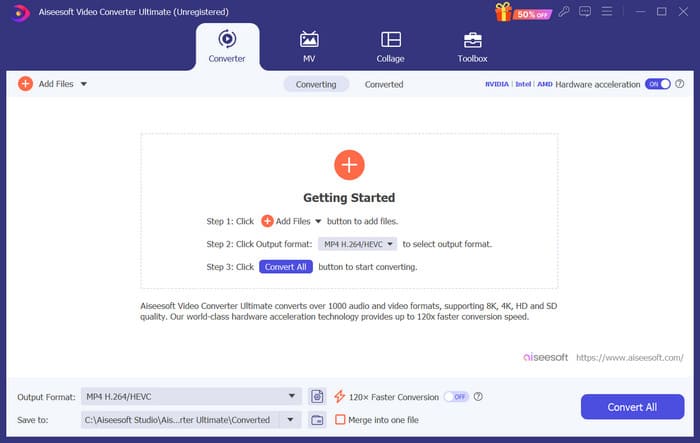
步骤 3:若要裁剪音频,点击 剪辑(Cut)。你可以调整文件的长度。完成裁剪后,点击 保存(Save)。
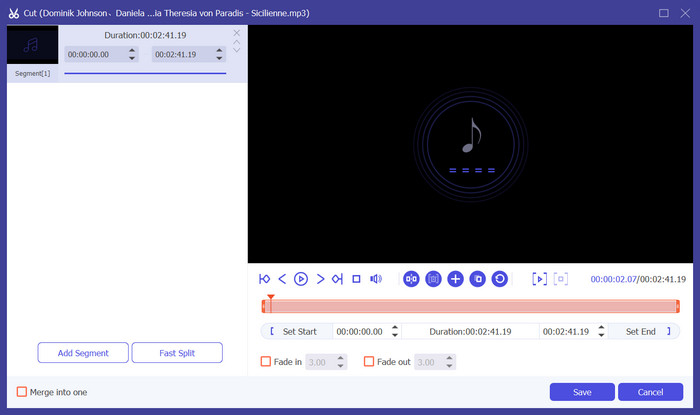
步骤 4:如需编辑语音备忘录的音量和音轨,点击 编辑(Edit)。在弹出的窗口中,你可以进行所需的调整。编辑完成后,点击 确定(OK)。
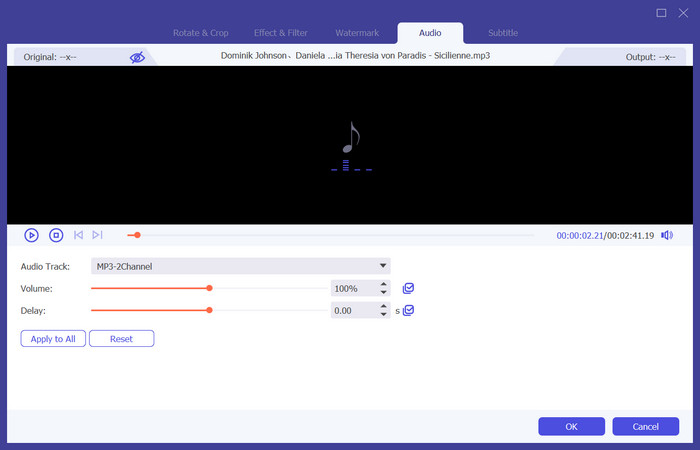
步骤 5:如果你需要更改文件格式,在“输出格式”(Output Format)旁的下拉菜单中进行选择。在这里,你可以为音频选择输出格式。
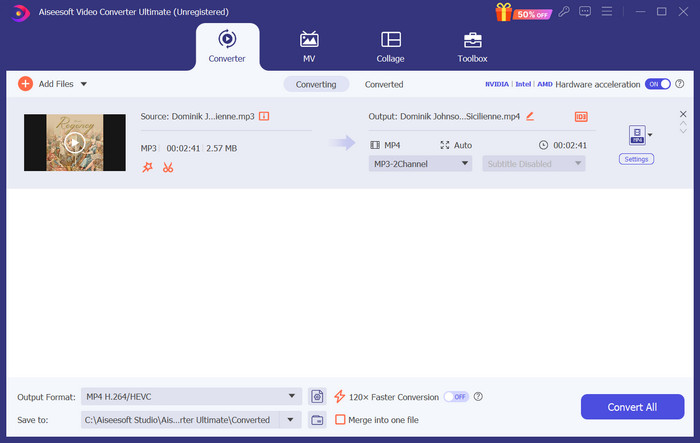
步骤 6:当你想导出已编辑好的铃声时,点击“全部转换”(Convert All)。
第 2 部分。如何在 iPhone 上将语音备忘录设为铃声
如果您想在 iPhone 上制作语音备忘录铃声,我们推荐 GarageBand。这是 Apple 开发的应用程序。用户可以使用它在 iOS 设备上创作音乐。它有许多用于音乐制作、录制、编辑和混音的工具。GarageBand 还可以与其他 Apple 软件集成。这意味着我们可以轻松地在 GarageBand 和其他软件之间传输项目以进行进一步编辑。这款应用因其用户友好的界面、广泛的功能和可访问性而受到专业用户和初学者的欢迎。所有设置都可以在手机上完成,无需任何其他设备的帮助。
以下是将语音备忘录转换为铃声所需要执行的操作。
步骤 1:在设置铃声之前,你需要先在 iPhone 上打开 语音备忘录(Voice Memo) 应用,选择一个语音备忘录。
步骤 2:选中目标语音备忘录后,点击“三个点”的图标。选择 存储到文件(Save to Files),然后再次点击 存储(Save) 以确认操作。
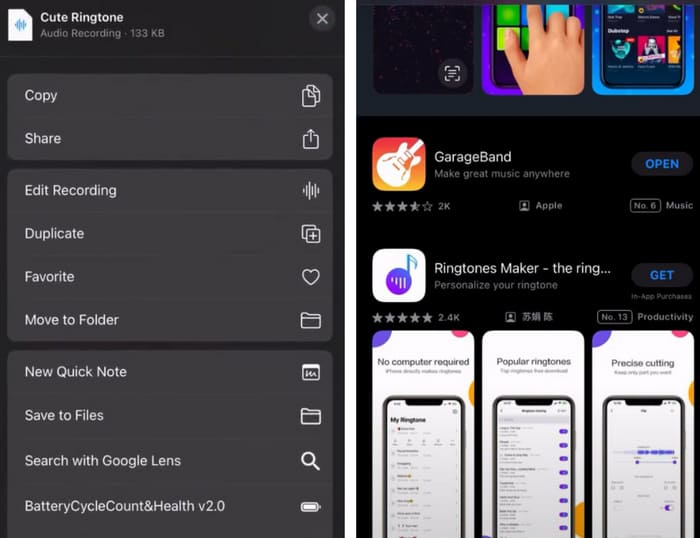
步骤 3:在 iPhone 上打开 GarageBand(车库乐队),并点击“工程”(Project)。
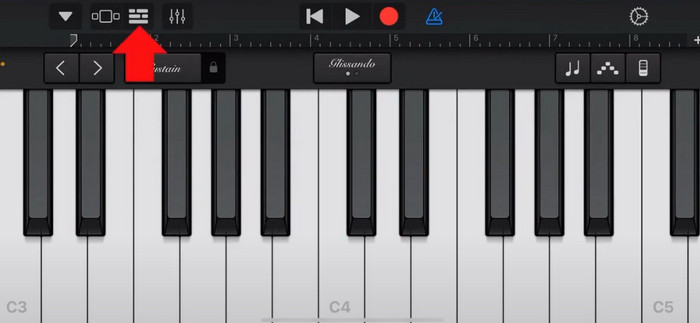
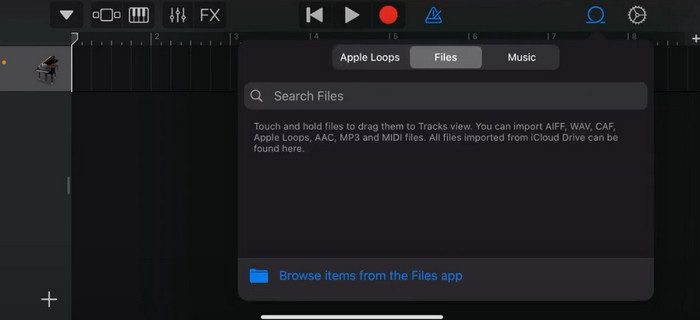
步骤 4:选择 循环(Loop) > 文件(Files)。随后,点击“从文件 App 浏览项目”(Browse items from the Files app)以选择目标语音备忘录。
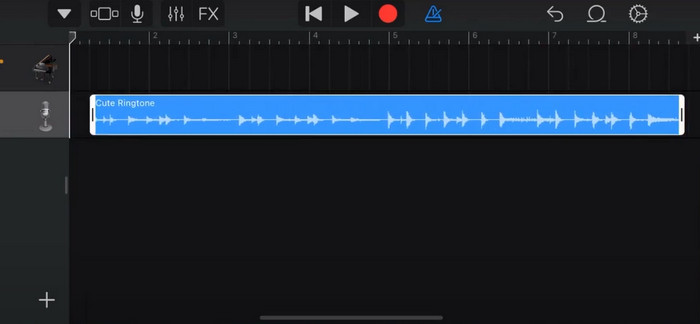
步骤 5:将该文件拖放到时间轴上。
步骤 6:关闭节拍器(Metronome),然后点击向下箭头图标 > “我的乐曲”(My Songs)。
步骤 7:长按该片段,然后选择“共享”(Share)。
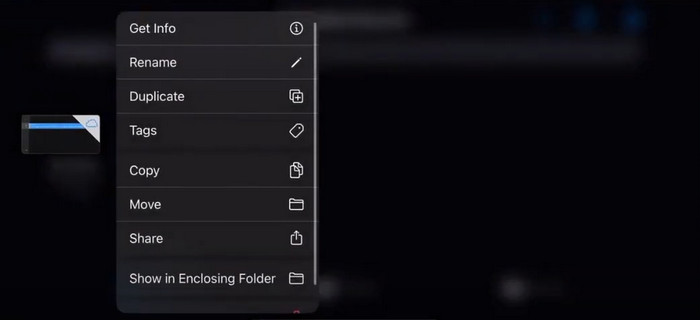
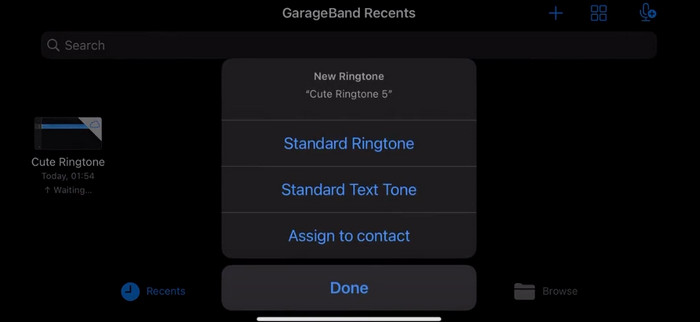
步骤 8:在所有选项中选择“铃声”(Ringtone),并点击“导出”(Export)。最后,点击 用声音作为(Use sound as) > 标准铃声(Standard Ringtone)。这样,你就成功地将语音备忘录制作成了铃声。
第 3 部分。如何在 Android 上将录音设为铃声
如果您使用的是 Android 手机,并且想要将录制的音乐转换为铃声,您可以直接在手机的“设置”应用中进行操作。该过程非常简单,无需为此过程下载任何软件。但是,如果您想修改录制的音频,您可以选择专业的音频和视频编辑软件,例如 FVC 精选的 Video Converter Ultimate。
接下来,我们将教你如何在 Android 手机上把语音录音设为铃声。本部分将以三星手机为例。在开始之前,你需要确保已经将录音文件保存在 录音机(voice recorder) 应用中。
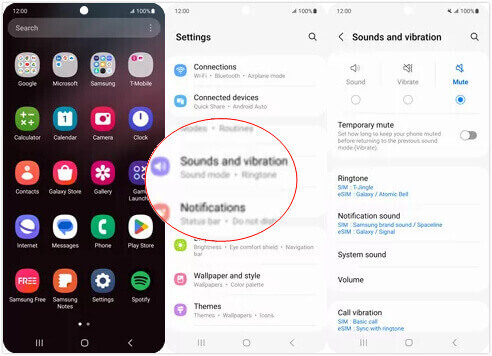
步骤 1:在手机上打开 设置(Settings),然后选择 声音和振动(Sounds and vibration)。
步骤 2:在 声音模式(Sound mode) 下,确保已选择 声音(Sound)。然后,选择“通知提示音”(Notification sound)。
步骤 3:选择你录制好的音乐文件。最后返回主屏幕以应用这些设置。
第 4 部分。将语音备忘录设为铃声的常见问题
Android 的铃声有哪些格式?
Android 设备的铃声可以采用多种音频文件格式,但最常支持的格式是 MP3、AAC、M4A、OGG 和 WAV。
如何在 iPhone 上将语音备忘录保存为歌曲?
在 iPhone 上打开语音备忘录应用,找到要保存为歌曲的语音备忘录。请点击语音备忘录将其打开,然后按共享图标查看可用的共享选项。您可以选择将语音备忘录保存到文件应用。之后,您可以在 iPhone 上打开支持导入音频文件的音乐应用。GarageBand 或 Music Memos 等应用很合适。
如何在 Android 三星上录制音频?
若要在 Android 三星设备上录制音频,请使用内置的“语音录音机”(Voice Recorder)。打开应用并点击 录音(Record) 开始录制。录制完成后,你可以保存该音频文件并为其命名,以便日后查找。
结论
在本文中,我们回答了如何将语音备忘录变成铃声这一问题。我们向你推荐了其中一款优秀的铃声编辑工具——FVC Video Converter Ultimate。文中分别列出了在 iPhone 和 Android 手机上把语音备忘录设置为铃声的方法。针对每一部分,我们也提供了完整的分步图文式说明,以防你在操作过程中遇到问题。
-
 将 WAV 文件压缩为较小尺寸的 3 大解决方案
 如果你也在寻找压缩WAV音频文件大小的方法,请阅读我们的内容。我们将从三个方面向你介绍不同的工具。
-
 2024 年深入音频压缩教程(分步)
 您是否需要压缩音频但需要帮助弄清楚从哪里开始?在这篇文章中,我们将介绍减少曲目文件大小的最佳选择。
-
 适合离线和在线用户的有效音频压缩器
 处理大型音频文件时遇到问题?有许多音频文件压缩器可供离线和在线用户使用。在这里查看它们。
