


 视频转换大师
 屏幕录影大师
 视频修复
视频修复
 安全下载
安全下载获取有关如何将 NEF 转换为 JPG 的最终程序
在拍摄照片时,我们总是希望用最佳画质来保留生活中那些难忘的瞬间。这也是人们购买高端相机以获得出色成像效果的原因。不过,其实只要保存相机拍摄的原始图片,就能得到最高画质。但这也会带来不少问题。NEF 是 Nikon Electronic Format(尼康电子格式)的缩写,是尼康(最受欢迎的相机厂商之一)使用的一种原始图像格式。有时,你可能无法在电脑上直接查看这类文件,它需要专业的软件才能打开,而这些软件往往价格不菲且操作复杂。在这种情况下,最好的解决方案就是把 NEF 文件转换成像 JPG 这样通用的图像格式。这种格式的灵活性可以让你几乎在任何设备上查看照片,同时还能节省存储空间。如果你想把自己的文件转换成 JPG,请继续阅读本指南,了解几款好用的NEF 转 JPG转换工具。

第 1 部分 NEF 与 JPG
| 文件格式 | 能源基金 | 图片/图片 |
| 文件扩展名 | .nef | .jpg / .jpeg |
| 全名 | 尼康电子格式 | 联合摄影专家组 |
| 由开发 | 尼康 | 联合摄影专家组 |
| 描述 | 尼康原始图像文件被称为 能源基金 文件。与其他 RAW 图像文件一样,NEF 文件保存相机在处理之前记录的所有信息。它包括像相机和镜头模型这样的元数据。 NEF 照片提供令人难以置信的高图像质量。 | 联合摄影专家组创建了 JPG 1980 年后期的格式。它还包括在数码相机和其他复制工具上存储图片。 JPEG 文件使用有损压缩方法最多可存储 24 位颜色和更多图像。 |
| 压缩 | 有损的 | 有损的 |
| 相关程序/浏览器 | Adobe Lightroom IrfanView 图形查看器 Adobe Photoshop ViewNX 2 Pics.io | IrfanView 图形查看器 照片程序 Paint Adobe Photoshop Google Chrome Internet Explorer Microsoft Edge Mozilla Firefox |
第 2 部分。如何在 Web 上将 NEF 转换为 JPG
如何在 Safeimageconverter 上将 NEF 转换为 JPG
使用 Safeimageconverter 可以在线快速将 JPF 转换为 NEF 图像格式。借助这个简单的在线工具,你可以轻松更改文件格式。该图片转换器完全免费、基于网页且无需安装,因此你可以随时使用,而无需支付任何费用。你只需把原始文件上传到该工具中,就能获得转换后的 NEF 格式图片文件。此外,这个工具非常实用,可以帮我们节省宝贵时间,我们可以快速、轻松地将 JPG 转换为 NEF 格式。你可以直接在浏览器中完成文件转换。不过,在转换图片文件时,页面上会出现许多干扰性的广告。另外,在某些情况下,这个在线工具在转换结束后会出现错误提示。使用此在线工具时,还需要有网络连接。
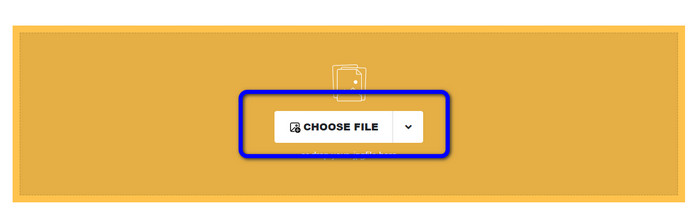
步骤 1. 进入 Safeimageconverter 的网站,然后点击 Choose File(选择文件) 按钮,上传你想要转换的 NEF 文件。
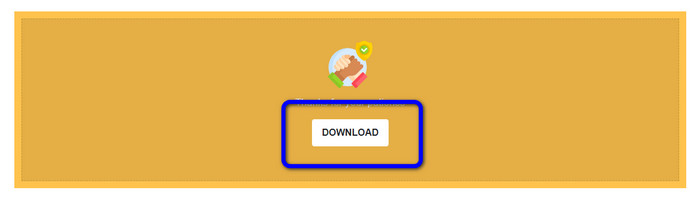
步骤 2. 上传完成后,图像转换器会自动开始转换图像文件。转换完成后,点击 Download(下载) 按钮,即可将转换后的图片保存到电脑中。
第 3 部分。在 Mac 和 Windows 上将 NEF 转换为 JPG 的实用方法
如果你更倾向在 Windows 或 Mac 上将 NEF 转换为 JPG,可以使用 Photoshop。Adobe Photoshop 不仅适合进行图像编辑,在转换包括 NEF 在内的多种文件格式方面也同样可靠。此外,你还可以在 Photoshop 中对 NEF 进行批量转换为 JPG。它的转换速度也很快,适合各类用户使用。而且这款离线程序能够很好地保持图像质量,这样在转换文件之后,仍能确保照片维持令人满意的清晰度和细节。不过,Adobe Photoshop 并不是 100% 免费的,你需要购买订阅方案才能完整使用该程序,它只提供 7 天的免费试用版本。另外,它的安装过程也相对繁琐。
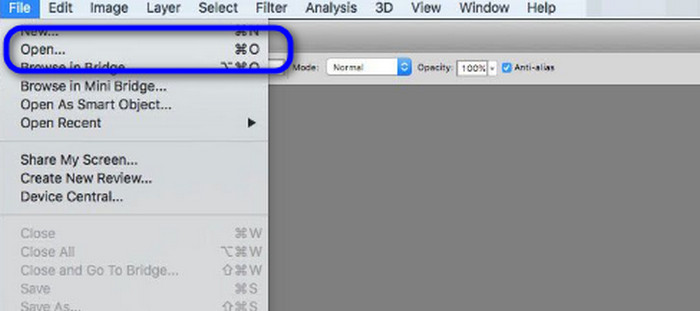
步骤 1. 在电脑上下载并安装 Adobe Photoshop。安装完成后启动程序,进入主界面。随后,打开 File(文件) 菜单,选择 Open(打开) 来导入 NEF 图像文件。
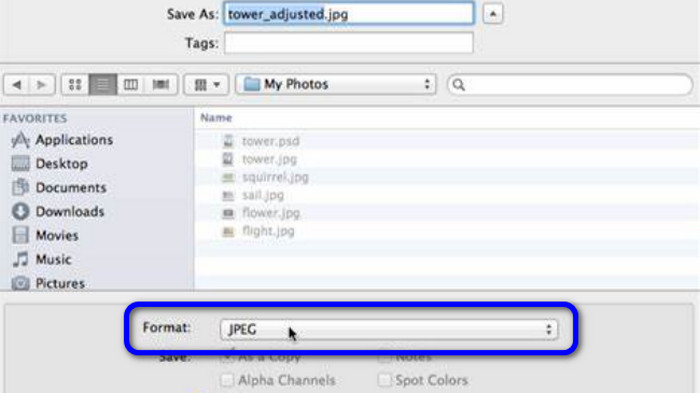
步骤 2. 将 NEF 图像导入界面后,再次进入 File(文件) 菜单,选择 Save as(另存为) 选项。
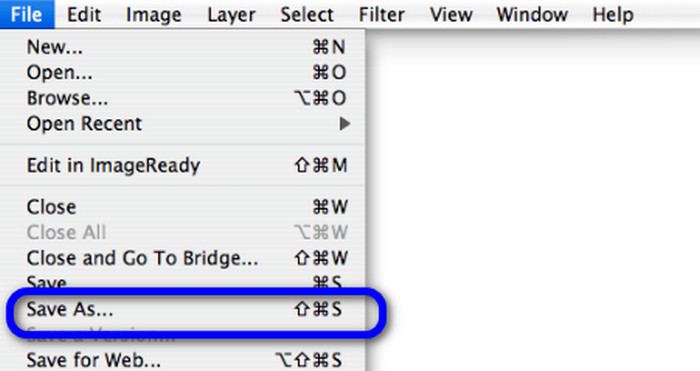
步骤 3. 然后在格式选项中选择 JPG,再点击 Save(保存) 即可。
第 4 部分。推荐的图像转换器
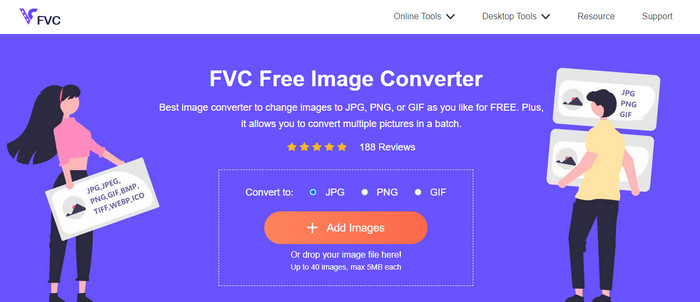
在本部分中,如果你还在寻找能在线转换其他图像格式的工具,那么使用 FVC Free Image Converter 将是很好的解决方案。这个在线图像转换器可以轻松转换多种格式,支持 JPG、PNG、GIF、BMP、TIFF 等等。此外,你可以在多种浏览器中访问这个转换器,如 Google、Explorer、Edge、Firefox 等。再者,你可以在几秒钟内完成转换过程,对所有用户来说都十分方便。你还可以在此在线工具中一次上传多张图片。借助其批量转换功能,你可以同时上传多达 40 张图片。另外,在下载转换后的图片时,只需一次点击就能全部下载。
第 5 部分。有关将 NEF 转换为 JPG 的常见问题解答
1. 是否可以将 JPG 转换为 NEF?
遗憾的是,您无法将 JPG 文件转换为 NEF。这是因为 NEF 是在尼康相机上实际拍摄的照片。每当摄影师使用尼康相机并上传数字文件时,都会使用 NEF 格式。
2.怎么打开.NEF文件?
如果您的 Windows 上有正确的编解码器,您可以轻松打开 NEF 文件。但是,如果您无法打开 NEF 文件,则需要可下载程序的帮助。您可以使用 Microsoft Camera Codec Pack、Adobe Photoshop、Irfan View、GIMP 等。
3. 为什么要从 NEF 转换为 JPG?
必须将 NEF 转换为 JPG,因为某些程序和图像编辑器不支持 NEF 文件。此外,NEF 的文件很大,会占用过多的设备存储空间。所以,最好的选择是将 NEF 文件转为 JPG。
结论
NEF 文件可以为你提供高质量的图像,但令人烦恼的是,一些浏览器和程序并不支持这种文件格式。好在本文为你提供了将 NEF 转 JPG 的优秀解决方案。此外,文章还介绍了另一款可用于转换其他图像格式的在线转换工具——FVC Free Image Converter。你可以使用这款在线转换器来处理多种不同的图像格式。
-
 轻松将 JFIF 转换为 JPG 的 4 种可靠方法
 本指南将告诉您有关在线和离线将 JFIF 转换为 JPG 的所有信息。如果您想学习最有效的方法,请立即阅读这篇文章!
-
 如何在不损失质量的情况下将 GIF 转换为 JPG
 阅读并获得将 GIF 专业转换为 JPG 的最有效方法。您将在完美图像转换器的指导下学习转换图像文件
-
 将图像转换为矢量的简单易懂的程序
 这里有一些关于如何矢量化图像的非凡方法。此外,您将对可以使用的图像转换器有足够的了解。
