


 视频转换大师
 屏幕录影大师
 视频修复
视频修复最佳免费图像尺寸缩小器 [在线、桌面和移动]
照片在捕捉人们最美笑容方面起着至关重要的作用,同时对吸引并维持网站用户的注意力也非常关键。与以往不同,如今最新的高品质相机能够拍摄出高清高质的照片,但也带来了体积巨大的图片文件。然而,这类照片文件因为尺寸过大,并不适合直接用于网页,会导致加载时间延长。由于图片可能影响网站的加载速度,对其进行优化至关重要,因此就有必要对图片文件进行缩放或压缩。由此可见,在保证画质的前提下,一个可靠的图片压缩工具(image size reducer)有多重要不言而喻。如果你正在寻找一款在线调整图片尺寸的工具,就必须把画质保留放在首位。幸运的是,现在已经有不少不会牺牲文件质量的图片缩放工具可供选择。所以,如果你迫不及待想认识这些优秀的图片压缩工具,不妨继续往下浏览。

第一部分:为什么需要减小图像尺寸
在了解当今最好的工具之前,让我们先清楚了解一下为什么需要减少图像文件。首先,在当今的数字时代,个人面临着设备存储容量的限制。这阻止了他们无限期地在手机上积累大量图像。因此,当需要恢复存储空间时,我们通常采用的传统解决方案是删除珍贵的照片、应用程序和文档。很少有人知道存在一种不需要放弃图像的替代解决方案。因此,通过使用图像大小压缩器或调整器(如本文所述),您可以有效地调整照片的文件大小。这使您无需删除即可恢复宝贵的存储空间,并继续捕捉和保存更多时刻,而不必担心设备的空间限制。
第 2 部分。桌面上最热门的免费图像尺寸缩小器
1. FVC 免费图像压缩器
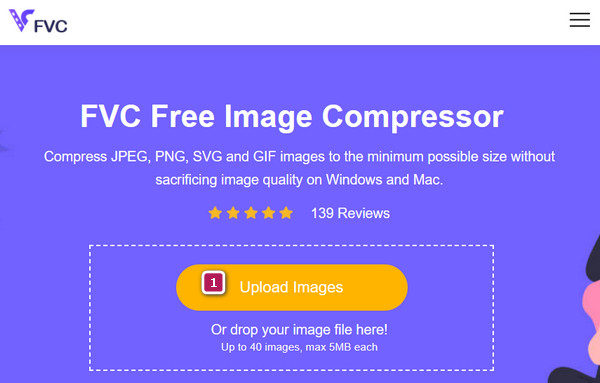
FVC Free Image Compressor是本篇推荐名单中首先要关注的免费压缩工具。它是一款非常值得称道的在线工具,在图片压缩的效率和速度方面表现突出。该压缩器采用了精心设计的高级优化与压缩算法,是减小图片体积的可靠选择。值得一提的是,这款图片压缩工具适用于多种图片格式,除了 PNG、SVG 和 JPEG 外,还支持动态 GIF。除此之外,FVC Free Image Compressor 还能满足不同需求,一次最多可处理 40 张图片,每张最大 5MB。该工具为你提供了充足的灵活度,可应对多种压缩需求,而且你完全可以高效地将其应用到自己的照片当中。
还有什么?此工具致力于保持原始分辨率和图像质量,同时显著减小文件大小。其主要目标是在不损失图像视觉完整性的情况下实现大幅尺寸减小。此 FVC 免费图像压缩器的一个值得注意的功能是它支持批量压缩,让您可以方便地同时调整多张照片的大小。
功能特色:
◆ 它是一个批量图像文件大小缩小器。
◆ 压缩过程迅速。
◆ 输出质量高。
◆ 安全的服务器环境。
加分内容:如何高效压缩图片
步骤 1. 首先,在任意浏览器中访问 FVC Free Image Compressor 的官方网站。
步骤 2. 进入网站后,点击Upload Images(上传图片)按钮,或将要压缩的图片文件拖拽到页面中进行上传。
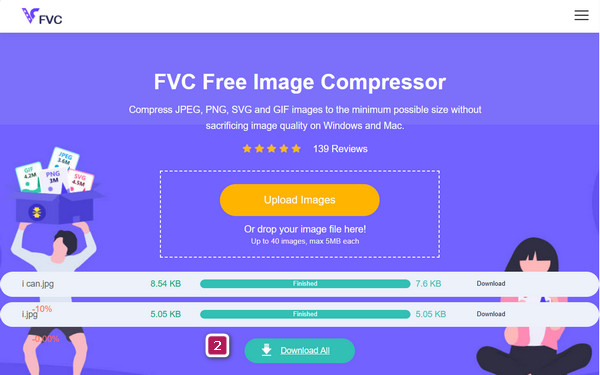
步骤 3. 上传完成后,工具会自动开始快速压缩过程。完成后,点击Download All(全部下载)按钮,即可导出体积更小的输出文件。
排名前 2. TinyPNG
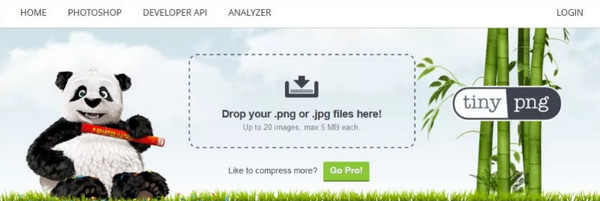
下一个顶级免费在线图像 MB 大小缩减器是 TinyPNG。它是一项有价值的免费在线服务,旨在轻松压缩图像。此外,它还配备了一个用户友好的界面,使压缩过程变得无缝。该平台还可以压缩多达 20 张照片,每张照片的最大文件大小为 5 MB。不仅如此,TinyPNG 还允许您每月压缩 100 张图片,为常规使用提供了大量配额。TinyPNG 对于希望为应用程序或在线商店缩小图片大小的个人特别有益,因为它的性能非常出色,通过节省超过 70% 的原始图像大小实现了令人印象深刻的效果。这就是为什么它是提供无缝图像压缩过程的第二佳选择。
功能特色:
◆ 保留原有品质。
◆ 批量压缩过程。
◆ 高效压缩。
◆ WordPress 集成。
优点
- 它使用图像尺寸压缩器而不会损失质量。
- 它允许同时批量上传最多 20 张照片。
- 它允许拖放上传过程。
缺点
- 它将图像的大小限制为 5MB。
- 如果您想压缩大文件,您可能需要注册。
3. 批量调整照片大小
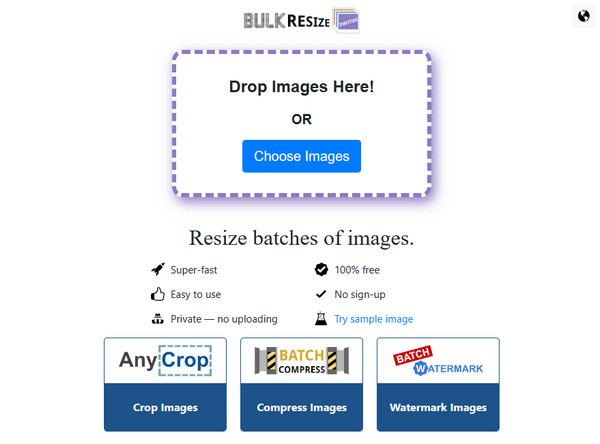
Bulk Resize Photos 是另一款多功能在线工具,可高效调整多张图片的大小。与之前的工具一样,Bulk Resize Photos 可适应 PNG、JPEG 和 WEBP 等格式。此外,该工具还提供了一项附加功能,可让您轻松修改图片的背景颜色。它还包括一个方便的压缩工具,可让您无缝地将图片大小从兆字节缩小。值得注意的是,使用此图片大小缩小器可确保文件安全,为处理图片文件提供可靠且安全的环境。
功能特色:
◆ 无需注册。
◆ 增加了多项功能。
◆ 批量文件压缩。
◆ 压缩过程快速。
◆ 图像转换器。
优点
- 导航非常方便。
- 它允许图像转换。
- 它可以显著压缩巨大的图像文件。
缺点
- 它没有预览选项。
- 它可能需要强大的互联网。
4. GIMP
如果您正在寻找一款理想的图像编辑器,让您可以离线压缩图像,那么您可能正在寻找 GIMP。该工具旨在使用其自适应压缩方案对 JPEG 图像实现最佳压缩。除了此功能外,它还添加了高级选项,为您提供广泛的图像大小调整功能。使用此图像文件大小缩减软件,您可以在减小图像大小时自定义质量。但是,请记住,随着您在 GIMP 中减小尺寸,图像质量的损失可能越大。
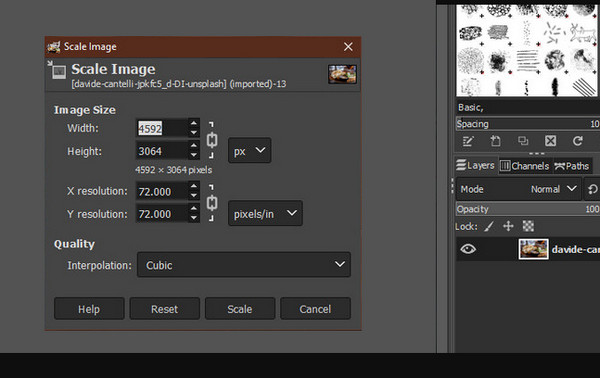
功能特色:
◆ 预览窗口。
◆ 尺寸调节器。
◆ 数字输入。
◆ 插值方法。
优点
- 它是一个免费的开源工具。
- 它支持多个平台。
- 它具有先进的功能。
- 它提供学习资源。
缺点
- 它不太直观。
- 它需要大量资源。
- 您需要花一些时间来下载它。
第 3 部分。4 个最佳图像尺寸缩小应用程序
1. Pixlr - 照片编辑器
想要一款多功能的照片编辑应用?那就前往应用商店下载 Pixlr,它最初名为 Pixlr Express。这款应用是一款功能多样的照片编辑器,内置了丰富多元的工具,可以帮助你制作吸睛的照片拼贴、进行精细修图和画面增强。此外,这款适用于 iOS 和 Android 的图片大小缩减工具还能轻松去除红眼、通过牙齿美白来提升笑容,从而全面优化你的照片质量。可以说,它是理想的图片体积缩减工具,却不会过度处理成画质损伤工具(image quality reducer)。
功能特色:
◆ 自动增强和自动修复功能。
◆ 社交媒体整合。
◆ 附加的照片编辑工具。
优点
- 它是一款出色的照片编辑器和压缩器。
- 适用于 Android 和 iOS。
- 它提供修饰工具。
缺点
- 由于错误,它偶尔会崩溃。
2. Resize Me! - 照片调整器
另一款可帮助您调整图片大小的应用程序名为 Resize Me!这是一款用户友好且高效的照片调整工具,旨在确保在调整图片尺寸时获得流畅而直接的体验。它提供了自定义尺寸选择的灵活性,并且该应用程序通过合并裁剪和旋转等附加功能超越了简单的调整大小。这些功能使您能够对照片进行精确调整。总的来说,如果您正在寻找一款可靠的图片尺寸压缩器,这款应用程序将满足您的基本和高级需求。
功能特色:
◆ 图片尺寸定制。
◆ GPS 数据保存器。
◆ 图像裁剪和旋转工具。
◆ 批量调整尺寸以压缩 GIF、PNG、JPEG 等多种格式。
优点
- 它提供图像调整大小选项。
- 它允许多种图像尺寸的缩小。
- 它是完全免费的。
缺点
- 没有可用的 iOS 版本。
3. 图像尺寸 - 照片调整器
你在意宽高比吗?那接下来的这款应用就很适合你。Image Size 是一款免费的iPhone 图片缩放应用,同样支持 Android,主打快速修改图片的长宽比。它为你提供厘米、毫米、英寸和像素等实用单位。之所以特别适合你,尤其是新手用户,是因为它能让你快速又轻松地调整照片尺寸。
功能特色:
◆ 添加了过滤器、贴纸、文本等。
◆ 90 度图像旋转器。
◆ 输出尺寸定制器。
优点
- 它是一个免费的照片尺寸缩小器。
- 它提供了多种尺寸选择。
- 它很容易使用。
缺点
- 它带有广告。
- 它可能会崩溃。
4. 照片和图片调整器
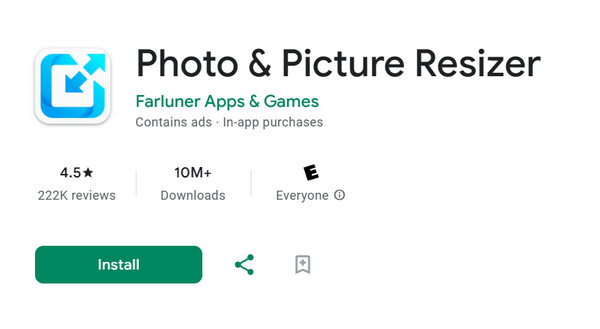
最后,这款照片和图片调整器是一款方便的应用程序,可以以最小的努力高效地调整照片大小。不过,在使用它时,您可能需要忍受偶尔出现的广告。尽管如此,它有一个显着的批量调整大小功能,使您可以选择多张照片同时进行调整。此外,调整大小的过程很简单:只需选择您想要的照片,自定义您的偏好,然后您的调整大小的照片就准备好了!此外,此应用程序还提供原始批次和调整大小后的批次之间的详细比较。此功能不仅简化了调整大小的过程,还允许您对图像的存储影响做出明智的决定。
功能特色:
◆ 批量调整图像大小。
◆ 品质定制者。
◆ 原有画质保持器。
优点
- 它允许拍照。
- 它让你 调整多张图片的大小 立刻。
- 它可以保持图像的原始质量。
缺点
- 广告可能会在您使用时分散您的注意力。
- 它不适用于 iOS。
第 4 部分。有关照片缩减器的常见问题解答
FastStone 可以减小图像尺寸吗?
是的,FastStone 可以通过其批量调整大小功能帮助您减小图像尺寸。
电子邮件附件的理想大小是多少?
一般情况下,邮件附件大小建议在10MB以下,这样可以保证传输的顺畅,避免邮件服务器的限制。
哪个应用程序最适合最小化照片尺寸?
最好的应用程序可能取决于您作为照片调整器大小的偏好。
结论
本文汇总了适用于桌面端和移动设备的最佳免费图片压缩工具(image size reducers)。你有足够多的工具选择来匹配自己的偏好,因此只需根据所使用的设备类型来挑选即可。
-
 在桌面、iPhone 或 Android 上为 Instagram 调整照片大小
 如果您想为 Instagram 调整照片的大小,那么我们将向您展示如何操作的步骤。阅读以了解为 Instagram 调整照片大小的步骤。
-
 专业修复模糊图片的方法
 如果您想学习有关如何使用计算机、iPhone 和 Android 设备使图像不那么模糊的最直接的教程,请转到这篇文章。
-
 了解如何在 Word 中调整图片大小的正确方法
 有许多程序可以帮助您调整图片大小。但在此页面上,我们将向您展示如何在桌面上的 Word 中调整图片大小的最佳方法。
