


 视频转换大师
 屏幕录影大师
 视频修复
视频修复
 安全下载
安全下载惊人的Photobucket水印去除剂[简单方法]
Photobucket 是一款供人们进行图片托管、充当个人和商业用途“照片钱包”的应用程序。通过这款软件,你可以在任何地方嵌入你的照片,并为图片添加滤镜、贴纸、注释以及进行裁剪。此外,当你使用 Photobucket 保存照片时,图像质量不会受到影响。不过,由于 Photobucket 上的图片是 Shutterstock 图片,你无法下载无水印的图像。好在我们为你准备了一款工具,可以帮你去除图片中的 Photobucket 水印。继续阅读本文,了解最出色的Photobucket 水印去除器。

第 1 部分。如何使用免费水印去除剂去除 Photobucket 水印
许多人在寻找易于使用的水印去除器时遇到了困难。使用水印去除器很复杂;我们搜索了用于删除照片上的 Photobucket 水印的最佳应用程序。这是免费使用的工具,可以轻松删除图像上的 Photobucket 水印。
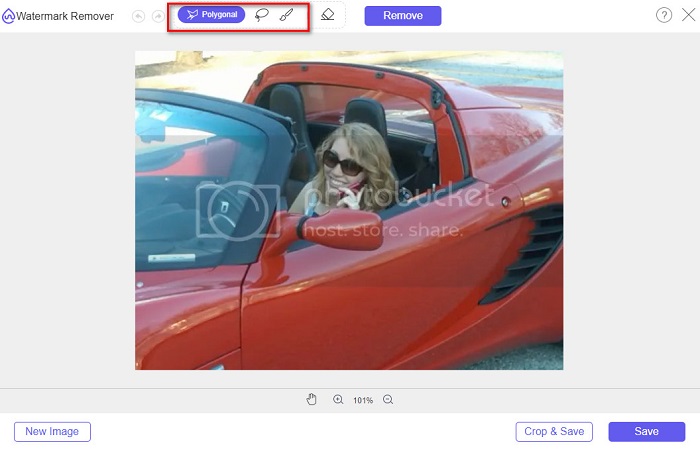
FVC Free Watermark Remover 是一款在线应用,可以帮助你去除图片或视频上的水印。这个在线水印去除工具非常易用,因为它拥有直观的用户界面和详细的使用指南。除此之外,它不仅能去除你图片上的 Photobucket 水印,还可以去除任何 JPEG、JPG、PNG 和 BMP 照片上的水印。而且,使用该工具去除水印后,你的图片会以相同格式保存。更棒的是,这款在线水印去除器提供多种去除工具可选,包括多边形、套索和画笔三种方式。若在去除水印过程中出错,你还可以执行撤销操作。
优点
- 它是一个用户友好的工具。
- 与其他在线工具不同,它不包含广告。
- 当您犯错时,它具有橡皮擦功能。
- 可在所有浏览器上访问,包括 Google、Firefox 和 Safari。
缺点
- 当您的 Internet 连接速度较慢时,您可能会遇到操作过程缓慢的情况。
使用 FVC Free Watermark Remover 去除 Photobucket 水印的步骤:
步骤 1. 在浏览器中搜索 FVC Free Watermark Remover,然后点击在搜索结果页面中首先出现的那个页面。他们的网页界面如下所示:
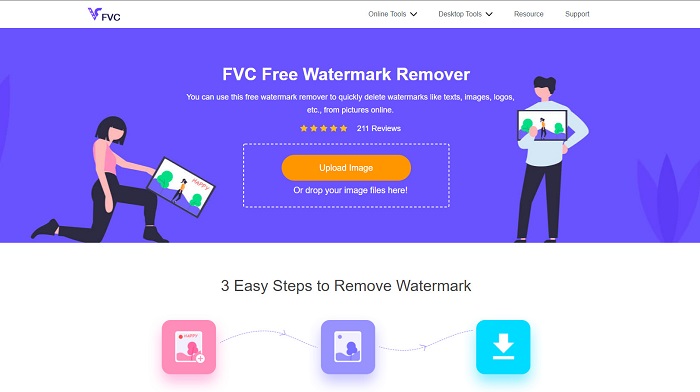
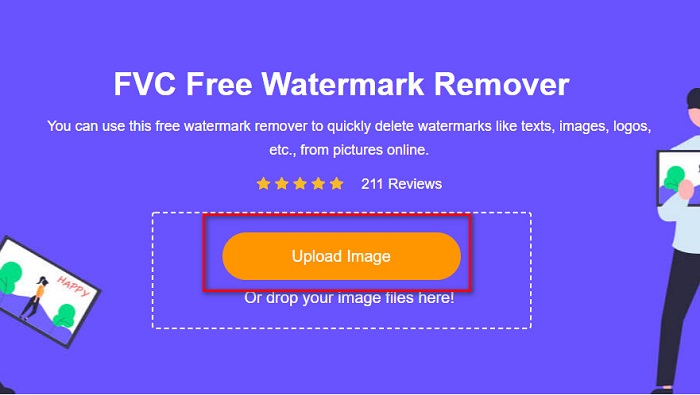
步骤 2. 在软件主界面上,点击 Upload Image(上传图片)按钮,上传你的 Photobucket 图片。此时会弹出电脑文件夹窗口,选择你的 Photobucket 图片,然后点击 Open(打开)。
步骤 3. 接着,在上方选项中选择你想使用的去除工具。你可以在 polygonal(多边形)、lasso(套索)或 brush(画笔) 之间进行选择。
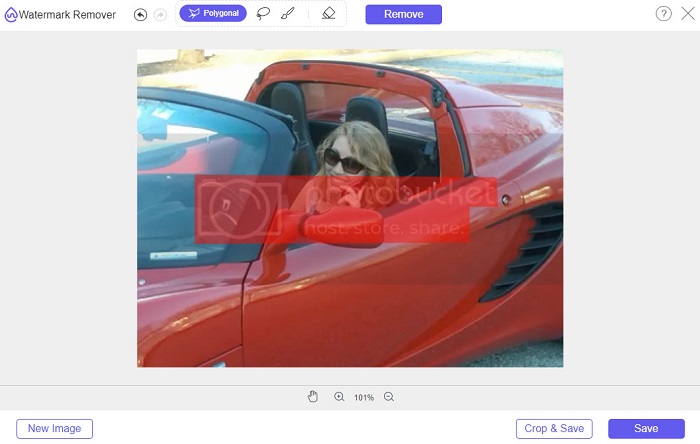
步骤 4. 使用 polygonal(多边形) 选项,勾画出你想要去除的部分,然后点击 Remove(去除)。
步骤 5. 点击 Save(保存)按钮,你的文件就会自动保存到电脑中。

容易不是吗?您只需五个简单的步骤即可删除 Photobucket 照片上的水印。
第 2 部分。 如何使用 Photoshop 删除 Photobucket 水印
Adobe Photoshop 是许多人用来编辑图片的工具之一。你也可以使用 Adobe Photoshop 来去除图片上的水印。下面你将了解如何使用 Photoshop 去除 Photobucket 图片上的水印。
优点
- 它有许多编辑功能可供使用。
- 它是最流行的图像编辑应用程序。
- 专业地编辑您的图像并去除水印。
缺点
- 它对初学者不友好。
步骤 1. 在电脑上安装 Adobe Photoshop,然后运行该应用,并在 Photoshop 中打开图片。
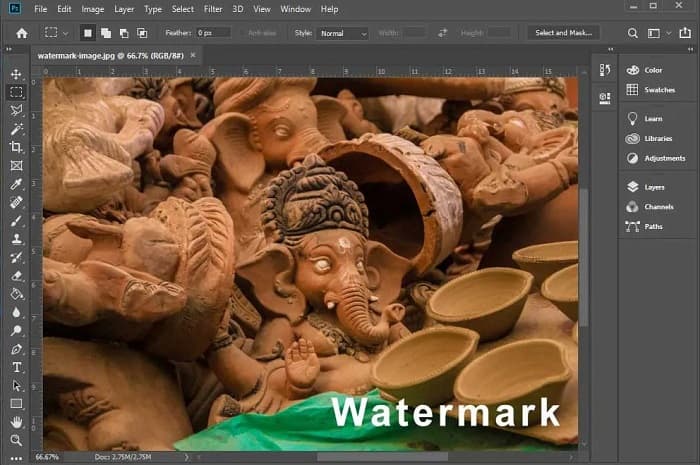
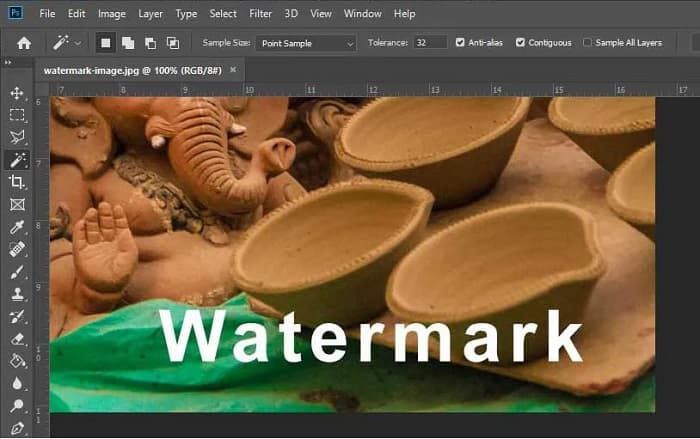
步骤 2. 接着,点击 Magic Wand Tool (W)(魔棒工具),然后放大到水印所在区域,按下 CTRL + 键进行放大。使用 Magic Wand Tool 选中你想要去除的水印。
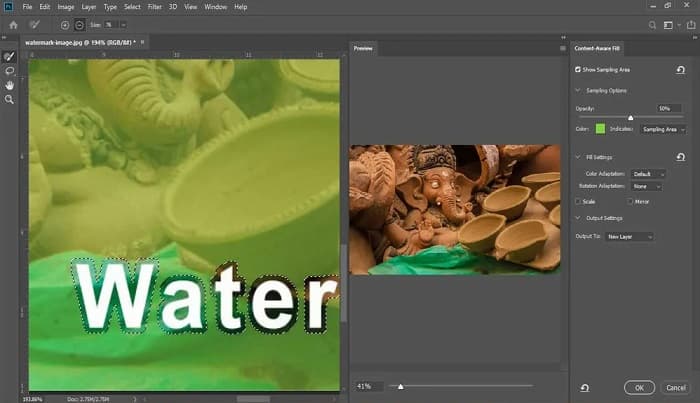
步骤 3. 最后,进入 Edit(编辑)菜单,选择 Content-Aware Fill(内容识别填充)。Content-Aware-Fill 将自动帮你去除水印。
第 3 部分。如何使用 PixlR 删除 Photobucket 水印
你可使用的另一款 Photobucket 水印去除工具是 PixlR。PixlR 是一款免费的在线照片编辑器。这个在线工具不仅可以用来编辑图片,还能帮助你去除照片上的水印。该水印去除工具支持多种图片格式,如 PSD、PXD、JPEG、PNG、SVG 等。PixlR 拥有简洁的界面,只需几次点击就能轻松去除水印。此外,你还可以在移动设备上使用这款应用。
优点
- 它有一个简单的用户界面。
- 它允许您设置图像的质量和大小。
- 您可以免费访问它。
缺点
- 有时可能会出现缓慢的操作过程。
步骤 1. 打开 PixlR 照片编辑器。要上传你的照片,点击 Open Image(打开图片)按钮。你也可以使用 URL 上传你的照片。
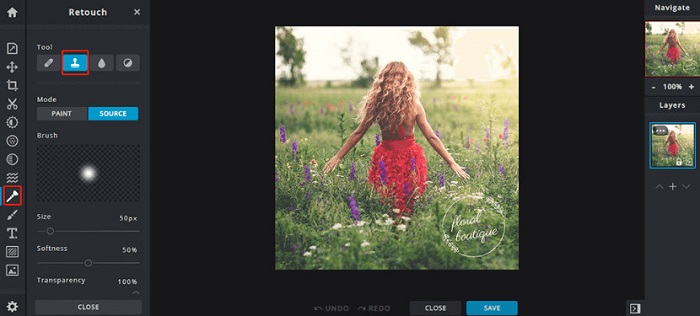
步骤 2. 点击 Retouch > Clone Stamp(润饰 > 克隆图章)。然后点击水印位置并拖动鼠标,即可去除照片上的水印。
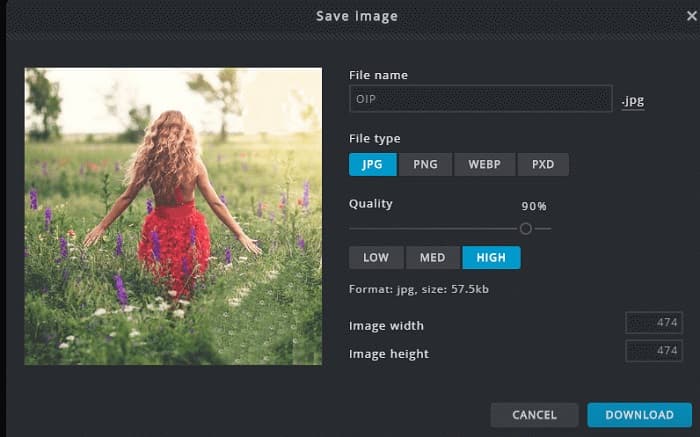
步骤 3. 最后,勾选 Save(保存)按钮,将照片保存到你的设备上。在此步骤中,你还可以选择照片的质量(quality)和尺寸(size)。
第 4 部分。另一种在线删除 Photobucket 水印的方法。
您将在互联网上看到更多在线水印去除器。但是,并非所有在线水印去除器都是安全的并且具有简单的用户界面。因此,我们寻找一种替代方案来去除 Photobucket 水印。
媒体.io
Media.io 是一款用户友好的在线水印去除工具。它的界面简洁且使用安全。你还可以轻松去除视频上的 LOGO、文字和印章。此外,你可以去除任意图片格式(如 PNG、JPEG、SVG 等)中的水印。更令人惊喜的是,这款工具还能去除各种格式视频中的水印。
优点
- 它允许您从照片和视频中删除水印。
- 它是一个在线视频编辑器。
- 它不包含广告。
缺点
- 它依赖于互联网。
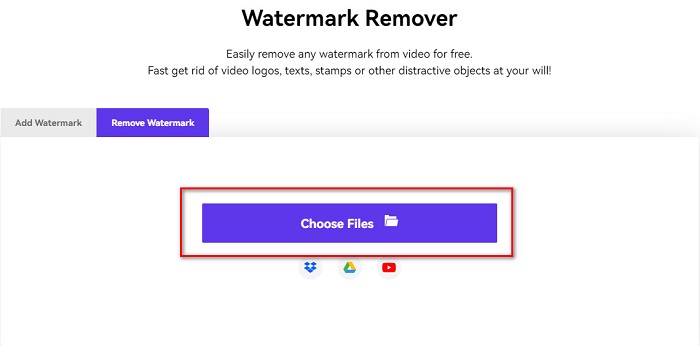
步骤 1. 在浏览器中搜索 Media.io watermark remover(水印去除器)。然后在软件主界面上点击 Choose Files(选择文件)按钮。
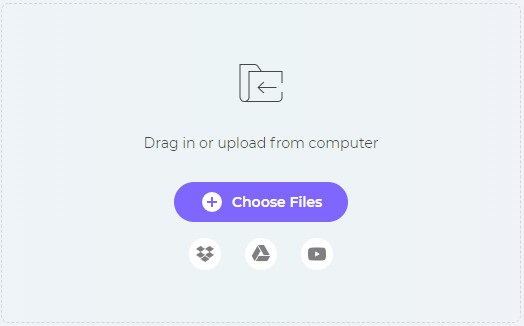
步骤 2. 接着,将你的照片拖放(drag and drop)到软件界面中,上传你的 Photobucket 图片。
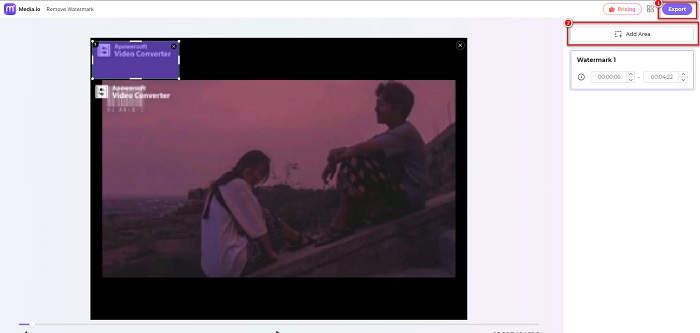
步骤 3. 最后,点击 Add Area(添加区域)选项,然后选中水印所在的区域。接着,点击 Export(导出)按钮,以去除水印。
有关的:
在 iPhone、Android、电脑和在线工具中为照片添加背景
第 5 部分。关于 Photobucket 水印去除器的常见问题解答
我可以从 JPEG 图像中删除水印吗?
是的。您可以使用上面提到的水印去除器从 JPG/JPEG 图像中去除水印。
可以去除视频中的水印吗?
幸运的是,是的。您可以从视频中删除水印。一些工具允许您从任何视频格式中删除水印,例如 FVC Video Converter Ultimate。
安卓有没有去除水印的软件?
PicLab 是一款可以去除照片上的水印的编辑应用程序。此应用程序可在 Android 和 iOS 平台上使用。
结论
使用以上列出的Photobucket 水印去除器工具,可以帮助你轻松去除 Photobucket 图片中的水印。不过,如果你想用一种更方便、简单的方式来去除照片上的水印,推荐你使用 FVC Free Watermark Remover。
-
 如何在 Mac 和 Windows 上将 JPG 转换为 HEIC
 想知道如何将 JPG 转换为 HEIC?本文将为您提供使用最好的免费 JPG 到 HEIC 转换器将 JPG 转换为 HEIC 的最佳方法。
-
 CopyTrans HEIC 评论、功能和替代方案
 如果您想知道 CopyTrans HEIC 可以做什么,我们为您提供该工具的功能、优势和替代方案。
-
 不容错过的 5 大最佳 PNG 到 HEIC 转换器
 如果您想了解最常用的 PNG 到 HEIC 转换器,我们在线为您提供最好的 PNG 到 HEIC 转换器。阅读这篇文章了解更多信息。
