从在线和离线图像中删除 Alamy 水印的最佳技术
Alamy is a website that sells stock photos, movies, and other visual content. Their images are taken by freelancers and agencies, or they are compiled from national archives, museums, and public domain material that has been taken from Wikimedia Commons. However, some photos have an Alamy watermark in them, which is disturbing for the viewers. In that case, we will show you the best way to remove Alamy watermarks online and offline. Read the article for more details.
第 1 部分:如何从在线照片中删除 Alamy 水印
使用 FVC Free Watermark Remover
If you like to get rid of the Alamy watermarks from your photos, you can use the FVC Free Watermark Remover. This is the ultimate online application you can utilize. Alamy watermarks are really disturbing, and it was scattered throughout all parts of the photo. But in this online tool, removing the Alamy watermark is easy. Even elementary students can operate this application because it has detailed guides you can follow. Moreover, FVC Free Watermark Remover offers two methods to remove the Alamy watermarks. The first method is using the Watermark Remover tools. These tools are Polygonal, Brush, and Lasso. Using these tools, you can erase any unwanted objects from your photos. The second method is using the Cropping tool. If the Alamy watermark is in your photo's corner or edge area, you can cut them easily. Also, this online tool supports standard image file formats, such as PNG, JPG, and BMP, so you can import your image in this tool. Let’s remove these watermarks using this Alamy watermark remover. Follow the simple guides below.
Using Watermark Remover Tools
Step 1: The first step is to visit the FVC Free Watermark Remover website. Click the Upload Image button. Your folder will show up, and choose the photo with an Alamy watermark you want to remove.
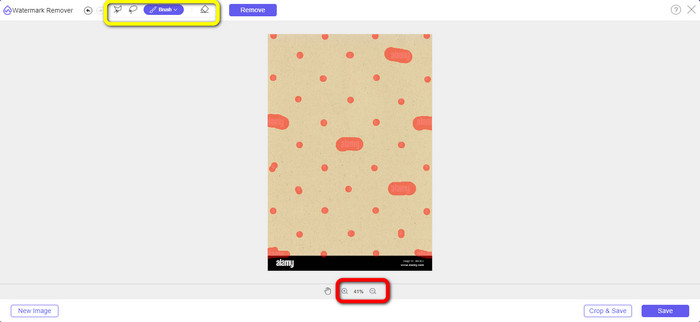
Step 2: On the yellow box, you can use different tools to highlight the Alamy watermarks from your photo. You can use the Lasso, Polygonal, and Brush tools. You can click the + and - icon on the red box to zoom in and out of the photo.
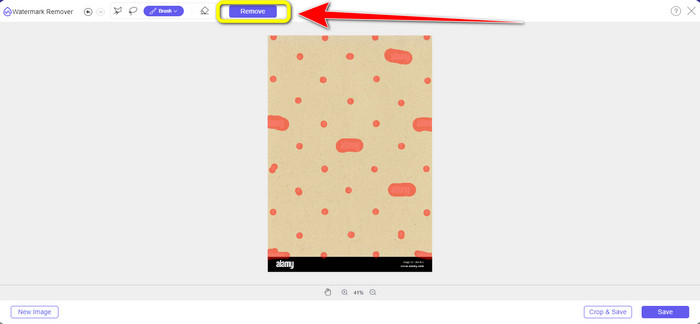
Step 3: After highlighting all the Alamy watermarks from your photo, click the Remove button. Wait for the removal process.
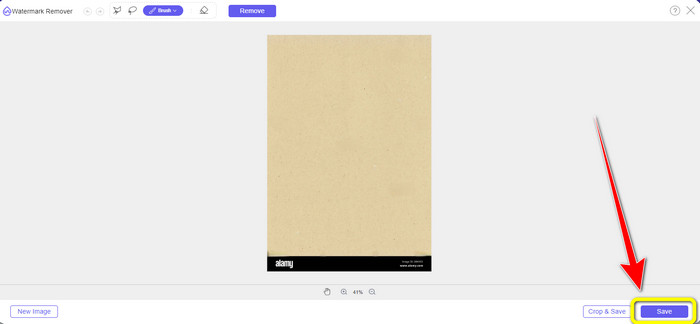
Step 4: When all the Alamy watermarks are gone, click the Save button to save and download your photo without the Alamy watermarks.
Using Cropping Tool
在这一部分中,我们将使用裁剪从照片中去除 Alamy 水印。请按照以下简单步骤操作。
Step 1: Insert the photo with an Alamy watermark by clicking the Upload Image button.
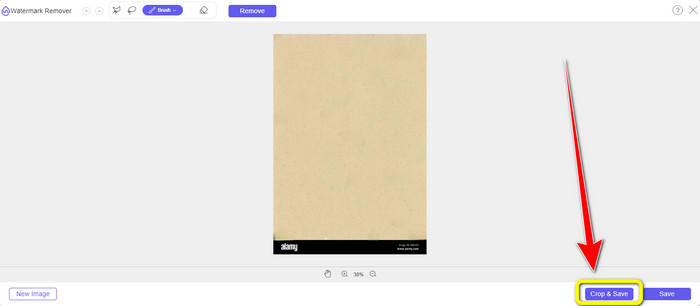
Step 2: After adding the photo, press the Crop button on the lower right part of the interface.
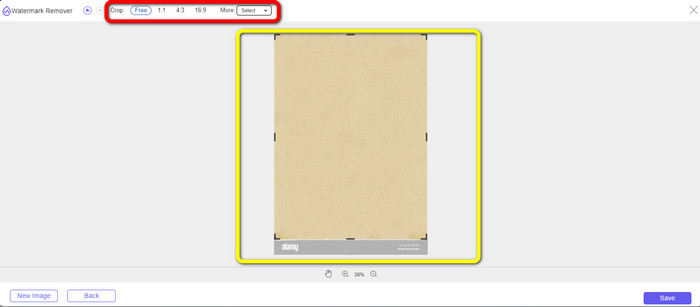
Step 3: After clicking the Crop button, you can move your mouse to cut the edge part of your photo, especially to the area of the Alamy watermark. On the red box, you can see many options on what size of your photo you want, so you can also choose one.
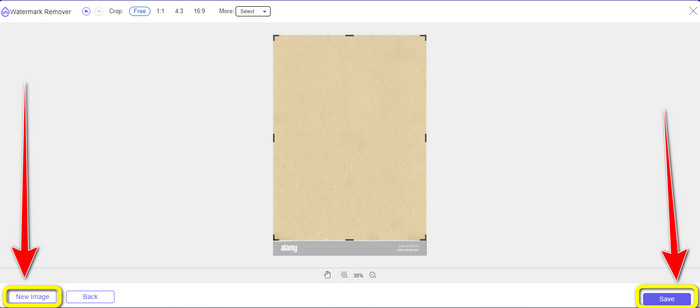
Step 4: If you are done cropping the photo, you can click the Save button on the lower right part of the interface and save it. Also, if you want to crop another image, click the New Image button on the left lower part of the interface.
使用Apowersoft在线水印去除
Apowersoft Online Watermark Remover can remove the Alamy watermark from your photo too. This tool can eliminate any irritating objects from your photos, such as watermarks, logos, text, etc. In addition, it supports many file formats, including JPG, TIFF, PNG, BMP, etc. This way, you can ensure that you can upload almost all pictures in this tool. Moreover, Apowersoft Online Watermark Remover can also remove watermarks from a video, which makes it more convenient for all users. Utilizing this application is easy. You can remove the Alamy watermarks in just a few steps. Your files here are safe because the file will be deleted after you remove the watermarks from your pictures. This application guarantees the security of your file. However, when using this online tool, there are some struggles you might encounter. Sometimes this application doesn’t read or detect the photo you are uploading. Also, the removal process of the watermarks from an image is time-consuming. And you must have a fast internet connection. If you don’t, then this tool won’t perform well.
要从您的照片中删除 Alamy 水印,请按照以下简单指南操作。
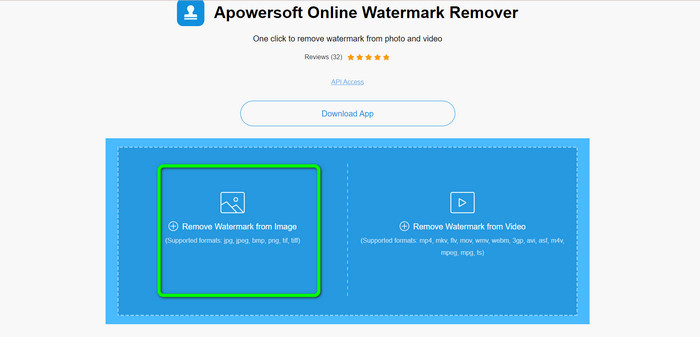
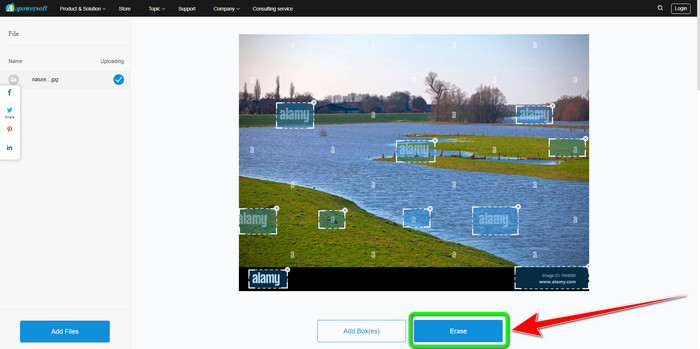
Step 1: Go to the website of Apowersoft Online Watermark Remover. Click the Gallery symbol to add your image file with an Alamy watermark.
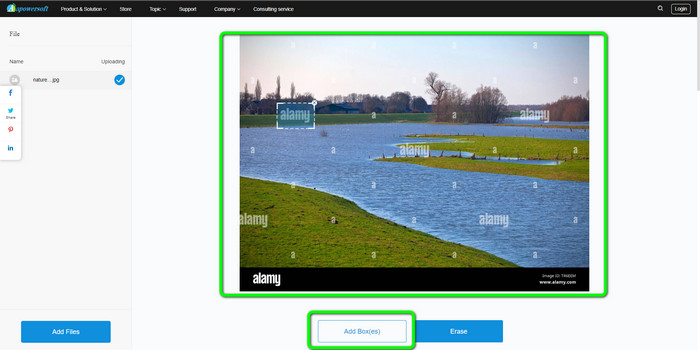
Step 2: After adding the photo, click the Add Boxes button. You can add as many boxes as you want. Then, using these boxes, cover all the Alamy watermarks.
Step 3: You can click the Erase button when you have already covered all the Alamy watermarks from your photo. Wait for the removal process, and then you can download your picture on your computer.
第 2 部分:如何使用 Photoshop 去除 Alamy 水印
Adobe Photoshop is one of the tools you can use to remove the Alamy watermarks from your photos offline. It offers a high-speed removal process and smooth final output. With the help of this editing software, you can delete any unwanted from your objects, including the Alamy watermarks. Adobe Photoshop also can do more things aside from removing watermarks. You can use it to retouch your photo, like eliminating dark spots, pimples, and more. You can also use this for enhancing any images. However, utilizing Photoshop is unsuitable for beginners. It is an advanced editing software good for advanced users. If you are a non-professional user and want to use this application to remove Alamy watermarks, you have to look for tutorials or ask for professionals. Also, Adobe Photoshop is expensive. You have to purchase the application to use it longer. It can only offer a seven-day free trial.
使用以下步骤从您的照片中删除 Alamy 水印。
Step 1: Download Adobe Photoshop and proceed to the installation process. Then, launch the application on your computer.
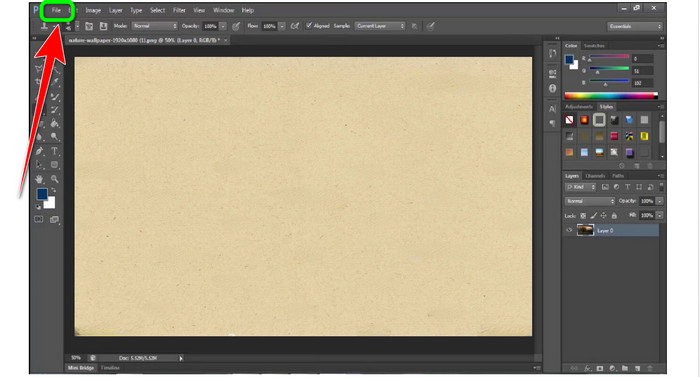
Step 2: To add the photo with an Alamy watermark, go to the File option, then click Open.
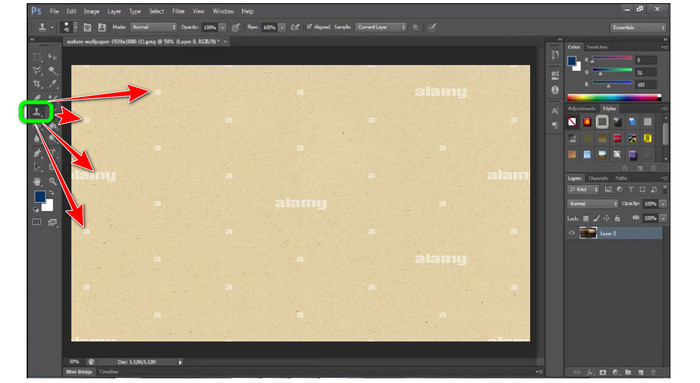
Step 3: After attaching your file, select the Clone Stamp Tool. Then while holding the alt key, click each watermark from your photos using your mouse. You can see that the watermarks will disappear little by little.
Step 4: When all the Alamy watermarks are gone, go to the File option, then click the Save as button to save your final photo without the Alamy watermark.
第 3 部分:有关删除 Alamy 水印的常见问题解答
为什么你保存在 Alamy 上的图片有水印?
因为网站要保护它们,又因为它们不是免专利的,所以上传的视觉素材都有水印。因此,如果您想要 Alamy 的无水印图像,则必须购买它。
从 Alamy 购买图像时出示我的卡号是否安全?
是的。该网站不会泄露您的信息,因此您不必担心卡上的信息。
可以从 Alamy 退还付款吗?
抱歉不行。 Alamy 不允许退款。所以花还是不花,一定要三思。
结论
Now you know the best way to remove Alamy watermarks from images online and using Photoshop. But we know that Photoshop is difficult to utilize. In that case, you can use FVC Free Watermark Remover. It has an easy-to-use interface, which is good for beginners.


视频转换大师
屏幕录影大师