


 视频转换大师
 屏幕录影大师
 视频修复
视频修复
 安全下载
安全下载关于 Inpaint Watermark Remover 的演练回顾
你是否愿意学习如何使用 Inpaint 去除水印?那么你来对地方了!如果你正在阅读本指南,很可能是在寻找一种最佳方法从图片中去除水印。那你就无需再为此烦恼了。本文将为你提供关于诸如Inpaint Watermark Remover等程序的客观评价。你将充分了解每个工具的功能、优点、缺点以及价格。此外,我们还会为你提供一个在照片去水印方面可以替代 Inpaint 的最佳方案。这样一来,你在选择水印去除工具时就有更多选项。继续阅读本文,获取更多实用信息。

第 1 部分:Inpaint 概述
名为Inpaint的这款出色且可靠的软件,专门用于去除图像中不需要的元素,例如水印、标志、文字、印章等。市面上有许多功能复杂的照片编辑程序,而 Inpaint 并不在其列。如果你是普通摄影爱好者、初学者,或者经常很忙、没有时间使用像 Photoshop 这样复杂的图片编辑软件,你会喜欢 Inpaint 的简洁和高效。此外,Windows 和 Mac 用户都可以使用 Inpaint。你既可以下载应用程序,也可以直接在线使用。最后,Inpaint 的智能标记工具能让去除不需要的对象变得轻而易举。另外,Inpaint 还能帮助你完美修复受损的老旧照片。但是,如果你想以高分辨率保存图像,就必须购买订阅。使用免费版本时,只能导出较低质量的图片。
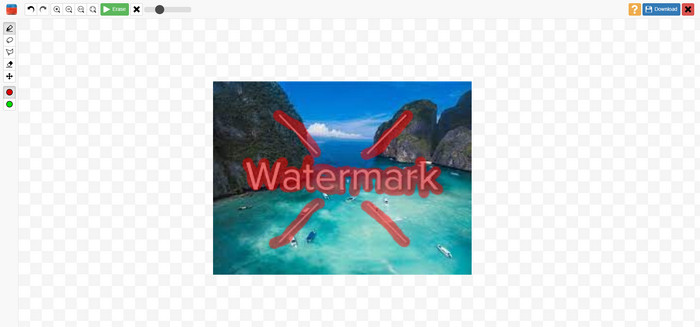
Inpaints 的特点、优点和缺点
功能特色
◆ 从照片中删除不需要的元素。
◆ 修复旧照片。
◆ 可修脸
优点
- 提供直观的界面,易于使用。
- It can remote watermarks instantly.It can remote watermarks instantly. 它可以立即删除水印。它可以立即删除水印。
缺点
- 在背景复杂的照片上表现不佳。
- 购买订阅体验强大的功能。
如何使用 Inpaint 去除水印
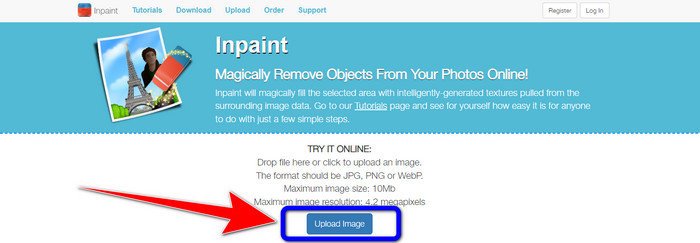
步骤 1:访问Inpaint的官方网站。然后点击Upload Image(上传图片)按钮,添加你想要去除水印的照片。
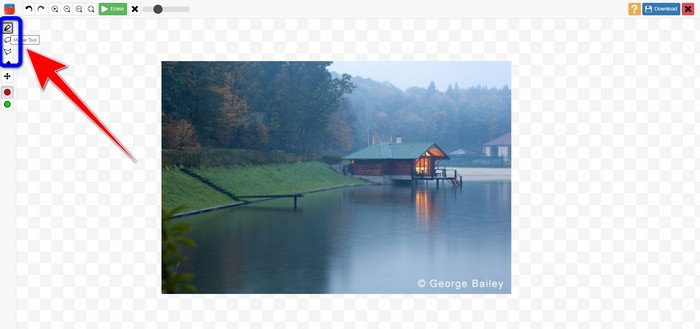
步骤 2:添加照片后,需要使用水印去除工具将水印区域标记出来。这些工具包括 Marker(标记)、Polygonal(多边形)和 Lasso(套索)。
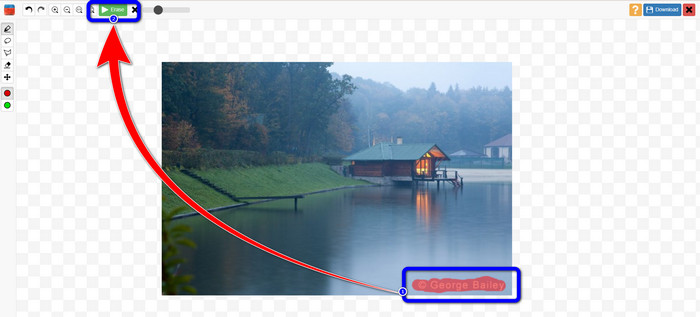
步骤 3:当你完成对照片中水印的标记后,点击屏幕左上方的Erase(擦除)按钮,并等待完成去除过程。
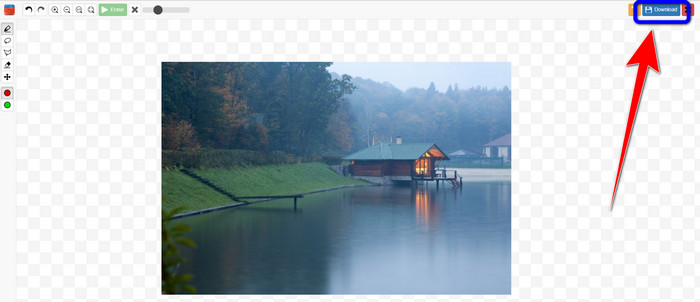
步骤 4:当水印被成功去除后,点击Download(下载)按钮,将处理后的图片保存到电脑桌面。
第 2 部分:从在线照片中删除水印的 Inpaint 最佳替代方法
在了解了如何使用 Inpaint 去除水印的有效方法后,这里是您可以用来去除照片水印的最佳替代方法。
FVC免费水印去除
除 Inpaint 之外,你能使用的最佳在线工具是FVC Free Watermark Remover。这款在线软件可帮助你去除图片中所有不必要的元素,例如水印、LOGO、文字、签名等。你可以使用多种去除工具,如 Brush(画笔)、Polygonal(多边形)和 Lasso(套索)。但这还不止如此,该在线软件还具有裁剪功能,也就是说可以通过裁剪图片来去除任何水印。它的处理速度很快,无需耗费太多时间。去除水印后,你可以以原格式保存最终成品。它还支持多种图像格式,例如 JPG、PNG、BMP 等。此外,这款水印去除工具界面清晰易懂,操作步骤简单,非常适合非专业用户。
功能特色
◆ 能够裁剪图像以消除水印。
◆ 以原始质量导出图像。
◆ 使用套索、画笔和多边形工具从照片中删除令人讨厌的元素。
优点
- 非常适合非专业用户。
- 它有一个易于理解的用户界面。
- 完全免费。
- 它有一个快速的删除过程。
- 保证每一位用户的隐私。
- 无需安装应用程序。
缺点
- 要运行该应用程序,需要互联网连接。
使用水印去除工具
由于水印区域位于照片的中央,我们将使用水印去除工具而不是裁剪工具。按照下面这些简单的步骤使用 FVC Free Watermark Remover 去除照片中的水印。
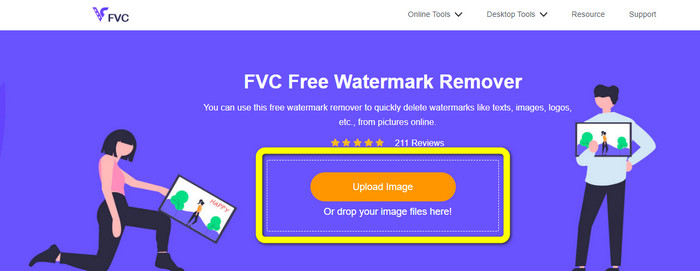
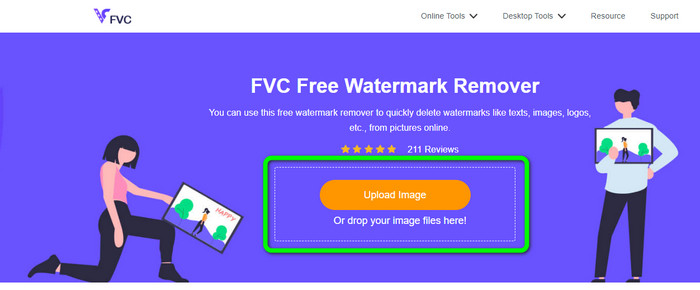
步骤 1:前往FVC Free Watermark Remover网站。点击Upload Image(上传图片)按钮,上传带有水印的图片。你也可以直接拖拽文件。
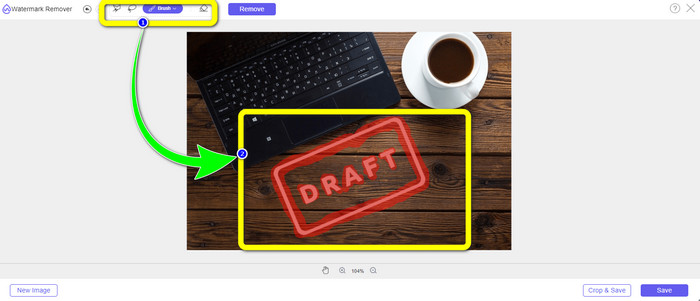
步骤 2:使用界面上方提供的去除工具高亮标记水印区域。
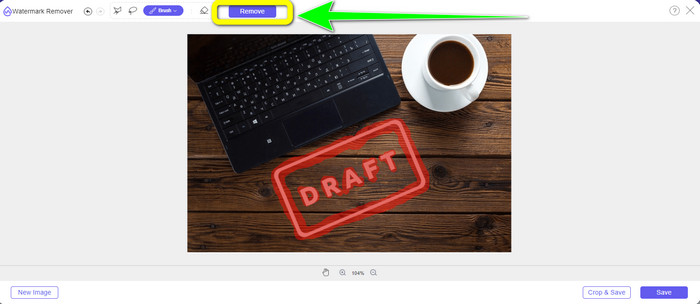
步骤 3:当你完成对图片中水印的标记后,点击Remove(去除)按钮来删除水印,并等待快速的处理过程完成。
步骤 4:当照片中的水印完全去除后,点击Save(保存)按钮,下载已无水印的图片。
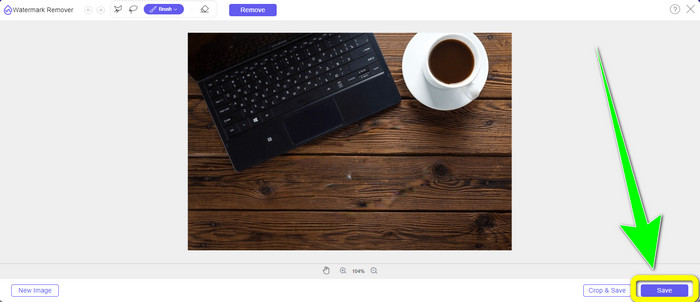
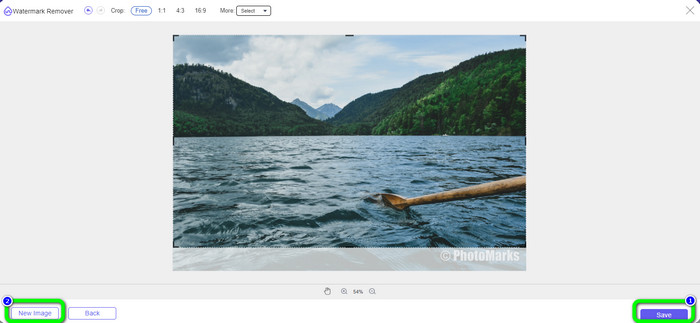
使用裁剪工具
在这种方法中,您需要考虑照片中水印的区域。如果水印位于图像的角落或边缘,您可以使用裁剪工具。按照以下简单步骤学习如何裁剪照片以消除水印。
步骤 1:点击Upload Image(上传图片)按钮,导入带有水印的照片。
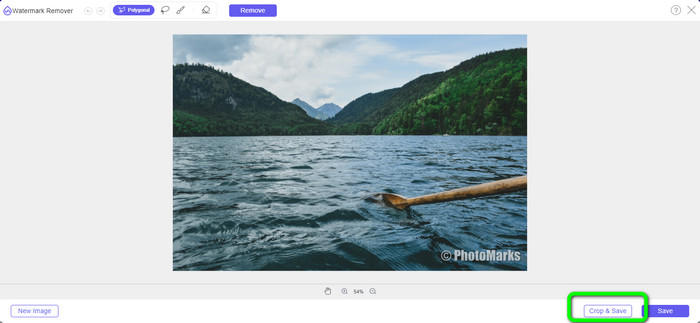
步骤 2:插入照片后,点击界面右下角的Crop & Save(裁剪并保存)按钮。
步骤 3:在界面上方,你可以看到多种裁剪选项可供选择,这些选项可以帮助你对照片进行裁剪。如果你想手动裁剪照片,点击Free(自由)选项。
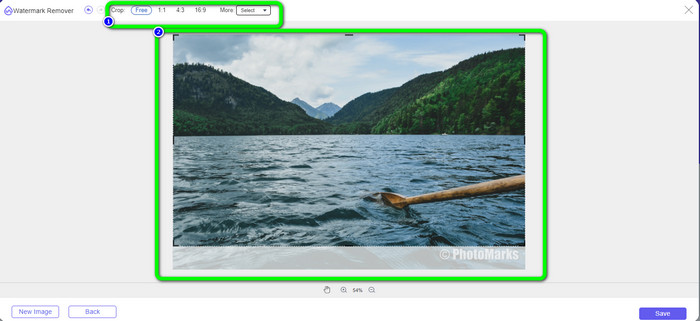
步骤 4:通过裁剪图片去除水印后,点击界面右下角的Save(保存)按钮,下载已去除水印的照片。然后,如果你还想裁剪另一张照片,可以点击界面左下角的New Image(新图片)按钮。
相关内容:
如何在 Lightroom Mobile 中去除水印【已解决】
第 3 部分:Inpaint Watermark Remover 常见问题解答
我什么时候应该使用Inpaint?
您可以使用 Inpaint 消除照片中不需要的元素,例如人物、水印、徽标、贴纸等。使用此工具,您可以让您的照片更精彩,更能取悦观众的眼球。
我可以在电脑上使用 Inpaint 吗?
是的你可以!您可以下载 Inpaint,因为它提供桌面版本。这个可下载的应用程序比在线版本具有更多强大的功能。您可以无限制地附加图像,并通过更好的修复算法提供更高的恢复质量。
Inpaint 是更好的水印去除器吗?
Inpaint 在去除照片水印方面表现可靠,但也存在一定局限性。它对文件大小和分辨率有限制,这对用户来说并不理想。如果你想要更出色的水印去除工具,可以使用FVC Free Watermark Remover。它没有这些限制,你可以免费从照片中去除水印。
结论
可以看到,本文为你提供了关于Inpaint Watermark Remover的客观评价。此外,还为你介绍了可用于去除照片水印的最佳替代方案。如果你想要一款真正免费的水印去除工具,可以使用FVC Free Watermark Remover。
-
 如何在 After Effects 中轻松去除视频中的水印
 本文将帮助您使用 After Effects 从视频中去除水印。此外,它将提供消除干扰对象的最佳选择。
-
 如何从视频中删除表情符号的分步指南
 对视频中的表情符号感到恼火?这篇文章将为您带来使用出色工具即时从视频中删除表情符号的最佳程序。
-
 如何从照片和视频中删除贴纸的绝佳方法
 您想毫不费力地从视频和照片中删除贴纸吗?以下是有效的方法,包括您可以尝试的最可靠和最简单的方法。
