


 视频转换大师
 屏幕录影大师
 视频修复
视频修复使用分步指南将 AIFF 转换为 MP3 的最佳转换器
AIFF 文件可以说是你所听说过的音频文件中“最原始”的高规格格式。由于它是未压缩的,这种格式当然可以存储在桌面程序中,但并不适合存放在手机里或从手机上下载。因此,我们需要一种方法,让你在手机甚至桌面上保存 AIFF 文件时占用更少的存储空间。解决这个问题的最佳方式就是将其转换为 MP3 格式。不过,转换有时会对音频文件产生副作用。基于此,我们整理了多款工具,帮助你在转换 AIFF 时尽量不损失音质。继续往下看,一起来了解这些工具,并直接从使用步骤开始。

第 1 部分。如何在 Windows 和 Mac 上将 AIFF 转换为 MP3
1. Video Converter Ultimate
借助 Video Converter Ultimate,格式转换可以变得异常出色。如果你在其他转换器上得不到“特殊待遇”,不妨试试这款工具。因为这款终极转换器提供了很多其他 在 Windows 或 Mac 上将 AIFF 转 MP3 的转换器所没有的高级功能。此外,它不仅支持 Windows,也可以在 Mac 上下载使用。如果你想体验“终极”转换效果,那么务必要按照下面的步骤来操作,顺利完成 AIFF 文件的转换。
步骤 1. 要使用转换器,首先需要在 PC 或 Mac 磁盘上下载它。然后安装,按需修改设置,完成后点击“结束”以启动工具。
步骤 2. 安装完成后,点击Add Files(添加文件),导入你想要转换的 AIFF 文件。如果文件在文件夹中太多不便逐个选择,也可以直接拖放到软件界面中。
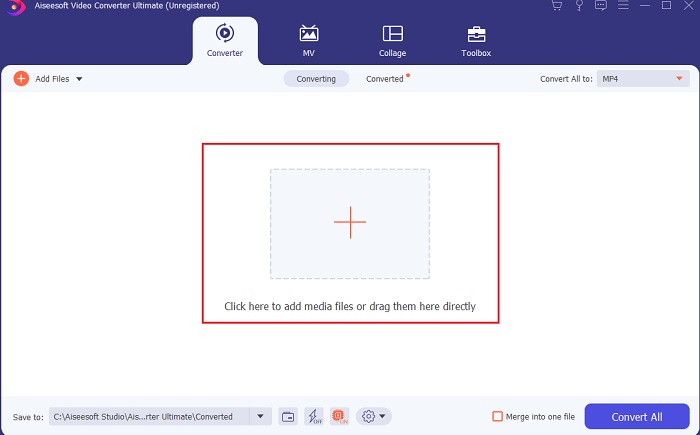
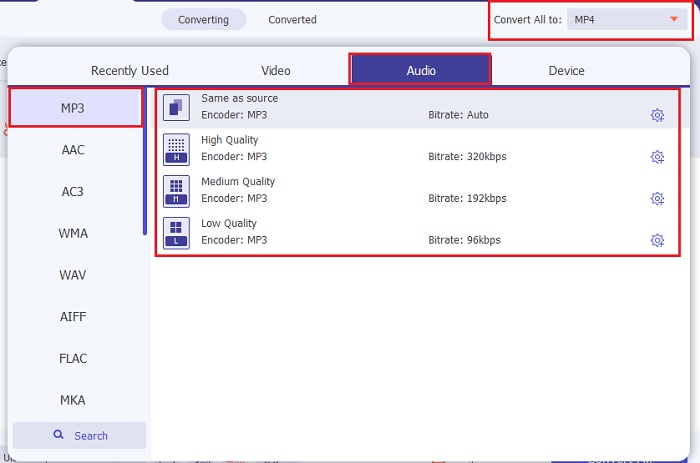
步骤 3. 接下来点击Convert All to(全部转换为)选项。然后选择你想要输出的音频格式。例如,可以选择 MP3 作为最终输出格式。
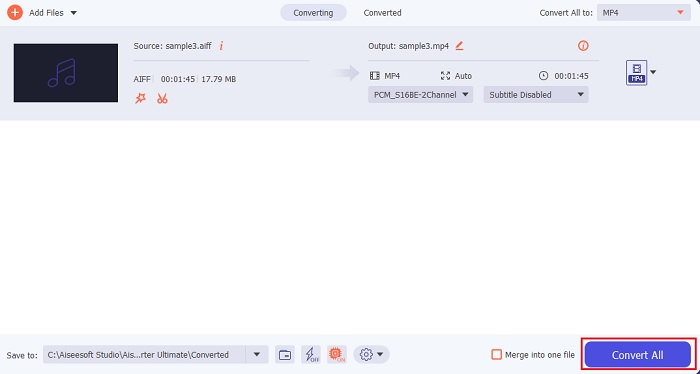
步骤 4. 点击Convert All(全部转换)按钮,开始转换 AIFF 文件。
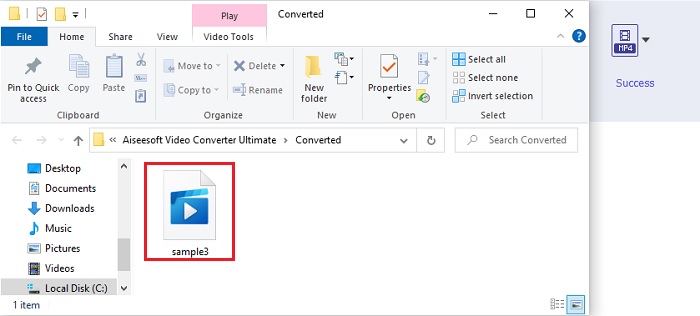
步骤 5. 等待几秒钟完成转换,随后会在屏幕上弹出文件夹窗口。点击新转换好的 MP3 文件,欣赏你所听过的最细腻音质。
2. iTunes
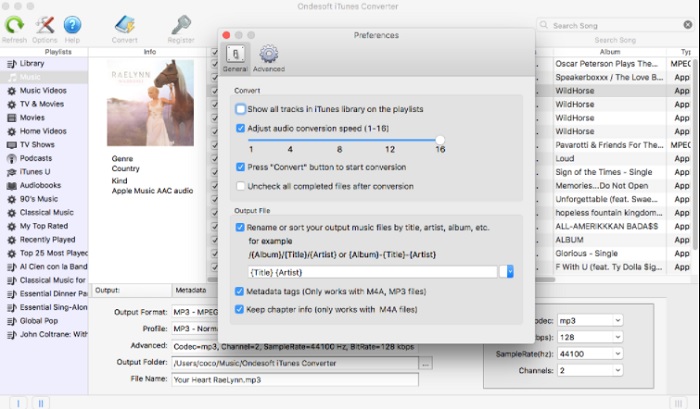
这款原生媒体播放器 iTunes 也可以在 Mac 上将 AIFF 文件转换为 MP3。它由 Apple 开发,是所有 iOS 和 Mac 系统的默认音乐库和播放器。它的功能之一就是格式转换。虽然它具有转换功能,但支持的格式不如一些在线工具多。不过,它在转换和播放新格式文件方面依然安全可靠。此外,这款原生播放器无法在非 Apple 产品(如 Android 或 Windows)上使用。请按照下方步骤,进一步了解 iTunes 的转换功能。
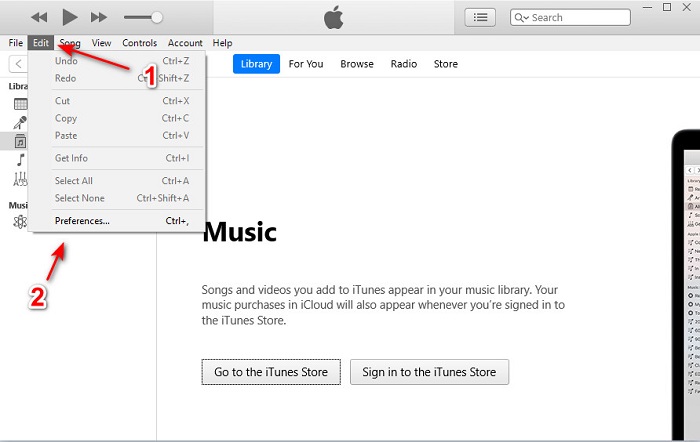
步骤 1. 在桌面上打开 iTunes,然后点击Edit(编辑)和Preferences(偏好设置)。
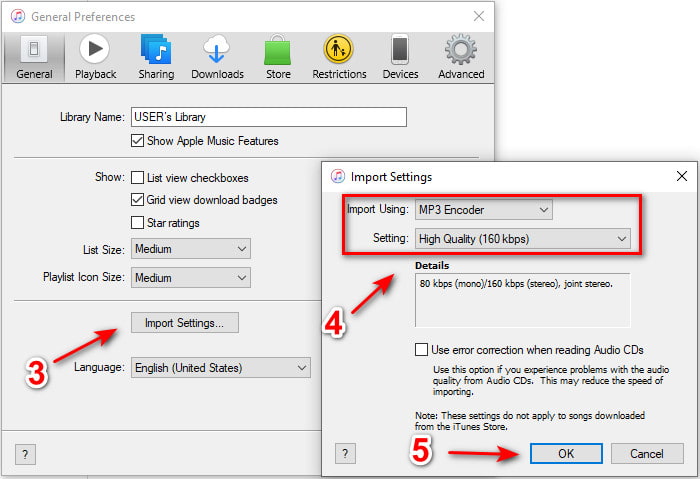
步骤 2. 在General(通用)标签页中,点击Import Settings(导入设置)。此时会弹出一个较小的菜单,你可以在这里更改格式和质量,然后点击OK(确定)保存。
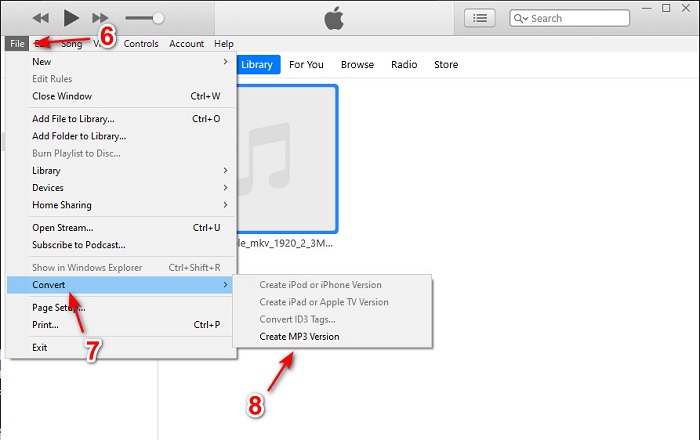
步骤 3. 将文件拖到界面中并点击选中。然后依次前往File(文件)、Convert(转换),点击Create MP3 Version(创建 MP3 版本),开始转换。
第 2 部分。 将 AIFF 转换为 MP3 的前 2 个免费在线转换器
1. FVC免费音频转换器
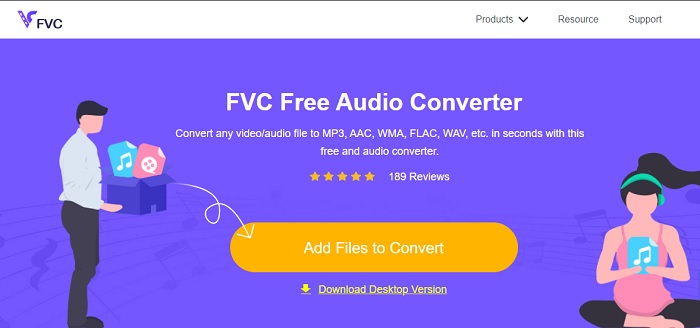
如果你将 AIFF 转换为 MP3,使用这款网页转换器 FVC Free Audio Converters,可以让文件大小低于320 kbps。这一解决方案已被数百万用户用来转换文件格式。尽管该工具不具备像付费版 FVC Video Converter Ultimate 那样的高级功能(毕竟是免费的),但如果你尝试使用它,仍然能体验到中等水平的高效转换。另外,它支持的音频格式比 iTunes 更多。请参考以下步骤,了解如何使用这个网页工具。
步骤 1. 点击这个链接,进入音频转换器的主站页面。
步骤 2. 然后点击Add Files to Convert(添加待转换文件)按钮,并允许工具启动加载器。补充说明:如果这是你第一次使用这个网页工具,你需要先下载并安装加载器。
下载桌面版以批量转换文件。
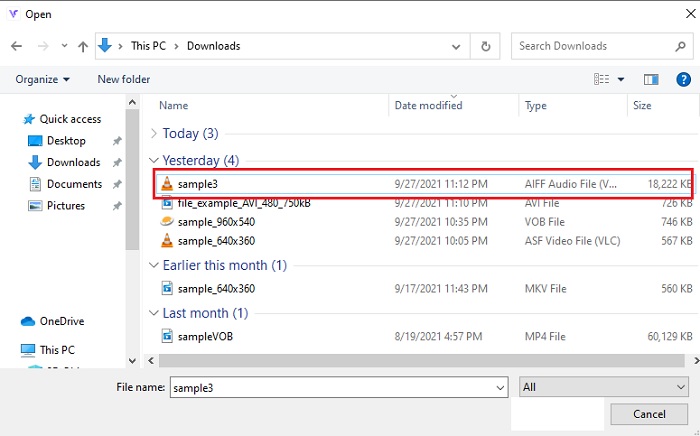
步骤 3. 启动网页工具后,选择 AIFF 文件并点击open(打开),即可跳转到网页工具的主界面。
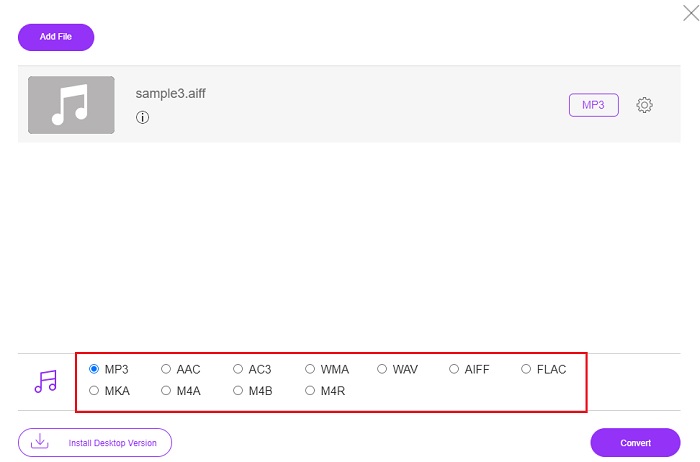
步骤 4. 在下方选择你想要输出的音频格式。然后点击Convert(转换)按钮,并选择文件保存位置,开始格式转换过程。
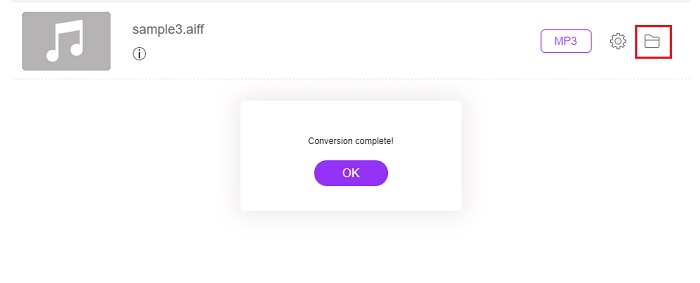
步骤 5. 转换完成后,点击文件夹图标来定位转换后的文件。屏幕上会弹出文件资源管理器,找到并点击转换好的文件,开始试听。
2.扎姆扎尔
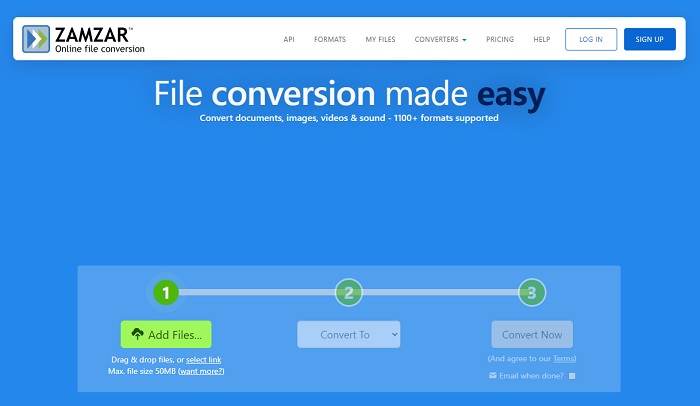
使用 Zamzar 转换,可能会成为你进行文件转换时做出的最佳选择之一。这个工具的界面非常容易理解,只需三步就能完成转换。但它有文件大小和文件数量的限制。而且它的转换过程体验并不理想:耗时较长,一旦开始转换就无法中途取消。因此,在开始下一次转换之前,你必须等待当前任务完成,然后再添加新文件。请阅读并遵循下列步骤进行转换。
步骤 1. 在浏览器中搜索 Zamzar 的官方网站。
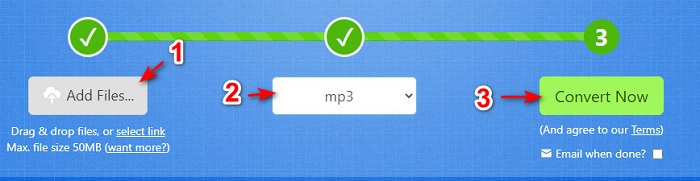
步骤 2. 点击Add File(添加文件),选择你想要转换的音频文件。然后点击Convert to(转换为)选择输出格式。
步骤 3. 准备好开始转换后,点击Convert Now(立即转换)开始处理。
延伸阅读
AIFF 与 MP3
第 3 部分。 关于 AIFF 到 MP3 的常见问题解答
哪个更好:AIFF 还是 MP3?
虽然相同的格式存储了高质量的音频文件,但让我们比较每种格式。简而言之,MP3 以更少的空间产生良好的质量,但 AIFF 以更大的空间产生高质量的音频文件。
AIFF 文件的最佳用途是什么?
由于 AIFF 文件存储自然和高质量的音频文件,因此这种格式的文件大小仍然很大,因为它没有被压缩。但是这种 AIFF 格式非常适合用于编辑和添加效果以使音频听起来更好。
AIF、AIFF 和 AIFC 之间有什么区别?
AIF 文件最常用于在 CD、DVD、蓝光和 AIFF 文件上存储音频文件,用于存储个人和声音数据,这意味着它的文件大小很大。但 AIFC 是 AIFF 的压缩版本,这种格式最常被媒体播放器用来播放高质量的 .aiff 格式。
结论
最后,总结一下,现在我们已经更清楚地了解了什么是 AIFF 文件。不过,正如前面所说,这种格式的体积非常庞大,而解决方法就是将其转换为通用的音频格式 MP3。问题在于,寻找合适的转换工具有时很麻烦,因为有些工具会损坏你的 AIFF 文件。尽管我们已经介绍了多种解决方案,但仍有一款在转换方面表现尤为出色的工具,那就是 FVC Video Converter Ultimate。它可以帮你轻松解决这一小问题。那么还在等什么?马上下载这款工具,体验一次真正“非凡”的转换过程吧。
-
 在不损失质量的情况下将OGG转换为MP3的前4种方法
 如何将OGG文件转换为MP3格式以在计算机或移动设备上收听?在这里,我们分享了5种最简单的方法来在台式机或在线上进行。
-
 如何使用4个免费音频转换器将M4A转换为MP3
 不能播放 M4A 需要转换成 MP3 吗?有没有免费的方法可以在线将 M4A 转换为 MP3?这篇文章分享了 4 种免费方法,可帮助您使用 iTunes、在线和专业音频转换器将 M4A 转换为 MP3。
-
 如何在Mac / Windows / Online上将WMA转换为MP3
 是否可以使用Windows Media Player将WMA转换为MP3?怎么把WMA转换成MP3免费?这篇文章分享了4种简单的方法来帮助您在Mac,Windows PC和在线上将音频从WMA转换为MP3。

